
6 Best Alarm Apps in 2026: Alarm Clock Apps Compared
Compare the 6 best alarm apps and alarm clock apps, from Alarmy's wake-up missions to Sleep Cycle's smart alarm and free Google Clock, on features and price.
 Shamim Mia, Founder, SerpAstraLast verified November 20, 20267 min read
We compare pricing pages, documentation and public reviews. We never accept payment for rankings.

Key takeaways
- Alarmy is the best alarm app for heavy sleepers: wake-up missions such as math, shaking, squats and photos make you get out of bed, and the basic alarm is free.
- Sleep Cycle is the pick for waking at a lighter moment, with a smart alarm window of up to 45 minutes.
- Sleep as Android combines a smart alarm with CAPTCHA tasks, QR and NFC wake-ups and wearable tracking, with 7 days of premium free.
- Google Clock is free on Android with alarms, a bedtime schedule and Wear OS support, enough for most light sleepers.
On this page
Quick comparison
| Tool | Best for | Starting price | Free plan |
|---|---|---|---|
 Alarmy | Heavy sleepers who switch off normal alarms and fall back asleep | Free; Premium extra | Yes (core alarm) |
 Sleep Cycle | People who want to wake during lighter sleep instead of at a fixed minute | Free; Premium extra | Yes (free) |
 Sleep as Android | Android users who want a smart alarm plus CAPTCHA tasks and wearable tracking | Freemium | Yes (freemium) |
 Google Clock | Android users who want a simple, reliable alarm with a bedtime schedule | Free | Yes (free) |
 Alarm Clock ◎ (RV AppStudios) | iPhone users who want many alarm sounds, gradual volume and simple wake-up tasks | Free; Pro from $2.99 | Yes (free) |
 Alarm Clock: Smart Waking Up | People who want alarms, sleep goals and meditation together | Free; $29.99/yr | Yes (free) |
Make one of these tools?
We re-check this list every quarter. Send a correction, request a review, or ask about a clearly labeled sponsored spot.
Request a listingThe best alarm apps
Alarmy
Best for: Heavy sleepers who switch off normal alarms and fall back asleep
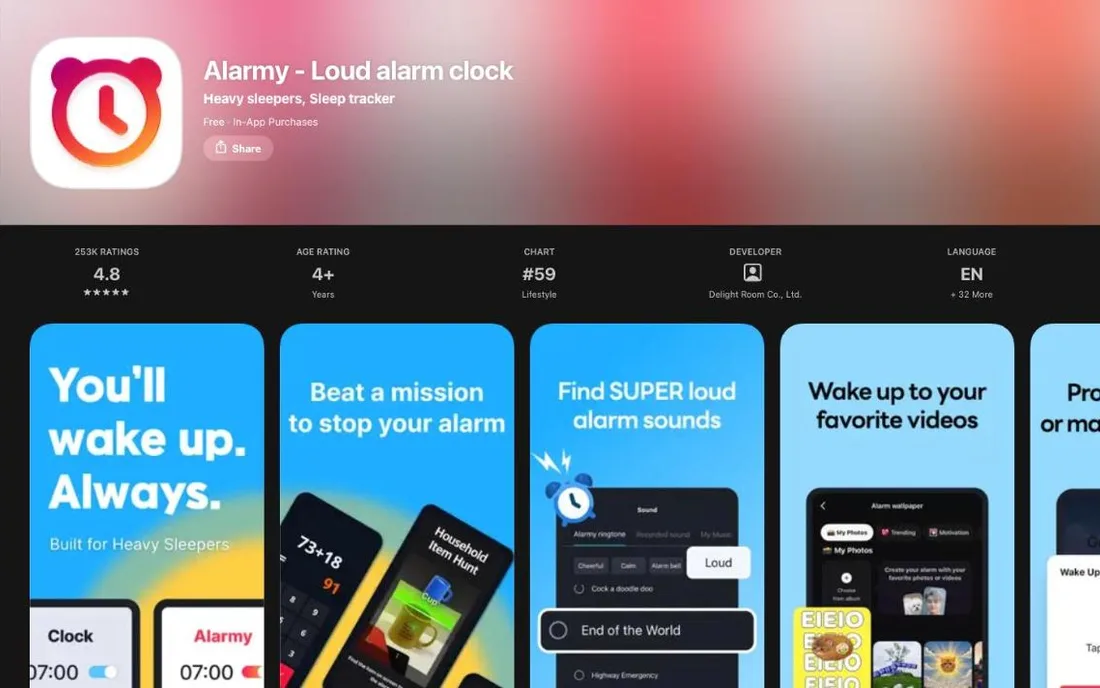
Alarmy is built for people who turn off an alarm and go straight back to sleep. To silence it you complete a mission — solve maths problems, play a memory game, shake the phone, do squats or take a photo — and recent versions let you combine several missions on one alarm. An Anti-Snooze mode adds another layer for the heaviest sleepers.
The alarm clock, sleep tracker and sleep sounds are free, with a 7-day trial of Premium. The App Store lists Premium purchases from $4.99 up to $69.99 without labelling billing periods, so check the price shown before you subscribe. It is rated 4.8 out of 5 from about 252,000 ratings.
What we like
- Wake-up missions: math, memory games, shaking, squats and photos, which can be combined
- Anti-Snooze mode for people who fall back asleep
- App Store rating of 4.8 out of 5 from about 252,000 ratings
Watch out for
- The App Store lists many Premium prices, from $4.99 to $69.99, without saying which plan is which
- Missions can be stressful for light sleepers who do not need them
Sleep Cycle
Best for: People who want to wake during lighter sleep instead of at a fixed minute
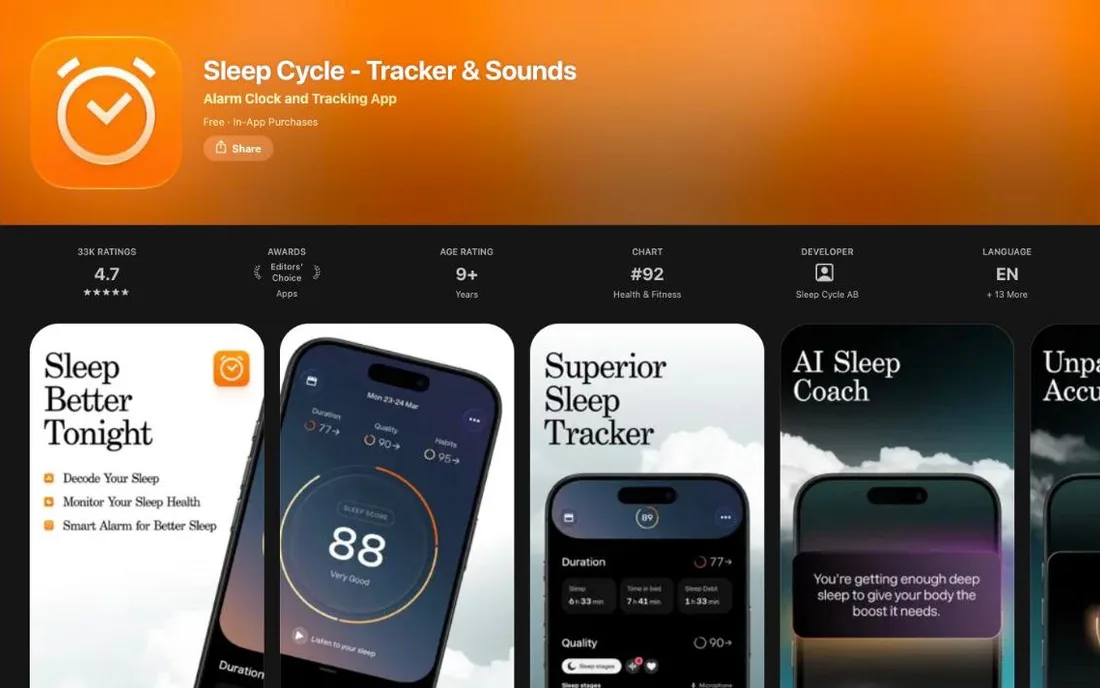
Sleep Cycle's smart alarm tracks your sleep and wakes you during a lighter phase within a window you choose, from instant, which works as a regular alarm, up to 45 minutes before your latest wake time. Waking from lighter sleep can feel less groggy than being pulled out of deep sleep at a fixed minute.
It is free to download with in-app purchases, and the App Store lists Premium at several prices from $2.99 to $39.99 without saying which plan each covers, so check the offer in the app. It suits people who wake up tired rather than people who sleep through alarms.
What we like
- Customisable wake-up window from instant up to 45 minutes
- Sleep tracking to find a lighter moment to wake you
- Works as a regular alarm clock with the window set to instant
Watch out for
- The App Store shows Premium prices from $2.99 to $39.99 without plan labels
- A wake-up window means you may wake earlier than the set time
Sleep as Android
Best for: Android users who want a smart alarm plus CAPTCHA tasks and wearable tracking
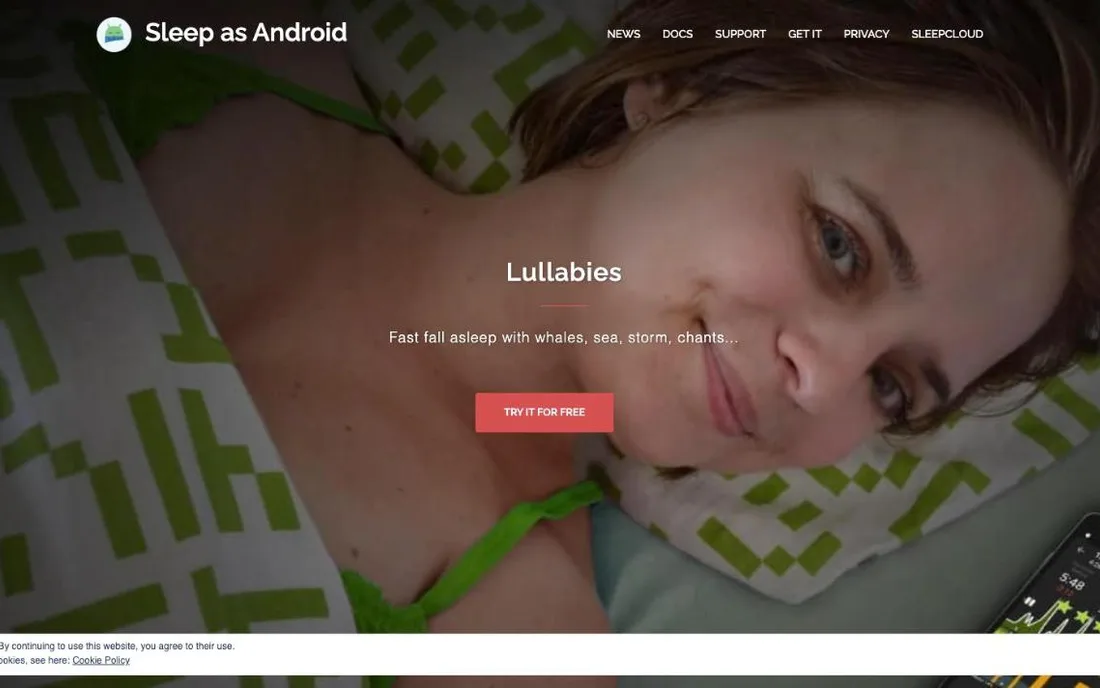
Sleep as Android combines a smart alarm that wakes you at the best moment in your sleep cycle with tasks that make you get up: CAPTCHAs, scanning a QR code or NFC tag placed in another room, shaking the phone or maths, plus a snooze limit. Sonar tracking works without the phone in bed, and it tracks sleep from smartwatches.
It gives 7 days of premium, then you keep the freemium version with ads or upgrade; the Google Play page does not show the unlock price. With integrations for Health Connect, Spotify and smart lights, it is the most configurable alarm here. Google Play rates it 4.6 from about 393,000 reviews.
What we like
- Smart wake-up at the optimal moment in your sleep cycle
- CAPTCHA tasks, QR code, NFC tag, shaking or maths to get you out of bed, plus a snooze limit
- Sonar contactless tracking and smartwatch sleep tracking
- Google Play rating of 4.6 from about 393,000 reviews
Watch out for
- Contains ads on the free version
- Android only; the unlock price is not shown on the store page
Google Clock
Best for: Android users who want a simple, reliable alarm with a bedtime schedule
Google Clock is the alarm many Android phones already have, and it covers the basics well: alarms, timers, a stopwatch and a world clock, plus a bedtime schedule with sleep sounds and a view of upcoming events. With a Wear OS watch, alarms and timers appear on your wrist through tiles and watch-face complications, so a vibration can wake you without disturbing a partner.
It has no missions or smart wake-up window, so heavy sleepers need something stronger. Google Play shows no price and lists more than a billion downloads, with a 4.0 rating. For most people who wake to a normal alarm, it is all they need.
What we like
- Alarms, timers, stopwatch and world clock in one app
- Bedtime schedule, sleep sounds and a view of upcoming events
- Alarms and timers on Wear OS watches through tiles and complications
Watch out for
- No wake-up missions for heavy sleepers
- Google Play rating of 4.0, lower than the specialist apps
Alarm Clock ◎ (RV AppStudios)
Best for: iPhone users who want many alarm sounds, gradual volume and simple wake-up tasks
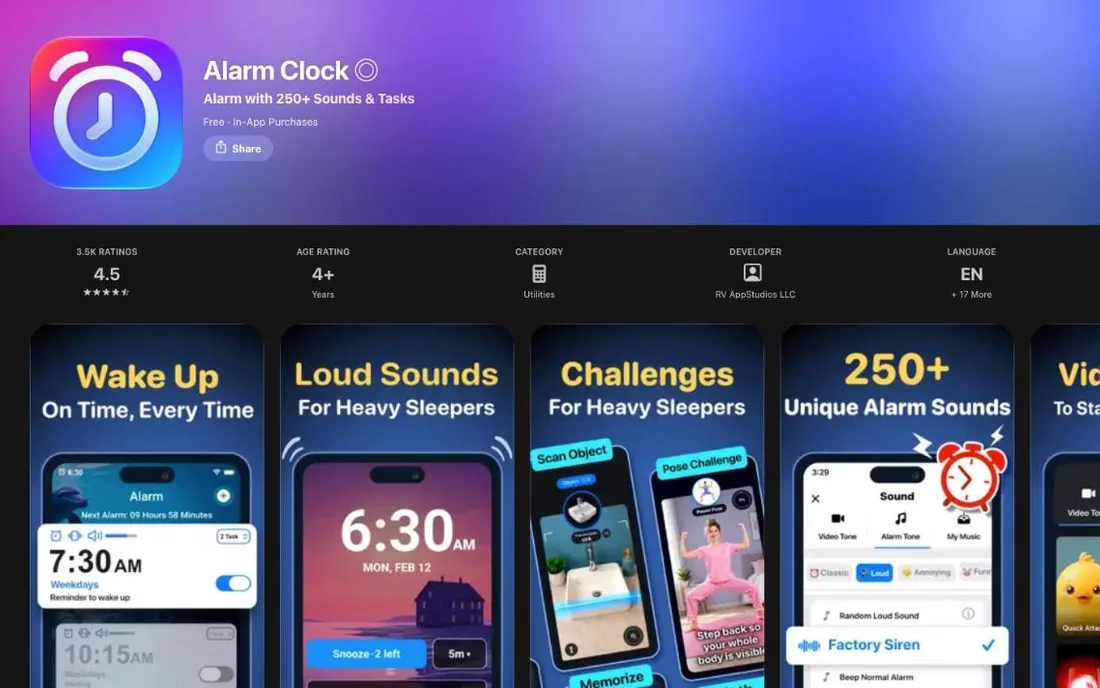
Alarm Clock from RV AppStudios suits people who want more control than the built-in clock without a full sleep tracker. It offers six wake-up missions — Simple, Shake, Math, Text, Walk and Hold — gradual volume increase for a gentler start, adjustable snooze count and length, and more than 250 alarm sounds plus sleep sounds.
It also shows the weather next to the clock and lets you attach notes or to-do lists to an alarm. It is free with in-app purchases, but the App Store lists many tiers from a $2.99 PRO subscription to $29.99 Diamond plans, so check what each unlocks. It is rated 4.5 out of 5 from about 3,500 ratings.
What we like
- Six wake-up missions: Simple, Shake, Math, Text, Walk and Hold
- Gradual volume increase and adjustable snooze count and length
- 250+ alarm sounds plus sleep sounds
Watch out for
- Many subscription tiers, from $2.99 to $29.99, make the price hard to compare
- Fewer sleep-tracking features than Sleep Cycle
Alarm Clock: Smart Waking Up
Best for: People who want alarms, sleep goals and meditation together
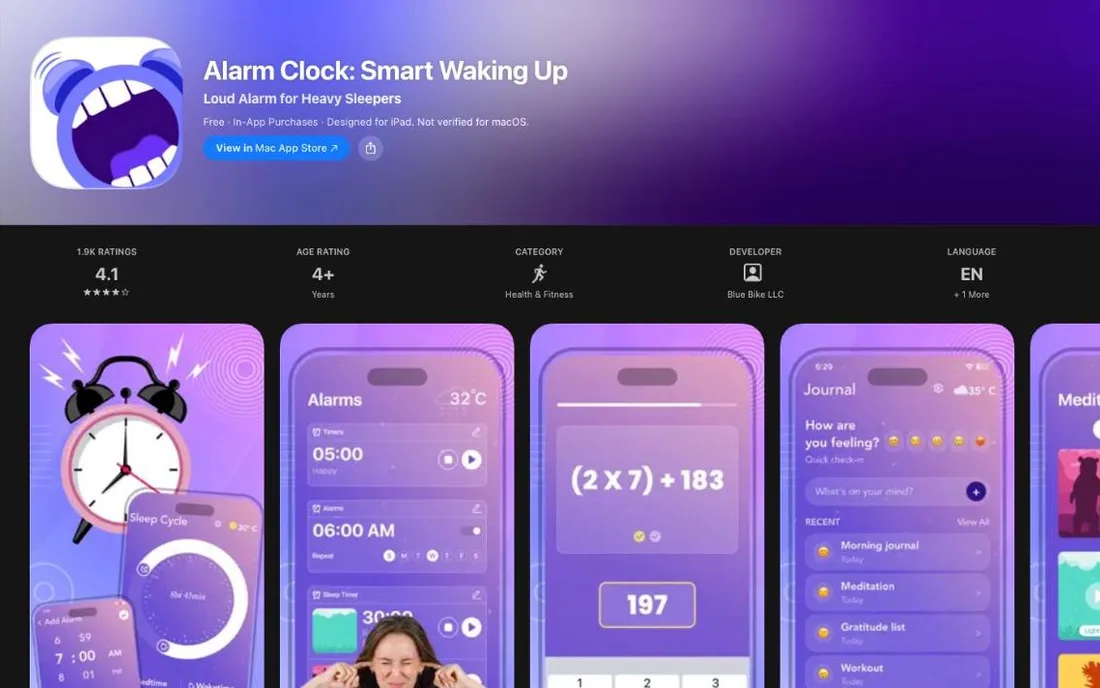
Alarm Clock: Smart Waking Up, from Blue Bike, combines alarms with custom days and times, a choice of sounds and vibration patterns, activities you must finish to switch the alarm off, and sleep tracking with bedtime and wake-time goals and weekly statistics. In-app meditation helps with winding down at night.
It is free to download, with plans at $6.99 a month or $29.99 a year, both with a 3-day free trial; weekly plans at $2.99 and $4.99 cost far more over a year. It is rated 4.1 out of 5 from about 1,900 ratings, so treat it as an alternative if Alarmy's missions feel too harsh.
What we like
- Sleep tracking with bedtime and wake-time goals and weekly stats
- Activities you must complete to turn off the alarm
- 3-day free trial on monthly and yearly plans
Watch out for
- Weekly plans at $2.99 and $4.99 are poor value
- Lower App Store rating, 4.1 from about 1,900 ratings
The best alarm app gets you out of bed on time, at the right moment, without making you dread the morning. We compared six alarm apps — two mission-based apps for heavy sleepers, two smart-alarm sleep trackers and two simpler clocks — on how they wake you, what stops you snoozing, sleep tracking, platforms and real price. Every detail below was checked on the developer's own page or official app store listing in November 2026.
How to choose the alarm app
- Be honest about how you sleep. Heavy sleepers need missions or tasks; light sleepers may only need a gentle wake-up window.
- Look at snooze controls. Alarmy's Anti-Snooze and Sleep as Android's snooze limit stop the endless snooze cycle.
- Consider a smart wake-up window. Sleep Cycle wakes you in a window of up to 45 minutes during lighter sleep.
- Check your platform. Sleep as Android and Google Clock are Android apps; Sleep Cycle and Alarmy are on iPhone too.
- Read the price list carefully. Several apps list many in-app prices without labels, so confirm the plan before subscribing.
- Test before a workday. Try a new alarm app on a weekend to make sure it rings reliably on your phone.
Mornings are easier when the rest of the day is planned too: our guide to the best tracker apps covers habit and time trackers, and the best fitness apps guide covers morning workouts.
Alarm app pricing: what you will actually pay
Every app here can be used free. Google Clock shows no price at all, Alarmy's alarm, sleep tracker and sleep sounds are free, and Sleep Cycle, Sleep as Android and the two Alarm Clock apps are free to download with paid upgrades. Sleep as Android gives 7 days of premium before reverting to freemium, and Alarmy offers a 7-day Premium trial.
Paid plans are harder to compare because app stores list many prices without labels: Alarmy's Premium purchases run from $4.99 to $69.99, Sleep Cycle's from $2.99 to $39.99, and RV AppStudios' Alarm Clock tiers from $2.99 to $29.99. Blue Bike's Alarm Clock is clearer at $6.99 a month or $29.99 a year, which means twelve monthly payments cost $83.88 against $29.99 for the year. If you upgrade at all, choose the yearly option.
Know the difference: mission alarms vs smart alarms
A mission alarm, such as Alarmy or the RV AppStudios Alarm Clock, will not stop until you do something that needs a working brain or body: maths, a memory game, shaking the phone, squats or taking a photo in another room. It is designed for people who switch off alarms half-asleep and wake an hour late.
A smart alarm, such as Sleep Cycle or Sleep as Android, tracks your movement or breathing and wakes you during lighter sleep within a window before your target time. The goal is to feel less groggy, not to force you up. Sleep as Android does both, combining a smart window with CAPTCHA and NFC tasks, which suits people who wake tired and also tend to snooze.
Quick comparison: tool type by need
| Buyer | Best pick | Why |
|---|---|---|
| Heavy sleepers | Alarmy | Missions and Anti-Snooze; core alarm free |
| Gentle wake-up | Sleep Cycle | Smart window up to 45 minutes |
| Android power users | Sleep as Android | Smart alarm plus CAPTCHA, QR and NFC tasks |
| Simple free alarm | Google Clock | Free, bedtime schedule, Wear OS alarms |
| Many sounds, gradual volume | Alarm Clock ◎ (RV AppStudios) | 250+ sounds and six missions |
| Alarm plus sleep goals | Alarm Clock: Smart Waking Up | $29.99/year with a 3-day trial |
Mistakes to avoid
- Putting the phone within arm's reach. Any alarm is easier to dismiss in bed; a QR or photo mission works best with the target in another room.
- Stacking ten alarms. Repeated snoozes fragment the last part of sleep; one firm alarm works better.
- Trusting an untested app. Check that it rings with the phone locked, on silent and in Focus or Do Not Disturb mode.
- Subscribing weekly. Weekly plans cost far more over a year than yearly ones.
- Ignoring bedtime. No alarm fixes too little sleep; use a bedtime reminder too.
How we chose
We read each developer's own page and the official Apple App Store or Google Play listing in November 2026, and recorded prices and features exactly as listed, noting where a listing shows many unlabelled prices. We compared wake-up methods, snooze controls, smart wake windows, sleep tracking and platforms, and ranked the apps for a person who struggles to get up on time. Store ratings are quoted in the text where we read them. No developer paid for a place in this list, and none of the links here are affiliate links.
What to do next
Install Alarmy or Sleep as Android, set one mission alarm with the target in another room, and test it on Saturday before relying on it on Monday. If you build or market an app and want it found in search, book a free SEO review.
Frequently asked questions
What is the best alarm app?
Alarmy is the best alarm app for heavy sleepers, because wake-up missions such as maths, squats and photos make you get out of bed. Sleep Cycle is best for waking gently during lighter sleep, and Google Clock is a reliable free choice on Android.
What is the best alarm clock app for heavy sleepers?
Alarmy, with missions and an Anti-Snooze mode, and Sleep as Android, with CAPTCHA tasks and QR code or NFC tag wake-ups that make you walk to another room. Both have free versions.
Are alarm apps free?
Most have free versions. Google Clock is free, Alarmy's alarm, sleep tracker and sleep sounds are free, and Sleep Cycle, Sleep as Android and the other apps here are free to download with paid upgrades.
What is a smart alarm?
A smart alarm tracks your sleep and wakes you during a lighter phase within a window before your set time. Sleep Cycle's window runs from instant up to 45 minutes, and Sleep as Android also wakes you at an optimal moment.
Will an alarm app work if my phone is on silent?
It depends on the app and your phone settings. Test any new alarm app with the phone locked, on silent and in Focus or Do Not Disturb mode on a weekend before trusting it on a workday.
Do I need to pay for an alarm app?
Not usually. The free versions of Alarmy, Sleep Cycle, Sleep as Android and Google Clock all wake you up. Pay only if you want extra missions, sleep analysis or ad-free use.
Sources we checked (6)
- Alarmy — apps.apple.com/us/app/alarmy-alarm-clock-sleep/id1163786766 (checked November 20, 2026)
- Sleep Cycle — apps.apple.com/us/app/sleep-cycle-sleep-tracker/id320606217 (checked November 20, 2026)
- Sleep as Android — play.google.com/store/apps/details?id=com.urbandroid.sleep (checked November 20, 2026)
- Google Clock — play.google.com/store/apps/details?id=com.google.android.deskclock (checked November 20, 2026)
- Alarm Clock ◎ (RV AppStudios) — apps.apple.com/us/app/alarm-clock-missions-tasks/id450993079 (checked November 20, 2026)
- Alarm Clock: Smart Waking Up — apps.apple.com/us/app/id1466313952?l=en-us (checked November 20, 2026)
Make one of these tools?
We re-check this list every quarter. Send a correction, request a review, or ask about a clearly labeled sponsored spot.
Request a listingShamim
Founder of SerpAstra
A full-stack digital marketer and SEO strategist covering technical and local SEO, AI search visibility, paid ads and lead generation for local businesses, e-commerce brands and SaaS teams.
Free SEO and AI visibility audit
Find out what is holding your rankings back
Send us your site. Within 2 business days you get a written audit, an AI visibility check and a short fix list ranked by impact. Free, with no contract attached.
Request my free audit→Related buying guides
 Marketing10 Best Weather Apps without Ads in 2026: Free and Paid Apps RankedCompare the 10 best weather app without ads on price, radar and forecast depth, with every price checked November 5, 2026. Free picks come first.Read guide →
 Personal & Lifestyle Apps7 Best Fitness Apps in 2026, ComparedCompare the 7 best fitness apps for workouts, strength, yoga and nutrition on price, free plans and trials, with website vs App Store prices checked.Read guide →
 Productivity & Office8 Best Tracker Apps in 2026, ComparedCompare the 8 best tracker apps for time, habits, expenses, tools, assets and product data, with free plans and real monthly cost checked on vendor pages.Read guide →