
7 Best Research Management Software in 2026, Compared
Compare the 7 best research management software for labs and academics: lab notebooks, inventory, references and reviews, with free plans and real 2026 prices.
 Shamim Mia, Founder, SerpAstraLast verified November 10, 20269 min read
We compare pricing pages, documentation and public reviews. We never accept payment for rankings.
Key takeaways
- LabArchives is the best all-round electronic lab notebook, with a free plan and Professional at $330 per user a year for academics or $575 for companies.
- Benchling is completely free for academics, including Notebook and Molecular Biology tools, while industry pricing is by quote.
- eLabFTW is the free, open-source option with a lab notebook, inventory and equipment booking, and no features behind a paywall.
- For the literature side of research, Zotero is free, Mendeley gives 2 GB free storage, EndNote costs $275 one-time and Rayyan handles systematic review screening.
On this page
Quick comparison
| Tool | Best for | Starting price | Free plan |
|---|---|---|---|
| LabArchives | Academic and corporate labs that want a widely used electronic lab notebook | $330/user/yr | Yes |
| Benchling | Molecular biology labs that want a notebook with built-in sequence design | Free (academic) | Yes (academic) |
| eLabFTW | Labs and institutions that want a free, self-hosted notebook with inventory | Free | Yes |
| Zotero | Researchers who want a free library for papers, notes and citations | Free (storage $20/yr) | Yes (300 MB free) |
| Mendeley | Researchers who want more free storage and AI help reading papers | $4.99/mo | Yes (2 GB free) |
| EndNote | Researchers whose department or journal requires EndNote styles | $275 once | Yes (Online Basic) |
| Rayyan | Research teams screening papers for systematic and scoping reviews | $8.33/mo | Yes (3 reviews) |
Make one of these tools?
We re-check this list every quarter. Send a correction, request a review, or ask about a clearly labeled sponsored spot.
Request a listingThe best research management software

LabArchives
Best for: Academic and corporate labs that want a widely used electronic lab notebook
LabArchives is an electronic lab notebook used by individual researchers, labs and whole institutions to record experiments, data and files in place of paper notebooks. The free plan gives time-unlimited access to core features with 2 owned notebooks, 1GB of storage per user and a 25MB file limit. Professional removes the notebook cap and raises storage to 100GB per user with a 250MB file limit.
Professional costs $330 per user a year for academic, government and non-profit organisations, or $575 for companies. The ELN and Inventory bundle costs $360 or $675, and ELN for Education costs $25 per student per term for teaching labs. Enterprise is quote-based. It is a safe default for labs without an institutional ELN.
What we like
- Free plan with time-unlimited access to core notebook features
- Professional adds unlimited notebooks and 100GB storage per user
- ELN plus Inventory bundle at $360 academic or $675 corporate per user a year
- ELN for Education at $25 per student per term
Watch out for
- Free plan limits you to 2 owned notebooks and a 25MB file limit
- Corporate pricing is nearly double the academic rate

Benchling
Best for: Molecular biology labs that want a notebook with built-in sequence design
Benchling combines an electronic lab notebook with molecular biology tools, so a researcher can design a CRISPR guide, plan a cloning strategy, align sequences and design primers, then record the experiment in the same system. For academics, it is completely free, including Notebook and Molecular Biology, and verified academic accounts can try Benchling AI.
The academic plan leaves out Inventory and Registry, which Benchling says were built for industry needs. Companies need a paid plan, which Benchling customises and prices by quote. For university labs in molecular biology, it is hard to beat at no cost; for biotech companies, budget for an enterprise contract.
What we like
- Completely free for academics
- Academic plan includes Notebook and Molecular Biology tools
- CRISPR design, cloning, alignments, primer design and sequence tools
- Benchling AI free to try for verified academic accounts
Watch out for
- Inventory and Registry are not included on the academic plan
- Industry use needs a paid plan priced by custom quote

eLabFTW
Best for: Labs and institutions that want a free, self-hosted notebook with inventory
eLabFTW is a free, open-source electronic lab notebook under the AGPLv3 licence, with no features behind a paywall. It covers experiment and protocol entries with signing and timestamping, an inventory for plasmids, chemicals and antibodies, and an equipment booking system, and one installation can host several teams with fine-grained permissions.
It is translated into more than 21 languages and supports FAIR-oriented import and export, including the .eln format, so data is not locked in. Self-hosting needs someone with IT skills; a managed hosted option and PRO support are offered separately, with prices on a separate page. It suits institutions that want control over their data at low cost.
What we like
- Free and open source with no features behind a paywall
- Lab notebook, inventory and equipment booking in one system
- Signing and timestamping of entries
- FAIR-oriented import and export, including the .eln format
Watch out for
- Self-hosting needs IT skills; hosted prices are not listed on the main page
- No built-in molecular biology design tools

Zotero
Best for: Researchers who want a free library for papers, notes and citations
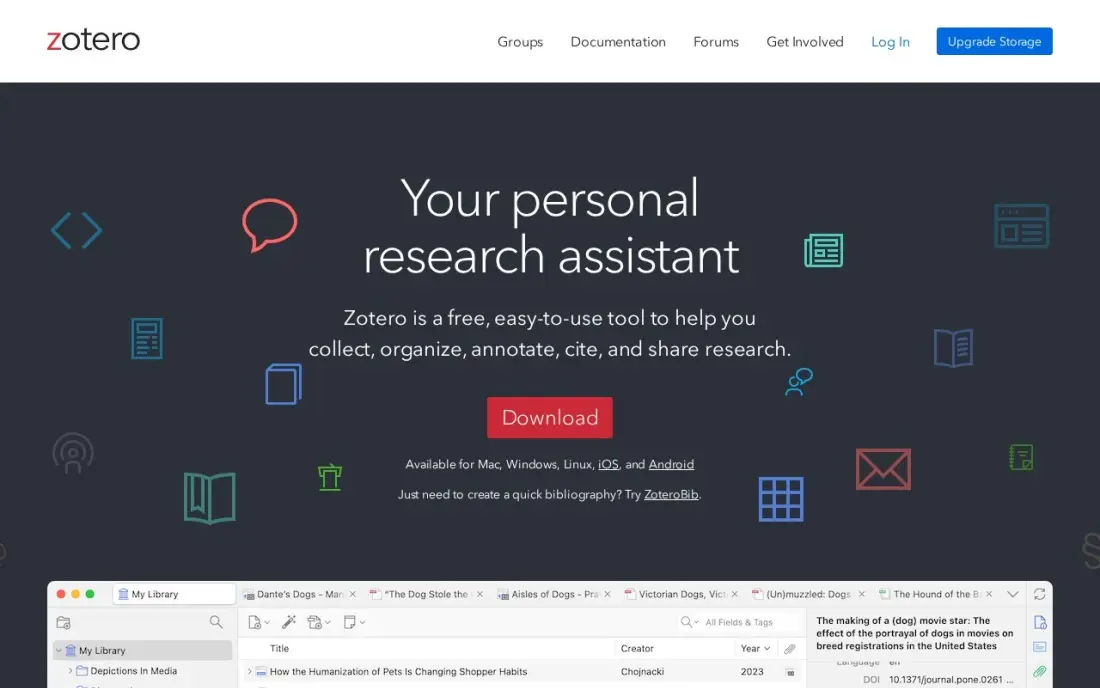
Zotero manages the literature side of research for free. The browser connector saves papers, PDFs and web pages in one click, items can be tagged, annotated and organised into collections, and citations go into Word, LibreOffice or Google Docs in more than 9,000 styles. Group libraries let a lab share a reading list. G2 reviewers give it 4.4 out of 5.
Bibliographic data syncs without limit, but PDFs count against 300 MB of free storage, after which 2 GB costs $20 a year, or you can use your own WebDAV storage. It does not screen papers or run a systematic review, so pair it with Rayyan for that.
What we like
- Completely free core app: unlimited references, 9,000+ citation styles and Word, LibreOffice and Google Docs integration
- Browser connector captures papers, PDFs and web pages in one click, with notes and tags on every item
- Open-source with a large plugin ecosystem, group libraries and WebDAV support for self-hosted storage
Watch out for
- Free cloud storage is only 300 MB, so a PDF-heavy library needs a paid storage tier or WebDAV
- No built-in AI screening or summarising — those come from community plugins, not the core app

Mendeley
Best for: Researchers who want more free storage and AI help reading papers

Mendeley, Elsevier's reference manager, offers the most free storage of the reference tools here: 2 GB, with full PDF annotation, Word citation plugins and collaborative groups. Its Reading Assistant answers questions about a paper, limited to five questions on the free plan. G2 reviewers give it 4.3 out of 5.
Plus costs $4.99 a month or $55 a year for 5 GB and unlimited Reading Assistant questions, and higher tiers add Ask My Library across the whole collection plus 10 GB or unlimited storage. The core reference manager is the same on every plan, so pay only if storage or AI help matters.
What we like
- Free plan includes 2 GB of storage, full PDF annotation and citation plugins for Word
- Plus adds 5 GB of storage and unlimited Reading Assistant questions for $4.99 a month
- Pro and Max add Ask My Library and Compare Experiments, plus 10 GB or unlimited storage
Watch out for
- Free plan caps storage at 2 GB and Reading Assistant at 5 questions, so heavy PDF libraries hit the limit fast
- Paid tiers are mostly storage and AI upgrades — the core reference manager is the same on every plan

EndNote
Best for: Researchers whose department or journal requires EndNote styles
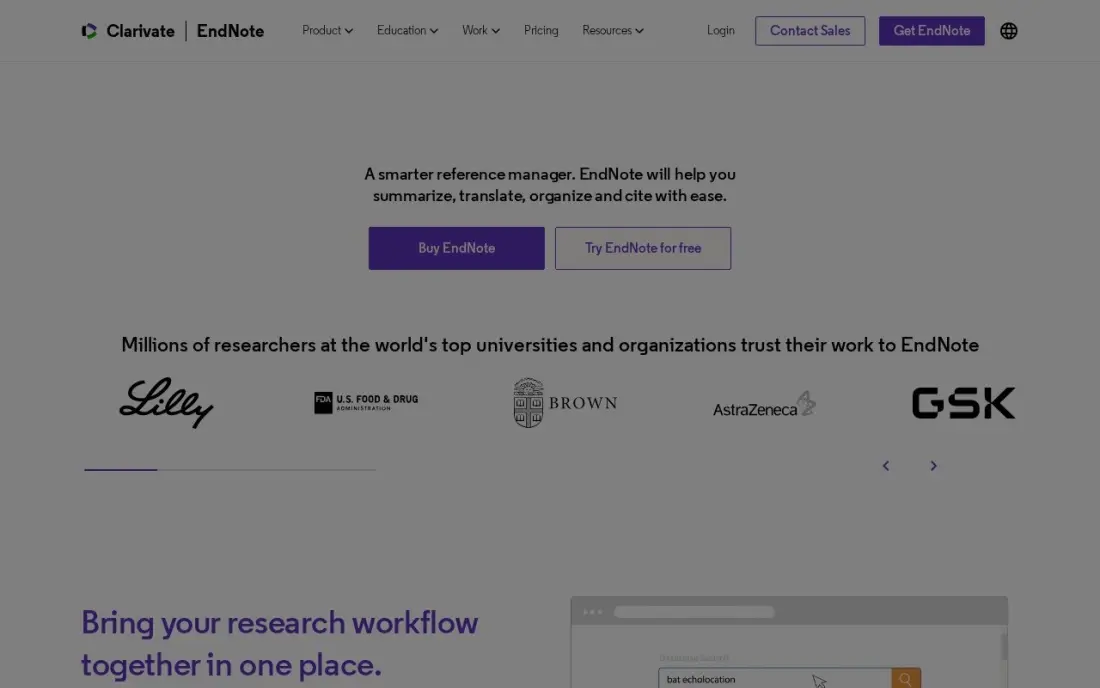
EndNote, from Clarivate, remains the heavyweight for citing in Microsoft Word: Cite While You Write offers thousands of output styles with custom editing, large libraries stay fast, and duplicates are flagged on import. EndNote 2025 adds a Research Assistant that answers questions about a document, summarises research and translates PDFs. G2 reviewers give it 4.1 out of 5.
A full licence costs $275 one-time, a student licence $150 and an upgrade $125, and EndNote Online is free. Reviewers rate it harder to learn than Zotero or Mendeley. Buy it when your institution or publisher expects it, or when your library already holds a licence.
What we like
- Cite While You Write in Word is the deepest in this list, with thousands of output styles and custom style editing
- Handles libraries of thousands of references and flags duplicates automatically on import
- EndNote 2025 adds a Research Assistant that answers questions about a document, summarises research and translates PDFs
Watch out for
- One-time licence is $275 for new buyers, the most expensive entry in this list for a solo researcher
- Desktop-first and dense to learn — reviewers rate its ease of use well below Zotero and Mendeley

Rayyan
Best for: Research teams screening papers for systematic and scoping reviews

Rayyan manages the screening stage of a systematic review: importing search results, removing duplicates and letting several reviewers include or exclude abstracts blind, with AI relevance ratings that learn from each decision. The free plan covers three active reviews with duplicate detection and a mobile app for screening on the move.
PRISMA diagrams and automatic duplicate removal need Essential at $4.99 a seat a month billed annually, and data extraction and risk-of-bias tools wait for Advanced at $8.33 a seat a month billed annually. Combined with Zotero, it is the lowest-cost serious setup for a review team.
What we like
- Blind screening is on by default, with AI relevance ratings that learn from your include and exclude decisions
- Free plan covers 3 active reviews with duplicate detection and a mobile app for screening anywhere
- Essential adds PRISMA diagrams, automatic duplicate removal and 5 free reviewer invites for $4.99 a seat a month billed annually
Watch out for
- PRISMA diagrams and automatic duplicate removal need the paid Essential plan — the free plan has neither
- Extraction and risk-of-bias tools sit on the Advanced plan and above, not on Essential
The best research management software keeps experiments, data, protocols and the papers behind them organised, searchable and safe, so a project survives a student leaving or an audit arriving. We compared seven tools across the two halves of academic and lab research — electronic lab notebooks for your own work and reference tools for the literature — and checked plans and prices on vendor pages in November 2026.
How to choose the best research management software
- Separate lab records from literature. A lab notebook records experiments; a reference manager stores papers. Choose one of each rather than forcing one tool to do both.
- Check your institution first. Many universities already license an ELN or EndNote, which can make the choice for you.
- Look for signing and timestamps. For intellectual property and audits, entries should be signed, dated and protected from silent edits.
- Think about inventory. Labs that track reagents, samples and equipment benefit from an ELN with inventory or booking.
- Keep data portable. Prefer tools with open exports, such as eLabFTW's .eln format, so data outlives the software.
- Match pricing to your sector. Academic and corporate prices differ sharply; LabArchives charges companies nearly twice the academic rate.
Research groups and spin-outs also need to be found by collaborators, funders and future students. If your lab or company website is not showing up for the topics you work on, our SEO audit shows why.
Which research management software fits your situation
A PhD student or postdoc working mostly alone. Pair Zotero with LabArchives' free plan. Zotero saves papers in one click and cites in more than 9,000 styles, and LabArchives Free gives 2 owned notebooks with 1GB of storage, enough for one project. Watch Zotero's 300 MB of free PDF storage; 2 GB costs $20 a year, or Mendeley gives 2 GB free.
An academic molecular biology lab. Benchling is free for academics and puts CRISPR design, cloning, alignments and primer design in the same system as the notebook. Its academic plan leaves out Inventory and Registry, so track reagents elsewhere. If the lab later spins out a company, the industry plan is a custom quote.
An institution or core facility that wants control of its data. eLabFTW is free and open source with no paywalled features: a notebook with signing and timestamps, an inventory for plasmids, chemicals and antibodies, and equipment booking. One installation can host several teams. You need someone with IT skills to self-host, or a separately priced hosted option.
A company lab that needs a supported ELN. LabArchives Professional costs $575 per user a year for companies, with unlimited notebooks and 100GB of storage per user, and the ELN plus Inventory bundle costs $675. Biotech companies that need sequence tools and a registry should get a Benchling industry quote and compare the two.
A team running a systematic or scoping review. Rayyan's free plan covers three active reviews with blind screening by several reviewers and duplicate detection. PRISMA diagrams need Essential at $4.99 a seat a month billed annually. Keep the references in Zotero, or EndNote if your department or journal expects EndNote styles, at $275 one-time or $150 for students.
Research management software pricing: what you will actually pay
Take an academic lab of eight people. Benchling's academic plan and eLabFTW cost nothing, though eLabFTW needs hosting and someone to run it. LabArchives Professional costs $330 per user a year, or $2,640 for eight academic users, and the ELN plus Inventory bundle costs $360 per user, or $2,880. A company lab of the same size pays $575 per user, or $4,600 a year, for LabArchives Professional, or a custom quote for Benchling's industry product.
On the literature side, Zotero is free with 300 MB of storage, and 2 GB costs $20 a year. Mendeley is free with 2 GB, and Plus costs $55 a year. EndNote costs $275 one-time, or $150 for students. A review team on Rayyan Essential pays $4.99 a seat a month billed annually, or about $60 a seat a year.
Teaching and small groups change the picture. A teaching lab of 40 students on LabArchives ELN for Education pays $25 per student per term, or $1,000 a term. A three-person academic group on LabArchives Professional pays $990 a year. For one researcher, Mendeley Plus costs $55 a year billed annually against $59.88 at $4.99 a month.
Know the difference: electronic lab notebook vs LIMS
An electronic lab notebook is a researcher's record. It captures what was done, why and what happened, with notes, protocols, data files and images, in a flexible format that suits discovery research. LabArchives, Benchling's Notebook and eLabFTW all work this way.
A laboratory information management system, or LIMS, manages samples and processes at scale: sample intake, testing workflows, results and chain of custody, often in regulated or service labs. Benchling's industry Registry and Inventory, and inventory modules in LabArchives and eLabFTW, move towards that territory. Academic research labs usually start with an ELN; testing and production labs need a LIMS.
Reference managers are a separate category from both. Zotero, Mendeley and EndNote hold the published papers you read and format citations, and Rayyan handles the screening stage of a systematic review. None of them records your own experiments, so most labs run one notebook and one reference tool side by side.
Quick comparison: tool type by need
| Buyer | Best pick | Why |
|---|---|---|
| Most labs | LabArchives | Free plan, Professional $330/user/year academic |
| Molecular biology labs | Benchling | Free for academics with sequence design tools |
| Self-hosting institutions | eLabFTW | Free open-source ELN with inventory and booking |
| Free reference management | Zotero | Free core app, 9,000+ citation styles |
| More free storage | Mendeley | 2 GB free, Plus $55/year |
| Institutional standard | EndNote | Deep Word citing, $275 one-time |
| Systematic review teams | Rayyan | Blind screening, Essential $4.99/seat/month annually |
Mistakes to avoid
- Letting everyone use a different tool. A lab with five notebook systems has no notebook; agree on one.
- Recording results without context. Capture protocols, reagent lots and settings, not just outcomes.
- Ignoring backups and exports. Export important records regularly in open formats.
- Paying corporate prices for academic work. Check eligibility for academic or non-profit pricing.
- Leaving references until the write-up. Capture papers into a reference manager as you read them.
How we chose
We read the pricing or product pages of LabArchives, Benchling and eLabFTW on November 18, 2026, and used vendor pricing and G2 data checked earlier in November 2026 for Zotero, Mendeley, EndNote and Rayyan. We chose tools covering both lab records and literature, favoured those with free or published academic pricing, and ranked by fit for a typical university lab. No vendor paid for a place in this list, and none of the links here are affiliate links.
What to do next
Agree on one lab notebook and one reference manager for your group this month, run a two-week pilot on the free plans, and write a one-page guide on how entries should be recorded. If your lab or research company wants more visibility online, book a free strategy call.
Frequently asked questions
What is the best research management software?
For lab work, LabArchives is the best all-round electronic lab notebook, Benchling is free for academic molecular biology labs and eLabFTW is the best free open-source option. For literature, Zotero is the best free reference manager and Rayyan handles systematic review screening.
Is there free research management software?
Yes. Benchling is free for academics, eLabFTW is free and open source, LabArchives has a free plan with 2 notebooks, Zotero and Mendeley have free plans, and Rayyan's free plan covers three reviews.
How much does an electronic lab notebook cost?
LabArchives Professional costs $330 per user a year for academics or $575 for companies, with a free plan. Benchling is free for academics and quote-priced for industry, and eLabFTW is free to self-host.
What is the difference between an ELN and a reference manager?
An electronic lab notebook records your own experiments, protocols and data. A reference manager such as Zotero, Mendeley or EndNote stores the published papers you read and formats citations. Most researchers need both.
What is the best reference manager for researchers?
Zotero is the best free choice, Mendeley offers more free storage at 2 GB, and EndNote suits institutions that standardise on it, at $275 one-time for a full licence.
How do research teams share data securely?
Use a notebook with per-user permissions, signing and timestamps, such as LabArchives, Benchling or eLabFTW, and keep exports in open formats so data can move between systems.
Is there an electronic lab notebook for teaching labs?
Yes. LabArchives offers ELN for Education at $25 per student per term, built for teaching labs. Benchling is free for academics, and eLabFTW is free and open source if your institution can host it. For a single course, LabArchives' free plan with 2 owned notebooks per user may also be enough to trial the approach.
Sources we checked (10)
- LabArchives — www.labarchives.com/pricing (checked November 18, 2026)
- Benchling — www.benchling.com/academic (checked November 18, 2026)
- eLabFTW — www.elabftw.net (checked November 18, 2026)
- Zotero — www.zotero.org (checked November 10, 2026)
- Zotero reviews on G2 (checked November 10, 2026)
- Mendeley — www.mendeley.com/pricing (checked November 10, 2026)
- Mendeley reviews on G2 (checked November 10, 2026)
- EndNote — endnote.com (checked November 10, 2026)
- EndNote reviews on G2 (checked November 10, 2026)
- Rayyan — www.rayyan.ai/pricing (checked November 10, 2026)
Make one of these tools?
We re-check this list every quarter. Send a correction, request a review, or ask about a clearly labeled sponsored spot.
Request a listingShamim
Founder of SerpAstra
A full-stack digital marketer and SEO strategist covering technical and local SEO, AI search visibility, paid ads and lead generation for local businesses, e-commerce brands and SaaS teams.
Free SEO and AI visibility audit
Find out what is holding your rankings back
Send us your site. Within 2 business days you get a written audit, an AI visibility check and a short fix list ranked by impact. Free, with no contract attached.
Request my free audit→Related buying guides
 Education & E-Learning11 Best Literature Review Software in 2026, Compared11 best literature review software compared on price, free plans and G2 ratings, with real prices checked November 10, 2026 — from Zotero to Covidence.Read guide →
 Education & E-Learning8 Best Academic Writing Software in 2026, ComparedCompare the 8 best academic writing software for theses and papers: editors, LaTeX, citation managers and checkers, with free plans and prices checked Nov 2026.Read guide →
 Data, Analytics & AI9 Best AI Tools for Research in 2026, ComparedCompare the 9 best AI tools for research on cited answers, paper search, source notebooks, free plans and real cost, with every price checked on vendor pages.Read guide →