
7 Best Spend Analysis Software in 2026, Compared
Compare the 7 best spend analysis software on supplier visibility, ERP data, savings tracking and real cost, with prices checked on vendor and review pages.
 Shamim Mia, Founder, SerpAstraLast verified November 4, 20268 min read
We compare pricing pages, documentation and public reviews. We never accept payment for rankings.

Key takeaways
- Sievo and SpendHQ are dedicated spend analytics tools for large enterprises; Sievo prices on annual spend with unlimited users, and Capterra lists SpendHQ from $40,000.
- Coupa adds community benchmarking to a full spend suite, but it is quote-only and G2 reviewers report an average go-live of 7 months.
- Mid-size companies usually get enough spend analysis from their purchasing tool: Precoro Core costs $499 a month billed annually, and Procurify includes real-time budget tracking by quote.
- Ramp's free plan gives US companies card, expense and bill pay spend in one view at $0, which is the cheapest way to start analysing where money goes.
On this page
Quick comparison
| Tool | Best for | Starting price | Free plan |
|---|---|---|---|
 Sievo | Large enterprises that need classified spend from many ERPs plus savings tracking | Custom quote | No |
 SpendHQ | Enterprise procurement teams that want spend analytics built specifically for procurement | From $40,000 | No |
 Coupa | Enterprises that want spend analysis inside a full sourcing-to-pay suite with benchmarks | Custom quote | No (demo only) |
 Zip | Large companies that want every purchase captured at intake so spend data is complete | Custom | No |
 Procurify | Mid-size companies that want real-time budget and spend visibility as purchases are approved | Custom quote | No (demo only) |
 Precoro | Growing companies that want spend and vendor reporting with a published flat price | $499/mo (annual) | No (free trial) |
 Ramp | US companies that want card, expense and bill spend analysed in one place for free | $15/user/mo (Plus) | Yes (procurement add-on) |
Make one of these tools?
We re-check this list every quarter. Send a correction, request a review, or ask about a clearly labeled sponsored spot.
Request a listingThe best spend analysis software
Sievo
Best for: Large enterprises that need classified spend from many ERPs plus savings tracking
Sievo is a procurement analytics specialist. Spend Analytics brings together spend data and adds automated insights, with modules for payment terms analytics, supplier risk and budgeting and forecasting. Initiative Management sits beside it to track savings and other procurement, finance or sustainability projects, so the team can show what the analysis actually delivered.
Pricing is by quote on an annual basis, set by your company's spend with unlimited user seats, which suits a large procurement team that wants everyone in the tool. There is no free trial, and Capterra describes Sievo as designed for enterprises with $1B or more in revenue. G2 rates it 4.1 out of 5.
What we like
- Spend Analytics priced on your spend, with unlimited user seats
- Modules for payment terms analytics, supplier risk and budgeting and forecasting
- Initiative Management tracks savings projects alongside the analytics
Watch out for
- No published price and no free trial
- Capterra describes it as designed for enterprises with $1B+ in revenue
- Overkill for companies with one ERP and a few hundred suppliers
SpendHQ
Best for: Enterprise procurement teams that want spend analytics built specifically for procurement
SpendHQ describes itself as built for procurement by procurement: a spend analytics product that gives a procurement team visibility into enterprise spend data, rather than a purchasing system with reports attached. It is the alternative to Sievo for companies that want a dedicated analytics layer over their ERP and AP data.
Capterra lists a starting price of $40,000 with no free trial or free version, although its description of the pricing model is inconsistent, so confirm the basis in a quote. Capterra rates SpendHQ 4.2 out of 5 from 10 reviews, a small sample. Budget for it only when the savings opportunity is large.
What we like
- Built for procurement teams, focused on enterprise spend visibility
- Capterra lists a starting price, which is rare in this category
- Rated 4.2 out of 5 on Capterra
Watch out for
- Capterra lists a $40,000 starting price, beyond mid-size budgets
- Capterra's pricing model details are inconsistent, so confirm the basis in a quote
- Only 10 Capterra reviews, a small sample
Coupa
Best for: Enterprises that want spend analysis inside a full sourcing-to-pay suite with benchmarks
Coupa puts spend analysis inside a suite that also runs sourcing, procurement, invoicing, contracts, expenses and payments, so the data being analysed is the data the suite captured. Its community benchmarking shows how your spend compares with similar companies, which a standalone analytics tool cannot offer from your data alone.
It is quote-only, with every deployment a negotiated price, and G2 reviewers report an average go-live of 7 months, so this is a consultant-led project. It is rated 4.2 out of 5 on G2 from 569 reviews. Choose it when you are replacing purchasing and AP as well, not just adding analytics.
What we like
- One suite covers sourcing, procurement, invoicing, contracts, expenses and payments
- Community benchmarking data shows how your spend compares with similar companies
- Go-live is faster than legacy suites, with a focus on getting purchasing running without deep customisation
Watch out for
- No published pricing — every deployment is a negotiated quote, and total cost runs far above the tools above it
- Implementation is measured in months, with G2 reviewers reporting an average go-live of 7 months
- Overkill for a small business that only needs purchase orders and approvals
Zip
Best for: Large companies that want every purchase captured at intake so spend data is complete
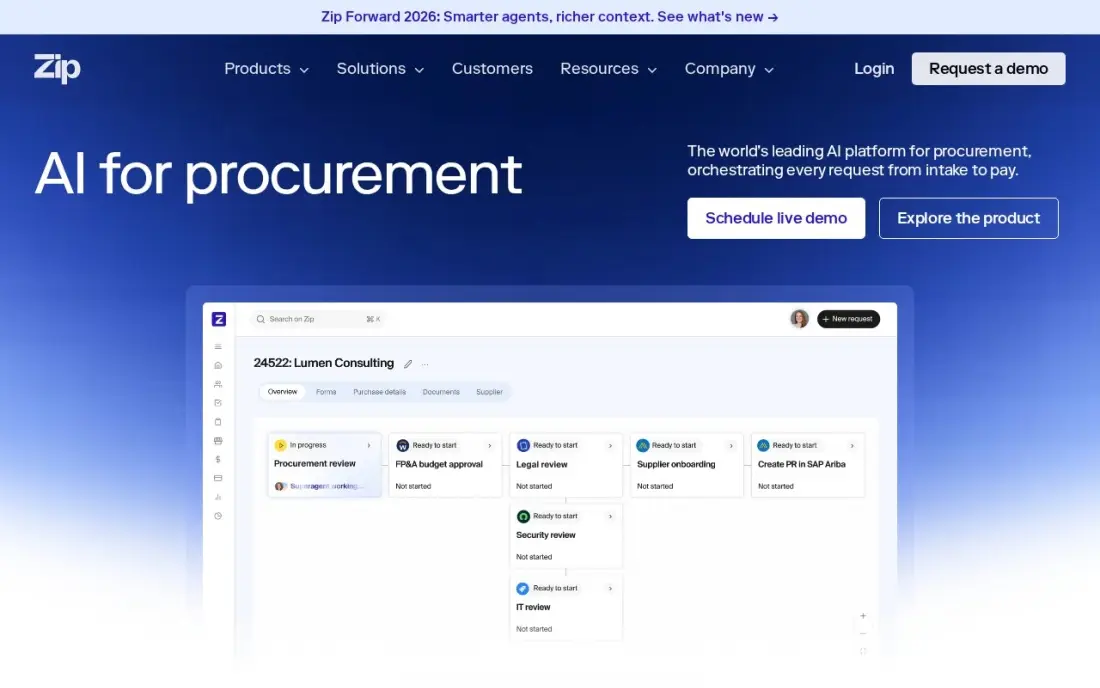
Zip tackles the root cause of poor spend analysis: purchases finance never sees. Its AI-guided intake routes every request through the right approvals and covers the procure-to-pay cycle, with ERP integrations for NetSuite, SAP and Oracle, so committed spend is recorded before the money goes out.
Zip publishes no price, and third-party benchmarks range from $26,586 to $88,000 a year, so budget on a quote. There is no free plan or trial. It is built for larger companies and is heavy for a small team, but it fixes the data problem upstream rather than cleaning it afterwards.
What we like
- AI-guided intake routes every purchase through the right approval path
- Covers the full procure-to-pay cycle, not just cards or expenses
- Deep ERP integrations with NetSuite, SAP and Oracle
Watch out for
- No published price — third-party benchmarks range from $26,586 to $88,000 a year, so budget on a quote
- Built for larger companies; small teams will find it heavy
- No free plan or trial to test before a sales conversation
Procurify
Best for: Mid-size companies that want real-time budget and spend visibility as purchases are approved
Procurify gives mid-size teams spend visibility at the moment of purchase. Real-time budget tracking and spend dashboards show what is left in a budget before a request is approved, and purchasing, expenses and AP feed the same reports. G2 rates it 4.6 out of 5 from 369 reviews, with the top ease-of-use scores in its category.
Procurify publishes no price, and third-party comparisons report about $1,000 a month for small businesses, so budget for a sales conversation. There is only a demo, no trial, and no inventory management. It suits companies that want spend analysis without a dedicated analytics team.
What we like
- Rated 4.6 out of 5 on G2 with the highest ease-of-use and support scores in its category
- Real-time budget tracking and spend visibility dashboards show what is left before a purchase is approved
- Amazon Business punchout and a full mobile app, so ordering and receiving work from the phone
Watch out for
- No published price — third-party comparisons report around $1,000 a month for small businesses, so budget for a sales process
- No inventory management, so stock control needs another tool
- No free trial, only a demo, and add-on modules can push the price up
Precoro
Best for: Growing companies that want spend and vendor reporting with a published flat price
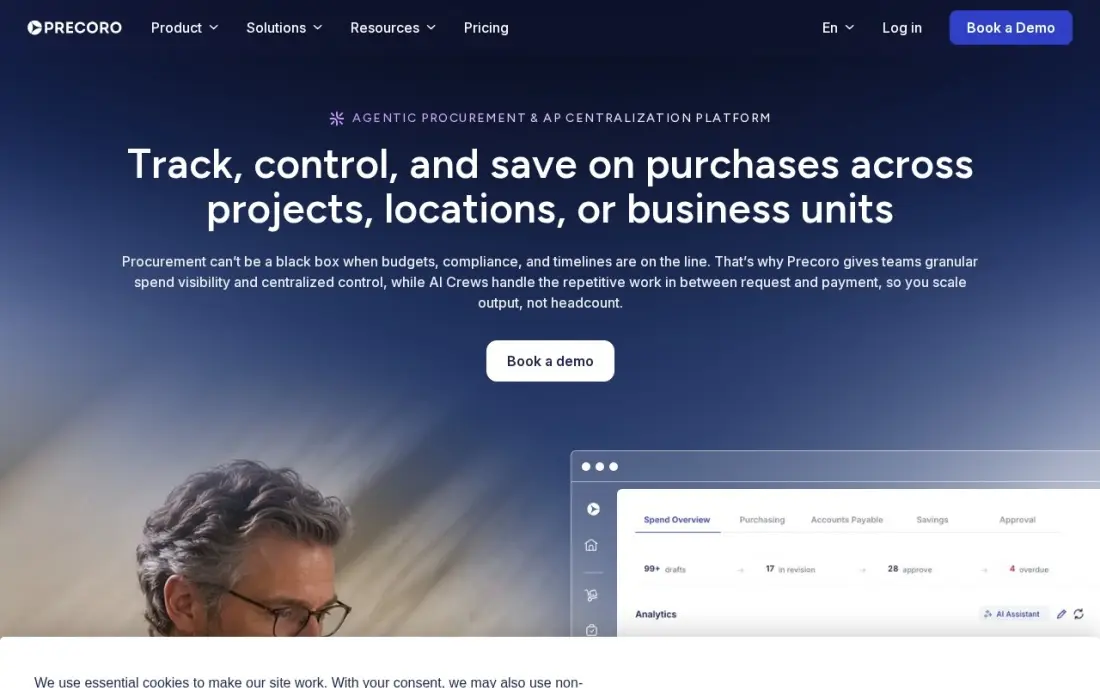
Precoro is the published-price option. Core includes automated approvals, three-way matching, spend and vendor management and reporting, with integrations to QuickBooks, NetSuite, Sage Intacct and Xero, so purchase data and accounting data line up for analysis. Go-live takes 2 to 8 weeks.
Core costs $499 a month billed annually, a $5,988 minimum commitment, and real-time budget tracking and AI agents need Automation at $999 a month. G2 rates it 4.7 out of 5 from 222 reviews, though reviewers mention weak purchase-order search and bulk import. A free trial lets you test the reports.
What we like
- Core at $499 a month is a published flat rate — rare in this category — with approvals, three-way matching and budget control
- Integrates with QuickBooks, NetSuite, Sage Intacct and Xero, so purchasing syncs with the books
- Go-live in 2 to 8 weeks with full support, and a free trial to test the approval flow
Watch out for
- Annual billing only on the published plans, so the minimum commitment is $5,988 a year
- Real-time budget tracking, AI agents and SSO need Automation at $999 a month
- Reviewers report frustrations with purchase-order search and bulk data import
Ramp
Best for: US companies that want card, expense and bill spend analysed in one place for free
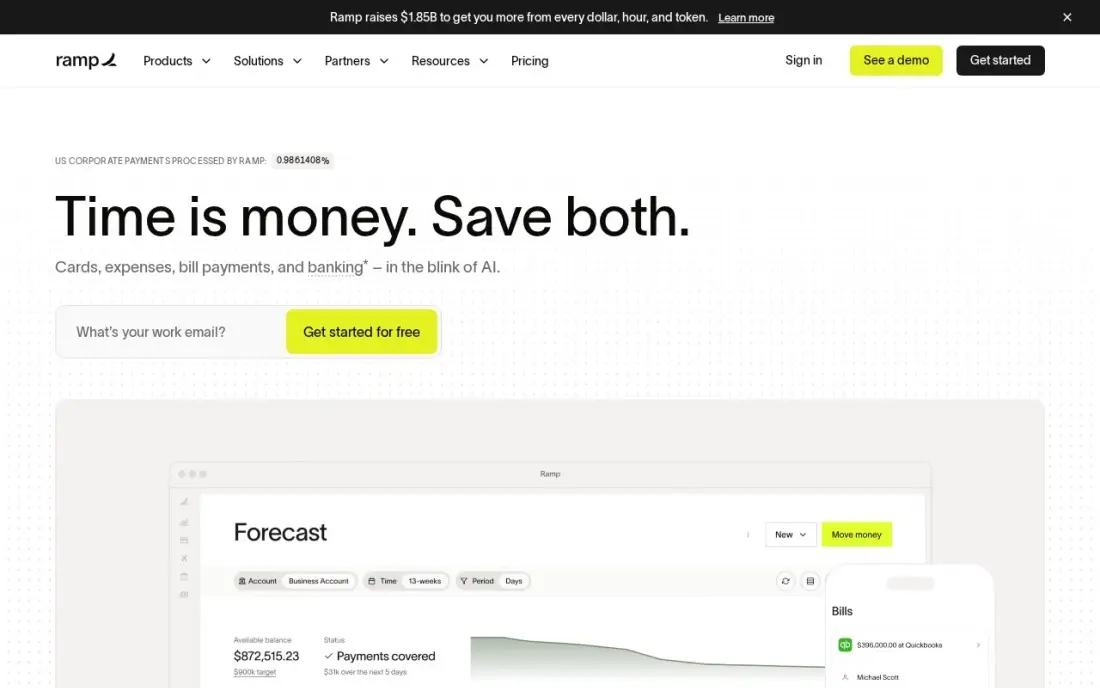
Ramp's free plan is the cheapest way to start analysing spend. Corporate cards, expense management, bill pay and basic approvals run on one platform at $0, so card, reimbursement and vendor bill spend appear together and can be broken down by department, vendor and category without exporting to a spreadsheet.
Plus costs $15 per user a month plus an unpublished platform fee, and full procurement is a paid add-on. Only US-registered corporations, LLCs and limited partnerships with a $25,000 minimum bank balance qualify. It analyses spend that runs through Ramp, not your whole ERP history, so large enterprises still need a dedicated tool.
What we like
- Free plan costs $0 and covers cards, expense management, bill pay and basic approvals with no per-user fee
- Plus at $15 per user a month adds custom procurement approvals, multi-entity management and HRIS integrations
- AI agents handle intake, sourcing and approvals inside the same system as cards and bill pay
Watch out for
- Procurement is a paid add-on to Plus or Enterprise, and the platform fee on Plus is not published, so the real price needs a quote
- Only US-registered corporations, LLCs and limited partnerships qualify, and the account needs a $25,000 minimum bank balance
- Sourcing and supplier-management features are thinner than dedicated procurement suites
The best spend analysis software pulls spending from every system a company pays through, groups it by supplier and category, and shows where money is leaking or could be consolidated. We compared seven tools, from dedicated enterprise analytics to purchasing and spend platforms with strong reporting, and every price below comes from vendor or review pages checked in November 2026.
How to choose the best spend analysis software
- List your data sources first. Count the ERPs, AP systems, card programmes and purchasing tools that hold spend; dedicated analytics tools earn their cost when there are several.
- Check how spend is classified. Ask the vendor to classify a sample of your own data and look at how many lines end up in "other".
- Decide who will act on it. Spend analysis only saves money if a procurement or finance team owns the follow-up on suppliers and contracts.
- Look for savings tracking. Tools such as Sievo's Initiative Management record what each savings project delivered, which keeps the budget for the tool.
- Price by the right unit. Sievo prices on your spend with unlimited users, Precoro charges a flat monthly fee, and Ramp charges per user on Plus.
- Fix the data upstream if you can. Intake tools such as Zip and Procurify capture purchases cleanly before they happen, which makes later analysis easier.
Spend analysis often shows how much a company pays agencies and software for marketing. If search is one of those costs, our SEO audit shows whether the spend is working, and our guide to enterprise spend management platforms covers the control side.
Spend analysis software pricing: what you will actually pay
Take a mid-size company with one ERP and about $50 million in annual spend. Precoro Core costs $499 a month billed annually, which is $5,988 a year, and covers spend and vendor reporting with accounting integrations; moving to Automation for real-time budget tracking costs $999 a month, or $11,988 a year. Procurify publishes no price, and third-party comparisons put small-business plans around $1,000 a month, roughly $12,000 a year.
For card and bill spend only, Ramp's free plan costs $0 for qualifying US companies, and Plus costs $15 per user a month plus a platform fee that Ramp does not publish.
At enterprise scale, Capterra lists SpendHQ from $40,000, Zip's third-party benchmarks run from $26,586 to $88,000 a year, and Sievo and Coupa are by quote, with Sievo priced on the spend you analyse. Against those figures, a dedicated tool needs to find savings of at least several times its fee in year one, which is realistic only when spend runs to hundreds of millions.
Know the difference: spend analysis vs spend management
Spend analysis looks backwards. It gathers past transactions from ERP, AP and card data, classifies them by supplier and category and answers questions such as how many suppliers sell you the same thing, which contracts are not being used and where prices vary across sites. Sievo and SpendHQ are built for this, and their value depends on clean, complete data.
Spend management looks forwards. It controls money before it leaves through cards, purchase requests, approvals and budgets, and its reports are a by-product of that control. Ramp, Procurify, Precoro and Zip sit here. For most companies under a few hundred employees, a spend management tool's reports answer the questions that matter; dedicated analytics adds value when the data is spread across many systems.
Quick comparison: tool type by need
| Buyer | Best pick | Why |
|---|---|---|
| Large enterprises with many ERPs | Sievo | Spend analytics and savings tracking, priced on spend with unlimited users |
| Enterprise procurement teams | SpendHQ | Procurement-built spend analytics, Capterra lists from $40,000 |
| Full suite with benchmarks | Coupa | Sourcing-to-pay suite with community benchmarking, by quote |
| Capturing spend at intake | Zip | AI-guided intake and procure-to-pay, by quote |
| Mid-size budget visibility | Procurify | Real-time budget tracking and dashboards, by quote |
| Published flat price | Precoro | Core $499/month billed annually |
| Free start for US companies | Ramp | Cards, expenses and bill pay spend in one view at $0 |
Mistakes to avoid
- Buying analytics before fixing data capture. If half of spend arrives as unmatched invoices, any tool will show you a messy picture; tighten intake first.
- Ignoring the "other" category. A large unclassified bucket hides the savings; judge vendors on how much of your sample they classify.
- Running the analysis once. Spend patterns change; review categories quarterly or the findings go stale.
- No owner for the savings. Findings that no one acts on are a cost, not a saving.
- Comparing quotes without a common spend figure. Give every vendor the same spend, supplier and system counts so the quotes are comparable.
How we chose
We read vendor pricing pages and, where vendors publish nothing, G2 and Capterra pages in November 2026, and recorded prices exactly as shown and labelled third-party figures as such. We grouped tools into dedicated spend analytics, full suites and spend management platforms with reporting, and ranked them for a mid-size to large company looking for supplier savings. Ratings come from the G2 or Capterra pages named in the sources. No vendor paid for a place in this list, and none of the links here are affiliate links.
What to do next
Export twelve months of AP and card spend, sort it by supplier and see how much sits in your top 20 suppliers; that tells you whether you need a dedicated tool or your purchasing system's reports. If marketing spend is a big line, book a free review.
Frequently asked questions
What is the best spend analysis software?
For large enterprises, Sievo and SpendHQ are dedicated spend analytics tools, and Coupa adds benchmarking inside a full suite. For mid-size companies, Procurify and Precoro give spend visibility as part of purchasing, and Ramp's free plan covers card, expense and bill spend for eligible US companies.
What does spend analysis software do?
It collects spend data from ERP, AP, purchasing and card systems, cleans and groups it by supplier and category, and shows where money goes, where you could consolidate suppliers and where contract terms are not being used. Dedicated tools also track the savings that result.
How much does spend analysis software cost?
Dedicated enterprise tools are quote-based: Sievo prices on your annual spend with unlimited users, and Capterra lists SpendHQ from $40,000. Precoro Core costs $499 a month billed annually, and Ramp's free plan costs $0 for the spend that runs through it.
Do I need a dedicated spend analytics tool?
Only if your spend data sits in several ERPs or systems and you have a procurement team ready to act on it. A company with one ERP and a purchasing tool usually gets enough from the purchasing tool's reports.
What is the difference between spend analysis and spend management?
Spend analysis looks back at what was spent to find savings. Spend management controls what is about to be spent, through cards, approvals and budgets. Ramp, Procurify and Precoro lean to management with reporting; Sievo and SpendHQ focus on analysis.
How long does implementation take?
It varies widely. Precoro says go-live takes 2 to 8 weeks, while G2 reviewers report an average of 7 months for Coupa. Dedicated analytics tools depend mostly on how many data sources you connect.
Sources we checked (12)
- Sievo — www.g2.com/products/sievo/pricing (checked November 19, 2026)
- SpendHQ — www.capterra.com/p/151953/SpendHQ (checked November 19, 2026)
- SpendHQ reviews on Capterra (checked November 19, 2026)
- Coupa — www.jaggaer.com/blog/coupa-vs-tipalti (checked November 10, 2026)
- Coupa reviews on G2 (checked November 10, 2026)
- Zip — www.ziphq.com (checked November 4, 2026)
- Procurify — www.procuredesk.com/procurify-vs-ramp (checked November 10, 2026)
- Procurify reviews on G2 (checked November 10, 2026)
- Precoro — www.precoro.com/pricing (checked November 10, 2026)
- Precoro reviews on G2 (checked November 10, 2026)
- Ramp — ramp.com/pricing (checked November 10, 2026)
- Ramp reviews on G2 (checked November 10, 2026)
Make one of these tools?
We re-check this list every quarter. Send a correction, request a review, or ask about a clearly labeled sponsored spot.
Request a listingShamim
Founder of SerpAstra
A full-stack digital marketer and SEO strategist covering technical and local SEO, AI search visibility, paid ads and lead generation for local businesses, e-commerce brands and SaaS teams.
Free SEO and AI visibility audit
Find out what is holding your rankings back
Send us your site. Within 2 business days you get a written audit, an AI visibility check and a short fix list ranked by impact. Free, with no contract attached.
Request my free audit→Related buying guides
 Accounting & Finance8 Best Spend Management Platforms for Enterprise in 2026, ComparedCompare the 8 best spend management platforms for enterprise on procurement, cards, expenses, AP, rollout time and real pricing, checked on vendor pages.Read guide →
 Logistics, Supply Chain & Procurement11 Best Purchasing Software for Small Businesses in 2026, Compared11 best purchasing software for small businesses compared on price, approvals and free plans, with real starting prices checked November 10, 2026.Read guide →
 Accounting & Finance11 Best SAAS Spend Management Software in 2026, ComparedCompare the 11 best saas spend management software tools on price, free plans, cards and AI features, with every price checked November 4, 2026.Read guide →