
6 Best AI Card Grading Apps in 2026, Compared
Compare the 6 best AI card grading app picks for Pokémon, Magic and sports cards, on pre-grade reports, free scans, ratings and real App Store prices for 2026.
 Shamim Mia, Founder, SerpAstraLast verified November 19, 20267 min read
We compare pricing pages, documentation and public reviews. We never accept payment for rankings.
Key takeaways
- Card Grader Pro is the most reviewed app here, with 4.7 stars from 5,100 App Store ratings, AI grading listed as free and optional human grades from $1.49.
- Binder AI is the cheapest subscription: $4.99 a month or $29.99 a year, or $0.29 for a single scan.
- ZeroPop gives 2 free AI scans a month and estimates PSA, BGS and CGC grades with subgrades and confidence scores.
- Every app says its grades are estimates, not official grades — use them to decide what to submit, not to price a card.
On this page
Quick comparison
| Tool | Best for | Starting price | Free plan |
|---|---|---|---|
 Card Grader Pro | Collectors who want free AI pre-grades plus a cheap human second opinion before submitting | Free; Pro $4.99/mo | Yes |
 Binder AI | Collectors on a budget who want AI grades and binders sorted by game or sport | $4.99/mo or $29.99/yr | No |
 ZeroPop | Serious collectors who want PSA, BGS and CGC estimates plus market data before submitting | Free; Lite $3.99/mo | Yes (2 scans/mo) |
 Digital Grading Co | Pokémon and sports collectors who want AI grading reports with market insights | From $4.99/mo | No |
 TCGrader | Occasional collectors who want a PSA-scale report per card without a subscription | $1.99/grade | No |
 GradeQ | Collectors who want card values, a wishlist and a collection tracker alongside AI grading insights | Free (limited) | Limited |
Make one of these tools?
We re-check this list every quarter. Send a correction, request a review, or ask about a clearly labeled sponsored spot.
Request a listingThe best AI card grading apps
Card Grader Pro
Best for: Collectors who want free AI pre-grades plus a cheap human second opinion before submitting
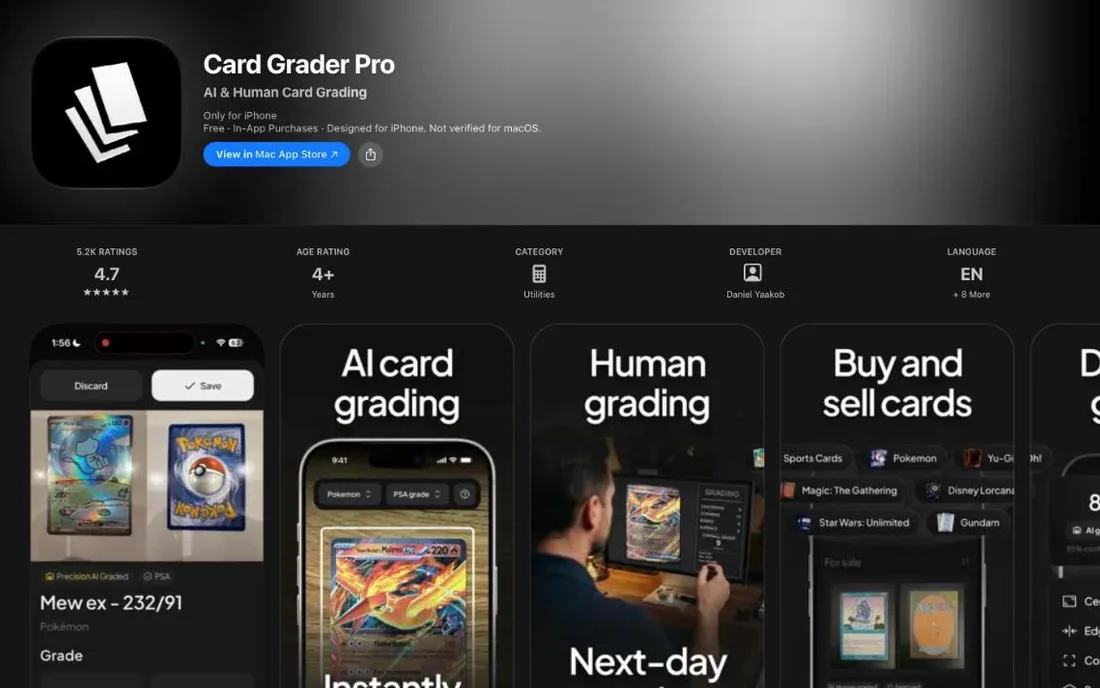
Card Grader Pro pairs an instant AI grade, which checks centering, edges, corners and surface, with an optional human review where an expert adds condition notes, rarity and advice on whether the card is worth sending to a grading company. It also has a marketplace, price lookups and a community showcase.
AI grading is listed as free, though usage limits are not stated. Pro costs $4.99 a month or $49.99 a year, Pro+ $9.99 a month or $99.99 a year, and human grades are listed from $1.49 to $4.99. It has 4.7 stars from 5,100 App Store ratings, with some reviewers reporting grades that missed.
What we like
- AI grade covers centering, edges, corners and surface
- Optional human grade with condition notes and advice on whether to submit
- 4.7 stars from 5,100 App Store ratings, the largest base here
Watch out for
- The listing does not explain how its plans and human-grade prices differ
- Some reviewers report inaccurate AI or human grades
Binder AI
Best for: Collectors on a budget who want AI grades and binders sorted by game or sport
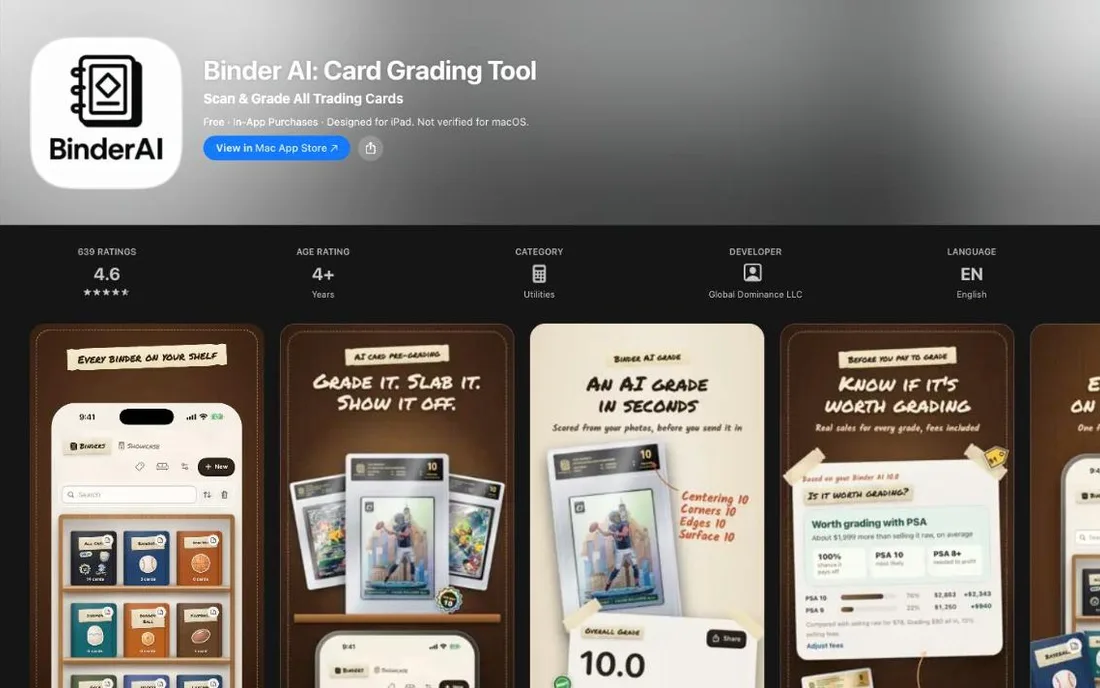
Binder AI asks for photos of the front and back of a card and returns an estimated grade with detailed condition notes, then files the card into a binder for its game or sport. It covers Pokémon, Magic: The Gathering, Yu-Gi-Oh, Digimon and One Piece, plus baseball, basketball, football, hockey, soccer and non-sport cards.
It is the cheapest subscription here: $4.99 a month or $29.99 a year, with a weekly plan at $1.99 and single scans at $0.29. Analysis needs a subscription, and the listing does not say which grading scale its estimates follow. It has 4.6 stars from 602 ratings.
What we like
- Cheapest annual plan here at $29.99, with $0.29 single scans
- Covers Pokémon, Magic, Yu-Gi-Oh, Digimon, One Piece and major sports
- Sorts scanned cards into binders by game or sport
Watch out for
- Card scanning analysis requires a subscription
- Does not say which grading scale its estimates use
ZeroPop
Best for: Serious collectors who want PSA, BGS and CGC estimates plus market data before submitting
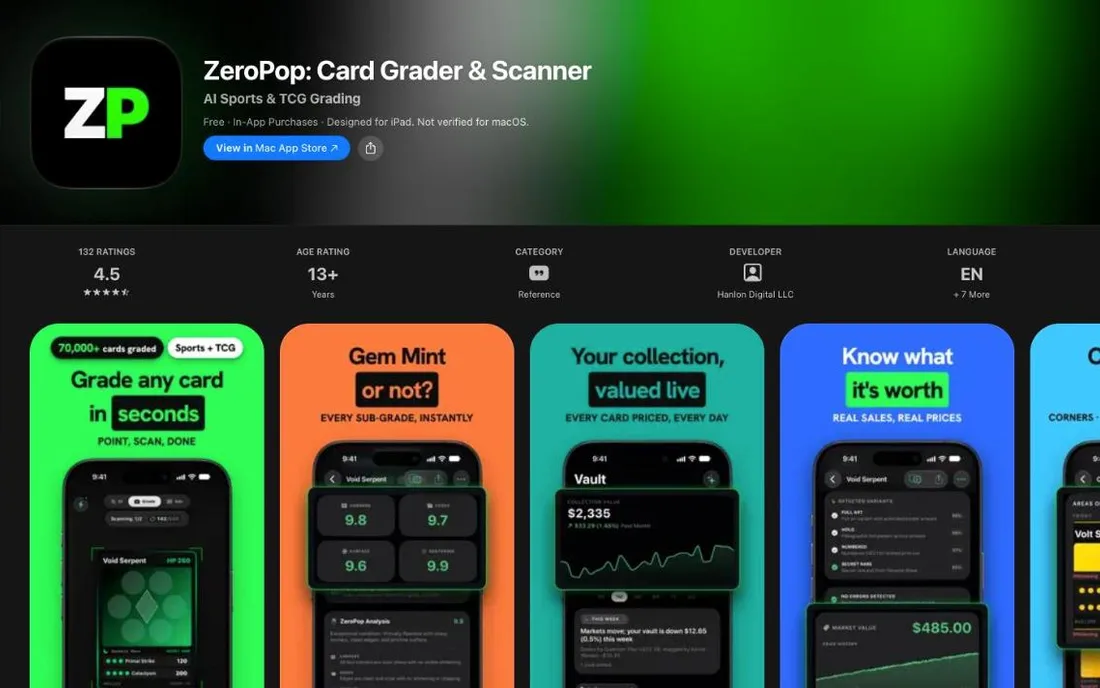
ZeroPop is built for the decision collectors actually face: is this card worth paying to grade? Each scan returns a 1-to-10 grade with subgrades for corners, edges, surface and centering, plus estimated PSA, BGS and CGC grades with confidence scores. Paid tiers add eBay market data and ROI calculations for a submission, along with portfolio and set tracking.
The free plan gives 2 full AI scans a month. Lite costs $3.99 a month, Pro $9.99 a month or $79.99 a year, and scan packs start at $0.99 for 5. The listing gives both 125 and 150 scans a month for Pro. It has 4.6 stars from 123 ratings.
What we like
- Estimates PSA, BGS and CGC grades with confidence scores and four subgrades
- Paid tiers add eBay market data and ROI calculations for submissions
- Free plan includes 2 full AI scans a month
Watch out for
- The listing gives conflicting scan allowances for Pro, 125 or 150 a month
- Smaller rating base, with 123 App Store ratings
Digital Grading Co
Best for: Pokémon and sports collectors who want AI grading reports with market insights
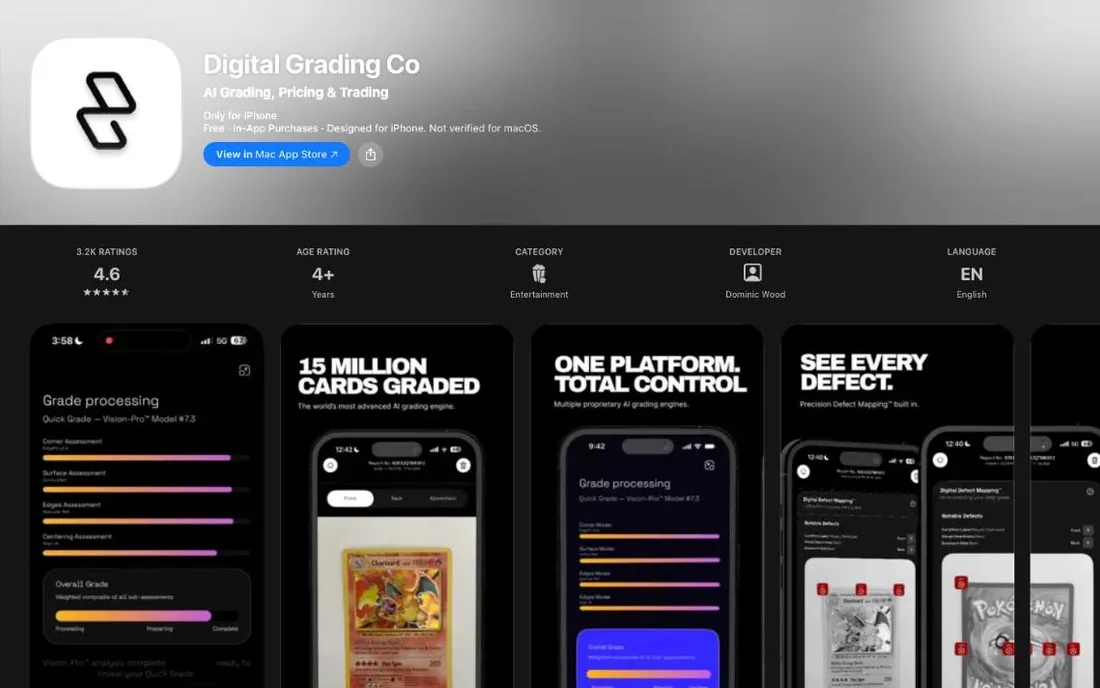
Digital Grading Co, also called Digital Grading AI in its listing, grades a photographed card and returns a report on centering, corners, edges and surface, with market insights and collecting recommendations alongside. It covers Pokémon, other trading card games and sports cards, and has 4.6 stars from 3,200 App Store ratings.
AI grading needs an in-app purchase or subscription. Plans listed run from Lite at $4.99 a month through Rookie at $9.99 and Collector at $14.99 to Elite at $24.99, and instant-grading credits cost $5 for 25. The listing does not clearly pair every price with a plan, so check in the app.
What we like
- Reports cover centering, corners, edges and surface
- Market insights and collecting recommendations alongside the grade
- 4.6 stars from 3,200 App Store ratings
Watch out for
- AI grading needs an in-app purchase or subscription
- The listing does not clearly match each monthly price to a plan
TCGrader
Best for: Occasional collectors who want a PSA-scale report per card without a subscription
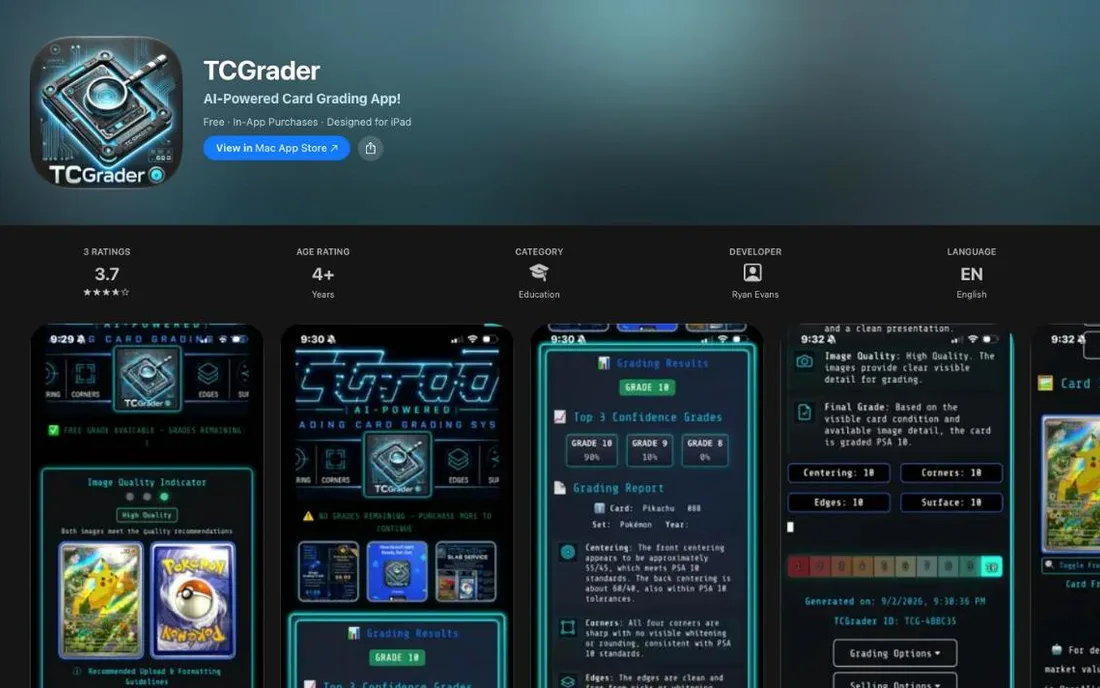
TCGrader suits collectors who only grade a few cards and do not want another subscription. Upload front and back photos and it returns a report on centering, corners, edges and surface with an estimated grade on the PSA 10-point scale, reasoning and a downloadable PDF. It covers sports cards, Pokémon, Magic, Yu-Gi-Oh and Lorcana.
A single grading credit costs $1.99, 3 cost $4.99 and 5 cost $7.99; Pro is $9.99 a month. Grading needs no account, though saving a collection does. With only 3 App Store ratings, it has the least user feedback of any app here.
What we like
- Pay per card, from $1.99 a credit or 5 for $7.99
- Report on centering, corners, edges and surface on the PSA 10-point scale, with a PDF
- No account needed to grade
Watch out for
- Only 3 App Store ratings, so little user feedback
- Pro at $9.99 a month is pricier than other subscriptions here
GradeQ
Best for: Collectors who want card values, a wishlist and a collection tracker alongside AI grading insights
GradeQ combines AI grading insights with collection tools. Scan or upload a photo of a sports or TCG card and it identifies the card, gives grading insights and estimates its value from current market trends. Collections, a wishlist and scan history keep track of what you own and want, and an AI chat assistant answers questions about cards.
The free version has limited access, and unlimited scans and full grading insights need a PRO subscription whose price the listing does not show. Several recent reviews complain of unexpected charges and of cards all receiving the same grade, so test the free version first. It holds 4.1 stars from 41 ratings.
What we like
- Scans sports cards and TCG cards to identify, grade and value them
- Collections, a wishlist and scan history in one app
- AI chat assistant for questions about cards
Watch out for
- Unlimited scans and full grading insights need PRO, and the price is not listed
- Recent reviews complain of unexpected charges and identical grades
- 4.1 stars from only 41 ratings
The best AI card grading app tells you, from a phone photo, roughly how a Pokémon, Magic or sports card would grade before you pay to send it to PSA, Beckett or CGC. We compared six apps on what their reports cover, which cards they support, free scans and real cost. Every price below comes from each app's US App Store listing, read in November 2026, and we note where a listing is unclear.
How to choose the best AI card grading app
- Check what the report covers. The useful apps break the grade into centering, corners, edges and surface, so you can see why a card scored low.
- Look for the grading company you use. ZeroPop estimates PSA, BGS and CGC grades, and TCGrader uses the PSA 10-point scale.
- Match the price to your volume. Pay-per-card apps like TCGrader suit a few cards; subscriptions like Binder AI suit a whole collection.
- Avoid weekly plans. Weekly subscriptions add up fast; a monthly or annual plan is almost always cheaper.
- Read the ratings count, not just the stars. A 4.7 from thousands of ratings tells you more than a 4.6 from a hundred.
- Consider a human check. Card Grader Pro sells human reviews from $1.49 for cards where the AI result is borderline.
If you sell graded cards through your own shop, buyers need to find it. Our SEO audit checks product pages and listings, and our guide to the best apps to resell on compares fees on eBay, Mercari and other marketplaces.
AI card grading app pricing: what you will actually pay
Take a collector who wants to pre-grade about 20 cards a month for a year. Binder AI covers that for $29.99 a year, the cheapest option here, and Card Grader Pro's Pro plan costs $49.99 a year. ZeroPop Pro costs $79.99 a year and adds market data and submission ROI. Digital Grading Co's plans start at $4.99 a month, or about $60 a year.
For occasional use, paying per card is cheaper. TCGrader costs $1.99 a card, so 10 cards a year cost under $20, and ZeroPop's free plan covers 2 scans a month at no cost. Compare any of these with the grading fee you are trying to avoid wasting.
Know the difference: AI pre-grade vs official grade
An AI pre-grade is an estimate from photos. The app looks for centering, corner wear, edge chipping and surface marks, and gives a number. It is fast and cheap, but it cannot feel the card, see under the light at different angles or check authenticity the way a grader handling the card can. Lighting, glare and camera quality all change the result, and every app in this list says its grade is not a guarantee.
An official grade comes from a company such as PSA, Beckett, CGC, SGC or TAG, which examines the card in hand and seals it in a numbered slab. That grade is what buyers pay for. The point of an AI pre-grade is to decide which cards are worth that fee — skip the ones with obvious flaws, and send the ones that look strong.
Quick comparison: tool type by need
| Buyer | Best pick | Why |
|---|---|---|
| AI plus a human second opinion | Card Grader Pro | Free AI grading listed, human grades from $1.49 |
| Lowest yearly cost | Binder AI | $29.99 a year, single scans $0.29 |
| PSA, BGS and CGC estimates | ZeroPop | Subgrades, confidence scores and 2 free scans a month |
| Reports with market insights | Digital Grading Co | 4.6 stars from 3,200 ratings, from $4.99/month |
| Pay per card | TCGrader | $1.99 a card on the PSA 10-point scale |
| Values and collection tracking | GradeQ | Grading insights plus card values; limited free version |
Mistakes to avoid
- Pricing a card from an AI grade. Buyers pay for official slabs; list raw cards as raw, whatever an app says.
- Shooting with glare. Reflections hide scratches and fool the surface check; use soft, even light.
- Scanning in a thick top-loader. Plastic hides edges and corners; use a clean penny sleeve or none.
- Staying on a weekly plan. Weekly prices like $9.99 add up to hundreds a year.
- Trusting one scan. Scan a borderline card twice in different light, and get a human check before paying for grading.
How we chose
We read each app's US App Store listing on November 19, 2026, and recorded in-app purchase prices exactly as listed. Several listings show overlapping plans without clear labels, and we say so rather than guessing. Ratings are App Store ratings as shown on those listings; we did not check G2 or Capterra for these apps. We ranked the apps for a collector pre-grading Pokémon, Magic or sports cards before paid grading. No vendor paid for a place in this list, and none of the links here are affiliate links.
What to do next
Pick five cards you are thinking of grading, photograph them in good light, and run them through ZeroPop's free scans and Card Grader Pro's free AI grading. Send only the cards both rate highly. If you sell your cards online, get a free check on how buyers find your shop.
Frequently asked questions
What is the best AI card grading app?
Card Grader Pro is the most reviewed, with 4.7 stars from 5,100 ratings and optional human grades from $1.49. Binder AI is the cheapest subscription at $29.99 a year, and ZeroPop is best for estimating PSA, BGS and CGC grades with market data.
Are AI card grading apps accurate?
They are useful for spotting obvious problems such as off-centre printing, soft corners or surface scratches, but every app here says its grades are estimates. Lighting and photo quality change results, so treat a pre-grade as a guide, not a guarantee.
Is there a free AI card grading app?
ZeroPop gives 2 free AI scans a month, and Card Grader Pro lists AI grading as free without stating limits. Binder AI and Digital Grading Co need a subscription to grade, and GradeQ's free version is limited.
How much do AI card grading apps cost?
Binder AI costs $4.99 a month or $29.99 a year, ZeroPop Lite $3.99 a month, Card Grader Pro's Pro plan $4.99 a month, Digital Grading Co from $4.99 a month and TCGrader $1.99 per card. Prices are from the US App Store.
Should I pre-grade cards before sending them to PSA?
Yes, for anything where the grading fee is a big share of the card's value. A pre-grade helps you skip cards with clear flaws and send only those with a real chance at a high grade.
How do I get the best AI grading results?
Photograph the card out of its sleeve or in a clean penny sleeve, on a plain dark background, in even light without glare. Shoot the front and back straight on, and fill the frame with the card.
Sources we checked (7)
- Card Grader Pro — apps.apple.com/app/id6743489803 (checked November 19, 2026)
- Binder AI — apps.apple.com/us/app/id6744124434 (checked November 19, 2026)
- ZeroPop — apps.apple.com/us/app/id6760512726 (checked November 19, 2026)
- Digital Grading Co — apps.apple.com/app/id1594172751 (checked November 19, 2026)
- TCGrader — apps.apple.com/us/app/tcgrader/id6754809465 (checked November 19, 2026)
- GradeQ — apps.apple.com/us/app/ai-card-grading-gradeq/id6762177677 (checked November 25, 2026)
- GradeQ reviews on App Store (checked November 25, 2026)
Make one of these tools?
We re-check this list every quarter. Send a correction, request a review, or ask about a clearly labeled sponsored spot.
Request a listingShamim
Founder of SerpAstra
A full-stack digital marketer and SEO strategist covering technical and local SEO, AI search visibility, paid ads and lead generation for local businesses, e-commerce brands and SaaS teams.
Free SEO and AI visibility audit
Find out what is holding your rankings back
Send us your site. Within 2 business days you get a written audit, an AI visibility check and a short fix list ranked by impact. Free, with no contract attached.
Request my free audit→Related buying guides
 Ecommerce6 Best Apps to Resell On in 2026, ComparedCompare the 6 best apps to resell on, from eBay to Depop, on real seller fees, payouts and what sells where, with every fee checked on official pages for 2026.Read guide →
 EcommerceBest Cross Posting Apps for Resellers (2026): 9 Apps Worth DownloadingCompare the 9 best cross posting app for resellers options on price, free plans, marketplaces and auto-delist, with every price checked November 4, 2026.Read guide →
 Accounting & Finance6 Best Accounting Software for eBay Sellers in 2026, ComparedCompare the 6 best accounting software for eBay sellers, from free ledgers to payout connectors, with real monthly costs and prices checked in November 2026.Read guide →