
Best CRM Automation Software for 2026: 10 Options Compared by Use Case
Compare the 10 best crm automation software options on price, free plans and workflow automation, with every price checked November 12, 2026.
 Shamim Mia, Founder, SerpAstraLast verified November 12, 202613 min read
We compare pricing pages, documentation and public reviews. We never accept payment for rankings.

Key takeaways
- HubSpot Sales Hub is the best fit for most teams at $20/seat/month, with ActiveCampaign close behind at $19/month for email-first automation and Zoho CRM at $20/month for the cheapest paid plan with workflows.
- Free plans exist at HubSpot (2 users), Zoho CRM (3 users) and Freshsales (3 users) — start free, then pay when the team or the automation grows.
- The single most important buying factor is where automation actually starts: monday Basic and Insightly Plus include none at all, so the headline price is not the automation price.
- Per-seat pricing decides the bill: a 5-person team pays $55 a month on Freshsales or $90 a month on monday and $245 a month on Close, before any add-ons.
On this page
Quick comparison
| Tool | Best for | Starting price | Free plan |
|---|---|---|---|
| HubSpot Sales Hub | Small sales teams that want a free CRM now and the widest automation ladder later | $20/seat/mo | Yes (free CRM) |
| ActiveCampaign | Small businesses that automate email follow-up first and want CRM as the second step | $19/mo | No (14-day trial) |
| Zoho CRM | Budget-conscious teams that want automation on the cheapest paid plan in this list | $20/user/mo | Yes (free plan) |
| Pipedrive | Sales-led teams that live in the pipeline view and want the simplest CRM to adopt | $24/user/mo | No (14-day trial) |
| Freshsales | Small teams that want built-in phone, email and chat in the CRM with no extra tools | $11/user/mo | Yes (free plan) |
| monday sales CRM | Visual teams already running on monday.com that want the pipeline on the same boards | $18/seat/mo | No (14-day trial) |
| Salesforce Sales Cloud | Enterprises and fast-growing teams that need deep customization and the largest app ecosystem | $25/user/mo | No (30-day trial) |
| Insightly | Service businesses that want won deals to become tracked projects inside the same CRM | $29/user/mo | No (14-day trial) |
| Close | Inside sales teams that live on the phone and want calling, SMS and email in one CRM | $49/user/mo | No (14-day trial) |
| Keap | Service-based small businesses that want CRM, email, payments and automation in one plan | $299/mo | No (14-day trial) |
Make one of these tools?
We re-check this list every quarter. Send a correction, request a review, or ask about a clearly labeled sponsored spot.
Request a listingThe best crm automation software
HubSpot Sales Hub
Best for: Small sales teams that want a free CRM now and the widest automation ladder later
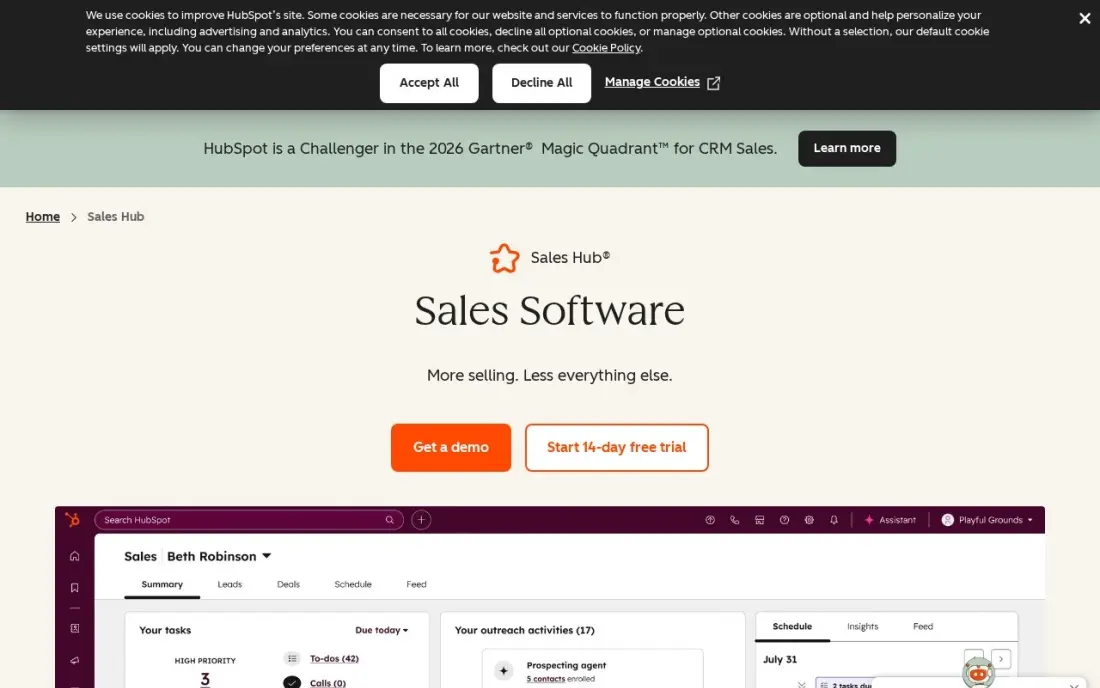
HubSpot Sales Hub is the safe default because the free CRM is real: two users get contacts, deals and pipelines at $0, and Starter adds 50 workflows, email sequences and AI agents for $20 a seat a month. The catch is the ladder: Professional jumps to $90 a seat a month billed annually and adds a $1,500 onboarding fee, so the price that matters is the tier you will need in a year, not the one you start on.
Buy HubSpot when the team wants one platform for sales, marketing and service, and when the free plan covers the first months. Buy Zoho CRM or Freshsales when the budget is fixed and per-seat pricing is the deal-breaker — both start free for a small team and charge less per seat.
What we like
- Free CRM covers up to 2 users with contacts, deals and pipelines at $0
- Starter includes 50 workflows, sequences and AI agents (Prospecting agent, Notetaker) from $20/seat/month
- One platform for sales, marketing and service, so automation can cross teams without integrations
- More than 1,500 integrations, the widest marketplace in this list
Watch out for
- Per-seat pricing climbs fast: Professional is $90/seat/month billed annually plus a $1,500 onboarding fee
- Advanced automation, forecasting and custom reporting wait for Professional or Enterprise
- The $7 Starter promo is for new customers only — renewals bill at the $20 list price

ActiveCampaign
Best for: Small businesses that automate email follow-up first and want CRM as the second step
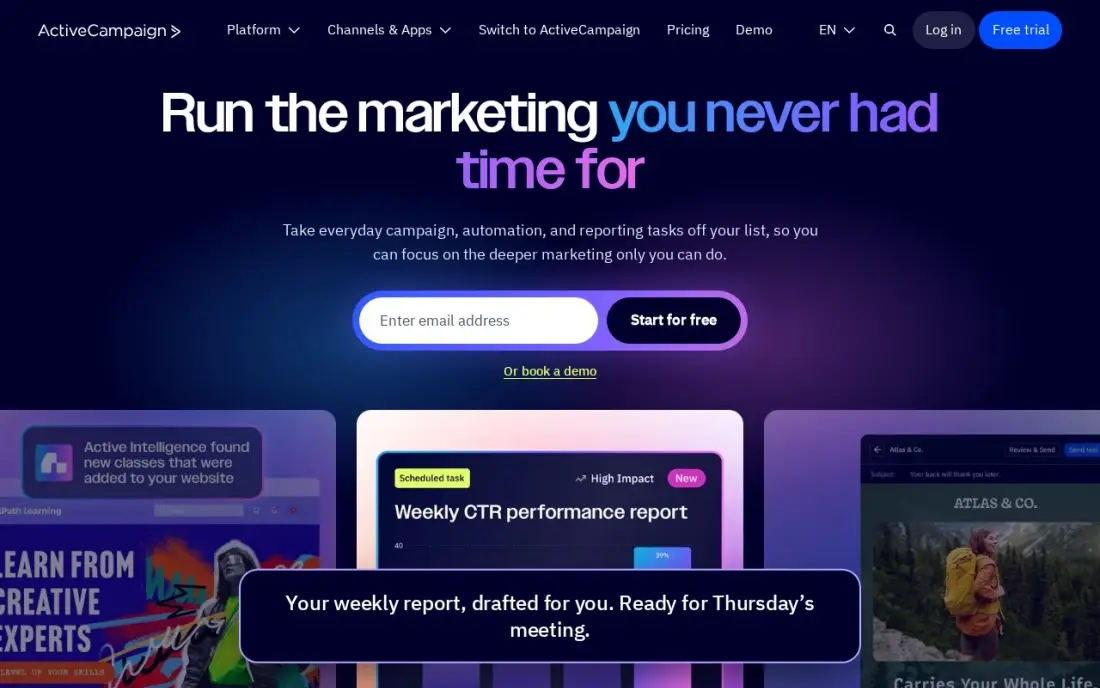
ActiveCampaign is an email automation tool that grew a CRM, and that order shows: Starter costs $19 a month for 1,000 contacts and covers email automations, forms and site tracking, but each automation is capped at five actions with no branching, so real automation starts on Plus at $59 a month. The price also rises with the contact count, and new accounts are billed for every contact, including unsubscribed ones.
Buy ActiveCampaign when email follow-up is the job — abandoned carts, onboarding sequences, win-back campaigns — and the CRM is the second step. Buy HubSpot when the sales team needs pipelines and seats first and email second.
What we like
- The strongest email automation builder in this list, with visual branching from the Plus plan
- Flat monthly price at each contact band — no per-seat bill on the first seat
- Deep ecommerce integrations with Shopify and WooCommerce for post-purchase follow-up
- Rated 4.4/5 on G2 across nearly 15,000 reviews
Watch out for
- Starter automations are email-only, capped at 5 actions each with no branching — real automation starts at Plus ($59/month)
- The price rises with your contact count, and new accounts are billed for all contacts including unsubscribed ones
- No free plan, and pipelines, SMS and transactional email cost extra

Zoho CRM
Best for: Budget-conscious teams that want automation on the cheapest paid plan in this list
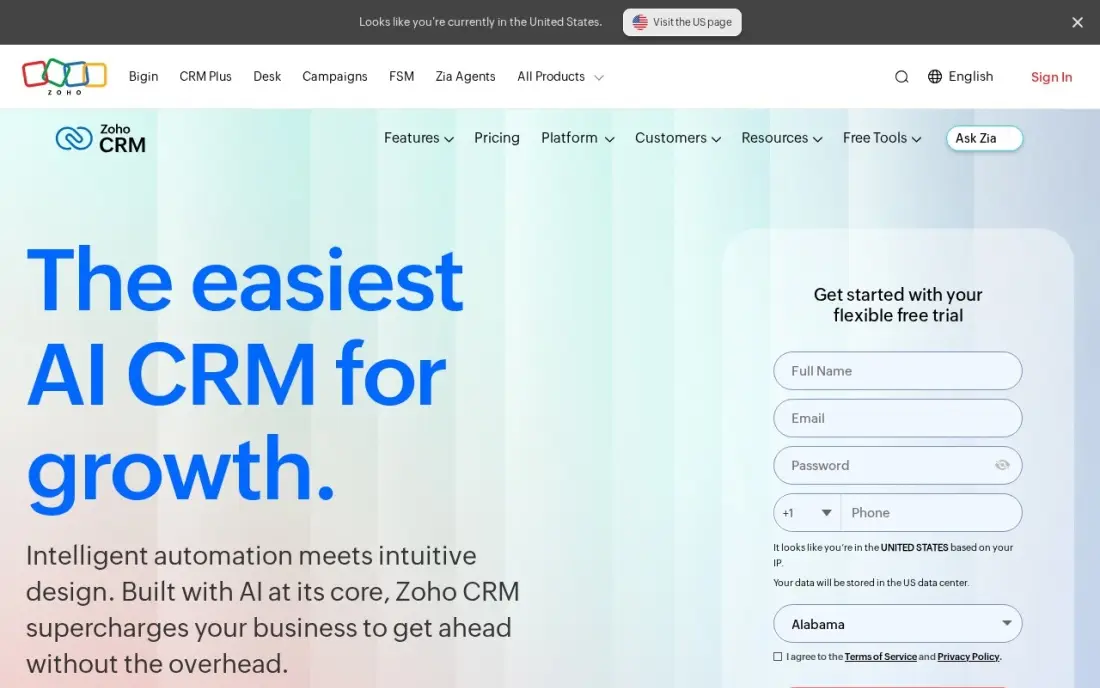
Zoho CRM is the value pick because workflow rules arrive on Standard, the cheapest paid tier in this list at $14 a user a month billed annually, or $20 month to month. The free plan covers three users with contacts, deals and basic automation, and the paid tiers add email integration, calling and forecasting without a seat minimum — a two-person team pays for two seats.
The trade-off is learning curve and support: setup takes longer than HubSpot or Pipedrive, and support quality is the most-cited complaint in reviews. Buy Zoho when the budget is tight and the team will invest a week in setup; buy Pipedrive when the team wants to sell on day one.
What we like
- Workflow rules included on Standard, the cheapest paid tier here at $14/user/month billed annually
- Free plan for up to 3 users covers contacts, deals and basic automation
- Deep Zoho ecosystem: Campaigns, Desk, Books and Projects connect without third-party tools
- Per-user pricing with no seat minimum, so a 2-person team pays for 2 seats
Watch out for
- Zia AI and Blueprint process automation wait for Enterprise at $40/user/month billed annually
- Interface and setup take longer to learn than HubSpot or Pipedrive
- Support quality is the most-cited complaint in user reviews

Pipedrive
Best for: Sales-led teams that live in the pipeline view and want the simplest CRM to adopt
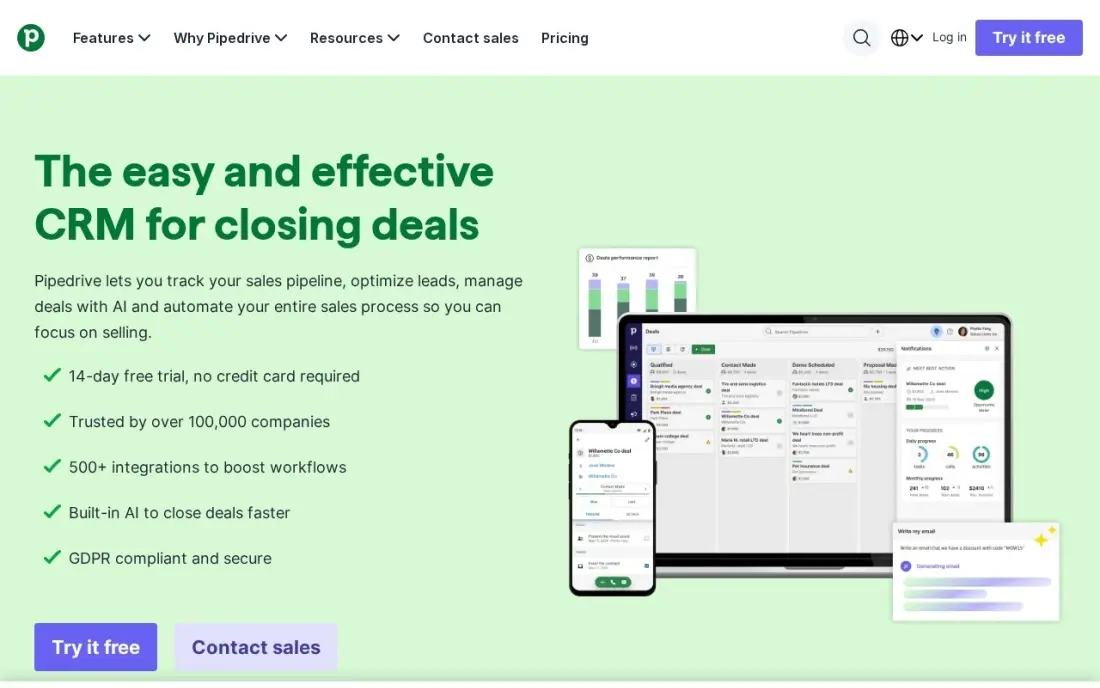
Pipedrive is built around one idea: a visual pipeline that a rep can read at a glance. Lite costs $14 a user a month billed annually, or $24 month to month, and covers contacts, deals, activities and basic reporting. The automation allowance on Lite is small, and Nova AI starts on Growth at $39, so teams that automate heavily should budget for the step up.
There is no free plan and no native marketing automation, and lead generation, document signing and projects are paid add-ons. Buy Pipedrive when the team lives in the pipeline and wants the simplest CRM to adopt; buy HubSpot when marketing automation has to sit in the same platform.
What we like
- The cleanest visual pipeline in this list — reps adopt it in under a day
- Predictable per-seat pricing from $14/user/month billed annually with no seat minimum
- Nova AI assistant included from the Growth tier at $39/user/month
- Strong mobile app for field reps who update deals between calls
Watch out for
- Lite's automation allowance is small — heavy automation needs Growth or Premium
- No free plan, and lead generation, document signing and project tools are paid add-ons
- No native marketing automation, so email campaigns need a separate tool

Freshsales
Best for: Small teams that want built-in phone, email and chat in the CRM with no extra tools
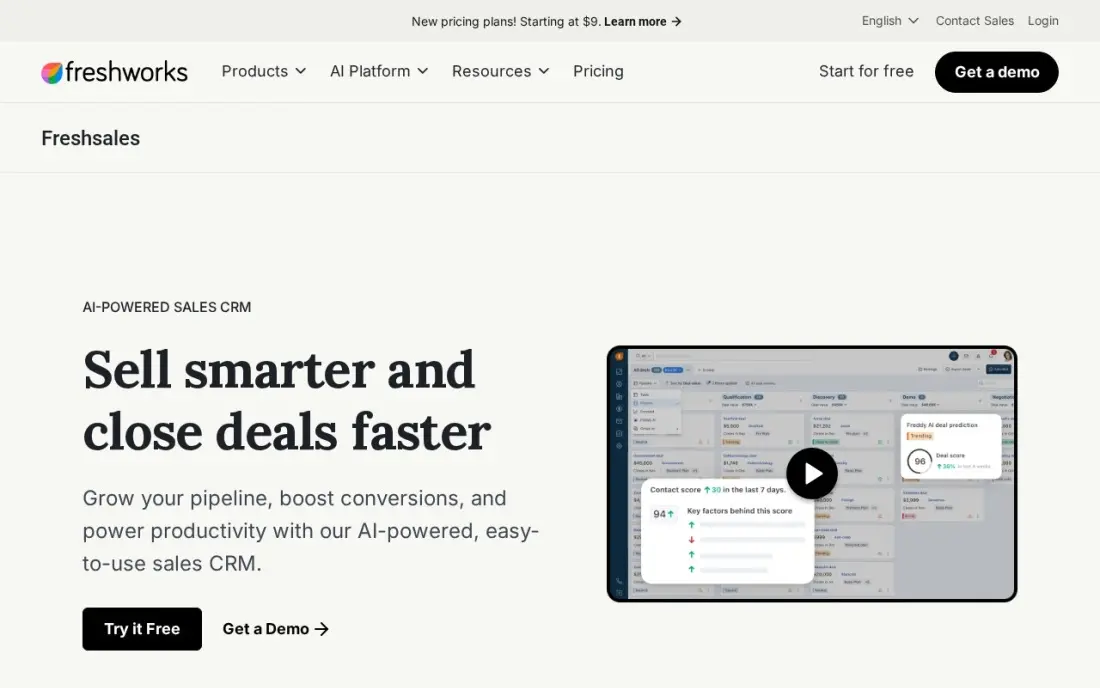
Freshsales is the best value for teams that call and email from the CRM: Growth costs $9 a user a month billed annually, or $11 month to month, and includes built-in phone and email, two-way sync, workflow automation and sales sequences. The free plan covers three users with contacts, deals and phone, though it has no reporting and no automation.
The limits are the integration list, which is shorter than HubSpot's or Salesforce's, and the step to Pro at $39 a user a month for advanced analytics and territory management. Buy Freshsales when one login should cover calling, email and deals; buy Close when the team makes dozens of calls a day and needs a power dialer.
What we like
- Built-in phone, email and chat on Growth — no separate dialer or inbox to buy
- Basic AI text tools on Growth; Freddy contact scoring waits for Pro at $39
- Free plan for up to 3 users includes contact management, deals and built-in phone
- Workflow automation and sales sequences included from the first paid plan
Watch out for
- Free plan has no reporting and no workflow automation
- Fewer third-party integrations than HubSpot or Salesforce
- Advanced analytics, territory management and audit logs wait for Pro at $39/user/month

monday sales CRM
Best for: Visual teams already running on monday.com that want the pipeline on the same boards
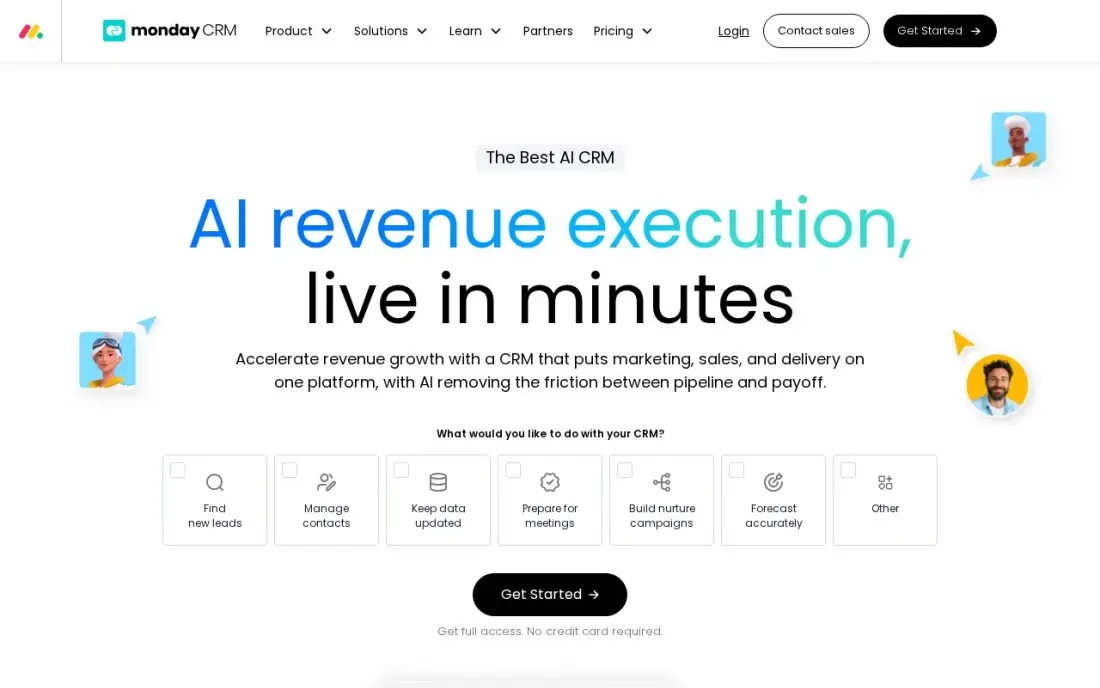
monday sales CRM turns the pipeline into boards, and that flexibility is the whole pitch: columns become stages, rows become deals, and dashboards configure without code. Basic costs $12 a seat a month billed annually, or $18 month to month, but it includes no custom automations at all — automation starts on Standard at $17 — and paid plans require a three-seat minimum.
Email sequences and forecasting wait for Pro at $28 a seat a month. Buy monday when the company already lives on monday.com and the pipeline should sit on the same boards as everything else; buy Pipedrive when the team wants a sales tool first and a workspace second.
What we like
- Boards, timelines and dashboards configure without code — the most flexible layout here
- Shares the monday.com platform, so sales, projects and marketing can live in one workspace
- More than 200 integrations and a large template library for common sales processes
- Annual billing is 18% cheaper than monthly on every tier
Watch out for
- Basic includes no custom automations at all — automation starts on Standard at $17/seat/month billed annually
- Paid plans require a 3-seat minimum, so a 2-person team pays for 3 seats
- Email sequences and forecasting wait for Pro at $28/seat/month billed annually

Salesforce Sales Cloud
Best for: Enterprises and fast-growing teams that need deep customization and the largest app ecosystem
Salesforce Sales Cloud is the reference point everything else is measured against: the deepest customization, Flow Builder automation and the largest app ecosystem in this list. Starter Suite costs $25 a user a month, billed monthly or annually, and covers leads, accounts, contacts and opportunities with AI email and calendar sync and Slack included.
The honest cost is not the license but the step up: Pro Suite is $100 a user a month billed annually, and serious rollouts usually need a consulting partner. Buy Salesforce when the team will grow past 50 seats or needs custom objects and approvals; buy HubSpot when the team wants the same breadth with less setup.
What we like
- The deepest customization in this list, with Flow Builder automation and thousands of AppExchange apps
- Starter Suite is the only edition with monthly billing — every higher edition is annual
- AI email drafting and calendar sync included from the entry plan
- Rated 4.4/5 on G2 across more than 27,000 reviews, the most-reviewed CRM here
Watch out for
- The step from Starter to Pro Suite quadruples the price to $100/user/month billed annually
- Serious rollouts usually need a consulting partner, and that services bill can exceed the first year of licenses
- Agentforce AI agents and API access are paid add-ons on top of the license

Insightly
Best for: Service businesses that want won deals to become tracked projects inside the same CRM
Insightly is the only tool here that turns a won deal into a tracked project without a second login: Plus costs $29 a user a month billed annually and includes CRM plus project management, 100,000 records and dashboards. The catch is automation: Plus includes no workflow automation at all, so the plan that actually automates is Professional at $49.
There is also no email sequencing on any plan, and the 2,500-record cap on Plus is tight for a growing team. Buy Insightly when won deals must become projects inside the same CRM; buy Zoho CRM when the budget is lower and workflow rules matter more than project tracking.
What we like
- Project management is included from the first paid tier — won deals convert to projects without a second tool
- Flat per-user pricing with no seat minimum and no monthly-billing maze
- Onboarding and Premier support fees are disclosed on the pricing page, not hidden
- The same $29/$49/$99 ladder has held for more than two years
Watch out for
- Plus includes no workflow automation at all — it starts on Professional at $49/user/month
- Only 2,500 records on the entry plan is tight; Professional raises the cap to 10,000
- No email sequencing on any plan, so outbound teams need a separate tool

Close
Best for: Inside sales teams that live on the phone and want calling, SMS and email in one CRM
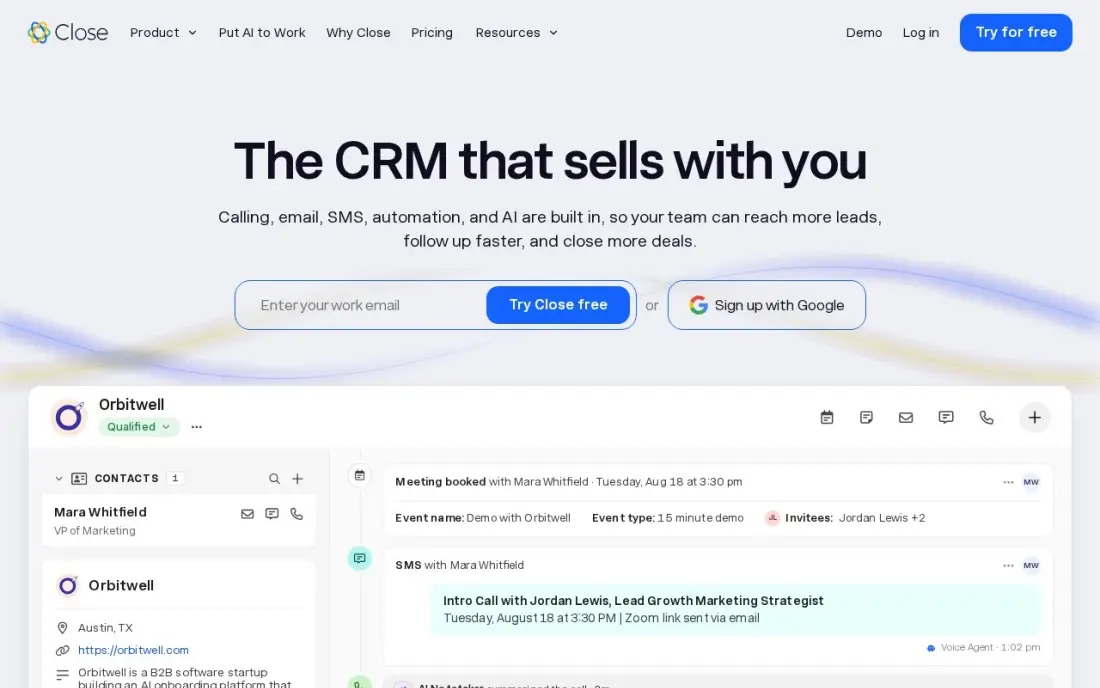
Close is built for inside sales teams that live on the phone: Essentials costs $35 a user a month billed annually, or $49 month to month, and includes built-in calling and SMS, email sequences, a team inbox and 1,000 AI credits per user a month. Calling minutes and SMS are billed by usage on top of the subscription.
The catch is automation: Essentials has no Workflows, so real automation waits for Growth at $99 a user a month billed annually, which adds Workflows, the power dialer and bulk email. Buy Close when reps make dozens of calls a day; buy Freshsales when the team calls less and wants the same built-in phone for far less.
What we like
- Built-in VoIP, power dialer and call recording — no separate dialer subscription to buy
- AI credits included on every plan — 1,000 per user a month on Essentials
- Email sequences and calling live in the same record, so follow-up is one click from the call log
- No contracts on any plan, and every plan includes a 14-day trial
Watch out for
- Essentials has no Workflows — real automation waits for Growth at $99/user/month billed annually
- Calling minutes and SMS are billed on top of the subscription by usage
- The most expensive entry price here for a team that does not call much

Keap
Best for: Service-based small businesses that want CRM, email, payments and automation in one plan
Keap sells one plan and nothing else: $299 a month billed monthly, or $249 billed annually, for 1,500 contacts and two users, with every feature included — CRM, email and text marketing, automations, payments, landing pages and appointments. A required $500 implementation package covers onboarding calls and done-for-you automations, and each extra user costs $39 a month.
The price is the highest here by a wide margin, and annual contracts carry a $299 early termination fee. Buy Keap when a service business wants one system to quote, book, collect and follow up; buy ActiveCampaign when the list is small and email automation is the whole job.
What we like
- One plan with every feature included — no tier to outgrow or feature to unlock
- Payments and invoicing built in, so a service business can quote, book and collect in one place
- A required implementation package ($500) includes onboarding calls and done-for-you automations
- Contact-based pricing suits low-volume, high-ticket service businesses
Watch out for
- The highest starting price here by a wide margin, before the required $500 implementation package
- Only 2 users included — each extra user costs $39/month
- Annual contracts carry a $299 early termination fee if you cancel before the year ends
The best crm automation software removes follow-up from your to-do list: leads get scored, assigned and chased on their own, and deals move when a rep acts, not when someone remembers. We ranked the ten tools below by fit for the most common buyer — a small US sales team that wants automation without an implementation project — starting with the free plans and ending with the all-in-one option, and every price was checked on the vendor's own pricing page on November 12, 2026.
How to choose the best crm automation software
- Find where automation actually starts. monday Basic and Insightly Plus include no automation at all, so their headline prices buy a database, not automation. Check the tier that holds workflows before you compare prices.
- Count seats, not users. Most tools here charge per seat, so multiply the sticker price by headcount. monday also requires a 3-seat minimum, and Keap includes only 2 users — a third user costs $39 a month.
- Check the free plan's ceiling. HubSpot's free CRM covers 2 users, Zoho CRM and Freshsales cover 3, and all three hold the best automation for paid plans. A free plan that fits today can still force an upgrade in month two.
- Price the phone and the messages. Built-in calling is included on Freshsales Growth, Close Essentials and Zoho CRM Standard, but calling minutes and SMS are billed by usage on Close. If the team calls all day, that usage line matters as much as the license.
- Ask who sets it up. Salesforce and Keap both expect onboarding help — Keap charges a required $500 implementation package — while Pipedrive and Freshsales are built to be set up by the team in a day.
Picking the tool is only half the job: the pages it links to still have to be found. Our guide to the best AI CRM software covers the AI side of this category, and before you publish new landing pages for the services you sell, run your titles through the free SERP snippet preview tool — it shows exactly how the title and description will look in Google.
Whatever you shortlist, try it with real data before you pay. The free plans and trials in this list are long enough to run one genuine week — your leads, your pipeline, your follow-up rules — and that week tells you more than any review can. Check two things in the trial: that a lead actually moves through the workflow without manual nudges, and that the automation you need is on the plan you priced, not the next tier up.
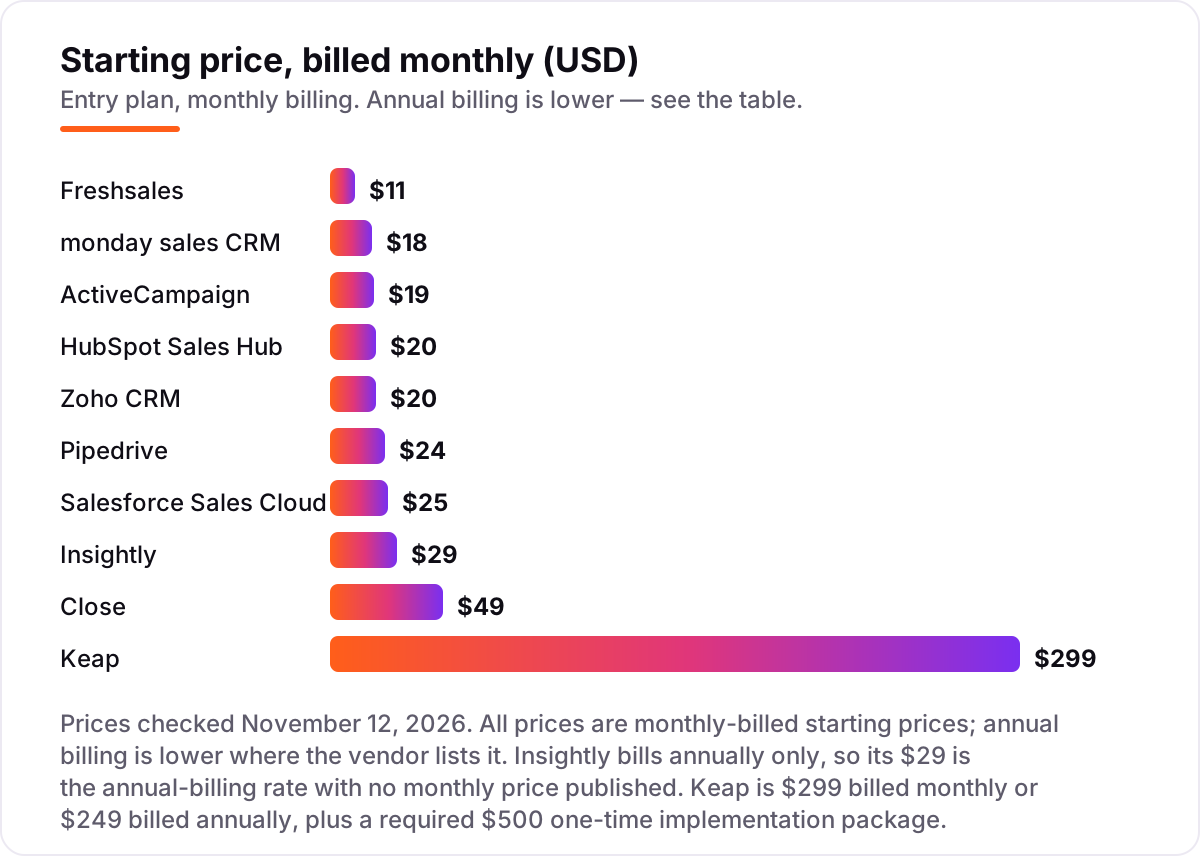
CRM automation software pricing: what you will actually pay
Take a 5-person sales team on list prices, billed monthly. The subscription costs $67 a month on ActiveCampaign Starter ($19 for 1,000 contacts plus $12 a month for each of the 4 extra seats), $55 on Freshsales Growth or $90 on monday Basic, $100 on HubSpot Starter or Zoho CRM Standard, $120 on Pipedrive Lite, $125 on Salesforce Starter Suite, $145 on Insightly Plus, $245 on Close Essentials and $416 on Keap ($299 for 1,500 contacts and 2 users, plus 3 extra users at $39 each).
Over a year, that is $804 on ActiveCampaign, $660 on Freshsales or $1,080 on monday, $1,200 on HubSpot or Zoho CRM, $1,440 on Pipedrive, $1,500 on Salesforce, $1,740 on Insightly, $2,940 on Close and $4,992 on Keap — before Keap's required $500 implementation package, which brings its first year to $5,492. The same five people and the same pipeline cost $804 a year at the cheap end and $5,492 at the dear end, and the gap comes from contact pricing, seat minimums and bundled services, not from the CRM itself.
Annual billing cuts the bill on most tools here: Freshsales drops from $660 to $540 a year, monday from $1,080 to $720, Zoho CRM from $1,200 to $840, Pipedrive from $1,440 to $840, Close from $2,940 to $2,100 and Keap from $4,992 to $4,140 (including the 3 extra users). HubSpot Starter and Salesforce Starter Suite cost the same either way at list price, and Insightly publishes annual prices only. One more cost to check before you commit: calling minutes, SMS and AI credits are usage-billed on several tools here, so a team that calls all day should budget for the usage line, not just the license.
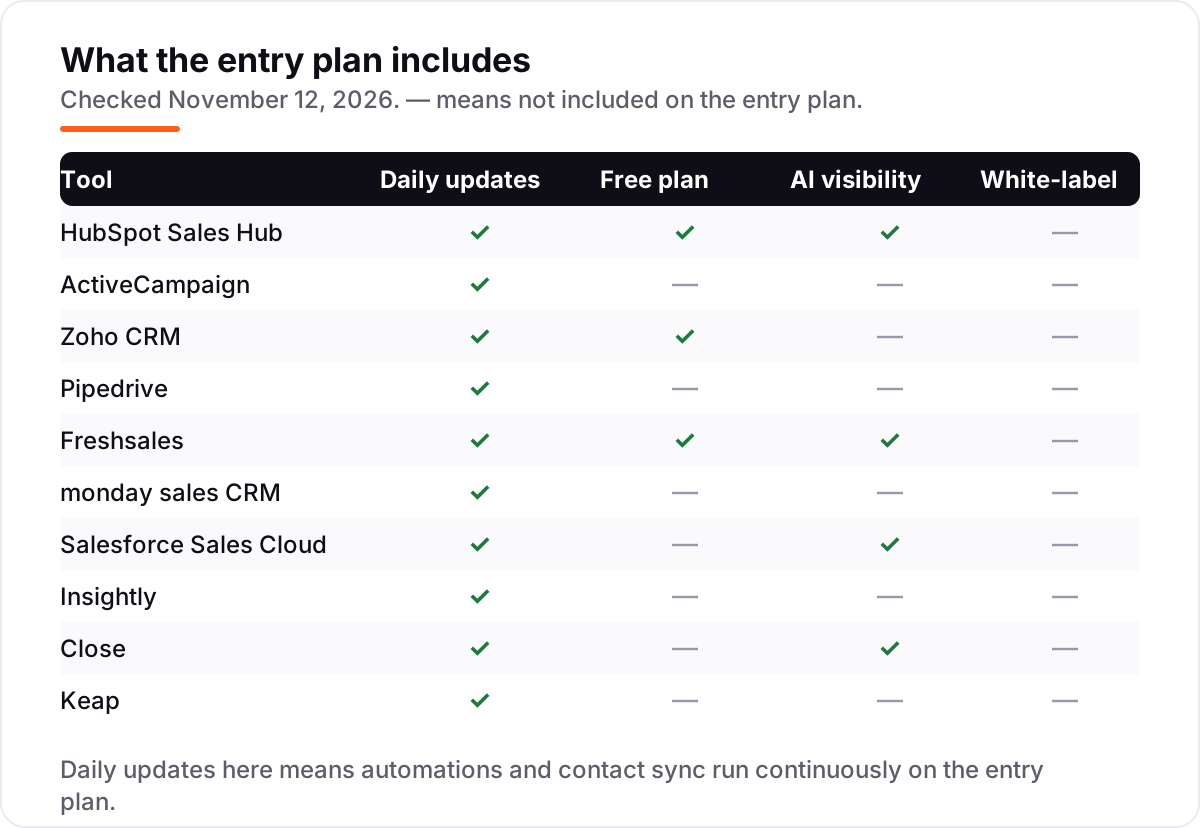
Know the difference: CRM automation vs marketing automation
The confusion in this category is between two kinds of automation that sound the same. CRM automation runs the sales process: a lead is assigned to a rep, a follow-up task is created when a deal stalls, and the stage moves when the rep logs a call. Marketing automation runs campaigns to a list: email sequences, lead scoring and nurture flows that run whether or not a rep is involved. A tool can do both, but the entry plan usually covers only one side well — ActiveCampaign Starter automates email, not sales stages, while Pipedrive Lite tracks stages but automates little.
There is a second, quieter confusion: workflow automation is not the same as AI. Workflows are rules you write — when a deal sits untouched for three days, create a task. AI is the tool guessing — scoring a lead, drafting a follow-up, summarizing a call. Zoho CRM Standard includes workflow rules but no Zia AI; Freshsales Growth includes both workflows and Freddy AI scoring; Insightly Plus includes neither. If AI is the reason you are buying, check the AI line on the plan you priced, not the marketing page.
A third distinction worth knowing is automation versus integration. A CRM that connects to Zapier can automate almost anything, but every automation then lives in a second tool with a second bill and a second place to debug. The tools in this list that automate natively — HubSpot, Zoho CRM, Freshsales and Salesforce — keep the rule inside the CRM, which is what makes it visible to the whole team.
Quick comparison: tool type by need
| Buyer | Best pick | Why |
|---|---|---|
| Most small sales teams | HubSpot Sales Hub | Free CRM for 2 users, Starter automation from $20/seat/month |
| Email-first automation | ActiveCampaign | Strongest email automation here, Starter is $19/month for 1,000 contacts |
| Tightest budget with workflows | Zoho CRM | Workflow rules from $14/user/month billed annually, free for 3 users |
| Pipeline-first sales team | Pipedrive | Cleanest visual pipeline, Lite is $14/user/month billed annually |
| Calling and email in one login | Freshsales | Built-in phone and email from $9/user/month billed annually |
| Service business, one system | Keap | CRM, email, payments and automation in a single $299/month plan |
Mistakes to avoid
- Budgeting on the entry price when the automation lives a tier up. monday Basic and Insightly Plus include no automation, and ActiveCampaign Starter caps automations at 5 actions. Price the tier that holds the workflow you actually need.
- Forgetting the seat math. A 5-person team on per-seat pricing pays five times the sticker price, monday bills a 2-person team for 3 seats, and Keap includes only 2 users before $39 a month each.
- Buying on the free plan, then finding the automation costs extra. HubSpot's free CRM holds workflows for Starter, and Freshsales' free plan has no automation at all. If the team automates from day one, count the paid plan in the price from the start.
- Ignoring the usage bill. Calling minutes, SMS and AI credits are billed on top of the subscription on Close and several other tools here. A team that calls all day should ask for the usage rates before signing.
- Paying for implementation before you have a process. Keap's $500 implementation package and Salesforce's consulting partners are worth it once the sales process is settled — not before. Nail the pipeline stages on a free plan first, then pay someone to automate them.
How we chose
We checked each vendor's own pricing page and recorded the starting price exactly as shown, including the annual-billing figure where the page lists one, and we ranked the tools by fit for the most common buyer — a small US sales team that wants automation without an implementation project — not by brand size. Browser-based page fetches were unavailable on November 12, 2026, so each price was verified from a fresh search-index copy of the vendor's own pricing page, confirmed by at least one independent October–November 2026 read of the same page. Two ratings come from fresh search-index copies of the exact G2 pages, crawled within three days; the other eight tools carry no rating because their G2 pages were not freshly crawled, and we would rather show no rating than a stale one. One figure is third-party-sourced: ActiveCampaign's $12 a month per extra seat comes from an independent October 2026 read, not the vendor page. No vendor paid for a place in this list, and none of the links here are affiliate links.
What to do next
Start with the free plan or trial of your top pick and run one real week of leads through it. Check that a lead moves through the workflow without manual nudges and that the automation you need sits on the plan you priced. If the pipeline is sorted but new customers are not finding you, our monthly SEO service handles the visibility side — or compare the AI side of this category in our guide to the best B2B CRM software. Once your tools are in place, find out what's holding your rankings back.
Frequently asked questions
What is the best CRM automation software?
HubSpot Sales Hub is the best fit for most teams: a free CRM for two users, then Starter automation from $20/seat/month. ActiveCampaign is the better pick when email follow-up is the job, from $19/month. Zoho CRM is the cheapest paid plan with workflows, from $14/user/month billed annually.
How much does CRM automation software cost?
Entry prices run from $0 to $299 a month. HubSpot, Zoho CRM and Freshsales all have free plans, and the first paid plans cost $14–$25 per user a month. A 5-person team typically pays $660–$2,940 a year on the per-seat tools here, before calling minutes, SMS and add-ons. Keap is priced by contacts instead and runs higher.
Is there a free CRM with automation?
Yes, with limits. Zoho CRM is free for up to 3 users with contacts, deals and basic automation, and Freshsales is free for up to 3 users with contacts and phone. HubSpot's free CRM covers 2 users but holds workflows for the paid Starter plan. Full automation on all three needs a paid tier.
What is the difference between CRM automation and marketing automation?
CRM automation runs the sales process: lead assignment, follow-up tasks, deal-stage moves and reminders tied to a person and a pipeline. Marketing automation runs campaigns to a list: email sequences, lead scoring and nurture flows. Many tools do both, but the entry plan usually covers only one side well.
Can I automate follow-up emails in a CRM?
Yes, on most tools here, but the tier matters. Freshsales Growth and HubSpot Starter include email sequences from the first paid plan. ActiveCampaign Starter caps automations at 5 actions each with no branching, so real sequences start on Plus. monday Basic and Insightly Plus include no automation at all.
Do I need a separate dialer with a CRM?
Not with Freshsales or Close: both include built-in calling, and Close adds a power dialer on its Growth plan. HubSpot Starter includes calling minutes, and Zoho CRM Standard includes built-in calling too. Pipedrive, monday and Insightly need a separate dialer or a calling integration.
Can I switch CRM automation software later?
Yes, but plan the move for a quiet month. Export contacts, deals, activities and automation rules from the old tool, then import them into the new one and rebuild the workflows by hand — automation rules rarely transfer. Run both systems for two weeks and reconcile the pipeline before cancelling.
Sources we checked (12)
- HubSpot Sales Hub pricing — hubspot.com/pricing/sales (checked November 12, 2026)
- ActiveCampaign pricing — activecampaign.com/pricing (checked November 12, 2026)
- Zoho CRM pricing — zoho.com/crm/zohocrm-pricing.html (checked November 12, 2026)
- Pipedrive pricing — pipedrive.com/en/pricing (checked November 12, 2026)
- Freshsales pricing — freshworks.com/crm/pricing (checked November 12, 2026)
- monday sales CRM pricing — monday.com/crm/pricing (checked November 12, 2026)
- Salesforce Sales Cloud pricing — salesforce.com/sales/pricing (checked November 12, 2026)
- Insightly pricing — insightly.com/pricing (checked November 12, 2026)
- Close pricing — close.com/pricing (checked November 12, 2026)
- Keap pricing — keap.com/pricing (checked November 12, 2026)
- ActiveCampaign reviews — g2.com/products/activecampaign/reviews (checked November 12, 2026)
- Salesforce Sales Cloud reviews — g2.com (checked November 12, 2026)
Make one of these tools?
We re-check this list every quarter. Send a correction, request a review, or ask about a clearly labeled sponsored spot.
Request a listingShamim
Founder of SerpAstra
A full-stack SEO and digital marketer who spends most days on Local SEO for dental practices, AI search visibility and lead generation.
Free SEO and AI visibility audit
Find out what is holding your rankings back
Send us your site. Within 2 business days you get a written audit, an AI visibility check and a short fix list ranked by impact. Free, with no contract attached.
Request my free audit→Related buying guides
 Sales & CRM9 Best AI CRM Software in 2026: Pricing, Features and Pros & ConsCompare the 9 best AI CRM software options on price, AI features and free plans for small sales teams, with every price checked November 12, 2026.Read guide →
 Sales & CRM7 Best B2B CRM Software in 2026: Pricing, Features and Pros & ConsCompare the 7 best B2B CRM software options for sales teams on price, free plans and features, with every price checked on November 12, 2026.Read guide →
 Marketing8 Best Automated Marketing Software in 2026, ComparedCompare the 8 best automated marketing software tools on price, automation depth and free plans, with every price cross-checked in November 2026.Read guide →