
7 Best Managed Hosting Software Platforms in 2026, Compared
Compare the 7 best managed hosting software platforms on what is managed, traffic limits, add-ons and yearly cost, with every price checked on vendor pages.
 Shamim Mia, Founder, SerpAstraLast verified November 6, 20268 min read
We compare pricing pages, documentation and public reviews. We never accept payment for rankings.

Key takeaways
- Kinsta and WP Engine are the premium managed WordPress platforms; WP Engine Essential costs $28 a month billed annually.
- Cloudways is the managed layer for cloud servers, from $14 a month with hourly billing and a five-day trial with no card.
- Liquid Web covers managed WordPress from $19 a month up to managed VPS and dedicated servers.
- SiteGround and WordPress.com are the lower-cost managed options for small sites; DigitalOcean suits teams that want managed databases and apps rather than managed WordPress.
On this page
Quick comparison
| Tool | Best for | Starting price | Free plan |
|---|---|---|---|
| Kinsta | Businesses and agencies that want premium managed WordPress sized by sites and visits | From $17.50/mo (promo) | No (first month free, select plans) |
| WP Engine | Marketing teams running revenue-critical WordPress sites with a path to enterprise | $28/mo (annual) | No |
| Cloudways | Agencies and developers who want a managed layer on top of DigitalOcean, Vultr, AWS or Google Cloud | $14/mo | No (5-day trial) |
| Liquid Web | Businesses that want managed WordPress, managed VPS and dedicated servers from one provider | From $19/mo | No |
| SiteGround | Small businesses that want managed shared hosting with strong support at a published price | $14.99/mo (24-mo regular) | No |
| WordPress.com | Site owners who want WordPress fully managed with no server or hosting decisions at all | $40/mo | Yes (free plan) |
| DigitalOcean | Developer teams that want managed databases, Kubernetes and app hosting on simple cloud pricing | $4/mo | No (trial credit) |
Make one of these tools?
We re-check this list every quarter. Send a correction, request a review, or ask about a clearly labeled sponsored spot.
Request a listingThe best managed hosting software

Kinsta
Best for: Businesses and agencies that want premium managed WordPress sized by sites and visits
Kinsta manages everything above the server for WordPress: updates, caching, backups, staging and security, with plans sized by number of sites and monthly visits or bandwidth. Agency plans cover 20 to 60 installs, and Enterprise starts at $500 a month. When we checked, a single-site plan cost $17.50 a month and the two-site WP 2 plan $35 a month or $630 a year.
Those were Black Friday prices for new customers, valid until December 1, 2026, so confirm the regular rate. Single-site plans include 10 GB of storage, and traffic above your allowance means a higher tier. New customers get a 30-day money-back guarantee.
What we like
- Plans sized by site count and monthly visits or bandwidth, from a single site up to 60 installs on Agency
- Annual billing available on every plan, for example WP 2 at $630 a year
- First month free on select plans and a 30-day money-back guarantee
Watch out for
- Current published prices are a Black Friday discount for new customers ending December 1, 2026
- Single-site plans include only 10 GB of storage
- Visit and bandwidth limits mean traffic spikes can push you up a tier

WP Engine
Best for: Marketing teams running revenue-critical WordPress sites with a path to enterprise
WP Engine has run managed WordPress hosting for longer than most rivals and is built for sites that earn money. Essential costs $28 a month billed annually, or $336 a year, with an estimated 25,000 to 400,000 monthly visits, 10 to 50 GB of storage and 75 GB of bandwidth. Updates, caching and security are handled for you.
No monthly-billed price is shown, and the next published plan, Business, costs $400 a month billed annually. Overages may apply when traffic exceeds the plan. Choose it for a business site that needs an established managed host and room to grow into enterprise.
What we like
- Essential starts at $28 a month billed annually with 75 GB of bandwidth
- Clear path from Essential to Business and custom Enterprise plans
- Fully managed WordPress with updates, caching and security handled
Watch out for
- No monthly-billed price is shown; Essential is $336 paid for the year
- The jump from Essential to Business is large, at $400 a month billed annually
- Visit counts are estimates and overages may apply

Cloudways
Best for: Agencies and developers who want a managed layer on top of DigitalOcean, Vultr, AWS or Google Cloud
Cloudways is managed hosting software in the literal sense: it runs and maintains a cloud server you choose — DigitalOcean, Vultr, Linode, AWS or Google Cloud — with the web stack, caching, backups and monitoring handled from one panel. Flexible Micro costs $14 a month for 1 GB of RAM, 1 vCPU and 25 GB of NVMe, billed hourly, with a five-day trial and no card.
Add-ons carry their own prices: offsite backup storage at $0.033 per GB, malware protection from $4 per app a month and advanced support at $100 a month. It suits agencies managing many client sites.
What we like
- Managed layer on top of DigitalOcean, Vultr, Linode, AWS or Google Cloud servers
- Pay monthly or by the hour, starting at $14 a month for 1 GB and 1 vCPU
- 5-day free trial with no credit card required
Watch out for
- Add-ons cost extra: backups storage $0.033 per GB, malware protection from $4 per app a month
- AWS and Google Cloud servers are priced by region and excluded from the trial
- The pricing page shows two different starting prices, $11 and $14

Liquid Web
Best for: Businesses that want managed WordPress, managed VPS and dedicated servers from one provider
Liquid Web manages hosting at every size: managed WordPress and WooCommerce from $19 a month, managed VPS from $19, cloud dedicated from $116.75 and fully managed dedicated servers. Storage scales with your traffic tier, and extra visits are sold in packs of 100,000 for $10 a month, so growth does not force a full plan change.
The pricing page shows only starting prices for managed WordPress, and the 4 GB managed VPS lists at $76.25 a month, so get a quote at your real size. Extra sites cost $9 to $12 a month. It suits companies that want one managed provider for years.
What we like
- Managed WordPress and managed WooCommerce hosting from $19 a month
- VPS, cloud dedicated and dedicated servers available when a site outgrows managed plans
- Visit packs add 100,000 monthly visits for $10 a month
Watch out for
- Base monthly prices for each managed WordPress tier are not shown on the pricing page
- Extra sites cost $9 to $12 a month each
- Dedicated server intro prices last only two months

SiteGround
Best for: Small businesses that want managed shared hosting with strong support at a published price
SiteGround is the lower-cost managed option for small business sites. The server, security, caching and daily backups are handled for you, and the support team has a strong reputation. Regular prices are published by term: StartUp costs $14.99 a month on a 24-month prepay, GrowBig $24.99 and GoGeek $39.99 on the same term.
Signup discounts appear on its sales pages, so expect to pay the regular rate after the first term. It is shared hosting underneath, so resources are limited compared with Kinsta or Cloudways. New orders have a 30-day money-back guarantee.
What we like
- Publishes its regular prices by term, so the cost after any intro discount is clear
- Three tiers — StartUp, GrowBig and GoGeek — with month-to-month billing available
- 30-day money-back guarantee on new shared hosting orders
Watch out for
- Regular prices are high for shared hosting: GrowBig is $24.99 to $34.99 a month
- The best monthly rate needs a 24-month prepayment
- Prices exclude VAT, GST and sales tax

WordPress.com
Best for: Site owners who want WordPress fully managed with no server or hosting decisions at all
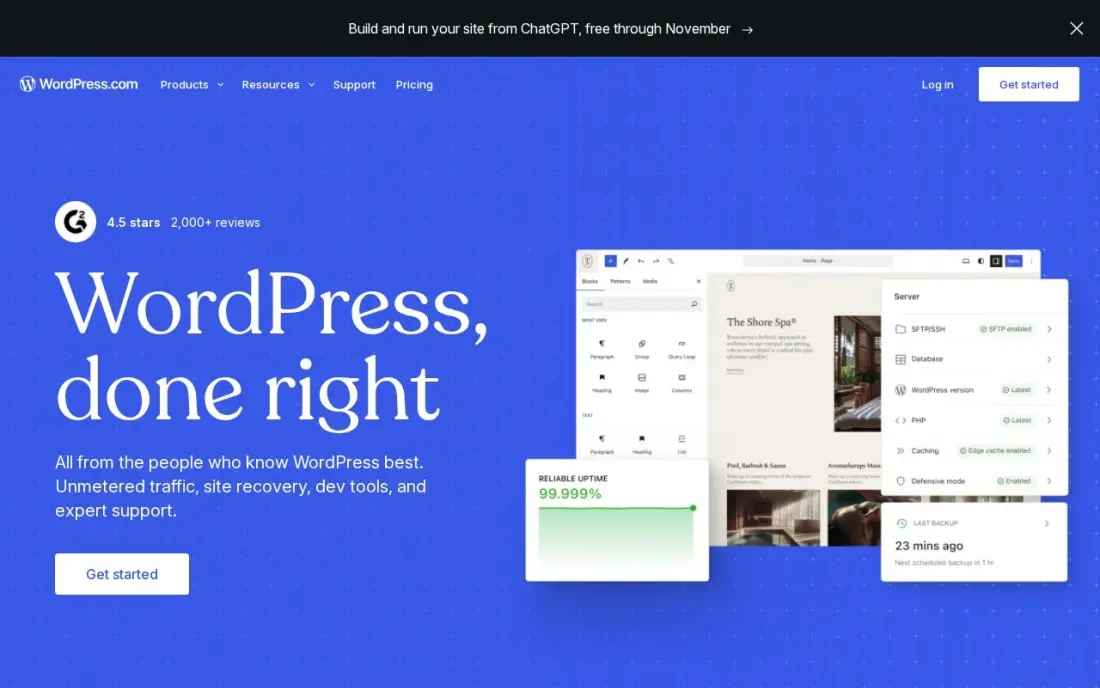
WordPress.com is the most hands-off managed hosting here: the platform runs the servers, security, updates and CDN, and you only manage content. There is a free plan, Personal at $4 a month billed annually can install plugins, and Business costs $40 a month billed monthly or $25 billed annually in the first year, adding staging, real-time backups, SFTP, WP-CLI and GitHub deployments.
Business renews at $28 a month on annual billing, and each site needs its own plan, so agencies with many sites pay per site. It suits owners who never want to think about hosting.
What we like
- The lowest-friction way to run a manufacturing website: hosting, security, updates and CDN included
- Business adds staging, real-time backups, SFTP, WP-CLI and GitHub deployments for developer teams
- More than 60,000 plugins cover product catalogues, quote forms, dealer locators and multilingual sites
- A free plan exists, and Personal at $4 a month billed annually can now install plugins too
Watch out for
- The $25 a month annual figure is a first-year price; Business renews at $28 a month
- Each site needs its own plan, so a second brand site doubles the bill
- Plugin and theme choice is broad, but deep custom development still needs a developer

DigitalOcean
Best for: Developer teams that want managed databases, Kubernetes and app hosting on simple cloud pricing

DigitalOcean is the managed option for teams running apps rather than WordPress sites. Managed databases, managed Kubernetes and App Platform take patching, failover and scaling off your hands, while Droplets start at $4 a month for anything you would rather run yourself. Egress costs about $0.01 a GB, and the documentation is excellent.
It does not manage your application code or WordPress for you, backups add 20% to Droplet prices, and the service catalog is smaller than the hyperscalers'. Choose it when your developers want managed infrastructure without the complexity of AWS or Azure.
What we like
- Flat monthly droplet pricing from $4, billed per second with a monthly cap
- A console a new developer can learn in an afternoon, with strong tutorials and community content
- Egress around $0.01 per GB, roughly a ninth of AWS
- Managed databases, Kubernetes and App Platform cover most early products
Watch out for
- A far smaller service catalog than the hyperscalers, with fewer regions and compliance certifications
- No free plan, and backups cost 20% on top of the droplet price
- Enterprise support and controls are thinner than the big three
The best managed hosting software takes server work off your plate — updates, security, caching, backups and scaling — so your team spends its time on the site instead of the stack. We compared seven managed hosting platforms on what each actually manages, traffic and storage limits, add-on costs and the yearly bill, and every price below comes from the vendor's own pricing page as checked in November 2026.
How to choose the best managed hosting software
- List what you want managed. Server only, server plus WordPress, or databases and containers; providers draw the line in different places.
- Check traffic and storage limits. Managed WordPress plans are priced by visits or bandwidth, and overages can push you up a tier.
- Price the add-ons. Backups storage, malware protection, CDN and premium support are extras on some platforms.
- Look for staging and one-click restore. These two features prevent most self-inflicted outages.
- Compare billing terms. Some plans are annual only, some hourly, and some prices are intro or seasonal promotions.
- Test support response. Managed hosting is mostly a support product; ask a technical question before you buy.
Managed hosting improves speed and uptime, which helps search performance, but it does not fix content or structure. Our Core Web Vitals guide explains what your host can and cannot improve, and our SEO audit service covers the rest.
Managed hosting software pricing: what you will actually pay
Take one business WordPress site with about 30,000 visits a month for a year. WP Engine Essential costs $336 a year billed annually. Cloudways Flexible Micro costs $14 a month, $168 a year, before add-ons such as malware protection from $4 per app a month. SiteGround StartUp at the regular 24-month rate costs $14.99 a month, about $180 a year. WordPress.com Business costs $25 a month on annual billing in the first year, $300, then renews at $28 a month.
Kinsta's single-site plan cost $17.50 a month, or $315 a year, at the Black Friday price we saw, so confirm the regular rate. Liquid Web's managed WordPress starts at $19 a month, $228 a year, with extra visit packs at $10 a month per 100,000 visits. DigitalOcean's managed services are priced per resource, so a Droplet from $4 a month plus a managed database is a different calculation. For agencies, multiply by the number of sites: extra sites cost $9 to $12 a month on Liquid Web and need their own plan on WordPress.com.
Know the difference: managed WordPress hosting vs managed cloud hosting
Managed WordPress hosting, from Kinsta, WP Engine, Liquid Web, SiteGround and WordPress.com, manages the server and the application. WordPress updates, caching tuned for WordPress, staging and malware cleanup are part of the service, and support staff know WordPress well. You give up some server control and pay per site or by traffic.
Managed cloud hosting, from Cloudways or DigitalOcean's managed services, manages the infrastructure but leaves more of the application to you. You can run any PHP app, several sites or custom stacks, and you pay for server resources rather than visits. It suits agencies and developers who want flexibility without doing system administration themselves.
Quick comparison: tool type by need
| Buyer | Best pick | Why |
|---|---|---|
| Premium managed WordPress | Kinsta | Plans by sites and visits, Enterprise from $500/month |
| Revenue-critical WordPress | WP Engine | Essential $28/month billed annually |
| Agencies on cloud servers | Cloudways | Managed cloud from $14/month, hourly billing |
| Managed VPS and dedicated | Liquid Web | Managed WordPress and VPS from $19/month |
| Small business sites | SiteGround | Managed shared hosting from $14.99/month regular |
| Zero hosting decisions | WordPress.com | Fully managed, Business $25/month first year annually |
| Managed databases and apps | DigitalOcean | Managed databases, Kubernetes and App Platform |
Mistakes to avoid
- Assuming everything is managed. Plugins, themes and your own code are usually still your responsibility; read what the host covers.
- Ignoring overages. Traffic or bandwidth above the plan can cost more than upgrading; watch usage each month.
- Buying on a promotion without the regular price. Seasonal discounts end; budget on the price you will pay in year two.
- Relying only on host backups. Keep an independent backup outside the host.
- Moving during a busy season. Migrate in a quiet period and test on staging before switching DNS.
How we chose
We checked each vendor's own pricing page in November 2026 and recorded prices, billing terms, included resources and paid add-ons exactly as shown, and we flag time-limited promotions and conflicting figures where a page shows them. We compared what each platform manages, its limits and its support model, and grouped the platforms by the buyer they suit. Ratings come from G2 pages checked on the dates shown in the sources; where we did not read a review page we show no rating. No vendor paid for a place in this list, and none of the links here are affiliate links.
What to do next
Write down your monthly visits, number of sites and what you want managed, then trial two platforms from different rows of the table with a staging copy of your site. Compare page speed and one support conversation. If you are moving a site that ranks, book a free SEO review before the switch.
Frequently asked questions
What is the best managed hosting software?
Kinsta and WP Engine are the best managed WordPress platforms for business sites, Cloudways is the best managed layer for cloud servers, and Liquid Web is the best for businesses that need managed VPS and dedicated servers too. SiteGround and WordPress.com are the lower-cost managed options.
What does managed hosting include?
Managed hosting usually includes server setup and maintenance, security patches, caching, daily backups, staging sites and expert support. Managed WordPress hosts also update WordPress core and handle performance tuning. What is included varies, so check backups, staging and support on each plan.
Is managed hosting worth the cost?
For a site that brings in leads or sales, usually yes. Managed hosting costs more than shared hosting, but it saves hours of maintenance, reduces downtime and security risk, and is usually faster. For a hobby site, cheaper shared hosting is enough.
How much does managed hosting cost?
On published prices, Cloudways starts at $14 a month, SiteGround's regular StartUp rate is $14.99 a month on a 24-month prepay, Liquid Web starts at $19 a month, WordPress.com Business at $25 a month in the first year on annual billing and WP Engine Essential at $28 a month billed annually.
What is the difference between managed and unmanaged hosting?
On unmanaged hosting, such as a raw VPS, you install, secure and maintain the server yourself. On managed hosting, the provider does that work and often manages the application too. Unmanaged is cheaper; managed costs more but needs far less skill and time.
Can I move my site to a managed host easily?
Usually yes. Most managed WordPress hosts offer migration tools or free migrations. Test the site on a staging URL, check redirects and SSL, and only then switch DNS.
Sources we checked (9)
- Kinsta — kinsta.com/plans (checked November 16, 2026)
- WP Engine — wpengine.com/enterprise-managed-wordpress-hosting-plans (checked November 16, 2026)
- Cloudways — www.cloudways.com/pricing (checked November 16, 2026)
- Liquid Web — www.liquidweb.com/pricing (checked November 16, 2026)
- SiteGround — www.siteground.com/kb/current-rates-shared-hosting-plans (checked November 16, 2026)
- WordPress.com — wordpress.com/pricing (checked November 12, 2026)
- WordPress.com reviews on G2 (checked November 12, 2026)
- DigitalOcean — www.digitalocean.com/pricing (checked November 6, 2026)
- DigitalOcean reviews on G2 (checked November 6, 2026)
Make one of these tools?
We re-check this list every quarter. Send a correction, request a review, or ask about a clearly labeled sponsored spot.
Request a listingShamim
Founder of SerpAstra
A full-stack SEO and digital marketer who spends most days on Local SEO for dental practices, AI search visibility and lead generation.
Free SEO and AI visibility audit
Find out what is holding your rankings back
Send us your site. Within 2 business days you get a written audit, an AI visibility check and a short fix list ranked by impact. Free, with no contract attached.
Request my free audit→Related buying guides
 Website Builders & Hosting8 Best Website Hosting Platforms in 2026, ComparedCompare the 8 best website hosting platform picks on intro vs renewal prices, managed WordPress, cloud servers and support, with prices checked on vendor pages.Read guide →
 Developer Tools8 Best Linux Hosting Companies in 2026, ComparedCompare the 8 best Linux hosting companies on shared plans, VPS pricing, root access, traffic allowances and renewal cost, with prices checked on vendor pages.Read guide →
 Business Software11 Best Cloud Infrastructure Services Reviews in 2026The 11 best cloud infrastructure services reviews compared on price, free tiers, egress and AI features, with every price checked November 6, 2026.Read guide →