Marketing automation for small businesses: what to automate (and what not to)
Marketing automation is not about replacing people with software. For a small business it is about making sure the follow-up email, the review request and the reminder go out every single time, even on your busiest week.
 Shamim, founder of SerpastraUpdated October 31, 20269 min read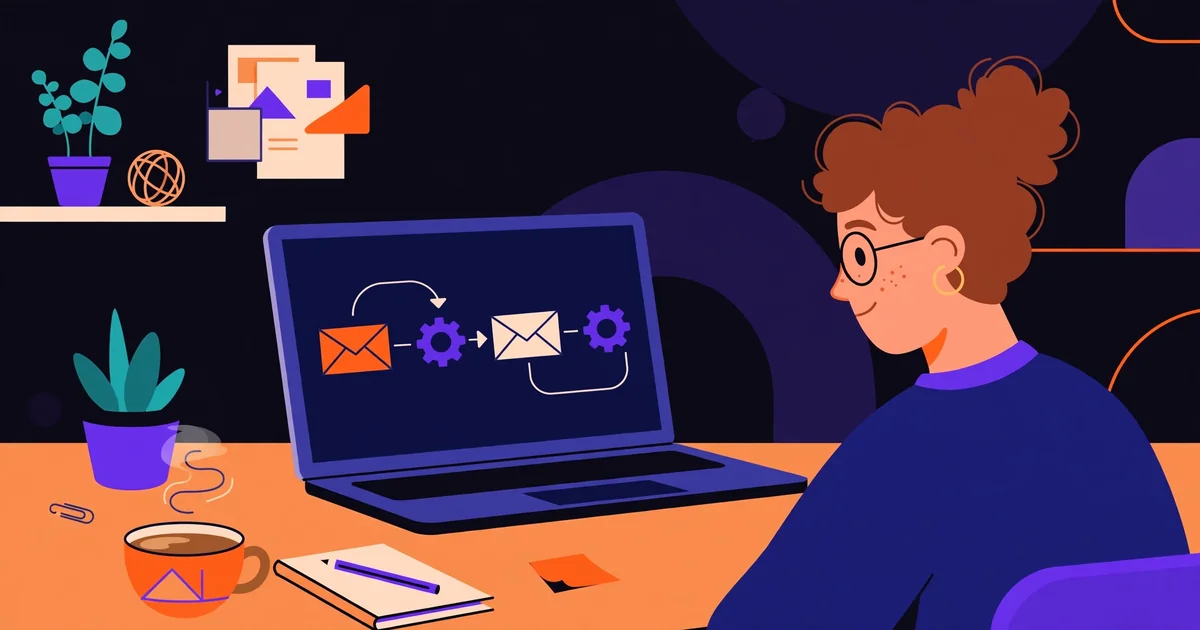
Key takeaways
- Automate the repetitive, time-based jobs first: welcome emails, appointment reminders, review requests and abandoned-cart nudges.
- Keep the human moments human: replies to complaints, sales conversations and anything that needs judgement stay with a person.
- Pick the tool that fits your list size and your actual workflows, not the one with the longest feature list.
- One working automation beats five half-built ones. Launch one flow, measure it for a month, then add the next.
- Measure replies, bookings and sales, not just opens. An automated email that nobody acts on is a cost, not an asset.
- Review every automation once a quarter: stale offers, broken links and outdated prices creep in quietly.
On this page
Most small businesses do not have a marketing problem. They have a follow-up problem. The enquiry that never got a reply, the customer who meant to book again and forgot, the happy client who was never asked for a review: these are the leaks that cost real money, and they happen because one busy person is doing the remembering. Marketing automation for small businesses is simply a way to stop relying on memory. The software sends the message, at the moment it matters, every single time.
What marketing automation actually is
Marketing automation is software that performs a marketing task when a trigger happens, without someone pressing send each time. A trigger is an event: a person joins your email list, books an appointment, abandons a cart, or has not visited in ninety days. The automation is the response you planned in advance: an email, a text, a task for a team member, or a change to that person's record.
What to automate first
Start with the jobs that are repetitive, time-based, and triggered by something the customer just did. Those three qualities are the test. If a task happens the same way every time, at a predictable moment, and the customer expects the message, automate it first. If it needs judgement, timing you cannot predict, or a personal touch, leave it alone for now.
The welcome email is the obvious first flow. Someone joins your list or makes a first booking, and within minutes they get a message that says who you are, what happens next, and one useful thing: a first-visit guide, a discount, or the answer to the question new customers always ask. Welcome emails get opened far more than ordinary newsletters, because the person just asked to hear from you. Wasting that moment with a plain confirmation is the most common automation mistake we see.
Next come reminders. Appointment reminders cut no-shows for dentists, salons, med spas and home-service businesses, and they are the single highest-return automation for most local businesses. A reminder the day before and a second one two hours before the appointment is enough. Add a way to confirm or reschedule in the message itself, and the front desk stops spending its mornings chasing people by phone. Booking reminders work the same way for restaurants and classes: a short message, the details, and one tap to change the booking.
Then the review request. Asking every happy customer for a review, by hand, is a job nobody sustains. An automated request sent a few hours after the visit or delivery does it consistently, and consistency is what Google reviews do for local SEO: a steady flow of recent reviews is one of the few ranking signals a business can improve every week. Send the request while the experience is fresh, make it one tap, and never offer a reward for a review, which breaks the review platforms' rules.
The welcome sequence that earns its keep
A welcome sequence is usually three emails over about a week, not one. The first goes out immediately and does three jobs: it confirms the subscription or booking, sets expectations about how often you will write, and gives one genuinely useful thing. For a dental practice that might be a new-patient checklist. For a restaurant, the week's menu highlights and the booking link. For a home-services company, the answer to the question every new customer asks about pricing or scheduling.
The third email, around day six or seven, makes an offer with a clear next step: book, call, or visit. By now the person has heard from you three times and knows what to expect, so a direct invitation is welcome rather than pushy. If they do nothing, stop. Either move them to your regular newsletter or leave them alone. A welcome sequence that never ends is how a warm lead turns into an unsubscribe.
"Automation should make a small business feel more attentive, not less human. If a customer can tell a machine wrote the message, the machine wrote the wrong message." — Shamim, founder of Serpastra
What not to automate
Some messages should always come from a person. Replies to complaints are first on the list. A customer who took the time to tell you something went wrong wants to be heard, not to receive a ticket number and a link to a help page. An automated acknowledgement is fine, as long as a named person follows up quickly. An automated resolution is not.
Sales conversations are second. If a prospect asks a real question about price, timing or whether you can help with their specific situation, an automated sequence that ignores the question and sends the next scheduled email looks careless. The rule is simple: the moment a person replies to an automated message, the automation should stop and a human should take over. Every serious email tool can do this. Make sure yours is set to.

Comparing the tools without buying a monster
There are four tools most small businesses end up choosing between, and the honest differences are smaller than the marketing suggests. All four send email, all four build simple automations, and all four will do the job for a business starting out. The differences are who each tool is built for, and what it costs as you grow.
| Tool | Best for | Free starting tier | Automation depth |
|---|---|---|---|
| Mailchimp | Small lists, newsletters, simple welcome flows | Yes | Basic to moderate |
| ActiveCampaign | Service businesses that need CRM and follow-up in one place | No, paid from the start | Deep |
| HubSpot | Businesses planning to grow into sales and CRM | Yes, free tools | Moderate, grows with paid tiers |
| Klaviyo | Online stores, abandoned carts, purchase behaviour | Yes | Deep for ecommerce |
How we compared them: we looked at the free starting tier, how far the automation builder goes without an expensive plan, and which kind of business each tool is designed for, using the vendors' own product pages. We did not test every plan, and prices change often, so treat this as a shortlist, not a ranking. The right choice is the one that fits your list size today and the flows you actually plan to build in the next six months.
A simple automation map for a small business
Before buying anything, draw the map on one page. Down the left side, list every way a customer first meets your business: a Google search, a referral, a walk-in, an Instagram message, a form fill. Across the top, list what happens next: a reply, a booking, a visit, a purchase, a review, a repeat visit. Then draw the line between them and mark the gaps where nothing happens today. Those gaps are your automation list.
Build them in this order: welcome, reminder, review request, win-back, and enquiry follow-up. The enquiry follow-up deserves a note, because it is the one most businesses get wrong. When someone fills in a form, send an immediate acknowledgement that says when a person will reply, then make sure a person actually replies inside that window. The automation buys you time; it does not replace the reply. Our 90-day SEO strategy template uses the same idea: fix the follow-up before spending more on getting found.

Not sure where to start?
Get a free audit - written findings in 2 business days, yours to keep.
Get my free audit→Measuring whether automation is working
Open rates are the least useful number in automation, because an open tells you nothing about what happened next. Measure the action each flow is supposed to produce. A reminder flow is measured in no-shows, not opens. A review request is measured in reviews, not clicks. A win-back flow is measured in returning customers, not opens. If you cannot name the action, the flow does not have a job yet.
Set a baseline before you switch a flow on. How many no-shows did you have last month? How many reviews did you get? How many past customers came back? Without a baseline, every number after launch looks like progress, and you will keep running flows that do nothing. Write the baseline down, run the flow for a month, and compare. This is the same discipline as tracking your Google ranking: one number, measured the same way, over a fixed period.
The mistakes that make automation feel robotic
The first mistake is automating too much, too fast. A business that launches six flows in a weekend ends up with customers receiving a welcome email, a newsletter, a promotion and a review request in the same week. Space the messages out, cap how many automated emails one person can receive per week, and remember that your newsletter and your automations share the same inbox. They compete with each other.
The second mistake is writing like a company instead of a person. "Dear valued customer" and "We are delighted to inform you" are the fingerprints of automation. Use the customer's first name once, write short sentences, and sign off with a real person's name. The best automated email reads like it was typed that morning, because someone took the time to write it that way once.
When to hire help, and what it costs
Most small businesses can set up their first two or three flows themselves in a weekend, using the tool's templates and a careful afternoon of writing. Hire help when the job stops being writing and starts being plumbing: connecting a booking system to an email tool, syncing a store with a CRM, or building a flow with branches that depend on what the customer did last time. That is the point where a freelancer or a small agency earns their fee.
What should that cost? A simple setup of two or three flows is usually a small one-off project, priced in the hundreds of dollars rather than the thousands, depending on how much writing and integration is involved. Ongoing management is a monthly cost, and it only makes sense when the automations are producing measurable bookings or sales. If a provider cannot tell you what each flow is supposed to produce, you are paying for activity, not results. Our guide to how much SEO costs makes the same point about marketing spend in general: the price matters less than what the work is supposed to return.
Whether you hire help or do it yourself, keep ownership of the account, the list and the messages. The list is a business asset. The messages are your voice. A provider who holds either hostage is a provider to leave. And if you are weighing automation against other marketing spend, remember that automation makes everything else work harder: the traffic from local SEO converts better when the follow-up is instant, and the leads from AI search tools are worth more when no enquiry waits a day for a reply.
A 30-day plan to automate one thing well
Week one is mapping and writing. Draw the one-page map, pick the single flow with the clearest return, and write its messages. For most businesses that is the welcome email or the reminder. Write the messages in a document first, read them aloud, and get one honest opinion from a customer or a friend before you build anything.
Week two is building. Put the flow into your chosen tool, test it on yourself and two colleagues, and check it on a phone, because that is where most customers will read it. Click every link, reply to the message, and make sure the reply goes to a person. Fix the broken bits now, while the flow is still small.
Week three is launching quietly. Switch the flow on for new customers only, and watch the first fifty messages. Check the open and action rates, read every reply, and note anything confusing. This is the week you find the mistakes: the wrong name field, the link to the old booking page, the offer that ended last month.
Week four is measuring and deciding. Compare against your baseline, write down what the flow produced, and decide whether to keep it, fix it, or rebuild it. Then, and only then, start the next flow. One working automation a month is twelve a year, and twelve working automations is a business that follows up properly even on its busiest weeks. That is the whole point: not more software, but fewer dropped balls.

Sources we checked
These are the pages we actually consulted while writing this guide. Prices and plan details change often, so check the vendor page before you buy.
Shamim
Founder of Serpastra
A full-stack SEO and digital marketer who spends most days on Local SEO for dental practices, AI search visibility and lead generation.
Frequently asked questions
What is marketing automation for a small business?
It is software that sends the right message at the right time without someone doing it by hand: a welcome email when a person joins your list, a reminder before an appointment, a review request after a job. The business owner writes the messages once, sets the rules, and the tool runs them every time.
How much does marketing automation cost?
Most small businesses start on a free or low-cost plan and pay as their list grows. Mailchimp, HubSpot and Klaviyo all offer free starting tiers, while ActiveCampaign is paid from the start. The real cost is usually your time to set it up well, not the monthly fee.
Is marketing automation worth it for a business with a small list?
Yes, if the list is made of real customers and prospects. A list of 200 past customers is worth automating for, because a welcome email and a review request work the same whether the list has 200 people or 20,000. A list of bought or scraped addresses is not worth automating for, because the messages will be ignored or marked as spam.
What should I automate first?
Start with the welcome email, the appointment or booking reminder, and the review request after a purchase or visit. These three are triggered by something the customer just did, they are expected rather than surprising, and they produce bookings and reviews you can measure.
Does automation make my business feel impersonal?
Only if you automate the wrong things. Automated reminders and confirmations feel helpful, not cold, because the customer wanted the information. Automated replies to complaints, price questions or unhappy customers feel impersonal, because the customer wanted a person. Keep the judgement calls human.
Do I need a CRM before I start automating?
You need somewhere to keep customer details and a record of what they bought or booked, but that can start as a simple list inside your email tool. A full CRM becomes worth it when you have several people handling customers, or when you want sales follow-up and marketing emails to share the same customer record.
Free SEO and AI visibility audit
Find out what is holding your rankings back
Send us your site. Within 2 business days you get a written audit, an AI visibility check and a short fix list ranked by impact. Free, with no contract attached.
Request my free audit→Related guides
 AI SearchBest AI SEO tools in 2026: honest picks by jobBest AI SEO tools in 2026, picked by job: Semrush and Ahrefs for research, Surfer and Clearscope for content, Otterly for AI tracking, with 2026 prices.Read guide →
 StrategyA 90-day SEO strategy template for a local businessA 90-day SEO strategy template for a local business: what to do in days 1 to 30, 31 to 60 and 61 to 90, a one-page template to copy, and numbers to watch.Read guide →
 Pricing & HiringHow much does SEO cost in 2026? A plain pricing guideWhat SEO costs in 2026, how hourly, project, retainer and performance pricing work, what drives the price up or down, and how to set a budget that holds up.Read guide →