
8 Best Accounting Software for Tax Returns in 2026, Compared
Compare the 8 best accounting software for tax returns: books that feed Schedule C and business returns cleanly, plus filing tools, prices checked Nov 2026.
 Shamim Mia, Founder, SerpAstraLast verified November 4, 20268 min read
We compare pricing pages, documentation and public reviews. We never accept payment for rankings.

Key takeaways
- Accounting software prepares the numbers; tax software files the return. Most owners need a ledger that exports cleanly to the tool or CPA that files.
- Keeper Tax is the rare app that does both for freelancers: year-round deduction tracking plus federal and state filing for $199 a year.
- QuickBooks Online, from $38 a month, imports into TurboTax and is the ledger most CPAs prepare business returns from.
- For entity returns, TaxAct Business files Form 1120-S or 1120 for $169.99 federal, while TurboTax Business charges $639 for S corp Expert Assist.
On this page
Quick comparison
| Tool | Best for | Starting price | Free plan |
|---|---|---|---|
| QuickBooks Online | Businesses whose CPA prepares the return from the books | $38/mo | Yes (Free plan) |
| QuickBooks Solopreneur | Solo Schedule C filers who want quarterly estimates and a TurboTax bundle | $20/mo | Yes (Free plan) |
| Keeper Tax | Freelancers and gig workers who want deductions found and the return filed in one app | $16.58/mo (annual) | No (14-day trial) |
| Hurdlr | Self-employed owners who drive a lot and want real-time tax estimates | $9.99/mo | Yes (free plan) |
| TurboTax Business | Sole proprietors on QuickBooks who want guided filing with an expert on call | $79 federal | No (simple returns free) |
| TaxAct Business | Owners who prepare and file a partnership, S corp or C corp return themselves | $109.99 federal | No (pay when you file) |
| Xero | Businesses with an outside accountant who prepares the return from shared books | $27/mo | No (30-day trial) |
| Wave | Very small businesses that want free, tax-ready books to hand to a preparer | $0 | Yes (free forever) |
Make one of these tools?
We re-check this list every quarter. Send a correction, request a review, or ask about a clearly labeled sponsored spot.
Request a listingThe best accounting software for tax returns

QuickBooks Online
Best for: Businesses whose CPA prepares the return from the books
QuickBooks Online is the ledger most US CPAs prepare business returns from, so the year-end handoff is usually a login rather than a box of spreadsheets. It keeps full double-entry books with invoicing, bills, bank feeds and reports such as the profit and loss and balance sheet a return needs. Simple Start costs $38 a month for one user, with an introductory discount for new customers.
TurboTax imports data from QuickBooks, which keeps books and return in the Intuit family. QuickBooks itself does not file the return. A second user means Essentials at $85 a month, payroll is a paid add-on, and Intuit raised prices again for renewals from August 1, 2026.
What we like
- The software most US accountants already use, so finding help and switching accountants is easy
- Full double-entry accounting with invoicing, bills, bank feeds and reporting on every paid plan
- Customer records, estimates and payment tracking give it the basics of a small CRM
- Intuit Intelligence AI features are included on Simple Start, not held for the top tier
Watch out for
- No real sales pipeline — deals, stages and follow-up automation need a separate CRM
- Hard user caps force upgrades: a second user means Essentials at $85/month, and payroll is a paid add-on
- Price rises most years — Essentials, Plus and Advanced all went up again for renewals from August 1, 2026
QuickBooks Solopreneur
Best for: Solo Schedule C filers who want quarterly estimates and a TurboTax bundle
QuickBooks Solopreneur is built for one-person Schedule C businesses: it tracks income, expenses and mileage, sends invoices and estimates quarterly taxes, so the numbers for the return build up through the year. It costs $20 a month, or $215 a year billed annually, and Intuit offers a TurboTax bundle for filing. It replaced QuickBooks Self-Employed.
Filing costs extra; Solopreneur tracks taxes but does not file. It is not full double-entry accounting, so a business that files an entity return needs QuickBooks Online instead. Intuit shows a $10 Lite tier on one page while the main pricing page lists $20, so confirm at checkout.
What we like
- Built for one-person Schedule C businesses: income, expenses, mileage and invoicing
- Quarterly estimated-tax tracking is built in, with a TurboTax bundle available
- Replaced QuickBooks Self-Employed as Intuit's product for solo operators
Watch out for
- Filing costs extra — Solopreneur tracks taxes but does not file the return
- Not full double-entry accounting, so a growing team outgrows it
- A $10-a-month Lite tier appears on the Solopreneur page while the main pricing page lists $20, so confirm at checkout

Keeper Tax
Best for: Freelancers and gig workers who want deductions found and the return filed in one app

Keeper Tax connects to bank and card accounts and uses AI to flag deductible expenses all year, then files the federal and state return from the same app. Standard costs $199 a year, about $16.58 a month billed yearly, with filing included, so there is no separate fee at tax time. Quarterly estimated-tax tracking is built in, and a tax pro reviews returns on Premium and Business.
There is no free plan; Bookkeeping Only costs $20 a month. It has no GPS mileage tracking, AI-suggested deductions still need a human check, and W-2-only filers get little value. It is not a business ledger, so there is no balance sheet or invoicing.
What we like
- AI scans your bank and card transactions all year and flags deductions you would miss
- Standard at $199 a year includes federal and state filing — no separate filing fee at tax time
- Quarterly estimated-tax tracking built in, which 1099 workers need and DIY tools skip
- A real tax pro reviews the return before it is filed on Premium and Business tiers
Watch out for
- No free plan — Bookkeeping Only is $20 a month and filing starts at $199 a year
- No GPS mileage tracking, which rival freelancer apps include
- AI-suggested deductions still need a human check, and W-2-only filers get little value

Hurdlr
Best for: Self-employed owners who drive a lot and want real-time tax estimates
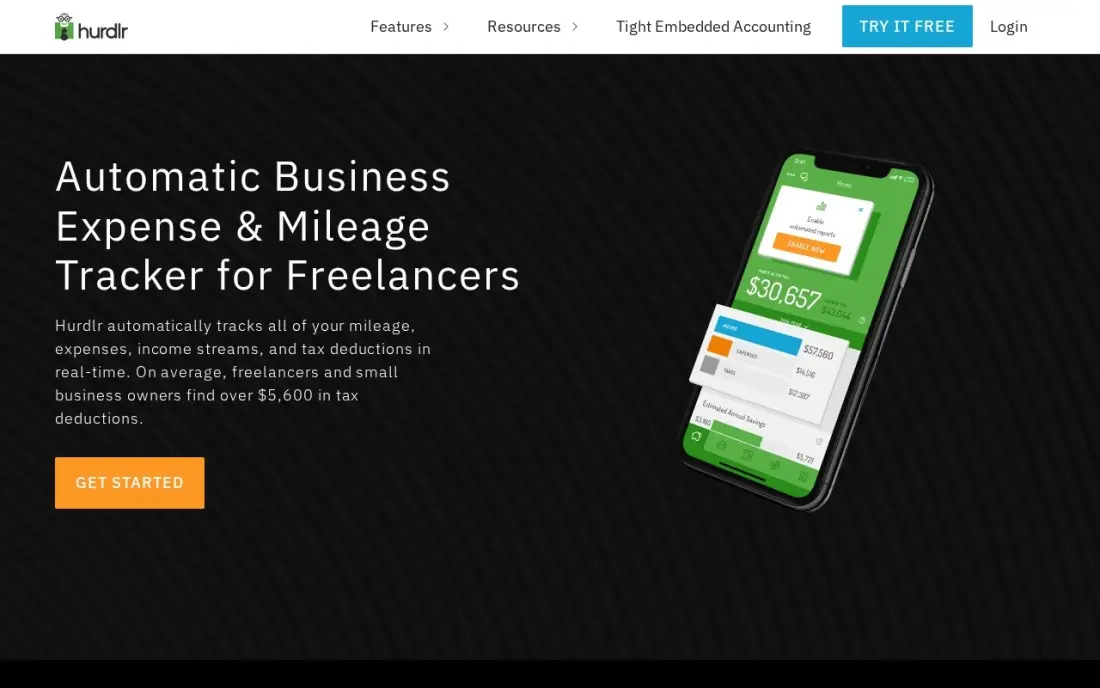
Hurdlr tracks mileage automatically by GPS and calculates state and self-employment tax in real time as income lands, so you see what you owe before the return is due. Premium costs $9.99 a month, or $99.99 a year billed annually, and the free plan covers manual mileage and expense tracking. It holds 4.3 on G2 from 23 reviews.
Tax filing, invoicing and the general ledger are on Pro, at $200 a year, not on Premium, so a user who wants the return filed in Hurdlr must upgrade. The free plan caps automatic features. It suits a driving-heavy sole proprietor who wants the tax picture year-round.
What we like
- Automatic GPS mileage tracking, the deduction that matters most to a driving agent
- Real-time state and self-employment tax calculations as income lands
- Cheapest paid plan here at $9.99 a month, with a usable free plan
Watch out for
- The free plan caps automatic features, so real automation needs Premium
- No invoicing or general ledger on Premium — those need Pro at $200 a year
- Tax filing is only on Pro, so Premium users still file elsewhere

TurboTax Business
Best for: Sole proprietors on QuickBooks who want guided filing with an expert on call

TurboTax Business is the filing step for owners whose books are in QuickBooks: it imports QuickBooks data and walks a sole proprietor through Schedule C in plain language, with 1099 and W-2 import. Expert Assist Business costs $79 federal for a sole proprietor and includes unlimited help from a business tax expert and a final review. Audit protection is included.
State filing costs extra on every tier, and the final price depends on the forms your return needs. S corps and partnerships jump to $639 for Expert Assist and $1,549 for full service. The Free Edition covers simple Form 1040 returns only.
What we like
- Guided Schedule C interview in plain language, with 1099 and W-2 import instead of manual entry
- Expert Assist includes unlimited help from a business tax expert and a final review before filing
- Audit protection is included at no extra cost on the business products
- Imports data from QuickBooks, so the books and the return stay in the same Intuit family
Watch out for
- State filing costs extra on every tier, and the final price depends on the forms your return needs
- S-corps and partnerships jump to $639 for Expert Assist and $1,549 for full service, far above the sole proprietor price
- No free plan for business filers — the Free Edition covers simple Form 1040 returns only

TaxAct Business
Best for: Owners who prepare and file a partnership, S corp or C corp return themselves
TaxAct Business files the entity returns most consumer tools avoid: Form 1065 for partnerships at $159.99 federal and Forms 1120-S and 1120 at $169.99, with sole proprietor returns at $109.99. You start for free and pay only when you file, and it supports K-1 upload. Export a trial balance from your ledger and the return comes together faster.
State returns cost $59.99 each, unlimited Xpert Assist is $89 and Full Service starts at $219 for a sole proprietor. The S corp and C corp editions cost the same for a simple or complex return. It is filing software, not accounting; it needs clean books behind it.
What we like
- The only consumer-priced tool here that files 1065, 1120-S and 1120 returns online
- Lowest entity-return prices in this list: $159.99 for a partnership and $169.99 for an S-corp or C-corp
- Start the return for free and pay only when you file, with K-1 upload and automatic classification
- More than 690,000 businesses have filed with TaxAct since 2003, per the vendor's own page
Watch out for
- State returns cost $59.99 per state on top of the federal price
- Live expert help costs extra on every business edition: unlimited Xpert Assist is $89, and Full Service starts at $219 for a sole proprietor
- The S-corp and C-corp editions cost the same $169.99 whether the return is simple or complex — there is no cheaper tier for a one-shareholder S-corp
Xero
Best for: Businesses with an outside accountant who prepares the return from shared books

Xero is full double-entry accounting with bank feeds, sales tax and 1099 handling, and every plan includes unlimited users, so the accountant preparing your return can log in at no extra cost and pull the reports directly. Early costs $27 a month with a 30-day free trial, and it holds 4.4 on G2 from 1,736 reviews.
Xero does not file tax returns; it keeps the books and the return is prepared elsewhere. Early caps you at 20 invoices and 5 bills a month, so an active business lands on Growing at $59, and automatic bank reconciliation costs $5 extra on Early. There is no annual billing option.
What we like
- Unlimited users on every plan with no per-user fee, so an accountant costs nothing extra
- Full double-entry accounting with bank feeds, sales tax and 1099 handling
- Early at $27 a month undercuts QuickBooks Simple Start at $38 for the same job
Watch out for
- Early caps the agent at 20 invoices and 5 bills a month, so most agents land on Growing at $59
- No tax filing — Xero keeps the books and the return is filed elsewhere
- Automatic bank reconciliation costs $5 a month extra on Early

Wave
Best for: Very small businesses that want free, tax-ready books to hand to a preparer
Wave's Starter plan is free forever, with unlimited invoices, bills and double-entry bookkeeping, which is enough to produce a profit and loss and balance sheet for a tax preparer. Pro at $19 a month adds automatic bank import and unlimited receipt capture, so receipts behind each deduction are stored with the transaction.
Wave does not file returns, and on the free plan bank transactions are imported by hand. There is no inventory tracking or built-in payroll, and card payments on Starter cost 2.9% plus $0.60. It scores 4.3 on G2. It is the cheapest way to arrive at tax season with organised books.
What we like
- Genuinely free core: unlimited invoices, estimates, bills and bookkeeping records at $0
- Pro at $19/month adds bank auto-import, unlimited receipts and multi-user access
- No invoice or bill caps on either plan, unlike the capped entry plans elsewhere
Watch out for
- Automatic bank import, unlimited receipt capture and extra users need Pro at $19/month
- No inventory tracking and no built-in payroll on the core plans
- Card payments cost 2.9% plus $0.60 per transaction on the free Starter plan
The best accounting software for tax returns turns a year of transactions into the reports a return is built from — profit and loss, balance sheet, mileage and receipts — so filing becomes an export rather than a scramble. We compared eight tools — three ledgers, two self-employed tax trackers, one Schedule C tracker and two filing tools — on how cleanly they feed a return, whether they file, CPA fit and real cost. Every price below comes from the vendor's own pricing page as checked in November 2026.
How to choose the best accounting software for tax returns
- Know which return you file. Schedule C, Form 1065, 1120-S and 1120 need different detail; entity returns need a balance sheet.
- Decide who files. If a CPA files, use the ledger they prefer; if you file, choose software that exports or imports cleanly.
- Track deductions as they happen. Receipts and mileage logged during the year are worth more than reconstructions in April.
- Plan quarterly estimates. Self-employed owners need tax set aside and paid through the year.
- Keep owner transactions separate. Draws, contributions and distributions must be recorded correctly for the return.
- Count the filing fee. Many ledgers do not file, so add the cost of tax software or a preparer.
Getting the tax side right frees time for growth. Our guide to SEO strategies to rank websites on Google shows where to start, and our monthly SEO service does the work for you.
Accounting software for tax returns pricing: what you will actually pay
Take a sole proprietor who files Schedule C. On QuickBooks Solopreneur billed annually at $215 plus TurboTax Business Expert Assist at $79 federal, the year costs $294 before state filing. On Keeper Tax Standard, deduction tracking and federal and state filing cost $199 a year in total. Hurdlr Pro, with filing, invoicing and a ledger, costs $200 a year.
Take a small S corp instead. QuickBooks Online Simple Start at $38 a month is $456 a year at list price; filing the 1120-S with TaxAct Business adds $169.99 federal and $59.99 for one state, for a total of about $686. TurboTax Business charges $639 for S corp Expert Assist, which brings the same stack to $1,095 before state filing. A CPA's fee comes on top in many cases.
Know the difference: accounting software vs tax software
Accounting software records the business year as it happens: income, expenses, assets, loans and owner transactions, organised into a chart of accounts. Its output is financial statements and ledgers. Most of it, including QuickBooks Online, Xero and Wave, does not file anything with the IRS.
Tax software takes those numbers and fills in the return: Schedule C, Form 1065, 1120-S or 1120, plus state forms, then files them. TurboTax Business and TaxAct Business are filing tools that expect clean books behind them. A few self-employed apps, such as Keeper Tax and Hurdlr Pro, combine light bookkeeping with filing.
Quick comparison: tool type by need
| Buyer | Best pick | Why |
|---|---|---|
| Businesses with a CPA | QuickBooks Online | The ledger CPAs prepare returns from, $38/month |
| Solo Schedule C filers | QuickBooks Solopreneur | Estimates and a TurboTax bundle, $20/month |
| Freelancers filing themselves | Keeper Tax | Deductions and filing, $199/year |
| Driving-heavy owners | Hurdlr | GPS mileage and live tax estimates, $9.99/month |
| Guided Schedule C filing | TurboTax Business | Expert Assist $79 federal for sole proprietors |
| Entity returns filed yourself | TaxAct Business | 1120-S or 1120 for $169.99 federal |
| Shared books with an accountant | Xero | Unlimited users on every plan from $27/month |
| Free tax-ready books | Wave | Free forever bookkeeping, Pro $19/month |
Mistakes to avoid
- Reconciling the year in April. Monthly reconciliation catches missing income and duplicate expenses while you can still fix them.
- Deducting without receipts. Attach receipts to transactions as you go.
- Treating owner draws as expenses. Draws and distributions are not deductible and distort profit.
- Missing quarterly estimates. Underpayment penalties can apply even when the annual return is filed on time.
- Choosing filing software that cannot handle your entity. Check that it files your return type before you start.
How we chose
We checked each vendor's pricing page in November 2026 and recorded prices exactly as shown, with annual and monthly billing noted. We ranked tools on how well they turn a year of business activity into a filed return, weighing report quality, filing support, return types, CPA fit and the yearly cost of books plus filing. Ratings come from G2 pages checked on the dates shown in the sources; tools without a checked rating show none. This guide is general information, not tax advice; confirm filing questions with a tax professional. No vendor paid for a place in this list, and none of the links here are affiliate links.
What to do next
Decide who will file this year's return, set up or tidy the books in the tool they prefer, and reconcile every bank and card account through last month. When tax season is under control and you want more customers next year, book a free call with SerpAstra.
Frequently asked questions
What is the best accounting software for tax returns?
For most small businesses, QuickBooks Online is the best choice because most CPAs prepare returns from it and TurboTax imports its data, from $38 a month. Freelancers who want deduction tracking and filing in one app can use Keeper Tax at $199 a year.
Can accounting software file my tax return?
Most cannot. QuickBooks Online, Xero and Wave keep the books, and the return is filed with tax software or by a CPA. Keeper Tax and Hurdlr Pro are exceptions that include filing for self-employed users.
What reports does a tax preparer need from my books?
Usually a profit and loss statement, a balance sheet, a general ledger or trial balance, and details of fixed asset purchases, loans and owner transactions. Entity returns such as Form 1120-S also need equity and distribution details.
Is QuickBooks Solopreneur enough for filing Schedule C?
For a one-person business, it tracks the income, expenses, mileage and quarterly estimates Schedule C needs, at $20 a month. Filing costs extra through TurboTax, and it is not full double-entry accounting.
How much does it cost to keep books and file a business return?
A sole proprietor on QuickBooks Solopreneur at $215 a year plus TurboTax Business Expert Assist at $79 federal pays about $294 before state filing. An S corp on QuickBooks Online Simple Start at $456 a year plus TaxAct Business at $169.99 federal pays about $626 before state fees.
Should I use a CPA or file the business return myself?
Simple Schedule C returns are often filed with software. Entity returns, multi-state filings and businesses with assets, payroll or shareholder basis questions usually benefit from a CPA. Clean books lower the CPA's fee either way.
Sources we checked (11)
- QuickBooks Online — quickbooks.intuit.com/pricing (checked November 12, 2026)
- QuickBooks Solopreneur — quickbooks.intuit.com/pricing (checked November 10, 2026)
- Keeper Tax — www.keepertax.com/pricing (checked November 4, 2026)
- Hurdlr — www.hurdlr.com (checked November 10, 2026)
- Hurdlr reviews on G2 (checked November 10, 2026)
- TurboTax Business — turbotax.intuit.com/small-business-taxes (checked November 4, 2026)
- TaxAct Business — www.taxact.com/business-returns (checked November 4, 2026)
- Xero — www.xero.com/us/pricing-plans (checked November 10, 2026)
- Xero reviews on G2 (checked November 10, 2026)
- Wave — www.waveapps.com/pricing (checked November 10, 2026)
- Wave reviews on G2 (checked November 10, 2026)
Make one of these tools?
We re-check this list every quarter. Send a correction, request a review, or ask about a clearly labeled sponsored spot.
Request a listingShamim
Founder of SerpAstra
A full-stack digital marketer and SEO strategist covering technical and local SEO, AI search visibility, paid ads and lead generation for local businesses, e-commerce brands and SaaS teams.
Free SEO and AI visibility audit
Find out what is holding your rankings back
Send us your site. Within 2 business days you get a written audit, an AI visibility check and a short fix list ranked by impact. Free, with no contract attached.
Request my free audit→Related buying guides
 Tax Software7 Best Tax Software for Complex Returns in 2026, ComparedCompare the 7 best tax software for complex returns covering self-employment, rentals, investments and multi-state filing, with real federal and state prices.Read guide →
 Tax Software8 Best Tax Preparation Software for Small Business in 2026, ComparedCompare the 8 best tax preparation software for small business on price, entity coverage and expert help, with every price checked November 4, 2026.Read guide →
 Accounting & Finance8 Best Accounting Software for 1099 Contractors in 2026, ComparedCompare the 8 best accounting software for 1099 contractors on price, mileage, tax estimates and 1099 filing, with every price checked November 7, 2026.Read guide →