
8 Best Algo Trading Platforms in 2026, Compared
Compare the 8 best algo trading platforms for coding, backtesting and live automated trading, with commissions and plan prices checked on vendor pages.
 Shamim Mia, Founder, SerpAstraLast verified November 19, 20267 min read
We compare pricing pages, documentation and public reviews. We never accept payment for rankings.
Key takeaways
- QuantConnect is the best algo trading platform for coders: free unlimited backtesting in the cloud and live trading through brokers such as Interactive Brokers, Alpaca and TradeStation.
- Interactive Brokers and Alpaca are the brokers to run your own code on; Alpaca offers commission-free API trading on US stocks, ETFs and options.
- NinjaTrader suits futures traders, with free simulation and backtesting and a $1,499 lifetime licence that cuts commissions.
- Composer and Surmount let non-coders automate rule-based strategies, from free plans.
On this page
Quick comparison
| Tool | Best for | Starting price | Free plan |
|---|---|---|---|
| QuantConnect | Developers who want free cloud backtesting and live trading across many brokers | Free; paid per node | Yes (backtesting) |
| Interactive Brokers | Experienced algo traders who want a global broker with API access and low per-share costs | $0.005/share (Pro Fixed) | Yes (IBKR Lite) |
| Alpaca | Developers who want a commission-free API broker for US stocks, ETFs and options | $0 commissions | Yes |
| NinjaTrader | Futures traders who want free simulation and backtesting with low commissions | Free; $1.29/side futures | Yes |
| TradeStation | Traders who want EasyLanguage strategies on a desktop platform with a brokerage account | $0 stock commissions | No |
| Composer | Non-coders who want to automate rule-based strategies with backtesting | Free; Pro $32/mo (yearly) | Yes (1 strategy) |
| Surmount | Investors who want code, no-code and AI strategy builders for a low monthly fee | Free; Pro $30/mo | Yes |
| TradingView | Chart-first traders who want to script and backtest strategies in Pine Script | Free; $12.95/mo (annual) | Yes (Basic) |
Make one of these tools?
We re-check this list every quarter. Send a correction, request a review, or ask about a clearly labeled sponsored spot.
Request a listingThe best algo trading platforms

QuantConnect
Best for: Developers who want free cloud backtesting and live trading across many brokers
QuantConnect is the most complete platform for people who write their own strategies. The free plan gives one backtest node and one research node with unlimited backtesting on cloud data covering equities, indexes, options, futures, forex and crypto, which is enough to learn the LEAN engine and test ideas properly before paying anything.
Live trading starts on Quant Researcher, which adds 2 backtest and 2 live trading nodes, paper trading, API access and local LEAN through the CLI, with brokers including Interactive Brokers, tastytrade, Schwab, TradeStation and Alpaca. Team adds up to 10 seats. Paid tiers are priced per node on the pricing page, and onboarding services start at $4,800.
What we like
- Free plan with unlimited cloud backtesting and data across equities, options, futures, forex and crypto
- Live trading through Interactive Brokers, tastytrade, Charles Schwab, TradeStation, Alpaca, Coinbase, Kraken and more
- LEAN engine runs locally through the CLI on paid tiers
Watch out for
- Live trading needs a paid tier; the Free plan is backtesting only
- Requires writing code; there is no visual builder
- Paid tier prices load in a calculator rather than as fixed plan prices

Interactive Brokers
Best for: Experienced algo traders who want a global broker with API access and low per-share costs
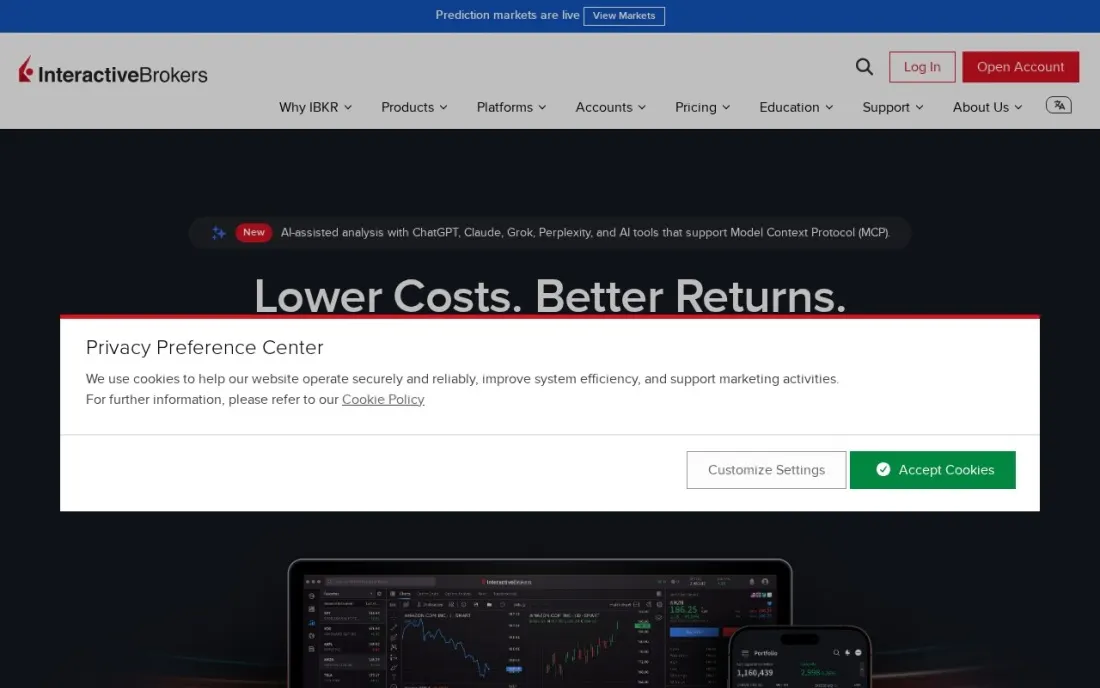
Interactive Brokers is the broker many algorithmic traders end up on, because its API is mature and its pricing rewards volume. Strategies can trade through IBKR directly or through platforms such as QuantConnect, and the same account reaches markets well beyond US stocks.
IBKR Pro Fixed costs $0.005 a share with a $1.00 minimum and a 1% of trade value maximum per order. Tiered costs $0.0035 a share up to 300,000 shares a month, with a $0.35 minimum, and falls with volume. SmartRouted API orders can use either structure, but directed API orders cannot use Tiered. IBKR Lite offers commission-free US stocks and ETFs for eligible US residents.
What we like
- Tiered pricing falls to $0.0035 a share and lower at volume
- SmartRouted API orders can use Fixed or Tiered pricing
- Supported as a live broker by QuantConnect
Watch out for
- Directed API orders cannot use Tiered pricing
- IBKR Lite is limited to eligible US residents and account types
- Fixed pricing carries a $1.00 minimum per order

Alpaca
Best for: Developers who want a commission-free API broker for US stocks, ETFs and options
Alpaca is a broker built around its API, which makes it the natural home for a strategy you wrote yourself. Retail self-directed accounts trade US-listed stocks, ETFs and options commission-free through the API, and the Python SDK, Alpaca-Py, gets a simple strategy placing orders quickly.
Paper trading includes real-time market data and multiple accounts with up to $1 million in paper funds, so you can run a strategy for weeks before going live. Regulatory fees still apply, and Alpaca can charge if order flow is not retail. Alpaca is also a live broker inside QuantConnect and supplies brokerage for Surmount's advisory accounts.
What we like
- Commission-free API trading of US stocks, ETFs and options for retail accounts
- Paper trading with real-time market data and accounts up to $1 million
- Alpaca-Py SDK and a live broker option in QuantConnect
Watch out for
- Regulatory fees still apply, and non-retail order flow may be charged
- Market data plan prices are not on the algo trading page
- You need to write code; there is no strategy builder

NinjaTrader
Best for: Futures traders who want free simulation and backtesting with low commissions
NinjaTrader is the futures trader's algo platform. Charting, backtesting and simulated trading are free with no time limit and no deposit, and every plan includes automated strategies from its community, so you can test an automated futures system in full before funding an account.
The Free plan costs $1.29 per side for standard contracts and $0.39 for micros. Monthly costs $99 a month and cuts those to $0.99 and $0.29. Lifetime costs $1,499 once and cuts them to $0.59 and $0.09, plus premium add-ons such as Order Flow+. Exchange, clearing and NFA fees apply on top, and a round trip costs twice the per-side rate.
What we like
- Free charting, backtesting and simulation with no funding required
- Lifetime licence cuts standard futures commissions to $0.59 per side
- Access to automated strategies from its trader community
Watch out for
- Commissions are per side, so a round trip costs double
- Exchange, clearing and NFA fees come on top
- Real-time data and trading need a funded live account

TradeStation
Best for: Traders who want EasyLanguage strategies on a desktop platform with a brokerage account
TradeStation is a long-standing choice for systematic traders, and EasyLanguage remains one of the easier languages for writing a trading strategy. You build and backtest on the TradeStation Desktop platform and trade from the same brokerage account, and outside platforms such as QuantConnect and StockHero can also trade through it.
Stocks and ETFs carry $0 commission, while options and futures are charged per contract on volume tiers, with direct-routing fees extra. Margin and short positions need $2,000, and an inactivity fee of $10 a month applies unless the account meets activity minimums. Non-brokerage customers pay $99.99 a month for the platform.
What we like
- $0 commission on stocks and ETFs
- EasyLanguage and the desktop platform for building strategies
- Supported by QuantConnect and StockHero for automation
Watch out for
- $2,000 minimum to open and keep a margin position
- $10 monthly inactivity fee unless activity minimums are met
- Non-brokerage customers pay $99.99 a month for the platform

Composer
Best for: Non-coders who want to automate rule-based strategies with backtesting
Composer is algo trading for people who do not want to code. You build a strategy from blocks in a visual editor, backtest it without limits, and Composer rebalances and trades it automatically. It works best for allocation and rotation strategies that trade on a schedule rather than tick by tick.
Starter is free for 1 automated strategy, Advanced costs $10 a month for up to 5, and Pro costs $32 a month billed yearly, or $384 a year, for up to 500 strategies with API access, manual overrides to go to cash and priority trade timing near the close. FINRA and SEC regulatory fees apply to sales.
What we like
- No-code editor with unlimited backtesting on the free plan
- Pro adds full API access for data, backtests and trading
- Trade with AI helps generate and evaluate strategy ideas
Watch out for
- Starter automates only 1 strategy
- Regulatory fees apply to securities sales
- Less control than coding your own strategy

Surmount
Best for: Investors who want code, no-code and AI strategy builders for a low monthly fee
Surmount covers the middle ground between Composer's blocks and QuantConnect's code. Pro gives you every builder, including a code builder, a no-code builder and an AI Builder, so you can start visually and move to code as your strategies get more specific, then run them on a Surmount account or a connected one.
The free plan covers the dashboard, strategy marketplace and screeners. Core costs $5 a month for templates, paper trading and 1 external account; Plus costs $10 for the no-code builders and up to 3 accounts; Pro costs $30 a month for all builders and unlimited accounts. Brokerage for its advisory accounts is provided by Alpaca Securities.
What we like
- Pro includes code, no-code, AI and ETF strategy builders
- Paper trading from Core at $5 a month
- Unlimited connected accounts on Pro
Watch out for
- The code builder is only on Pro
- Core connects only 1 external account
- Annual prices are not shown

TradingView
Best for: Chart-first traders who want to script and backtest strategies in Pine Script
TradingView is where many traders write their first strategy. Pine Script, its own programming language, lets you build indicators and strategies, backtest them on the chart and run them on TradingView's servers, which keeps the gap between an idea and a tested rule very short.
It is not a broker, so live execution goes through a connected broker or a bot tool. Basic is free with 1 chart per tab, 2 indicators and 3 price alerts. Billed annually, Essential costs $12.95 a month, Plus $29.95, Premium $59.95 and Ultimate $199.95, with more indicators and alerts on each tier.
What we like
- Pine Script for writing indicators and strategies you can backtest
- Scripts run on TradingView's servers
- Free Basic plan to learn on
Watch out for
- Basic allows only 2 indicators per chart and 3 price alerts
- Not a broker; execution needs a connected broker or bot tool
- Refunds only on annual plans within 14 days
The best algo trading platform lets you write or build a strategy, test it honestly on historical data, and run it live with the same rules and realistic costs. We compared eight platforms, from coding environments and API brokers to no-code builders, on languages, backtesting, broker connections and fees, and every price below comes from the vendor's own pricing or fee page as checked in November 2026. Nothing here is investment advice.
How to choose the best algo trading platform
- Match your skill. Coders need an API and a language they know; non-coders need a visual builder that still backtests properly.
- Check data and asset coverage. Make sure the platform has the markets and data resolution your strategy trades on.
- Separate platform from broker. Some tools are brokers, some are research platforms that route to brokers; know where your orders actually go.
- Test costs in the backtest. Commissions, per-side futures fees and slippage can erase a small edge.
- Paper trade before going live. A paper account shows how the strategy behaves with real-time data.
- Look at limits. Node counts, automated strategy caps and alert limits decide which plan you need.
If you are building a trading product or fintech brand, our AI search optimization service helps your platform get named when people ask AI assistants for tools, and our guide to the best AI trading platforms covers signal and bot tools.
Algo trading platforms pricing: what you will actually pay
Learning and testing can cost nothing: QuantConnect backtests free, NinjaTrader simulates free, Alpaca paper trades free, and Composer, Surmount and TradingView have free plans. A no-code trader paying for more strategies spends $360 a year on Surmount Pro or $384 on Composer Pro billed yearly.
Live trading costs depend on volume. A stock strategy trading 100,000 shares a month pays about $350 a month on IBKR Pro Tiered at $0.0035 a share, $500 on Fixed at $0.005, and $0 commission on Alpaca or TradeStation, before regulatory and routing fees. A futures strategy trading 200 standard round trips a month pays $516 on NinjaTrader's Free plan at $1.29 per side, $396 on Monthly plus the $99 fee, and $236 on Lifetime after the one-time $1,499.
Know the difference: coding platforms vs no-code builders
Coding platforms such as QuantConnect, TradingView's Pine Script, TradeStation's EasyLanguage and direct API brokers give full control. You can model any rule, manage orders exactly and test realistic fills, but you also own every bug.
No-code builders such as Composer and Surmount trade flexibility for speed. They suit rules-based allocation and rotation strategies that trade on a schedule, and they make backtesting easy for beginners. They are weaker for intraday execution, custom order types and high-frequency logic.
Quick comparison: tool type by need
| Trader | Best pick | Why |
|---|---|---|
| Coder, many brokers | QuantConnect | Free unlimited backtesting, 15 listed live brokers |
| Global API broker | Interactive Brokers | From $0.0035/share on Tiered, mature API |
| Commission-free API | Alpaca | $0 commissions, free paper trading |
| Futures | NinjaTrader | Free simulation, $1,499 lifetime licence |
| EasyLanguage | TradeStation | $0 stock commissions, desktop strategy tools |
| Non-coder | Composer | Free plan automates 1 strategy |
| Code plus AI builder | Surmount | All builders on Pro at $30/month |
| Chart-first scripting | TradingView | Pine Script backtests, free Basic plan |
Mistakes to avoid
- Overfitting the backtest. A strategy with many tuned parameters often fails live; keep rules simple and test out of sample.
- Leaving costs out. Add commissions, fees and slippage to every backtest.
- Going live without paper trading. Run the strategy on a paper account for several weeks first.
- Ignoring failure handling. Plan what the algorithm does if data stops, an order is rejected or the connection drops.
- Sizing too big. Start with small positions until live results match the test.
How we chose
We checked each vendor's own pricing or fee page in November 2026 and recorded prices exactly as shown. Where a page did not show a price we could read, we say so rather than estimate. We ranked platforms for the most common buyer — a self-directed trader moving from manual trading to systematic rules — weighting backtesting, broker connections, languages and cost. We did not use review-site ratings and did not test strategy returns. No vendor paid for a place in this list, and none of the links here are affiliate links.
What to do next
Write one simple strategy, backtest it on QuantConnect or TradingView with fees included, then paper trade it for a month before funding. If you run a trading platform and want more traders to find it, book a free consultation.
Frequently asked questions
What is the best algo trading platform?
QuantConnect for people who code, with free unlimited backtesting and live trading through many brokers. Interactive Brokers and Alpaca are the usual brokers for your own code, NinjaTrader suits futures, and Composer suits non-coders.
Can I do algo trading for free?
Mostly. QuantConnect's free plan backtests without limits, NinjaTrader's simulation is free, Alpaca charges $0 commissions on US stocks, ETFs and options through its API, and Composer's free plan automates one strategy.
Which programming language is used for algo trading?
Python is the most common. Alpaca offers a Python SDK, Alpaca-Py, TradeStation uses EasyLanguage and TradingView uses Pine Script.
What is the best algo trading platform for beginners?
Composer or Surmount if you do not code, because both have free plans and visual builders. If you want to learn to code strategies, start with QuantConnect's free plan or Pine Script on TradingView.
How much money do I need to start algo trading?
You can backtest and paper trade with nothing. For live trading, check your broker's minimums; TradeStation, for example, requires $2,000 to hold a margin position.
Is algo trading profitable?
It can be, but most strategies that look good in backtests do worse live because of overfitting, costs and changing markets. Paper trade first and include commissions and fees in every test.
Sources we checked (8)
- QuantConnect — www.quantconnect.com/pricing (checked November 19, 2026)
- Interactive Brokers — www.interactivebrokers.com/en/pricing/commissions-stocks.php (checked November 19, 2026)
- Alpaca — alpaca.markets/algotrading (checked November 19, 2026)
- NinjaTrader — ninjatrader.com/pricing (checked November 19, 2026)
- TradeStation — www.tradestation.com/pricing (checked November 19, 2026)
- Composer — www.composer.trade/pricing (checked November 19, 2026)
- Surmount — surmount.ai/pricing (checked November 19, 2026)
- TradingView — www.tradingview.com/pricing (checked November 19, 2026)
Make one of these tools?
We re-check this list every quarter. Send a correction, request a review, or ask about a clearly labeled sponsored spot.
Request a listingShamim
Founder of SerpAstra
A full-stack digital marketer and SEO strategist covering technical and local SEO, AI search visibility, paid ads and lead generation for local businesses, e-commerce brands and SaaS teams.
Free SEO and AI visibility audit
Find out what is holding your rankings back
Send us your site. Within 2 business days you get a written audit, an AI visibility check and a short fix list ranked by impact. Free, with no contract attached.
Request my free audit→Related buying guides
 Personal Finance & Investing6 Best AI Trading Platforms in 2026, ComparedCompare the 6 best AI trading platforms and AI stock trading apps for signals, bots, backtesting and beginners, with every price checked on vendor pages.Read guide →
 Personal Finance & Investing6 Best Options Trading Platforms in 2026, ComparedCompare the 6 best options trading platforms on per-contract fees, closing costs, index options and tools, with every fee checked on broker pages in Nov 2026.Read guide →
 Personal Finance & Investing7 Best Stock Apps in 2026, ComparedCompare the 7 best stock apps on commissions, options fees, account minimums, research and paid upgrades, with every fee checked on broker pages, November 2026.Read guide →