
9 Best Auto Dialer Software with CRM Integration in 2026, Compared
Compare the 9 best auto dialer software with CRM integration options on price, dialing modes and CRM sync, with every price checked November 12, 2026.
 Shamim Mia, Founder, SerpAstraLast verified November 12, 202613 min read
We compare pricing pages, documentation and public reviews. We never accept payment for rankings.

Key takeaways
- JustCall leads for most small sales teams: the power dialer starts on Pro at $49/user/month billed annually, with SMS and Salesforce CTI in the same plan.
- The single most important buying factor is which plan actually includes the dialer: on CloudTalk, Aircall, Dialpad and Close, the entry plan has no dialer, and the dialer costs $15 to $150 more per user.
- PhoneBurner is the only tool here where the dialer is the product, not an upgrade: every plan dials, from $140/user/month billed annually, with unlimited US/Canada calling.
- Two tools publish no prices at all — Kixie and VanillaSoft are quote-only — and Five9 needs 50 concurrent seats, so its $119/seat price is a $5,950/month floor.
- Every price below was checked on the vendor's own pricing page on November 12, 2026. Ratings are G2, with review counts shown.
On this page
Quick comparison
| Tool | Best for | Starting price | Free plan |
|---|---|---|---|
| JustCall | Small sales teams of 2–10 reps that want a power dialer, SMS and CRM logging in one subscription | $29/user/mo (annual) | No (14-day trial) |
| PhoneBurner | Outbound teams that want a dedicated single-line power dialer with a built-in CRM and no add-on maze | $140/user/mo (annual) | No (free trial) |
| CloudTalk | Small teams that want a phone system first and a dialer as a $15 add-on, with no seat minimum | $25/user/mo (annual) | No (14-day trial) |
| Aircall | Sales and support teams that live in HubSpot or Salesforce and need 250+ integrations | $30/user/mo (annual) | No (7-day trial) |
| Dialpad | Sales teams that want AI transcripts and live coaching built into the dialer plan | $39/user/mo (annual) | No (14-day trial) |
| Close | Inside-sales teams that want the CRM and the dialer in one product, with no integration to maintain | $9/user/mo (annual) | No (14-day trial) |
| Kixie | High-volume outbound teams that need multi-line power dialing with deep CRM integrations | Custom quote | No (7-day trial) |
| VanillaSoft | Phone-heavy SDR and fundraising teams that work a queue and need cadence, not just dialing | Custom quote | No (30-day trial) |
| Five9 | Enterprise contact centers with 50+ concurrent agents running blended inbound and outbound | $119/seat/mo | No (demo only) |
Make one of these tools?
We re-check this list every quarter. Send a correction, request a review, or ask about a clearly labeled sponsored spot.
Request a listingThe best auto dialer software with crm integration

JustCall
Best for: Small sales teams of 2–10 reps that want a power dialer, SMS and CRM logging in one subscription
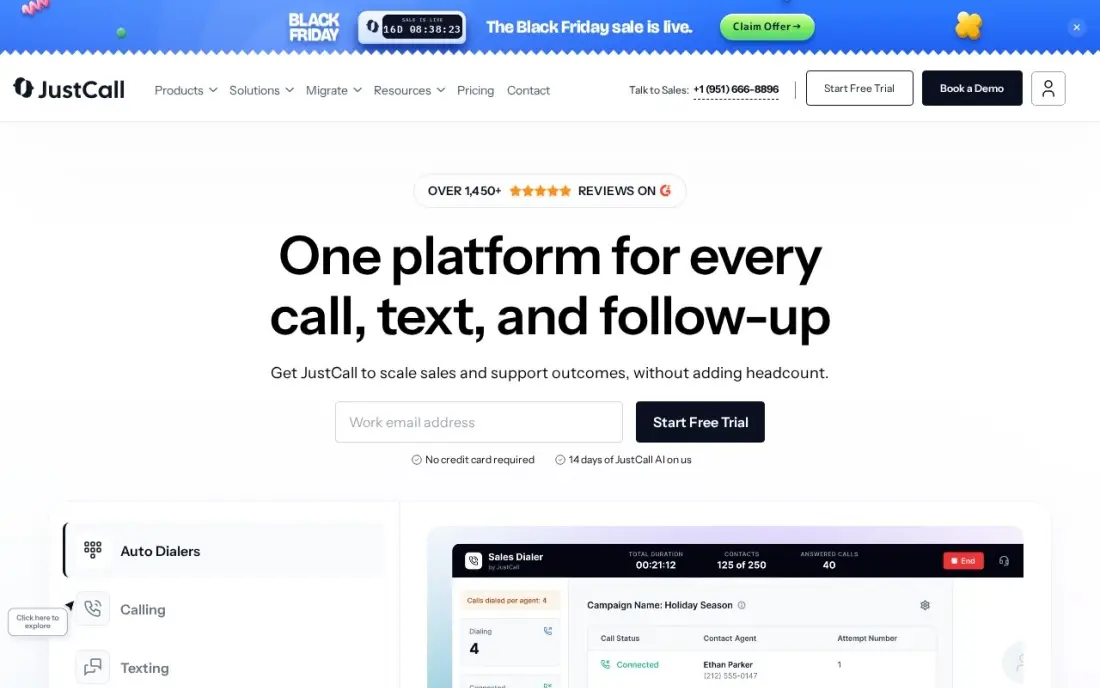
JustCall is the cheapest way into a real dialer here: Pro bundles the power dialer, bulk SMS, intelligent routing and Salesforce CTI for $49 a user a month billed annually, with a two-seat minimum instead of Aircall's three-seat floor. Team at $29 is a phone system with 100-plus CRM integrations, so a team can start there and step up when volume justifies it.
The catch is the tiering: the dialer, Salesforce CTI and bulk texting all start on Pro, and predictive dialing up to 10 lines is reserved for the quote-only SalesPro plan, so $29 is not the dialer price. Outbound minutes are capped per user, and Pro's SMS stops at 1,000 segments a license. For 2 to 10 reps that text as much as they call, it is still the best-priced complete package here.
What we like
- Power dialer, bulk SMS and Salesforce CTI start on Pro at $49/user/month billed annually
- Numbers in 70+ countries with a 2-seat minimum — the lowest floor here for an international team
- 14-day free trial on every plan, and monthly billing is available on all three tiers
- SMS, WhatsApp and voice share one inbox, so follow-ups stay on the same record
Watch out for
- The $29 Team plan has no dialer — real outbound work starts on Pro at $49/user/month billed annually
- Predictive dialing up to 10 lines needs the quote-only SalesPro plan
- G2 reviewers note call quality can be inconsistent on weaker connections

PhoneBurner
Best for: Outbound teams that want a dedicated single-line power dialer with a built-in CRM and no add-on maze
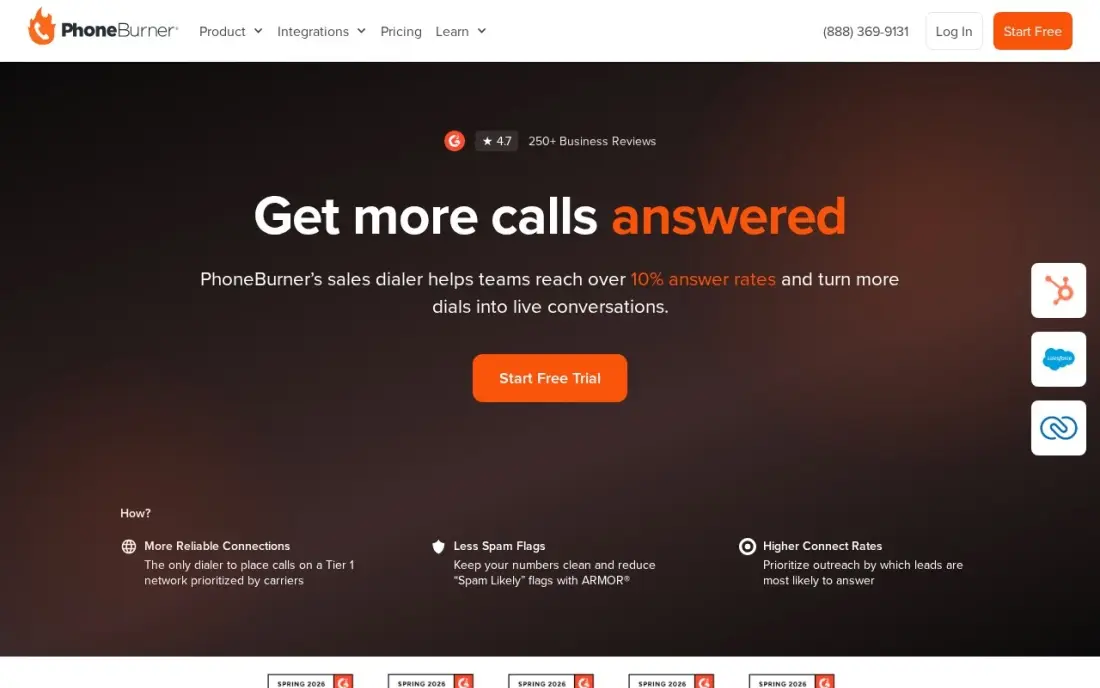
PhoneBurner is the only tool here that is a dialer first: a single-line power dialer with a built-in contact manager and CRM, workflow automation and reporting, and every plan dials from the $140 Standard tier billed annually. There is no seat minimum, no per-minute charge and no tier that unlocks the feature you came for.
That honesty costs more than any other single-line dialer here: Standard is $140 a user a month billed annually, Professional $165 and Premium $183, and the answer-rate features — ARMOR spam remediation and Connect Scores — are paid add-ons with unpublished prices. It dials US and Canadian numbers only, and it is single-line at every tier. Buy it when the team wants one dialer that just works.
What we like
- Every plan includes the power dialer — no tier unlocks the core feature
- Unlimited US/Canada calling on every plan, with no per-minute charges
- ARMOR spam remediation and Connect Scores protect answer rates (paid add-ons)
- No seat minimum — a single rep can buy one seat at $140/user/month billed annually
Watch out for
- The highest published price for single-line dialing here, $140–$183/user/month billed annually
- Single-line only — no multi-line or predictive dialing at any tier
- US and Canada only — it cannot dial international numbers

CloudTalk
Best for: Small teams that want a phone system first and a dialer as a $15 add-on, with no seat minimum
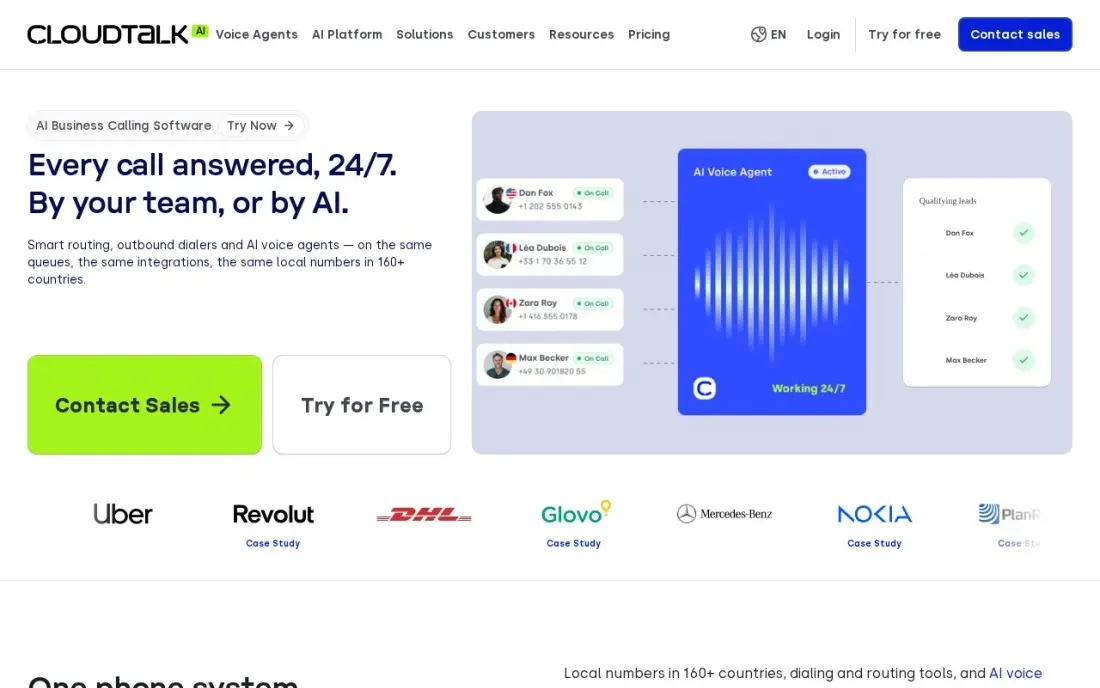
CloudTalk is the cheapest phone system here and the most flexible route to a dialer: Starter is $25 a user a month billed annually with no seat minimum, and the Power Dialer is a $15 add-on, so a one-person team dials for $40 a user a month without jumping to the $49 Expert plan. Essential at $29 adds 95-plus integrations, including Salesforce and Pipedrive.
The trade-off is that nothing is included by default: Starter has no CRM integrations, no dialer and no SMS, and the parallel dialer that rings up to five lines costs another $39 a user a month on every tier. Expert needs three seats, so the dialer-included price is really $147 a month. Pick CloudTalk for a phone system now and a dialer later, priced as an add-on.
What we like
- No seat minimum on Starter and Essential, and a 14-day free trial with no credit card
- Power Dialer is a $15/user/month add-on, so a small team need not jump to Expert
- 95+ integrations including Salesforce and Pipedrive from Essential
- Local numbers in 160+ countries, useful for international teams
Watch out for
- Starter has no CRM integrations and no dialer — both cost extra
- Expert needs a 3-seat minimum, so the dialer-included tier starts at $147/month
- AI Conversation Intelligence is a paid add-on from $9/user/month

Aircall
Best for: Sales and support teams that live in HubSpot or Salesforce and need 250+ integrations
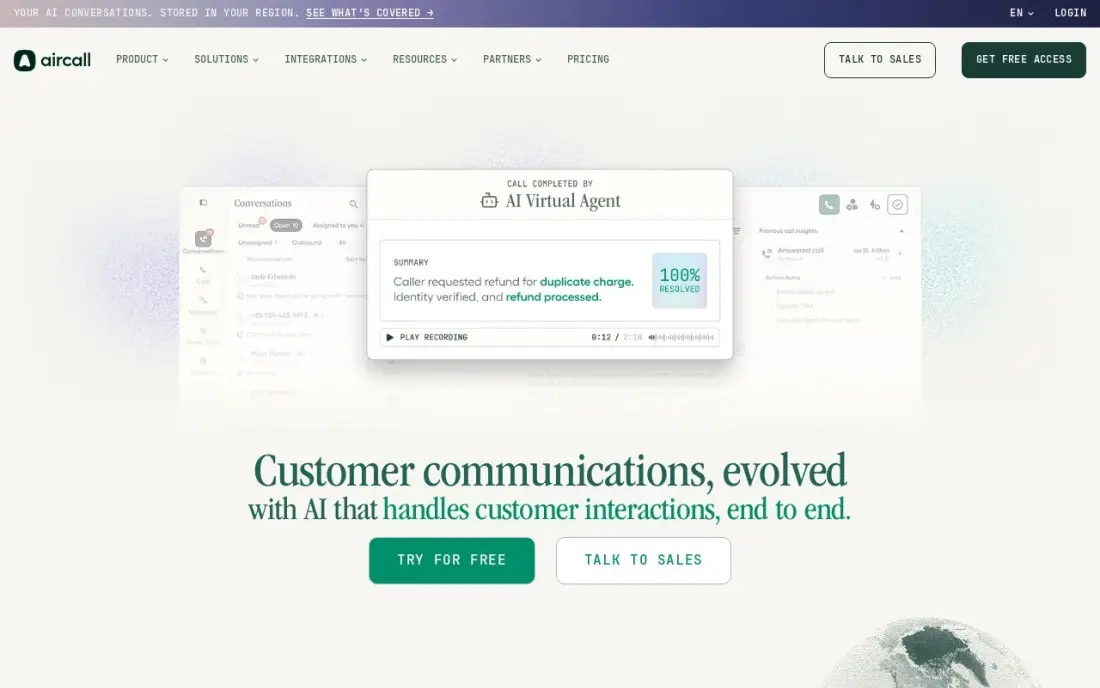
Aircall is the integration-first pick: 250-plus apps in its marketplace, with native HubSpot and Salesforce logging on every plan, so calls, recordings and notes land in the CRM without anyone typing. Essentials is $30 a user a month billed annually, setup takes an afternoon, and it suits teams that split the day between inbound support and outbound prospecting.
Two numbers matter more than the headline: the three-seat minimum makes the real entry price $90 a month, and the single-line power dialer with voicemail drop sits on Professional at $50 a user a month billed annually, so a dialing team pays $150 a month before add-ons. AI Assist and Analytics+ cost extra. Buy Aircall when the CRM integration matters more than the dialer price.
What we like
- 250+ integrations, with native HubSpot and Salesforce logging on every plan
- Setup is fast — teams report going live in an afternoon
- Power dialer and voicemail drop on Professional, with Salesforce CTI included
- Unlimited inbound calls and US/Canada outbound on both paid plans
Watch out for
- 3-seat minimum on both plans, so the real entry price is $90/month billed annually
- Power dialer is single-line only and sits on Professional at $50/user/month billed annually
- AI Assist and Analytics+ are paid add-ons, and G2 reviewers flag support wait times

Dialpad
Best for: Sales teams that want AI transcripts and live coaching built into the dialer plan

Dialpad Sell is the AI-first dialer in this list: real-time transcription, post-call summaries and live coaching cards come with Sell Essentials at $39 a user a month billed annually, where most rivals charge extra for the same features. Advanced adds Reach Booster local-presence dialing and native Salesforce calling, and one login covers phone, messaging, meetings and the dialer.
Read the pricing page carefully, because Dialpad's own comparison table marks the power dialer as not available on all three Sell tiers — the plan whose card lists a power dialer is Dialpad Support Essentials at $89 a user a month billed annually. The $15 Connect price that appears in most comparisons is a phone system, not a dialer. Buy Dialpad Sell for the AI coaching; confirm in the demo exactly which dialer mode your plan includes.
What we like
- AI transcripts, call summaries and live coaching included from Sell Essentials
- Native Salesforce calling from Advanced, with a dedicated Salesforce power dialer
- 14-day free trial and monthly billing on every plan
- One login covers phone, messaging, meetings and the dialer
Watch out for
- Dialpad's own comparison table marks the power dialer N/A on all three Sell tiers — it is listed on Support Essentials at $89/user/month billed annually
- The $15 Connect price is a phone system, not a dialer — sales dialing starts at $39/user/month billed annually
- G2 reviewers cite connection issues and billing disputes as the top complaints

Close
Best for: Inside-sales teams that want the CRM and the dialer in one product, with no integration to maintain
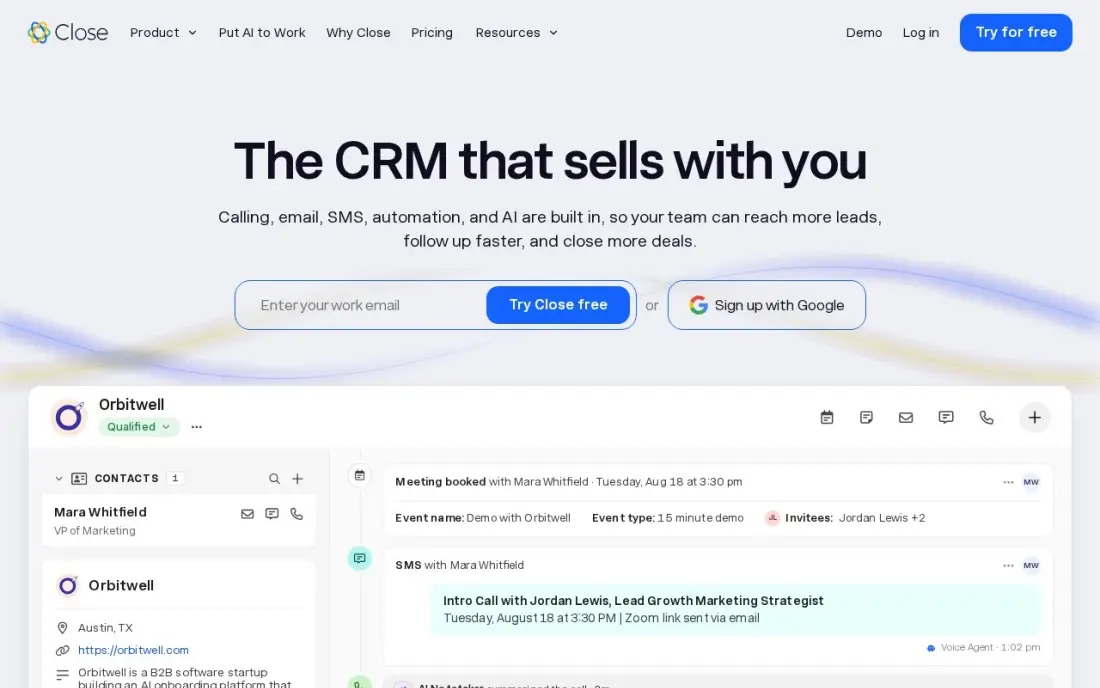
Close is the only tool here where the CRM and the dialer are the same product: calling, email, SMS and WhatsApp are native, so a rep works a lead list end to end without switching windows or paying for an integration. The Power Dialer auto-advances through a list and logs every outcome, and Chloe, the AI voice agent, is included on every plan.
The ladder is the steepest here: the Power Dialer needs Growth at $99 a user a month billed annually — eleven times the Solo price — and the predictive dialer waits for Scale at $139. Call minutes and SMS are billed on top of the seat, so real bills run 30 to 50 percent above the headline. Buy Close for one workspace for the whole sales motion.
What we like
- Calling, email, SMS and the pipeline live on one record — no integration to configure or maintain
- Power Dialer and predictive dialer built in from Growth, with automatic call logging
- Chloe, the AI voice agent, is included on every plan with an AI credit allowance
- Solo at $9/user/month billed annually is the cheapest entry price here
Watch out for
- The Power Dialer needs Growth at $99/user/month billed annually — 11 times the Solo price
- Call minutes and SMS are billed on top of the seat price, so the bill runs 30–50% above the headline
- Reporting is rigid, and several 2026 reviews say teams export data to a spreadsheet for real analysis

Kixie
Best for: High-volume outbound teams that need multi-line power dialing with deep CRM integrations
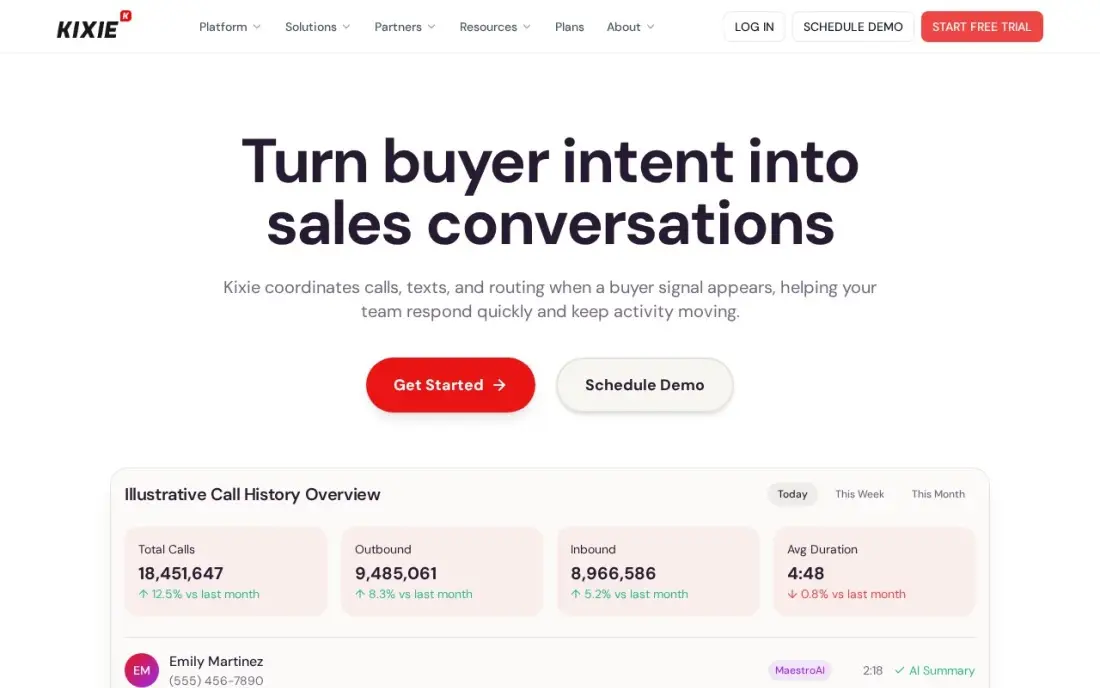
Kixie is the multi-line power dialer here: it rings up to four lines at once, and AI Human Voice Detection skips voicemails and IVRs so reps only talk to people who pick up. The integrations are certified — HubSpot, Salesforce, Pipedrive and Zoho — and every call and text logs to the CRM automatically. G2 rates it 4.8 out of 5, the highest score here.
The price is a blank: the pricing page lists three plans with no dollar figures at all, and third-party quote trackers put the dialer plans around $145 to $185 a user a month. The entry Professional plan has no dialer, and reviewers report friction cancelling, with billing continuing until an exit survey is completed. Buy Kixie when four lines at once matters; get the quote in writing first.
What we like
- Multi-line power dialer rings up to 4 lines at once, with AI Human Voice Detection that skips voicemails and IVRs
- Certified integrations with HubSpot, Salesforce, Pipedrive and Zoho log every call and text automatically
- Unlimited US/Canada calling minutes on every plan
- 4.8/5 on G2 — the highest score in this list
Watch out for
- No published prices — every figure comes from third-party quotes, so budgeting needs a sales call
- The entry Professional plan has no dialer at all; dialing starts on the quoted PowerDialer plans
- G2 and Trustpilot reviewers report friction cancelling, with billing continuing until an exit survey is completed

VanillaSoft
Best for: Phone-heavy SDR and fundraising teams that work a queue and need cadence, not just dialing
VanillaSoft is built around the queue, not the list: its routing hands each rep the next best lead, with logical-branch scripting that guides the call and appointment scheduling built in. It is a sales engagement platform as much as a dialer, with lead management, email, SMS and reporting in one place. The 30-day free trial is the longest here.
Like Kixie, it publishes no prices: the page lists Core, Advantage, Enterprise and Fundraising bundles with no dollar figures, and bundles start at five seats. Directory listings put the base platform around $80 a user a month, with dialing, recording and VoIP as add-ons that can push a loaded seat past $130. G2 reviewers also report lag, crashes and a dated interface.
What we like
- Queue-based lead routing hands each rep the next best lead, so no lead sits uncalled
- Progressive and preview dialing with logical-branch scripting for guided calls
- Native Salesforce integration plus email, SMS and appointment scheduling in one platform
- 30-day free trial — the longest here
Watch out for
- No published prices — buyers must book a demo, and bundles start at five seats
- G2 reviewers report lag, crashes and freezes, and a dated interface
- No mobile app, so reps cannot dial from the field the way they can on JustCall or Aircall

Five9
Best for: Enterprise contact centers with 50+ concurrent agents running blended inbound and outbound
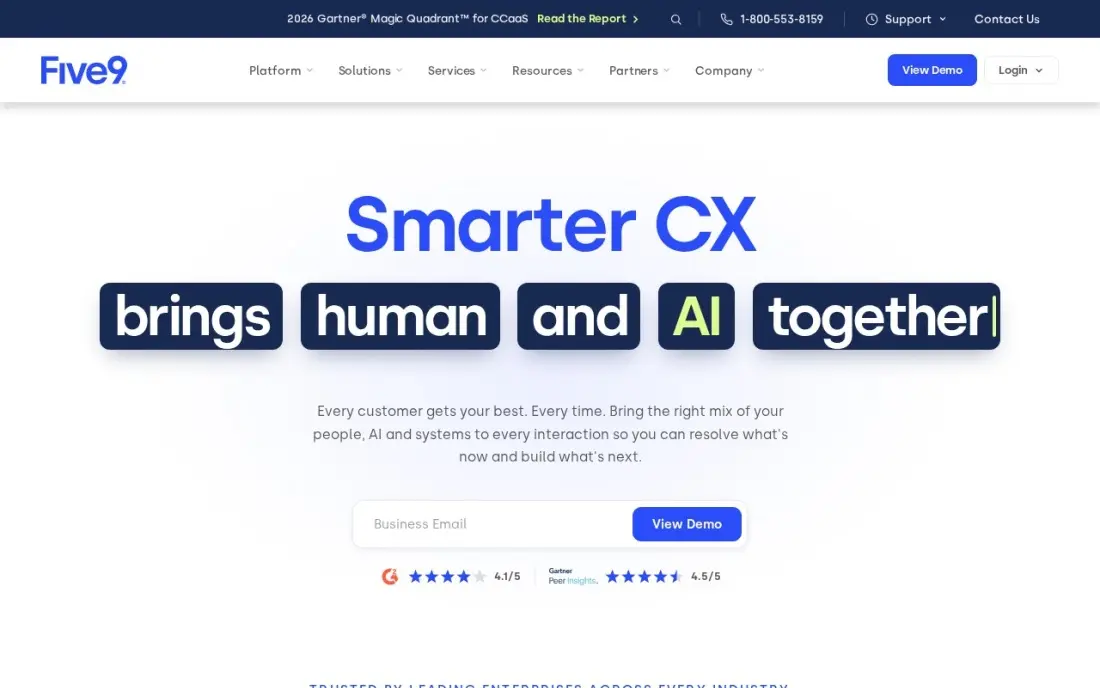
Five9 is the enterprise outbound platform in this list, and its dialer is the most complete: preview, progressive, power and predictive modes, plus a Manual Touch Mode for regulated calling. Concurrent-seat licensing suits shift-based teams where agents share seats across the day, and the platform is a Leader in Gartner's Magic Quadrant for CCaaS for the eighth year running.
The floor is the story. Digital at $119 a concurrent seat a month has no voice at all; dialing starts on Core at $159, and both need a 50-seat minimum, so the smallest voice order is $7,950 a month before usage. Implementation typically takes about two months, per G2, and the Plus, Pro and Enterprise tiers are quote-only. Buy Five9 when the operation is 50 agents or more; below that, the vendor will not quote at all.
What we like
- Four dialer modes — preview, progressive, power and predictive — plus Manual Touch Mode for compliance
- Concurrent-seat licensing suits shift-based teams where agents share seats
- Named a Leader in Gartner's Magic Quadrant for CCaaS eight times
- 3,000 AI minutes per bundled seat with Genius AI packaging
Watch out for
- 50-concurrent-seat minimum — the smallest voice order is 50 x $159, or $7,950 a month
- Digital at $119 has no voice at all; dialing starts on Core at $159 per concurrent seat
- Implementation typically runs about two months, per G2, and the higher tiers are quote-only
The best auto dialer software with CRM integration does two jobs at once: it dials the list, and it writes every call back to the CRM without anyone typing. The 9 tools below are ranked by fit for the most common buyer, a small US sales team of 2 to 10 reps that lives in HubSpot, Salesforce or Pipedrive, and every price was checked on the vendor's own pricing page on November 12, 2026.
How to choose the best auto dialer software with crm integration
- Find the plan that actually includes the dialer. The entry price is rarely the dialer price: CloudTalk charges $15 extra, Aircall and Close hold the dialer a tier up, and Dialpad's own table marks it unavailable on Sell. Price the tier with the dialer, not the cheapest tier.
- Pick the dialing mode the team needs. Power dialing calls one number at a time; predictive dialing calls several at once and connects only on a live answer. Small teams should start with power dialing; predictive only pays off above 20 or so concurrent reps.
- Check the seat minimum before the per-seat price. Aircall needs 3 seats, VanillaSoft sells five-seat bundles, and Five9 needs 50 concurrent seats. A $30 seat is a $90 floor on Aircall and a $7,950 floor on Five9 Core.
- Check what the CRM sync covers. Every tool here logs calls to HubSpot or Salesforce, but on CloudTalk the integration starts on Essential and on Dialpad the Salesforce power dialer is an add-on on Essentials. Confirm the team's CRM is covered on the plan being bought.
- Count the usage charges. Close bills call minutes and SMS on top of the seat price, PhoneBurner charges extra for ARMOR and Connect Scores, and JustCall caps outbound minutes per user. The subscription is the floor, not the bill.
- Use the trial with the real list. Every tool here offers a free trial or a demo. Load the team's actual list, connect the real CRM, and confirm every call, note and outcome lands on the right record before paying.
If the team sells to local businesses, our local SEO service covers the inbound side while the dialer covers outbound. And if the dialer will send prospects to a landing page, check the page title first with the free SERP snippet preview tool — it shows exactly how the title will look in Google.
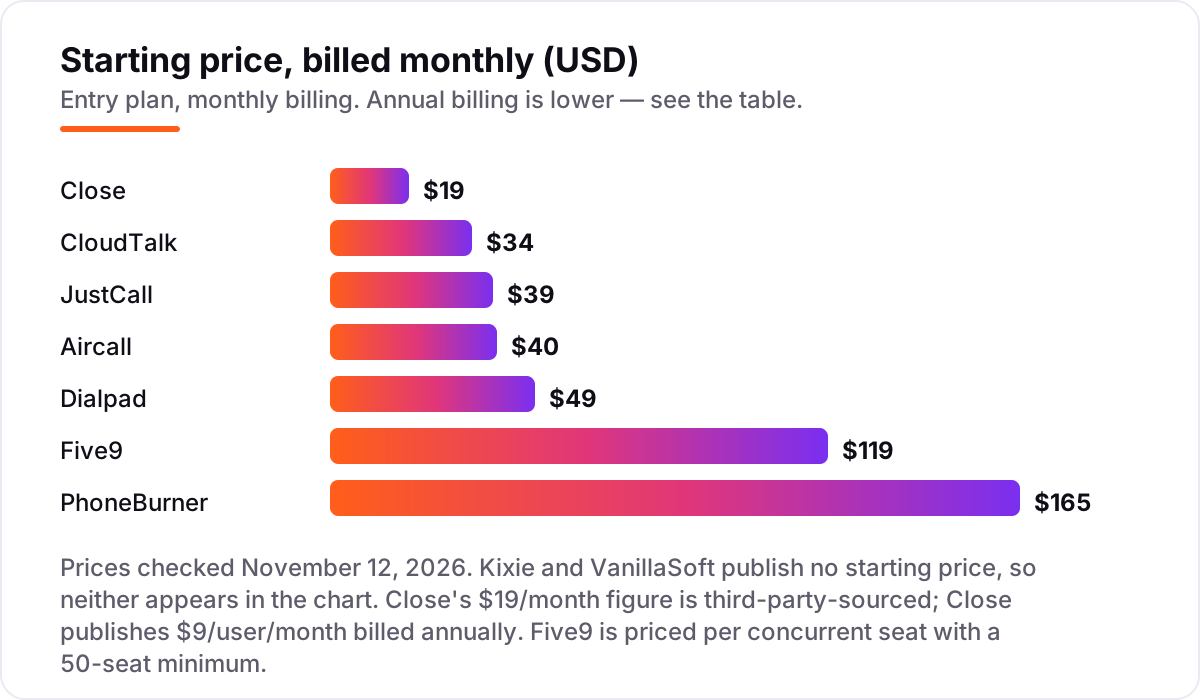
Auto dialer software with CRM integration pricing: what you will actually pay
Take a five-rep sales team that needs a real dialer, not just a phone system. On annual billing, the subscription costs $245 a month on JustCall Pro, $700 on PhoneBurner Standard, $245 on CloudTalk Expert, $250 on Aircall Professional, $195 on Dialpad Sell Essentials and $495 on Close Growth. CloudTalk Starter plus the $15 Power Dialer add-on is cheaper still at $200 a month, and it needs no seat minimum. Five9 Core is not in the same conversation: the 50-seat minimum makes the smallest order $7,950 a month. Kixie and VanillaSoft cannot be priced without a quote.
Over a year on annual billing, that is $2,340 on Dialpad Sell Essentials, $2,400 on CloudTalk Starter plus the dialer add-on, $2,940 on JustCall Pro and CloudTalk Expert, $3,000 on Aircall Professional, $5,940 on Close Growth and $8,400 on PhoneBurner Standard. Monthly billing lifts every figure: JustCall Pro becomes $345 a month, PhoneBurner Standard $825, Aircall Professional $350, Dialpad Sell Essentials $245 and Close Growth $545.
Three costs sit outside every number above. First, usage: Close bills call minutes and SMS on top of the seat price, and several 2026 reviews put real bills 30 to 50 percent above the headline. Second, add-ons: PhoneBurner's ARMOR and Connect Scores, CloudTalk's parallel dialer at $39 a user a month and Aircall's AI Assist all carry unpublished or extra prices. Third, the seat minimum: a two-rep team pays for three seats on Aircall and five on VanillaSoft, so the floor is higher than the per-seat price suggests.
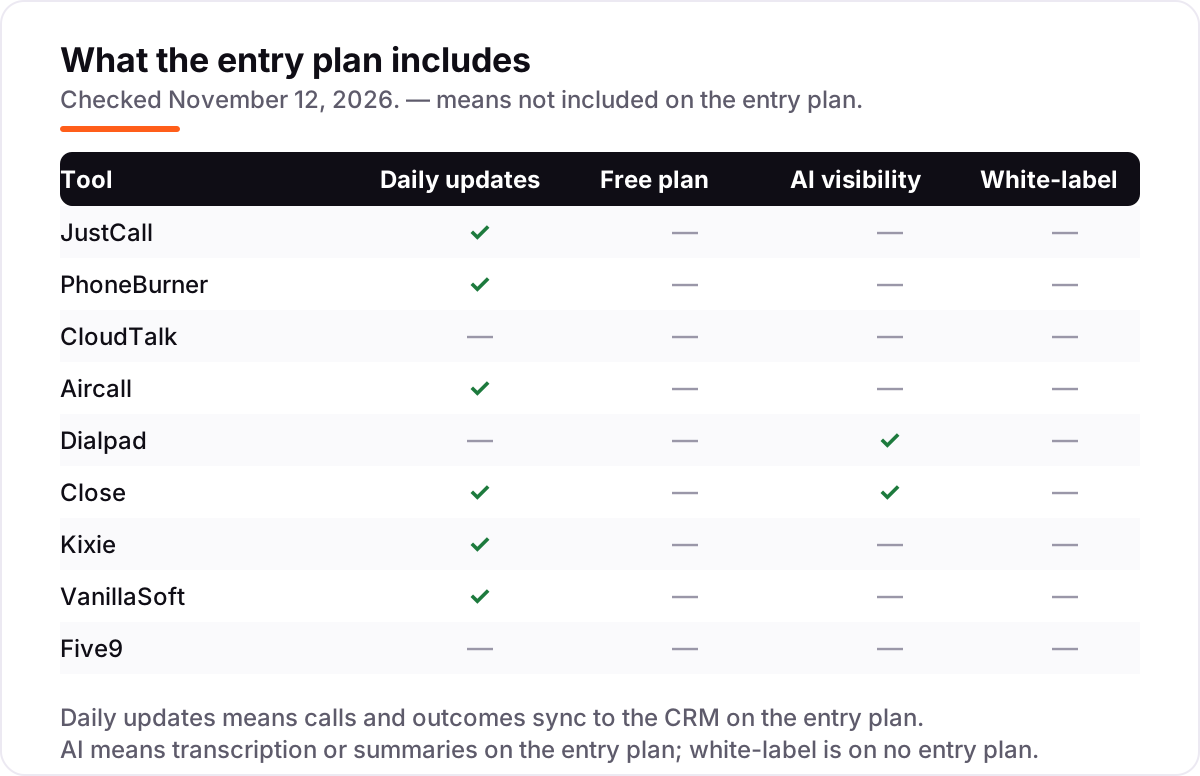
Know the difference: the dialer is not always on the entry plan
The confusion in this category is the gap between the price a vendor advertises and the price of the feature you came for. Every tool in this list sells a phone system, a CRM or a sales platform, and the auto dialer is one feature inside it — usually not on the cheapest tier. JustCall advertises $29 a user a month, but the dialer starts on Pro at $49. Aircall advertises $30, but the power dialer is on Professional at $50. CloudTalk advertises $25, but the Power Dialer is a $15 add-on or sits on Expert at $49. Close advertises $9, but the Power Dialer needs Growth at $99. Dialpad advertises $15, but that is Connect, the phone system; the sales dialer starts at $39, and Dialpad's own table marks the power dialer unavailable on every Sell tier.
There is a second confusion: the dialing mode. A power dialer calls one number after another and hands the rep the next call the moment the last one ends. A predictive dialer calls several numbers at once and connects the rep only when a person answers, which is faster but can leave prospects waiting on hold. A progressive dialer is the middle ground — it paces calls to the rep's availability. Most small teams should buy power dialing and ignore predictive until the team is large enough that idle seconds cost real money.
The fix for both confusions is the same: read the plan's feature table, not the headline price, and ask the vendor which plan includes the dialer mode the team needs before signing anything.
Quick comparison: tool type by need
| Buyer | Best pick | Why |
|---|---|---|
| Small team on a tight budget | JustCall | Power dialer, SMS and Salesforce CTI from $49/user/month billed annually |
| Wants the dialer on every plan | PhoneBurner | Every plan dials, from $140/user/month billed annually, unlimited calling |
| Phone system first, dialer later | CloudTalk | Starter $25/user/month plus a $15 dialer add-on, no seat minimum |
| Lives in HubSpot or Salesforce | Aircall | 250+ integrations, power dialer on Professional at $50/user/month billed annually |
| Wants AI coaching built in | Dialpad Sell | Transcripts and live coaching from $39/user/month billed annually |
| Wants CRM and dialer in one product | Close | Power Dialer on Growth at $99/user/month billed annually, no integration needed |
Mistakes to avoid
- Comparing entry prices instead of dialer prices. The dialer sits a tier up on six of the nine tools here. Price the tier with the dialer, or the comparison is meaningless.
- Ignoring the seat minimum. Aircall needs 3 seats, VanillaSoft sells five-seat bundles and Five9 needs 50 concurrent seats. A cheap per-seat price is a dear floor when the team is small.
- Forgetting usage charges. Close bills minutes and SMS on top of the seat, PhoneBurner charges extra for ARMOR, and JustCall caps outbound minutes. Ask for the all-in number, not the seat price.
- Buying a phone system when you need a dialer. Dialpad Connect at $15 and CloudTalk Starter at $25 are phone systems. The sales dialer is a different product line or an add-on, and it costs more.
- Skipping the trial. Every tool here offers a free trial or a demo. Load the real list, connect the real CRM, and confirm every call logs to the right record before the first payment.
How we chose
We checked each vendor's own pricing page on November 12, 2026 and recorded the starting price exactly as shown, including the annual-billing figure where the page lists one, and we ranked the tools by fit for the most common buyer — a small US sales team of 2 to 10 reps that lives in HubSpot, Salesforce or Pipedrive — not by brand size. Two prices needed extra care. Kixie and VanillaSoft publish no prices at all, so both are listed as custom quote; the third-party quote ranges in their cards come from independent pricing guides, not the vendors. Close publishes annual prices, and its monthly-billed figures come from a third-party read of its pricing page. Dialpad's G2 rating is for Dialpad Connect, the vendor's main G2 listing, because Dialpad Sell has no separate listing. RingCentral and Nextiva were left out: their entry phone plans include no outbound dialer, so the dialer only arrives with their contact-center products. Ratings come from G2 pages checked on November 12, 2026. No vendor paid for a place in this list, and none of the links here are affiliate links.
What to do next
Start with the shortlist above: pick the two tools whose dialer tier fits the team's size and CRM, then run both trials with the real list and the real CRM connected. Check that every call logs to the right record, that the dialer mode matches how the team actually works, and that the first invoice matches the quote. If the team is sorted but new prospects are not finding it, our monthly SEO service handles the visibility side. Once your tools are in place, find out what's holding your rankings back.
Frequently asked questions
What is the best auto dialer software with CRM integration?
JustCall is the best fit for most small sales teams: the power dialer, bulk SMS and Salesforce CTI start on Pro at $49/user/month billed annually, with a two-seat minimum. PhoneBurner is the better pure dialer if the budget stretches to $140/user/month, and Close is the pick when the team wants the CRM and the dialer in one product.
How much does auto dialer software with CRM integration cost?
Between $9 and $165 a user a month at the entry level. Close Solo starts at $9 billed annually, JustCall Team at $29 and PhoneBurner Standard at $140. But the entry price is rarely the dialer price: on most tools the dialer sits one tier up, so a real dialing setup costs $49 to $159 a user a month, before usage charges.
What is the difference between a power dialer and a predictive dialer?
A power dialer calls one number at a time and moves to the next the moment a call ends, so the rep is never idle but never talks to two people at once. A predictive dialer calls several numbers at once and connects the rep only when a person answers, which is faster but can leave prospects on hold. Most small teams should start with power dialing.
Do I need a separate CRM if the dialer has one built in?
Only if the team already runs on a CRM. PhoneBurner and Close include a CRM, so a small team can skip a separate subscription entirely. Kixie, JustCall, CloudTalk, Aircall and Dialpad are built to plug into HubSpot, Salesforce, Pipedrive or Zoho instead, so the calls land in the CRM the team already uses.
Can I use an auto dialer with HubSpot or Salesforce?
Yes — every tool in this list connects to HubSpot, Salesforce or both, either natively or through a certified integration. The difference is the tier: on CloudTalk the integration starts on Essential, on Dialpad the Salesforce power dialer is an add-on on Essentials, and on Aircall and JustCall the CRM logging works from the entry plan.
What should I check before paying for an auto dialer?
Four things: which plan actually includes the dialer, the seat minimum, what usage is billed on top, and whether the trial covers the real workflow. Five9 needs 50 seats, Aircall needs 3, and Close bills call minutes on top of the seat price. Run the trial with the team's real list and CRM, and confirm every call logs before paying.
Sources we checked (18)
- JustCall pricing — justcall.io/pricing (checked November 12, 2026)
- JustCall on G2 — 4.3/5, 2,398 reviews (checked November 12, 2026)
- PhoneBurner pricing — phoneburner.com/pricing (checked November 12, 2026)
- PhoneBurner on G2 — 4.7/5, 289 reviews (checked November 12, 2026)
- CloudTalk pricing — cloudtalk.io/pricing (checked November 12, 2026)
- CloudTalk on G2 — 4.4/5, 1,841 reviews (checked November 12, 2026)
- Aircall pricing — aircall.io/pricing (checked November 12, 2026)
- Aircall on G2 — 4.4/5, 1,691 reviews (checked November 12, 2026)
- Dialpad pricing — dialpad.com/pricing (checked November 12, 2026)
- Dialpad on G2 — 4.4/5, 4,204 reviews (checked November 12, 2026)
- Close pricing — close.com/pricing (checked November 12, 2026)
- Close on G2 — 4.7/5, 2,069 reviews (checked November 12, 2026)
- Kixie pricing — kixie.com/pricing (checked November 12, 2026)
- Kixie on G2 — 4.8/5, 868 reviews (checked November 12, 2026)
- VanillaSoft pricing — vanillasoft.com/pricing (checked November 12, 2026)
- VanillaSoft on G2 — 4.4/5, 741 reviews (checked November 12, 2026)
- Five9 pricing — five9.com/pricing (checked November 12, 2026)
- Five9 on G2 — 4.1/5, 645 reviews (checked November 12, 2026)
Make one of these tools?
We re-check this list every quarter. Send a correction, request a review, or ask about a clearly labeled sponsored spot.
Request a listingShamim
Founder of SerpAstra
A full-stack SEO and digital marketer who spends most days on Local SEO for dental practices, AI search visibility and lead generation.
Free SEO and AI visibility audit
Find out what is holding your rankings back
Send us your site. Within 2 business days you get a written audit, an AI visibility check and a short fix list ranked by impact. Free, with no contract attached.
Request my free audit→Related buying guides
 Customer Service11 Best Contact Center Software for Small Business in 2026, ComparedCompare the 11 best contact center software for small business options on price, channels and AI features, with every price checked November 4, 2026.Read guide →
 MarketingBest Call Tracking Software for 2026: 12 Options Compared by Use CaseCompare the 12 best call tracking software options on price, free plans, AI call scoring and usage fees, with prices checked November 10, 2026.Read guide →
 Communication & Community8 Best VOIP Phone Services for Small Business in 2026Compare the 8 best voip phone service for small business options on price, trials and AI features, with every price checked November 4, 2026.Read guide →