
11 Best Call Center CRM Software in 2026, Compared
Compare the 11 best call center crm software options on price, voice, ticketing and AI features, with every price checked November 12, 2026.
 Shamim Mia, Founder, SerpAstraLast verified November 12, 202613 min read
We compare pricing pages, documentation and public reviews. We never accept payment for rankings.

Key takeaways
- Zendesk is the best fit for most call centers at $55/agent/month billed annually, with Freshdesk Growth at $19 and Zoho Desk Express at $7 as the cheapest real desks — but Freshdesk Growth has no voice, so voice teams should budget Freshdesk Omni at $29.
- The single most important buying factor is the channel the team actually uses: email-first teams can buy the cheapest desk, while voice-first teams must price the phone plan, the call-center tier and the telephony usage together.
- On annual billing, a 10-agent team pays $70 a month on Zoho Desk Standard, $150 on Dialpad Standard and $550 on Zendesk Suite Team — while Genesys is out of reach below about 27 agents because of its $2,000 a month minimum.
- Three tools in this list are phone systems first and desks second — RingCentral, Dialpad and Aircall — so check whether the CRM record, the ticket and the call live in one place before you buy.
On this page
Quick comparison
| Tool | Best for | Starting price | Free plan |
|---|---|---|---|
| Zendesk | Mid-size support teams that want every channel — email, chat, voice and help center — on one ticket | $55/mo (annual) | No (14-day trial) |
| Freshdesk | Small support teams that want a cheap ticket desk now and can add voice later | $19/mo (annual) | No (6-month program) |
| Zoho Desk | Tiny teams that want a genuinely free desk for 3 agents and the cheapest paid step up | $7/mo (annual) | Yes (free plan) |
| HubSpot Service Hub | Teams that already run HubSpot CRM and want service tickets on the same contact record | $20/mo | Yes (free tools) |
| Salesforce Service Cloud | Enterprises already on Salesforce that need service cases on the same platform as sales | $25/mo | No (30-day trial) |
| Intercom | Teams that want an AI agent to resolve chats first and humans to handle the rest | $29/mo (annual) | No (14-day trial) |
| RingCentral RingEX | Small teams that need a business phone system with video and messaging before a full contact center | $20/mo (annual) | No (14-day trial) |
| Dialpad | Small AI-first teams that want call transcription on every call without paying extra | $15/mo (annual) | No (14-day trial) |
| Nextiva | Small businesses that want phone, video and CRM in one subscription without add-on shopping | $18.95/mo (annual) | No (7-day trial) |
| Aircall | Inbound sales and support teams that live in HubSpot, Zendesk or Pipedrive | $30/mo (annual) | No (7-day trial) |
| Genesys Cloud | Large contact centers that need voice, digital channels, workforce management and AI in one platform | $75/mo (annual) | No (demo only) |
Make one of these tools?
We re-check this list every quarter. Send a correction, request a review, or ask about a clearly labeled sponsored spot.
Request a listingThe best call center CRM software

Zendesk
Best for: Mid-size support teams that want every channel — email, chat, voice and help center — on one ticket
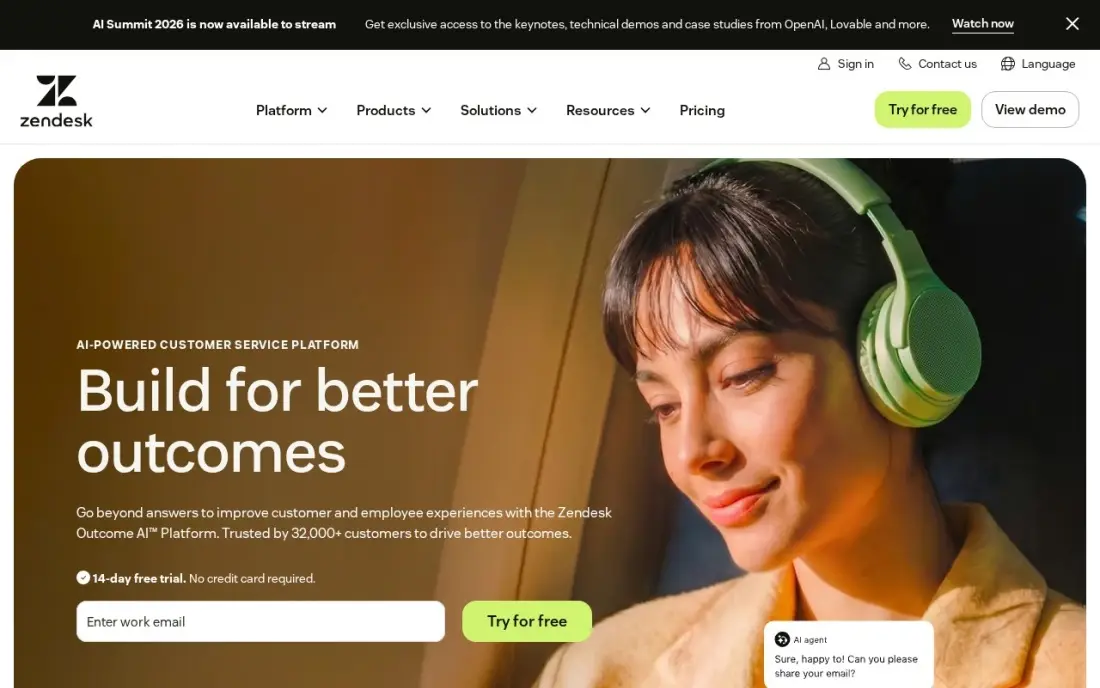
Zendesk is the most complete call center CRM in this list: Suite Team puts email, live chat, messaging, voice and a help center on one ticket, with AI agents included from the entry plan. Suite Team costs $55 per agent a month billed annually, or $69 billed monthly, and the step up to Suite Professional is $115 a month billed annually.
The catch is the add-on stack. Voice minutes beyond the basic allowance, Copilot at $50 per agent a month and extra AI resolutions all bill on top, so a voice-heavy team pays far more than the seat price. Buy Zendesk when the team needs every channel in one place and the budget covers the add-ons; buy Freshdesk or Zoho Desk when the bill must stay close to the headline price.
What we like
- Every channel on one ticket: email, chat, messaging, voice and a help center from the entry plan
- AI agents included on Suite Team, not held for the top tier
- The largest app marketplace in this list, with deep CRM integrations
- Voice, chat and email share one agent workspace, so agents do not switch tools between channels
Watch out for
- Voice minutes, Copilot at $50/agent/month and extra AI resolutions all bill on top of the seat price
- Suite Professional at $115/agent/month is a steep jump for skills-based routing and IVR
- No free plan — only a 14-day trial, so every seat is paid from day one

Freshdesk
Best for: Small support teams that want a cheap ticket desk now and can add voice later
Freshdesk is the cheapest way into a proper ticket desk: Growth costs $19 per agent a month billed annually, or $23 billed monthly, and covers ticketing, a shared inbox, a customer portal, a knowledge base and standard reporting. Pro costs $55 a month billed annually and Enterprise $89, adding automation depth and Copilot.
The limit to plan around is voice. Growth is email and ticketing only — calls, WhatsApp and social need Freshdesk Omni, which starts at $29 per agent a month billed annually, with voice as a further $15 add-on. Buy Freshdesk when most contacts arrive by email and the team can add voice later; buy Zendesk or RingCentral when voice is the main channel from day one.
What we like
- The lowest entry price of any full help desk here, at $19/agent/month billed annually
- Freddy AI Agent sessions are included on Growth — 500 to start — with Copilot available on Pro
- Clean ticket workflows, a customer portal and a knowledge base on the entry plan
- Part of the wider Freshworks suite, so CRM and chat connect without a third-party tool
Watch out for
- Growth has no voice or chat channels — those need Freshdesk Omni from $29/agent/month, plus $15 for voice
- No forever-free plan any more: the free route is a 6-month program for up to 2 agents
- Copilot at $29/agent/month is not offered on Growth at all

Zoho Desk
Best for: Tiny teams that want a genuinely free desk for 3 agents and the cheapest paid step up
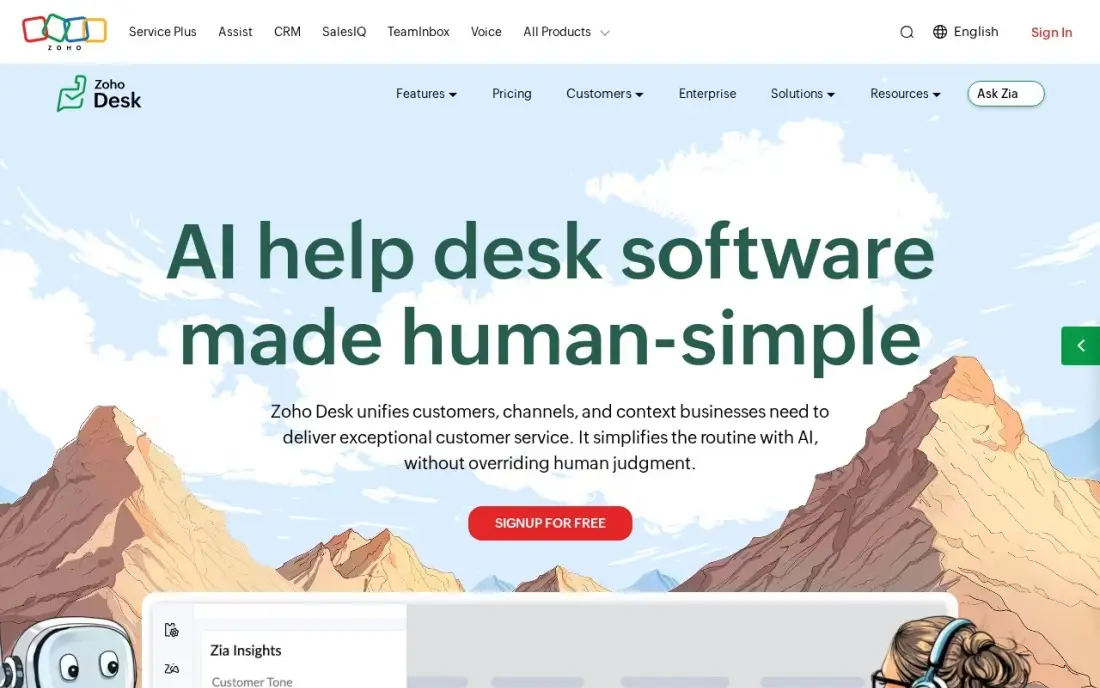
Zoho Desk is the budget pick because the free plan is a real desk, not a demo: up to 3 agents, email ticketing and a knowledge base at $0 with no time limit. Express costs $7 per agent a month billed annually, or $9 billed monthly, and Standard costs $14 billed annually with no user cap and an Answer Bot.
The ceilings are the thing to watch. Express stops at 5 agents, so a sixth hire moves the whole team to Standard, and live chat and IVR wait for Enterprise at $40 a month billed annually. Telephony is metered on top. Choose Zoho Desk when the team is small, the budget is tight and the business already lives in Zoho; choose Freshdesk when the desk must scale past five agents cheaply.
What we like
- A real free plan for up to 3 agents, with no time limit
- Cheapest paid plan here: Express at $7/agent/month billed annually
- Generative AI features start on Express, and the Answer Bot arrives on Standard at $14
- Deep Zoho ecosystem: CRM, Books, SalesIQ and telephony connect without third-party tools
Watch out for
- Express stops at 5 agents — a sixth agent forces the whole team onto Standard at $14
- Live chat and IVR wait for Enterprise at $40/agent/month billed annually
- Telephony is metered separately, so call costs sit outside the seat price

HubSpot Service Hub
Best for: Teams that already run HubSpot CRM and want service tickets on the same contact record
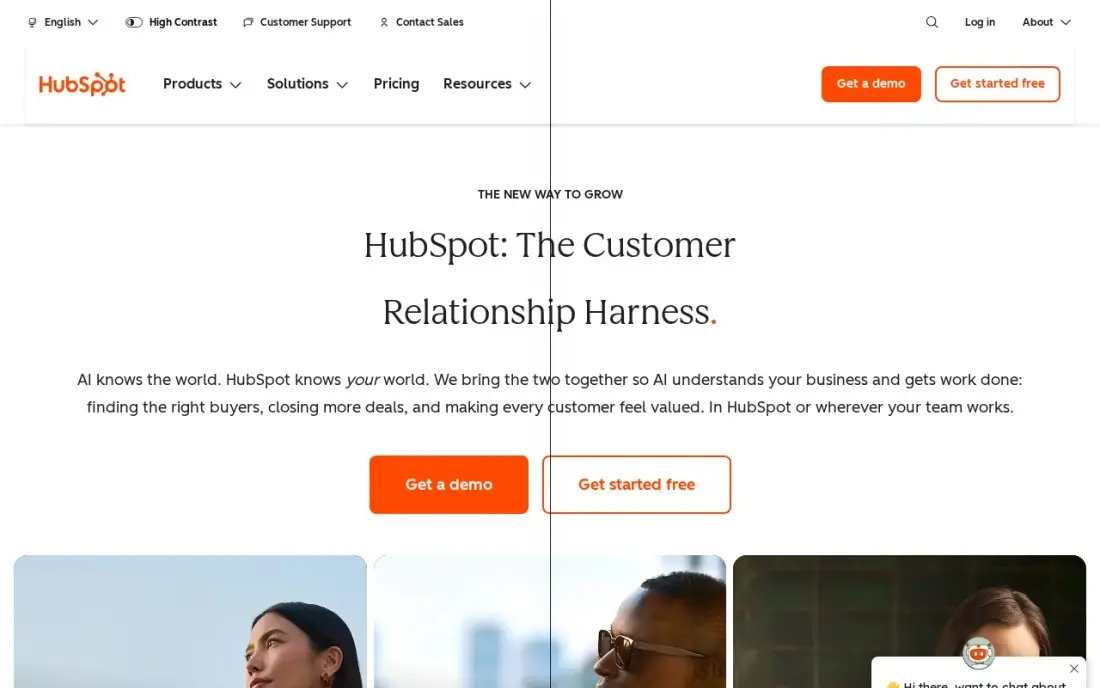
HubSpot Service Hub is the CRM-first pick: tickets live on the same contact record as deals and marketing, so an agent sees the whole customer history before answering. Starter costs $20 a seat a month, with a $7 a seat annual promotion for new customers, and the free tools cover up to 2 users with live chat and basic tickets.
The catch is what Starter leaves out. There is no full help desk workspace, no customer portal and no knowledge base on Starter — those arrive on Professional at $90 a seat, plus a $1,500 onboarding fee. Buy HubSpot when the business already runs HubSpot CRM; buy Zendesk or Freshdesk when the desk itself is the priority and the CRM can stay separate.
What we like
- Tickets, deals and marketing share one contact record, so nothing is re-typed
- Free tools for up to 2 users cover live chat, tickets and a knowledge base at $0
- Starter at $20 a seat is the cheapest way into the HubSpot service suite
- More than 1,000 integrations in the App Marketplace
Watch out for
- Starter has no full help desk workspace, customer portal or knowledge base — those need Professional at $90 a seat
- AI features, including the Breeze Customer Agent, are excluded from Starter
- The $7 a seat Starter price is a new-customer promotion — budget renewals at the $20 list price

Salesforce Service Cloud
Best for: Enterprises already on Salesforce that need service cases on the same platform as sales
Salesforce Service Cloud — now branded Agentforce Service — is the enterprise pick for teams already on Salesforce: cases, accounts and sales share one platform, so no sync is needed between the desk and the CRM. Starter Suite costs $25 per user a month, billed monthly or annually, and Pro Suite costs $100.
The headline price is only the start. Knowledge editing, digital engagement, voice and AI features are paid add-ons, and realistic enterprise deployments run $400 or more per user a month once those are added. Buy Salesforce when the business already runs Salesforce and needs service on the same platform; buy HubSpot or Zoho Desk when a smaller team wants service without an implementation project.
What we like
- Cases, accounts and sales live on one Salesforce platform with no sync to maintain
- Starter Suite at $25/user/month is the cheapest entry point into Salesforce service
- Omnichannel routing, knowledge and AI arrive on the higher editions as the team grows
- The deepest customization and integration options in this list
Watch out for
- Knowledge editing, digital engagement, voice and AI are paid add-ons that can triple the per-user cost
- Implementation typically takes months and outside help for larger teams
- No free plan, and the admin learning curve is the steepest here

Intercom
Best for: Teams that want an AI agent to resolve chats first and humans to handle the rest
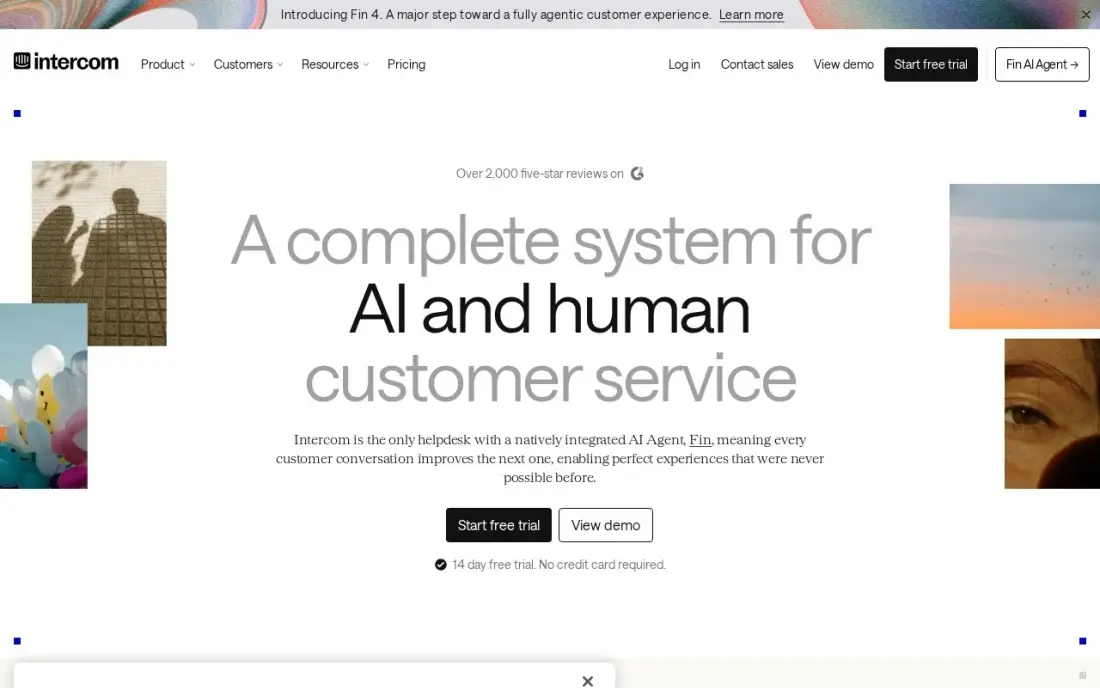
Intercom rebuilt itself around AI: the Fin agent answers chats on its own, and humans handle what it cannot resolve. Essential costs $29 a seat a month billed annually, or $39 billed monthly, and includes the Messenger, a shared inbox, ticketing, a public help center and simple automations.
The billing has two moving parts. Seats are the first cost and Fin outcomes at $0.99 each are the second, so a chat-heavy team pays for both. Essential also has no Lite seats and no workflows builder — those need Advanced at $85 a seat. Buy Intercom when chat is the main channel and AI resolution is the goal; buy Zendesk or Freshdesk when email and voice dominate.
What we like
- Fin, the AI agent, is included on every plan and resolves conversations before they reach an agent
- Messenger and shared inbox are built for chat-first support, not email-first
- Simple automations and a public help center come with Essential
- No seat minimums on the entry plan — buy exactly the seats the team needs
Watch out for
- Fin bills separately at $0.99 per successful outcome, on top of every seat
- Essential has no Lite seats, no workflows builder and no round-robin assignment
- No free plan, and the $19 a seat new-customer price some visitors see is a promotion, not the list price

RingCentral RingEX
Best for: Small teams that need a business phone system with video and messaging before a full contact center
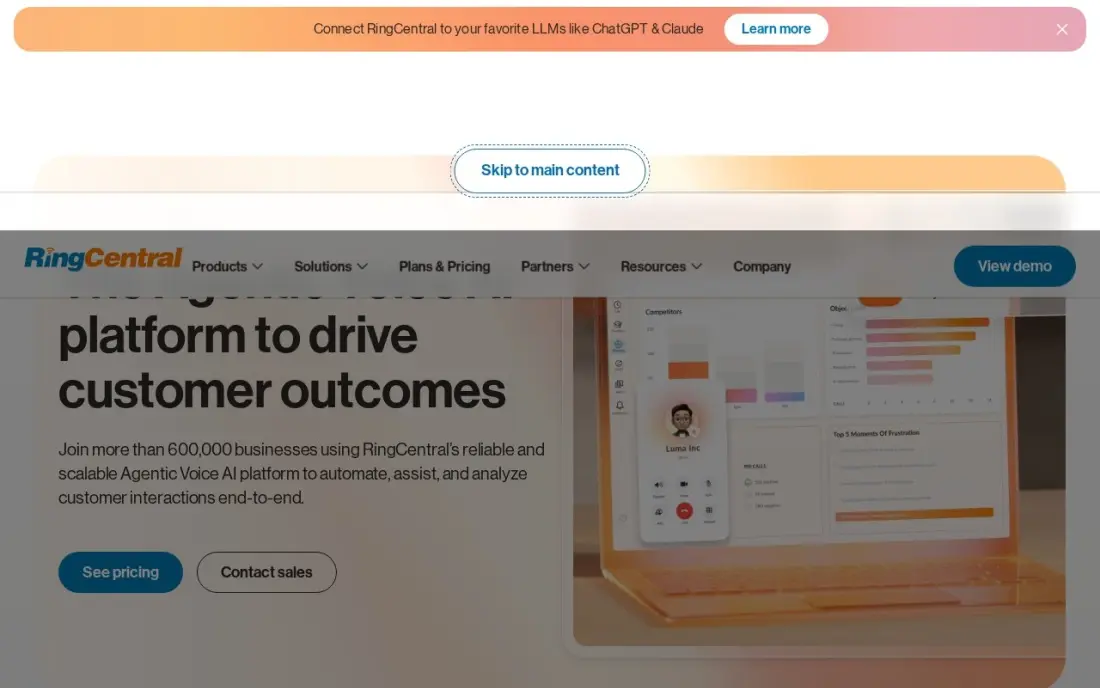
RingCentral RingEX is the phone-first pick: Core costs $20 per user a month billed annually, or $30 billed monthly, and covers unlimited US/Canada calling, business SMS, voicemail-to-text, team messaging, video meetings and call queues, with 100 pooled toll-free minutes. Advanced costs $25 billed annually and adds CRM integrations, automatic call recording and 1,000 toll-free minutes.
The limit is what Core leaves out. There are no CRM integrations on the entry plan — integrations start on Advanced at $25 a month billed annually — and true contact-center features such as queues and workforce management live in the separate, quote-priced RingCentral Contact Center. RingEX has no outbound dialer on any tier; that needs RingCX, from $65 an agent a month. Buy RingEX when the team needs a solid business phone first; buy Genesys or Zendesk when call queues are the job.
What we like
- Unlimited US calling and business SMS from the entry plan
- Cheapest entry price of any full phone system here at $20/user/month billed annually
- Advanced at $25 adds CRM integrations, automatic call recording and 1,000 toll-free minutes
- Strong call quality and uptime reputation across a large user base
Watch out for
- Core has no CRM integrations — those start on Advanced — and no outbound dialer on any tier
- CRM integrations start on Advanced at $25/user/month billed annually
- A full contact center with queues and workforce tools is a separate product, RingCentral Contact Center, priced by quote

Dialpad
Best for: Small AI-first teams that want call transcription on every call without paying extra
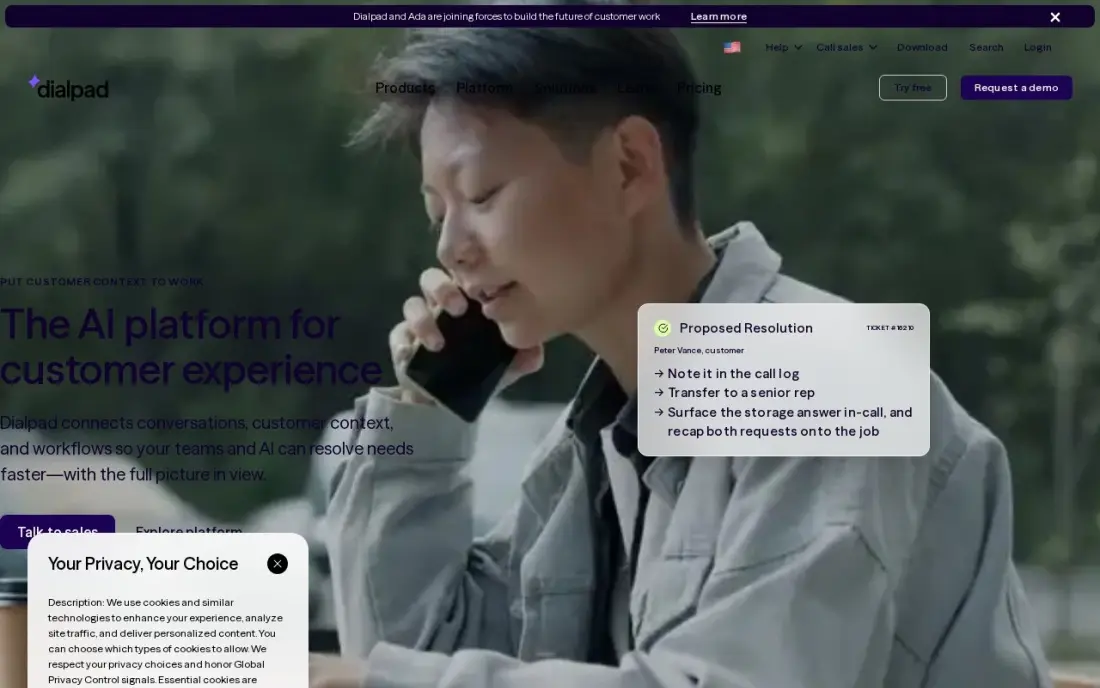
Dialpad is the AI-first phone pick: Connect Standard costs $15 per user a month billed annually and includes unlimited US and Canada calling, a local number, a multi-level auto attendant, call recording and real-time transcription on every call. Pro costs $25 a month billed annually.
Two numbers matter more than the headline. Monthly billing is $27 per user — the widest annual-to-monthly gap here — and the dedicated contact-center product, Dialpad Support, starts at $80 per user a month billed annually, so a real call center costs far more than $15 a seat. Buy Dialpad when AI transcription on every call is the priority; buy RingCentral when the team needs a broader phone system.
What we like
- Real-time transcription and post-call summaries included on every plan at no extra cost
- Lowest annual seat price of any full phone system here at $15/user/month
- No seat minimum — a one-person team can buy a single seat
- Call recording and a multi-level auto attendant come with Standard
Watch out for
- Monthly billing jumps to $27/user/month — the widest annual-to-monthly gap in this list
- Salesforce integration and 24/7 support wait for Pro at $25/user/month billed annually
- The dedicated contact-center product, Dialpad Support, starts at $80/user/month billed annually

Nextiva
Best for: Small businesses that want phone, video and CRM in one subscription without add-on shopping
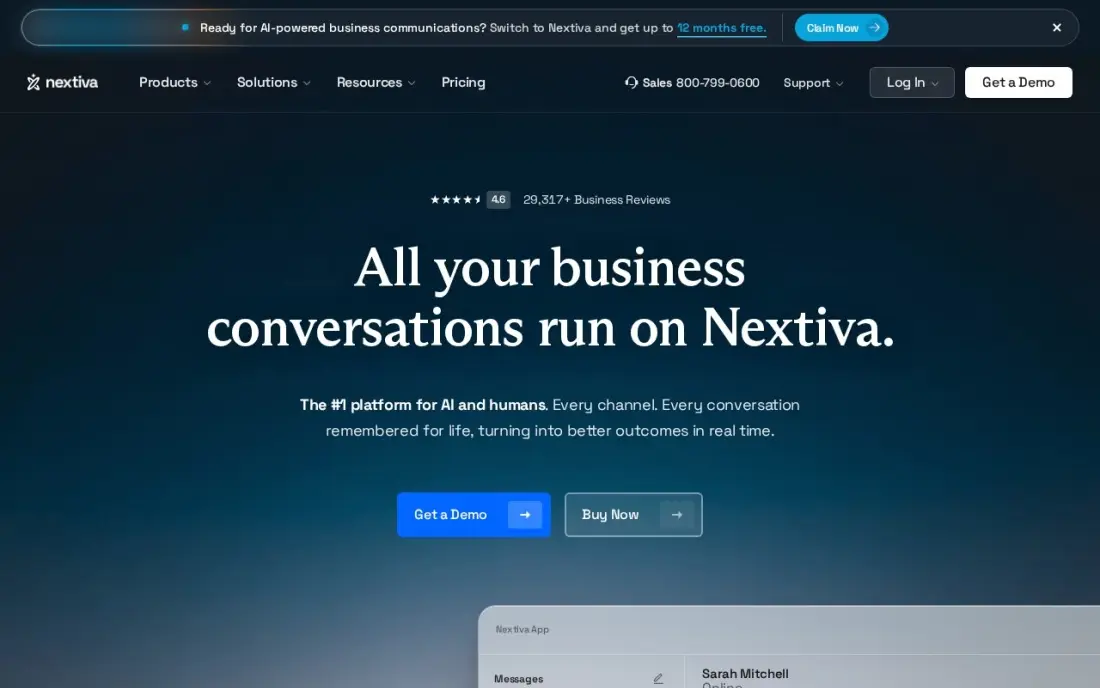
Nextiva bundles the phone system and the CRM basics into one subscription: Essential costs $18.95 per user a month billed annually and includes unlimited voice and video calling, an auto-attendant, toll-free numbers and team messaging. Professional adds unlimited conferencing and larger video meetings.
The gaps are on the pricing page and the feature ladder. Nextiva publishes no monthly-billing price for Essential, so a team that will not commit to a year cannot price the month-to-month option, and advanced call-center features such as queues and analytics wait for the higher tiers. Buy Nextiva when one subscription for phone and CRM is the goal; buy Dialpad when AI transcription matters more.
What we like
- Phone, video calling and basic CRM in one subscription at $18.95/user/month billed annually
- Unlimited voice and video calling on the entry plan
- Auto-attendant and toll-free numbers included from the start
- US-based support with a reputation for answering quickly
Watch out for
- No monthly-billing price is published for Essential, so month-to-month budgeting is guesswork
- Advanced call-center features such as queues and analytics sit on the higher tiers
- The 7-day trial is the shortest trial in this list
Aircall
Best for: Inbound sales and support teams that live in HubSpot, Zendesk or Pipedrive
Aircall is built for teams that live inside a CRM: Essentials costs $30 per license a month billed annually, or $40 billed monthly, and calls made in Aircall appear on the HubSpot, Zendesk or Pipedrive record automatically. The plan includes unlimited inbound and US/Canada outbound calling, IVR and call recording.
The number that changes the math is the minimum. Essentials requires at least 3 licenses, so the smallest possible bill is $90 a month — a one-person team pays for three seats. AI Assist is also a $9 per license add-on on Essentials. Buy Aircall when the team has three or more people and lives in HubSpot or Zendesk; buy Dialpad when a single seat must be possible.
What we like
- Native integrations with HubSpot, Zendesk and Pipedrive put calls on the CRM record automatically
- Unlimited inbound and US/Canada outbound calling on the entry plan
- IVR and call recording included on Essentials
- 50 free AI agent minutes per account per month on the entry plan
Watch out for
- A 3-license minimum means the smallest possible bill is $90 a month, even for one user
- AI Assist is a $9/license/month add-on on Essentials, and AI Assist Pro is $49
- Call recordings are stored for only one year on Essentials

Genesys Cloud
Best for: Large contact centers that need voice, digital channels, workforce management and AI in one platform
Genesys Cloud is the enterprise contact-center pick: CX 1 costs $75 per user a month billed annually and covers inbound and outbound voice, secure IVR, callbacks, voice campaigns and Agent Copilot. CX 2 costs $115 and adds digital channels, CX 3 costs $155 and adds workforce management, and CX 4 costs $240.
The barrier is the minimum, not the seat price. Genesys requires a $2,000 a month minimum spend, so a team needs about 27 agents on CX 1 before it can buy in at all, and implementation fees sit outside the subscription. Buy Genesys when the floor is a real contact center with workforce management; buy Zendesk when the team is under 25 agents.
What we like
- The only platform here built as a full contact center from the ground up
- CX 1 includes voice, IVR, callbacks and Agent Copilot at $75/user/month billed annually
- Workforce management, forecasting and speech analytics arrive on CX 3 at $155
- Bring-your-own-carrier flexibility and a deep integration ecosystem
Watch out for
- A $2,000 a month minimum spend means about 27 agents on CX 1 before the platform is even an option
- Annual billing only — there is no month-to-month price
- Implementation fees sit outside the subscription and scale with configuration
The best call center crm software joins two jobs in one place: the phone system that takes the call and the customer record that tells the agent who is calling. We ranked the 11 tools below by fit for the most common buyer — a US team of 5 to 50 agents handling calls, email and chat — starting with the most complete desks and ending with the enterprise contact-center platform, and every price was checked on November 12, 2026.
How to choose the best call center crm software
- Start with the channel that carries the most contacts. An email-first team can buy the cheapest desk; a voice-first team must price the phone plan, the call-center tier and the telephony usage together.
- Check whether voice is included or an add-on. Freshdesk Growth has no voice at all, Zendesk bundles basic voice on Suite Team, and RingCentral and Dialpad are phone systems first.
- Count the agents, then check the minimums. Aircall needs at least 3 licenses, Zoho Desk Express stops at 5 agents, and Genesys needs about 27 agents to meet its $2,000 a month minimum.
- Look at where the record lives. HubSpot and Salesforce keep the ticket on the CRM record; Aircall and Dialpad push calls into a CRM; Zendesk keeps everything on the ticket.
- Price the AI separately. Intercom bills Fin at $0.99 per outcome, Zendesk bills extra AI resolutions, and Copilot add-ons run $29 to $50 per agent a month.
Picking a desk is only half the job — the team also has to be found. Our guide to CRM software for customer service covers the record-keeping side in more depth, and before you publish new service pages, run your titles through the free SERP snippet preview tool to see how they will look in Google.
Whatever you shortlist, try it with real calls before you pay. The trials in this list run 7 to 30 days, which is long enough to route one genuine week of calls through the system — your numbers, your queues, your agents — and that week tells you more than any review can. Check two things in the trial: that the call quality holds up at peak volume, and that the ticket opens with the right customer record attached.
Call center CRM software pricing: what you will actually pay
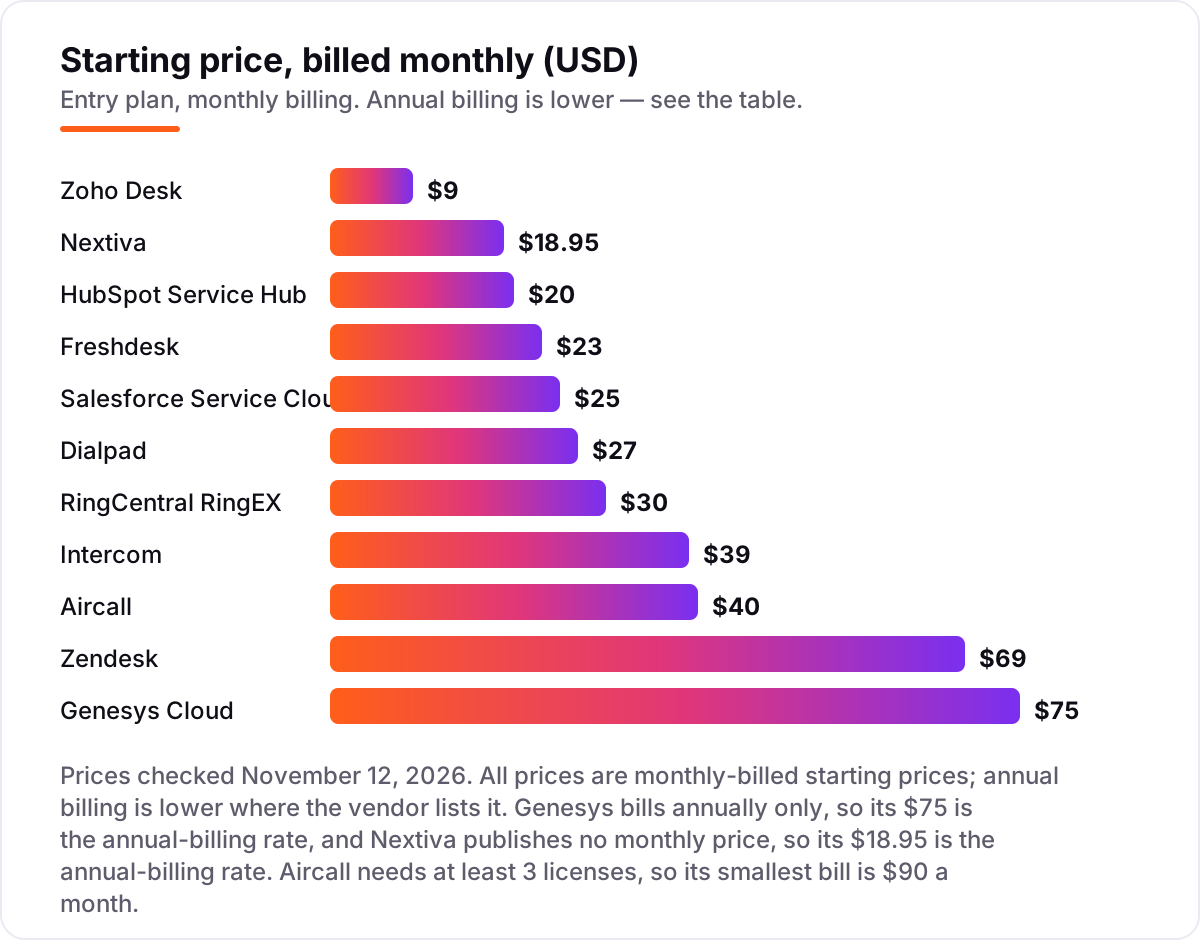
Take a 10-agent team on annual billing. On list prices, the seats cost $70 a month on Zoho Desk Standard, $150 on Dialpad Standard, $190 on Nextiva Essential, $190 on Freshdesk Growth, $200 on HubSpot Starter, $200 on RingCentral Core, $250 on Salesforce Starter Suite, $290 on Intercom Essential, $300 on Aircall Essentials and $550 on Zendesk Suite Team. Genesys does not fit this team at all: 10 agents on CX 1 cost $750 a month, which is below its $2,000 a month minimum spend.
Over a year, that is $840 on Zoho Desk Standard, $1,800 on Dialpad, $2,274 on Nextiva, $2,280 on Freshdesk Growth, $2,400 on RingCentral Core, $2,400 on HubSpot Starter, $3,000 on Salesforce Starter Suite, $3,480 on Intercom Essential, $3,600 on Aircall and $6,600 on Zendesk Suite Team. The same ten people cost $840 a year at the cheap end and $6,600 at the dear end — a $5,760 gap that comes from channel coverage and AI, not from seat count.
Three costs sit outside every number above. First, voice: Freshdesk Growth has no voice, so a calling team needs Omni at $29 a month plus $15 for voice; Aircall's $90 a month floor comes from its 3-license minimum. Second, AI usage: Intercom bills Fin at $0.99 per successful outcome, and Zendesk bills extra AI resolutions beyond the included allowance. Third, the add-ons: Copilot runs $29 per agent a month on Freshdesk Pro and $50 on Zendesk, and Salesforce add-ons for knowledge, digital engagement and voice can triple the seat price. If the team is small, the cheaper desk usually wins — see our guide to contact center software for small business for the small-team angle.
Annual billing cuts the bill on most tools here: Dialpad Standard drops from $27 to $15 a month, RingCentral Core from $30 to $20, and Intercom Essential from $39 to $29. Salesforce Starter Suite is $25 a month either way, and Genesys bills annually only. One more cost to check before you commit: a second team or brand is a second set of seats on every tool in this list, and minimums such as Genesys at $2,000 a month and Aircall at 3 licenses apply per account, not per team.
Know the difference: call center CRM vs help desk vs contact center platform
The confusion in this category is between three products that sound alike. A help desk handles tickets — email, chat and web forms — and may have no phone at all. A contact center platform runs the phones — queues, IVR, routing, recording and workforce management — and may have no ticket or CRM record. A call center CRM is supposed to join the two, so the agent sees the customer record the moment the call arrives.
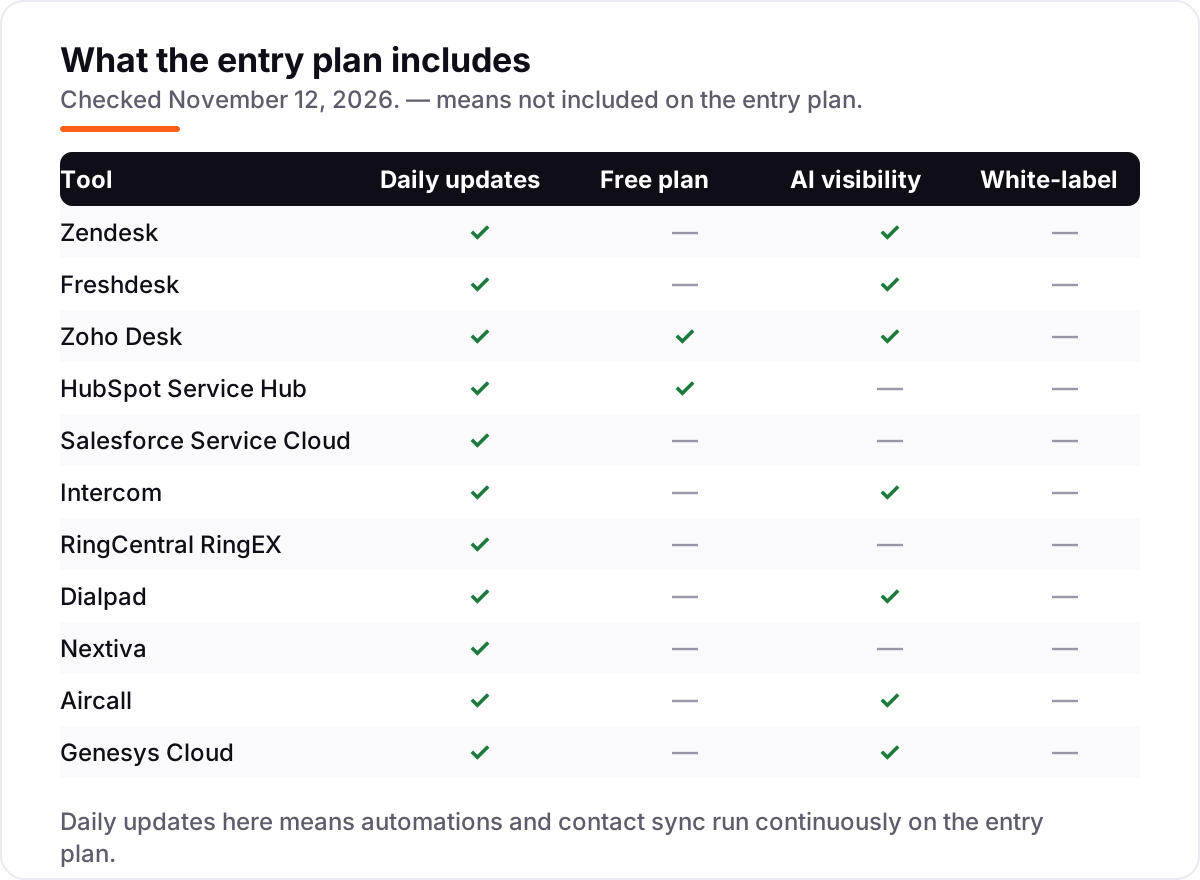
Most tools in this list sit on one side of that line. Freshdesk, Zoho Desk, HubSpot and Salesforce are desks first: they track the ticket and the record, and voice arrives through an add-on or a separate product. RingCentral, Dialpad, Nextiva and Aircall are phone systems first: they run the calls and push the record into a CRM. Zendesk and Genesys are the closest to both at once — Zendesk with Suite Team plus voice, Genesys as a full contact center with CRM integrations.
The practical test is simple: make a test call and watch what opens on the agent screen. If the ticket opens with the customer history attached, the tool is a call center CRM for your team. If the agent has to search for the customer by hand, it is a phone system with a CRM next to it, and the team will pay for the gap in handle time.
Quick comparison: tool type by need
| Buyer | Best pick | Why |
|---|---|---|
| Most call centers | Zendesk | Every channel on one ticket, from $55/agent/month billed annually |
| Cheapest ticket desk | Freshdesk | Growth is $19/agent/month billed annually; voice needs Omni at $29 |
| Smallest team, smallest budget | Zoho Desk | Free for 3 agents, Express is $7/agent/month billed annually |
| Already on HubSpot CRM | HubSpot Service Hub | Tickets on the same record, Starter is $20/seat/month |
| Voice-first, AI transcription | Dialpad | Every call transcribed, Standard is $15/user/month billed annually |
| Enterprise contact center | Genesys Cloud | Full omnichannel plus workforce tools, CX 1 is $75/user/month billed annually |
Mistakes to avoid
- Buying a desk with no voice, then discovering the team calls all day. Freshdesk Growth at $19 is no bargain for a calling team — voice needs Omni at $29 plus a $15 voice add-on, which costs more than Zendesk Suite Team.
- Budgeting on the annual price while paying monthly. Dialpad Standard is $15 a month billed annually but $27 billed monthly, and RingCentral Core is $20 annually but $30 monthly. The monthly figure is the real one for a team that will not commit to a year.
- Ignoring the minimums. Aircall needs 3 licenses, so one agent costs $90 a month; Genesys needs about 27 agents to meet its $2,000 a month minimum; Zoho Desk Express stops at 5 agents.
- Forgetting the AI meter. Intercom bills Fin at $0.99 per outcome and Zendesk bills extra AI resolutions, so a team that automates heavily pays for seats and for outcomes.
- Paying for the enterprise platform before the team is enterprise-sized. Genesys, Salesforce and Zendesk Professional all assume scale, implementation help and add-ons. A team under 10 agents usually gets the same result cheaper on Zoho Desk, Freshdesk or Dialpad.
How we chose
We verified each price against the vendor's own pricing page using fresh search-index copies of that page, cross-checked against independent October and November 2026 reads, because the live page reader was unavailable on November 12, 2026; where two independent reads agreed, we used the figure, and we disclose that method here rather than presenting the prices as direct page reads. Dialpad's monthly price is $27 per user, not $18 — the $18 figure in our earlier notes does not match the vendor's own page or the October 2026 reads, which agree on $15 billed annually and $27 billed monthly. Nextiva publishes no monthly-billing price for Essential, so its $18.95 is the annual-billing rate. This list carries no review ratings because no G2 or Capterra review page was opened on November 12, 2026, and we would rather show no rating than a stale or estimated one. No vendor paid for a place in this list, and none of the links here are affiliate links.
What to do next
Start with the trial of your top pick and run one real week of calls through it. Check that the call quality holds at peak volume, that tickets open with the right customer record, and that the first invoice matches the quote — especially the AI usage and voice minutes. If the desk is sorted but new customers are not finding you, our monthly SEO service handles the visibility side — or compare options in our guide to AI chatbots for customer service. Once your tools are in place, find out what's holding your rankings back.
Frequently asked questions
What is the best call center CRM software?
Zendesk is the best fit for most call centers: every channel on one ticket, AI agents included, from $55/agent/month billed annually. Freshdesk is the cheapest desk at $19, and Zoho Desk is the cheapest overall at $7. Pick by channel: email-first teams can buy cheap, voice-first teams should price the phone plan too.
How much does call center CRM software cost?
Entry prices run from $7 to $75 per agent a month billed annually. Zoho Desk Express is $7, Freshdesk Growth is $19 and Zendesk Suite Team is $55. A 10-agent team pays $70 to $750 a month for seats alone, before voice minutes, AI usage and add-ons, which often cost as much again.
Is there a free call center CRM?
Zoho Desk has a genuinely free plan for up to 3 agents, and HubSpot offers free tools for up to 2 users. Freshdesk has a 6-month free program for up to 2 agents rather than a forever-free plan. Every other tool here offers a free trial of 7 to 30 days instead.
What is the difference between a CRM and a call center platform?
A CRM stores the customer record — contacts, deals and history. A call center platform runs the calls: queues, IVR, routing and recording. A call center CRM joins the two, so the agent sees the record when the call arrives. Tools here range from CRM-first, like HubSpot, to phone-first, like RingCentral.
Do I need a separate phone system with a call center CRM?
It depends on the tool. Zendesk, Freshdesk Omni and Genesys include voice; HubSpot, Salesforce and Zoho Desk need a telephony provider or add-on for calls. RingCentral, Dialpad, Nextiva and Aircall are phone systems first, so they include the calling and add the CRM record on top.
Can I switch call center CRM software later?
Yes, but plan the move around call volumes. Export tickets, contacts, call recordings and knowledge base articles from the old tool, then import them and re-test the phone numbers, queues and IVR before going live. Switching during a busy season means running two systems while agents learn the new one.
Sources we checked (11)
- Zendesk pricing — zendesk.com/pricing (checked November 12, 2026)
- Freshdesk pricing — freshworks.com/freshdesk/pricing (checked November 12, 2026)
- Zoho Desk pricing — zoho.com/desk/pricing.html (checked November 12, 2026)
- HubSpot Service Hub pricing — hubspot.com/pricing/service (checked November 12, 2026)
- Salesforce Service Cloud pricing — salesforce.com/service-cloud/pricing (checked November 12, 2026)
- Intercom pricing — intercom.com/pricing (checked November 12, 2026)
- RingCentral RingEX pricing — ringcentral.com/pricing/business-phone (checked November 12, 2026)
- Dialpad pricing — dialpad.com/pricing (checked November 12, 2026)
- Nextiva pricing — nextiva.com/pricing.html (checked November 12, 2026)
- Aircall pricing — aircall.io/pricing (checked November 12, 2026)
- Genesys Cloud pricing — genesys.com/pricing (checked November 12, 2026)
Make one of these tools?
We re-check this list every quarter. Send a correction, request a review, or ask about a clearly labeled sponsored spot.
Request a listingShamim
Founder of SerpAstra
A full-stack SEO and digital marketer who spends most days on Local SEO for dental practices, AI search visibility and lead generation.
Free SEO and AI visibility audit
Find out what is holding your rankings back
Send us your site. Within 2 business days you get a written audit, an AI visibility check and a short fix list ranked by impact. Free, with no contract attached.
Request my free audit→Related buying guides
 Sales & CRM8 Best CRM Software for Customer Service in 2026, ComparedCompare the 8 best CRM software for customer service options on price, free plans and AI features, with every price checked November 12, 2026.Read guide →
 Customer Service11 Best Contact Center Software for Small Business in 2026, ComparedCompare the 11 best contact center software for small business options on price, channels and AI features, with every price checked November 4, 2026.Read guide →
 Customer Service8 Best AI Chatbot for Customer Service in 20268 best AI chatbot for customer service tools compared on price, AI resolution costs and free plans. Prices checked on vendor pricing pages, November 2, 2026.Read guide →