
10 Best CRM Software for Photographers in 2026, Compared
Compare the 10 best CRM software for photographers on price, free plans and features for wedding and portrait studios, with prices checked November 12, 2026.
 Shamim Mia, Founder, SerpAstraLast verified November 12, 202614 min read
We compare pricing pages, documentation and public reviews. We never accept payment for rankings.

Key takeaways
- HoneyBook leads for most photographers at $36 a month, with Dubsado from $35 and Studio Ninja from $16.
- The single most important buying factor is the pricing unit: per-account, per-seat, per-shoot and per-storage pricing turn a cheap solo plan into a dear team plan.
- Three of the 10 tools start free — Pixieset, ShootProof and 17hats — but contracts, workflows and booking often need a paid plan.
- Every price below was checked against the vendor's own pricing page in independent reads dated October to November 2026, the latest on November 12, 2026. Ratings are G2, except Studio Ninja and ShootQ (Capterra), with review counts shown.
On this page
Quick comparison
| Tool | Best for | Starting price | Free plan |
|---|---|---|---|
| HoneyBook | Wedding and portrait photographers in the US or Canada who want the most polished proposal-to-payment flow | $36/mo | No (30-day trial) |
| Dubsado | Photographers outside the US and Canada, or solo studios that want deep automation without per-seat pricing | $35/mo | No (21-day trial) |
| Studio Ninja | Solo photographers who want a photography-specific CRM for $16 a month | $16/mo | No (7-day trial) |
| Sprout Studio | Photographers who want the CRM and the client galleries on one bill | $19/mo | No (30-day trial) |
| Pixieset | Photographers already delivering galleries on Pixieset who want contracts and invoices in the same account | Free; Plus $15/mo | Yes (free plan) |
| ShootProof | Photographers who sell prints and want commission-free galleries with contracts built in | Free; Starter $9.99/mo | Yes (free plan) |
| 17hats | Solo photographers who want every feature on one plan with no tier-gating | $60/mo | Yes (free CRM) |
| Iris Works | Portrait, family and senior photographers who want the simplest setup | $14.95/mo | No (14-day trial) |
| Bloom | New and part-time photographers starting on a budget who want galleries included | $14/mo | Yes (free plan) |
| ShootQ | Studios that price by seats and want a booking-first CRM with room for associates | $14.95/mo | No (14-day trial) |
Make one of these tools?
We re-check this list every quarter. Send a correction, request a review, or ask about a clearly labeled sponsored spot.
Request a listingThe best crm software for photographers

HoneyBook
Best for: Wedding and portrait photographers in the US or Canada who want the most polished proposal-to-payment flow

HoneyBook is the best-known name here, and it earned that spot on the client experience: a lead fills in a form, gets a proposal with the contract and invoice built in, signs, pays and lands in the client portal without touching five different tools. Starter costs $36 a month, or $29 billed annually, and covers unlimited clients and projects, invoices, contracts, proposals and HoneyBook AI.
The catch is the tier jump. Starter has no scheduler and no automations, so the workflows that chase leads and send reminders start on Essentials at $59 a month. HoneyBook only serves businesses in the US and Canada, and it has no galleries, so delivery still needs Pixieset or ShootProof. Pick HoneyBook in the US or Canada for the smoothest checkout; pick Dubsado when you need automation cheaper or live elsewhere.
What we like
- Starter covers unlimited clients and projects, invoices, contracts, proposals and a client portal from $36 a month
- HoneyBook AI is included on every plan, and the proposal, contract and invoice flow is the smoothest in this list
- The most polished client-facing documents here, with a mobile app reviewers rate highly
Watch out for
- Scheduler and automations start on Essentials at $59 a month, not on Starter
- Only available to businesses in the US and Canada, so photographers elsewhere cannot use it
- Card processing fees apply on top of the subscription on every plan

Dubsado
Best for: Photographers outside the US and Canada, or solo studios that want deep automation without per-seat pricing
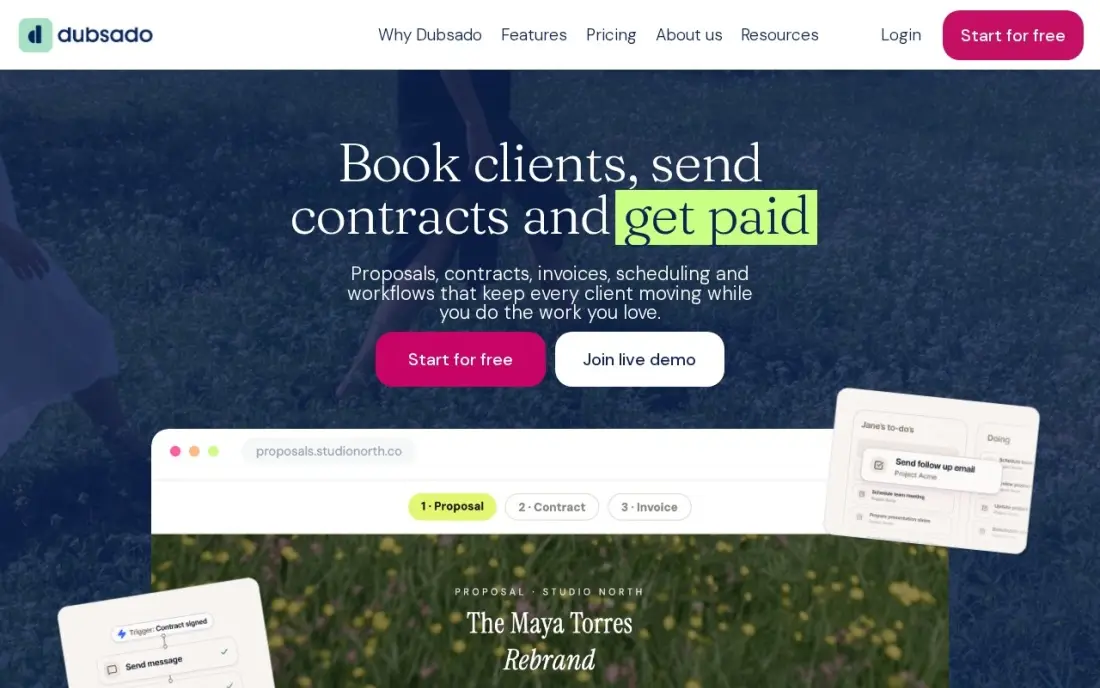
Dubsado is the automation pick in this list. Both plans cover unlimited clients and projects with invoicing, payment plans, contracts, forms and a client portal, and the first three users are included at no extra cost. Starter costs $35 a month, or $335 a year, and Premier at $55 a month adds the Flows automation builder, scheduling, public proposals and Zapier. Dubsado charges no fee of its own on payments.
The honest trade-off is setup time: reviewers report a steep learning curve, and the signature workflows live on Premier, not Starter, so the plan most photographers need costs $55 a month. The 3.0 rebuild from late 2025 is still being finished. Choose Dubsado when automation matters more than polish and you will invest a weekend in setup; choose HoneyBook to send proposals on day one.
What we like
- Both plans include unlimited clients and projects, and the first 3 users cost nothing extra
- Premier adds the Flows automation builder, scheduling, public proposals and Zapier for $55 a month
- Dubsado adds no fee of its own on payments, so clients pay only the processor's rate
Watch out for
- Workflows, scheduling and public proposals need Premier at $55 a month, not Starter
- Reviewers consistently report a steep setup curve, with 15 to 25 hours to get running
- No free plan, and the rebuilt 3.0 platform is still finishing its rollout

Studio Ninja
Best for: Solo photographers who want a photography-specific CRM for $16 a month
Studio Ninja is the CRM that speaks photographer. Instead of generic pipelines, it thinks in leads, shoots, contracts and invoices, with workflows that send questionnaires, reminders and follow-ups automatically. Starter costs $16 a month, or $160 a year, and covers quotes, invoices, contracts, questionnaires, a client portal and payments. It integrates with ShootProof and Pic-Time for galleries and Xero and QuickBooks for accounting.
The Starter cap is the thing to watch: five active jobs, one user and one contact form. A photographer with six weddings booked is already on Pro at $27 a month, which adds workflow automation and booking forms. There are no galleries of its own, so delivery needs a second tool. Pick Studio Ninja for the cheapest photography-specific CRM when you already have a gallery; pick Sprout Studio when you want both on one bill.
What we like
- The cheapest real CRM in this list: quotes, invoices, contracts, questionnaires, a client portal and payments from $16 a month
- Built only for photographers, so leads, shoots, contracts and invoices are native concepts, not workarounds
- Integrates with gallery platforms such as ShootProof and Pic-Time, plus Xero and QuickBooks
Watch out for
- Starter caps at 5 active jobs, 1 user and 1 contact form, so most working photographers need Pro at $27 a month
- No galleries or print selling of its own, so it pairs with a gallery tool rather than replacing one
- Some reviewers report slower support since the ImageQuix acquisition

Sprout Studio
Best for: Photographers who want the CRM and the client galleries on one bill
Sprout Studio puts the CRM and the galleries in one tool, so you do not need two logins. Lite costs $19 a month and covers 10 active shoots and galleries with 50GB of storage, plus contracts, price lists, online booking, workflows and email marketing. Higher plans raise the shoot and storage caps: Basic at $36 covers 20 shoots, Pro at $51 is unlimited, and Unlimited at $69 removes every cap.
Two honest caveats: the G2 score is the lowest in this list at 3.6/5 from 12 reviews, with reviewers mentioning an outdated design and limited automation, and there is no annual billing published, so the monthly price is the price all year. Choose Sprout Studio when one login for CRM and galleries beats a second subscription; choose Studio Ninja plus ShootProof for the best of each job separately.
What we like
- Galleries, album proofing and email marketing are built in, so one subscription covers delivery and paperwork
- Lite includes online booking and workflow automation from $19 a month, with no feature held back by tier
- Plans are set by active shoots and storage, so a quiet month costs the same as a busy one
Watch out for
- The lowest G2 score in this list at 3.6/5 from 12 reviews, with reviewers flagging outdated design
- Cheaper plans cap active shoots and storage, so a busy season can force an upgrade
- Monthly-only billing with no annual discount published

Pixieset
Best for: Photographers already delivering galleries on Pixieset who want contracts and invoices in the same account
Pixieset is best known for client galleries, and Studio Manager is its CRM: contracts, invoices, booking forms, questionnaires and a booking site in the same account as the photos. The free plan costs $0 and covers unlimited invoices, 3 contracts, 3 quotes or questionnaires and 1 session type. Plus at $15 a month, or $12 billed annually, removes the caps and adds custom branding and payment reminders.
The free plan is a real start, not a demo — but three contracts is about one month of bookings for a busy photographer, so most studios pay within weeks. Galleries, website and store are separate subscriptions, and the Suite bundle covering all three starts at $28 a month billed annually. Pick Pixieset when your galleries already live there; pick HoneyBook when the CRM is the main job.
What we like
- The only free start in this list that is a real CRM: unlimited invoices, contracts and a booking site at $0
- Plus at $15 a month unlocks unlimited contracts and quotes, custom branding and payment reminders
- The Suite bundle adds the website and galleries from $28 a month billed annually
Watch out for
- The free plan stops at 3 contracts and 1 session type, so a fourth booking needs Plus at $15 a month
- Galleries, website and store are separate paid apps, so the full Pixieset stack costs more than Studio Manager alone
- No free trial on paid plans; the free plan is the only way to try it

ShootProof
Best for: Photographers who sell prints and want commission-free galleries with contracts built in
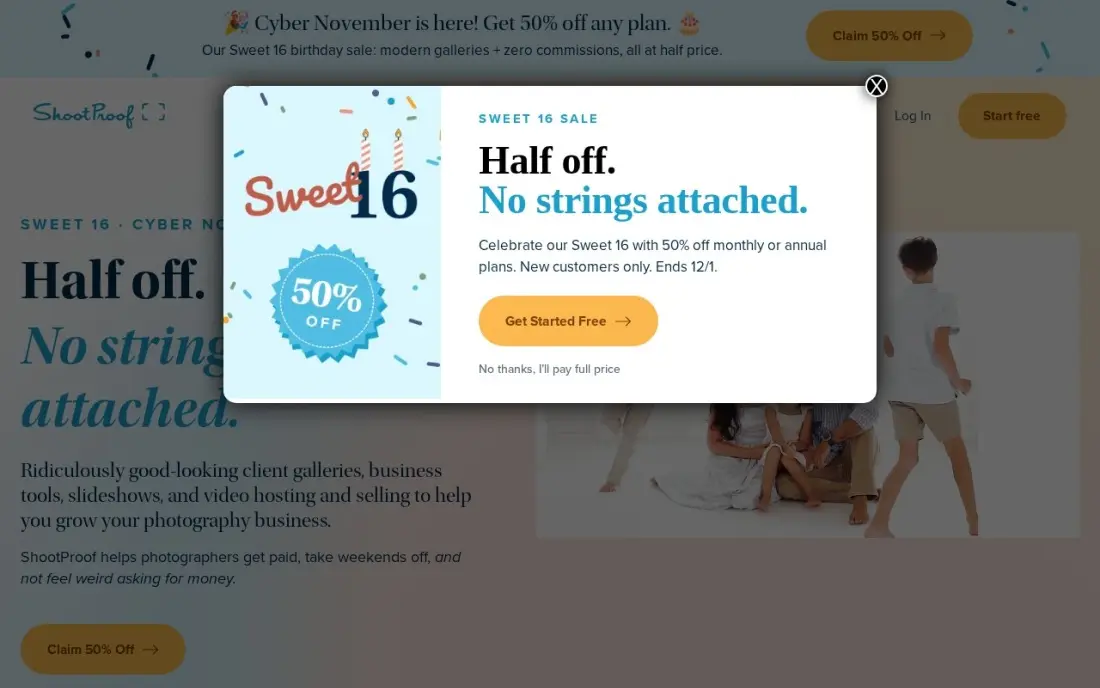
ShootProof has served photographers since 2010, and its headline promise has not changed: you keep 100 percent of your sales, with zero commission on any plan. The free plan covers 3GB of storage, and Starter at $9.99 a month, or $8.33 billed annually, adds 20GB of photo and video storage with e-sign contracts and invoicing with tipping. Every plan is white-labeled, and the print labs are built in.
The pricing unit is storage, not features: the only difference between paid plans is how much you can keep online, so a high-volume wedding photographer climbs to Professional at $31.99 a month or Premium at $60. Online booking is a $6.99-a-month add-on on any plan. Pick ShootProof when print sales matter and you want the best-reviewed galleries here; pick Pixieset when the CRM side matters more than the store.
What we like
- The highest G2 score in this list at 4.9/5 from 92 reviews, with ease of use praised most
- Zero commission on print and product sales on every plan, including the free plan
- Every plan is white-labeled, and paid plans include e-sign contracts and invoicing with tipping
Watch out for
- Pricing is set by storage, so a high-volume photographer pays more for the same features
- Online booking is a paid add-on at $6.99 a month, not part of any plan
- Reviewers note the storage-based price is hard to sustain for event and wedding volume

17hats
Best for: Solo photographers who want every feature on one plan with no tier-gating

17hats runs on a single all-inclusive plan: $60 a month, $600 a year, or $800 for two years. No tiers, no held-back features — projects, invoicing, contracts, quotes, questionnaires, workflows and lead capture are all in the one price, and a 50% first-purchase promotion cuts the first year to $300. A free CRM tier covers unlimited contacts and projects with four invoices a quarter.
The base price is the highest here, and the add-ons are where the bill grows: scheduling, bank connect, time tracking and QuickBooks each cost $5 to $10 a month, so a solo user who wants everything lands near $75 to $80 a month. Reviewers also describe a dated interface and a steep learning curve. Pick 17hats for one price with everything in it; pick Studio Ninja when $16 a month covers the same jobs.
What we like
- One all-inclusive plan with no tier-gating: every core feature is included at one price
- A 50% first-purchase promotion cuts the first year to $300, or $400 for two years
- Works worldwide, unlike HoneyBook, which is limited to the US and Canada
Watch out for
- The $60 a month base price is the highest starting price here, and add-ons push it higher
- Scheduling, bank connect, time tracking and QuickBooks each cost $5 to $10 a month extra
- Reviewers describe a dated interface and a steep learning curve

Iris Works
Best for: Portrait, family and senior photographers who want the simplest setup
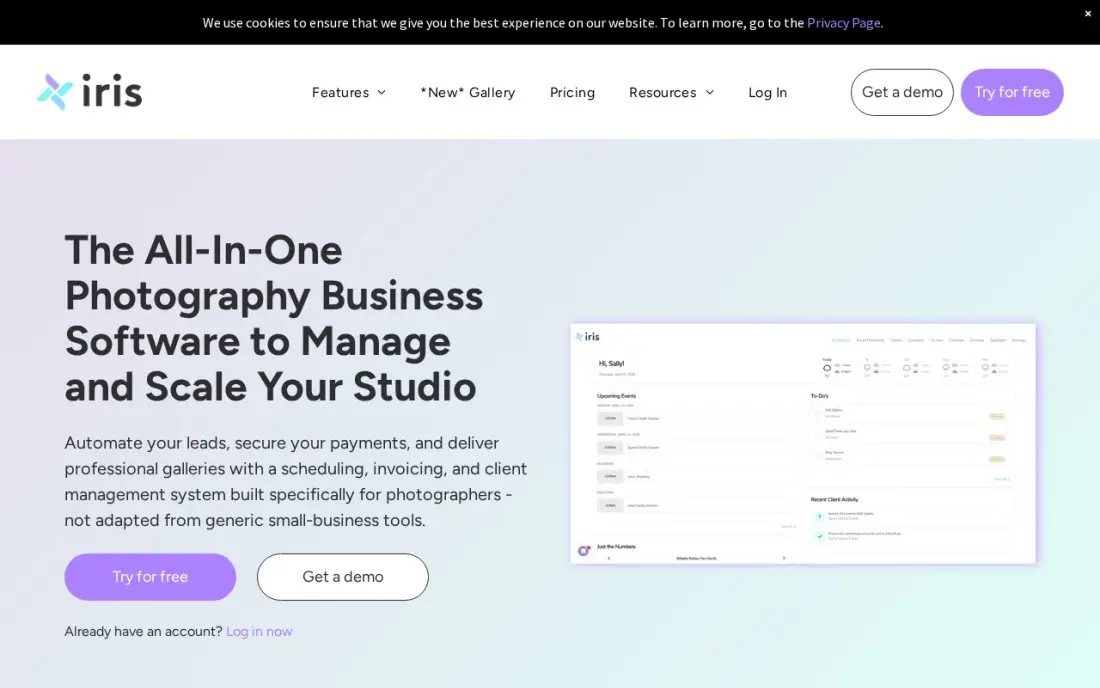
Iris Works was built by a photographer who found existing tools too complex, and it shows in the best way. Online booking, a booking website, e-contracts, invoices and quotes all speak the language of sessions, retainers and balance payments rather than generic projects, and questionnaires come pre-built for wedding, portrait, newborn and other session types. Starter costs $14.95 a month, or $149 a year, and migration onto the platform is free.
The trade-off is depth. Workflows and automation start on Basic at $29.95 a month, and online booking with email marketing together needs the top Pro Plus plan at $49.95. There are no galleries, so delivery runs through ShootProof or Pic-Time, and each account holds one brand. Pick Iris Works when you want the simplest setup for portrait and family work; pick Dubsado when automation depth matters more than simplicity.
What we like
- Online booking, a booking website and e-contracts come on the cheapest plan at $14.95 a month
- Session-specific questionnaires come pre-built for wedding, portrait, newborn and other session types
- Free migration onto the platform, with a 14-day trial that needs no credit card
Watch out for
- Workflows and automation start on Basic at $29.95 a month, not on Starter
- Online booking and email marketing together need the top Pro Plus plan at $49.95 a month
- One brand per account, and no galleries of its own, so delivery runs through ShootProof or Pic-Time

Bloom
Best for: New and part-time photographers starting on a budget who want galleries included
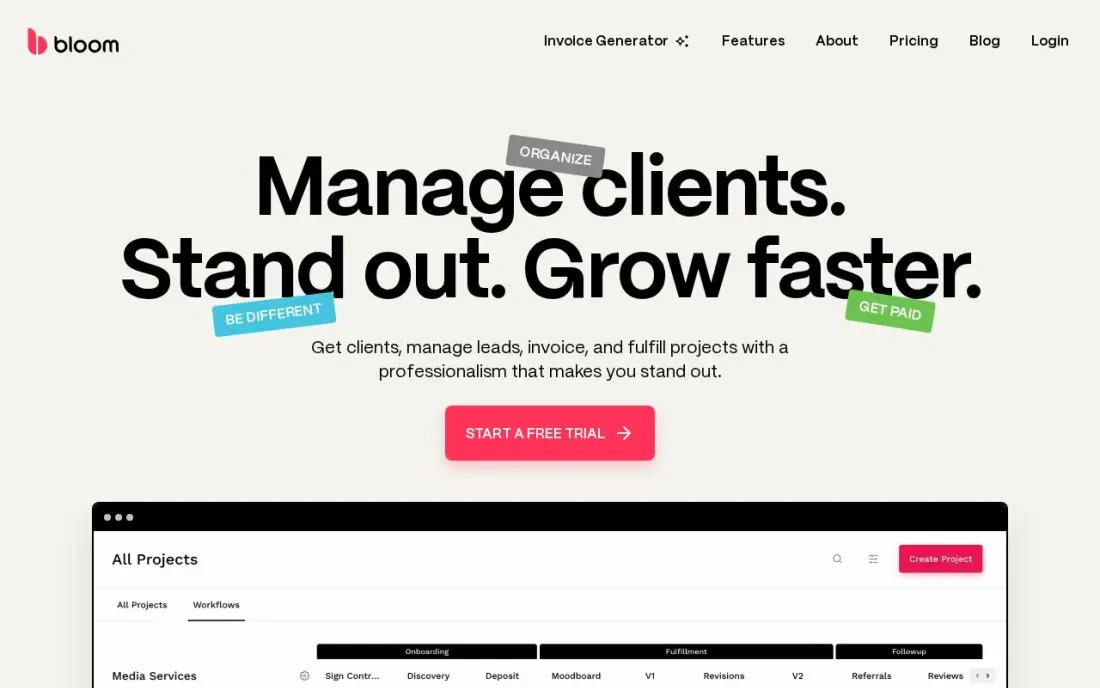
Bloom gives new photographers professional booking tools at side-hustle prices. Starter costs $14 a month, or $7 a month billed annually for the first year, and covers contracts, invoices, booking, a client portal and built-in galleries — plus client messaging and a portfolio website, which the other budget tools charge extra for or do not offer. Standard at $34 a month, or $17 on the first-year annual price, removes the project cap.
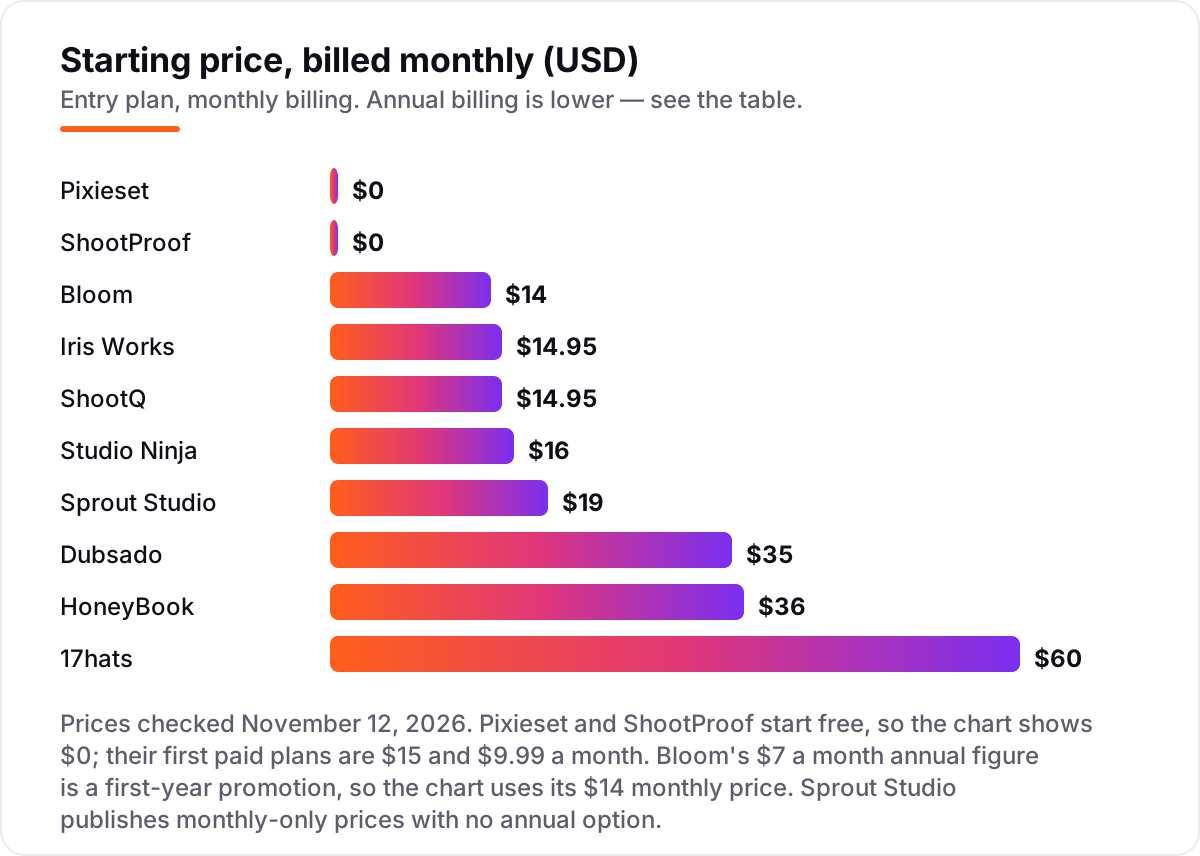
Starter is small: three projects and one workflow, so a photographer booking a full season outgrows it within months. The $7 annual figure is a first-year promotion, and Starter adds a 1.5% Bloom fee on top of the processor's rate. Pick Bloom when you are starting out and want galleries included for the lowest price; pick Pixieset when the free plan matters more.
What we like
- Built-in galleries, client messaging and a portfolio website come with the CRM, not as add-ons
- Standard and Plus charge no Bloom markup on payments, so clients pay only the processor's rate
- Photographers can use their own processor: Stripe, Square, PayPal or Venmo
Watch out for
- Starter covers only 3 projects and 1 workflow, so a growing studio outgrows it fast
- The $7 a month annual price is a 50%-off first-year promotion, not the ongoing rate
- Starter adds a 1.5% Bloom fee on payments, on top of the processor's rate

ShootQ
Best for: Studios that price by seats and want a booking-first CRM with room for associates
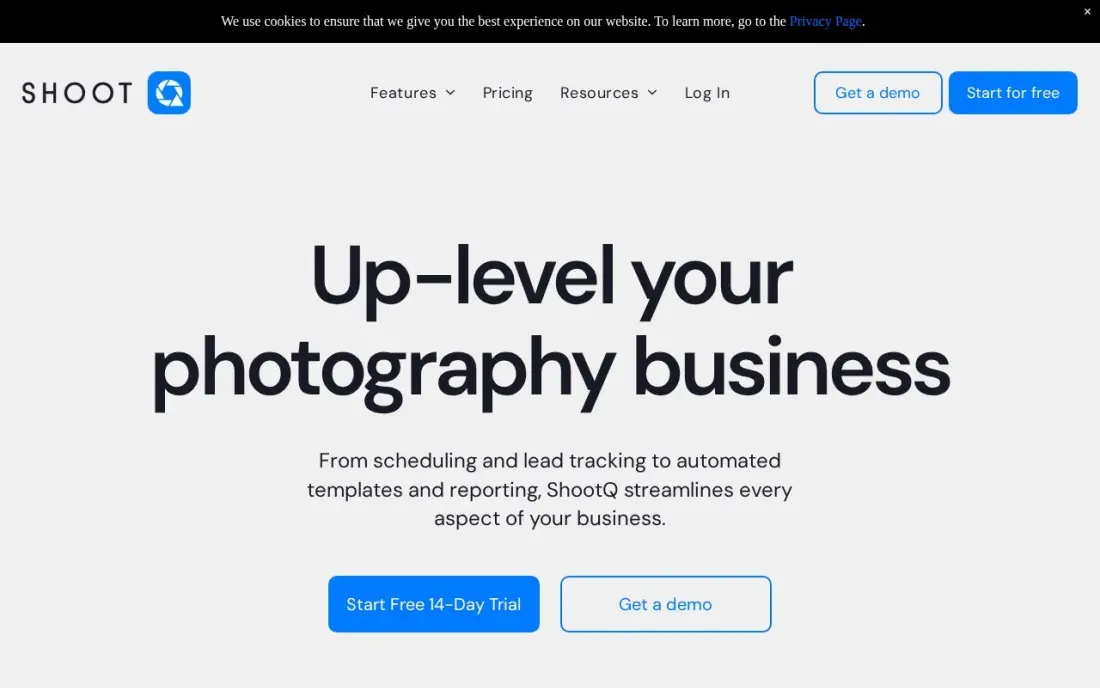
ShootQ is the booking-first CRM here, and it prices by seats: Booking Only at $14.95 a month covers bookings, contracts and invoices for one user, Essential at $39.95 adds proposals, workflows and lead forms for three users, Studio at $59.95 covers six users, three brands, and Hub at $79.95 covers ten users and five brands. Annual billing runs $149 to $799 a year; extra users or brands cost $4.95 each on the top two plans.
The entry plan is narrow: no proposals, no workflows, no lead forms, and the Booking Module costs $10 a month where it is not included. The Capterra score is the lowest in this list at 3.7/5 from 22 reviews, with reviewers calling setup clunky. Pick ShootQ when the studio has associates to seat; pick Iris Works, its sister product, when you work alone.
What we like
- Plans scale by seats and brands, from 1 user on Booking Only to 10 users and 5 brands on Hub
- Essential at $39.95 a month adds proposals, workflows and lead forms for 3 users
- Extra users and brands cost $4.95 each on the top two plans, so growth is priced in small steps
Watch out for
- Booking Only covers bookings, contracts and invoices for 1 user, with no proposals or workflows
- The Booking Module add-on costs $10 a month on plans that do not include it
- The lowest Capterra score in this list at 3.7/5, with reviewers calling setup clunky
The best CRM software for photographers books the client, gets the contract signed, takes the payment and chases the follow-ups — and the right one depends on whether you shoot weddings, portraits or a bit of both. The 10 tools below are ranked by fit for the most common buyer, a solo US photographer booking 20 to 40 weddings or portrait sessions a year, and every price was checked against the vendor's own pricing page in reads dated October to November 2026.
How to choose the best crm software for photographers
- Count the pricing unit first. HoneyBook and Dubsado charge per account, ShootQ and Studio Ninja per seat or job, Sprout Studio per shoot and ShootProof per gigabyte. The unit decides what a growing studio pays, not the headline price.
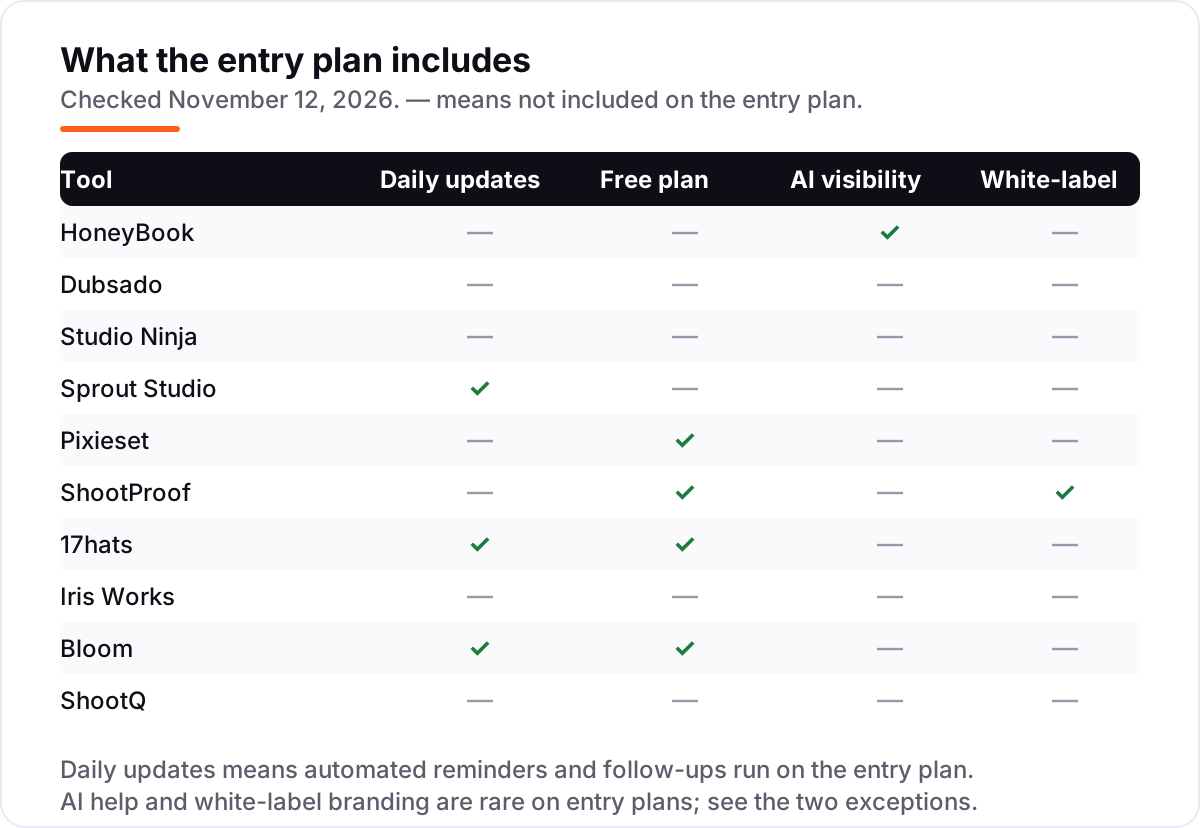
- Check whether galleries are included. Sprout Studio, Pixieset, ShootProof and Bloom deliver photos in the same subscription; HoneyBook, Dubsado, Studio Ninja, Iris Works and ShootQ do not, so add a gallery bill to their price.
- Check what automation the entry plan actually includes. HoneyBook Starter has no scheduler or automations, Dubsado Starter has no workflows, and Studio Ninja Starter has no booking forms — the plan most photographers need is usually the second tier.
- Check where the tool works. HoneyBook only serves businesses in the US, Canada, the UK and Australia, while Dubsado, Studio Ninja, Sprout Studio, 17hats and Pixieset work worldwide.
- Check the free-plan caps. Pixieset stops at 3 contracts, ShootProof at 3GB of storage and 17hats at 4 invoices a quarter — a free plan that runs out mid-season is not a free plan.
- Think about the next year, not the next month. A solo photographer who hires an associate needs a plan that grows by the seat, not one that jumps to an enterprise tier.
A CRM books the work, but it does not bring in the work on its own. If the studio is not showing up when people nearby search for a photographer, our local SEO service covers that side. And before you publish new pages for the sessions you offer, run your titles through the free SERP snippet preview tool — it shows exactly how the title and description will look in Google.
Whatever you shortlist, try it with a real booking before you pay. The trials in this list run 7 to 30 days, which is long enough to send a real proposal, sign a real contract and take a real payment. Check two things in the trial: that a client can book and pay from your own website link without emailing you first, and that the reminders go out on time. Every tool here offers a trial or a free plan, so there is no reason to buy before the studio has run a real week on it.
CRM software for photographers pricing: what you will actually pay
Take a solo wedding photographer booking 30 weddings a year at $3,000 each, working alone with no associate. On list prices, the subscription costs $0 a year on Pixieset Free or ShootProof Free, $168 on Bloom Starter billed monthly, $179.40 on Iris Works Starter or ShootQ Booking Only billed monthly, $192 on Studio Ninja Starter, $228 on Sprout Studio Lite, $420 on Dubsado Starter, $432 on HoneyBook Starter and $720 on 17hats. Annual billing cuts most of these: HoneyBook Starter drops to $348 a year, Dubsado Starter to $335, Studio Ninja Starter to $160, Iris Works Starter to $149 and ShootQ Booking Only to $149. Pixieset Plus costs $144 a year and ShootProof Starter $99.99, so a photographer who outgrows the free plans still pays under $150 a year on either.
Three costs sit outside every number above. First, card processing: on $90,000 of bookings a year, a 2.9% card rate costs about $2,600 before per-transaction fees, which is more than the subscription on every tool here except 17hats. Second, the second tier: the plan most photographers actually need — HoneyBook Essentials at $588 a year, Dubsado Premier at $525, Studio Ninja Pro at $270 — costs more than the starting price in every case. Third, the gallery bill for tools that do not include one: a Pixieset Suite or a ShootProof plan adds $99 to $336 a year on top of a pure CRM subscription.
Know the difference: a photography CRM vs a gallery with contracts
The confusion in this category is what the tool is actually for. A photography CRM runs the business side: leads, quotes, contracts, invoices, questionnaires, booking and follow-ups. A gallery delivers the photos and sells prints. HoneyBook, Dubsado, Studio Ninja, 17hats, Iris Works and ShootQ are CRMs first — they have no galleries of their own, so delivery runs through Pixieset, ShootProof or Pic-Time. Pixieset and ShootProof are galleries first — the CRM is an app inside the gallery account, and it is thinner than a pure CRM on workflows and automation.
The tools that try to do both are Sprout Studio and Bloom, which bundle galleries with the CRM, and Pixieset's Suite, which bundles the gallery, website and Studio Manager. The trade-off is depth: a bundled CRM rarely automates as well as Dubsado, and a bundled gallery rarely sells prints as well as ShootProof. Count the jobs you actually need done — booking and paperwork, delivery and print sales, or both — and buy the tool built for the job that earns the money. If both matter, budget for two tools rather than forcing one to do a job it was not built for.
There is a second, quieter confusion: a free plan is not a free business. Pixieset Free, ShootProof Free and the 17hats free CRM all cost $0 a month, but every card payment still carries a processing fee, and the features that protect revenue — payment reminders, booking and no-show protection — need a paid plan. Budget on the subscription plus processing plus the gallery, not on the $0 headline.
Quick comparison: tool type by need
| Buyer | Best pick | Why |
|---|---|---|
| US or Canadian wedding photographer | HoneyBook | Most polished proposal-to-payment flow, from $36/month |
| Photographer who wants deep automation | Dubsado | Flows, scheduling and unlimited clients from $35/month |
| Solo photographer on a tight budget | Studio Ninja | Photography-specific CRM from $16/month |
| Photographer who wants CRM plus galleries | Sprout Studio | Galleries and proofing built in from $19/month |
| Photographer starting out for free | Pixieset | Free Studio Manager, Plus is $15/month |
| Photographer who sells prints | ShootProof | Zero commission on every sale, from $0 |
Mistakes to avoid
- Budgeting on the subscription alone. Card processing runs about $2,600 a year on $90,000 of bookings, and a gallery adds $99 to $336 more. The subscription is the smallest part of the bill for a busy photographer.
- Comparing monthly prices without checking billing. The annual price is usually 15–20% lower — HoneyBook Starter drops from $36 to $29 a month — and Sprout Studio has no annual option at all.
- Ignoring the pricing unit. A tool can be cheap for one person and dear for five: ShootQ charges per seat, Sprout Studio per shoot, ShootProof per gigabyte and HoneyBook per account. Price the team you will have next year, not the team you have today.
- Buying a gallery for CRM work, or a CRM for delivery. Pixieset and ShootProof are thin on workflows; HoneyBook and Dubsado have no galleries. Count the jobs first, then buy the tool built for them.
- Forgetting the free-plan caps. Pixieset stops at 3 contracts, ShootProof at 3GB and 17hats at 4 invoices a quarter. A free plan that runs out mid-season forces an upgrade at the worst moment.
How we chose
We checked each vendor's own pricing page in independent reads dated October to November 2026, the latest on November 12, 2026, and recorded the starting price exactly as shown, including the annual-billing figure where the page lists one. Direct fetches from this connection were blocked, so no price is presented as a same-day vendor-page read; the figures agree across at least two independent reads for every tool. We ranked the tools by fit for the most common buyer — a solo US photographer booking 20 to 40 weddings or portrait sessions a year — not by brand size. Three prices needed extra care. Sprout Studio publishes monthly-only prices with no annual option, and one directory lists a $24 monthly figure with a $19 annual toggle; the November 2026 reads of the vendor's own pricing show $19 a month with no yearly price, so that is the number used. Bloom's $7 a month annual figure is a 50%-off first-year promotion, so the chart uses its $14 monthly price. Capterra still lists Studio Ninja from $24.90 a month, but the vendor's own pricing page lists Starter at $16, and that is the number used. Ratings come from G2 pages, except Studio Ninja and ShootQ, where G2 has no usable listing, so we used their Capterra ratings instead; Iris Works shows no rating because neither G2 nor Capterra lists the photography product. No vendor paid for a place in this list, and none of the links here are affiliate links.
What to do next
Start with the free plan or trial of your top pick and run one real booking through it: send a proposal, sign a contract and take a real payment. Check that a client can book and pay from your own website link without emailing you first, and that the reminders go out on time. If the studio is sorted but new clients are not finding it, our monthly SEO service handles the visibility side — or compare providers in our guide to SEO companies for small business. Software runs the business; search brings the customers. See where you rank locally, free.
Frequently asked questions
What is the best CRM software for photographers?
HoneyBook is the best fit for most photographers at $36 a month, with the smoothest proposal-to-payment flow. Dubsado is the best pick for automation at $35 a month, and Studio Ninja is the best photography-specific value at $16. Photographers who want galleries included should look at Sprout Studio, Pixieset or Bloom instead.
How much does CRM software for photographers cost?
Most solo photographers pay $0 to $60 a month for the subscription. Three tools here start free, and the first paid plans run $9.99 to $36 a month. A wedding photographer booking 30 weddings a year typically pays $120 to $432 a year for the subscription alone, before card processing fees.
Is there a free CRM for photographers?
Yes, with limits. Pixieset Studio Manager is free with 3 contracts, ShootProof is free with 3GB of storage, and 17hats has a free CRM tier with 4 invoices a quarter. Free plans work for a photographer starting out, but a busy season outgrows the contract and storage caps fast.
What happened to Tave?
VSCO acquired Tave Studio Manager in May 2025 and relaunched it as VSCO Workspace in August 2025. New users buy it only inside the VSCO One bundle at $499.99 a year, billed annually, with no monthly option. Existing Tave customers kept their old Solo, Boutique and Studio pricing through at least 2026.
Do I need a CRM if I already have galleries?
Yes, if the business side is eating your time. A gallery delivers photos and sells prints, but it does not chase leads, send contracts, collect retainers or follow up after a shoot. Pixieset and ShootProof bundle both jobs, while HoneyBook, Dubsado and Studio Ninja handle the business side and link to your gallery.
Can I switch photography CRM software later?
Yes, but move in a quiet month. Export the client list, contracts, invoices, questionnaires and future bookings, then import them into the new tool and test the booking page before going live. Iris Works offers free migration, and Studio Ninja offers a free move-in, so ask about help before switching.
What should I check before paying for a photography CRM?
Check what the price counts: per account, per seat, per shoot or per gigabyte of storage. Then check whether workflows, booking and galleries are included or extra, and whether the tool works where you live. Run the trial with a real booking: send a proposal, sign a contract and take a real payment.
Sources we checked (19)
- HoneyBook pricing — honeybook.com/pricing (checked November 12, 2026)
- HoneyBook on G2 — 4.5/5, 248 reviews (checked November 12, 2026)
- Dubsado pricing — dubsado.com/pricing (checked November 12, 2026)
- Dubsado on G2 — 4.3/5, 74 reviews (checked November 12, 2026)
- Studio Ninja pricing — studioninja.co/pricing (checked November 12, 2026)
- Studio Ninja on Capterra — 4.4/5, 68 reviews (checked November 12, 2026)
- Sprout Studio pricing — getsproutstudio.com/pricing (checked November 12, 2026)
- Sprout Studio on G2 — 3.6/5, 12 reviews (checked November 12, 2026)
- Pixieset pricing — pixieset.com/pricing (checked November 12, 2026)
- Pixieset on G2 — 4.7/5, 5 reviews (checked November 12, 2026)
- ShootProof pricing — shootproof.com/plans (checked November 12, 2026)
- ShootProof on G2 — 4.9/5, 92 reviews (checked November 12, 2026)
- 17hats pricing — 17hats.com/pricing (checked November 12, 2026)
- 17hats on G2 — 4.6/5, 120 reviews (checked November 12, 2026)
- Iris Works pricing — iris-works.com/pricing (checked November 12, 2026)
- Bloom pricing — bloom.io/pricing (checked November 12, 2026)
- Bloom on G2 — 4.5/5, 83 reviews (checked November 12, 2026)
- ShootQ pricing — shootq.com/pricing (checked November 12, 2026)
- ShootQ on Capterra — 3.7/5, 22 reviews (checked November 12, 2026)
Make one of these tools?
We re-check this list every quarter. Send a correction, request a review, or ask about a clearly labeled sponsored spot.
Request a listingShamim
Founder of SerpAstra
A full-stack SEO and digital marketer who spends most days on Local SEO for dental practices, AI search visibility and lead generation.
Free SEO and AI visibility audit
Find out what is holding your rankings back
Send us your site. Within 2 business days you get a written audit, an AI visibility check and a short fix list ranked by impact. Free, with no contract attached.
Request my free audit→Related buying guides
 Photo Editing & Photography10 Best Booking Software for Photographers in 2026, ComparedCompare the 10 best booking software for photographers on price, free plans, galleries and booking tools, with every price checked November 7, 2026.Read guide →
 Sales & CRM12 Best CRM Email Marketing Software in 2026, Compared12 best crm email marketing software tools compared on price, CRM depth and automation, with real starting prices checked on November 4, 2026.Read guide →
 Sales & CRMBest Marketing CRM Software for 2026: 11 Options Compared by Use CaseCompare the 11 best marketing crm software options for 2026 on price, free plans, automation and AI features, with every price checked November 5, 2026.Read guide →