
8 Best Digital Accessibility Platforms in 2026, Compared
The 8 best digital accessibility platforms compared on price, WCAG coverage and free plans — from $30/month widgets to enterprise audits, checked Nov 12, 2026.
 Shamim Mia, Founder, SerpAstraLast verified November 12, 202613 min read
We compare pricing pages, documentation and public reviews. We never accept payment for rankings.
Key takeaways
- accessiBe leads for most small businesses at $49 a month, with AudioEye and UserWay at the same price, EqualWeb cheapest at $39 and Pope Tech cheapest overall at $30.
- The single most important buying factor is what the tool actually does: widgets change the visitor experience, scanners find issues for developers to fix — neither alone makes a site compliant.
- Pope Tech has the only genuinely free scanning plan at 25 pages a month, while Siteimprove, Level Access and Deque are custom-quoted enterprise tools with no published prices.
- Every price below was checked on the vendor's own pricing page or a fresh vendor statement on November 12, 2026, except AudioEye's $49, which comes from G2's vendor-supplied listing. Ratings are G2, except Deque (Capterra); Pope Tech has no review-site rating.
On this page
Quick comparison
| Tool | Best for | Starting price | Free plan |
|---|---|---|---|
| accessiBe | Small businesses that want a one-line install and automated WCAG fixes without a developer | $49/mo | No (free trial) |
| AudioEye | Mid-size businesses that want automated fixes plus human expert audits in one platform | $49/mo | No (free trial) |
| UserWay | Small businesses that want a free widget now and a paid plan with monitoring later | $49/mo | Yes (free widget) |
| EqualWeb | Small businesses that want the cheapest widget plus access to certified accessibility experts | $39/mo | Yes (free version) |
| Pope Tech | Schools, nonprofits and small teams that want WAVE-powered scanning with a real free plan | $30/mo | Yes (free plan) |
| Siteimprove | Mid-size and enterprise teams that need accessibility, QA, SEO and analytics governed in one place | Custom quote | No (free trial) |
| Level Access | Enterprises and government agencies that need audit-led, legally defensible accessibility programs | Custom quote | No |
| Deque | Engineering teams that want accessibility testing inside the browser, IDE and CI/CD pipeline | Custom quote | Yes (free extension) |
Make one of these tools?
We re-check this list every quarter. Send a correction, request a review, or ask about a clearly labeled sponsored spot.
Request a listingThe best digital accessibility platforms

accessiBe
Best for: Small businesses that want a one-line install and automated WCAG fixes without a developer
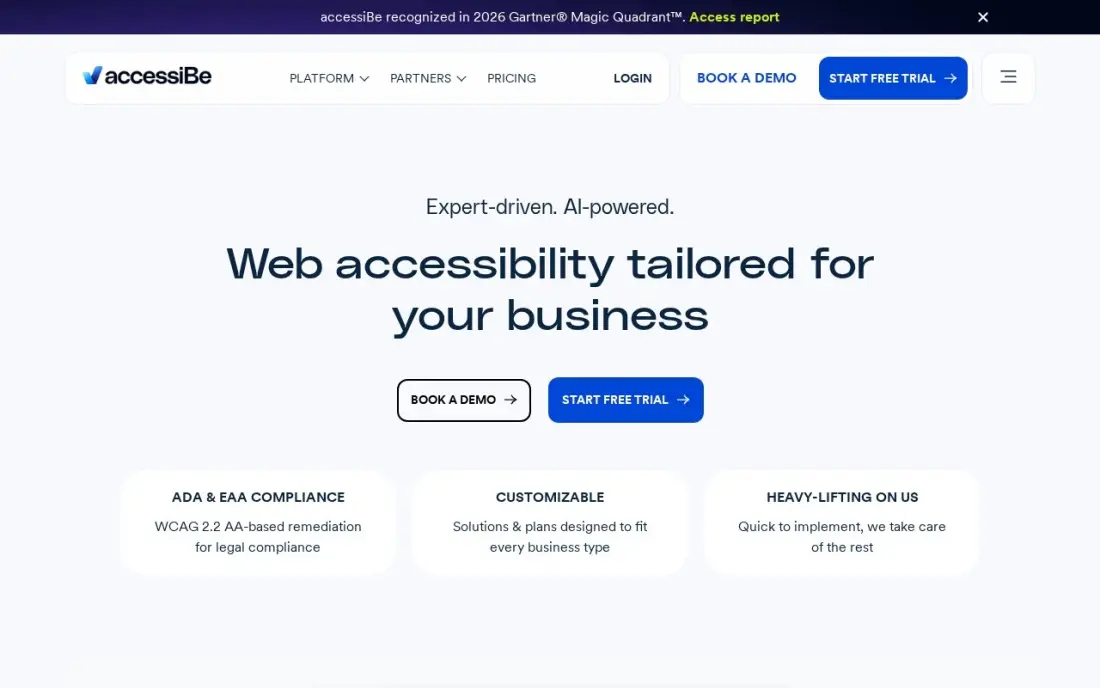
accessiBe is the biggest name in this list for a reason: the accessWidget installs with one line of code, scans the site daily with AI, and sends a monthly compliance report — all from $49 a month for sites up to 1,000 pages. For a small business with no developer, it is the fastest route to an accessibility menu, an accessibility statement, and a paper trail if a demand letter arrives.
The honest limit applies to every widget here: accessWidget changes what visitors experience, not the code underneath, and the FTC's 2025 order bars accessiBe from claiming automation alone makes a site WCAG compliant. The price climbs with page count, and VPAT reports and expert audits cost extra. Buy accessiBe for speed and coverage, and budget separately for a developer to fix what the widget cannot.
What we like
- One line of code installs it, with no developer time and no changes to the site's own code
- Automated daily AI scanning with monthly compliance reports and an accessibility statement on every plan
- The largest user base here, with litigation support documentation available on higher tiers
Watch out for
- The widget changes the visitor experience, not the underlying code — manual fixes still need a developer
- The price climbs steeply with page count, and VPAT reports and expert audits cost extra

AudioEye
Best for: Mid-size businesses that want automated fixes plus human expert audits in one platform
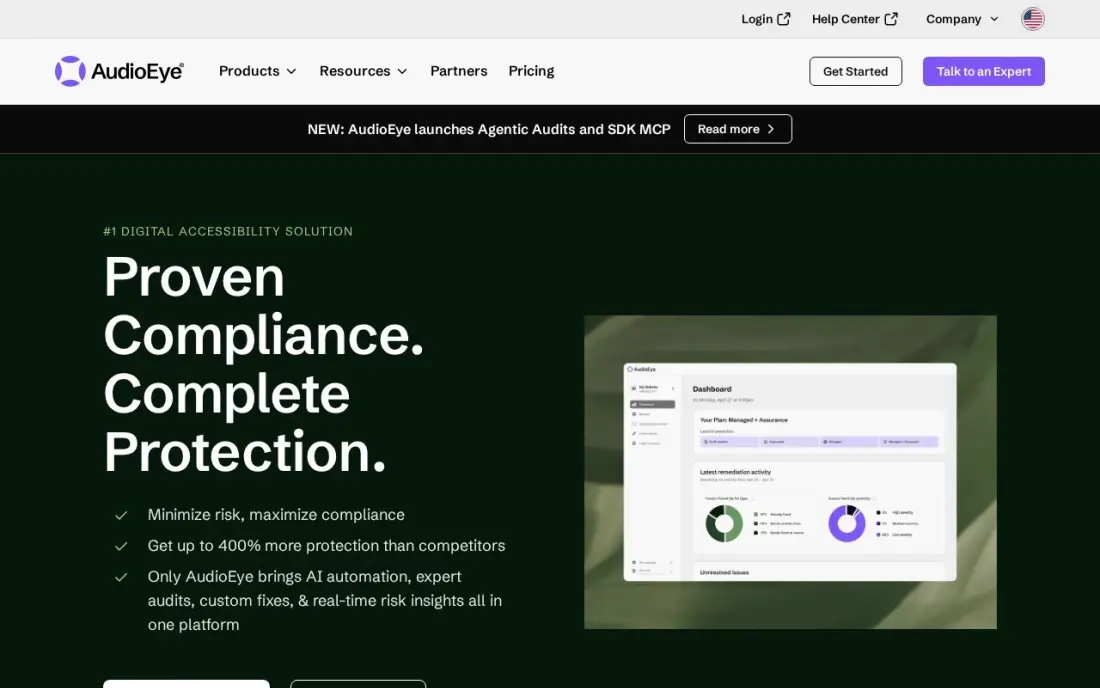
AudioEye is the hybrid of this list: automated fixes handle the common issues, and certified experts audit the rest and write custom fixes on the higher plans. The Automated plan covers continuous monitoring, an Accessibility Score that quantifies risk, a help desk and self-paced training — a broader safety net than a widget alone, for the same $49 a month.
Two honest caveats. First, the $49 figure comes from software directories, not from AudioEye: the vendor's own plans page lists three tiers with no dollar figures, so confirm the price in writing before you buy. Second, AudioEye's own copy says automation addresses only about half of accessibility issues, and the expert help that closes the gap sits on quote-only plans. Buy AudioEye when human review matters, not for the headline price alone.
What we like
- Combines automated fixes with certified expert audits — the only hybrid approach in this list
- Continuous monitoring with an Accessibility Score that quantifies risk on every page
- VPAT creation, mobile audits and document remediation available as add-ons
Watch out for
- The $49 figure comes from directories, not AudioEye's own page — the vendor publishes no prices
- AudioEye's own copy says automation alone addresses only about half of accessibility issues
- Self-Managed and Managed plans are quote-only, so the real price is unknown until you talk to sales

UserWay
Best for: Small businesses that want a free widget now and a paid plan with monitoring later
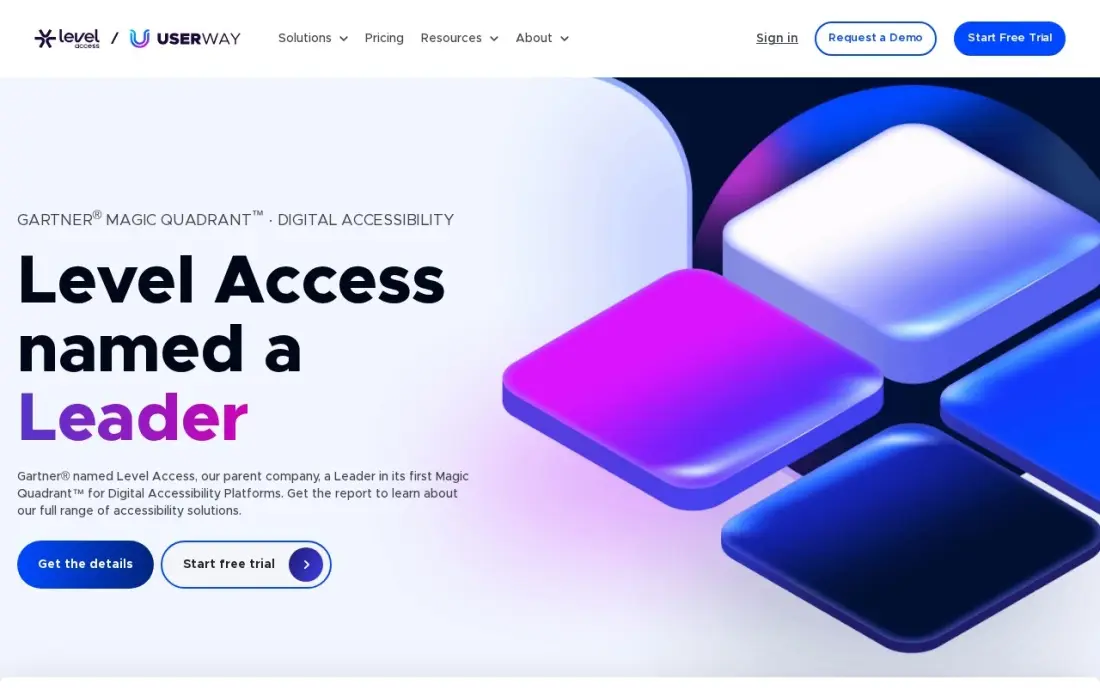
UserWay is the easiest way to start for free: the Lite widget gives visitors 12 user-triggered tools — contrast, text size, reading guides — with no credit card and no trial clock. Pro at $49 a month adds AI-powered remediation, monitoring of 10 pages and, on annual plans, a litigation support program backed by legal and accessibility experts.
The pricing unit is the thing to watch. Plans are metered by page views, so a traffic spike can push the site from the $49 tier into the $119 or $249 tier, and each subscription covers one domain — subdomains need their own plan. UserWay is now owned by Level Access, and its widget ships inside Level Access packages too. Buy it for the free start and the litigation support; count your page views before you commit.
What we like
- Free Lite widget with 12 user-triggered tools and no credit card required
- Annual plans include a litigation support program backed by legal and accessibility experts
- Pro Plus adds live translation in 50+ languages and monitoring of 50 pages
Watch out for
- Pricing is metered by page views, so a traffic spike can push the site into a higher tier
- Each subscription covers one domain — subdomains need their own plan
- Monitoring stops at 10 pages on Pro, so larger sites pay $119 or more
EqualWeb
Best for: Small businesses that want the cheapest widget plus access to certified accessibility experts
EqualWeb is the cheapest paid widget in this list at $39 a month for sites up to 100 pages, and it pairs the widget with something the others do not offer: certified IAAP/CPWA experts who audit, remediate and certify the site under a Managed Compliance plan. The widget fixes more than 80 WCAG 2.2 issues in real time, and a 7-day free trial comes with every plan.
The trade-off is scale and proof. EqualWeb has only 43 G2 reviews, the smallest base here, and the expert services that make it a hybrid are quote-only with no published prices. EqualWeb is unusually honest about the category: its own site warns that a widget alone is not a compliance strategy. Buy EqualWeb for the low entry price and the expert backup; treat the widget as a first step, not the finish line.
What we like
- Lowest widget price in this list at $39 a month for sites up to 100 pages
- Hybrid model: AI remediation plus certified IAAP/CPWA experts on Managed Compliance plans
- Accessibility Monitor scans continuously from $790 a year with unlimited scans
Watch out for
- Only 43 G2 reviews, the smallest review base in this list
- Expert services and Managed Compliance are quote-only, with no published prices
- EqualWeb's own site warns that a widget alone is not a compliance strategy

Pope Tech
Best for: Schools, nonprofits and small teams that want WAVE-powered scanning with a real free plan
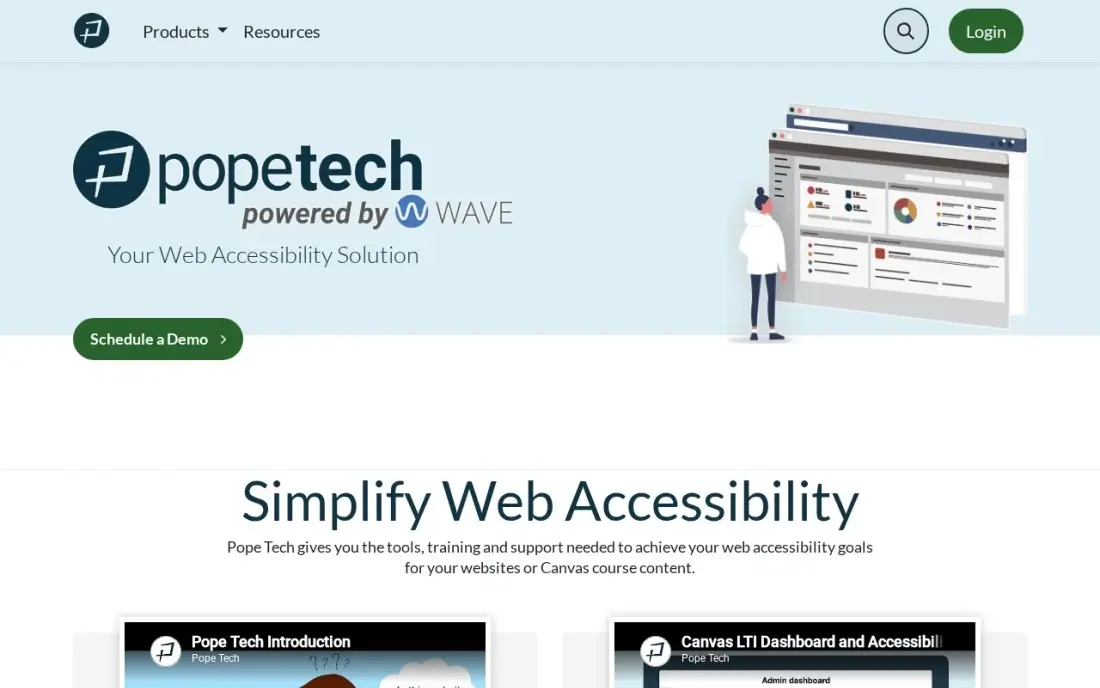
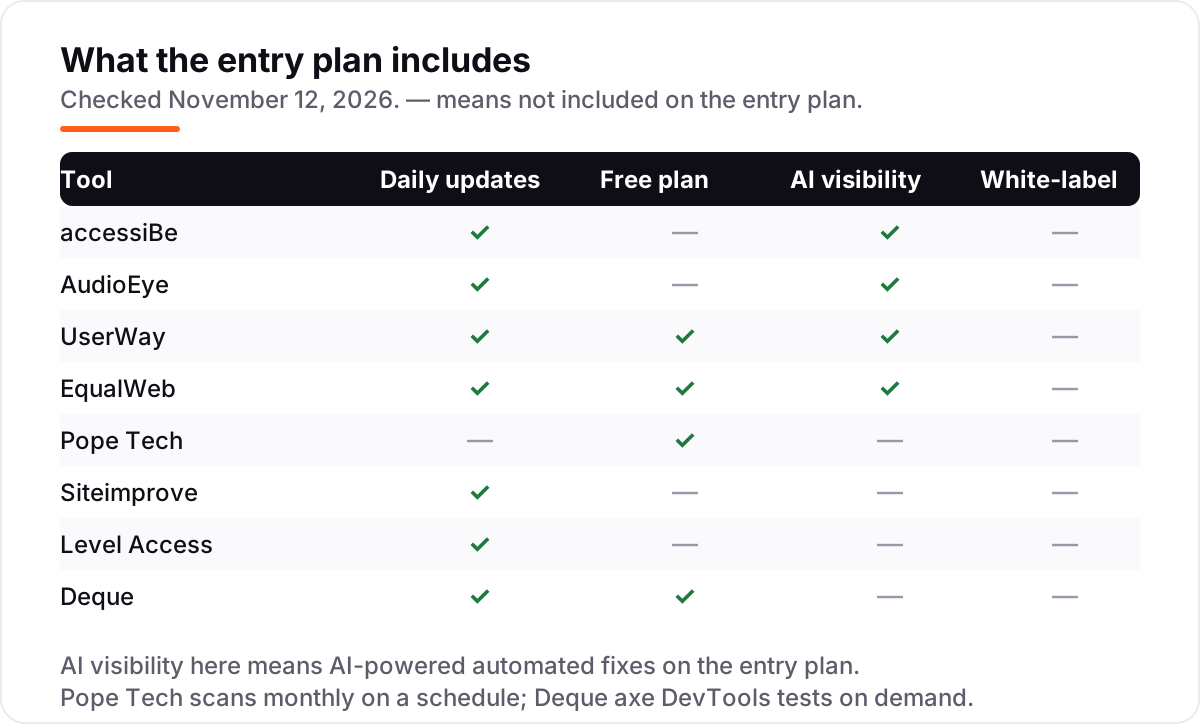
Pope Tech is the scanner for teams that fix their own code. It runs the WAVE engine — the free checker millions already use — across your whole site, on a schedule, with results in your inbox and a dashboard for every page. The free plan scans 25 pages a month forever, and Team starts at $30 a month for a 50-page tier with unlimited users, websites, groups and rescans.
What you do not get is fixing. Pope Tech finds issues and reports them; every correction needs a developer, and there is no visitor-facing widget for people who need help using the site today. Scans run monthly on a schedule rather than daily, so a new issue can sit for weeks. Buy Pope Tech when the team can act on the list; buy a widget when visitors need help now.
What we like
- Free plan scans 25 pages a month forever, with no credit card and no trial clock
- Unlimited users, websites, groups and rescans on every paid plan
- WAVE results match the free WAVE checker, so teams already know how to read them
- Pricing is by page count only — adding people never raises the bill
Watch out for
- Scans run on a monthly schedule, not daily, so new issues can sit for weeks
- It finds issues but fixes nothing — every fix needs a developer
- No visitor-facing widget and no G2 or Capterra rating to cross-check

Siteimprove
Best for: Mid-size and enterprise teams that need accessibility, QA, SEO and analytics governed in one place
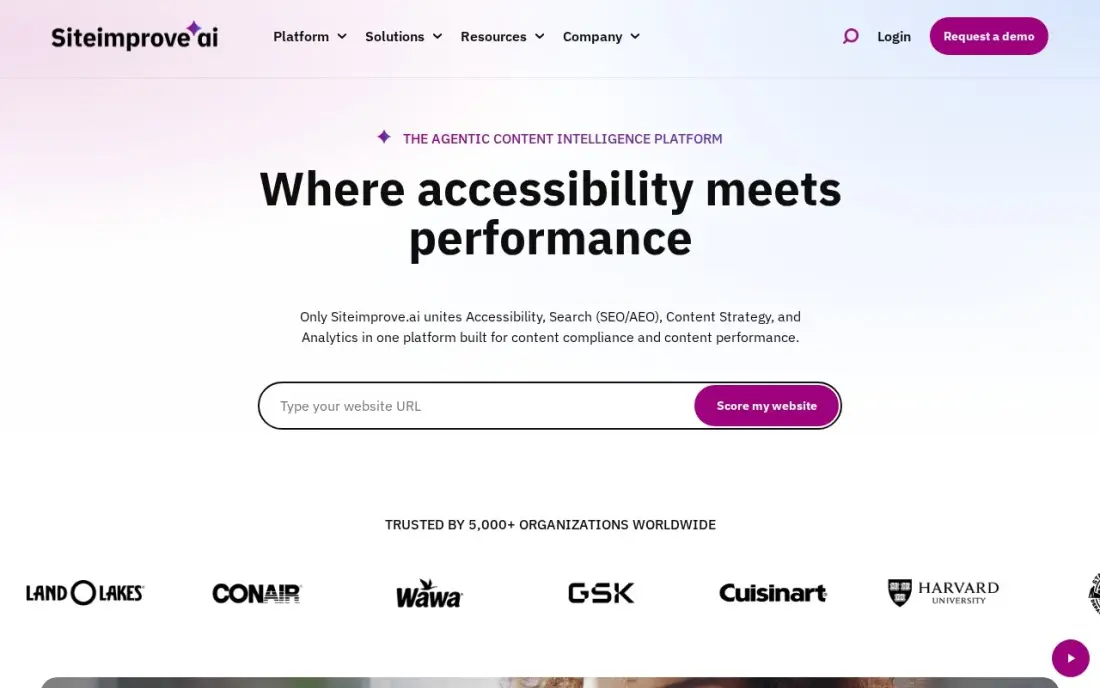
Siteimprove is the governance platform in this list: scheduled crawls across thousands of pages, issues assigned to named editors, trend lines that show whether fixes stick, and a record of what changed last week. Accessibility sits beside QA, SEO, analytics and policy in one dashboard, with PDF checks and an accessibility academy for training the team.
The price is the barrier. Siteimprove publishes no prices, every deal is a custom quote tied to page count and modules, and buyer-reported contracts run to five figures a year. Automated scanning also has a ceiling: Siteimprove's own published figure puts it at 30–40% of accessibility issues caught. Buy Siteimprove when one team governs a large estate; a small site will pay for capacity it never uses.
What we like
- Accessibility, QA, SEO and analytics in one platform with shared dashboards
- Scheduled crawls with trend lines and change history across thousands of pages
- PDF checks and an accessibility academy with IAAP-accredited courses
Watch out for
- No published prices — every deal is a custom quote tied to page count and modules
- Reviewers call it expensive for smaller organizations, with five-figure annual contracts reported
- Siteimprove's own published figure puts automated testing at 30–40% of issues caught

Level Access
Best for: Enterprises and government agencies that need audit-led, legally defensible accessibility programs
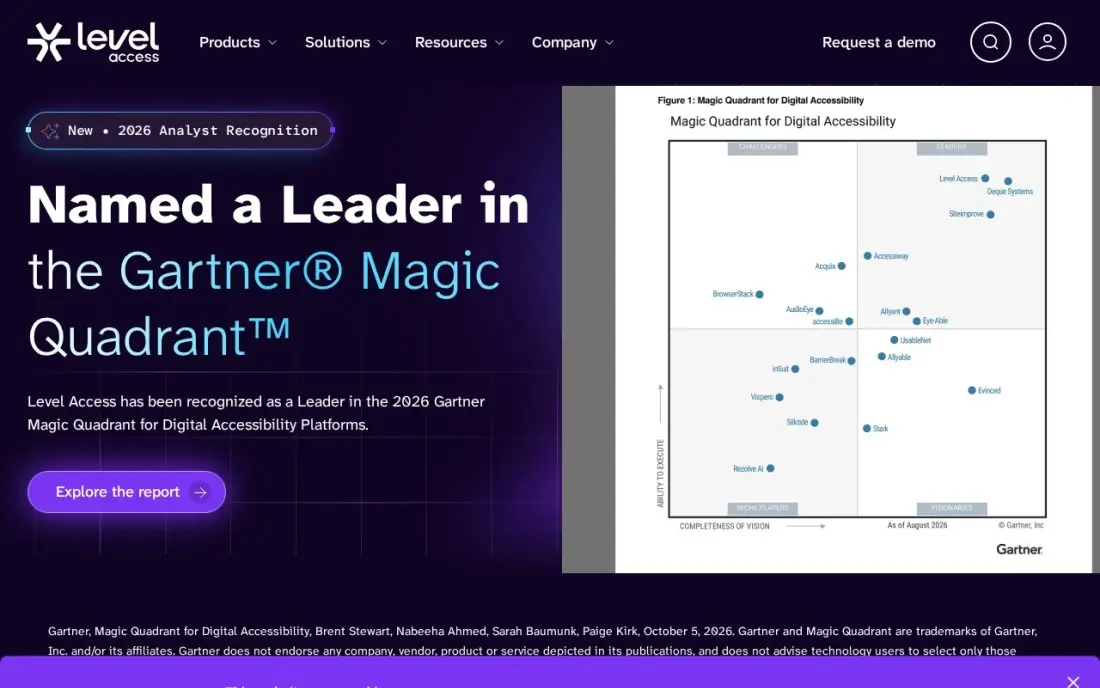
Level Access is the audit-led option: certified specialists and assistive-technology users test the site by hand, write the VPAT, and track every issue in the AMP platform until it is fixed. The company has worked only in accessibility since 1997, and its packages now include the UserWay widget for the visitor-facing side. For a regulated enterprise or a government agency, that human testing is the point.
Everything about the buying process is enterprise-shaped. There are no published prices and no free trial, G2 data puts average implementation at four months, and reviewers report annual price increases of 5–8% on renewal. Buyer-reported contracts start around $25,000 a year for the Essentials tier. Buy Level Access when legal defensibility matters more than speed; a small business will find the process slower and dearer than the widgets above.
What we like
- Manual testing by certified specialists and assistive-technology users, not automation alone
- AMP tracks issues across teams with compliance reporting and workflow integration
- UserWay's widget is now included in Level Access packages
Watch out for
- No published prices and no free trial — every engagement starts with a sales call
- G2 data puts average implementation at 4 months, the longest here
- Reviewers report annual price increases of 5–8% on renewal

Deque
Best for: Engineering teams that want accessibility testing inside the browser, IDE and CI/CD pipeline
Deque is the developer's tool in this list, and its engine is everywhere: axe-core powers the accessibility checks in Google Lighthouse, Microsoft Accessibility Insights and most rival scanners. The axe DevTools browser extension is free and tests one page at a time, while Pro adds guided tests, the axe API and CI/CD integration so issues are caught before code ships.
The paid products are enterprise-shaped. Deque publishes no prices, every purchase starts with a scoped quote, and axe Monitor and axe Auditor are separate line items on top of DevTools — the full platform runs to five-figure annual contracts in third-party transaction data. There is also no visitor-facing widget and no dashboard for non-developers. Buy Deque when engineers own accessibility; buy a widget when the audience needs help today.
What we like
- axe-core is the industry-standard engine, built into Google Lighthouse and Microsoft Accessibility Insights
- A zero-false-positive policy on axe rules keeps developer noise low
- CI/CD integration catches issues before code ships, not after
Watch out for
- No published prices — every purchase starts with a scoped quote
- axe Monitor and axe Auditor are separate line items on top of DevTools
- No visitor-facing widget and no compliance dashboard for non-developers
The best digital accessibility platforms fall into three camps — widgets that change what visitors experience, scanners that find issues for your team to fix, and audit-led programs that do both with human experts — and the right one depends on whether you have developers to act on the findings. The 8 tools below are ranked by fit for the most common buyer, a small or mid-size US business with a website to make accessible and no dedicated accessibility team, and every price was checked on the vendor's own pricing page or a fresh vendor statement on November 12, 2026.
How to choose the best digital accessibility platforms
- Decide what you are buying: a widget, a scanner or an audit. Widgets help visitors today, scanners produce a fix list for developers, and audit-led programs add human testing and a VPAT. Pick the type that matches who will do the fixing.
- Check what automation actually fixes. Automated tools catch a share of issues — Siteimprove's own published figure puts automated testing at 30–40% caught — so ask what happens to the rest before you pay.
- Count the pages and the traffic. Widgets price by page count or page views, scanners by pages scanned, and enterprise tools by custom quote. Price the site you will have next year, not the one you have today.
- Check the free tier before you pay. Pope Tech scans 25 pages a month free, UserWay has a free widget, and Deque's extension is free — run one of them on your live site first and read what it finds.
- Read the compliance claim, not the marketing. No widget alone makes a site compliant, and the FTC's 2025 order against accessiBe bars the company from claiming automation alone delivers WCAG compliance.
- Ask who fixes what the tool finds. If nobody on your team writes code, a scanner's issue list is useless without a developer or a managed service to close it.
Before you buy anything, run the free heading structure checker on your homepage — broken heading order is one of the most common accessibility failures, and it costs nothing to find.
Digital accessibility platforms pricing: what you will actually pay
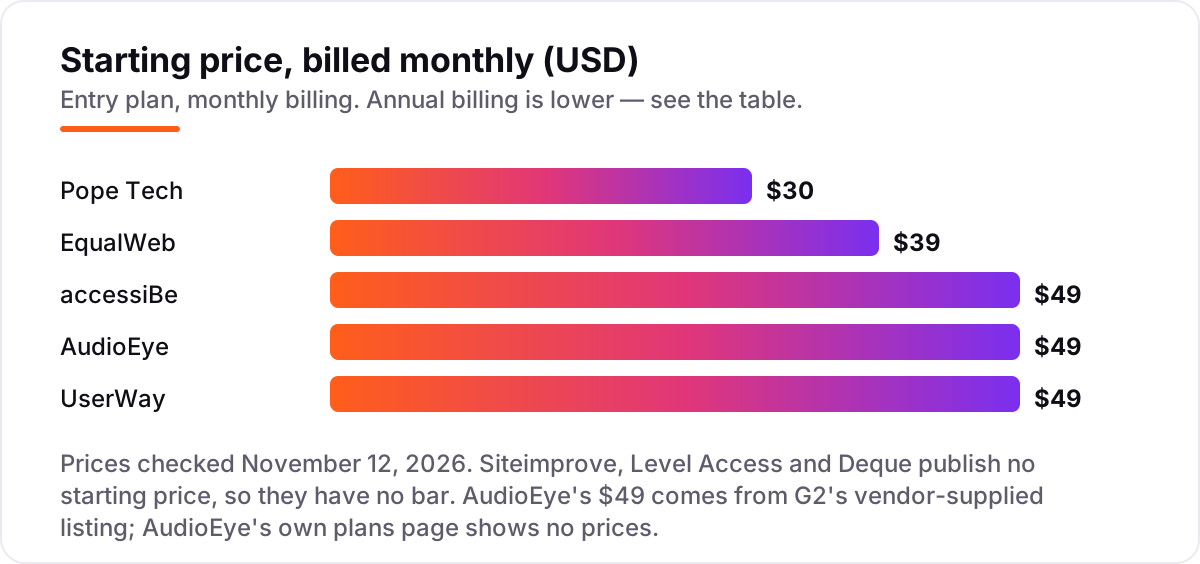
Take a small business website with 50 pages. On list prices, the first year costs $300 on Pope Tech Team billed annually ($25 a month), $468 on EqualWeb at $39 a month, $490 on accessiBe Standard billed annually, $490 on UserWay Pro billed annually, and $588 on AudioEye Automated at $49 a month with no annual rate published. On monthly billing the same year costs $360 on Pope Tech, $588 on accessiBe and UserWay, and $588 on AudioEye — annual billing saves $60 to $98 on the tools that offer it.
The other three publish no prices at all. Siteimprove, Level Access and Deque all sell custom-quoted annual contracts, and third-party procurement data puts them in five figures a year — so get the quote in writing before budgeting anything else, and ask what the modules, the page count and the renewal increase will cost. Two costs sit outside every number above. First, the fixes themselves: a widget changes the visitor experience, but code fixes need a developer or a managed service, and expert audits and VPAT reports are paid add-ons on every tool here. Second, the traffic meter: UserWay prices by page views, so a busy month can push the site into a higher tier, and accessiBe prices by page count, so a growing site outgrows its plan.
Know the difference: widgets, scanners and audit-led platforms
The confusion in this category is the product type, not the feature list. A widget — accessiBe, AudioEye, UserWay, EqualWeb — is a script that runs in the visitor's browser. It adds an accessibility menu with contrast, text size and reading controls, and it applies automated fixes to the page as it loads. It does not change your source code, and it cannot certify anything. That last point is now a matter of public record: in January 2025 the FTC filed a complaint against accessiBe alleging its claims that accessWidget could make any website WCAG compliant were false or unsubstantiated, and the final order in April 2025 required a $1 million payment and bars the company from making that claim without evidence. UserWay's own information page says the same thing in plain language: no automated accessibility tool can guarantee 100% ADA compliance or WCAG conformance.
A scanner — Pope Tech, Deque's axe tools, Siteimprove — does the opposite job. It crawls your site, tests every page against WCAG rules, and hands your team a list of issues with their locations. Nothing changes for visitors until a developer fixes the code. That makes scanners the honest choice for teams with developers, and a dead end for teams without one: a list of 400 issues with nobody to fix them is not progress.
An audit-led platform — Level Access, and Siteimprove's services arm — adds the human layer: certified specialists test with keyboards and screen readers, write the VPAT, and track fixes in a workflow until they are done. That is the only route that produces legally defensible proof, and it is also the slowest and most expensive, with implementation measured in months and contracts in five figures.
The practical rule is simple. If visitors need help using the site today and nobody writes code, start with a widget. If developers own the site and need a fix list, start with a scanner. If a regulator, a client or a lawsuit needs proof, buy the audit. Most small businesses need the first; most enterprises end up buying all three.
Quick comparison: tool type by need
| Buyer | Best pick | Why |
|---|---|---|
| Small business, no developer | accessiBe | $49/month, one-line install, daily scans and monthly reports |
| Business that wants human audits too | AudioEye | $49/month, hybrid automation plus certified expert audits |
| Business that wants to start free | UserWay | Free Lite widget, Pro is $49/month with monitoring |
| Tightest budget for a widget | EqualWeb | $39/month, the cheapest widget, with experts on call |
| Team with developers to fix issues | Pope Tech | $30/month, WAVE-based scanning, free 25-page plan |
| Enterprise or regulated industry | Level Access or Siteimprove | Custom quote, audit-led programs with legal-grade proof |
Mistakes to avoid
- Believing a widget equals compliance. A widget changes the visitor experience, not the code, and the FTC's 2025 order against accessiBe is the public proof that "automatically compliant" is a claim that needs evidence nobody has produced.
- Comparing monthly prices without checking the pricing unit. Widgets price by pages or page views, scanners by pages scanned. A $39 widget for 100 pages and a $30 scanner for 50 pages are not the same purchase.
- Ignoring the free-plan caps. Pope Tech's free plan stops at 25 pages a month, UserWay's free widget is user-triggered only, and EqualWeb's free version is a basic widget — a free plan that runs out mid-month is not a free plan.
- Paying for a widget when the team needs a scanner. If developers own the site, a widget's menu helps nobody and a scanner's issue list is the real product. Buy the type that matches who does the fixing.
- Forgetting the renewal terms. UserWay and accessiBe auto-renew with a 30-day cancellation notice, and Level Access reviewers report 5–8% annual price increases. Read the renewal clause before the first payment, not after it.
How we chose
We checked each vendor's own pricing page on November 12, 2026 and recorded the starting price exactly as shown, including the annual-billing figure where the page lists one. Two prices needed extra care. AudioEye no longer publishes prices — its plans page lists three tiers with no dollar figures, confirmed by an independent read on November 5, 2026 — so the $49 Automated figure comes from G2's vendor-supplied pricing listing, not from AudioEye itself. accessiBe's $49 Standard price is from the vendor's own pricing page, corroborated by G2's vendor-supplied listing. Siteimprove, Level Access and Deque publish no prices, so they are listed as custom quote; we did not use third-party contract figures as starting prices. Ratings come from G2 pages checked November 12, 2026, except Deque, where G2 lists no product page, so we used its Capterra rating, and Pope Tech, which has no G2 or Capterra rating. We ranked the tools by fit for the most common buyer — a small or mid-size US business without a dedicated accessibility team — not by brand size. No vendor paid for a place in this list, and none of the links here are affiliate links.
What to do next
Start with the free option that matches your team: run Pope Tech's free plan or UserWay's free widget on your live site and read what it finds. If the issues are mostly contrast, text size and keyboard traps, a widget will help visitors today; if the list is long and structural, get a scanner and a developer instead. Before you pay, run the trial with your real pages and check the numbers against a manual keyboard walk-through — tab through your homepage and try the checkout with no mouse. If compliance reporting is the bigger job, compare providers in our guide to security compliance tools for SaaS companies. If the site is sorted but search visibility is the gap, our SEO audit service covers that side. Once your tools are in place, find out what's holding your rankings back.
Frequently asked questions
What is the best digital accessibility platform in 2026?
accessiBe is the best fit for most small businesses at $49 a month, with one-line install, daily scans and monthly reports. AudioEye is the better pick if you want human expert audits as well, and Pope Tech is the best choice for teams with developers who can fix what the scanner finds.
How much does a digital accessibility platform cost?
Widgets and scanners start at $30 to $49 a month: Pope Tech at $30, EqualWeb at $39, and accessiBe, AudioEye and UserWay at $49. Siteimprove, Level Access and Deque publish no prices and sell custom-quoted annual contracts, which third-party procurement data puts in five figures a year.
Is there a free digital accessibility platform?
Yes, with limits. Pope Tech scans 25 pages a month free forever, UserWay has a free Lite widget, EqualWeb has a free version, and Deque's axe DevTools extension and axe-core engine are free and open source. Free tiers find issues or help visitors; none of them certifies a site as compliant.
Do accessibility widgets make a website ADA compliant?
No. A widget changes what visitors experience in the browser; it does not fix the code underneath, and it cannot certify compliance. In April 2025 the FTC finalized an order requiring accessiBe to pay $1 million and barring it from claiming automation alone makes a site WCAG compliant. Real compliance needs code fixes plus manual testing.
What is the difference between a widget and a scanner?
A widget is a script that runs in the visitor's browser, adding contrast controls, text resizing and automated fixes on the page as it loads. A scanner crawls your site, lists every issue it finds and hands the list to your developers to fix in the code. Widgets help visitors today; scanners produce the fix list.
What should I check before paying for an accessibility platform?
Check the pricing unit first: widgets charge by pages or page views, scanners by pages scanned, enterprise tools by custom quote. Then check what automation actually fixes, whether VPAT reports and audits cost extra, what the renewal terms are, and whether the free plan or trial covers your real page count.
Sources we checked (19)
- accessiBe pricing — accessibe.com/pricing/accessservices (checked November 12, 2026)
- accessiBe on G2 — 4.7/5, 1,571 reviews (checked November 12, 2026)
- AudioEye pricing — G2 vendor-supplied listing, $49 (checked November 12, 2026)
- AudioEye on G2 — 4.7/5, 239 reviews (checked November 12, 2026)
- AudioEye plans page read — three tiers, no prices (Oakmont, November 5, 2026)
- UserWay pricing — userway.org/llm-info (vendor page: Pro from $49/mo; checked November 12, 2026)
- UserWay on G2 — 4.8/5, 652 reviews (checked November 12, 2026)
- EqualWeb pricing — equalweb.com (vendor homepage: from $39/mo; checked November 12, 2026)
- EqualWeb on G2 — 4.6/5, 43 reviews (checked November 12, 2026)
- Pope Tech pricing — pope.tech/websites/pricing (checked November 12, 2026)
- Siteimprove — siteimprove.com (no published pricing; custom quote)
- Siteimprove on G2 — 4.6/5, 432 reviews (checked November 12, 2026)
- Level Access — levelaccess.com (no published pricing; custom quote)
- Level Access on G2 — 4.5/5, 245 reviews (checked November 12, 2026)
- Level Access pricing ranges — accessibilitychecker.org (buyer-reported Essentials $25,000–$50,000/year)
- Deque — deque.com (no published prices; custom quote)
- Deque on Capterra — 4.6/5, 30 ratings (checked November 12, 2026)
- Deque pricing — Vendr (third-party transaction data, five-figure annual contracts)
- FTC order on accessiBe — Oakmont (January 2025 complaint, $1M final order April 2025)
Make one of these tools?
We re-check this list every quarter. Send a correction, request a review, or ask about a clearly labeled sponsored spot.
Request a listingShamim
Founder of SerpAstra
A full-stack SEO and digital marketer who spends most days on Local SEO for dental practices, AI search visibility and lead generation.
Free SEO and AI visibility audit
Find out what is holding your rankings back
Send us your site. Within 2 business days you get a written audit, an AI visibility check and a short fix list ranked by impact. Free, with no contract attached.
Request my free audit→Related buying guides
 IT Security9 Best Security Compliance Tools for SAAS Companies in 2026, ComparedCompare the 9 best security compliance tools for saas companies on price, frameworks and evidence automation, with every price checked November 7, 2026.Read guide →
 Project & Product Management10 Best Project Management Software for Small Businesses in 2026, ComparedCompare the 10 best project management software for small businesses on price, free plans and features, with every price checked November 12, 2026.Read guide →
 Project & Product Management11 Best SAAS Project Management Software in 2026, ComparedCompare the 11 best SaaS project management software tools for 2026 on price, free plans and features, with every price checked November 12, 2026.Read guide →