
10 Best Digital Adoption Platforms for 2026 (Pros, Cons and Pricing)
Compare the 10 best digital adoption platforms for 2026 on price, free plans and features, with every price checked on the vendor's own pricing page.
 Shamim Mia, Founder, SerpAstraLast verified November 12, 202613 min read
We compare pricing pages, documentation and public reviews. We never accept payment for rankings.

Key takeaways
- UserGuiding leads for most SaaS teams at $349 a month billed monthly ($249 billed annually), with Pendo free up to 500 users and Inline Manual from $158 a month.
- The single most important buying factor is the pricing unit: per-MAU pricing means the bill grows with your user count, while per-seat pricing grows with your team.
- Three of the 10 tools publish no starting price at all — WalkMe, Whatfix and Spekit are quote-only, so budget for a sales conversation.
- Every price below was checked on the vendor's own pricing page on November 12, 2026. Ratings are G2, with review counts shown.
On this page
Quick comparison
| Tool | Best for | Starting price | Free plan |
|---|---|---|---|
| UserGuiding | SaaS product teams with up to 2,000 monthly active users that want self-serve onboarding without a sales call | $349/mo | No (14-day trial) |
| WalkMe | Enterprise teams rolling out adoption across employee-facing or customer-facing applications | Custom quote | No (demo only) |
| Whatfix | Large enterprises driving adoption of ERP and CRM suites such as SAP, Salesforce and Workday | Custom quote | No (demo only) |
| Pendo | Product teams that want analytics and in-app guides in one place and a free way to start | Free; custom paid | Yes (free plan) |
| Appcues | Growth-stage SaaS teams turning product behavior into lifecycle campaigns | $9,000/yr | No (demo only) |
| Userpilot | Small SaaS teams that want onboarding, analytics and surveys in one subscription | $299/mo | No (14-day trial) |
| Chameleon | Product teams that want AI to build, govern and optimize in-app experiences | $750/mo | No (14-day trial) |
| Inline Manual | Small SaaS teams that want deep in-app help and onboarding for $158 a month | $158/mo | No (free trial) |
| Tango | Teams that need process guides and SOPs captured as people do the work | Free; Pro $22/mo | Yes (free plan) |
| Spekit | Go-to-market teams that need sales knowledge and training inside Salesforce and Slack | Custom quote | No (demo only) |
Make one of these tools?
We re-check this list every quarter. Send a correction, request a review, or ask about a clearly labeled sponsored spot.
Request a listingThe best digital adoption platform

UserGuiding
Best for: SaaS product teams with up to 2,000 monthly active users that want self-serve onboarding without a sales call
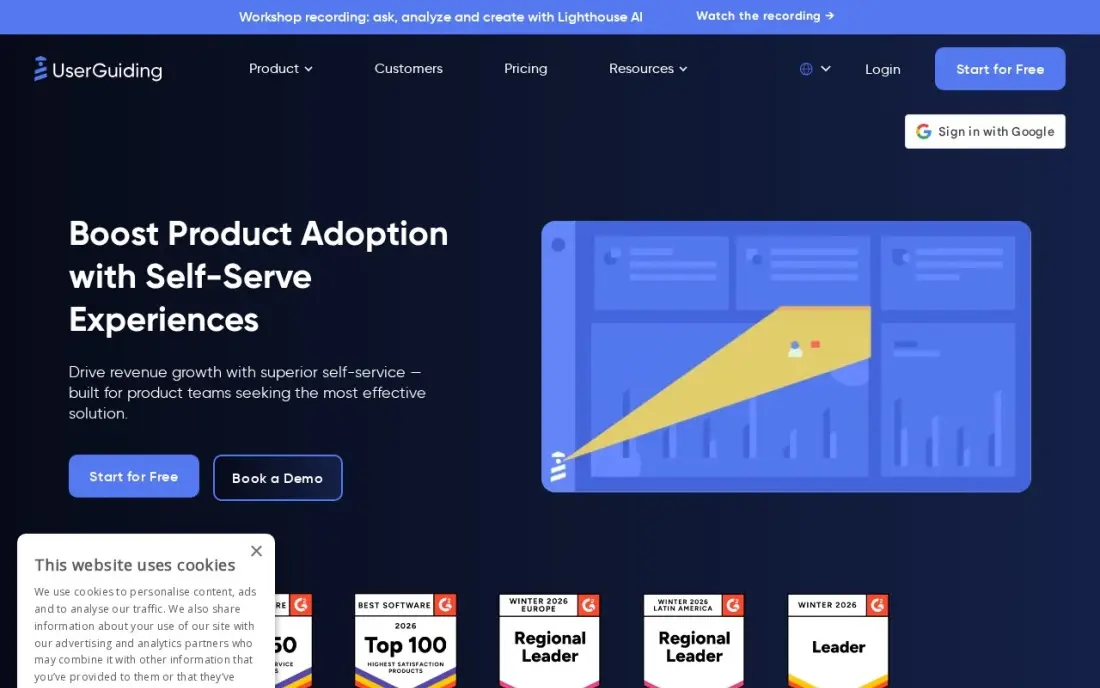
UserGuiding is the value pick because it is the only self-serve DAP here with transparent pricing: Starter costs $249 a month billed annually for up to 2,000 monthly active users, and everything a product team needs is in the plan — guides, hotspots, checklists, surveys, NPS, a resource center, a knowledge base and Lighthouse AI. The no-code builder means a product manager can ship an onboarding flow in an afternoon without engineering help.
The catch is the pricing unit. The bill follows your monthly active users, not your team size, so growing past 2,000 users needs a custom quote, and exceeding the quota pauses your guides until you upgrade. There is no native mobile-app support, and Starter covers a single seat and environment. For a web product with a few thousand users, nothing else here matches the price.
What we like
- Self-serve pricing with no sales call: Starter from $249 a month billed annually ($349 billed monthly) for up to 2,000 MAU
- Starter includes the full adoption toolkit: guides, hotspots, checklists, surveys, NPS, a resource center, knowledge base and Lighthouse AI
- 14-day free trial with no credit card, and a 30-day money-back guarantee on paid plans
- Highest G2 score in this list at 4.7 out of 5 from 782 reviews
Watch out for
- Price rises with MAU: above 2,000 users on Starter you need a custom quote, and exceeding the quota pauses your guides
- No native mobile-app support — guides run in web browsers only
- Starter covers 1 seat and 1 environment; teams need Growth from $499 a month billed annually

WalkMe
Best for: Enterprise teams rolling out adoption across employee-facing or customer-facing applications

WalkMe is the platform the category is measured against, and it shows in the depth: separate plans for employee and customer applications, deployment on web, mobile, desktop and SAP GUI, and analytics that run from flow completion down to UI Intelligence on form friction. White-labeling, multi-language support and AI authoring are included rather than gated behind a higher tier.
The trade-off is the buying process. There is no published price anywhere on the site — every plan starts with 'Get a quote' — and G2 reviewers report implementations of one to three months. Content also needs regular upkeep when the underlying applications change. Buy WalkMe when adoption spans many apps and many teams; a single-product team will find the self-serve tools faster and cheaper.
What we like
- Separate employee and customer plans, with deployment on web, mobile, desktop and SAP GUI
- Deepest analytics here: flow analytics, behavioral segments, UI Intelligence and app-usage discovery
- Branding and white-labeling, multi-language support and contextual AI assistance included
Watch out for
- Quote-only pricing — there is no way to know the cost without a sales conversation
- Implementation typically takes 1 to 3 months, per G2 reviewer reports
- Reviewers say content needs regular upkeep when the underlying applications change

Whatfix
Best for: Large enterprises driving adoption of ERP and CRM suites such as SAP, Salesforce and Workday
Whatfix is built for the enterprise software stack: it guides employees through SAP, Salesforce, Workday and other heavyweight systems, with Self Help, Flows, Smart Tips, Task Lists and surveys in one plan, plus simulation training for pre-production practice. It also runs on desktop applications and virtual-desktop environments, which most rivals in this list cannot do.
Like WalkMe, it publishes no price — Standard, Premium and Enterprise all start with a demo — and implementations commonly take a few months. Reviewers also note that content management gets harder as the guidance library grows. Pick Whatfix when the job is employee adoption of big enterprise systems; for customer-facing product onboarding, the self-serve tools are a better fit.
What we like
- Covers employee and customer apps, including desktop apps and virtual-desktop environments
- Self Help, Flows, Smart Tips, Task Lists and surveys in one plan, with content export to video, PDF and slides
- Auto-translation and automated Flow testing on Premium, with portfolio-level analytics
Watch out for
- No published pricing — Standard and Premium both start with a demo
- Implementation commonly takes a few months, per G2 reviewer reports
- Reviewers say content management gets harder as the guidance library grows

Pendo
Best for: Product teams that want analytics and in-app guides in one place and a free way to start
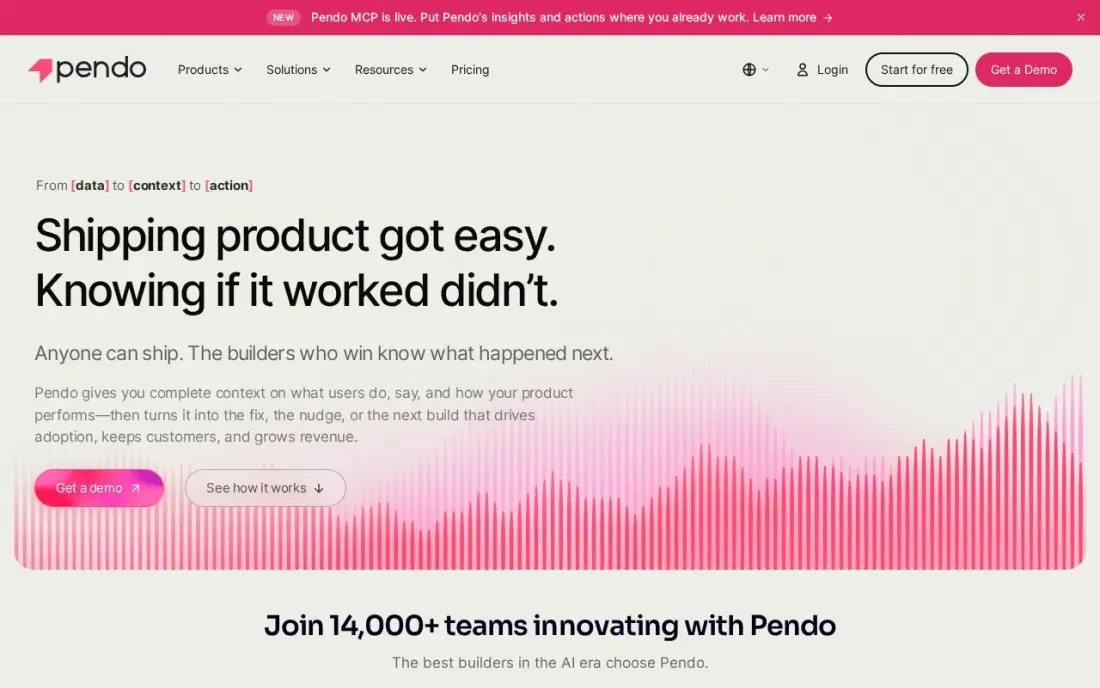
Pendo is the easiest way to start in this list: Pendo Free includes product analytics and in-app guides for up to 500 monthly active users at $0, with a 30-day trial of the full platform on top. Retroactive analytics keep the complete usage history from the day you install, and the 85-plus integrations cover the CRM, support and BI tools most teams already run.
The paid plans are where the price question starts, because they are all custom-quoted by MAU volume, and reviewers warn of a steep learning curve around tagging and setup. The free plan also carries Pendo branding on guides and surveys. Start free to prove the value, then get a quote when the user count or the feature list outgrows it.
What we like
- Pendo Free is a real product at $0: analytics and guides for up to 500 monthly active users
- Retroactive analytics keep the full usage history from the day you install
- More than 85 integrations across CRM, support, marketing automation and BI tools
Watch out for
- Paid plans are quote-only and priced by MAU, so costs are unknown until you talk to sales
- Reviewers report a steep learning curve and setup complexity, especially around tagging
- The free plan carries Pendo branding on guides, roadmaps and surveys

Appcues
Best for: Growth-stage SaaS teams turning product behavior into lifecycle campaigns
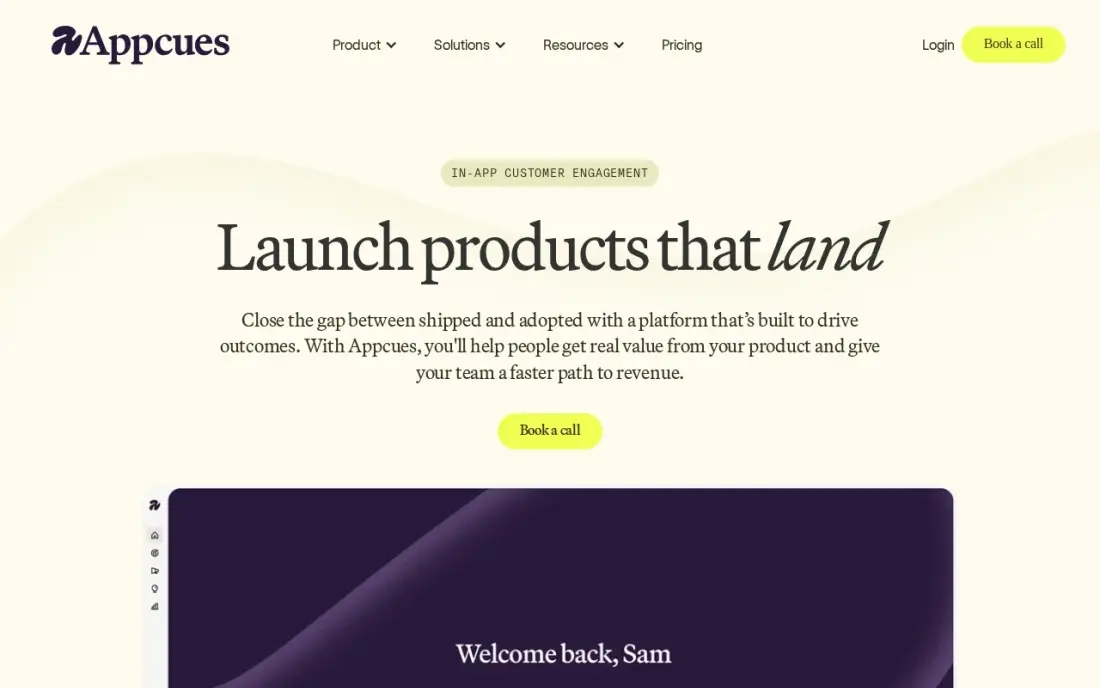
Appcues rebuilt its pricing around one idea: every feature and integration is included from day one, and the only thing that scales is usage. The Grow plan starts at $9,000 a year for up to 50,000 monthly active users, with 25 published experiences, 24 months of reporting history, unlimited seats and a dedicated success manager. AI insights and agentic campaign building are part of the package, not add-ons.
The price is the honest limitation: $9,000 a year is the highest published starting price here, and it buys only 25 published experiences — more cost extra. Enterprise is custom pricing with no published figure. Choose Appcues when the team is growth-stage and wants behavior-driven campaigns without seat or feature limits; smaller teams will get further with UserGuiding or Inline Manual.
What we like
- Every feature and integration is ungated from day one — no tier holds back a capability
- Unlimited seats on every plan, so the whole company can build experiences
- AI insights and agentic campaign building included, with a dedicated CX and technical success manager
Watch out for
- $9,000 a year is the highest published starting price in this list
- Grow caps at 25 published experiences; more costs extra as an add-on
- Enterprise is custom pricing with no published figure

Userpilot
Best for: Small SaaS teams that want onboarding, analytics and surveys in one subscription
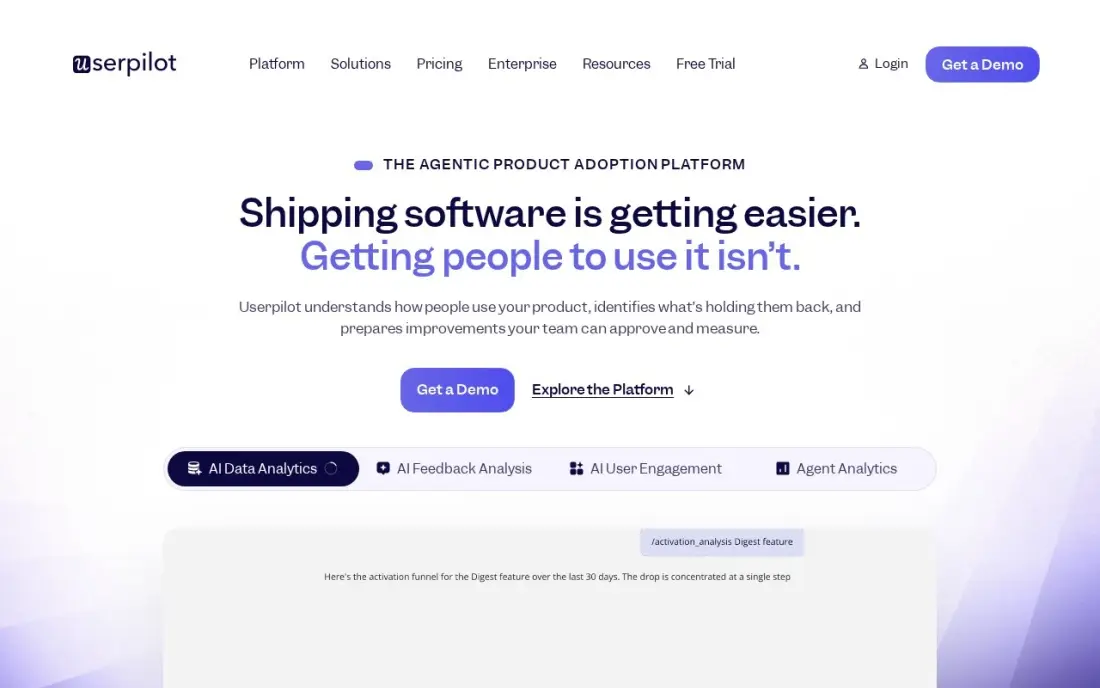
Userpilot packs the most into one subscription at this price: onboarding flows, product analytics, in-app surveys and session replay, all running on the same user segments, from $299 a month for up to 2,000 monthly active users. The AI Agent Lia and an MCP server come with Starter, and no-code feature tagging means the team can track usage without shipping code.
Two limits to note. The pricing page shows $299 a month with no billing toggle, so no annual rate is published, and the features most teams want next — checklists, the resource center and A/B testing — wait for Growth from $849 a month. Mobile engagement is an Enterprise add-on. Buy Userpilot when one tool should cover onboarding and analytics; buy a specialist when you need deep mobile support.
What we like
- Onboarding, analytics, surveys and session replay in one plan, on the same user segments
- AI Agent Lia and an MCP server included from Starter, with no-code feature tagging
- Reviewers report building a first flow in an afternoon, with responsive support when setup gets stuck
Watch out for
- No annual price is published — the page shows $299 a month with no billing toggle
- Checklists, the resource center and A/B testing wait for Growth from $849 a month
- Web applications only; mobile engagement is an Enterprise add-on

Chameleon
Best for: Product teams that want AI to build, govern and optimize in-app experiences
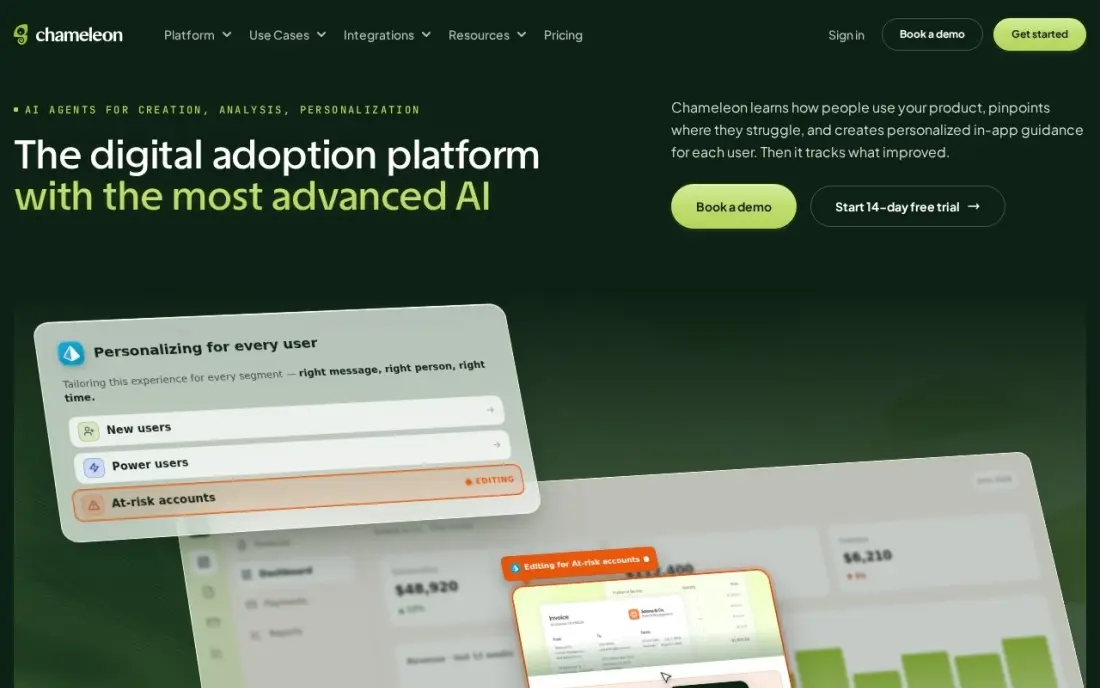
Chameleon is the AI-first entry in this list: four purpose-built agents — Copilot builds and optimizes campaigns, Ranger keeps the account clean, Compass reads user context and Prism personalizes the experience — and Pro is self-serve with monthly billing from $750. The 14-day trial unlocks full Enterprise access with no credit card, so the evaluation runs on the real product.
Pro is not unlimited, though: it caps at 20 live experiences and 20 custom events, and Growth and Enterprise are annual contracts sold through the sales team. SAML SSO costs $400 a month extra on Pro. Pick Chameleon when AI-assisted building and governance matter more than the lowest price; the $750 entry is steep for a team that only needs tours.
What we like
- Copilot AI agent builds, optimizes and analyzes in-app campaigns from plain-language prompts
- Pro is self-serve with monthly billing — no annual contract to start
- 14-day trial with full Enterprise-level access and no credit card required
Watch out for
- Pro caps at 20 live experiences and 20 custom events
- Growth and Enterprise are annual contracts sold through the sales team
- SAML SSO costs $400 a month extra on Pro

Inline Manual
Best for: Small SaaS teams that want deep in-app help and onboarding for $158 a month
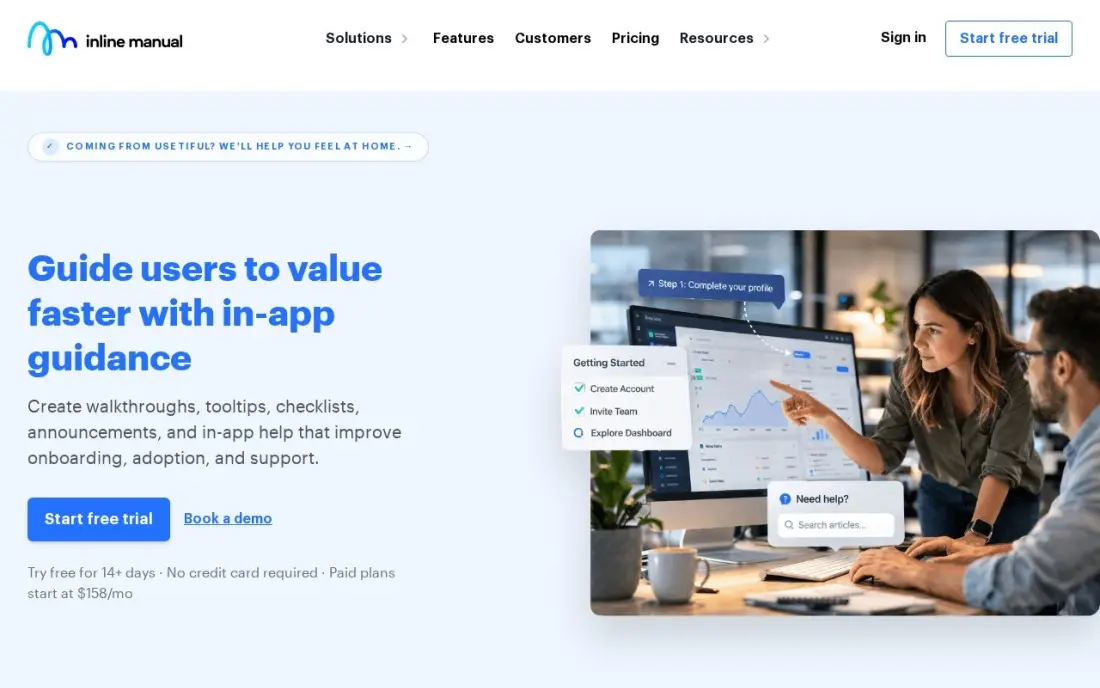
Inline Manual is the budget pick that does not feel like one: Standard Pro costs $158 a month and includes unlimited content — walkthroughs, tooltips, banners, articles, feedback and NPS — plus version control, release management and audience targeting. The free trial needs no credit card, and the one-time $399 Product Adoption Audit is credited against an annual plan.
The limits are about scale. Standard Pro covers 10 team members and 3 environments, and the G2 review base is small at 23 reviews, so the 4.6 score rests on few voices. There are no AI authoring features on the entry plan. For a small SaaS team that wants deep in-app help without an enterprise budget, it is the cheapest full-featured DAP here.
What we like
- Unlimited content on the entry plan: walkthroughs, tooltips, banners, articles, feedback and NPS
- Version control and release management are built in, with 10 revisions per topic
- Free trial with no credit card, and a one-time $399 Product Adoption Audit credited against an annual plan
Watch out for
- Standard Pro covers only 10 team members and 3 environments
- G2 review base is small — 23 reviews — so the 4.6 score rests on few voices
- No AI authoring features on the entry plan

Tango
Best for: Teams that need process guides and SOPs captured as people do the work
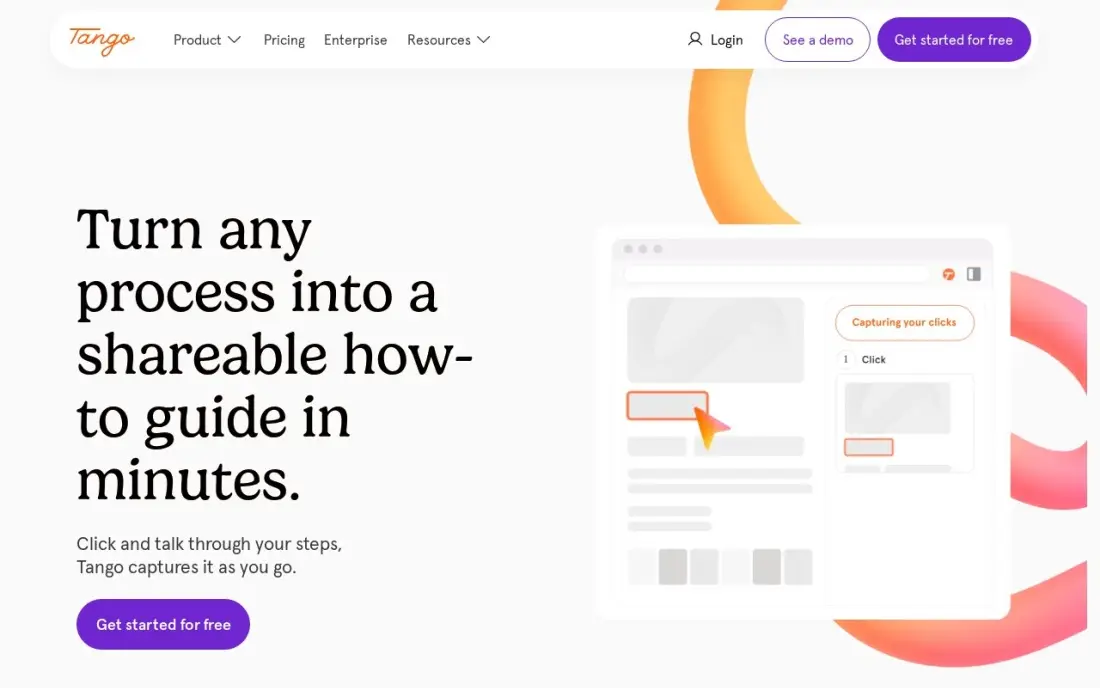
Tango takes a different route into adoption: instead of building guides by hand, you do the work once and Tango captures it — clicks, typing and screenshots — into a step-by-step guide with AI-written descriptions. The free plan covers 5 shared workflows and up to 10 users, and Guide Me overlays the steps inside the live application so people learn by doing.
The catch is that the real in-app guidance — Pins, Guide Me and Automations — is Enterprise-only, so Pro buyers get documentation, not a DAP. Pro is also per-user, so a 10-person team pays $200 a month billed monthly. Buy Tango when the job is process documentation and SOPs; buy a full DAP when in-app guidance is the goal.
What we like
- Captures workflows automatically with screenshots as you do the work — no manual writing
- Free plan covers 5 shared workflows and up to 10 users with no credit card
- Guide Me overlays steps inside the live app so people learn by doing
Watch out for
- In-app guidance (Pins, Guide Me, Automations) is Enterprise-only, not on Pro
- Pro is per-user, so a 10-person team pays $200 a month billed monthly
- G2 still lists the old $15 Pro figure — that is the annual-billed rate for teams of 3+, not the headline price

Spekit
Best for: Go-to-market teams that need sales knowledge and training inside Salesforce and Slack
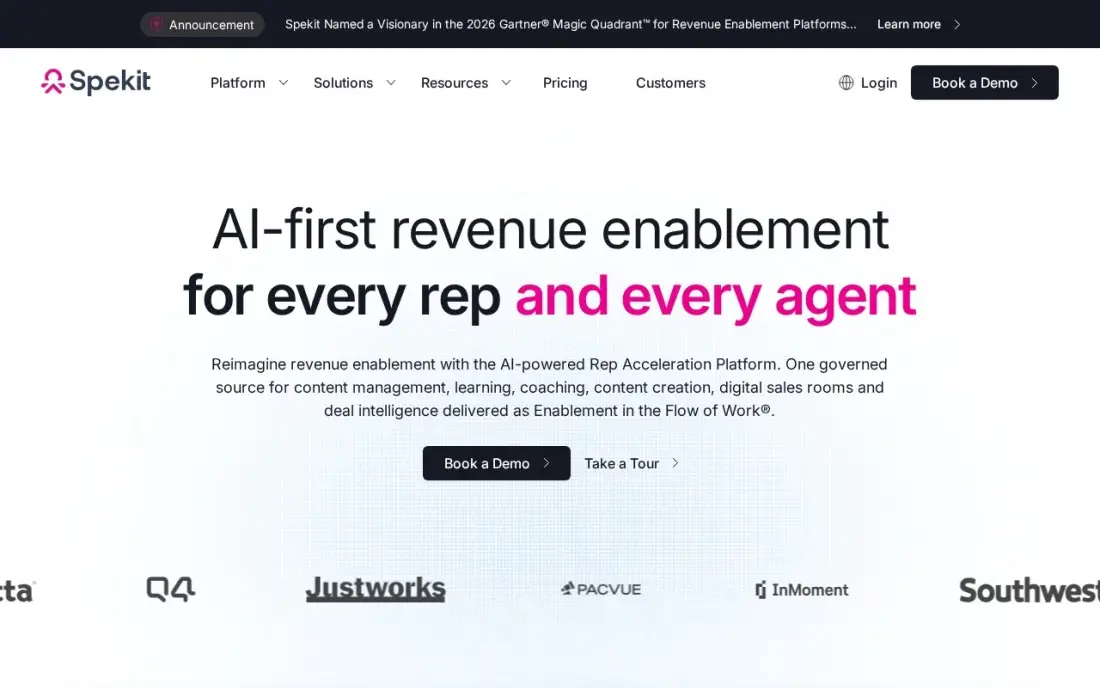
Spekit is the enablement-flavored entry here: governed GTM knowledge with an AI Sidekick that answers reps' questions inside Salesforce, Gmail, Gong and Slack, plus Dynamic Learning Paths that update the moment the underlying content changes. The GTM Acceleration package adds AI Deal Rooms with buyer engagement analytics, which no other tool in this list offers.
It publishes no price — packages are quoted per seat by team size — and the DAP features sit inside a broader sales-enablement suite, so a team that only needs adoption pays for more than it uses. G2 still lists a $20-per-user Basic plan the vendor's page no longer publishes. Pick Spekit when sales enablement is the job and adoption rides along; pick a pure DAP when it does not.
What we like
- AI Sidekick answers reps' questions inside Salesforce, Gmail, Gong and Slack from governed content
- Dynamic Learning Paths update automatically when the underlying content changes
- Deal Rooms with buyer engagement analytics on the GTM Acceleration package
Watch out for
- No published pricing — per-seat quotes only, by package and team size
- The DAP features sit inside a broader GTM enablement suite, so pure adoption buyers pay for more than they need
- G2 still lists a $20-per-user Basic plan the vendor's own page no longer publishes
The best digital adoption platform depends on who you are guiding: customers through a SaaS product, or employees through the software stack they work in every day. The 10 tools below are ranked by fit for the most common buyer — a SaaS product or operations team with a few thousand users — and every price was checked on the vendor's own pricing page on November 12, 2026.
How to choose the best digital adoption platform
- Count monthly active users first. Most tools here charge by MAU, not by seat, so the number of people who log in each month decides the tier — and the bill.
- Decide who you are guiding. Customer onboarding for one SaaS product is a different job from employee adoption across an ERP stack, and the enterprise tools are built for the second.
- Check the pricing unit. UserGuiding, Userpilot and Chameleon charge by MAU, Tango and Spekit charge per seat, and Appcues charges a flat annual fee. Price the team you will have next year, not the team you have today.
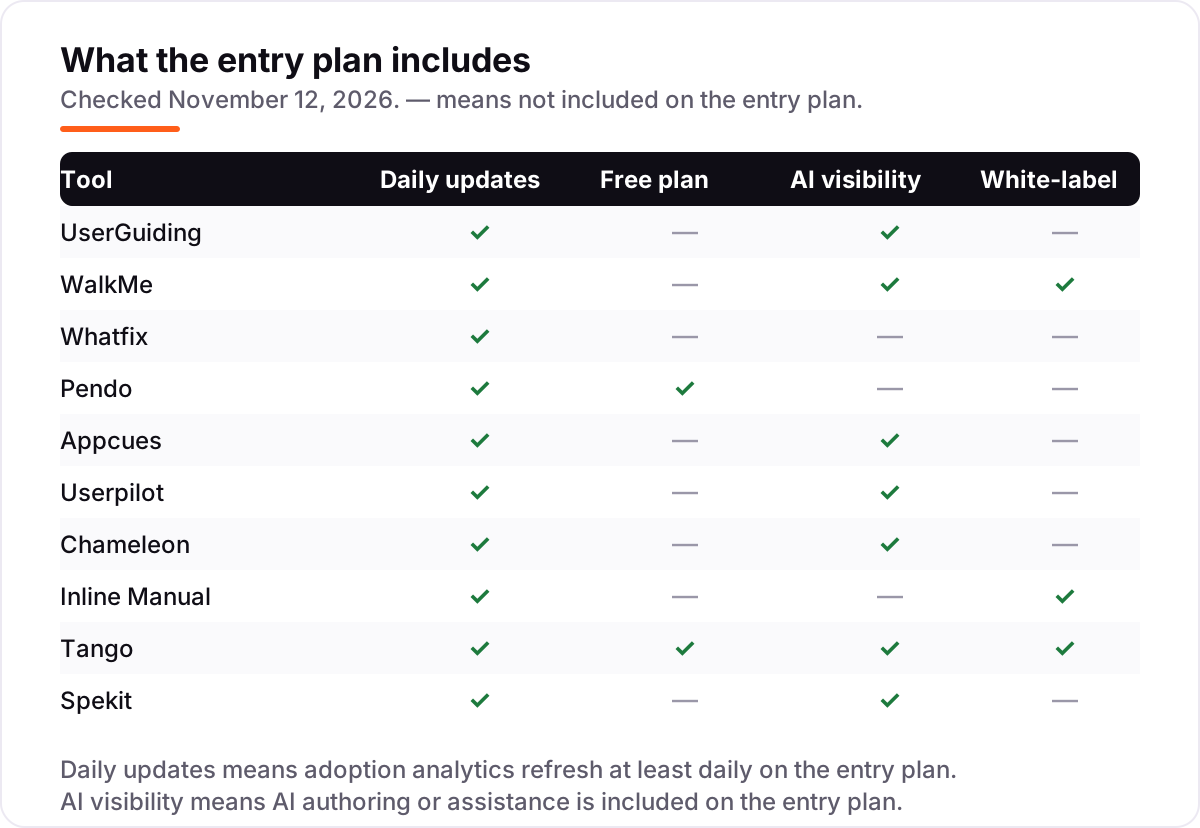
- Check what the trial actually covers. Chameleon and UserGuiding give full-featured trials with no credit card; WalkMe, Whatfix, Spekit and Appcues offer demos only, so the evaluation runs on a sales call.
- Check the AI question. AI authoring and assistance are included on the entry plan at UserGuiding, WalkMe, Appcues, Userpilot, Chameleon, Tango and Spekit, but Pendo's Leo AI is an add-on and Whatfix gates auto-translation to Premium.
- Check localization and white-labeling. WalkMe includes both; UserGuiding sells branding removal as an add-on; Inline Manual removes branding from its entry plan.
Adoption tools guide users who already arrived; they do not bring new ones. If the product is not showing up when people search, our AI search optimization service covers that side. And before you publish the help pages your guides will link to, run their titles through the free SERP snippet preview tool so they look right in search results.
Whatever you shortlist, try it with a real guide before you pay. The trials in this list run 14 to 30 days, which is long enough to build one onboarding flow, put it in front of real users and watch the completion rate. Check two things in the trial: that guides trigger for the right segment and not for everyone, and that the analytics show where users drop off. Every self-serve tool here offers a trial or a free plan, so there is no reason to buy before the team has run a real week on it.
Digital adoption platform pricing: what you will actually pay
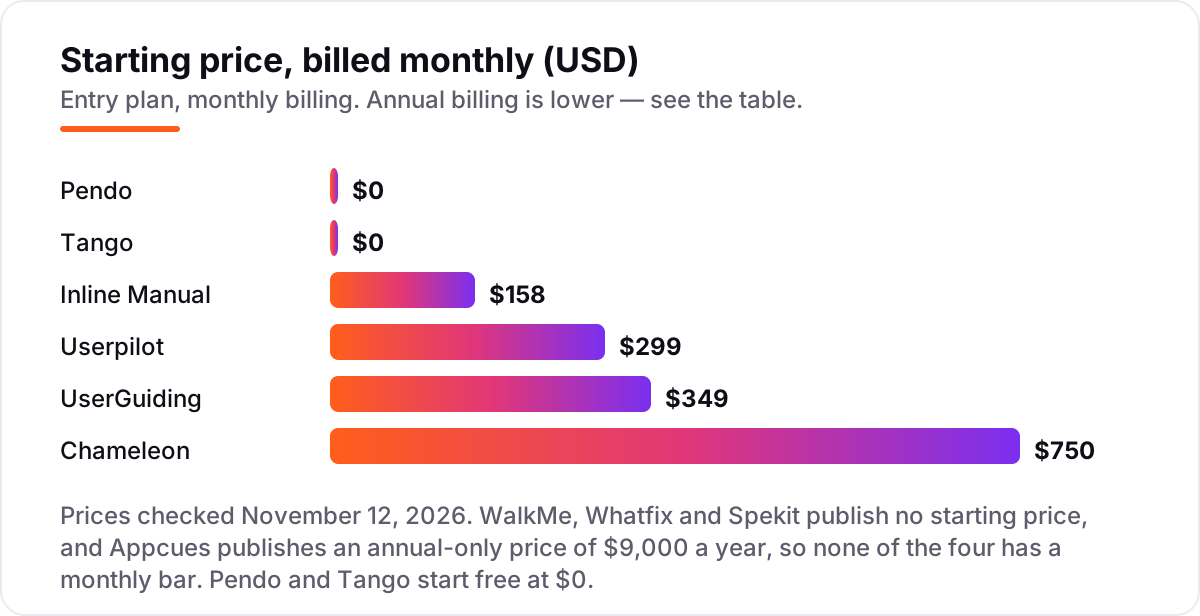
Take a SaaS team with 2,000 monthly active users and 5 people building guides. On list prices, the subscription costs $0 on Pendo Free and Tango Free, $100 a month on Tango Pro billed monthly for a 5-person team, $158 on Inline Manual Standard Pro, $249 on UserGuiding Starter billed annually, $299 on Userpilot Starter and $750 on Chameleon Pro. Appcues Grow is $9,000 a year, and WalkMe, Whatfix and Spekit are custom quotes with no published figure to compare.
Over a year on monthly billing, that is $0 on Pendo Free and Tango Free, $1,200 on Tango Pro, $1,896 on Inline Manual, $2,988 on UserGuiding Starter billed annually, $3,588 on Userpilot Starter and $9,000 on Chameleon Pro and Appcues Grow. Annual billing cuts some of these: UserGuiding Starter drops from $349 to $249 a month, and Tango Pro drops from $20 to $15 a user a month for a team of 3 or more.
Three costs sit outside every number above. First, the MAU overage: a product that grows past 2,000 users jumps to the next tier on UserGuiding and Userpilot, and on UserGuiding the guides stop showing until you upgrade. Second, implementation: the enterprise tools commonly take one to three months to go live, and that time is staff time, not subscription cost. Third, add-ons: Chameleon charges $400 a month for SSO on Pro, Appcues charges extra for published experiences beyond 25, and Pendo's Leo AI is a paid add-on on every plan.
Know the difference: digital adoption platforms vs product onboarding tools
The confusion in this category is scope, not features. A product onboarding tool guides new users through one product: tours, checklists and tooltips for the first week. A digital adoption platform does that and more — it covers adoption across many applications, including the employee software a company runs on, with analytics that show which features get used, governance that keeps content current, and reporting that rolls up across apps. WalkMe, Whatfix and Spekit are built for that wider job; UserGuiding, Userpilot and Chameleon sit closer to the onboarding end.
The second confusion is the audience. Customer-facing DAPs guide people who chose your product; employee-facing DAPs guide people who were told to use theirs. The second group needs more hand-holding, more languages and more governance, which is why the enterprise tools cost more and take longer to implement. A team that buys WalkMe to onboard SaaS customers is paying for employee-adoption depth it will never use, and a team that buys a tour tool to roll out SAP will outgrow it in the first month. Name the audience and the app count first, then pick the tool.
There is a third, quieter confusion: a free plan is not a free adoption program. Pendo Free and Tango Free both cost $0 a month, but both carry the vendor's branding, and the features that make adoption measurable — unlimited guides, white-labeling and advanced analytics — need a paid plan. Budget on the subscription plus the implementation time, not on the $0 headline.
Quick comparison: tool type by need
| Buyer | Best pick | Why |
|---|---|---|
| SaaS team that wants the best value | UserGuiding | $249/month billed annually, self-serve, AI included from Starter |
| Enterprise rolling out many apps | WalkMe or Whatfix | Deepest analytics and employee coverage; quote-only pricing |
| Team that wants to start free | Pendo | Free to 500 MAU, with analytics and guides included |
| Growth team running behavior campaigns | Appcues | $9,000/year, everything ungated, unlimited seats |
| Team that wants onboarding plus analytics in one | Userpilot | $299/month, session replay included from Starter |
| Team on a tight budget | Inline Manual or Tango | $158/month or free, with guides and SOPs covered |
Mistakes to avoid
- Comparing prices without checking the pricing unit. A tool can be cheap per seat and dear per user: UserGuiding and Userpilot charge by MAU, Tango and Spekit per seat, Appcues a flat annual fee. Price the users you will have next year, not the users you have today.
- Trusting a directory price. G2 still lists old figures — UserGuiding at $174, Userpilot at $249, Spekit at $20 a user and Tango at $15 — and competitor pages still show Appcues at $249 a month and Chameleon at $279. The vendors' own pricing pages checked today say otherwise.
- Buying an enterprise DAP for a single app. WalkMe and Whatfix are built for multi-app, multi-team rollouts with implementations measured in months. A single product with a few thousand users gets further faster with UserGuiding or Inline Manual.
- Ignoring what happens over the MAU limit. On UserGuiding the guides stop showing until you upgrade; on Pendo Free you cannot create new guides past 500 MAU. A usage spike can switch your onboarding off at the worst moment.
- Forgetting the trial is not the implementation. A 14-day trial proves the builder works; it does not prove the rollout works. Enterprise tools take one to three months to go live, and that time is the real cost.
How we chose
We checked each vendor's own pricing page on November 12, 2026 and recorded the starting price exactly as shown, including the annual-billing figure where the page lists one, and we ranked the tools by fit for the most common buyer — a SaaS product or operations team guiding a few thousand users — not by brand size. Several prices needed extra care. G2 still lists old figures for UserGuiding ($174 Starter), Userpilot ($249 Starter), Spekit ($20-per-user Basic) and Tango ($15 Pro), and competitor pages still show Appcues at $249 a month and Chameleon at $279 — all of these conflict with the vendors' own pricing pages checked today, so the vendor figures are the ones in this list. Usetiful was left out because Fullstory acquired it on November 3, 2025 and its pricing page now redirects to the acquisition announcement, so no current standalone price could be verified. VisualSP was also considered, but its pricing page shows plan names with no dollar figures, so no starting price could be verified. Ratings come from G2 pages opened on November 12, 2026. No vendor paid for a place in this list, and none of the links here are affiliate links.
What to do next
Start with the free plan or trial of your top pick and build one real guide for your most common task — onboarding a new user, or walking an employee through a weekly workflow. Measure completion, not clicks: if users finish the guide and stop asking for help, the tool is working. If the shortlist is enterprise-only, book the demos in the same week so the quotes are comparable. Once your tools are in place, find out what's holding your rankings back.
Frequently asked questions
What is the best digital adoption platform in 2026?
UserGuiding is the best value for most SaaS teams: self-serve pricing from $249 a month billed annually, with guides, surveys and AI included. WalkMe and Whatfix are the enterprise picks for multi-app rollouts, and Pendo is the best free start at up to 500 users.
How much does a digital adoption platform cost?
Published starting prices run from $0 to $750 a month: Pendo and Tango start free, Inline Manual is $158 a month, UserGuiding $349 billed monthly and Chameleon $750. Appcues starts at $9,000 a year. WalkMe, Whatfix and Spekit publish no price and are quote-only.
Is there a free digital adoption platform?
Yes, with limits. Pendo Free covers analytics and guides for up to 500 monthly active users, and Tango's free plan covers 5 shared workflows for up to 10 users. Both carry the vendor's branding, and the features that drive adoption at scale — unlimited guides and white-labeling — need a paid plan.
What is MAU pricing and how do I avoid surprises?
MAU pricing charges for monthly active users — the people who actually open your product — not for seats. Count the users who log in each month, then price the next tier up, because growth pushes you into it. Check the overage rule too: UserGuiding pauses guides over the quota, while Pendo Free blocks new guides.
What is the difference between a digital adoption platform and product onboarding software?
A DAP covers adoption across many applications, including employee software such as ERP and CRM, with analytics, governance and multi-app reporting. Product onboarding software usually guides new users through one product with tours and checklists. If the job is one app and new users, an onboarding tool is enough.
Do I need a digital adoption platform or just in-app guides?
If one product and one team need tours and tooltips, UserGuiding or Tango covers it for $0 to $349 a month. If adoption spans several apps, several teams or an enterprise stack, WalkMe or Whatfix is the fit — with a sales conversation and an implementation measured in months, not days.
Can I switch digital adoption platforms later?
Yes, but plan for a rebuild, not a transfer: guides, flows and targeting rules do not export cleanly between tools. Run the new tool alongside the old one, rebuild the highest-traffic guides first, and keep the old contract running until the new guides are live and measured.
Sources we checked (20)
- UserGuiding pricing — userguiding.com/pricing (checked November 12, 2026)
- UserGuiding on G2 — 4.7/5, 782 reviews (checked November 12, 2026)
- WalkMe pricing — walkme.com/pricing (checked November 12, 2026)
- WalkMe on G2 — 4.6/5, 588 reviews (checked November 12, 2026)
- Whatfix pricing — whatfix.com/pricing (checked November 12, 2026)
- Whatfix on G2 — 4.6/5, 563 reviews (checked November 12, 2026)
- Pendo pricing — pendo.io/pricing (checked November 12, 2026)
- Pendo on G2 — 4.4/5, 1,830 reviews (checked November 12, 2026)
- Appcues pricing — appcues.com/pricing (checked November 12, 2026)
- Appcues on G2 — 4.6/5, 374 reviews (checked November 12, 2026)
- Userpilot pricing — userpilot.com/pricing (checked November 12, 2026)
- Userpilot on G2 — 4.6/5, 1,026 reviews (checked November 12, 2026)
- Chameleon pricing — chameleon.io/pricing (checked November 12, 2026)
- Chameleon on G2 — 4.4/5, 369 reviews (checked November 12, 2026)
- Inline Manual pricing — inlinemanual.com/pricing (checked November 12, 2026)
- Inline Manual on G2 — 4.6/5, 23 reviews (checked November 12, 2026)
- Tango pricing — tango.us/pricing (checked November 12, 2026)
- Tango on G2 — 4.7/5, 547 reviews (checked November 12, 2026)
- Spekit pricing — spekit.com/pricing (checked November 12, 2026)
- Spekit on G2 — 4.6/5, 332 reviews (checked November 12, 2026)
Make one of these tools?
We re-check this list every quarter. Send a correction, request a review, or ask about a clearly labeled sponsored spot.
Request a listingShamim
Founder of SerpAstra
A full-stack SEO and digital marketer who spends most days on Local SEO for dental practices, AI search visibility and lead generation.
Free SEO and AI visibility audit
Find out what is holding your rankings back
Send us your site. Within 2 business days you get a written audit, an AI visibility check and a short fix list ranked by impact. Free, with no contract attached.
Request my free audit→Related buying guides
 Project & Product Management10 Best Project Management Software for Small Businesses in 2026, ComparedCompare the 10 best project management software for small businesses on price, free plans and features, with every price checked November 12, 2026.Read guide →
 Project & Product Management11 Best SAAS Project Management Software in 2026, ComparedCompare the 11 best SaaS project management software tools for 2026 on price, free plans and features, with every price checked November 12, 2026.Read guide →
 Marketing10 Best Marketing Project Management Tools in 2026, ComparedCompare the 10 best marketing project management tools on price, free plans, proofing and AI features, with every price checked November 5, 2026.Read guide →