
Best Space Planning Software for 2026: 9 Options Compared by Use Case
Compare the 9 best space planning software options for homeowners and designers on price, free plans and 3D features, with prices checked November 12, 2026.
 Shamim Mia, Founder, SerpAstraLast verified November 12, 202612 min read
We compare pricing pages, documentation and public reviews. We never accept payment for rankings.

Key takeaways
- RoomSketcher leads for most buyers at $144 a year, with Planner 5D Premium at $59.99 a year for homeowners and SketchUp Pro at $399 a year for professionals.
- The single most important buying factor is what the output is for: a to-scale plan for a contractor, a furnished 3D view for a client, or construction documents for a permit.
- Eight of the 9 tools have a genuinely free plan, and Sweet Home 3D is free forever — but renders, exports and extra projects are usually metered or paid.
- Every price below comes from independent reads of the vendor pricing pages dated October–November 2026, because the vendor pages could not be opened directly on November 12, 2026. Ratings are G2, except Floorplanner (Capterra), with review counts shown.
On this page
Quick comparison
| Tool | Best for | Starting price | Free plan |
|---|---|---|---|
| RoomSketcher | Real estate agents and interior designers who need client-ready 2D and 3D floor plans fast | $24/mo | Yes (free plan) |
| Planner 5D | Homeowners and renovators planning one home who want a full furniture catalog for $59.99 a year | $19.99/mo | Yes (free plan) |
| SketchUp | Architects and designers who need a fast professional 3D modeler with LayOut documentation | $99.99/mo | Yes (free web) |
| Floorplanner | Homeowners and small teams who want accurate dimensioned floor plans for $5 a month | $5/mo | Yes (free Basic) |
| HomeByMe | Casual home planners who want a free 3D room designer with a branded furniture catalog | $29/mo | Yes (free Starter) |
| Coohom | Interior designers who want AI-assisted layouts and unlimited 4K renders for $29 a month | $29/mo | Yes (free Basic) |
| Cedreo | Home builders and remodelers who need full plan sets with sections, elevations and roofs | $129/mo | Yes (free plan) |
| Sweet Home 3D | Homeowners who want a free offline floor planner with no account and no subscription | Free | Yes (free) |
| Chief Architect | Residential architects and builders who produce permit-ready construction documents daily | $229/mo | No (free trial) |
Make one of these tools?
We re-check this list every quarter. Send a correction, request a review, or ask about a clearly labeled sponsored spot.
Request a listingThe best space planning software

RoomSketcher
Best for: Real estate agents and interior designers who need client-ready 2D and 3D floor plans fast
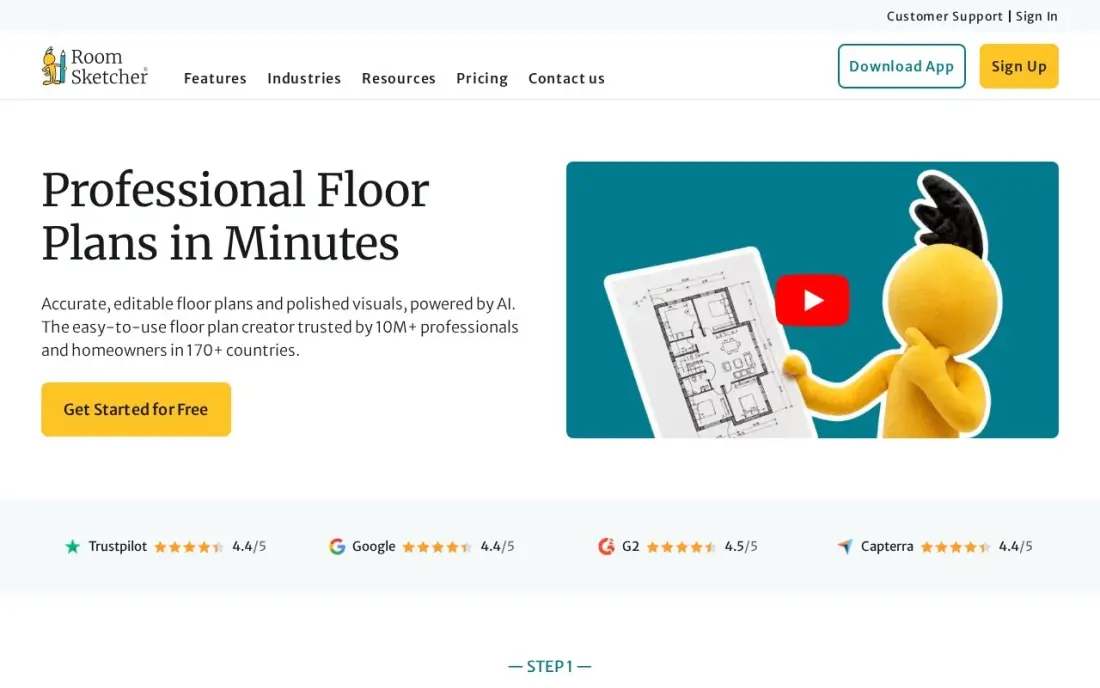
RoomSketcher is the quickest path to a plan a client can read. Draw walls, add doors and windows, furnish the rooms from a tidy library, then generate a to-scale 2D plan, a furnished 3D view and a 360-degree walkthrough from the same drawing. For a real estate agent or an interior designer, that is the whole presentation in one subscription, and Pro at $144 a year is the cheapest professional seat in this list.
The catch is the credit system. Pro includes 5 credits a month, and each 3D photo or 360 view spends one, so a busy month of client presentations needs either patience or extra credits. A finished plan costs from $18 a floor on top of the subscription. Pick RoomSketcher when the plan is the deliverable; pick Planner 5D when decorating matters more than measurements.
What we like
- Pro prints floor plans to scale with measurements and total floor area, which matters when a contractor prices the work
- Generates 2D plans, furnished 3D views and 360-degree walkthroughs from the same drawing, with no CAD training
- Free plan covers basic drawing and 3D viewing, so the workflow can be tested before paying
- Team at $420 a year adds five users and collaboration for a small studio
Watch out for
- Premium outputs run on credits: Pro includes 5 a month, and each 3D photo or 360 view spends one
- Ordering a finished floor plan costs from $18 a floor for Pro subscribers, on top of the subscription
- No desktop app for phones; it runs on desktop and tablet only

Planner 5D
Best for: Homeowners and renovators planning one home who want a full furniture catalog for $59.99 a year
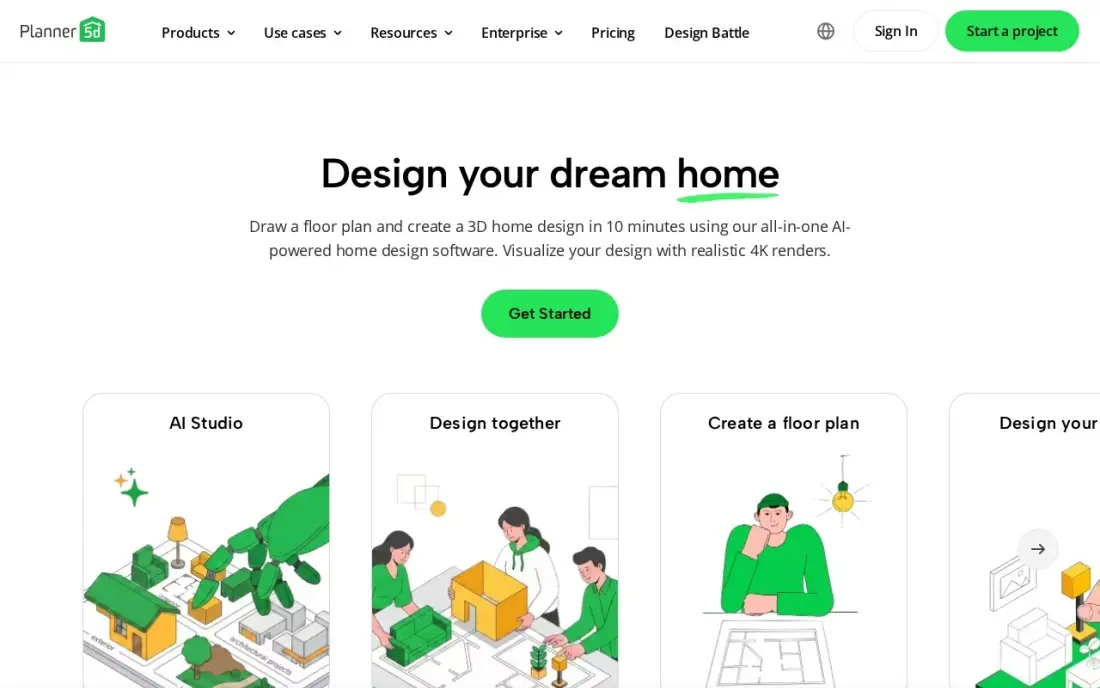
Planner 5D is the homeowner's tool in this list, and the price is the reason it sits this high. Premium costs $59.99 a year — about $5 a month — and unlocks the full catalog of more than 10,000 items, AI floor-plan recognition and standard renders. The free plan is genuinely usable, with unlimited projects and half the catalog, so a renovation can be planned end to end before any money changes hands.
The tiers are about output, not drawing. Watermark-free 4K renders, 3D model uploads and CAD export all wait for Professional at $399.99 a year, which is a professional price for a homeowner tool. Subscriptions auto-renew with no refunds, so set a renewal reminder. Pick Planner 5D for one home; pick RoomSketcher when the plan has to be to scale for a contractor.
What we like
- Premium at $59.99 a year is the cheapest paid plan in this list for the full 10,000-plus item catalog
- AI floor-plan recognition turns a photo or sketch of a plan into an editable 3D layout
- Free plan includes unlimited projects and half the catalog, with no time limit
- Runs on web, iOS, Android, Windows, macOS and visionOS, with projects syncing across devices
Watch out for
- Watermark-free 4K renders, 3D model upload and CAD export need Professional at $399.99 a year
- Subscriptions auto-renew and Planner 5D gives no refunds, so the renewal date needs a reminder
- Android-only subscriptions do not sync across platforms

SketchUp
Best for: Architects and designers who need a fast professional 3D modeler with LayOut documentation
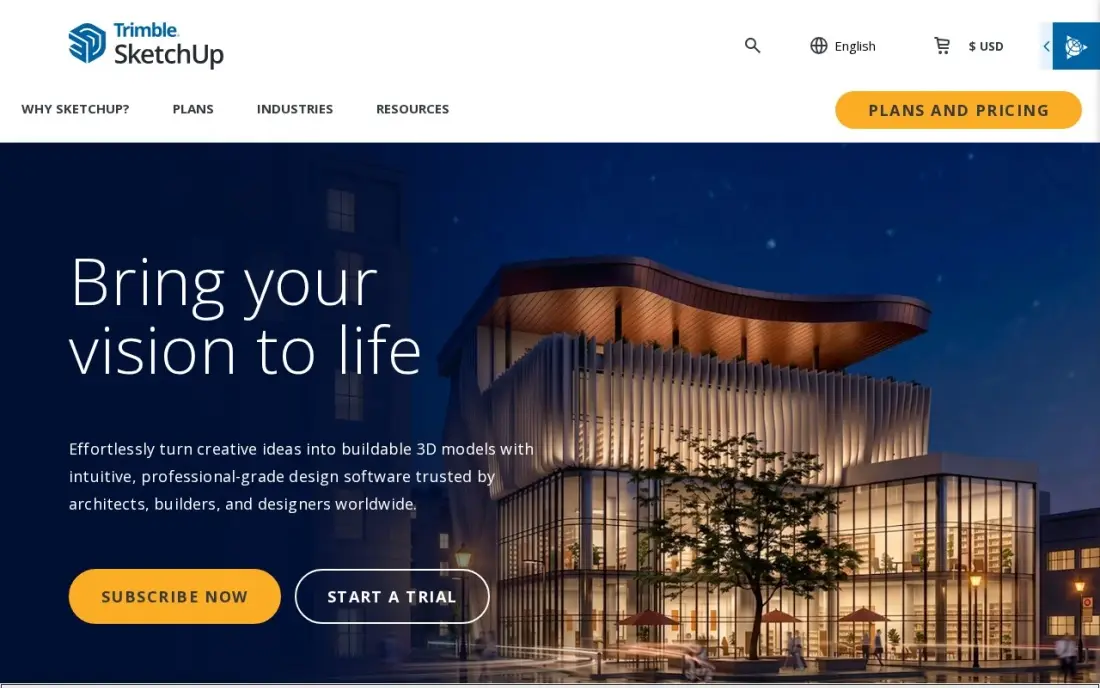
SketchUp is the professional 3D modeler in this list, and its job is speed of thought. Mass a building, test three layouts and walk a client through it in the time a BIM tool takes to open a template. Pro at $399 a year adds the desktop app, LayOut for 2D documentation and the Extension Warehouse, and the free web version covers personal projects at $0.
The price rose from $349 to $399 a year in July 2025, and monthly billing at $99.99 a month is steep — buy the annual plan if it will be used for four months or more. There is no native photorealistic rendering, so realistic visuals need Studio at $859 a year or a separate renderer. Buy SketchUp for modeling speed; buy Chief Architect when construction documents are the deliverable.
What we like
- The fastest professional 3D modeler here: mass a building, test options and walk a client through it in one session
- Pro includes LayOut for 2D documentation, plus the Extension Warehouse with more than 1,000 extensions
- Free web version covers personal, non-commercial projects at $0
- 3D Warehouse holds millions of ready-made models, from furniture to appliances
Watch out for
- Pro rose from $349 to $399 a year in July 2025, and monthly billing costs $99.99 a month
- No native photorealistic rendering; Studio at $859 a year adds V-Ray, or a separate renderer is needed
- The free web version is personal use only and has no desktop app

Floorplanner
Best for: Homeowners and small teams who want accurate dimensioned floor plans for $5 a month
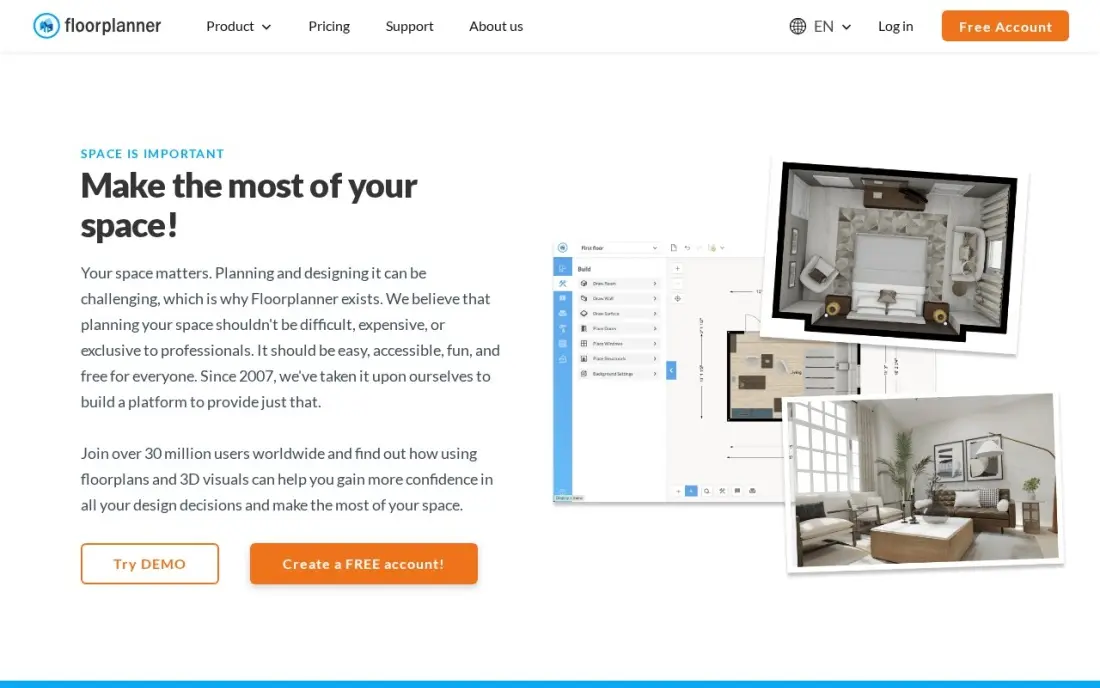
Floorplanner is the cheapest way into this list, and it earns the spot on accuracy, not just price. Draw rooms, move walls, add doors and windows, and get a dimensioned 2D plan in minutes, then flip to 3D to check how the room feels. Plus costs $5 a month, removes the export cooldown and adds 4 credits a month, and the free Basic plan covers five projects.
The credits are the thing to count. One HD project upgrade costs 5 credits, so a Plus subscriber cannot fund a single HD export in a month without buying extra credits at $1.63 each or saving them up. Free exports are watermarked and low resolution. Pick Floorplanner for quick accurate plans on a budget; pick RoomSketcher when to-scale printing and measurements matter.
What we like
- Plus at $5 a month is the cheapest paid plan here, with 4 credits a month and no export cooldown
- Draws accurate dimensioned plans in the browser with no install and no CAD training
- Free Basic plan covers up to 5 projects, enough to test the editor properly
- Credit packs are a flat $1.63 per credit, so occasional exports can be bought without a subscription
Watch out for
- Plus includes only 4 credits a month, and one HD project upgrade costs 5, so heavy exporters buy extra credits
- Exports on the free plan are watermarked, limited in resolution and slowed by cooldowns
- No 3D furniture catalog as deep as Planner 5D or Coohom

HomeByMe
Best for: Casual home planners who want a free 3D room designer with a branded furniture catalog
HomeByMe is the easiest free start in this list. Draw a floor plan in 2D, furnish it from a branded catalog in 3D and walk through the result, all in the browser with no install. The free Starter plan covers 3 projects and 3 realistic renderings, which is enough to plan one room properly, and Premium at $29 a month removes the caps with unlimited projects and HD images.
The limits arrive fast: three projects means a second room needs a paid plan or a one-time pack at $19.47, and there is no published annual price, so no discount for paying a year ahead. The furniture gallery can feel crowded, per reviewers. Pick HomeByMe to try a room in 3D for free; pick Planner 5D when the catalog and the price per year matter more.
What we like
- Free Starter plan includes 2D, 3D and walkthrough views with a branded furniture catalog
- Premium at $29 a month buys unlimited projects, unlimited HD images and 3D model uploads
- Runs entirely in the browser, with a mobile app for designing on the go
- One-time pack at $19.47 covers 5 projects and 15 realistic renderings without a subscription
Watch out for
- The free plan stops at 3 projects and 3 realistic renderings, so a second room needs a paid plan
- No published annual price, so there is no discount for paying a year ahead
- Reviewers note the furniture gallery can feel crowded and hard to browse

Coohom
Best for: Interior designers who want AI-assisted layouts and unlimited 4K renders for $29 a month

Coohom is the AI-assisted designer in this list. Pro at $29 a month buys unlimited projects, unlimited watermark-free 4K renders and 360-degree walkthroughs, and the AI tools generate layouts and renders from a photo or a prompt. For an interior designer who renders every day, unlimited 4K output for $29 a month is the best render value here, and Elite at $69 a seat adds construction drawings.
The AI runs on credits on top of the subscription, so heavy AI use costs more than the $29 headline, and prices vary by region, so the checkout total can differ from the list price. Reviewers also report auto-renewal surprises. Pick Coohom when renders are the daily work; pick Planner 5D when the budget is $60 a year and AI is a nice extra, not the job.
What we like
- Pro includes unlimited projects, unlimited watermark-free 4K renders and 360-degree walkthroughs for $29 a month
- AI tools generate layouts and renders from a photo or a prompt, with credits on top of the subscription
- Elite at $69 a seat adds downloadable construction drawings and team collaboration
- Free Basic plan covers 3 projects with watermarked 1K renders
Watch out for
- AI tools run on credits on top of the subscription, so heavy AI use costs more than $29 a month
- Prices vary by region and have changed before, so the checkout total can differ from the list price
- Reviewers report auto-renewal surprises, including annual charges after a monthly signup

Cedreo
Best for: Home builders and remodelers who need full plan sets with sections, elevations and roofs
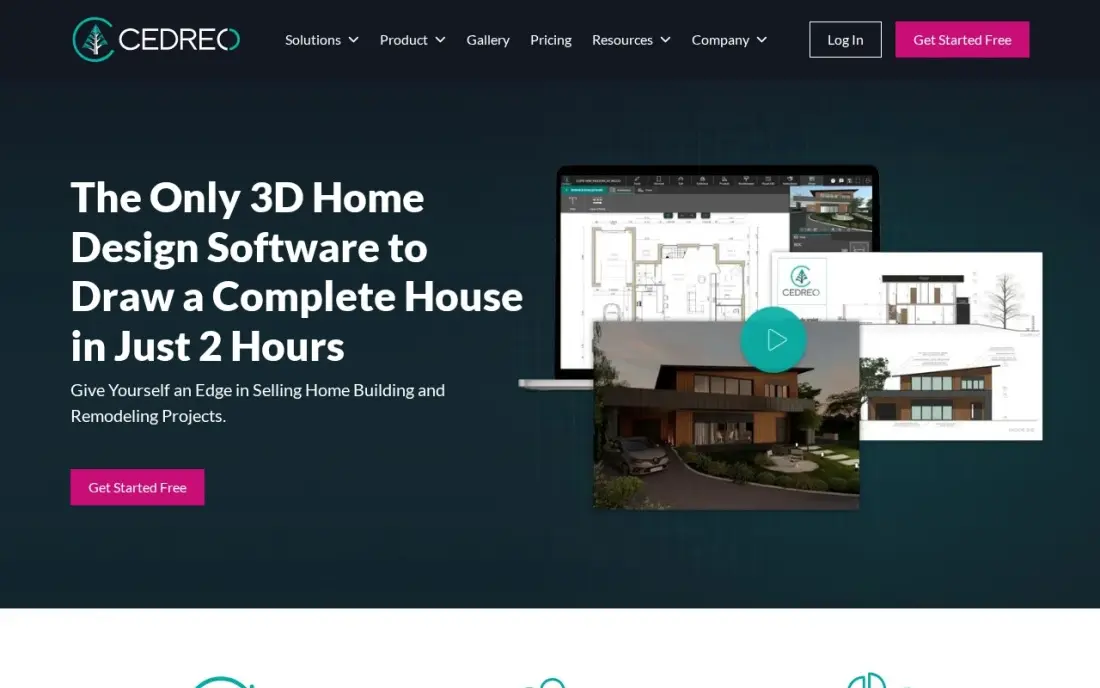
Cedreo is built for people who draw house plans every week: home builders, remodelers and contractors. Draw the plan with magnetism and automatic dimensions, then add roofs, terrain, sections and elevations and render the result — a full plan set from one browser tool. Pro at $79 a month billed annually includes 40 realistic renderings a month and unlimited projects.
It is the priciest subscription here after Chief Architect: $129 a month on monthly billing, and prices vary by visitor location, so the figure on the checkout page can differ from the US list price. A homeowner with one project should buy Personal at $139 instead of a subscription. Pick Cedreo when the plan set is the product; pick SketchUp when free-form 3D modeling matters more.
What we like
- Draws a full plan set: floor plans, sections, elevations, roofs, terrain and site plans in one tool
- Pro includes 40 realistic 3D renderings a month and 10 AI renderings, with unlimited projects
- Free plan covers 1 user and 1 project, so the drawing tools can be tested before paying
- Personal at $139 a project suits a homeowner with a single house to draw
Watch out for
- Pro at $129 a month billed monthly is the priciest subscription here after Chief Architect
- Prices vary by visitor location, so the checkout total can differ from the US list price
- Customization is limited for curved lines and importing custom materials or shapes

Sweet Home 3D
Best for: Homeowners who want a free offline floor planner with no account and no subscription
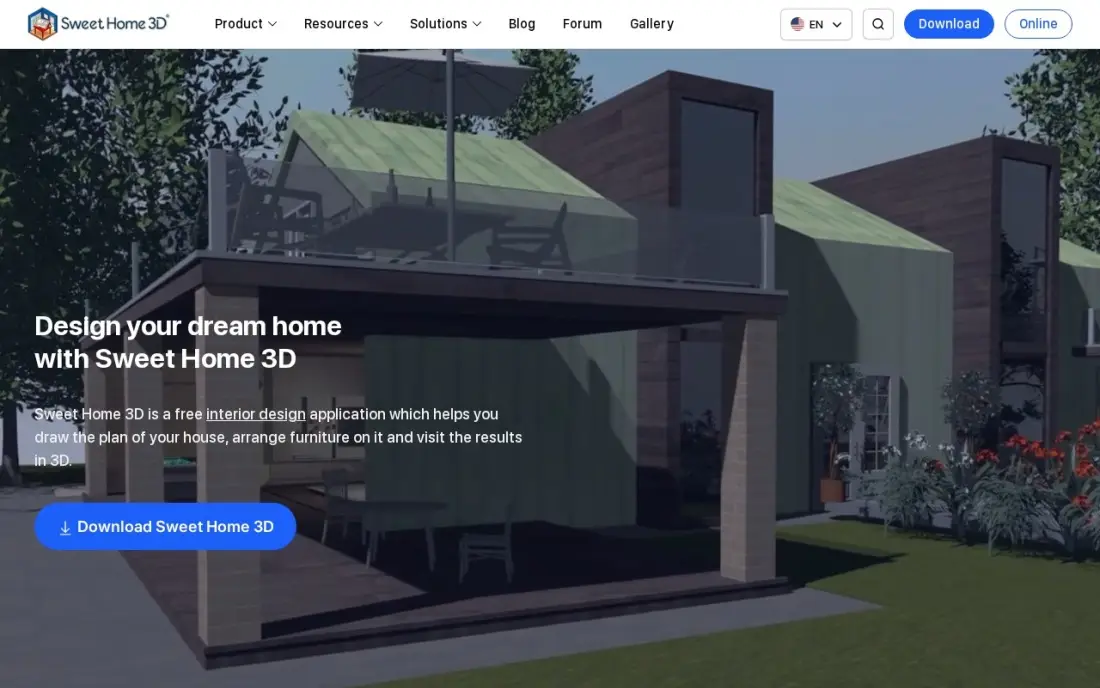
Sweet Home 3D is the only completely free tool in this list, and it is open source under the GNU GPL. Draw the plan of a house, arrange furniture on it and see the result in a 3D view next to the plan, with a virtual visitor walkthrough and photo renderings. It runs offline on Windows, macOS and Linux, needs no account and never asks for a subscription.
The limits are real: there is no roof tool, no terrain modeling and no built-in DWG export — that needs a plug-in — and the interface looks dated next to the browser tools. The Mac App Store edition is a separate paid subscription for the larger catalog. Pick Sweet Home 3D for a free, private, offline planner; pick Floorplanner when dimensioned exports and a modern editor matter.
What we like
- Completely free and open source under the GNU GPL, with no account and no subscription
- Runs offline on Windows, macOS and Linux, plus a free online version in any WebGL browser
- Draws rooms in 2D, furnishes them from the catalog and shows a live 3D view with a virtual visitor walkthrough
- Plug-ins add features like DWG export, and the community supplies extra furniture libraries
Watch out for
- No built-in roof tool and no terrain modeling, so it cannot plan a whole house exterior
- The interface looks dated next to the browser tools, and DWG export needs a plug-in
- The Mac App Store edition is a separate paid subscription, $49.99 a year, for the larger catalog

Chief Architect
Best for: Residential architects and builders who produce permit-ready construction documents daily
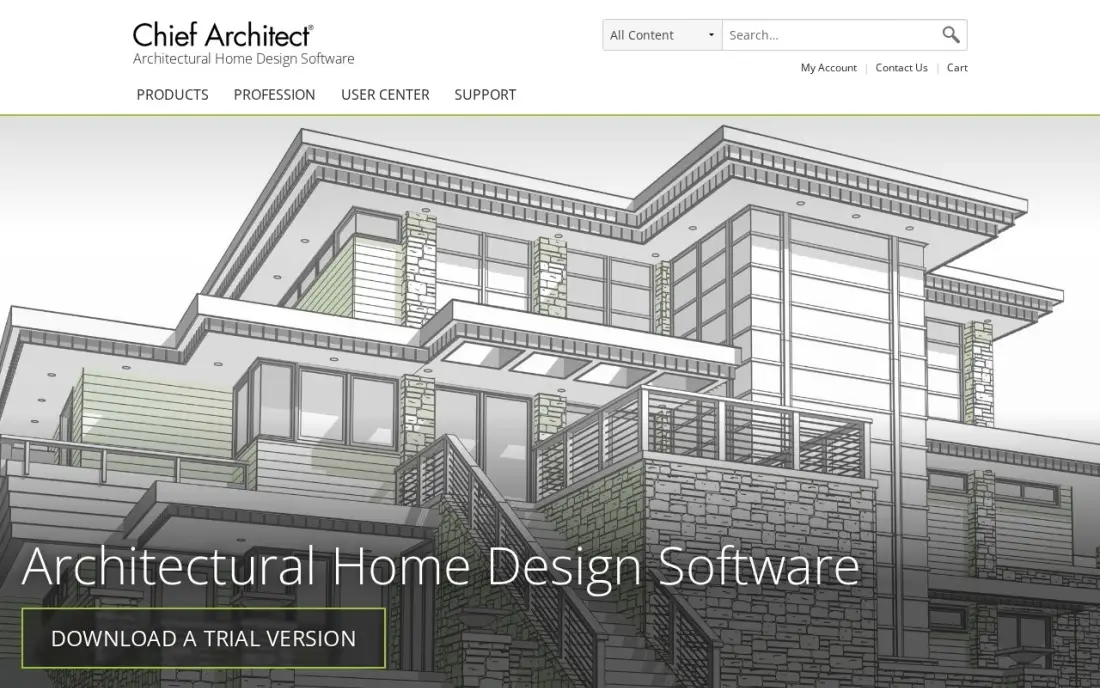
Chief Architect Premier is the residential specialist in this list, and it is the only tool here that produces permit-ready construction documents. Draw walls and the roof, and the framing, stairs, cabinets and foundation generate automatically with real building logic, plus elevations, cross sections and a materials list. At $229 a month or $1,995 a year, it is priced for firms that bill for that output.
The price is the whole story: it costs more than every other tool in this list combined, and it is built for residential design only, so it is the wrong tool for commercial or office space planning. The free trial never expires but blocks saving, printing and exporting. Buy Chief Architect when construction documents are the daily deliverable; buy SketchUp when concept design is the job.
What we like
- The only tool here that produces permit-ready construction documents: framing, roofs, stairs and materials lists generate automatically
- Draws walls and the roof, framing and foundation follow with real building logic, not manual drafting
- Annual billing saves 27% over monthly, and Support & Software Assurance is bundled in
- Free trial never expires, so the full tool can be explored before paying
Watch out for
- At $229 a month or $1,995 a year, it costs more than every other tool in this list combined
- Built for residential design only; it is the wrong tool for commercial or office space planning
- The free trial blocks saving, printing and exporting, so no real project can be finished on it
The best space planning software turns a rough idea of a room into a plan you can measure, furnish and show to someone else — and the right one depends on who that someone else is. The 9 tools below are ranked by fit for the most common buyer, a homeowner or small designer planning a home or a room, and every price was checked on November 12, 2026.
How to choose the best space planning software
- Decide what the output is for. A contractor needs a to-scale plan with measurements; a client needs a furnished 3D view; a permit office needs construction documents. The output decides the tool, not the other way round.
- Check whether renders and exports are included or metered. RoomSketcher and Floorplanner sell premium outputs by credit, so a cheap subscription can still cost real money in a busy month.
- Check the free-plan caps. HomeByMe stops at 3 projects, Floorplanner at 5 and Coohom at 3 — a free plan that runs out mid-project is not a free plan.
- Check 2D accuracy, not just 3D beauty. A pretty render with wrong dimensions is worse than a plain plan that measures right; RoomSketcher and Floorplanner print to scale.
- Check the platform. Sweet Home 3D runs offline on desktop, Chief Architect runs on Windows and Mac only, and most of the rest run in the browser.
- Think about the next project, not this one. A homeowner planning one room can stay free; a designer taking client work needs unlimited projects and watermark-free exports.
A plan is only useful if the right people see it. If the space belongs to a business that needs local customers, our local SEO service covers that side. And if the plans go on a website, the free SERP snippet preview tool shows how the page will look in Google before it goes live.
Whatever you shortlist, try it with a real room before you pay. The free plans and trials in this list are long enough to draw a room, export it and check the measurements against a tape measure. Check two things in the trial: that the plan prints to scale, and that the 3D view shows the furniture where the plan says it is.
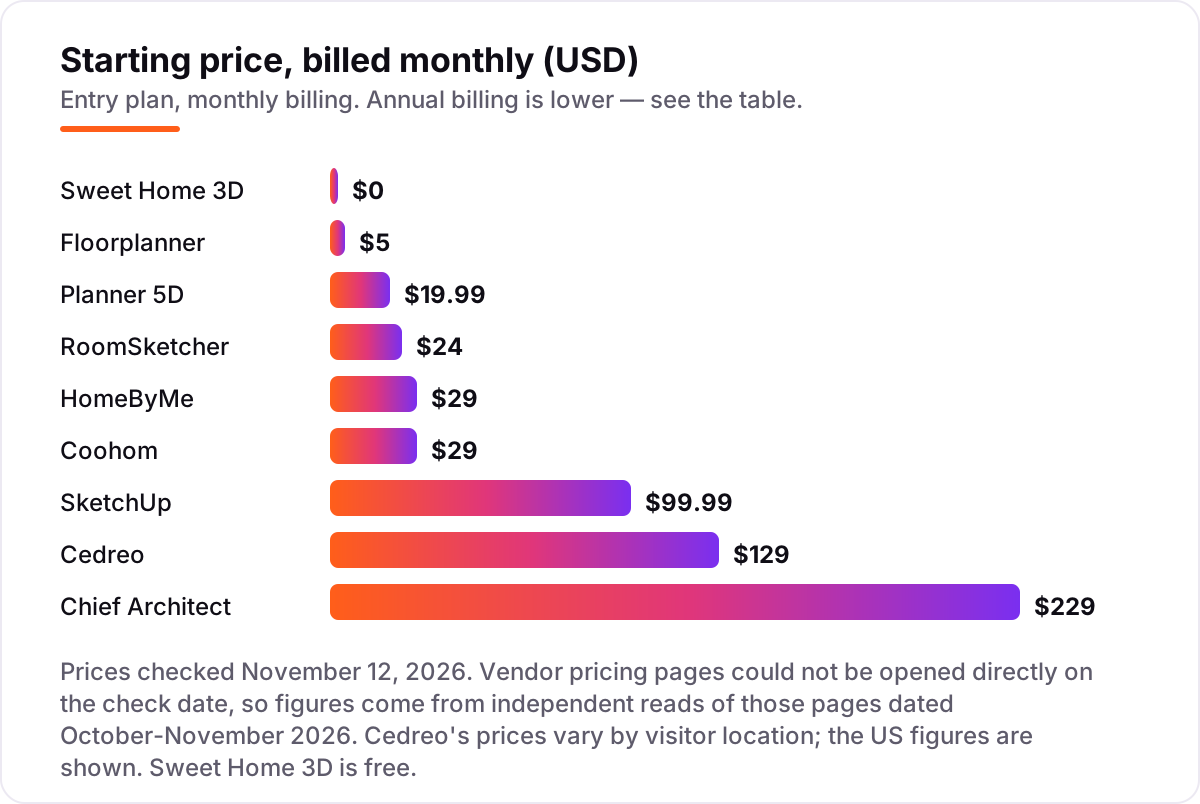
Space planning software pricing: what you will actually pay
Take a homeowner planning one home over a year. On list prices, the subscription costs $0 on Sweet Home 3D, $59.99 on Planner 5D Premium billed annually, $60 on Floorplanner Plus billed monthly ($48.96 billed annually), $144 on RoomSketcher Pro billed annually, $139 on Cedreo Personal for a single project, $348 on HomeByMe Premium at $29 a month, and $300 on Coohom Pro billed annually. SketchUp Go at $129 a year is the cheapest way into SketchUp, while Pro costs $399 a year.
For a small design studio, the numbers climb. SketchUp Pro is $399 a year, Cedreo Pro is $948 a year billed annually ($79 a month) or $1,548 on monthly billing, and Chief Architect Premier is $1,995 a year billed annually or $2,748 on monthly billing. A studio that renders every day should also count the metered costs: Floorplanner charges $1.63 per extra credit, and RoomSketcher Pro includes only 5 credits a month, so a month with twenty 3D photos needs extra credits on top of the subscription.
Two costs sit outside every number above. First, the one-off extras: a HomeByMe one-time pack is $19.47 for 5 projects, and a Cedreo Personal project is $139 — both are cheaper than a year of subscription for a single job. Second, the time cost: a tool that cannot print to scale or export cleanly wastes the hours the subscription was meant to save, so run the free plan with a real room before paying for a year.
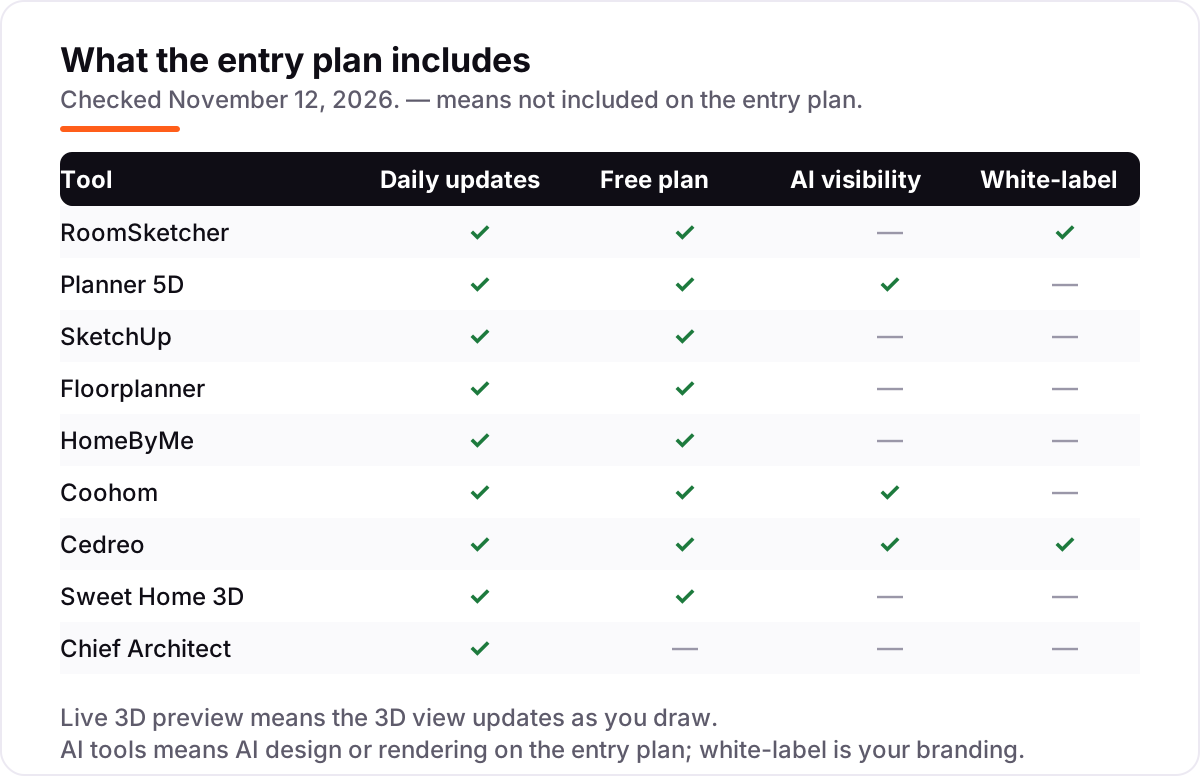
Know the difference: floor plan tools and 3D home design software
The confusion in this category is the picture, not the price. A floor plan tool draws accurate 2D layouts with dimensions — RoomSketcher, Floorplanner and Sweet Home 3D are built around the plan, and the plan is what a contractor prices from. A 3D home design tool is built around the furnished view — Planner 5D, Coohom and HomeByMe sell the walkthrough and the render, which is what a client understands. The professional tools — SketchUp, Cedreo and Chief Architect — span both, and add documentation on top.
The mistake is treating a beautiful render as a plan. A 3D view can hide a wall that is six inches out, a door that swings the wrong way or a room that is too small for the bed in it. Check the dimensions first, then admire the render: print the 2D plan, measure it against the room, and only then judge the 3D view. If the tool cannot print to scale, it is a decorating app, not a planning tool — useful, but not the thing to hand a builder.
Quick comparison: tool type by need
| Buyer | Best pick | Why |
|---|---|---|
| Homeowner planning one room for free | Sweet Home 3D | Free, open source, offline, no account |
| Homeowner who wants the cheapest full catalog | Planner 5D | Premium is $59.99 a year |
| Real estate agent or designer needing client-ready plans | RoomSketcher | To-scale plans and 3D photos from $144 a year |
| Small team that wants accurate plans for $5 a month | Floorplanner | Plus is $5 a month, free Basic plan |
| Interior designer who renders every day | Coohom | Unlimited watermark-free 4K renders from $29 a month |
| Builder who needs a full plan set | Cedreo | Sections, elevations and roofs from $79 a month billed annually |
Mistakes to avoid
- Budgeting on the subscription alone. RoomSketcher credits, Floorplanner credits and Coohom AI credits all sit outside the headline price, and a busy month of renders costs more than the subscription.
- Comparing monthly prices without checking billing. Annual billing cuts most prices — Planner 5D Premium drops from $19.99 to about $5 a month — and HomeByMe has no annual price at all.
- Trusting a directory price. SketchUp Pro still shows $349 a year on older pages; the live price is $399. Cedreo shows different prices by visitor location. Always check the vendor's own page.
- Buying a pro tool for a homeowner job. Chief Architect at $1,995 a year is wasted on one room; Sweet Home 3D or Planner 5D does the same job for $0 to $60.
- Forgetting the free-plan caps. HomeByMe stops at 3 projects, Floorplanner at 5 and Coohom at 3. A free plan that runs out mid-project forces an upgrade at the worst moment.
How we chose
We checked each vendor's own pricing page through independent reads dated October–November 2026 and recorded the starting price exactly as shown, including the annual-billing figure where the page lists one, because the vendor pages could not be opened directly on November 12, 2026. Ratings come from fresh crawls of the exact G2 pages, except Floorplanner, where G2 lists only 2 reviews, so we used its Capterra rating instead. Cedreo's prices vary by visitor location, so the US figures are shown, and HomeByMe's $29 Premium price is the vendor-supplied figure on its G2 pricing page, since HomeByMe publishes no annual price. We ranked the tools by fit for the most common buyer — a homeowner or small designer planning a home or a room — not by brand size. No vendor paid for a place in this list, and none of the links here are affiliate links.
What to do next
Start with the free plan of your top pick and draw one real room in it — walls, doors, furniture and all — then export it and check the measurements against a tape measure. If the plan prints to scale and the 3D view looks right, the tool is a keeper; if the export is watermarked or the dimensions are off, try the next one on the list. For a whole house, price the full year, not the first month, including any credits for renders and exports. Once your tools are in place, find out what's holding your rankings back.
Frequently asked questions
What is the best space planning software?
RoomSketcher is the best fit for most buyers at $144 a year, with to-scale plans and 3D photos. Homeowners who want the cheapest full catalog should pick Planner 5D Premium at $59.99 a year, and professionals who need construction documents should pick Chief Architect Premier. The right tool depends on whether the plan, the decorating or the documents matter most.
How much does space planning software cost?
Between $0 and $229 a month at the entry level. Floorplanner Plus starts at $5 a month, Planner 5D Premium at $59.99 a year and RoomSketcher Pro at $144 a year, while SketchUp Pro is $399 a year and Chief Architect Premier is $1,995 a year. Sweet Home 3D is free and open source. Most homeowners pay under $150 a year.
Is there free space planning software?
Yes. Sweet Home 3D is completely free and open source, with no account and no limits beyond its feature set. SketchUp, Planner 5D, RoomSketcher, Floorplanner, HomeByMe, Coohom and Cedreo all have free plans, but they cap projects, renders or exports. A free plan works for one room; a whole house usually needs a paid plan.
What is the difference between a floor plan tool and 3D home design software?
A floor plan tool draws accurate 2D layouts with dimensions, which is what contractors price from. 3D home design software adds furnished 3D views, walkthroughs and renders, which is what clients understand. Most tools here do both, but RoomSketcher and Floorplanner lean toward the plan, while Planner 5D and Coohom lean toward the 3D view.
Can space planning software make construction documents?
Only some of it. Chief Architect Premier produces permit-ready construction documents with framing, roofs and materials lists. Cedreo produces full plan sets with sections and elevations. The rest — Planner 5D, RoomSketcher, Floorplanner and Sweet Home 3D — make layouts and visuals, not drawings a builder can price or a permit office will accept.
Do I need a subscription, or can I buy space planning software once?
Most tools here are subscriptions, but two are not. Sweet Home 3D is free forever with no subscription, and Chief Architect is subscription-only since 2023. A few tools sell one-off extras instead: HomeByMe has a $19.47 one-time pack, Cedreo sells a single project for $139, and Floorplanner sells export credits without a subscription.
What should I check before paying for space planning software?
Check four things: whether the plan prints to scale, whether renders and exports are included or metered by credits, whether the price is monthly or annual billing, and whether the free plan caps projects or renders. Then run the free plan or trial with a real room: draw it, export it and check the measurements before paying.
Sources we checked (18)
- RoomSketcher pricing — roomsketcher.com/pricing (checked November 12, 2026)
- RoomSketcher on G2 — 4.5/5, 150 reviews (checked November 12, 2026)
- Planner 5D pricing — planner5d.com/pricing (checked November 12, 2026)
- Planner 5D on G2 — 4.7/5, 188 reviews (checked November 12, 2026)
- SketchUp pricing — sketchup.com/plans-and-pricing (checked November 12, 2026)
- SketchUp on G2 — 4.5/5, 1,324 reviews (checked November 12, 2026)
- Floorplanner pricing — floorplanner.com/pricing (checked November 12, 2026)
- Floorplanner on Capterra — 4.2/5, 25 ratings (checked November 12, 2026)
- HomeByMe pricing — G2 vendor-supplied pricing, Premium $29/month (checked November 12, 2026)
- HomeByMe on G2 — 4.9/5, 5 reviews (checked November 12, 2026)
- Coohom pricing — coohom.com/pricing (checked November 12, 2026)
- Coohom on G2 — 4.3/5, 183 reviews (checked November 12, 2026)
- Cedreo pricing — cedreo.com/pricing (checked November 12, 2026)
- Cedreo on G2 — 4.6/5, 8 reviews (checked November 12, 2026)
- Sweet Home 3D — sweethome3d.com (free, open source under the GNU GPL; checked November 12, 2026)
- Sweet Home 3D on G2 — 4.3/5, 19 reviews (checked November 12, 2026)
- Chief Architect pricing — chiefarchitect.com/offers (checked November 12, 2026)
- Chief Architect on G2 — 4.6/5, 18 reviews (checked November 12, 2026)
Make one of these tools?
We re-check this list every quarter. Send a correction, request a review, or ask about a clearly labeled sponsored spot.
Request a listingShamim
Founder of SerpAstra
A full-stack SEO and digital marketer who spends most days on Local SEO for dental practices, AI search visibility and lead generation.
Free SEO and AI visibility audit
Find out what is holding your rankings back
Send us your site. Within 2 business days you get a written audit, an AI visibility check and a short fix list ranked by impact. Free, with no contract attached.
Request my free audit→Related buying guides
 Productivity & Office10 Best Workspace Management Software in 2026, Compared10 best workspace management software tools compared on price, plan limits and booking features. Real 2026 prices checked on vendor pages, November 10, 2026.Read guide →
 Real Estate & Property Management10 Best Coworking Space Management Software in 2026, ComparedCompare the 10 best coworking space management software options on price, free plans, billing and member apps, with prices checked November 10, 2026.Read guide →
 Real Estate & Property Management11 Best Project Management Software for Real Estate Development in 2026, ComparedCompare the 11 best project management software for real estate development on price, free plans and field tools, with every price checked November 8, 2026.Read guide →