
Best Ways to Manage Contacts Across Platforms in 2026: 8 Options Compared
Compare the best way to manage contacts across platforms: 8 options from Google and Apple Contacts to HubSpot, Zoho and Pipedrive — checked November 12, 2026.
 Shamim Mia, Founder, SerpAstraLast verified November 12, 202613 min read
We compare pricing pages, documentation and public reviews. We never accept payment for rankings.

Key takeaways
- Google Contacts and Apple Contacts are free and cover most people: pick the one that matches the phones in the house, and pay $0.
- HubSpot CRM leads for small businesses at $0 for up to two users, with unlimited contacts and a deal pipeline included.
- The single most important buying factor is the pricing unit: free address books charge $0, CRMs charge per seat, and Mesh charges one flat price.
- Every price below was checked on the vendor's own pricing page on November 12, 2026. Ratings are G2, with review counts shown.
On this page
Quick comparison
| Tool | Best for | Starting price | Free plan |
|---|---|---|---|
| Google Contacts | Anyone who lives in Gmail or on Android and wants one clean contact list on every device for $0 | Free | Yes (free) |
| Microsoft Outlook | One person already on Microsoft 365 who wants contacts tied to email, calendar and Teams | $9.99/mo | Yes (free apps) |
| Apple Contacts | iPhone, iPad and Mac owners who want contacts to just work across Apple devices | Free | Yes (free) |
| HubSpot CRM | Small businesses that want contacts plus a sales pipeline for free, for up to two users | Free; Starter $20/seat/mo | Yes (free CRM) |
| Zoho CRM | Small teams that want a full CRM at the lowest per-seat price in this list | $20/user/mo | Yes (free, 3 users) |
| Pipedrive | Sales-led small teams that want the fastest CRM setup and a visual deal pipeline | $24/user/mo | No (14-day trial) |
| Capsule | Small teams and consultants that want the simplest shared contact list, with no learning curve | $22/user/mo | Yes (free, 250 contacts) |
| Mesh (formerly Clay) | Solo networkers who want their contact list to build and refresh itself | $20/mo | Yes (free, 1,000 contacts) |
Make one of these tools?
We re-check this list every quarter. Send a correction, request a review, or ask about a clearly labeled sponsored spot.
Request a listingThe best contact management

Google Contacts
Best for: Anyone who lives in Gmail or on Android and wants one clean contact list on every device for $0
Google Contacts is the default address book for anyone who lives in Gmail or on Android, and it costs nothing. Every contact syncs to the web and to any Android phone, iPhone or Windows PC on the same Google account, with labels, a merge-duplicates tool and 30-day restore for deleted contacts. Edits appear on every device within seconds, and Gmail autocompletes addresses straight from the list.
The trade-off is depth: there is no pipeline, no deal tracking and no follow-up reminders, so it is an address book, not a CRM. Sharing is delegated access for one account, not a shared team directory, and its free 15 GB of storage is shared with Gmail and Drive. Pick Google Contacts when the goal is one clean list everywhere for $0; pick HubSpot or Zoho when contacts need to turn into sales.
What we like
- Free with any Google account, with sync to Android, iPhone, Windows and the web
- Labels for grouping, a merge-duplicates tool and 30-day restore for deleted contacts
- Gmail autocompletes addresses straight from the list, with no extra setup
Watch out for
- No pipeline, deal tracking or follow-up reminders — it is an address book, not a CRM
- Sharing is limited to delegated access for one account, not a shared team directory

Microsoft Outlook
Best for: One person already on Microsoft 365 who wants contacts tied to email, calendar and Teams
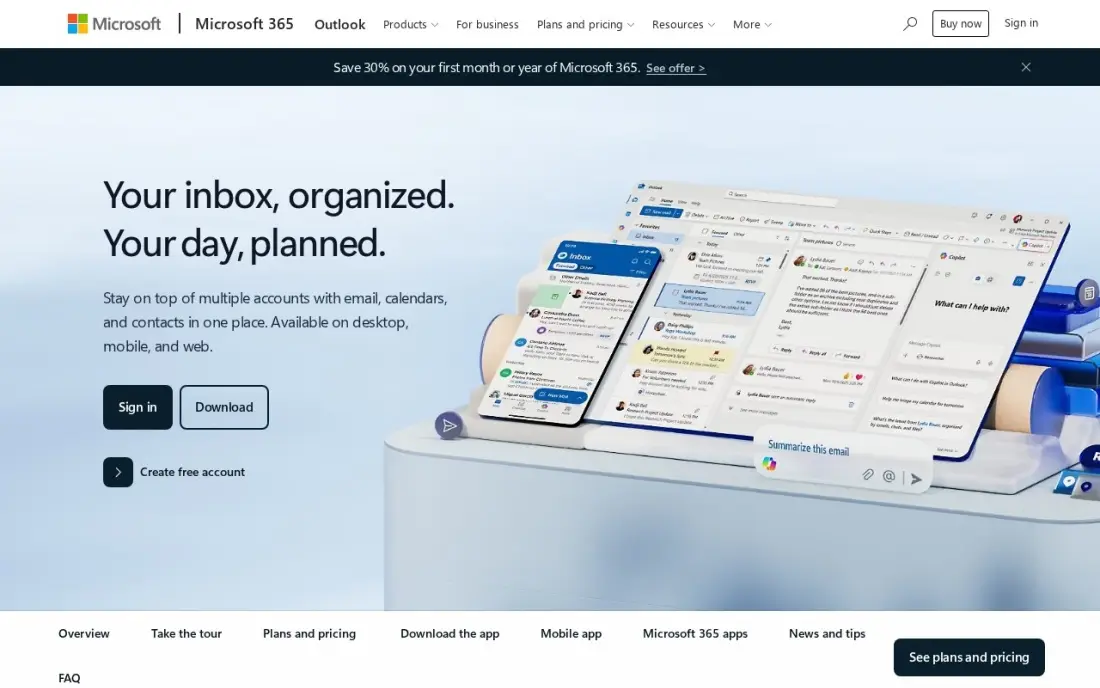
Outlook is the contact manager for people who already live in Microsoft 365: the People view holds every contact, syncs them across Windows, Mac, iPhone, Android and the web, and ties each one to its emails, calendar invites and Teams calls. The free Outlook apps cover the basics, and Microsoft 365 Personal at $9.99 a month adds the desktop apps, 1 TB of OneDrive and Copilot help with drafting and summaries.
The catch is the price of the full experience: the desktop apps and the 1 TB of storage sit behind the subscription, and reviewers report slow loading with large mailboxes and a cluttered interface. Moving a large list elsewhere takes an export. Pick Outlook when work already runs on Microsoft 365; pick Google Contacts when the household runs on Gmail and Android instead.
What we like
- Contacts sync across Windows, Mac, iPhone, Android and the web from one People view
- Each contact links to its email thread, calendar invites and Teams calls
- Microsoft 365 Personal adds desktop apps, 1 TB of OneDrive and Copilot help
Watch out for
- Desktop apps and 1 TB of OneDrive storage sit behind the $9.99/month subscription
- Reviewers report slow loading with large mailboxes and a cluttered interface

Apple Contacts
Best for: iPhone, iPad and Mac owners who want contacts to just work across Apple devices
Apple Contacts is the quiet default for iPhone, iPad and Mac owners: it syncs through iCloud to every Apple device, to Windows and any browser at icloud.com, all free with an Apple ID. Groups, smart lists and the built-in duplicate finder keep the list tidy, and contacts feed straight into Messages, FaceTime, Mail and Siri, so calling or texting never means opening another app.
The limits show up the moment the household is mixed: sync is smoothest inside Apple's own apps, sharing a list with an Android user means exporting a vCard, and there is no pipeline, reminder or enrichment layer. The free 5 GB of iCloud storage also fills fast once photos join it. Pick Apple Contacts when every device in the house is Apple's; pick a cross-platform CRM when the team mixes iPhone and Android.
What we like
- Free with any Apple ID, syncing through iCloud to iPhone, iPad, Mac, Windows and the web
- Groups, smart lists and a built-in duplicate finder keep the list tidy
- Feeds straight into Messages, FaceTime, Mail and Siri with no extra app
Watch out for
- Sync is smoothest inside Apple's own apps; sharing with Android means exporting a vCard
- No pipeline, reminders or enrichment layer, and free iCloud storage is only 5 GB

HubSpot CRM
Best for: Small businesses that want contacts plus a sales pipeline for free, for up to two users
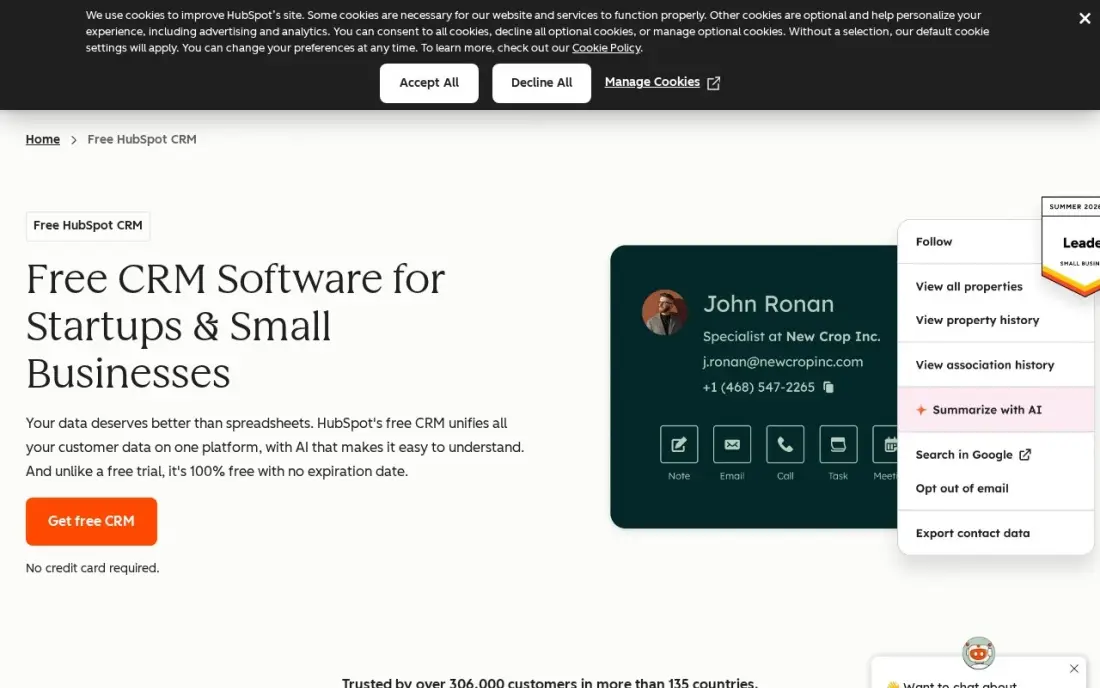
HubSpot's free CRM is the strongest $0 starting point for a small business: unlimited contacts and companies, one deal pipeline, email tracking, meeting scheduling and a shared inbox for up to two users, with apps on iOS, Android, Windows and Mac and the web. Contacts carry their full history — every email, call, meeting and deal — on one timeline, and the free tier never expires.
The step up is steep: Starter is $20 a seat a month at the standard rate, though new customers are currently shown $7 a month on annual billing, and the useful automation and reporting live on Professional at $90 a seat. A third teammate forces a paid seat. Pick HubSpot when the business wants contacts plus a pipeline for free; pick Zoho when the team needs more than two seats at the lowest price.
What we like
- Free CRM with unlimited contacts and companies, one deal pipeline and email tracking
- Every contact carries its full history — emails, calls, meetings and deals — on one timeline
- Apps on iOS, Android, Windows and Mac, plus a web app that syncs everywhere
Watch out for
- Two free users only — a third teammate forces a paid Starter seat at $20/month
- Automation and reporting live on Professional at $90/seat/month, a steep step up

Zoho CRM
Best for: Small teams that want a full CRM at the lowest per-seat price in this list
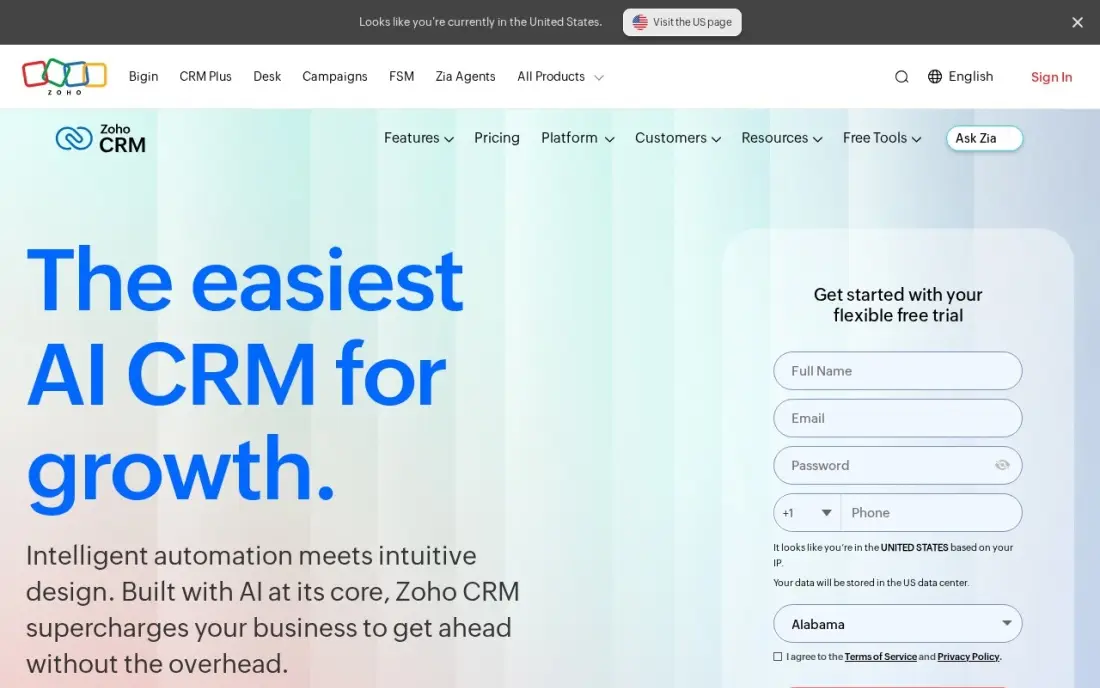
Zoho CRM is the cheapest paid CRM here for a small team: Standard is $14 a user a month billed annually, or $20 month to month, and the free edition covers three users. Contacts sync across web, iOS, Android and Windows, and every record holds emails, calls, meetings and deals, with scoring rules and workflows included. The mobile app is genuinely usable.
The honest cost is setup time: reviewers rate Zoho 4.1 on G2 and praise its depth and price, but report a learning curve and uneven support, and AI assistant Zia only arrives on Enterprise at $40 a user. Mass email is capped at 250 a day per organisation on Standard. Pick Zoho when the team wants a full CRM at the lowest per-seat price; pick HubSpot when ease of use matters more than the bill.
What we like
- Standard is $14/user/month billed annually — the cheapest paid CRM entry here
- Scoring rules and workflows from Standard, with 100,000 records included
- Contacts sync across web, iOS, Android and Windows, with a genuinely usable mobile app
Watch out for
- Reviewers report a learning curve and uneven support, and setup takes real time
- AI assistant Zia only arrives on Enterprise at $40/user/month, not Standard

Pipedrive
Best for: Sales-led small teams that want the fastest CRM setup and a visual deal pipeline
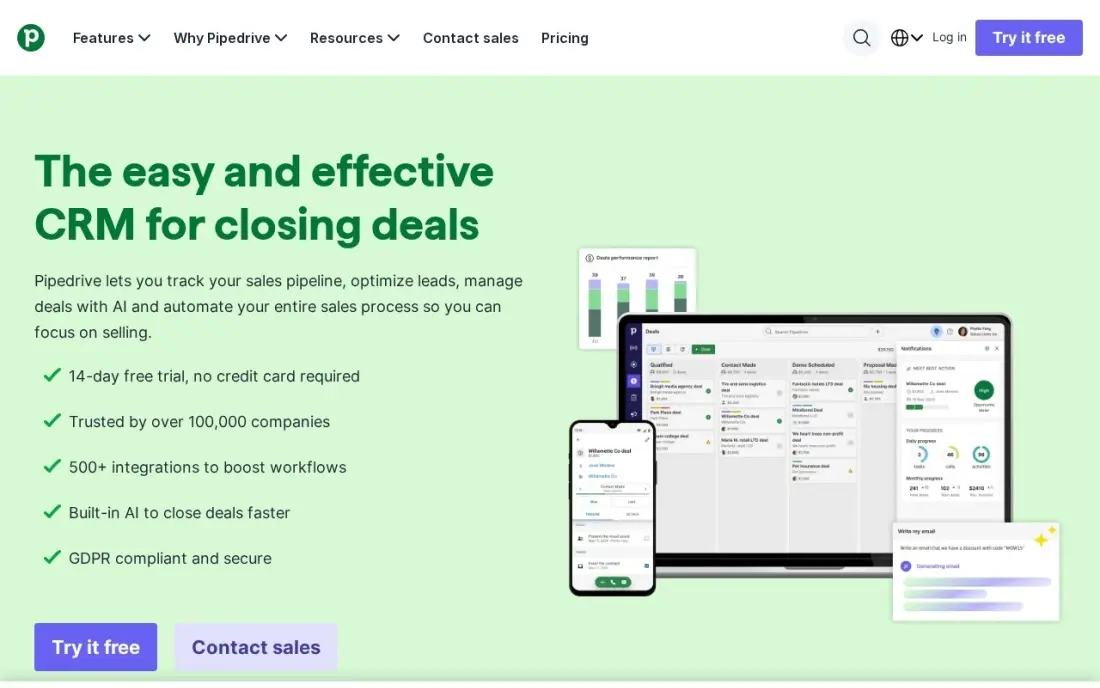
Pipedrive is the simplest sales CRM here: contacts sit beside a visual deal pipeline, sync across web, iOS, Android and Windows, and every email, call and meeting attaches automatically. Lite costs $14 a user a month billed annually, or $24 month to month, and reviewers give it 8.7 out of 10 for ease of setup on G2. A 14-day trial needs no card.
The Lite plan is deliberately thin: workflow automation, email sequences and forecasting wait for Growth at $39 a user, and the extras — LeadBooster, Smart Docs and Projects — are paid add-ons, which reviewers cite as the top complaint. There is no free plan, only the trial. Pick Pipedrive when the team sells through a pipeline and wants the fastest setup; pick Zoho when automation needs to be in the entry price.
What we like
- Contacts sit beside a visual deal pipeline, with email, calls and meetings attached automatically
- Rated 8.7 out of 10 for ease of setup on G2 — the fastest start among the CRMs here
- Syncs across web, iOS, Android and Windows, with a 14-day trial that needs no card
Watch out for
- Workflow automation, email sequences and forecasting wait for Growth at $39/user/month
- LeadBooster, Smart Docs and Projects are paid add-ons, the top reviewer complaint

Capsule
Best for: Small teams and consultants that want the simplest shared contact list, with no learning curve
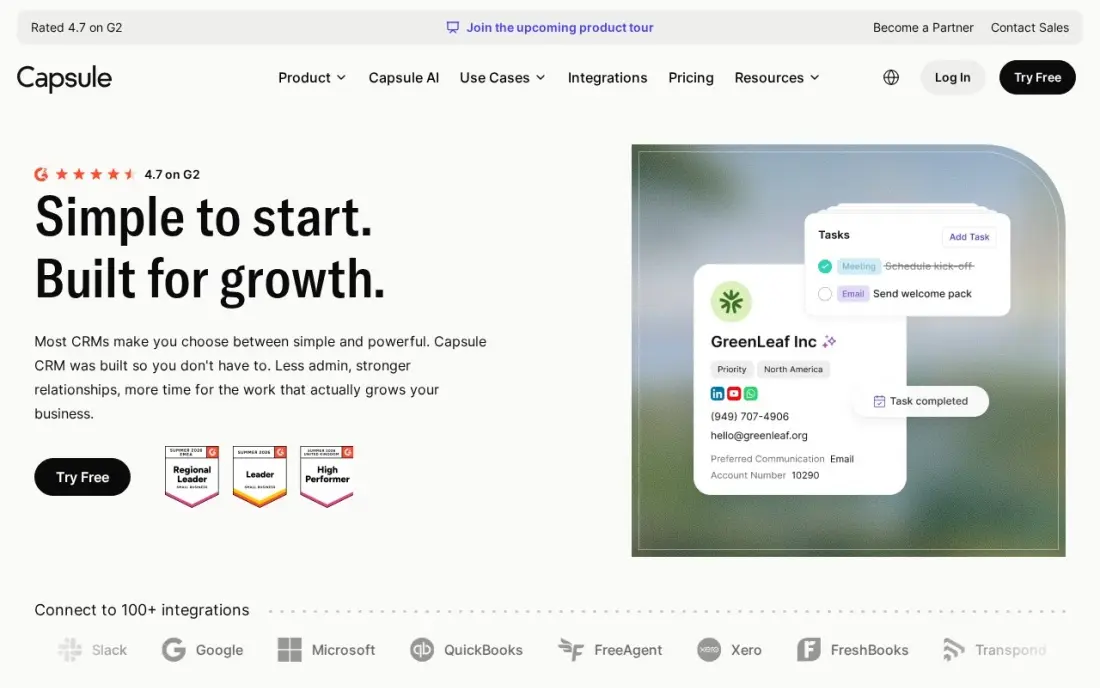
Capsule is the contact-first CRM for small teams that want a clean list without a learning curve: contacts, a visual pipeline and project boards, synced across web, iOS, Android and Windows. The free plan covers two users and 250 contacts, and Starter is $18 a user a month billed annually, or $22 month to month, with 30,000 contacts, email templates and a shared mailbox. Setup takes under two hours.
The ceiling arrives early: workflow automation, email sync and a second pipeline wait for Growth at $36 a user, and there is no two-way email sync on any plan. Support is email-only with next-business-day replies. The 250-contact free cap fills fast for a real network. Pick Capsule when the team wants the simplest shared contact list; pick Zoho or Pipedrive when automation and email sync are non-negotiable.
What we like
- Contact-first design: contacts, a visual pipeline and project boards in one clean view
- Free plan for 2 users and 250 contacts; Starter raises the cap to 30,000 contacts
- AI Pipeline Generator included on Starter, with email templates and a shared mailbox
Watch out for
- Workflow automation, email sync and a second pipeline wait for Growth at $36/user/month
- No two-way email sync on any plan, and support is email-only with next-business-day replies

Mesh (formerly Clay)
Best for: Solo networkers who want their contact list to build and refresh itself
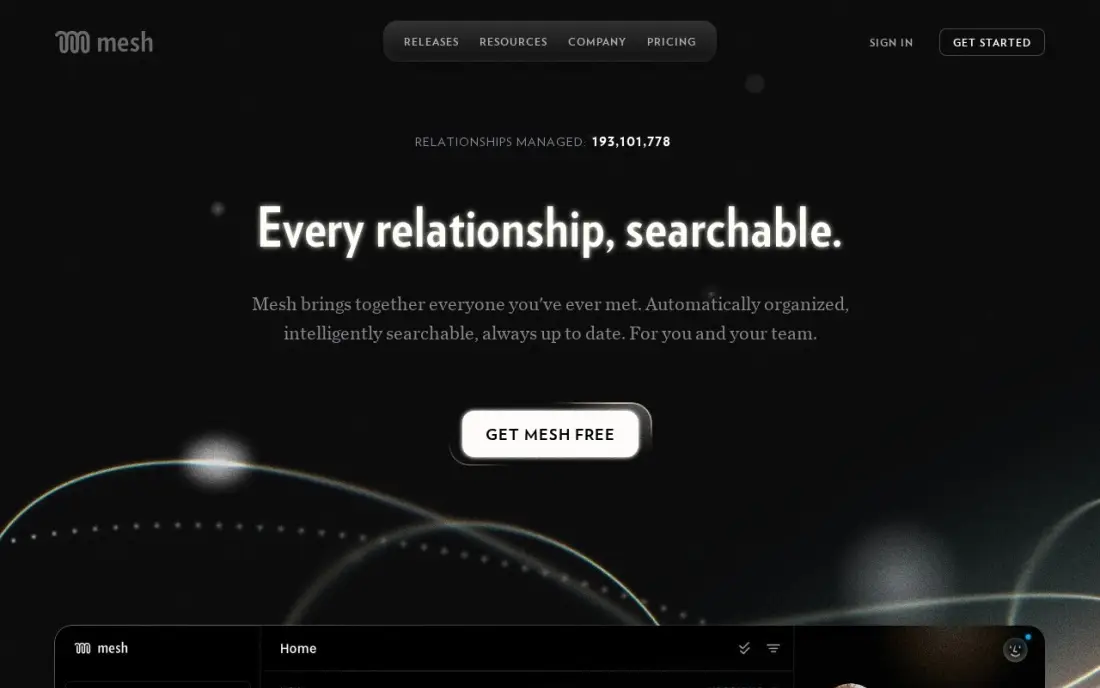
Mesh, formerly the personal CRM Clay, is the only tool here that builds the contact list for you: connect Gmail, Outlook, calendar and LinkedIn and it imports people, refreshes job titles from public sources, and reminds you to reconnect with people you have not spoken to. The free Personal plan covers 1,000 contacts, and Pro is $20 a month billed monthly, or $10 a month billed annually, with unlimited contacts and CSV import.
The friction is sign-up: a credit card is required even for the free plan, and new users start on a 14-day Pro trial before dropping to Personal. Mesh is a personal network tool, not a sales CRM — no deal pipeline or team reporting. Pick Mesh when the goal is keeping up with people you already know; pick a CRM when contacts need to become revenue.
What we like
- Imports people from Gmail, Outlook, calendar, LinkedIn and social accounts automatically
- Refreshes job titles and company details from public sources, and reminds you to reconnect
- Free Personal plan covers 1,000 contacts; Pro is flat-priced, not per seat
Watch out for
- A credit card is required even for the free plan, and new users start on a 14-day Pro trial
- A personal network tool, not a sales CRM — no deal pipeline or team reporting
The best way to manage contacts across platforms is to start with the address book or CRM that already lives where your contacts do, then check that it syncs to every device you own. The 8 options below are ranked by fit for the most common buyer — a person or small US business whose contacts are spread across iPhone, Android, Windows and Mac — and every price was checked on the vendor's own pricing page on November 12, 2026.
How to choose the best way to manage contacts across platforms
- Start with the devices in the house. Google Contacts wins on Android and Gmail, Apple Contacts wins on iPhone and Mac, Outlook wins where Microsoft 365 already runs. The wrong ecosystem means daily friction.
- Decide address book or CRM. If you only need names and numbers everywhere, a free address book is enough. If contacts need deals, follow-ups and team history, you need HubSpot, Zoho, Pipedrive or Capsule.
- Check the pricing unit. Address books are $0, CRMs charge per seat, and Mesh charges one flat price. A per-seat CRM that looks cheap for one person doubles with every hire.
- Check the free-plan caps. Capsule stops at 250 contacts, Mesh at 1,000, HubSpot at two users and Zoho at three. A free plan that runs out mid-year forces a paid upgrade at the worst moment.
- Check the export. Every tool here exports vCard or CSV, but confirm it before you commit — a contact list you cannot leave with is a trap, not a tool.
- Think about who else touches the list. A shared team directory needs a CRM with seats and permissions; a personal network needs Mesh, not a sales pipeline.
Contacts only matter if they turn into conversations and customers. If the business is not showing up when people nearby search, our local SEO service covers that side. And once the list is clean, the free Google review link generator makes a one-tap review link to send to happy clients.
Whatever you shortlist, try it with your real list before you pay. Import a few hundred contacts, edit one on your phone and check it changes on your laptop, then delete a duplicate and confirm it stays deleted. Every tool here offers a free plan or a trial, so there is no reason to buy before the sync has been proven on your own devices.
Contact management pricing: what you will actually pay
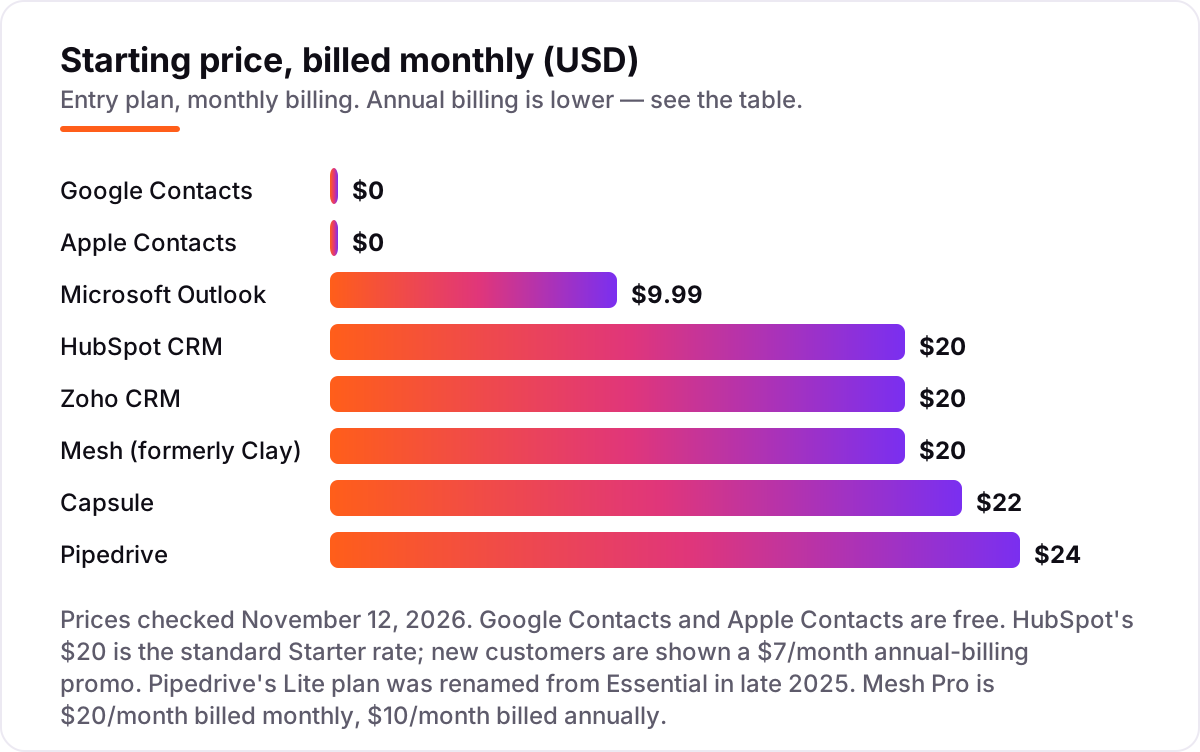
Take a five-person team with about 1,000 contacts. On list prices, the subscription costs $0 a month on Google Contacts, Apple Contacts and HubSpot's free CRM — though HubSpot's free tier covers only two users, so a five-person team pays for three Starter seats at $20 each, or $60 a month at the standard rate. Zoho Standard costs $100 a month billed monthly, or $70 on annual billing; Pipedrive Lite costs $120 billed monthly, or $70 on annual billing; Capsule Starter costs $110 billed monthly, or $90 on annual billing. Mesh Pro costs $20 a month flat, or $10 on annual billing, because it charges per account, not per seat. Outlook for the same five people costs $9.99 a month for one Personal subscription, or $129.99 a year for a Family plan that covers up to six people.
Over a year, that is $0 on Google or Apple Contacts, $120 on Mesh Pro billed annually, $129.99 on Outlook Family, $720 on HubSpot Starter at the standard rate, $840 on Zoho Standard and Pipedrive Lite billed annually, and $1,080 on Capsule Starter billed annually. New HubSpot customers are currently shown $7 a seat a month on annual billing, which would cut the first year to $252 for three seats — but that is a limited-time new-customer price, not the standard rate, so budget on $20 a seat after it ends.
Three costs sit outside every number above. First, the free-plan caps: Capsule's free plan stops at 250 contacts, so a 1,000-contact team cannot stay free, and Mesh's free plan stops at 1,000 contacts exactly. Second, the step-up tiers: automation and reporting live on Professional plans that cost $39 to $90 a seat, so a team that outgrows the entry plan pays two to four times more. Third, migration time: exporting, cleaning duplicates and re-importing a 1,000-contact list takes a focused afternoon, and it is worth doing once, properly, rather than paying a CRM to store a dirty list.
Know the difference: an address book, a CRM and a personal CRM
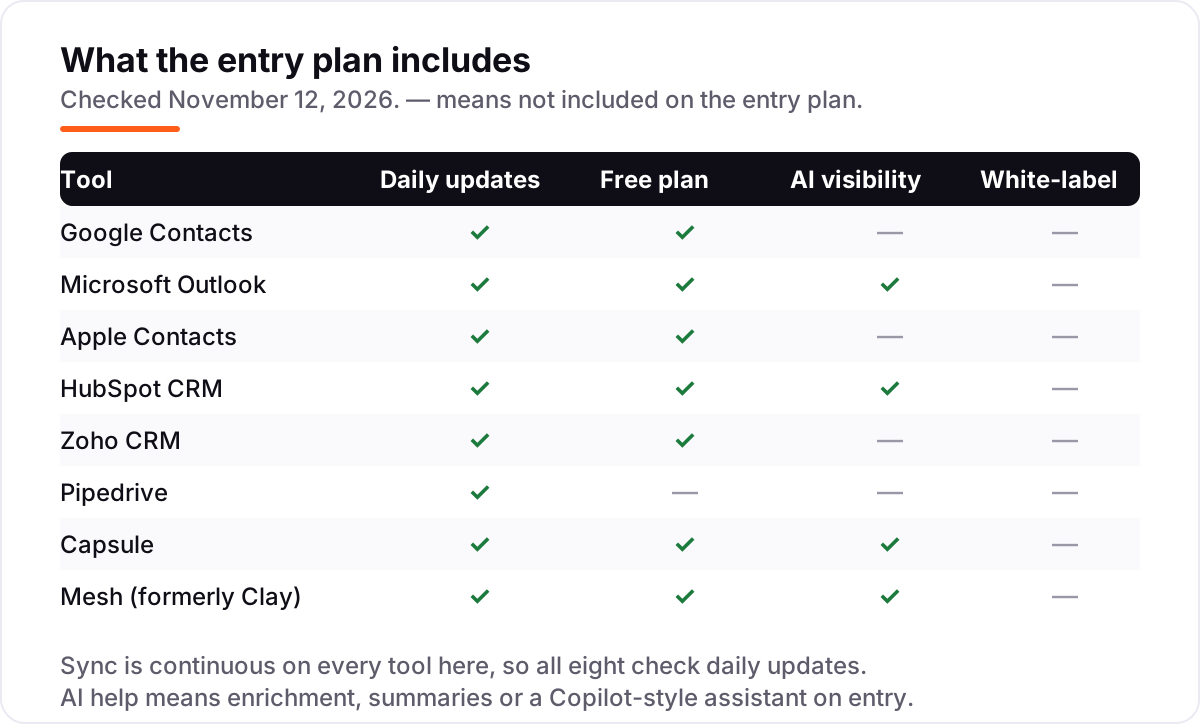
The confusion in this category is the job each tool does, not the feature list. An address book — Google Contacts, Apple Contacts, Outlook — stores names, numbers and emails and syncs them across devices. A CRM — HubSpot, Zoho, Pipedrive, Capsule — adds deals, pipelines, follow-up tasks and a shared history around each contact, so a team can sell to the list. A personal CRM — Mesh — sits between the two: it enriches contacts automatically and reminds you to stay in touch, but it has no pipeline or team reporting.
The same 1,000 contacts cost $0 in an address book, $20 a month flat in Mesh, and $70 to $120 a month in a CRM — three different answers for the same list, decided entirely by the job. A person who only needs to call people should never pay CRM prices, and a business that needs to track deals should never try to run a pipeline from an address book. Pick the job first, then the tool: syncing, selling or staying in touch.
There is a second, quieter confusion: syncing is not sharing. Google and Apple Contacts sync one person's list across that person's devices; sharing a live list between teammates needs a CRM with seats and permissions, or a shared mailbox in Capsule. If two people edit the same contact, an address book gives you two copies and a CRM gives you one record with a history.
Quick comparison: tool type by need
| Buyer | Best pick | Why |
|---|---|---|
| Person who lives in Gmail and Android | Google Contacts | Free, syncs everywhere, Gmail built in |
| Person who lives on iPhone and Mac | Apple Contacts | Free, syncs through iCloud to every Apple device |
| One person already on Microsoft 365 | Microsoft Outlook | Contacts tied to email and calendar from $9.99/month |
| Small business that wants a free CRM | HubSpot CRM | Free for 2 users, unlimited contacts and a pipeline |
| Small team that wants the cheapest paid CRM | Zoho CRM | Standard is $14/user/month billed annually |
| Solo networker who wants auto-enriched contacts | Mesh | Free to 1,000 contacts, Pro is $20/month flat |
Mistakes to avoid
- Paying CRM prices for an address-book job. If you only need names and numbers on every device, Google or Apple Contacts cost $0. A CRM adds nothing until contacts need deals attached.
- Comparing monthly prices without checking billing. The annual price is usually 20–30% lower — Zoho Standard drops from $20 to $14 a user a month — and HubSpot's $7 Starter price is a new-customer promo, not the standard $20 rate.
- Ignoring the pricing unit. A per-seat CRM doubles with every hire, while Mesh charges one flat price no matter how many people use it. Price the team you will have next year, not the team you have today.
- Ignoring the free-plan caps. Capsule stops at 250 contacts, Mesh at 1,000, HubSpot at two users and Zoho at three. A free plan that runs out mid-year forces an upgrade at the worst moment.
- Buying before testing the sync. Import your real list, edit a contact on your phone and check it changes on your laptop. A sync that fails once will fail again, and no feature list makes up for it.
How we chose
We checked each vendor's own pricing page on November 12, 2026 and recorded the starting price exactly as shown, including the annual-billing figure where the page lists one, and we ranked the tools by fit for the most common buyer — a person or small US business whose contacts are spread across iPhone, Android, Windows and Mac — not by brand size. Three prices needed extra care. HubSpot's page shows Starter at $20 a seat a month as the standard rate, with a limited-time $7 a month annual-billing promo for new customers, so we use $20 and name the promo. Pipedrive renamed its plans in late 2025, so the old Essential plan is now Lite at the same $14 a user a month billed annually; the $24 monthly-billed figure is from a November 2, 2026 read of the pricing page. Mesh's $20 monthly and $10 annual Pro prices come from the vendor's own subscription guide, since its pricing page is JavaScript-rendered. Ratings come from G2 pages with fresh search-index copies crawled within the last three days: Outlook 4.5 from 3,581 reviews, HubSpot Sales Hub 4.4 from 13,909 and Zoho CRM 4.1 from 2,960. The other five tools show no rating because no fresh G2 or Capterra page was available — Pipedrive's review counts conflict across sources, so we left it out rather than pick one. No vendor paid for a place in this list, and none of the links here are affiliate links.
What to do next
Start with the free plan or trial of your top pick and run one real week on it: import your contacts, edit one on your phone, and check the change lands on your laptop. If the sync holds and the list stays clean, you have your tool. If the business is sorted but new customers are not finding it, our monthly SEO service handles the visibility side — or compare the CRM options in our guide to contact management software for small business. Once your tools are in place, find out what's holding your rankings back.
Frequently asked questions
What is the best way to manage contacts across platforms?
For a person, it is the address book that matches the phones in the house: Google Contacts for Gmail and Android, Apple Contacts for iPhone and Mac. For a small business, HubSpot's free CRM is the best start, with unlimited contacts and a deal pipeline for up to two users. Pick the tool that already lives where your contacts do.
How much does it cost to manage contacts across platforms?
From $0 to about $24 per user a month. Google and Apple Contacts are free, HubSpot's CRM is free for two users, and Mesh Pro is $20 a month flat. The paid CRMs run $14 to $24 per user a month on their entry plans, so a five-person team pays $70 to $120 a month before add-ons.
Is there a free way to manage contacts across platforms?
Yes, with caps. Google Contacts and Apple Contacts are free with no contact limit, HubSpot's free CRM covers unlimited contacts for two users, Capsule is free for two users and 250 contacts, and Mesh is free up to 1,000 contacts. The free tiers fail only when the team grows past the user or contact cap.
What is the difference between an address book and a CRM?
An address book stores and syncs names, numbers and emails across devices — that is Google, Apple and Outlook. A CRM adds deals, pipelines, follow-up tasks and team history around each contact — that is HubSpot, Zoho, Pipedrive and Capsule. Mesh sits between the two: a personal network tool that enriches contacts but has no pipeline.
Can I move my contacts from one tool to another?
Yes. Every tool here exports contacts as a vCard or CSV file, and every one imports the same formats, so a move is an export, an import and a duplicate check. Run the merge-duplicates tool after importing, and keep the old list until the new one is proven, because a bad import is how contacts get lost.
Is Mesh the same as Clay?
Yes. The personal CRM at clay.earth was renamed Mesh in March 2026 and now lives at me.sh, after its maker was acquired by Automattic. It is the same app with the same free plan. Do not confuse it with Clay.com, a separate company that sells AI data enrichment to sales teams and starts at $185 a month.
What should I check before paying for a contact manager?
Check the pricing unit first: per seat, per location or one flat price decides what a growing team pays. Then check the free-plan caps, whether contacts export cleanly as vCard or CSV, and whether sync covers every device you own. Run the trial with your real list before paying, and confirm duplicates merge instead of multiplying.
Sources we checked (11)
- Google Contacts — contacts.google.com (free; checked November 12, 2026)
- Microsoft 365 Personal pricing — microsoft.com/microsoft-365/personal (checked November 12, 2026)
- Microsoft Outlook on G2 — 4.5/5, 3,581 reviews (checked November 12, 2026)
- Apple iCloud Contacts — icloud.com (free with an Apple ID; checked November 12, 2026)
- HubSpot Sales Hub pricing — hubspot.com/pricing/sales (checked November 12, 2026)
- HubSpot Sales Hub on G2 — 4.4/5, 13,909 reviews (checked November 12, 2026)
- Zoho CRM pricing — zoho.com/crm/pricing (checked November 12, 2026)
- Zoho CRM on G2 — 4.1/5, 2,960 reviews (checked November 12, 2026)
- Pipedrive pricing — pipedrive.com/en/pricing (checked November 12, 2026)
- Capsule pricing — capsulecrm.com/pricing (checked November 12, 2026)
- Mesh subscription plans — library.me.sh (checked November 12, 2026)
Make one of these tools?
We re-check this list every quarter. Send a correction, request a review, or ask about a clearly labeled sponsored spot.
Request a listingShamim
Founder of SerpAstra
A full-stack SEO and digital marketer who spends most days on Local SEO for dental practices, AI search visibility and lead generation.
Free SEO and AI visibility audit
Find out what is holding your rankings back
Send us your site. Within 2 business days you get a written audit, an AI visibility check and a short fix list ranked by impact. Free, with no contract attached.
Request my free audit→Related buying guides
 Sales & CRM7 Best Contact Management Software for Small Business in 2026, ComparedCompare the 7 best contact management software for small business options on price, free plans and fit, with every price checked November 10, 2026.Read guide →
 Sales & CRM12 Best CRM Email Marketing Software in 2026, Compared12 best crm email marketing software tools compared on price, CRM depth and automation, with real starting prices checked on November 4, 2026.Read guide →
 Sales & CRMBest Marketing CRM Software for 2026: 11 Options Compared by Use CaseCompare the 11 best marketing crm software options for 2026 on price, free plans, automation and AI features, with every price checked November 5, 2026.Read guide →