
6 Best AAC Apps in 2026, Compared
Compare the 6 best AAC apps for children and adults, from Proloquo2Go and TouchChat to TD Snap, Avaz and CoughDrop, on vocabulary, platforms, access and price.
 Shamim Mia, Founder, SerpAstraLast verified November 20, 20267 min read
We compare pricing pages, documentation and public reviews. We never accept payment for rankings.
Key takeaways
- Proloquo2Go is the best all-round symbol-based AAC app on Apple devices, with Crescendo vocabulary and 27,000+ symbols, at $299.99 on iOS.
- TD Snap has the lowest entry cost: the app is free, with speech output on a $9.99 monthly subscription after a 1-month free trial.
- TouchChat HD with WordPower costs $299.99 and is strong on access methods such as switch scanning and head tracking.
- For people who can type, Proloquo4Text is the text-based pick, and CoughDrop and Avaz offer free trials of two months and two weeks.
On this page
Quick comparison
| Tool | Best for | Starting price | Free plan |
|---|---|---|---|
 Proloquo2Go | Children and adults on iPad or iPhone who need a symbol-based AAC app that grows with them | $299.99 one-time | No |
 TD Snap | Families who want to try a full AAC system at low cost, with eye-gaze and switch support | Free; speech $9.99/mo | Yes (trial for speech) |
 TouchChat HD with WordPower | Users who need flexible access methods such as switch scanning, head tracking or eye tracking | $299.99 one-time | No (Discover app) |
 Proloquo4Text | Teens and adults who can type and want fast text-to-speech with prediction | $149.99 one-time | No |
 CoughDrop | Families and schools using a mix of devices who want cloud backup and a long trial | Flexible plans | No (2-month trial) |
 Avaz | Families who want a picture-based AAC app on iOS or Android in their own language | One-time purchase | No (2-week trial) |
Make one of these tools?
We re-check this list every quarter. Send a correction, request a review, or ask about a clearly labeled sponsored spot.
Request a listingThe best AAC apps
Proloquo2Go
Best for: Children and adults on iPad or iPhone who need a symbol-based AAC app that grows with them
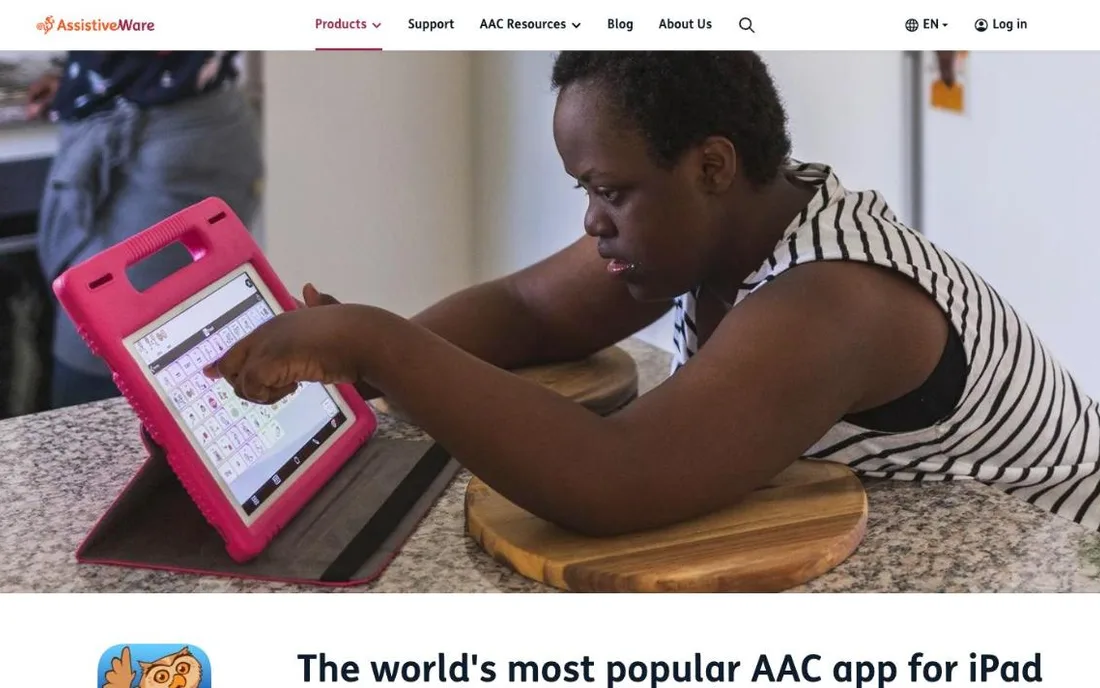
Proloquo2Go, from AssistiveWare, is a long-established symbol-based AAC app for Apple devices. Its research-based Crescendo vocabulary, grammar support and keyboard access let a user grow from single words to complex sentences, with more than 27,000 symbols, over 100 free voices and printable core word boards for school or home.
It supports English, Spanish, French and Dutch, including switching languages mid-sentence for bilingual families. It costs $299.99 on iOS and $149.99 for the separate Mac app, and the AAC Essentials Bundle at $299.99 adds Proloquo4Text, Pictello and Keedogo Plus. It is Apple-only.
What we like
- Research-based Crescendo vocabulary supports growth from single words to complex sentences
- More than 27,000 symbols and over 100 free voices
- English, Spanish, French and Dutch, with bilingual switching mid-sentence
- Runs on iPhone, iPad, Apple Watch and Mac
Watch out for
- Apple-only, with no Android or Windows version
- No free trial mentioned on the product page
TD Snap
Best for: Families who want to try a full AAC system at low cost, with eye-gaze and switch support
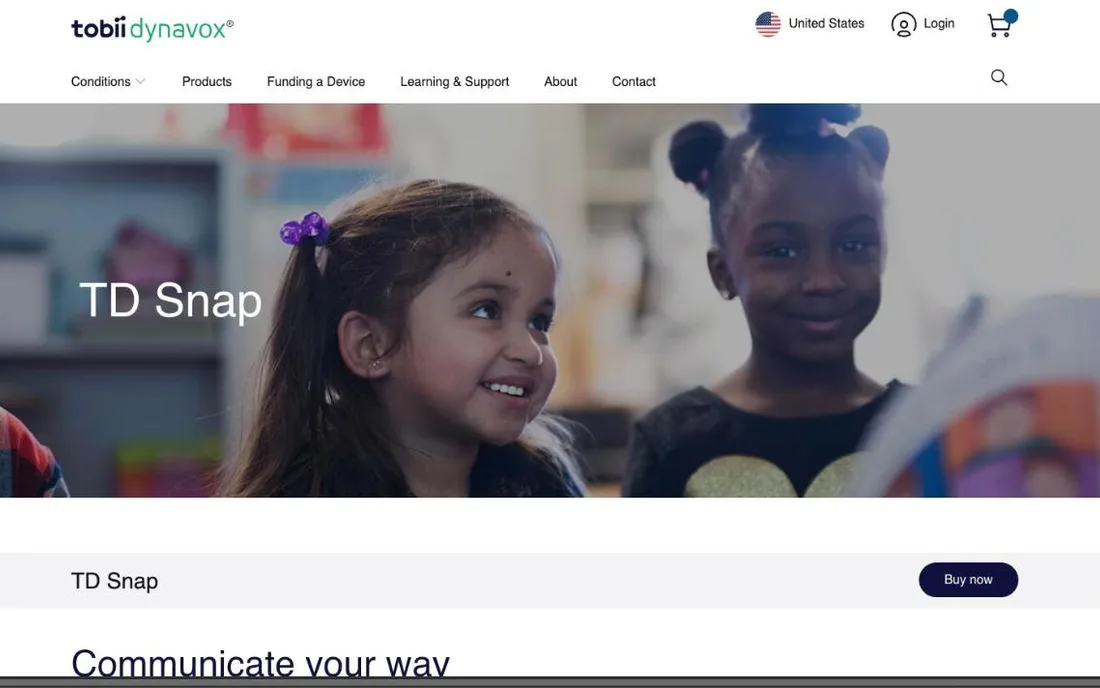
TD Snap, from Tobii Dynavox, is free to download on iPad and includes a wide range of page sets — Core First, Motor Plan, Express, Text, Scanning and Aphasia — all usable by touch, eye gaze or switch. It includes more than 75,000 Picture Communication Symbols, visual schedules and timers, and cloud backup through myTobiiDynavox.
Speech output needs the Speaking Upgrade at $9.99 a month after a 1-month free trial, and PODD, Gateway and Metacom add-ons cost $4.99 a month each. That makes it the cheapest way to start, though a subscription costs more than a one-time app over several years. The App Store rates it 4.1 out of 5 from 873 ratings.
What we like
- Core First, Motor Plan, Express, Text, Scanning and Aphasia page sets included
- Touch, eye gaze and switch access on all page sets
- More than 75,000 PCS symbols translated into over 25 languages
Watch out for
- Speech output needs a $9.99 monthly subscription after the trial
- PODD and Gateway page sets are paid add-ons at $4.99 a month each
TouchChat HD with WordPower
Best for: Users who need flexible access methods such as switch scanning, head tracking or eye tracking
TouchChat HD with WordPower bundles the WordPower vocabulary suite designed by Nancy Inman, with customisable pages, nearly 40,000 SymbolStix symbols and over 45 button actions. Its strength is access: built-in switch scanning, head tracking using facial recognition on newer iPad Pro and iPhone models, and eye tracking with supported hardware, plus adjustable dwell and release timing.
It costs $299.99 on the App Store. PCS symbols cost $49.99 extra, and vocabularies such as Gateway ($149.99) and Pixon ($79.99) are in-app purchases. A free TouchChat Discover app includes lite WordPower96 boards in English and Spanish to try the layout first.
What we like
- Bundled WordPower vocabularies designed by Nancy Inman
- Switch scanning, head tracking and eye tracking, depending on device
- Nearly 40,000 SymbolStix symbols and over 45 button actions
Watch out for
- PCS symbols ($49.99) and some vocabularies are extra in-app purchases
- App Store rating of 3.9 out of 5 from 134 ratings
Proloquo4Text
Best for: Teens and adults who can type and want fast text-to-speech with prediction
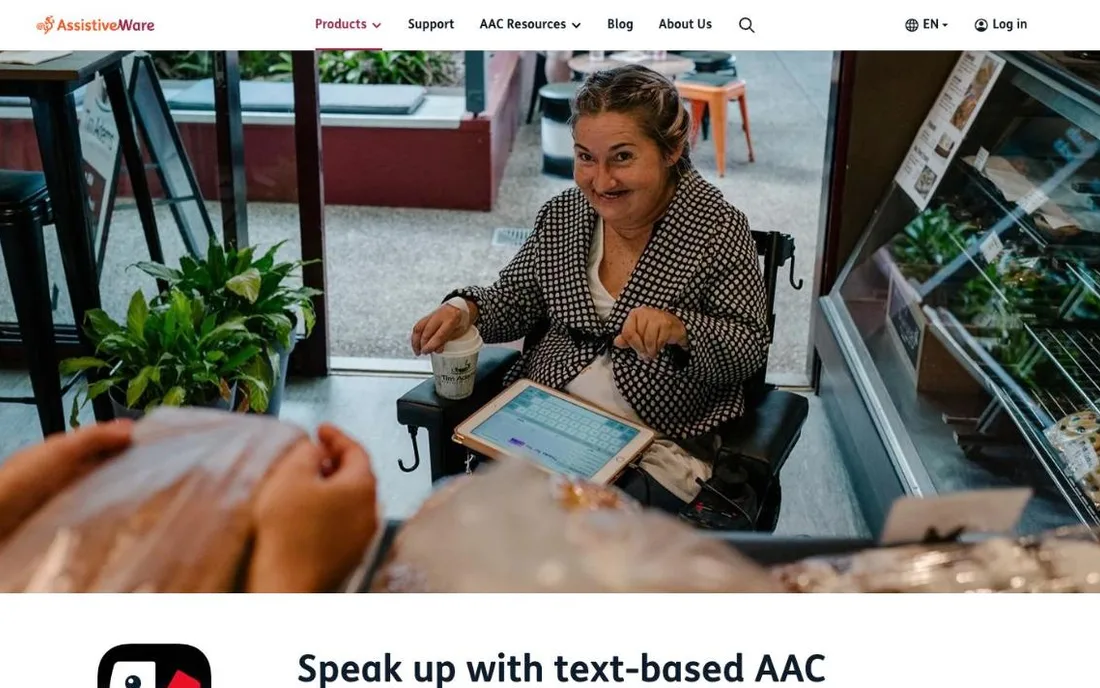
Proloquo4Text is AssistiveWare's text-based AAC app for people who can write, such as adults with ALS, cerebral palsy or autism who cannot always speak. A single-screen layout, word and sentence prediction that learns from your typing and a choice of voices make conversation faster, and my-own-voice technology lets people who may lose their voice keep a version of it.
It runs on iPhone, iPad, Apple Watch and Mac, and works with Switch Control, VoiceOver and the Keeble keyboard. The iOS product page lists $149.99, alongside $119.99 without explanation, and the Mac version costs $69.99. It is not suitable for users who do not yet read.
What we like
- Word and sentence prediction that learns from what you type
- My-own-voice technology for people who may lose their voice
- Works with Switch Control, VoiceOver and the Keeble accessible keyboard
Watch out for
- Text-based only, so not suitable for pre-literate users
- The product page lists both $149.99 and $119.99 without explaining the difference
CoughDrop
Best for: Families and schools using a mix of devices who want cloud backup and a long trial
CoughDrop is the most device-flexible AAC app here, running on the web, iOS, Android, Windows and Amazon devices. It works offline with backup in the cloud, so a user can move between a school tablet and a home phone without losing their vocabulary, which helps families who cannot standardise on one platform.
It offers a two-month free trial, the longest in this list, then a one-time purchase, an annual site licence or month-to-month payment. The main page does not show exact figures, so check CoughDrop's pricing page or ask before the trial ends. Discuss vocabulary choice with the user's speech therapist first.
What we like
- Runs on web, iOS, Android, Windows and Amazon devices
- Works offline with backup in the cloud, so switching devices is easy
- Two-month free trial, the longest here
Watch out for
- Exact prices are not shown on the main page
- Access methods such as eye gaze are not described on its main page
Avaz
Best for: Families who want a picture-based AAC app on iOS or Android in their own language
Avaz is a picture and text-based AAC app for iOS and Android: users tap pictures to build sentences and the app speaks them, starting with a few words and adding more over time. Families can add their own pictures, sounds and videos to any word, which helps make vocabulary personal, and Avaz says it is used in more than 50 countries with 15-plus languages.
The edition is chosen by your location, with vocabulary built for your language and region. It is sold as a one-time purchase, but the price is not shown on the pricing page before checkout. A 2-week free trial gives the full app before you pay anything.
What we like
- Picture and text-based communication on iOS and Android
- 15+ languages, with editions built for your language and region
- Add your own pictures, sounds and videos to any word
Watch out for
- The pricing page does not show the purchase price before checkout
- Fewer access options described than TouchChat or TD Snap
The best AAC apps give a voice to people who cannot always rely on speech, and the right one depends on how the user communicates, how they access a screen and which devices the family already owns. We compared six AAC apps — three symbol-based systems, a text-based app, a cloud-based cross-platform app and a picture-based app with regional editions — on vocabulary, access methods, platforms, trials and price. Every detail below was checked on the developer's own page or official App Store listing in November 2026.
How to choose the AAC apps
- Start with an assessment. A speech-language pathologist can match vocabulary and access to the user; many funding routes require one.
- Decide between symbols and text. Pre-literate users need symbol-based apps; people who can type often prefer text-based apps such as Proloquo4Text.
- Check access methods. Switch scanning, head tracking and eye gaze vary by app; TD Snap and TouchChat support several.
- Match the platform. Proloquo2Go and TouchChat are Apple-only; CoughDrop and Avaz run on Android too.
- Compare one-time and subscription costs. A $299.99 app can cost less over several years than a $9.99 monthly subscription.
- Use trials and lite versions. TD Snap, CoughDrop, Avaz and TouchChat Discover let you test before committing.
If you run a speech therapy practice, families searching for AAC help will also be searching for local therapists; our local SEO service helps a practice show up in those searches, and our guide to the best apps for therapists covers the practice-management side.
AAC app pricing: what you will actually pay
The one-time apps cost $299.99 for Proloquo2Go on iOS and $299.99 for TouchChat HD with WordPower, with TouchChat's PCS symbols an extra $49.99. Proloquo4Text is listed at $149.99 on its iOS product page. AssistiveWare's AAC Essentials Bundle at $299.99 includes Proloquo2Go, Proloquo4Text, Pictello and Keedogo Plus.
TD Snap works the other way: the app is free, and speech output costs $9.99 a month after a 1-month free trial, or about $119.88 a year. Over three years that is about $360, more than a one-time app, but it lets a family start without a large upfront cost. CoughDrop offers a one-time purchase, an annual site licence or month-to-month payment, and Avaz a one-time purchase, with prices shown at checkout. The tablet itself, a protective case and possibly a mount are extra.
Know the difference: symbol-based vs text-based AAC
Symbol-based AAC uses grids of picture buttons that speak words or phrases. Proloquo2Go, TD Snap, TouchChat and Avaz work this way, with core vocabulary arranged so frequently used words stay in the same place and motor patterns become automatic. They suit young children, people with intellectual disabilities and anyone who does not read reliably.
Text-based AAC turns typed words into speech, using prediction to speed things up. Proloquo4Text is built for this, and suits literate teens and adults, including people with ALS or after a stroke who can type but cannot speak clearly. Some users need both, starting with symbols and moving towards text as literacy develops, which is why AssistiveWare sells the two together.
Quick comparison: tool type by need
| Buyer | Best pick | Why |
|---|---|---|
| Symbol-based on Apple | Proloquo2Go | Crescendo vocabulary, 27,000+ symbols, $299.99 |
| Lowest upfront cost | TD Snap | Free app; speech $9.99/month after a 1-month trial |
| Switch and head tracking | TouchChat HD with WordPower | WordPower vocabularies, $299.99 |
| Users who can type | Proloquo4Text | Prediction and my-own-voice, $149.99 |
| Mixed devices | CoughDrop | Web, iOS, Android, Windows; 2-month trial |
| Android and regional languages | Avaz | 15+ languages, 2-week free trial |
Mistakes to avoid
- Choosing an app without the user's therapist. Vocabulary and access decisions affect years of communication.
- Switching vocabularies often. Motor patterns take time to learn; changing layouts resets progress.
- Hiding the device. AAC works when it is always available, at meals, in the car and at school.
- Ignoring backups. Use cloud backup so a broken tablet does not wipe a customised vocabulary.
- Forgetting add-on costs. Symbol sets, vocabularies and subscriptions can add to the headline price.
How we chose
We read each developer's own product page and, where needed, the official Apple App Store listing in November 2026, and recorded prices exactly as listed, noting where a page shows more than one price or none. We compared vocabulary, symbols, access methods, platforms, languages, trials and total cost, and ranked the apps for a family or therapist choosing a first AAC app. App Store ratings are quoted in the text where we read them. This guide is general information, not clinical advice. No developer paid for a place in this list, and none of the links here are affiliate links.
What to do next
Book an AAC assessment with a speech-language pathologist, then trial two apps — for example TD Snap's free app and a CoughDrop or Avaz trial — for at least two weeks each in daily life. If you run a speech therapy practice and want more families to find you, see where you rank locally, free.
Frequently asked questions
What are the best AAC apps?
Proloquo2Go is the best all-round symbol-based AAC app on Apple devices, TD Snap is the cheapest way to start with a free app and a $9.99 monthly speech subscription, and TouchChat HD with WordPower is strong on switch, head and eye tracking access.
Is there a free AAC app?
TD Snap is free to download, but speech output needs a $9.99 monthly subscription after a 1-month free trial. CoughDrop offers a two-month free trial and Avaz a two-week trial. TouchChat has a free Discover app with lite boards.
How much does an AAC app cost?
Proloquo2Go costs $299.99 on iOS, TouchChat HD with WordPower $299.99 and Proloquo4Text $149.99 on its product page. TD Snap's speech output costs $9.99 a month. CoughDrop and Avaz show prices at checkout.
Which AAC app works on Android?
CoughDrop runs on Android as well as web, iOS, Windows and Amazon devices, and Avaz is available on iOS and Android. Proloquo2Go and TouchChat are Apple-only.
What is the difference between symbol-based and text-based AAC?
Symbol-based apps such as Proloquo2Go and TD Snap use picture buttons, suited to children and people who do not read. Text-based apps such as Proloquo4Text turn typed words into speech, with prediction, for users who can write.
Should I choose an AAC app on my own?
It is best to choose with a speech-language pathologist, who can assess the user's needs, access method and vocabulary. Many apps offer trials or lite versions so you can test before buying.
Sources we checked (6)
- Proloquo2Go — www.assistiveware.com/products/proloquo2go (checked November 20, 2026)
- TD Snap — apps.apple.com/us/app/td-snap/id1072799231 (checked November 20, 2026)
- TouchChat HD with WordPower — apps.apple.com/us/app/touchchat-hd-aac-wordpower/id412351574 (checked November 20, 2026)
- Proloquo4Text — www.assistiveware.com/products/proloquo4text (checked November 20, 2026)
- CoughDrop — www.coughdrop.com (checked November 20, 2026)
- Avaz — www.avazapp.com/pricing (checked November 20, 2026)
Make one of these tools?
We re-check this list every quarter. Send a correction, request a review, or ask about a clearly labeled sponsored spot.
Request a listingShamim
Founder of SerpAstra
A full-stack digital marketer and SEO strategist covering technical and local SEO, AI search visibility, paid ads and lead generation for local businesses, e-commerce brands and SaaS teams.
Free SEO and AI visibility audit
Find out what is holding your rankings back
Send us your site. Within 2 business days you get a written audit, an AI visibility check and a short fix list ranked by impact. Free, with no contract attached.
Request my free audit→Related buying guides
 Healthcare6 Best Apps for Therapists in 2026, ComparedCompare the 6 best apps for therapists on notes, scheduling, insurance billing, telehealth and real monthly cost, with every price checked on vendor pages.Read guide →
 Website Builders & Hosting8 Best Digital Accessibility Platforms in 2026, ComparedThe 8 best digital accessibility platforms compared on price, WCAG coverage and free plans — from $30/month widgets to enterprise audits, checked Nov 12, 2026.Read guide →
 Productivity & Office7 Best Free Speech Recognition Software in 2026, ComparedCompare the 7 best free speech recognition software for dictation and transcription, from built-in Windows and Mac tools to Whisper and Otter, checked Nov 2026.Read guide →