
7 Best AI Image Generation Tools in 2026, Compared
Compare the 7 best AI image generation tools on image quality, text in images, free plans and real monthly cost, with every price checked in November 2026.
 Shamim Mia, Founder, SerpAstraLast verified November 2, 202610 min read
We compare pricing pages, documentation and public reviews. We never accept payment for rankings.
Key takeaways
- Midjourney is the pick for the most striking images, with no free plan and Basic at $10 a month or $8 a month billed annually.
- ChatGPT and the Gemini app are the easiest free starting points: describe the image in plain words and refine it in conversation.
- Ideogram is the tool to use when the image needs readable text, such as a poster, a thumbnail or a sale banner.
- Canva and Adobe Express put AI generation inside a design editor, which matters more than raw image quality for most marketing teams.
On this page
Quick comparison
| Tool | Best for | Starting price | Free plan |
|---|---|---|---|
| Midjourney | Creators and designers who want the most striking, stylised AI images and will pay for them | $10/mo; $8/mo annual | No |
| ChatGPT | Anyone who wants to describe an image in plain words and refine it over a conversation | Free; Plus $20/mo | Yes (limited images) |
| Gemini app | Google users who want free image generation and photo edits with no install | Free; AI Pro $19.99/mo | Yes (daily limits) |
| Ideogram | Marketers who need AI images with clear, correctly spelled text such as posters and thumbnails | Free; Plus $15/mo | Yes (weekly credits) |
| Canva | Marketing teams that want AI image generation inside the editor where they finish the design | $18/mo | Yes (free plan) |
| Adobe Express | Small businesses that want Firefly image generation with Adobe Stock and Fonts in a simple editor | Free; Premium $9.99/mo | Yes (free plan) |
| Microsoft Copilot | Windows and Microsoft 365 users who want free image generation already on their computer | $19.99/mo (M365 Premium) | Yes (free plan) |
Make one of these tools?
We re-check this list every quarter. Send a correction, request a review, or ask about a clearly labeled sponsored spot.
Request a listingThe best AI image generation tools

Midjourney
Best for: Creators and designers who want the most striking, stylised AI images and will pay for them
Midjourney is still the tool designers reach for when the image itself has to impress: lighting, texture and composition come out with a polish the general chatbots rarely match. Basic costs $10 a month, or $96 a year billed annually, and buys 200 minutes of Fast GPU time, which is a few hundred images for most users.
Standard at $30 a month, or $24 billed annually, adds unlimited images in the slower Relax mode, which is the plan most regular users settle on. There is no free plan or trial, and your images are public unless you pay for Pro at $60 a month to get Stealth mode.
What we like
- Basic costs $10 a month, or $96 a year, for 200 minutes of Fast GPU time
- Standard at $30 a month adds unlimited image generation in Relax mode
- Annual billing cuts every plan by 20%, from $8 a month on Basic
Watch out for
- No free plan or trial, so you pay before you can test it
- Stealth mode, which keeps images out of the public gallery, starts on Pro at $60 a month
- Prompting takes practice, and fine control over layout and text is weaker than in Ideogram

ChatGPT
Best for: Anyone who wants to describe an image in plain words and refine it over a conversation
ChatGPT turns image generation into a chat. Describe the scene, ask for a different colour or angle in the next message, and it edits the same image instead of starting again. It follows long, specific instructions well, which helps with product mock-ups, diagrams and social graphics.
The free plan includes image generation, but OpenAI does not publish the limit. Plus costs $20 a month, billed monthly only, and raises the image limits. The weak spot is consistency: there is no trained style or character model, so a series of images can drift from one to the next.
What we like
- Describe the scene in plain words, then ask for a different colour or angle in the next message
- Free plan includes unlimited everyday text chats plus limited image generation
- Refine the same image across turns instead of starting over each time
- Plus raises image limits and adds advanced reasoning for $20 a month
Watch out for
- Free plan caps image generation at an unpublished number of images
- No trained style or character model, so a series of images can drift from one to the next
- Plus is billed monthly only, so there is no annual discount to take
Gemini app
Best for: Google users who want free image generation and photo edits with no install
The Gemini app gives you Google's Nano Banana image model for free with a Google account, with no watermark on results and no app to install. It is especially good at editing a photo you upload, such as swapping a background or changing an outfit, as well as generating from scratch.
Free accounts hit daily limits that Google does not publish and says may change. Google AI Pro costs $19.99 a month, or $199.99 a year, and raises the limits fourfold while adding 5 TB of storage. Like ChatGPT, it has no trained model of a face or style, so series work needs patience.
What we like
- Especially good at editing an uploaded photo, such as swapping a background or changing an outfit
- Free tier includes the Nano Banana image model with no watermark on results
- No app install and no credit card, just a free Google account
- Paid Pro plan quadruples usage limits and adds 5 TB of storage
Watch out for
- Higher limits cost $19.99 a month on Google AI Pro, or $199.99 a year
- Free accounts hit unpublished daily limits that Google says may change
- No trained model of a face or style, so a consistent series of images takes patience

Ideogram
Best for: Marketers who need AI images with clear, correctly spelled text such as posters and thumbnails
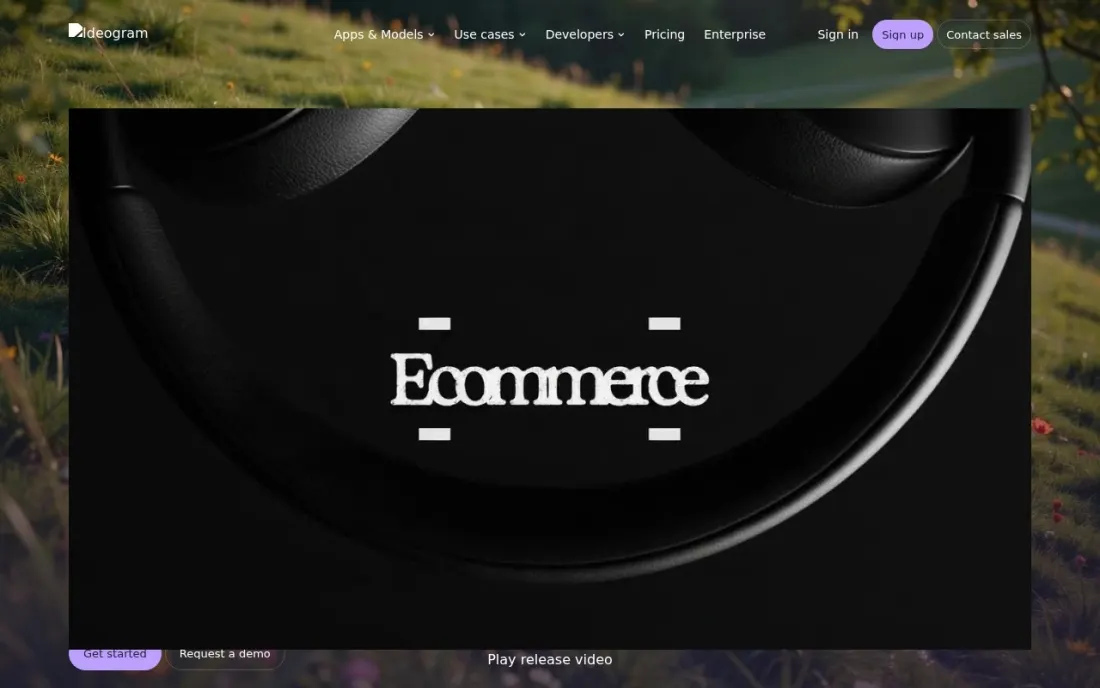
Ideogram solved the problem that ruins most AI images for marketing: the text. Ask for a poster headline, a menu board or a YouTube thumbnail and the words come out spelled correctly far more often than in other tools, which saves a trip to a design editor.
Eligible free accounts get weekly slow credits, though the amount varies. Plus is listed at $15 a month in the plan comparison, Pro costs $42 a month billed annually, or $504 a year, with 3,500 priority credits, and Team costs $20 a user a month billed annually with a two-user minimum.
What we like
- Renders readable text inside images far more reliably than most generators
- Free plan gives weekly credits to eligible accounts with a Google, Apple or Microsoft sign-in
- Pro includes 3,500 priority credits a month plus unlimited slow credits
Watch out for
- The free credit amount varies and is not guaranteed
- Ideogram does not list an annual price for Plus on its plan comparison
- Photographic realism trails Midjourney for scenes without text
Canva
Best for: Marketing teams that want AI image generation inside the editor where they finish the design
Canva is not the best pure image generator here, but it is the one most marketing teams already open every day. Magic Studio generates an image from a prompt and drops it straight into a template, where you add the logo, text and brand colours and resize it for every channel.
Canva Pro costs $18 a month billed monthly, or $144 a year, and unlocks the Brand Kit, background remover and Magic Resize along with the AI tools. The free plan covers 250,000-plus templates and 5 GB of storage. It is rated 4.7 out of 5 on G2 from 7,660 reviews.
What we like
- Magic Studio generates an image from a prompt and drops it straight into a template, ready to finish
- Magic Studio AI tools and Brand Kit come with Pro, so a small team can stay on-brand without a designer
- Add the logo, text and brand colours to a generated image and resize it for every channel in the same editor
Watch out for
- Not the best pure image generator here — its strength is finishing the design around the image
- Brand Kit, background remover and Magic Resize all need Pro, so the free plan is template-only for branding
- The Brand Kit and AI tools need Pro at $18 a month billed monthly, or $144 a year

Adobe Express
Best for: Small businesses that want Firefly image generation with Adobe Stock and Fonts in a simple editor
Adobe Express gives you Adobe's Firefly image model inside a simple design editor. Generate an image or a text effect from a prompt, then finish it with Adobe Stock photos, Adobe Fonts and a Brand Kit, all of which come with Premium. Files sync between web and mobile.
Premium costs $9.99 a month, and the Free plan covers basic templates and tools. Its template library is thinner than Canva's, and there is no team plan at this price, so each person needs their own subscription. It is rated 4.5 out of 5 on G2 from 835 reviews.
What we like
- Adobe Stock photos and Adobe Fonts are included in the price
- Firefly AI generates images and text effects from a prompt
- Brand Kits keep logos and colors consistent across every design
- Works on web and mobile with the same files
Watch out for
- No team plan at this price, so each person needs their own subscription
- Its template library is thinner than Canva's
- Adobe Stock, Adobe Fonts and Brand Kits come with Premium; the Free plan covers basic templates and tools only

Microsoft Copilot
Best for: Windows and Microsoft 365 users who want free image generation already on their computer
Microsoft Copilot includes image generation on its free plan, on the web, in Windows 11, in Edge and on mobile, so many people already have an AI image tool without signing up for anything. For quick blog images, slide illustrations and social posts, it does the job.
The paid route is Microsoft 365 Premium at $19.99 a month, which bundles Copilot into Word, PowerPoint and the other Office apps. Copilot Pro, the old standalone plan, was retired in 2025. Free usage runs on standard daily limits, and image quality trails Midjourney for detailed artistic work.
What we like
- Free on the web, in Windows 11, Edge and mobile apps, with real-time search and image generation
- Microsoft 365 Premium adds Copilot inside Word, Excel, PowerPoint and Outlook for $19.99 a month
- Voice mode and image creation are included on the free plan, with standard daily limits
Watch out for
- Copilot Pro, the old $20 standalone plan, was retired in 2025; paying now means a Microsoft 365 bundle
- Answers can be generic, and reviewers rate it behind ChatGPT and Claude on complex tasks
The best AI image generation tools turn a written description into a usable picture in seconds, but they differ sharply in what "usable" means: artistic polish, readable text, easy editing or a finished social post. We compared seven tools across three groups — dedicated image generators, AI chatbots that make images, and design editors with AI built in — and every price below comes from the vendor's own pricing page as checked in November 2026.
How to choose the best AI image generation tools
- Decide what the image is for. Art and mood boards suit Midjourney; marketing graphics with words suit Ideogram; quick illustrations suit a chatbot.
- Test text rendering. If a headline or price must appear in the image, try the same prompt in two tools and check the spelling.
- Check privacy defaults. Some plans publish your images to a public gallery unless you pay more to keep them private.
- Look at editing, not just generation. Being able to change one detail without regenerating the whole image saves more time than a slightly better first draft.
- Read the usage limits. Free plans run on unpublished daily caps or weekly credits, and paid plans meter GPU time or credits.
- Confirm commercial rights. Paid plans generally allow commercial use, but terms differ, so read them before using images in ads.
AI images work best when they support pages people can find. If your site needs more organic traffic to put those visuals in front of, our monthly SEO service covers it, and the free article schema generator helps search engines understand the posts your images sit in.
Which AI image generation tool fits your situation
A designer or creator whose images are the product. Midjourney gives the most polished lighting, texture and composition. Basic is $10 a month, or $8 billed annually, for 200 minutes of Fast GPU time, and Standard at $30 a month adds unlimited images in Relax mode. There is no free plan or trial, and images are public unless you pay $60 a month for Pro and Stealth mode.
Someone who just wants to try AI images for free. Start with ChatGPT, the Gemini app or Microsoft Copilot, which all include image generation on their free plans. ChatGPT is strongest at refining the same image over a conversation, Gemini is good at editing a photo you upload, and Copilot is already built into Windows 11 and Edge. All three cap free use at limits the vendors do not publish, and none keeps a trained style or character model, so a series can drift.
A marketer making posters, thumbnails and sale banners. Ideogram is the tool to pick when words must appear in the image, because it spells text correctly far more reliably than the others. Eligible free accounts get weekly slow credits, though the amount varies, Plus is listed at $15 a month, and Pro costs $504 a year billed annually.
A small marketing team that publishes every week. Canva puts Magic Studio inside the templates you already use, so the generated image lands next to your logo, Brand Kit and channel sizes. Pro costs $18 a month or $144 a year. Its image quality trails the dedicated generators, but finishing the post in one place saves more time.
A small business that wants stock photos and fonts included. Adobe Express Premium at $9.99 a month adds Firefly image generation, Adobe Stock photos, Adobe Fonts and Brand Kits, with files synced between web and mobile. Its template library is thinner than Canva's, and each person needs their own subscription.
AI image generation tools pricing: what you will actually pay
Take a small marketing team of one that makes about 40 images a month. The free tiers of ChatGPT, Gemini and Copilot may cover that, but the caps are unpublished, so plan for a paid tool once work depends on it. Midjourney Basic costs $10 a month, or $96 a year billed annually, for 200 minutes of fast generation, which comfortably covers 40 images. Standard at $30 a month, or $288 a year, adds unlimited images in Relax mode.
A designer-led tool costs a similar amount. Adobe Express Premium costs $9.99 a month, about $120 a year, and Canva Pro costs $18 a month billed monthly, or $144 a year billed annually. ChatGPT Plus costs $20 a month, billed monthly only, so $240 a year. Ideogram lists Plus at $15 a month, and its Pro plan costs $504 a year billed annually.
Know the difference: image generator vs design editor
An image generator such as Midjourney, Ideogram, ChatGPT or Gemini starts from a prompt and gives you a finished picture. You get the most control over style and content, but you still need somewhere to add your logo, resize for each channel and keep fonts consistent.
A design editor such as Canva or Adobe Express starts from a template and uses AI as one step. The generated image is usually less striking, but it lands in a layout that is already on-brand and sized for Instagram, a blog header or a print flyer. Teams that publish often get more value from the editor; creators who sell or showcase the images themselves get more from the generator.
Quick comparison: tool type by need
| Buyer | Best pick | Why |
|---|---|---|
| Artists and designers | Midjourney | Most polished images; Basic $10/month or $96/year |
| Conversational editing | ChatGPT | Refine images over chat; Plus $20/month |
| Free photo edits | Gemini app | Nano Banana model free with a Google account |
| Text in images | Ideogram | Readable headlines and labels; Plus $15/month |
| Marketing teams | Canva | AI images inside branded templates; Pro $144/year |
| Adobe Stock and Fonts | Adobe Express | Firefly in a simple editor; Premium $9.99/month |
| Windows users | Microsoft Copilot | Free image generation built into Windows and Edge |
Mistakes to avoid
- Paying before testing on your own prompts. Run the same three real prompts through two free tools before choosing a plan.
- Publishing images with garbled text. Zoom in on every word before an AI image goes into an ad or a thumbnail.
- Forgetting the public gallery. On some plans your images are visible to other users; do not generate unreleased product designs there.
- Copying a living artist or a brand. Prompts that imitate a named artist, a logo or a real person create legal and reputational risk.
- Skipping alt text. Every AI image on your site still needs a short, accurate description for accessibility and image search.
Related comparisons: AI Content Generation Tools · System Image Software · AI Image Generators for Ecommerce · Demand Generation Software
How we chose
We checked each vendor's pricing page in November 2026 and recorded the starting price exactly as shown, including annual-billing prices where the page lists them. We ranked the tools by fit for the most common buyer, a small business or creator making a few dozen images a month, and grouped them by how they work: generator, chatbot or design editor. Ratings come from G2 pages checked on the dates shown in the sources; tools without a rating in our data are listed without one. No vendor paid for a place in this list, and none of the links here are affiliate links.
What to do next
Write three prompts you would actually use this month — one photo-style image, one with a headline, one for social — and run them through ChatGPT, Ideogram and the Canva free plan. Pay for the one whose results needed the fewest retries. If your images are ready but your pages are not ranking, book a free SEO call.
Frequently asked questions
What is the best AI image generation tool?
Midjourney produces the most polished images, from $10 a month or $8 a month billed annually, but has no free plan. ChatGPT and the Gemini app are the best free starting points, and Ideogram is the best choice when the image needs readable text.
Is there a free AI image generator?
Yes. ChatGPT, the Gemini app and Microsoft Copilot all include image generation on their free plans, with daily limits the vendors do not publish. Ideogram gives eligible free accounts weekly credits, and Canva and Adobe Express include AI tools on their free plans.
How much do AI image generation tools cost?
On published prices, Adobe Express Premium costs $9.99 a month, Midjourney Basic $10 a month or $96 a year, Ideogram Plus $15 a month, Canva Pro $18 a month or $144 a year, and ChatGPT Plus $20 a month. Gemini's paid tier, Google AI Pro, costs $19.99 a month.
Which AI image generator is best for text in images?
Ideogram is the most reliable at rendering readable, correctly spelled text, which is why it suits posters, thumbnails and banners. ChatGPT is also good at following detailed text instructions, while Midjourney is weaker when exact wording matters.
Can I use AI-generated images commercially?
Usually, but check the plan. Most paid plans grant commercial use, while some free plans make images public or limit rights. Avoid prompts that copy a living artist, a brand logo or a real person, because the licence does not cover those risks.
Which AI image tool is best for marketing teams?
Canva, because the image lands inside a template with your Brand Kit, fonts and sizes for every channel. Adobe Express is the alternative if you want Adobe Stock and Firefly at $9.99 a month.
Sources we checked (9)
- Midjourney — docs.midjourney.com/docs/plans (checked November 16, 2026)
- ChatGPT — chatgpt.com/pricing (checked November 2, 2026)
- Gemini app — gemini.google.com (checked November 2, 2026)
- Ideogram — ideogram.ai/pricing (checked November 16, 2026)
- Canva — www.canva.com/pricing (checked November 12, 2026)
- Canva reviews on G2 (checked November 12, 2026)
- Adobe Express — www.adobe.com/express/pricing (checked November 12, 2026)
- Adobe Express reviews on G2 (checked November 12, 2026)
- Microsoft Copilot — copilot.microsoft.com (checked November 2, 2026)
Make one of these tools?
We re-check this list every quarter. Send a correction, request a review, or ask about a clearly labeled sponsored spot.
Request a listingShamim
Founder of SerpAstra
A full-stack digital marketer and SEO strategist covering technical and local SEO, AI search visibility, paid ads and lead generation for local businesses, e-commerce brands and SaaS teams.
Free SEO and AI visibility audit
Find out what is holding your rankings back
Send us your site. Within 2 business days you get a written audit, an AI visibility check and a short fix list ranked by impact. Free, with no contract attached.
Request my free audit→Related buying guides
 Ecommerce8 Best AI Image Generators for Ecommerce in 2026, ComparedCompare the 8 best AI image generators for ecommerce product photos, from Photoroom to Firefly, on output, image limits and real cost, checked November 2026.Read guide →
 Graphic Design & Creative8 Best AI Design Apps Free to Use in 2026, ComparedCompare the 8 best AI design apps free to use, with what each free plan includes, its AI limits and the real price of upgrading, checked on vendor pages.Read guide →
 Photo Editing & Photography11 Best AI Headshot Generator Apps in 2026: Free and Paid Apps Ranked11 best ai headshot generator apps ranked on price, headshots, speed and refunds. One-time packs from $17 to $59. Prices checked November 2, 2026.Read guide →