
6 Best AI Photo Restoration Tools in 2026, Compared
Compare the 6 best AI photo restoration tools for scratches, tears, faded faces and colorizing old black-and-white photos, with free limits and real prices.
 Shamim Mia, Founder, SerpAstraLast verified November 8, 20268 min read
We compare pricing pages, documentation and public reviews. We never accept payment for rankings.

Key takeaways
- MyHeritage is the easiest start for family photos: Photo Repair fixes scratches, tears and stains and In Color colorizes, both free for several photos before a Complete subscription is needed.
- VanceAI is the best pay-per-image option, with an AI Photo Restorer at 4 credits a photo and plans from $15 a month for 260 credits.
- Topaz Photo is the pick for large scans and prints, with dust-and-scratch removal and face recovery, at $199 a year or $39 a month.
- For badly damaged originals, Adobe Photoshop's Generative Fill can rebuild missing corners that one-click tools cannot.
On this page
Quick comparison
| Tool | Best for | Starting price | Free plan |
|---|---|---|---|
 MyHeritage | Families restoring and colorizing old photos without learning any software | Free to try; Complete plan | Yes (several photos) |
 VanceAI | People restoring batches of photos who want to pay per image from one credit balance | $15/mo (260 credits) | No |
 Topaz Photo | Archivists and photographers restoring large scans that will be printed | $25/mo | No (free trial) |
 Adobe Photoshop | Restorers rebuilding torn corners and missing areas that one-click tools cannot fix | $22.99/mo | No (7-day trial) |
 Picsart | Phone users who want to restore and enhance old photos inside a general editing app | $15/mo | Yes |
 Hotpot | Occasional users who want restoration and colorizing on one-time credits with no subscription | $12 (1,000 credits) | No |
Make one of these tools?
We re-check this list every quarter. Send a correction, request a review, or ask about a clearly labeled sponsored spot.
Request a listingThe best AI photo restoration tools
MyHeritage
Best for: Families restoring and colorizing old photos without learning any software
MyHeritage is built for exactly this job: you upload an old family photo, and if it detects damage a Repair button appears. Photo Repair fixes scratches, tears, holes and stains, with a Gentle model for most photos and an Extensive model for heavy damage. In Color then colorizes black-and-white images at the same resolution, and both keep your original untouched.
Anyone can repair and colorize several photos free, though free colorized photos carry a MyHeritage watermark. Unlimited, watermark-free use needs a Complete subscription, which also covers the genealogy records the tools were built to accompany. Check the Complete price at checkout.
What we like
- Photo Repair fixes scratches, tears, holes and stains in one click
- Gentle Repair for most damage and Extensive Repair for heavy damage
- In Color colorizes black-and-white photos at the original resolution
- Originals are never changed; repaired and colorized versions are saved as copies
Watch out for
- Free use stops after several photos, and unlimited use needs the Complete plan
- Free colorized photos carry a MyHeritage logo watermark
- The Complete subscription price was not shown on the pages we read
VanceAI
Best for: People restoring batches of photos who want to pay per image from one credit balance
VanceAI is a toolbox of single-purpose AI tools that share one credit balance, which suits a box of mixed prints: run the AI Photo Restorer on the damaged ones, the Colorizer on black-and-white portraits and the upscaler on small snapshots. Restoration costs 4 credits a photo at 1K or 2K and 10 credits at 4K, and colorizing costs 4 credits up to 4K.
Starter costs $15 a month for 260 credits, or $180 billed annually, and Popular $30 for 650 credits. At 4 credits a photo, Starter restores about 65 photos a month. Pay-as-you-go credits stay valid for a year, but the page did not list their price.
What we like
- AI Photo Restorer costs 4 credits per photo at 1K or 2K, and 10 at 4K
- AI Photo Colorizer, upscaler, sharpener and denoiser draw from the same credit balance
- Plans include 30% bonus credits, and annual plans save 25%
Watch out for
- Credits run out fast at 4K: 260 credits covers 26 restorations at 10 credits each
- The pricing page did not list pay-as-you-go prices
- Several web tools to learn rather than one restore button
Topaz Photo
Best for: Archivists and photographers restoring large scans that will be printed
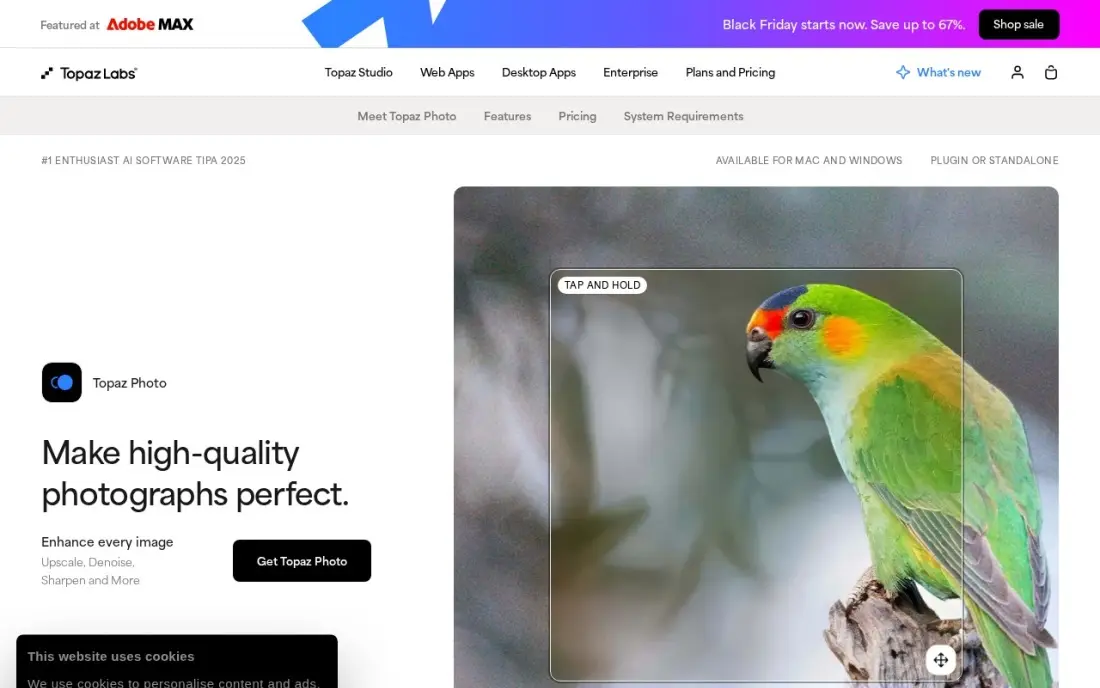
Topaz Photo runs on your own computer, which matters when the scans are large and personal. Its Dust and Scratch and Remove tools are designed for old or scanned images, Recover Faces sharpens soft faces with a realistic or creative option, and the Wonder model upscales, sharpens and denoises in one pass, so a small print can be enlarged for framing.
It costs $199 a year, the equivalent of $25 a month on an annual commitment, or $39 billed monthly, and Topaz's page showed lower Black Friday prices for the first year when we checked. The free trial exports with a watermark. Its tool list does not include colorizing, so pair it with MyHeritage or VanceAI for black-and-white photos.
What we like
- AI denoise, sharpen and upscaling recover detail other editors cannot reach
- Super Focus rescues slightly soft shots that would otherwise be deleted
- Works standalone or as a plugin inside Lightroom and Photoshop
- Local processing keeps listing photos on the computer, not uploaded to a cloud
Watch out for
- Not a full editor — it only enhances, so it pairs with Lightroom or Luminar rather than replacing them
- Subscription only since October 2025: the old $199 one-time license is no longer sold
- Needs a recent GPU with at least 4GB of VRAM, and processing large batches is slow on older machines
Adobe Photoshop
Best for: Restorers rebuilding torn corners and missing areas that one-click tools cannot fix
Adobe Photoshop is the tool for the photo that one-click restorers give up on: a missing corner, a fold through a face, or a stain across the background. Generative Fill and Remove rebuild missing areas from a text prompt, and layers and masks let you blend the repair by hand so the fix matches the grain of the original.
The single-app plan costs $22.99 a month billed annually, or $34.49 monthly, with a 7-day trial. The annual contract carries an early-termination fee of 50% of the remaining months, and the learning curve is steep. For occasional family photos, a one-click tool is faster; for a damaged heirloom, Photoshop gives you control.
What we like
- Generative Fill and Remove rebuild window views, skies and missing corners from a text prompt
- Layers, masks and frequency separation give full control over every pixel of a hero shot
- The largest plugin ecosystem here, including real estate presets, sky packs and virtual staging tools
- Runs as a Lightroom plugin, so the batch workflow and the retouching stay in one pipeline
Watch out for
- Costs more than the Photography plan while delivering less: $22.99 a month against $19.99 for Photoshop plus Lightroom and 1TB
- The annual contract carries an early-termination fee of 50% of the remaining months
- Steep learning curve — the full toolset takes weeks to learn, not an afternoon
Picsart
Best for: Phone users who want to restore and enhance old photos inside a general editing app

Picsart puts AI Photo Restoration alongside its AI enhancer, which reduces noise, blur and low contrast, inside a phone-first editor you may already use for everyday photos. That makes it convenient for a quick fix of a photo you have just scanned with your phone, followed by cropping, retouching and sharing in the same app.
The free plan saves lower-resolution images, while Pro costs $15 a month billed monthly or $126 a year and adds the one-tap enhancer, bulk editing of 50 images and 100 GB of storage. In-app prices differ from the website, and the free tier shows ads. It is a convenience pick rather than the deepest restorer.
What we like
- Photo and video editing plus AI image and video generation in one app, with 500 AI credits a month on Pro
- Pro includes advanced background and object removal, a one-tap enhancer, premium templates and 100 GB of storage
- Bulk editing handles 50 images at once, and three brand kits come with Pro
Watch out for
- AI generation is capped at 500 credits a month on Pro, so heavy AI use hits the ceiling fast
- In-app prices differ from the website: the App Store sells Pro from $13.99 a month, cheaper on yearly billing
- Free tier locks several desirable features behind the paywall and shows ads
Hotpot
Best for: Occasional users who want restoration and colorizing on one-time credits with no subscription
Hotpot is a browser AI studio whose editing tools include a Photo Restorer, a Photo Colorizer and a Photo Upscaler, so one account covers fixing damage, adding colour and enlarging the result. It suits someone with a handful of photos to restore for a family event who does not want another monthly subscription.
Credits are sold as one-time packs: 1,000 credits for $12, 2,500 for $30 and 5,000 for $60, with monthly and yearly billing listed as 17% and 25% cheaper. The pricing page did not say how many credits a restoration uses, so test a few photos on the smallest pack first.
What we like
- Photo Restorer, Photo Colorizer and Photo Upscaler in one browser account
- One-time credit packs from $12 for 1,000 credits, with no subscription needed
- Monthly billing saves 17% and yearly 25% on the listed pack prices
Watch out for
- The pricing page did not say how many credits each restoration costs
- Monthly and yearly prices were not shown, only the percentage saving
- Fewer controls than desktop tools such as Topaz Photo
The best AI photo restoration tools bring old prints back: they remove scratches, dust and stains, repair small tears, sharpen faded faces and, when you want it, turn a black-and-white portrait into colour. We compared six tools — one-click family photo restorers, pay-per-image AI toolboxes and the desktop editors used for badly damaged originals — and every price below comes from the vendor's own page as checked in November 2026.
How to choose the best AI photo restoration tools
- Match the tool to the damage. Scratches, dust and small tears suit one-click tools such as MyHeritage Photo Repair; missing corners need Photoshop's Generative Fill.
- Decide whether you want colour. MyHeritage In Color, VanceAI and Hotpot colorize in one click; Topaz Photo's tool list does not include colorizing.
- Check the free limit and the watermark. MyHeritage is free for several photos, but free colorized images carry its logo.
- Price by the photo. VanceAI's restorer costs 4 credits a photo, so a 260-credit plan restores about 65 a month; count your box of prints before you subscribe.
- Think about privacy. Topaz Photo runs on your computer; the web tools upload your family photos to the vendor.
- Keep the face real. Face recovery can invent detail; compare the result with the original before you print it for relatives.
Restored photos often end up on a family history site or a memorial page. If you are building one, the readability checker helps keep the captions clear, and our guide to the best genealogy software covers where to store the family tree around them.
AI photo restoration tools pricing: what you will actually pay
Take a shoebox of 100 old prints to restore over a few months. On VanceAI, restoring each photo at 1K or 2K costs 4 credits, so 100 photos take 400 credits: two months of Starter at $15, or $30, covers 520 credits. Colorizing the 40 black-and-white ones adds 160 credits. Hotpot sells 1,000 one-time credits for $12, though its page did not say how many each restoration uses.
For desktop work, Topaz Photo costs $199 a year, the equivalent of $25 a month on an annual commitment, or $39 for a single month, which suits a one-off project if you cancel after it. Adobe Photoshop costs $22.99 a month billed annually, or $275.88 a year, and $34.49 billed monthly. Picsart Pro costs $126 a year. MyHeritage lets you repair and colorize several photos free; for all 100, you need a Complete subscription, priced at checkout.
Know the difference: AI photo restoration vs AI colorization
Restoration repairs what time damaged. It removes scratches, dust, creases and stains, fills small tears, recovers soft faces and evens out fading. MyHeritage Photo Repair, VanceAI's Photo Restorer, Topaz Photo's Dust and Scratch tool and Photoshop all work on this, and the aim is a photo that looks as it did when it was printed.
Colorization adds what was never there. MyHeritage In Color, VanceAI's Colorizer and Hotpot's Colorizer guess plausible colours for skin, clothing and sky from a black-and-white image. The result can be striking, but the colours are an estimate, not a record, so keep the restored black-and-white version as the true copy and treat the colorized one as an interpretation.
Quick comparison: tool type by need
| Buyer | Best pick | Why |
|---|---|---|
| Family photos, no software skills | MyHeritage | One-click repair and colorizing, free for several photos |
| Batches on a budget | VanceAI | Restorer at 4 credits a photo, from $15/month for 260 credits |
| Large scans for printing | Topaz Photo | Dust and scratch removal and face recovery on your computer, $199/year |
| Badly damaged heirlooms | Adobe Photoshop | Generative Fill rebuilds missing areas, $22.99/month billed annually |
| Phone-first users | Picsart | AI restoration and enhancer in an everyday editor, Pro $126/year |
| No subscription | Hotpot | Restorer and colorizer on one-time credits from $12 |
Mistakes to avoid
- Restoring the only copy. Always keep the unedited scan and work on a duplicate.
- Scanning too small. A low-resolution scan limits every tool; scan prints at high resolution before restoring.
- Accepting invented faces. Strong face recovery can change a relative's features; compare with the original and turn the strength down if needed.
- Presenting colour as fact. Colorized photos are AI estimates; label them as colorized when you share them.
- Paying monthly for a one-off job. For a single shoebox, a month of a monthly plan or one-time credits usually costs less than an annual plan.
How we chose
We checked each vendor's own pricing or help pages in November 2026 and recorded the starting price exactly as shown, including the annual-billing figure where the page lists one. Where a page did not show a price — MyHeritage's Complete plan and Hotpot's credit cost per restoration — we say so rather than repeating a third-party figure. We ranked the tools for the most common buyer, a family restoring a collection of old prints. Ratings come from G2 pages checked on the dates shown in the sources. No vendor paid for a place in this list, and none of the links here are affiliate links.
What to do next
Pick your five most damaged photos, scan them at high resolution and run them through MyHeritage's free repairs and one paid tool's trial or smallest plan, then compare the faces side by side. If you run a photo or archive business and want more people to find it, book a free SEO call.
Frequently asked questions
What is the best AI photo restoration tool?
For family photos, MyHeritage is the easiest, with one-click Photo Repair for scratches, tears and stains and In Color for colorizing, both free for several photos. VanceAI is best for batches on credits, and Topaz Photo is best for large scans you plan to print.
Can AI restore old photos for free?
Partly. MyHeritage lets anyone repair and colorize several photos free, with a watermark on free colorized photos, and Picsart's free plan saves lower-resolution images. Unlimited, full-resolution restoration needs a paid plan or credits.
What is the best AI tool to colorize old photos?
MyHeritage In Color is the simplest, colorizing black-and-white photos at the original resolution and free for several photos. VanceAI's AI Photo Colorizer costs 4 credits a photo up to 4K, and Hotpot also includes a Photo Colorizer on one-time credits.
How much does AI photo restoration cost?
On published prices, Hotpot starts at $12 for 1,000 one-time credits, VanceAI at $15 a month for 260 credits, Picsart Pro at $126 a year, Topaz Photo at $199 a year and Adobe Photoshop at $22.99 a month billed annually. MyHeritage's Complete plan price was not shown on the pages we read.
Can AI fix a torn or missing part of a photo?
Small tears and scratches, yes: MyHeritage Photo Repair and Topaz Photo's Dust and Scratch tool handle them automatically. Large missing areas, such as a torn-off corner, need Photoshop's Generative Fill or a manual repair, and the result should be checked against the original.
Should I scan old photos before restoring them?
Yes. Scan at a high resolution, keep the unedited scan as your archive copy and restore a duplicate. Every tool here works better from a clean, sharp scan than from a phone photo of a print.
Sources we checked (9)
- MyHeritage — www.myheritage.com/help/en/articles/12852514-what-is-photo-repair (checked November 19, 2026)
- VanceAI — vanceai.com/pricing (checked November 19, 2026)
- Topaz Photo — www.topazlabs.com/pricing (checked November 8, 2026)
- Topaz Photo reviews on G2 (checked November 8, 2026)
- Adobe Photoshop — www.adobe.com/products/photoshop.html (checked November 8, 2026)
- Adobe Photoshop reviews on G2 (checked November 8, 2026)
- Picsart — www.picsart.com/pricing (checked November 10, 2026)
- Picsart reviews on G2 (checked November 10, 2026)
- Hotpot — hotpot.ai/pricing (checked November 19, 2026)
Make one of these tools?
We re-check this list every quarter. Send a correction, request a review, or ask about a clearly labeled sponsored spot.
Request a listingShamim
Founder of SerpAstra
A full-stack digital marketer and SEO strategist covering technical and local SEO, AI search visibility, paid ads and lead generation for local businesses, e-commerce brands and SaaS teams.
Free SEO and AI visibility audit
Find out what is holding your rankings back
Send us your site. Within 2 business days you get a written audit, an AI visibility check and a short fix list ranked by impact. Free, with no contract attached.
Request my free audit→Related buying guides
 Photo Editing & Photography8 Best AI Apps for Photos in 2026, ComparedCompare the 8 best AI apps for photos on object removal, enhancing, sky swaps, free plans and real cost, with every price checked on the vendor's own pages.Read guide →
 Personal & Lifestyle Apps6 Best Genealogy Software in 2026, ComparedCompare the 6 best genealogy software for building a family tree, from free FamilySearch and Gramps to Ancestry and RootsMagic, with prices checked Nov 2026.Read guide →
 Photo Editing & Photography6 Best Photo Organizing Software in 2026, ComparedCompare the 6 best photo organizing software, free and paid, on tagging, face recognition, catalogs and real cost, with every price checked on vendor pages.Read guide →