
7 Best AI Software for Teachers in 2026, Compared
Compare the 7 best AI software for teachers for lesson planning, differentiation, feedback and tutoring on free plans, privacy and real cost, checked Nov 2026.
 Shamim Mia, Founder, SerpAstraLast verified November 21, 20267 min read
We compare pricing pages, documentation and public reviews. We never accept payment for rankings.
Key takeaways
- MagicSchool is the best AI software for teachers who want one toolkit: the free plan includes 80+ teacher tools, and Plus costs $8.33 a month billed annually ($99.96 a year) or $12.99 monthly.
- Brisk and Khanmigo are free for individual teachers: Brisk works inside Google Docs, Slides and your LMS, and Khanmigo plans lessons tied to Khan Academy content.
- Eduaide is the cheapest paid upgrade at $49.99 a year, Diffit is the pick for differentiated reading materials, and Curipod focuses on writing practice with instant feedback, with Premium at $228 a year.
- SchoolAI is built for student-facing AI Spaces; its free trial allows 5 Space launches a year, and Pro and Scale are quoted for schools and districts.
On this page
Quick comparison
| Tool | Best for | Starting price | Free plan |
|---|---|---|---|
| MagicSchool | Teachers who want one AI toolkit for lesson plans, quizzes, feedback and student tools | Free; Plus $8.33/mo (annual) | Yes |
| Brisk Teaching | Teachers who want AI inside Google Docs, Slides, YouTube and their LMS rather than another website | Free for teachers | Yes |
| Khanmigo | Teachers who want free, standards-aligned lesson planning tied to Khan Academy's content library | Free for teachers | Yes |
| Eduaide | Teachers who want worksheets, graphic organizers, games and assessments for the lowest paid price | Free; Pro $49.99/yr | Yes (8 resources/mo) |
| Diffit | Teachers who need levelled, print-ready reading materials for mixed-ability, ELL and SPED classes | Free; schools on quote | Yes |
| Curipod | ELA, science and social studies teachers who want daily writing practice with instant AI feedback | Free; Premium $228/yr | Yes |
| SchoolAI | Schools that want students to use AI in teacher-designed, monitored Spaces | Free trial; quote | Trial (5 Spaces/yr) |
Make one of these tools?
We re-check this list every quarter. Send a correction, request a review, or ask about a clearly labeled sponsored spot.
Request a listingThe best AI software for teachers

MagicSchool
Best for: Teachers who want one AI toolkit for lesson plans, quizzes, feedback and student tools
MagicSchool is the broadest AI toolkit built for teachers. The free plan gives individual teachers 80+ teacher tools for planning, quizzes and feedback, plus the Raina chatbot and class writing feedback, all inside a platform that lists FERPA, COPPA, SOC-2 and GDPR compliance. Plus adds unlimited generations, full output history, editing and 50+ student tools.
Plus costs $12.99 a month billed monthly or $8.33 a month billed yearly, which is $99.96 a year. Enterprise, priced on quote, adds SSO, Clever, ClassLink, Canvas and Schoology integration, district alignment, tool controls and dashboards. A teacher can start free today without waiting for a district contract.
What we like
- Free plan includes 80+ teacher tools, quizzes and class writing feedback
- Plus unlocks unlimited generations, output history and 50+ student tools
- FERPA, COPPA, SOC-2 and GDPR compliant, with Common Sense privacy certification
- Enterprise adds SSO, SIS and LMS integration and district dashboards
Watch out for
- Unlimited generations and history need Plus
- District controls and custom privacy agreements are Enterprise-only, on quote

Brisk Teaching
Best for: Teachers who want AI inside Google Docs, Slides, YouTube and their LMS rather than another website
Brisk is a browser extension, so its AI appears inside the tools teachers already use: Google Docs and Slides, YouTube, PDFs, Microsoft tools and LMS pages such as Canvas, Schoology and Google Classroom. Teachers can create quizzes and presentations, change reading levels, generate materials in 50+ languages and leave glow-and-grow or rubric feedback on student writing.
The teacher plan is free with 20+ tools. Premium and Intelligence plans, priced per student on quote, add 35+ tools, standards-aligned outputs, admin dashboards, rostering and curriculum grounding, and Brisk says it sells them school-wide rather than per teacher. Pilot periods are available for schools that want to test first.
What we like
- Free Chrome and Edge extension works in Docs, Slides, YouTube, PDFs and LMS pages
- Generates materials in 50+ languages and gives glow-and-grow feedback on student work
- Works inside Canvas, Schoology and Google Classroom
- FERPA and COPPA compliant with a 95% Common Sense Privacy rating
Watch out for
- School and district plans are custom-priced and not sold per teacher
- Batch feedback insights and district standards alignment need a paid school plan
Khanmigo
Best for: Teachers who want free, standards-aligned lesson planning tied to Khan Academy's content library
Khanmigo is Khan Academy's AI assistant, and the teacher version is free. It generates standards-aligned, differentiated lesson plans tied to the Khan Academy content library, writes learning objectives, rubrics and exit tickets, summarises student work to show who needs support, and helps teachers refresh their own subject knowledge. Chat history is kept.
Learners and families pay $4 a month or $44 a year for the tutoring side, before sales tax. Districts can request pricing for Khanmigo across teachers and students, with school data, co-teaching support, rostering and SSO through Clever or ClassLink. For a teacher, there is no reason not to try it.
What we like
- Free for teachers, with standards-aligned, differentiated lesson planning
- Summarises student work to show progress and where students need support
- Creates learning objectives, rubrics and exit tickets
- District tools add rostering, SSO through Clever or ClassLink, and data
Watch out for
- Student tutoring outside a district plan costs $4 a month per learner
- Lesson planning is tied most closely to Khan Academy's own content

Eduaide
Best for: Teachers who want worksheets, graphic organizers, games and assessments for the lowest paid price
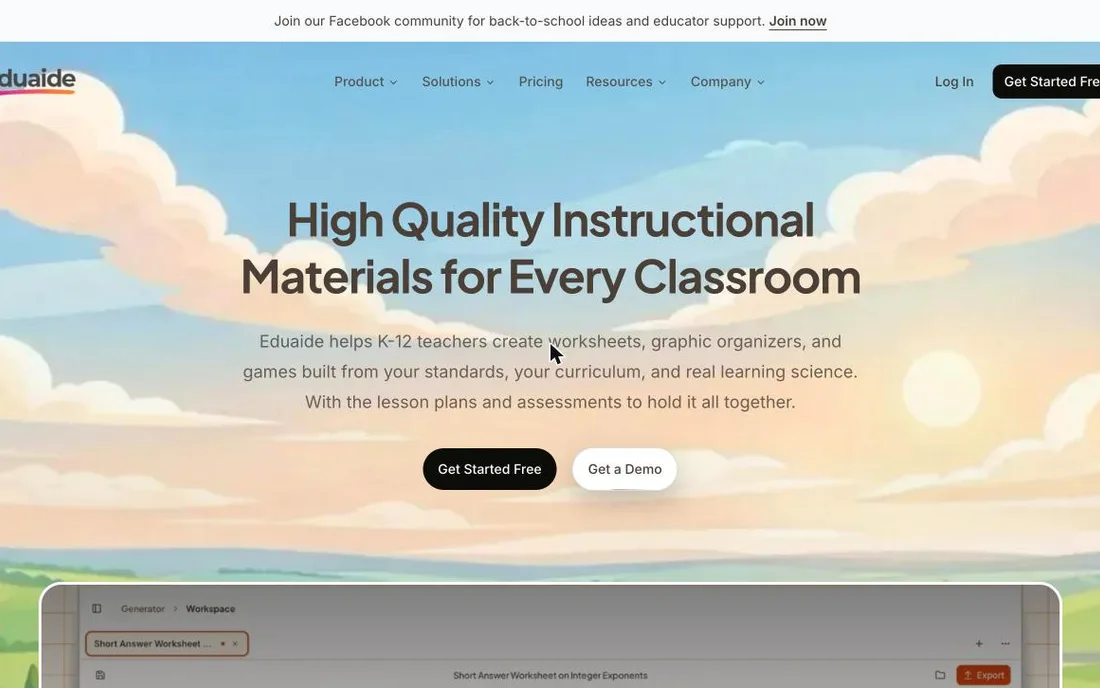
Eduaide, built by a small team of working teachers, focuses on making classroom materials: lesson plans, worksheets, graphic organizers, classroom games and assessments. The free plan gives 24 credits a month, roughly eight resources, with no credit card, which is enough to see whether its output fits your teaching before paying.
Pro costs $5.99 a month or $49.99 a year, about $4.17 a month, and removes the generation limit. It adds document chat for revisions, questions, rubrics, reading supports and translations, revision from evaluation feedback and custom classroom images. Regional pricing may apply at checkout. For an individual teacher paying out of pocket, it is the cheapest upgrade here.
What we like
- Free plan makes about 8 resources a month with no credit card
- Pro at $49.99 a year is the cheapest unlimited plan here
- Pro adds document chat for revisions, differentiation and custom classroom images
Watch out for
- Free plan limits input context for topics, standards and uploaded documents
- Fewer district features than MagicSchool or Brisk

Diffit
Best for: Teachers who need levelled, print-ready reading materials for mixed-ability, ELL and SPED classes
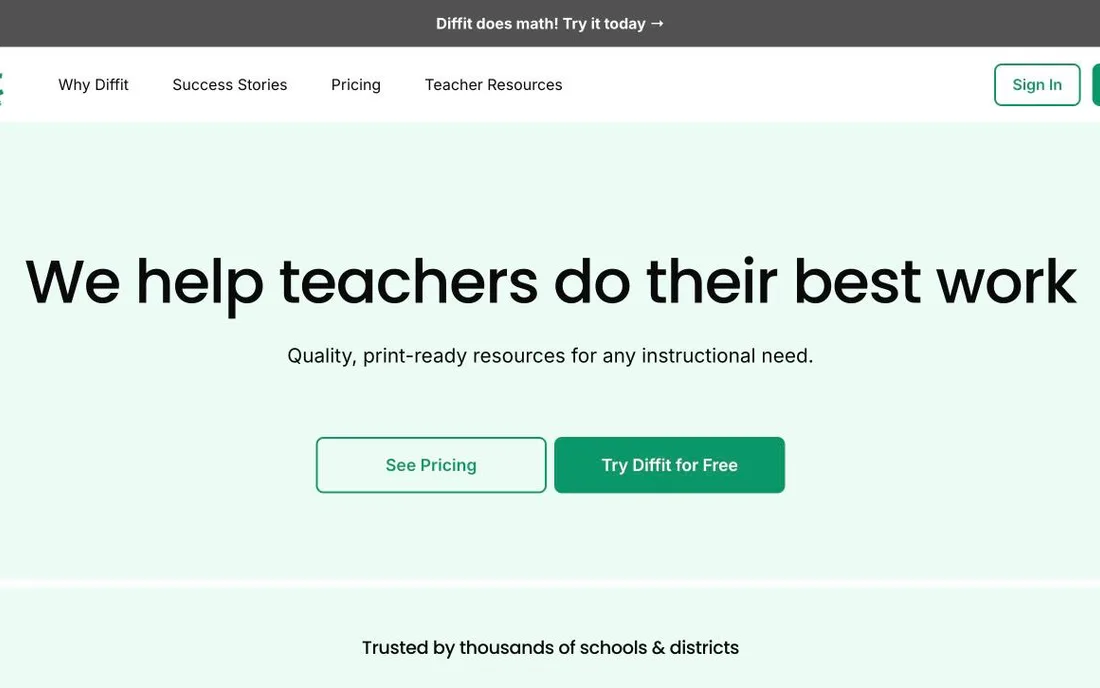
Diffit does one job well: it turns any topic, text or standard into levelled, print-ready classroom resources, so one lesson can reach students at different levels. That makes it useful for ELL, SPED, intervention and MTSS work, and it involves no student logins or student-facing AI.
The Basic plan is free and lets teachers download to PDF, print, edit and share, with access to resources from the last 90 days. Diffit for Schools adds exports to Google, Canva and Microsoft, alignment to standards, MTSS tiers and DOK, curriculum-grounded resources, full history and an admin dashboard. School pricing is on quote.
What we like
- Free plan creates classroom-ready resources you can print, edit and share
- School plan aligns to standards, MTSS tiers and DOK levels
- Exports to Google, Canva and Microsoft on the school plan
- No student logins and no student-facing AI
Watch out for
- Free plan keeps only the last 90 days of resources
- School pricing is not published

Curipod
Best for: ELA, science and social studies teachers who want daily writing practice with instant AI feedback
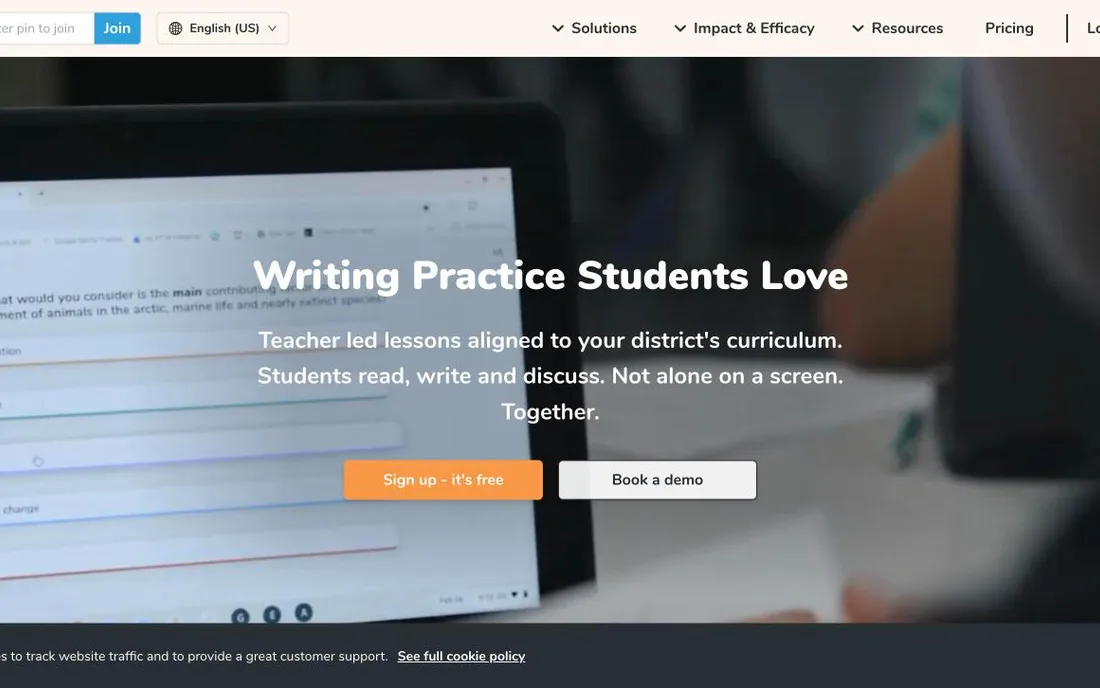
Curipod now centres on writing practice: teacher-led lessons where students write, get specific glow-and-grow feedback in seconds, discuss and revise. It covers ELA from kindergarten and claim, evidence and reasoning practice in science and social studies from third grade, with state test-aligned practice. Any AI is teacher-controlled, and students do not chat with a bot.
The free plan includes weekly writing sessions for unlimited students. Premium costs $228 a year, or from $24 a month billed monthly, for unlimited sessions, rubric scoring, read-aloud and PDF downloads. School and district plans on quote add writing reports, bilingual practice and authentic-writing controls.
What we like
- Students get specific glow-and-grow feedback on writing in seconds
- Premium unlocks unlimited writing practice and scoring against your own rubric
- Students never need an account, and no student or teacher data trains AI models
- Teachers review AI output before students see it
Watch out for
- Free plan is limited to weekly writing sessions and shorter responses
- Writing reports and bilingual practice need a school or district plan

SchoolAI
Best for: Schools that want students to use AI in teacher-designed, monitored Spaces
SchoolAI is built around student-facing AI. Teachers create Spaces, guided AI learning experiences, assign them to a class and watch what every student is doing in real time, with alerts routed to the teacher when a conversation raises a safety concern. Teachers also get tools and assistants for lesson planning, rubrics and content adaptation.
The free trial includes 5 Space launches a year and access to 200,000+ premade Spaces. Pro adds unlimited launches, rostering, LMS integration, usage reports and a dedicated success manager, and Scale adds student portals, a Canvas-embedded sidekick and district standards. Both are quoted, and SchoolAI says it qualifies for federal Title funds.
What we like
- Teachers design AI Spaces for students and watch sessions in real time
- 200,000+ premade Spaces and resources
- Live translation in 60+ languages and safety alerts on student conversations
- FERPA, COPPA and SOC 2 Type 2 compliant
Watch out for
- Free trial allows only 5 Space launches a year
- Pro and Scale prices are not published
The best AI software for teachers gives back planning time without putting students or their data at risk. It drafts lesson plans, levels a reading, writes quiz questions or gives first-pass feedback, while the teacher stays in charge of what reaches the class. We compared seven tools on free plans, classroom fit, privacy and real cost, and every price below was checked on the vendor's own pricing page in November 2026.
How to choose the best AI software for teachers
- Start with the task that eats your time. Lesson planning, differentiation, feedback on writing and student practice are different jobs, and each tool here leans towards one.
- Check where it works. A browser extension that lives in Google Docs fits a different routine from a separate website or a student-facing platform.
- Read the privacy terms. Look for FERPA and COPPA compliance and a data privacy agreement before any student data goes in.
- Decide whether students will use AI directly. Some tools keep AI teacher-only; others give students guided chat, which needs monitoring.
- Test the free plan on a real lesson. Output quality varies by subject and grade, so judge it on your own curriculum.
- Ask about a school licence. Districts often buy these tools centrally, which can save you paying yourself.
Schools and tutoring businesses also need parents to find them. Our guide to SEO for education explains how schools get found in search, and our local SEO service helps tutoring centres and private schools rank nearby.
AI software for teachers pricing: what you will actually pay
Many teachers can pay nothing. MagicSchool, Brisk, Khanmigo, Eduaide, Diffit and Curipod all have free plans, and Brisk and Khanmigo are free for teachers with no paid teacher tier. For a teacher paying out of pocket, Eduaide Pro costs $49.99 a year against $71.88 a year at $5.99 monthly, and MagicSchool Plus costs $99.96 a year billed annually against $155.88 a year at $12.99 monthly.
Curipod Premium costs $228 a year, or $288 a year at $24 a month, for unlimited writing practice. School and district plans from Brisk, Diffit, SchoolAI, Khanmigo and MagicSchool Enterprise are quoted, usually per student or per school, and add rostering, SSO, dashboards and custom privacy agreements.
Know the difference: teacher-facing vs student-facing AI
Teacher-facing AI helps the teacher prepare and respond. MagicSchool's teacher tools, Brisk, Eduaide and Diffit generate plans, materials and feedback that the teacher reviews before anything reaches students. The risk is low, because students never interact with the model directly.
Student-facing AI puts students in front of the model. SchoolAI Spaces, Khanmigo tutoring and MagicSchool's student tools give students guided AI help, with teacher monitoring and safety alerts. It can personalise practice, but it needs a clear school policy, a signed data agreement and a teacher watching the sessions. Curipod sits between the two: students get AI feedback on writing, but no open chatbot.
Quick comparison: tool type by need
| Buyer | Best pick | Why |
|---|---|---|
| One all-round toolkit | MagicSchool | 80+ free tools; Plus $8.33/month billed annually |
| Google Docs and Slides users | Brisk Teaching | Free extension inside the tools you use |
| Free lesson planning | Khanmigo | Free for teachers, tied to Khan Academy content |
| Cheapest paid upgrade | Eduaide | Pro $49.99/year |
| Differentiated reading | Diffit | Free levelled, print-ready resources |
| Writing practice and feedback | Curipod | Free weekly sessions; Premium $228/year |
| Student-facing AI | SchoolAI | Monitored Spaces; free trial, then quote |
Mistakes to avoid
- Pasting student data into unapproved tools. Use only tools your school has approved, and never enter names or records without a data agreement.
- Using output without checking it. AI can get facts, reading levels or answer keys wrong; review everything before it reaches students.
- Paying before your school decides. Many districts already license one of these tools, so ask before buying a personal plan.
- Letting AI grade alone. Use AI feedback as a first pass and keep the final grade with the teacher.
- Trying every tool at once. Pick one for your biggest time drain, use it for a month, then decide whether to add another.
How we chose
We picked tools built for teachers rather than general chatbots, covering lesson planning, differentiation, writing feedback and student-facing AI, and compared free plans, privacy statements and cost. MagicSchool, Brisk, Khanmigo, Eduaide, Diffit, Curipod and SchoolAI pages were read on November 21, 2026. Ratings appear only where we read the review page. No vendor paid for a place in this list, and none of the links here are affiliate links.
What to do next
Choose next week's most time-consuming task, run it through the free plan of MagicSchool or Brisk, and compare the result with what you would have made yourself. If you run a school or tutoring business that parents struggle to find online, book a free SEO review.
Frequently asked questions
What is the best AI software for teachers?
MagicSchool is the best AI software for most teachers, with 80+ free tools and Plus at $8.33 a month billed annually. Brisk is best if you work in Google Docs and Slides, and Khanmigo is a free choice for lesson plans tied to Khan Academy content.
Is there free AI software for teachers?
Yes. MagicSchool, Brisk, Khanmigo, Eduaide, Diffit and Curipod all have free plans for individual teachers, and SchoolAI offers a free trial with 5 Space launches a year.
How much does AI software for teachers cost?
Individual plans are low: Eduaide Pro costs $49.99 a year, MagicSchool Plus $99.96 a year and Curipod Premium $228 a year. Brisk, Diffit, SchoolAI and MagicSchool Enterprise sell school and district plans on quote.
Is AI software safe to use with students?
Check the vendor's privacy terms first. MagicSchool lists FERPA, COPPA, SOC-2 and GDPR compliance, Brisk and SchoolAI list FERPA and COPPA compliance, and Diffit and Curipod avoid student chatbots altogether.
Which AI tool helps with differentiated instruction?
Diffit is built for levelled, print-ready materials for mixed-ability, ELL and SPED classes. Brisk can change reading levels inside Google Docs, and Khanmigo creates differentiated lesson plans.
Can AI grade student writing?
Several tools give feedback on writing: Curipod gives students glow-and-grow feedback in seconds, Brisk leaves rubric-based feedback in Google Docs, and MagicSchool includes class writing feedback. Teachers should still review grades before they count.
Sources we checked (7)
- MagicSchool — www.magicschool.ai/pricing (checked November 21, 2026)
- Brisk Teaching — www.briskteaching.com/plans (checked November 21, 2026)
- Khanmigo — www.khanmigo.ai/pricing (checked November 21, 2026)
- Eduaide — www.eduaide.ai/pricing (checked November 21, 2026)
- Diffit — web.diffit.me/pricing (checked November 21, 2026)
- Curipod — curipod.com/pricing (checked November 21, 2026)
- SchoolAI — schoolai.com/pricing (checked November 21, 2026)
Make one of these tools?
We re-check this list every quarter. Send a correction, request a review, or ask about a clearly labeled sponsored spot.
Request a listingShamim
Founder of SerpAstra
A full-stack digital marketer and SEO strategist covering technical and local SEO, AI search visibility, paid ads and lead generation for local businesses, e-commerce brands and SaaS teams.
Free SEO and AI visibility audit
Find out what is holding your rankings back
Send us your site. Within 2 business days you get a written audit, an AI visibility check and a short fix list ranked by impact. Free, with no contract attached.
Request my free audit→Related buying guides
 Education & E-Learning6 Best AI Grading Tools for Teachers in 2026, ComparedCompare the 6 best AI grading tools for teachers on rubric grading, feedback, free submission limits and real cost, with every price checked on vendor pages.Read guide →
 Education & E-Learning7 Best Apps for Teachers in 2026, ComparedCompare the 7 best apps for teachers for running classes, quizzes, family contact, design and marking, with free plans and paid prices checked on vendor pages.Read guide →
 Education & E-Learning6 Best AI Learning Platforms in 2026, ComparedCompare the 6 best AI learning platforms, from AI tutors for school subjects to course libraries and AI study tools, with free plans and vendor prices.Read guide →