
7 Best Audio Software in 2026, Compared
Compare the 7 best audio software for editing, recording, music and repair on features, free options and one-time vs subscription cost, with checked prices.
 Shamim Mia, Founder, SerpAstraLast verified November 7, 20268 min read
We compare pricing pages, documentation and public reviews. We never accept payment for rankings.
Key takeaways
- Audacity is the best free audio software: open source, no paid plan, and enough editing and noise reduction for podcasts and voiceovers.
- REAPER is the best-value full recording and mixing app at $60 for a discounted licence, with a 60-day full evaluation.
- Ableton Live is the pick for making music, from $99 for Intro (16 tracks) to $749 for Suite, with every Live 12 edition including a free upgrade to Live 13.
- For spoken audio, Descript edits by transcript and Adobe Audition handles deep manual repair; iZotope RX and Waves Clarity Vx are specialist repair tools.
On this page
Quick comparison
| Tool | Best for | Starting price | Free plan |
|---|---|---|---|
| Audacity | Anyone who needs to record, cut and clean audio without paying anything | Free | Yes (free) |
| REAPER | Home and project studios that want a full recording and mixing app for a one-time $60 | $60 one-time | 60-day trial |
| Ableton Live | Producers and electronic musicians who compose, arrange and perform in one app | From $99 one-time | Free trial |
| Descript | Podcasters and video creators who would rather edit words on a page than a waveform | Free; $24/mo | Yes (1 hour/mo) |
| Adobe Audition | Video editors and podcasters in Adobe Creative Cloud who need multitrack mixing and manual repair | $22.99/mo | No (7-day trial) |
| iZotope RX | Post-production engineers who repair damaged dialogue and recordings for a living | From $99 one-time | No (trial) |
| Waves Clarity Vx | Voiceover artists and podcasters who want one-knob AI noise removal inside their audio app | $34.99 one-time | No (trial) |
Make one of these tools?
We re-check this list every quarter. Send a correction, request a review, or ask about a clearly labeled sponsored spot.
Request a listingThe best audio software
Audacity
Best for: Anyone who needs to record, cut and clean audio without paying anything
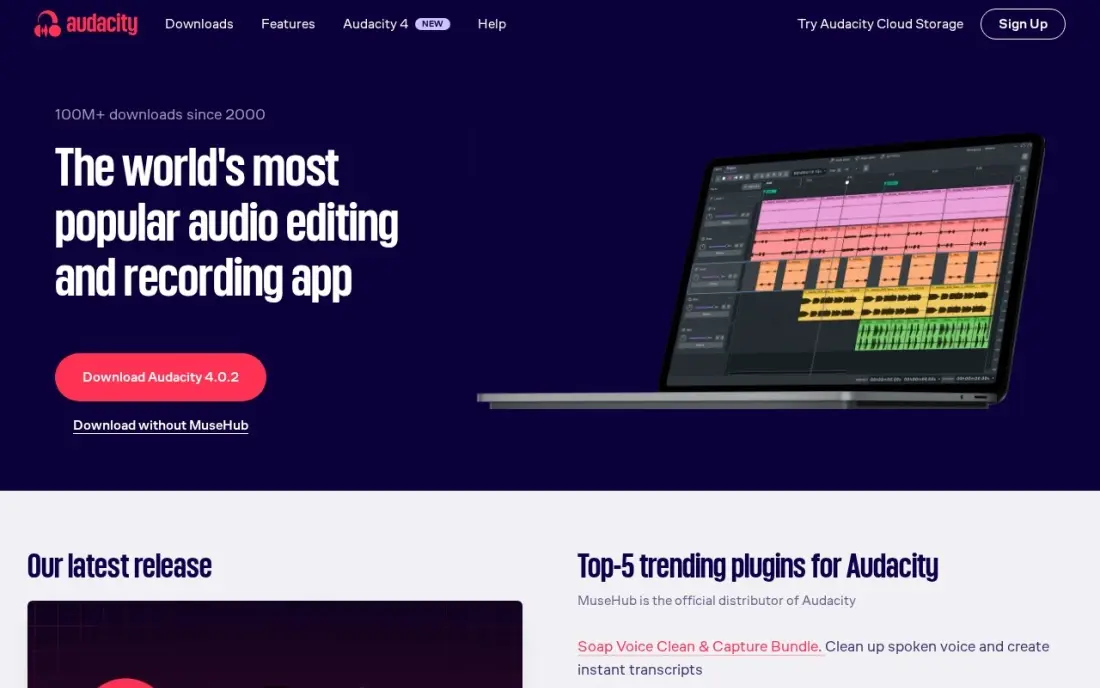
Audacity is the default free answer for recording and editing audio, and it has no paid plan at all. It records from a microphone, cuts and joins clips, applies effects and runs Noise Reduction from a profile you capture from the recording itself. The spectrogram view lets you find a click or cough by sight, and it runs on Windows, macOS and Linux.
It is a destructive, single-track-at-heart editor, so multitrack music production feels clumsy, and the interface takes some learning. It is also easy to over-process a voice until it sounds hollow. For podcast edits, voiceovers and quick fixes it does the job for $0, and its G2 rating is 4.5 from 459 reviews.
What we like
- Completely free and open source, with no paid plan at all
- Noise Reduction works from a noise profile you capture from the recording itself
- Spectrogram view lets you find and fix individual noises by sight
- Runs on Windows, macOS and Linux, with a huge free plugin ecosystem
Watch out for
- Manual and slow next to AI tools — you set the noise profile yourself
- Dated interface that takes a while to learn
- Easy to over-process a track and leave audible artifacts

REAPER
Best for: Home and project studios that want a full recording and mixing app for a one-time $60
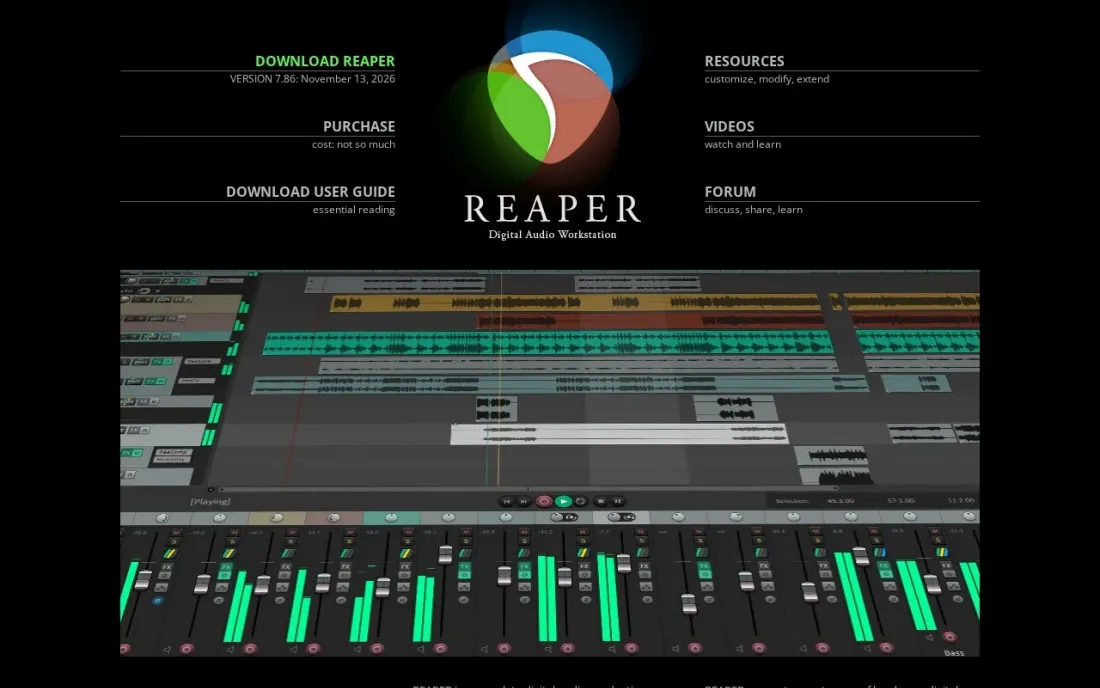
REAPER is the best value in serious audio software. One licence gives you a full multitrack recorder, editor and mixer, and the discounted licence costs $60 for individuals using it personally, businesses with gross revenue up to $20,000 a year, and educational or nonprofit organisations. Everyone else pays $225 for the commercial licence. A new licence includes free upgrades through version 8.99.
You get 60 days of evaluation with full functionality before paying. The trade-off is that REAPER ships lean: it has few instruments and sample libraries, and its flexibility means time spent on setup. For recording bands, podcasts or voice work, that rarely matters.
What we like
- Discounted licence is $60 for personal use, businesses under $20,000 a year in revenue, and schools or nonprofits
- 60-day evaluation with full functionality before you pay
- A new licence includes free upgrades through version 8.99
- Full multitrack recording, editing and mixing with no track limits by edition
Watch out for
- Commercial users above $20,000 a year in revenue need the $225 licence
- Few bundled instruments and sounds compared with Ableton Live
- Highly customisable, which also means more setup before it feels comfortable

Ableton Live
Best for: Producers and electronic musicians who compose, arrange and perform in one app
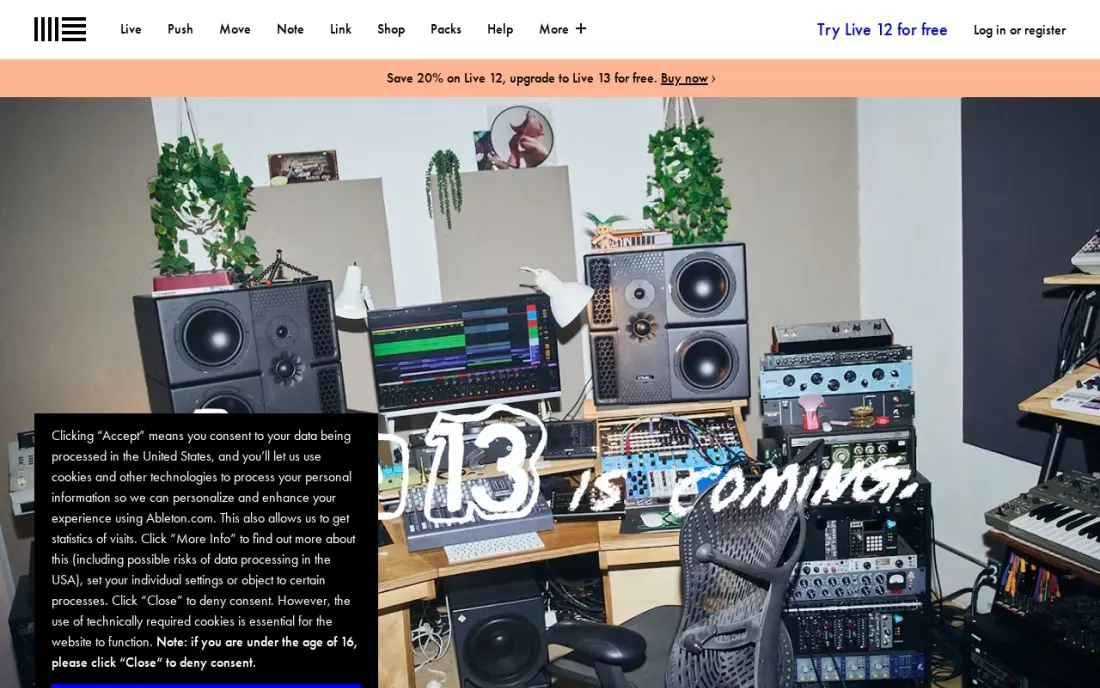
Ableton Live is the music-making pick. Its Session view lets you sketch ideas as clips and loops, then arrange them into a song, which suits electronic producers and live performers. Live 12 Intro costs $99 with 16 tracks and 5+ GB of sounds, Standard $349 with unlimited tracks and 38+ GB, and Suite $749 with Max for Live and 71+ GB. When we checked, all three were 20% off.
Each Live 12 edition includes a free upgrade to Live 13, expected in early 2027, and Suite is available rent-to-own at $31.21 a month. Intro's 16-track cap is the main limit; beyond that, the jump to Standard is steep.
What we like
- Three editions: Intro $99, Standard $349 and Suite $749 at list price
- Every Live 12 edition includes a free upgrade to the matching Live 13 edition, expected in early 2027
- Suite includes 20 instruments, 58 audio effects, 71+ GB of sounds and Max for Live
- Suite can be bought rent-to-own at $31.21 a month, adding up to the full purchase price
Watch out for
- Intro limits you to 16 audio and MIDI tracks
- Standard and Suite are a large jump in price from Intro
- Built around music production, so podcast and dialogue editing is more awkward than in Descript or Audition

Descript
Best for: Podcasters and video creators who would rather edit words on a page than a waveform
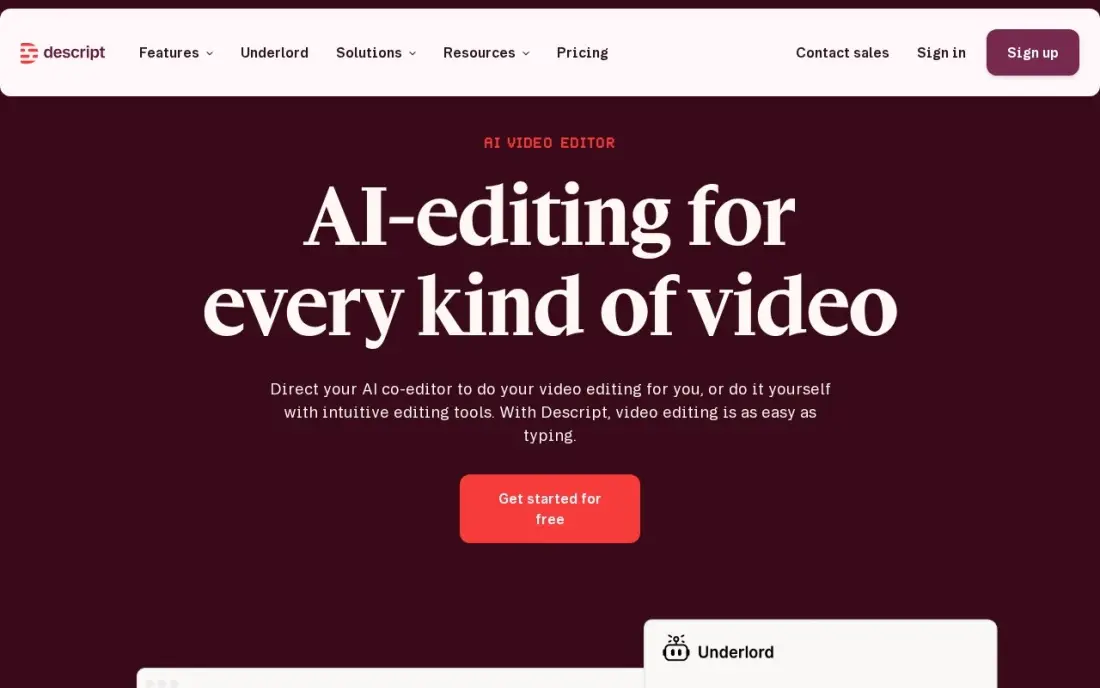
Descript turns audio editing into document editing: it transcribes the recording, and deleting a word in the transcript deletes it from the audio. Studio Sound cleans up a rough room, filler-word removal clears the ums, and the free plan gives one media hour a month to learn the workflow. Its G2 rating is 4.6 from 936 reviews.
Hobbyist costs $24 a month per person billed monthly, or $16 billed annually, with 10 media hours a month; Creator at $24 a month billed annually raises that to 30 hours. Large projects can feel slow, and it is not a music tool. For interviews and talking-head shows, it is the fastest editor here.
What we like
- Text-based editing: delete a word in the transcript and the video and audio follow
- Studio Sound, filler-word removal and Overdub clean up recordings without a separate audio tool
- Rated 4.6/5 on G2 from 936 reviews, with easy editing the most cited strength
Watch out for
- Hobbyist covers only 10 media hours a month, and the two meters (hours plus AI credits) confuse new buyers
- The app can feel slow or glitchy on large projects, per G2 reviewers
- Creator at $24/month billed annually is the practical entry for serious creators, not Hobbyist

Adobe Audition
Best for: Video editors and podcasters in Adobe Creative Cloud who need multitrack mixing and manual repair
Adobe Audition is a professional audio editor with multitrack recording and mixing alongside repair tools: noise reduction, click removal, diagnostics and a spectral display. It round-trips audio with Premiere Pro, which makes it the natural partner for anyone editing video in Adobe's apps. G2 reviewers rate it 4.4 from 420 reviews.
It is subscription only at $22.99 a month for the single app on an annual plan billed monthly, with a 7-day free trial and no perpetual licence. Creative Cloud subscribers may already have it. For occasional use, Audacity or Descript cost far less over a year.
What we like
- Deep manual repair: noise reduction, click removal, diagnostics, spectral display
- Multitrack recording, editing and mixing in one editor
- Round-trips audio with Premiere Pro for video workflows
- Part of Creative Cloud, so subscribers may already have it
Watch out for
- Subscription only — $22.99 a month adds up fast for occasional use
- Manual tools in an AI era: you do the work the one-click tools automate
- Learning curve for beginners, and no perpetual licence exists

iZotope RX
Best for: Post-production engineers who repair damaged dialogue and recordings for a living
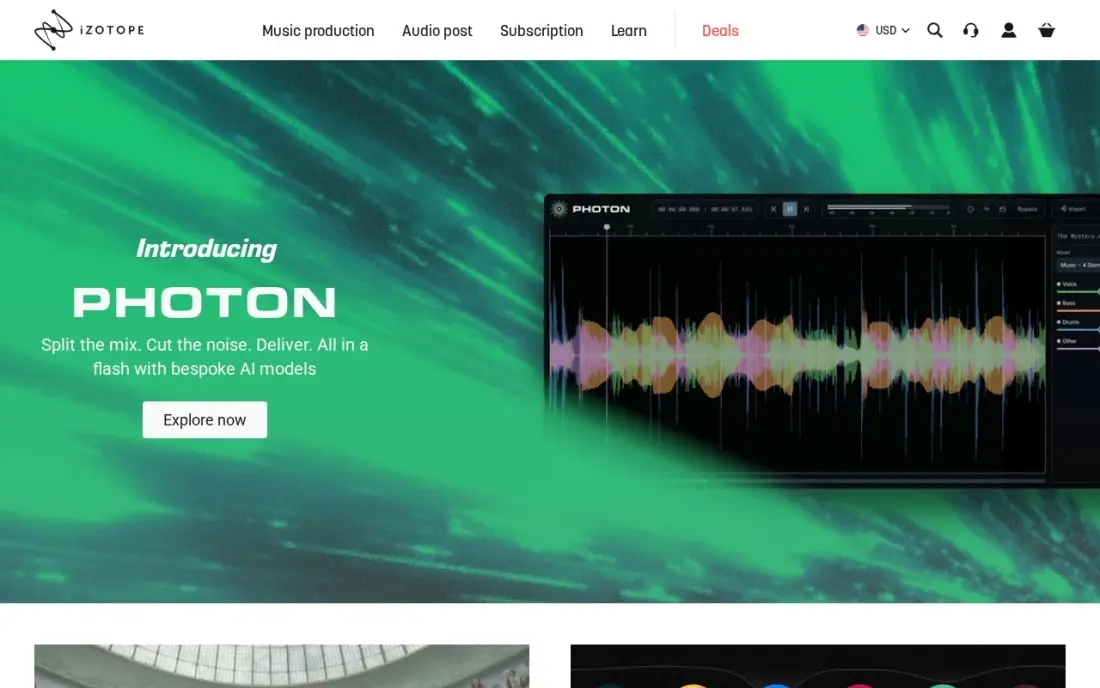
iZotope RX is the specialist's repair kit. It removes hiss, hum, clicks, clipping and reverb, and the spectral editor can lift a single cough out of a sentence. The Repair Assistant analyses a file and suggests fixes, while Dialogue Isolate separates a voice from a noisy background.
RX 12 Elements costs $99 one-time for six repair plug-ins used inside another audio app, but the standalone RX Audio Editor starts with Standard at $399; Advanced costs $1,399. That makes it overkill for a podcaster who only needs hum removed, and it rewards practice. Buy it when audio repair is part of your paid work.
What we like
- The professional standard for deep repair: hiss, hum, clicks, clipping, reverb
- Spectral editor lets you see a noise and remove it surgically
- Repair Assistant analyzes a file and suggests fixes automatically
- Dialogue Isolate and Music Rebalance handle the hardest separation jobs
Watch out for
- Elements is plug-ins only — the RX Audio Editor starts at Standard ($399)
- Steep learning curve; the spectral editor rewards practice
- Overkill and overpriced for a podcaster who only needs hum removed
Waves Clarity Vx
Best for: Voiceover artists and podcasters who want one-knob AI noise removal inside their audio app
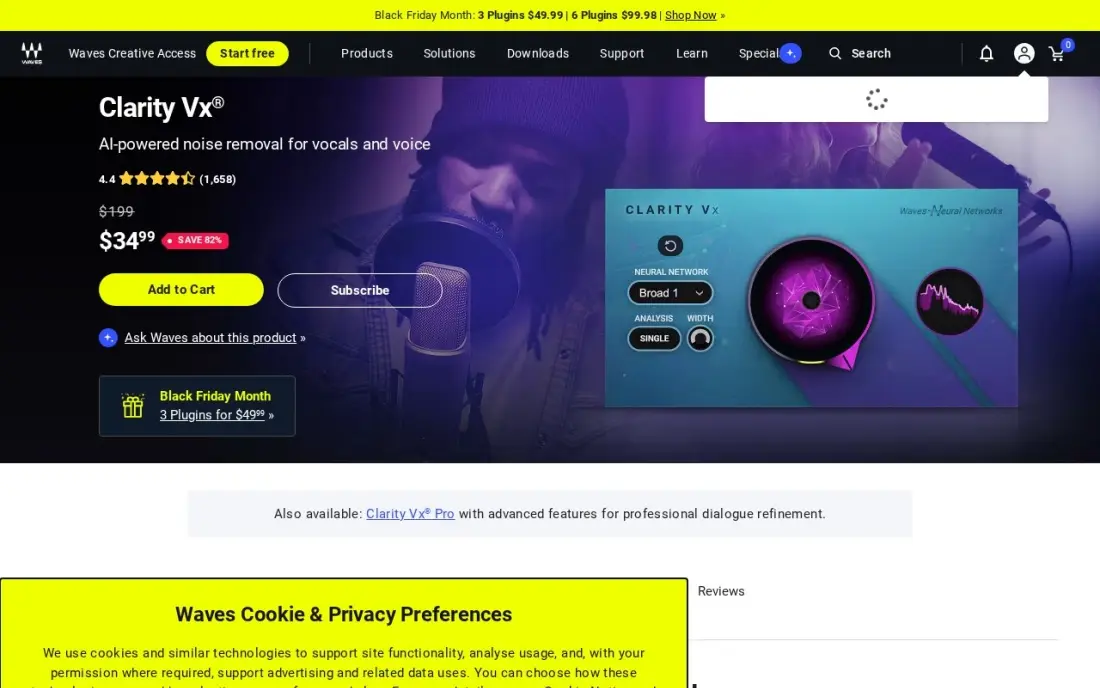
Waves Clarity Vx is a plug-in rather than a full program: you drop it on a vocal track in REAPER, Ableton or another audio app, and one main knob separates the voice from background noise using neural networks. Two networks let you choose between keeping secondary voices and attacking severe noise, and the licence is perpetual.
The list price is $199, but Waves sells it for $34.99 so often that the sale price is the realistic price; check the store before buying. It works on voice only, uses a lot of CPU and suits post-production rather than live use. Pair it with REAPER or Audacity for a cheap, clean voice chain.
What we like
- One main knob separates voice from background noise in real time
- Two neural networks: one that preserves secondary voices, one for severe noise
- Fully automatable inside a DAW, with near-zero learning curve
- Perpetual licence — buy it once and keep it
Watch out for
- Voice only — it will not repair music or general audio
- List price is $199; the $34.99 figure is the usual sale price
- Heavy CPU use, and latency makes it a post-production tool, not a live one
The best audio software depends on what you are making. A podcaster needs fast editing and clean voice; a musician needs instruments, loops and a place to arrange; a video editor needs dialogue repair that round-trips with the video. We compared seven tools across those three jobs, free editors, full recording and mixing apps, and repair tools, and checked every price on the vendor's own page in November 2026.
How to choose the best audio software
- Name the main job first. Spoken audio, music production and audio repair need different tools, and the best editor for one is often awkward for another.
- Compare one-time and subscription cost over three years. REAPER and Ableton Live are one-time purchases; Adobe Audition and Descript are subscriptions that keep charging.
- Check the limits on entry editions. Ableton Live Intro stops at 16 tracks, iZotope RX Elements has no standalone editor, and Descript's plans meter media hours.
- Use the trial properly. REAPER gives 60 days with full functionality; record and mix a real project before buying.
- Think about your other apps. Adobe Audition fits a Premiere Pro workflow, while plug-ins such as Waves Clarity Vx need a host app like REAPER or Ableton.
- Count the licence terms. REAPER's $60 licence covers personal use and businesses under $20,000 a year in revenue; above that, the price is $225.
Good audio helps a podcast or video get found and kept. If your show or channel needs more listeners from search, our guide to video SEO covers titles, transcripts and chapters, and our monthly SEO service handles the rest of the site.
Audio software pricing: what you will actually pay
Take a solo creator who records a weekly podcast and wants software for three years. Audacity costs $0. REAPER costs $60 once on the discounted licence, with free upgrades through version 8.99. Descript Hobbyist costs $16 a month billed annually, which is $192 a year and $576 over three years, or $24 a month billed monthly, $288 a year. Adobe Audition costs $22.99 a month on an annual plan billed monthly, about $276 a year and $828 over three years.
For a musician the comparison shifts. Ableton Live Intro is $99 once, Standard is $349 and Suite is $749 at list price, and each Live 12 edition includes a free upgrade to Live 13. Suite rent-to-own runs $31.21 a month until it adds up to the purchase price. Add repair only if you need it: Waves Clarity Vx usually sells for $34.99, and iZotope RX Elements costs $99, with the standalone editor starting at $399.
Know the difference: audio editor vs DAW
An audio editor works on a recording. Audacity, Adobe Audition's waveform view and iZotope RX open a file, let you cut, clean and adjust it, and save it back. Descript is an editor too, with a transcript in place of the waveform. Editors are what podcasters, voiceover artists and video editors spend most of their time in.
A DAW, or digital audio workstation, is built to make something from many tracks. REAPER and Ableton Live record several sources at once, host virtual instruments and plug-ins, and mix everything into a finished song or show. Adobe Audition's multitrack view does this too. If you only ever trim and clean single recordings, a DAW is more than you need; if you layer music, effects and several voices, you will outgrow a plain editor quickly.
Quick comparison: tool type by need
| Need | Best pick | Why |
|---|---|---|
| Free editing | Audacity | Open source, no paid plan, noise reduction built in |
| Low-cost recording and mixing | REAPER | $60 discounted licence, 60-day full evaluation |
| Making music | Ableton Live | Intro $99 to Suite $749, free upgrade to Live 13 |
| Editing spoken audio fast | Descript | Edit by transcript, free plan with 1 media hour |
| Adobe video workflows | Adobe Audition | Multitrack and repair, $22.99/month |
| Professional repair | iZotope RX | Spectral editing, Elements $99, editor from $399 |
| One-knob voice cleanup | Waves Clarity Vx | AI noise removal plug-in, usually $34.99 |
Mistakes to avoid
- Buying a music DAW to edit a podcast. Ableton Live can do it, but Descript or Audacity get a talk show out faster.
- Paying a subscription for occasional use. If you edit audio a few times a month, Audacity or a one-time REAPER licence costs far less than Audition.
- Using the wrong REAPER licence. The $60 licence has a revenue limit; a business above $20,000 a year needs the $225 commercial licence.
- Fixing in software what a microphone would fix. No repair tool fully saves a recording made in an echoing room; spend on a decent mic and a quiet space first.
- Over-processing the voice. Noise reduction and AI cleanup leave artifacts when pushed too far; compare before and after on headphones.
Related comparisons: Audio Cleaning Software
How we chose
We grouped the tools by job, editing, recording and mixing, music production and repair, and picked the strongest option for each at a range of budgets. Prices come from each vendor's own pricing or store page, checked in November 2026, and are recorded as shown, including sale prices where the page showed them. G2 ratings appear only where we have read the G2 page; REAPER and Ableton Live carry none in this list. No vendor paid for a place in this list, and none of the links here are affiliate links.
What to do next
Download Audacity and the REAPER evaluation the same day, record ten minutes of your real content in each, and edit it to a finished file. The one you finish faster is the one to keep. If the audio is for a podcast or channel that needs more listeners, book a free call and we will look at how people find it.
Frequently asked questions
What is the best audio software?
It depends on the job. Audacity is the best free editor, REAPER is the best-value recording and mixing app at $60 for a discounted licence, Ableton Live is the best for making music, and Descript is the fastest way to edit spoken audio. For repair work, iZotope RX is the professional standard.
What is the best free audio software?
Audacity is free and open source with no paid plan, and it covers recording, editing and noise reduction on Windows, macOS and Linux. Descript also has a free plan with one media hour a month, and REAPER offers a 60-day evaluation with full functionality.
Is it better to buy audio software once or subscribe?
For most home users, a one-time licence costs less. REAPER is $60 for a discounted licence with free upgrades through version 8.99, and Ableton Live Intro is $99. Adobe Audition is $22.99 a month, which adds up to about $276 a year.
What audio software do podcasters use?
Podcasters most often use Descript for transcript-based editing, Audacity for free editing, Adobe Audition for multitrack mixing in Creative Cloud, or REAPER for low-cost recording. Waves Clarity Vx or iZotope RX are added when a recording needs noise removal.
What is the difference between Ableton Live Intro, Standard and Suite?
Intro costs $99 with 16 audio and MIDI tracks and 5+ GB of sounds. Standard costs $349 with unlimited tracks and 38+ GB of sounds. Suite costs $749 with 20 instruments, 58 audio effects, 71+ GB of sounds and Max for Live. These are list prices; all three were 20% off when we checked.
Who can use the $60 REAPER licence?
Individuals using REAPER for personal use, individuals or businesses using it commercially with gross revenue up to $20,000 a year, and educational or nonprofit organisations. Other commercial users need the $225 licence.
What is the best audio software for PC?
Audacity is the best place to start on a PC: it is free and open source, runs on Windows, macOS and Linux, and covers recording, cutting and noise reduction. If you outgrow it, REAPER adds full multitrack recording and mixing for a one-time $60 personal licence after a 60-day full evaluation. For spoken audio edited from a transcript, Descript has a free plan with 1 media hour a month.
Sources we checked (10)
- Audacity — www.audacityteam.org (checked November 7, 2026)
- Audacity reviews on G2 (checked November 7, 2026)
- REAPER — www.reaper.fm/purchase.php (checked November 16, 2026)
- Ableton Live — www.ableton.com/en/shop/live (checked November 16, 2026)
- Descript — www.descript.com/pricing (checked November 10, 2026)
- Descript reviews on G2 (checked November 10, 2026)
- Adobe Audition — www.adobe.com/products/audition.html (checked November 7, 2026)
- Adobe Audition reviews on G2 (checked November 7, 2026)
- iZotope RX — www.izotope.com/en/products/rx.html (checked November 7, 2026)
- Waves Clarity Vx — www.waves.com/plugins/clarity-vx (checked November 7, 2026)
Make one of these tools?
We re-check this list every quarter. Send a correction, request a review, or ask about a clearly labeled sponsored spot.
Request a listingShamim
Founder of SerpAstra
A full-stack digital marketer and SEO strategist covering technical and local SEO, AI search visibility, paid ads and lead generation for local businesses, e-commerce brands and SaaS teams.
Free SEO and AI visibility audit
Find out what is holding your rankings back
Send us your site. Within 2 business days you get a written audit, an AI visibility check and a short fix list ranked by impact. Free, with no contract attached.
Request my free audit→Related buying guides
 Audio, Music & PodcastingBest Audio Cleaning Software for 2026: 8 Options Compared by Use CaseCompare the 8 best audio cleaning software tools on price, free plans and AI cleanup, with every price checked November 7, 2026, for podcasters.Read guide →
 Marketing12 Best Software for Content Creation in 2026, Compared12 best software for content creation compared with real 2026 prices, free plans and G2 ratings, sorted by what you make: writing, design, video or publishing.Read guide →
 Marketing12 Best Podcast Advertising Platforms in 2026, ComparedCompare the 12 best podcast advertising platforms on minimum budgets, CPMs and free plans, with every price checked on the vendor's page on November 5, 2026.Read guide →