
9 Best CRM Lead Management Software in 2026, Compared
Compare the 9 best crm lead management software options for small sales teams on price, free plans and lead tools, with every price checked November 12, 2026.
 Shamim Mia, Founder, SerpAstraLast verified November 12, 202614 min read
We compare pricing pages, documentation and public reviews. We never accept payment for rankings.

Key takeaways
- HubSpot Sales Hub leads for most small sales teams: a free CRM for two users, then Starter at $20 a seat a month, with sequences and pipelines built in.
- The single most important buying factor is the pricing unit: per-seat, per-contact and flat-rate pricing turn a cheap headline into very different bills for the same five people.
- Two tools have a genuinely free plan — HubSpot for two users and Zoho CRM for three — and every tool here offers a free trial of 14 to 30 days.
- Every price below was confirmed from the vendor's own pricing page in October and November 2026, with the final check on November 12, 2026. Ratings are G2, with review counts shown.
On this page
Quick comparison
| Tool | Best for | Starting price | Free plan |
|---|---|---|---|
| HubSpot Sales Hub | Small sales teams that want a free CRM to start on and marketing, sales and service in one database | $20/seat/mo | Yes (free CRM) |
| Pipedrive | Small sales teams that want the clearest visual pipeline and the fastest rep adoption | $24/user/mo | No (14-day trial) |
| Zoho CRM | Budget-conscious teams that want deep customization and a free plan for up to 3 users | $20/user/mo | Yes (3 users) |
| Salesforce Sales Cloud | Growing teams that need the deepest customization and the largest app ecosystem | $25/user/mo | No (30-day trial) |
| ActiveCampaign | Small teams that want lead scoring and sales sequences tied to email automation | $19/mo | No (14-day trial) |
| Less Annoying CRM | Solo founders and tiny teams that want one simple price and no tiers to decode | $15/user/mo | No (30-day trial) |
| Monday Sales CRM | Visual teams already running on monday.com that want leads on boards, not database rows | $18/seat/mo | No (14-day trial) |
| Close | Inside sales and outbound teams that live on the phone and want calling built into the CRM | $49/user/mo | No (14-day trial) |
| Insightly | Small businesses that want the CRM to turn closed deals into projects in the same tool | $29/user/mo | No (14-day trial) |
Make one of these tools?
We re-check this list every quarter. Send a correction, request a review, or ask about a clearly labeled sponsored spot.
Request a listingThe best crm lead management software
HubSpot Sales Hub
Best for: Small sales teams that want a free CRM to start on and marketing, sales and service in one database
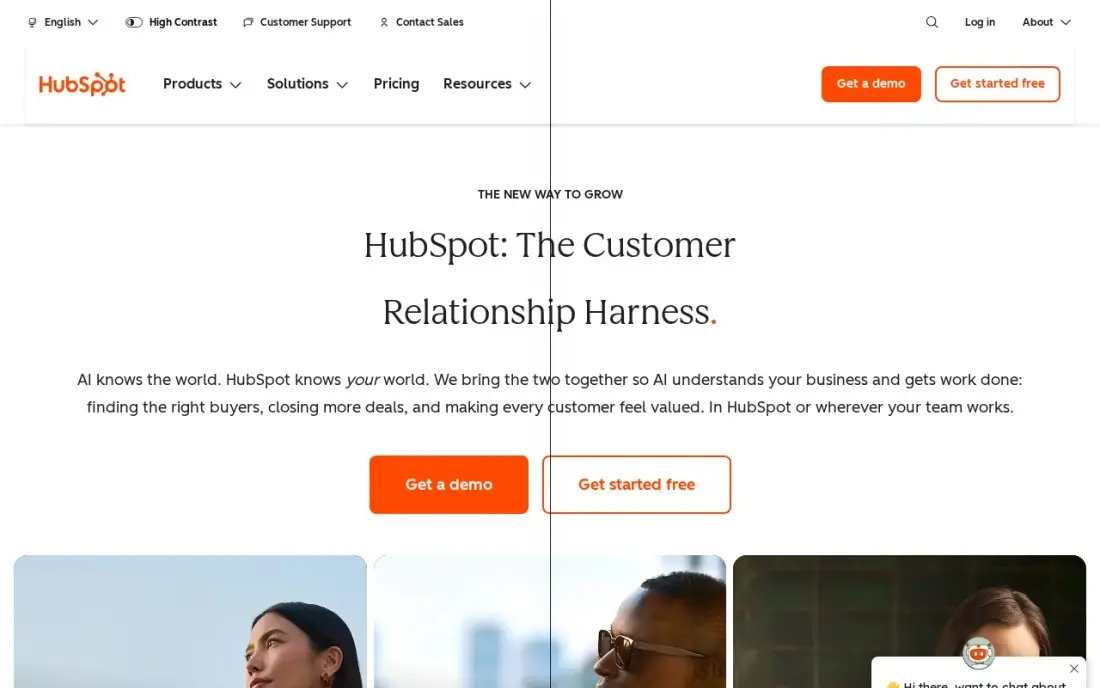
HubSpot Sales Hub is the safe default in this list because the free CRM is a real product, not a demo: two users, 1,000 contacts, deal pipelines, email tracking and meeting scheduling for $0. Starter at $20 a seat a month adds sequences, deal routing, payment links and 50 workflows, and Breeze AI comes with every tier, so the smallest team gets AI help without paying for a higher plan.
The catch is the ladder, not the entry price. Professional jumps to $100 a seat a month and adds a $1,500 onboarding fee, so a team that outgrows Starter pays five times more overnight. Buy HubSpot when the business wants one database for sales, marketing and service and can live on Starter for a year; buy Pipedrive or Zoho when the budget has to stay flat.
What we like
- The only free CRM here that stays useful past setup: pipelines, email tracking and deal management for 2 users at $0
- Breeze AI is included on every tier, including the free plan, with 500 HubSpot Credits a month on Starter
- More than 2,000 App Marketplace integrations, and sales, marketing and service share one contact database
Watch out for
- Starter to Professional is a 5x price jump ($20 to $100 a seat), plus a $1,500 onboarding fee on Professional
- The free CRM covers only 2 users and 1,000 contacts, so a third sales seat needs a paid plan
- Reporting and forecasting stay basic until Professional, which is the real cost for a growing team

Pipedrive
Best for: Small sales teams that want the clearest visual pipeline and the fastest rep adoption
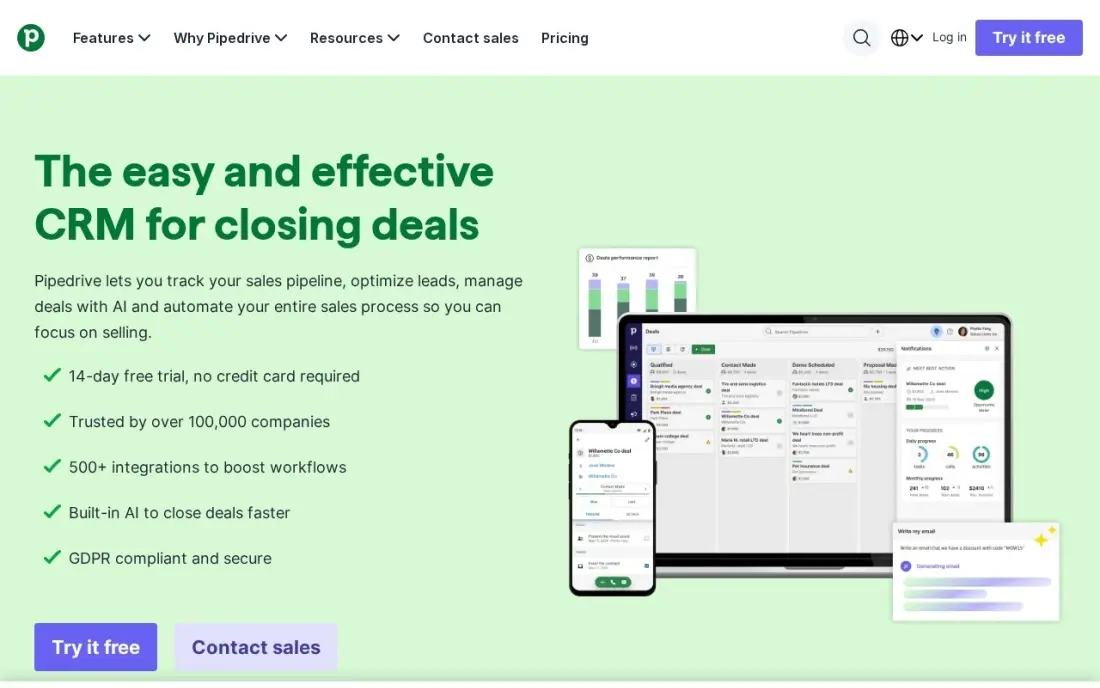
Pipedrive is a sales pipeline, and that focus is why reps adopt it fast: deals move down a visual board and the mobile app works reliably offline. Lite at $14 a user a month billed annually is the cheapest paid start among the dedicated sales CRMs here, and there is no onboarding fee and no seat minimum, so a solo founder can start alone and add reps later.
The limits are the add-ons. Lead capture and enrichment sit behind LeadBooster and Smart Contact Data, which are billed separately, and two-way email sync, automation and forecasting start on Growth at $39 or Premium at $59. There is no free plan, only a 14-day trial. Buy Pipedrive when the team sells through a pipeline and wants minimal training; buy HubSpot when the business also needs marketing in the same database.
What we like
- The cleanest visual pipeline in this list — G2 reviewers rate ease of setup 8.7 out of 10, the highest here
- Lite at $14 a user a month billed annually is the cheapest paid start among the dedicated sales CRMs
- No onboarding fee published, and no minimum seat count, so a solo rep can start on Lite alone
Watch out for
- Lead capture and enrichment (LeadBooster, Smart Contact Data) are paid add-ons, not in the base plans
- No two-way email sync on Lite; useful automation and forecasting start on Growth ($39) or Premium ($59)
- No permanent free plan — only a 14-day free trial before the subscription starts

Zoho CRM
Best for: Budget-conscious teams that want deep customization and a free plan for up to 3 users
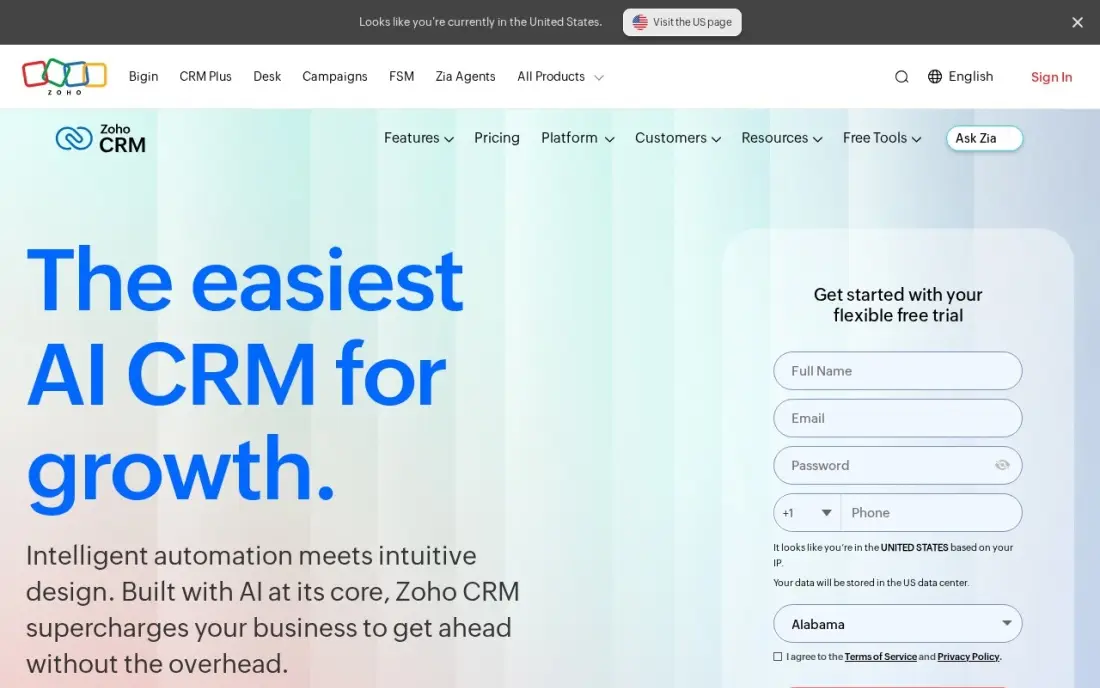
Zoho CRM is the value pick in this list: a free edition for three users, then Standard at $14 a user a month billed annually with workflow automation, email integration, built-in calling and five pipelines included. No other tool here puts automation on its cheapest paid plan, and the 55-plus app ecosystem means invoicing, support and marketing can all read the same customer record without a separate integration bill.
The trade-off is polish and setup. G2 reviewers call out a steep learning curve and a crowded interface, and Zia AI agents wait for Professional at $23 a user a month. Support is also a paid add-on. Buy Zoho when the budget is the deciding factor and someone will own the setup; buy HubSpot or Pipedrive when the team needs to be selling on day one with no configuration project.
What we like
- The cheapest paid plan here with workflow automation: Standard at $14 a user a month billed annually
- Free edition covers 3 users with leads, contacts, deals and tasks — the most generous free start in this list
- Part of a 55-plus app ecosystem, so invoicing, support and marketing can share the same customer record
Watch out for
- G2 reviewers flag a steep learning curve and a crowded, dated interface that takes time to set up
- Zia AI agents start on Professional ($23), not on the $14 Standard plan
- Support is a paid add-on — Premium support costs extra on top of the seat price

Salesforce Sales Cloud
Best for: Growing teams that need the deepest customization and the largest app ecosystem
Salesforce Sales Cloud is the reference point everything else in this list gets measured against. Starter Suite at $25 a user a month covers leads, accounts, contacts, opportunities, built-in sales flows and email sync, enough for a small team, and it is the only edition that can be billed monthly. The ecosystem behind it is the largest here, and the product carries more G2 reviews than any other tool in this list.
The honest cost is not the licence. Pro Suite quadruples the price to $100 a user a month, everything above Starter locks into an annual contract, and Agentforce AI starts at $125 a user a month on top. Most serious rollouts need a consulting partner. Buy Salesforce when the business plans to grow into deep customization; buy HubSpot or Zoho when the team wants to stay self-serve.
What we like
- The reference point for the category: leads, accounts, contacts, opportunities and email sync from $25 a user a month
- The largest app ecosystem in this list, with the most-reviewed product on G2 (27,591 reviews)
- Starter Suite is the only edition above free that can be billed monthly — the rest need an annual contract
Watch out for
- Pro Suite at $100 a user a month is a 4x jump from Starter, and everything above Starter is annual-only billing
- AI (Agentforce) is a paid add-on from $125 a user a month, not included in the entry price
- Serious rollouts usually need a consulting partner, and that services bill can exceed the first year of licences

ActiveCampaign
Best for: Small teams that want lead scoring and sales sequences tied to email automation
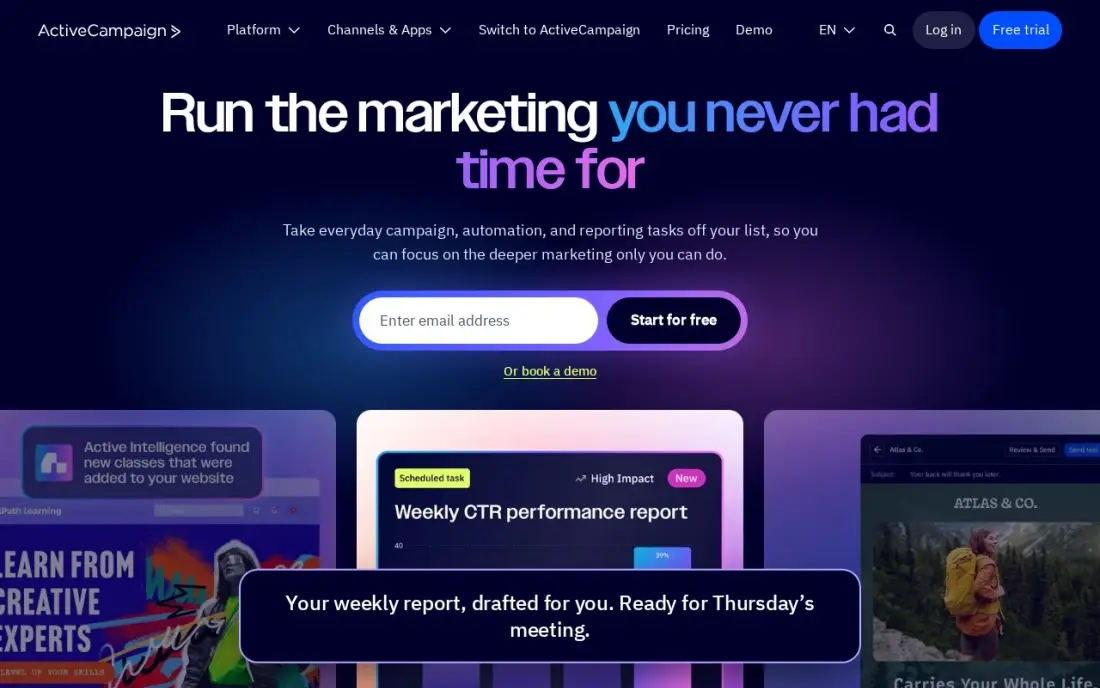
ActiveCampaign is the automation pick in this list: a visual workflow builder that scores leads, routes them to the right rep and follows up by email automatically. The price is flat per contact tier, not per seat, so a five-person team pays the same $19 a month as a one-person team at 1,000 contacts, and Starter at $15 billed annually is one of the cheapest paid starts here.
The catch is the pricing unit. The bill grows with the contact list, not the team, so a team with 10,000 contacts pays far more than $19 even if only two people log in. The CRM comes bundled with email marketing, so a team that only wants sales tools pays for automation it may never use. Buy ActiveCampaign when follow-up volume is the bottleneck; buy Pipedrive when the pipeline is the job.
What we like
- The strongest automation builder at this price: visual workflows that score, route and follow up on leads automatically
- Flat monthly price per contact tier, not per seat — a five-person team pays the same $19 as a one-person team
- G2's largest automation-focused review base here: 4.4 out of 5 from 14,872 reviews
Watch out for
- Priced by contacts, not seats: the bill rises as the list grows, even if the team stays the same size
- The CRM is bundled with email marketing, so teams that only want sales tools pay for automation they may not use
- No free plan — only a 14-day free trial before the subscription starts

Less Annoying CRM
Best for: Solo founders and tiny teams that want one simple price and no tiers to decode
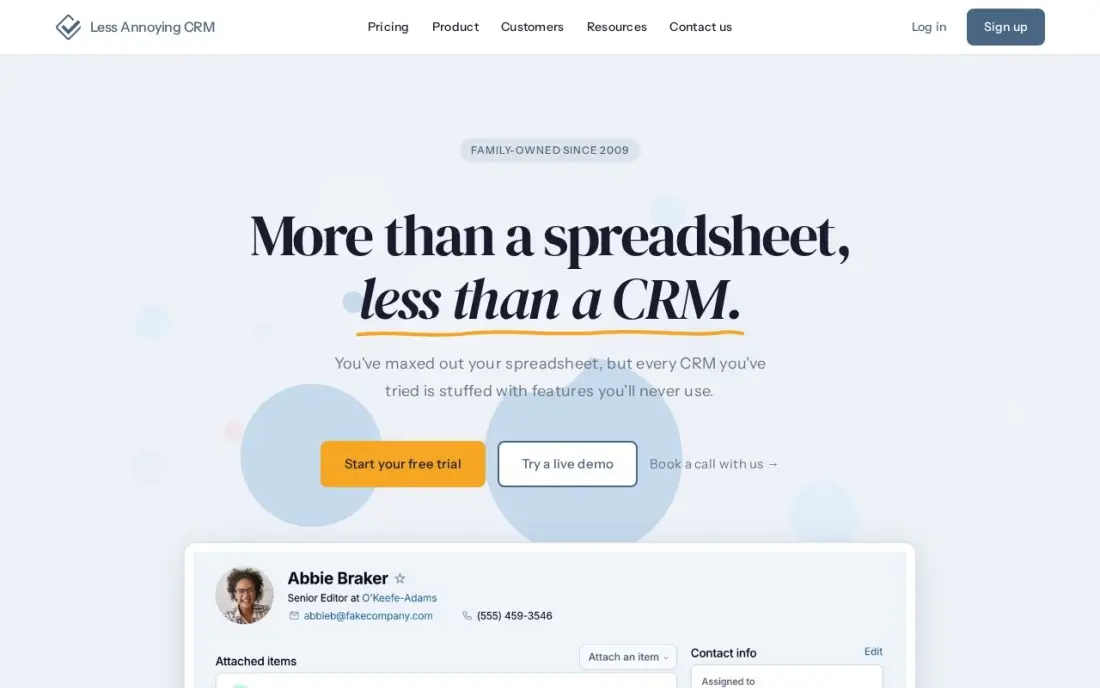
Less Annoying CRM does exactly what the name promises. One plan, $15 a user a month, every feature included, no tiers, no contracts, no upsells — the price has not moved since 2020. Unlimited contacts, companies and pipelines come with it, plus 25GB of storage per user and free phone support. It holds the highest G2 score here at 4.9 out of 5, and its 30-day trial needs no credit card.
What you do not get is automation of any kind: no lead scoring, no workflow builder, no email sequences and no built-in calling, so every follow-up is manual and every activity is logged by hand. Only six native integrations exist, so the rest runs through Zapier. Buy it when the business wants a clean place for contacts and follow-ups; buy ActiveCampaign or Zoho the moment follow-up volume needs automating.
What we like
- One plan, $15 a user a month, every feature included — the simplest pricing in this list, unchanged since 2020
- The highest G2 score here: 4.9 out of 5 from 671 reviews, with 94% five-star ratings
- Unlimited contacts, companies and pipelines, 25GB of storage per user, and free human phone support
Watch out for
- No workflow automation, no lead scoring and no email sequences — follow-ups are manual
- No built-in calling, SMS or AI features of any kind, by design
- Only 6 native integrations, so most connections run through Zapier

Monday Sales CRM
Best for: Visual teams already running on monday.com that want leads on boards, not database rows
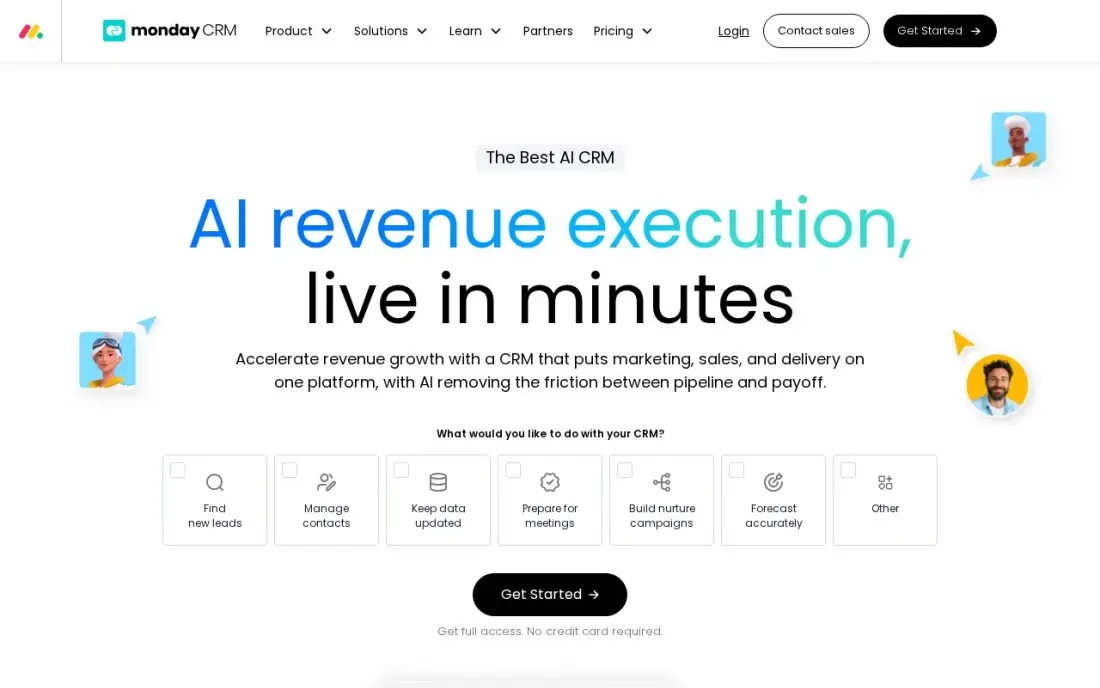
Monday Sales CRM turns the pipeline into boards, where leads, deals and activities can be viewed as tables, Kanban boards, timelines or dashboards, and columns, statuses and automations can be shaped without code. Basic starts at $12 a seat a month billed annually, AI usage is included on the entry plan, and a team that already lives in monday.com inherits its boards, views and integrations on day one.
Two details matter before buying. Paid plans start at three seats, so a solo founder pays $36 a month minimum on Basic, and Basic caps at 1,000 active contacts and deals with no custom automations — those start on Standard at $17. Forecasting and sequences wait for Pro at $28. Buy monday when the team thinks in boards; buy Pipedrive when the team wants a pipeline built for sales first.
What we like
- Boards, Kanban, timelines and dashboards make the pipeline visible at a glance, with no code needed to reshape it
- AI usage is included on the Basic plan, and the platform inherits monday.com's automations and integrations
- Rated 4.5 out of 5 on G2 from 1,975 reviews, with the highest ease-of-use scores in the category
Watch out for
- Paid plans start at 3 seats, so a solo founder pays for three ($36 a month minimum on Basic)
- Basic caps at 1,000 active contacts and deals, with no custom automations — those start on Standard ($17)
- A work OS adapted to sales, not a purpose-built sales machine: forecasting and sequences sit on Pro ($28)

Close
Best for: Inside sales and outbound teams that live on the phone and want calling built into the CRM
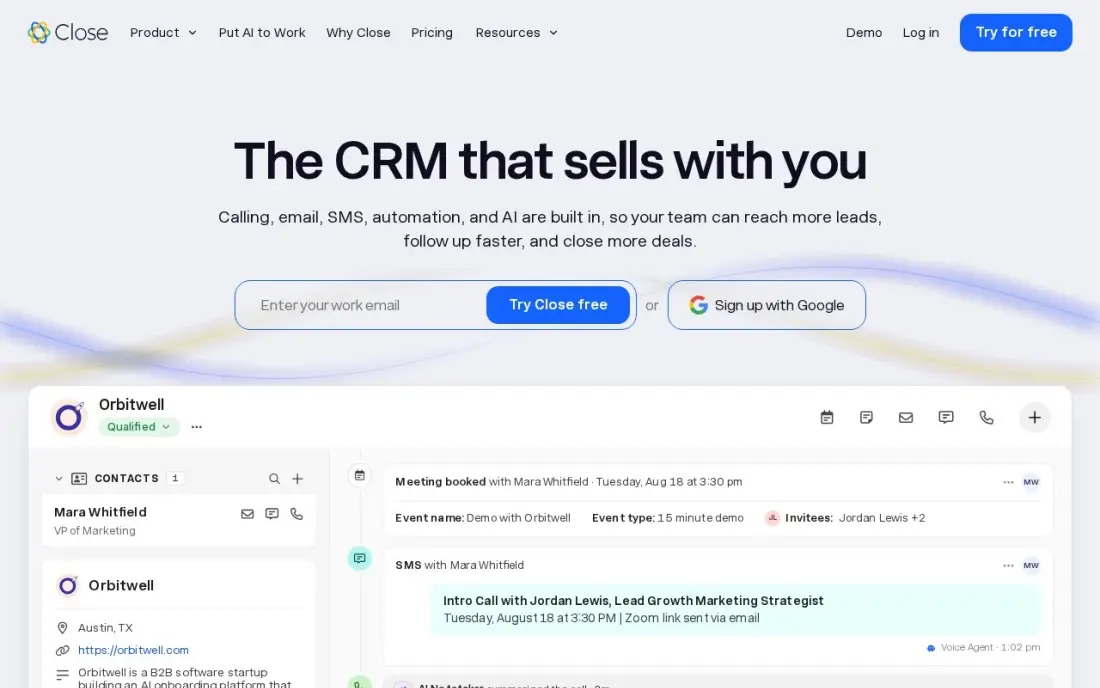
Close is built for one motion: high-volume outbound. Email, calling, SMS and follow-up sequences live in a single screen, and the built-in dialers remove the usual patchwork of phone tools, while automatic call logging means reps spend less time typing notes. Chloe, an AI agent that can call down lead lists and book meetings, is included on every plan, and the 14-day trial needs no credit card.
The seat price is not the bill. Calling minutes, SMS and dialer credits are billed separately, and real bills typically run 30 to 50% above the headline figure. The Power Dialer and automated workflows need Growth at $99 a user a month, and Solo at $9 fits exactly one user — a two-person team starts at Essentials. Buy Close when the team sells by phone; buy Pipedrive when it sells mostly by email.
What we like
- Calling, SMS and email built into every plan, with automatic call logging that cuts manual data entry
- Chloe, an AI agent that can call leads and book meetings, is included on every plan
- Rated 4.7 out of 5 on G2 from 2,069 reviews, with ease of use the most-mentioned strength
Watch out for
- Calling minutes and SMS are billed separately on top of the seat price, so real bills run 30 to 50% above the headline
- The Power Dialer and automated workflows need Growth at $99 a user a month — Essentials has neither
- Solo at $9 a month fits exactly one user; a two-person team starts at Essentials ($35 billed annually)

Insightly
Best for: Small businesses that want the CRM to turn closed deals into projects in the same tool
Insightly is the CRM you pick when a won deal has to become a project. Project management is built into every plan, so a closed deal converts to a project with tasks and milestones without a second tool, and Plus at $29 a user a month billed annually covers 100,000 records and 2,500 mass emails a day with advanced reports and pre-built dashboards. It suits service businesses and agencies where delivery starts the moment the deal closes.
The entry plan is thinner than the price suggests. Workflow automation and lead assignment need Professional at $49 a user a month, and no monthly price is published at all, so month-to-month billing is quoted by sales. Buy Insightly when delivery follows the sale; buy Zoho or ActiveCampaign when automation matters more than projects.
What we like
- Project management is built into every plan: a won deal converts to a project with tasks and milestones
- Plus covers 100,000 records and 2,500 mass emails a day, with advanced reports and pre-built dashboards
- The lowest G2 score here (4.2) still comes with an 88% 'would buy again' rate on TrustRadius
Watch out for
- Workflow automation and lead assignment need Professional at $49 a user a month — Plus has neither
- No monthly price is published: every Insightly CRM price reads 'billed annually', so month-to-month costs more by quote
- G2 reviewers flag support quality and limited multi-object reporting, and the free plan for two users is gone
The best crm lead management software turns a pile of names into a pipeline a small team can actually work — and the 9 tools below are ranked by fit for the most common buyer, a small US sales team of one to five people moving off spreadsheets. Every price was confirmed from the vendor's own pricing page in October and November 2026, with the final check on November 12, 2026.
How to choose the best crm lead management software
- Count the pricing unit first. Per-seat pricing (HubSpot, Pipedrive, Zoho) grows with headcount, per-contact pricing (ActiveCampaign) grows with the list, and flat pricing (Less Annoying CRM) grows with neither. The unit decides the bill, not the headline price.
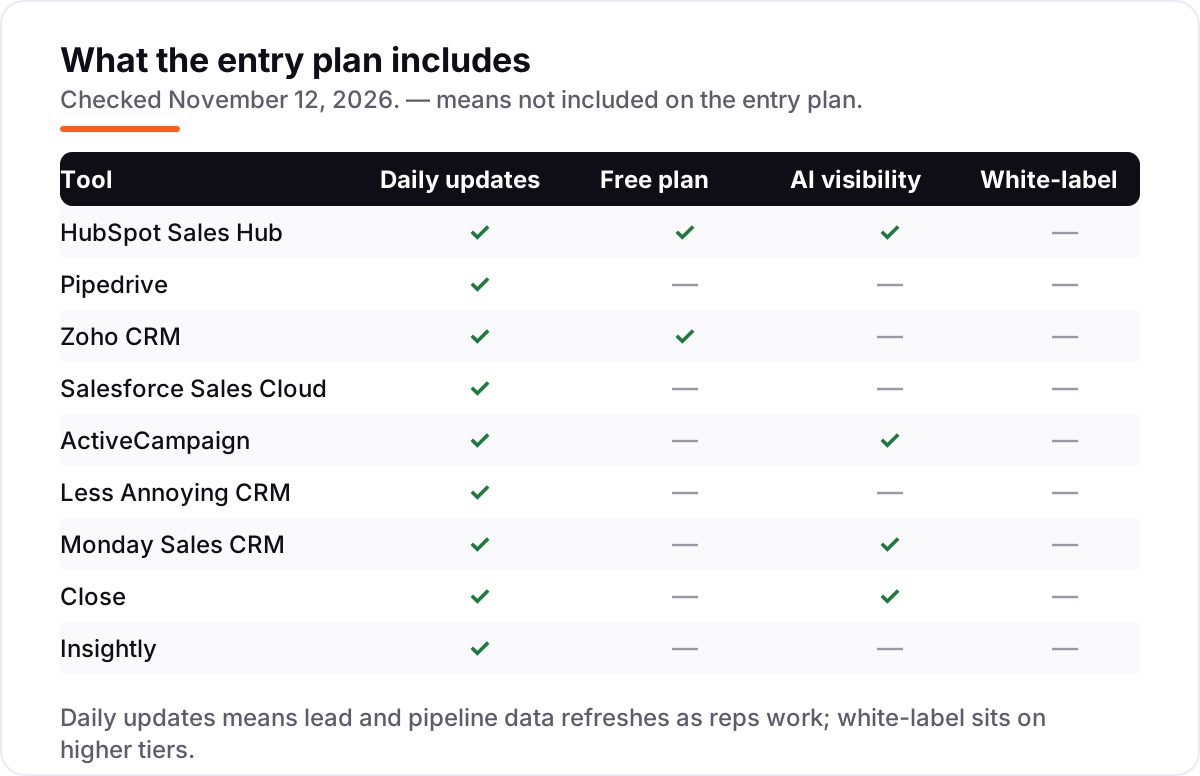
- Check what the entry plan actually includes. Lead scoring, routing and workflow automation sit one tier up at Zoho, Pipedrive, Insightly and Salesforce — price the tier with the features, not the headline tier.
- Check the free plan or trial length. HubSpot covers two users free and Zoho three, while the rest offer trials of 14 to 30 days. A 14-day trial is short for a team that sells in weekly cycles.
- Check how AI is sold. Breeze AI is included on every HubSpot tier and Chloe on every Close plan, but Agentforce at Salesforce and Zia at Zoho are paid extras or higher-tier features.
- Check the exit before you enter. Annual-only billing at Insightly, per-seat minimums at monday and contact-based pricing at ActiveCampaign all make switching costlier than the monthly figure suggests.
Lead software fills the pipeline, but it does not fill it with new leads on its own. If the business is not showing up when buyers nearby search, our local SEO service covers that side. And before the team sends its first follow-up email, the free SERP snippet preview tool shows exactly how the page the lead lands on will look in Google.
Whatever you shortlist, try it with real leads before you pay. The trials in this list run 14 to 30 days, which is long enough to import a real list, work it for a week and see whether any lead falls through. Check two things in the trial: that a new lead reaches the right rep without manual sorting, and that the pipeline never loses a deal when two reps touch the same record.
CRM lead management software pricing: what you will actually pay
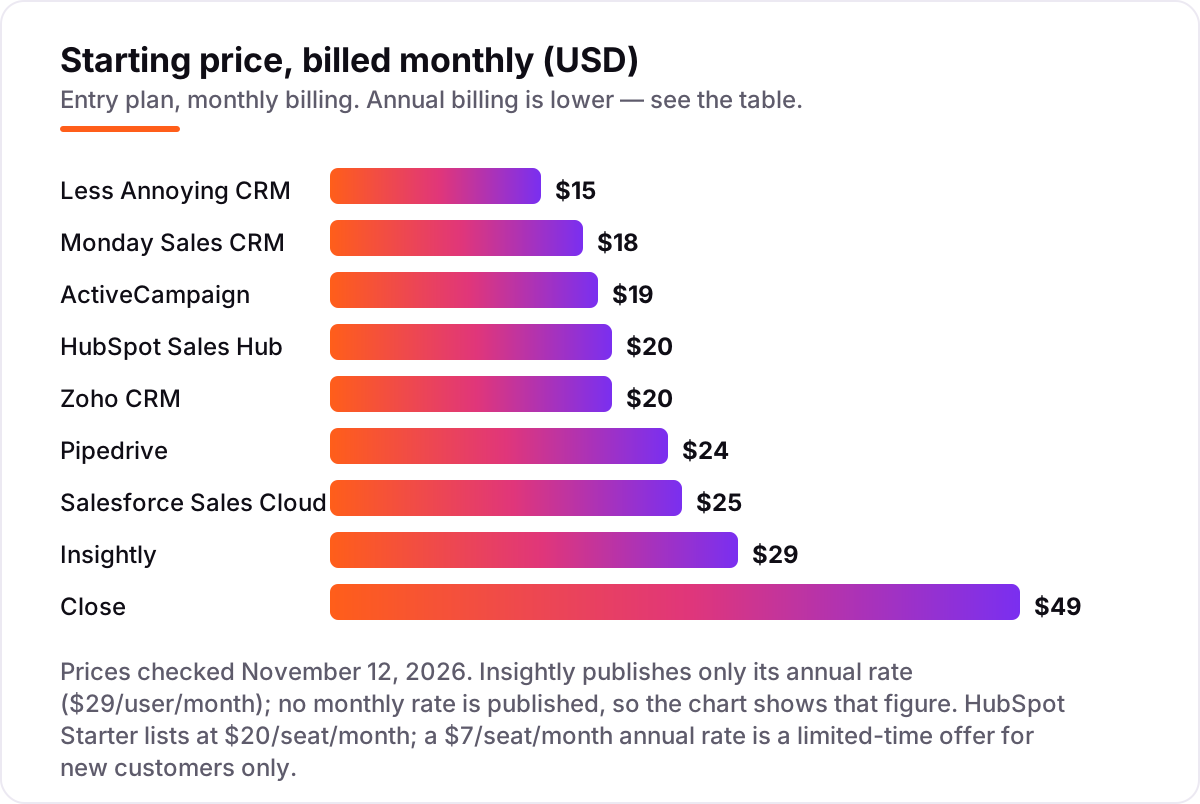
Take a five-person sales team working about 200 new leads a month. On list prices at monthly billing, the subscription costs $100 a month on HubSpot Starter (5 seats at $20), $120 on Pipedrive Lite, $100 on Zoho Standard, $125 on Salesforce Starter Suite, $19 on ActiveCampaign Starter (flat, at 1,000 contacts), $75 on Less Annoying CRM, $90 on Monday Basic, $245 on Close Essentials and $145 on Insightly Plus at its annual rate. HubSpot's free CRM covers only two users, so a team where only three people need sales seats pays $60 instead of $100, and Close Solo at $9 a month fits exactly one user, so a two-person team already starts at Essentials.
Over a year on annual billing, that is $1,200 on HubSpot Starter at list (or $420 for new customers on the $7 limited-time annual offer), $840 on Pipedrive Lite, $840 on Zoho Standard, $1,500 on Salesforce Starter Suite, $180 on ActiveCampaign Starter, $900 on Less Annoying CRM (no annual discount exists), $720 on Monday Basic, $2,100 on Close Essentials and $1,740 on Insightly Plus. ActiveCampaign's $180 is the cheapest annual figure here, but it is priced by contacts: at 5,000 contacts the same plan costs more, while every per-seat tool stays flat.
Three costs sit outside every number above. First, calling and SMS usage: Close bills minutes and texts separately, and real bills run 30 to 50% above the seat price. Second, onboarding fees: HubSpot Professional charges $1,500 once, and Insightly labels its onboarding and Premier fees required. Third, the tier jump: the automation a team actually needs sits on Professional at HubSpot ($100 a seat), Growth at Pipedrive ($39), Professional at Zoho ($23) and Professional at Insightly ($49), so budget the tier with the features, not the headline tier.
Know the difference: lead management vs a full CRM vs marketing automation
The confusion in this category is the scope, not the feature list. Lead management is one job: capture a lead, score it, route it to the right rep and follow up until it becomes a deal. A CRM is the whole record around that job — contacts, deals, history and support — kept after the lead converts. Marketing automation is the nurture layer: email sequences and campaigns that warm a lead before a rep ever calls. The same five-person team pays $19 a month on ActiveCampaign Starter for all three, $20 a seat on HubSpot Starter for the first two, and $15 a user on Less Annoying CRM for the record-keeping alone with no automation at all.
The scope matters most when the team grows. A business that only needs to stop losing leads can run on Less Annoying CRM or Pipedrive Lite and spend the savings on the work itself. A business whose leads arrive faster than reps can call them needs scoring and routing, which sit on Professional at Zoho and Insightly and on Growth at Pipedrive — the headline price is not the price of the job. And a business that markets by email as well as by phone gets the nurture layer bundled at ActiveCampaign and HubSpot, where the same lead moves from campaign to call without a second subscription.
There is a second, quieter confusion: a free plan is not a free business. HubSpot's free CRM and Zoho's free edition cost $0 a month, but every paid seat, every AI add-on and every onboarding fee still applies once the team grows past two or three users. Budget on the subscription plus the tier with the features plus the usage, not on the $0 headline.
Quick comparison: tool type by need
| Buyer | Best pick | Why |
|---|---|---|
| Small team that wants to start free | HubSpot Sales Hub | Free CRM for 2 users, Starter is $20/seat/month |
| Sales-first team that wants the clearest pipeline | Pipedrive | Lite is $14/user/month billed annually, easiest setup here |
| Budget team that needs automation included | Zoho CRM | Standard is $14/user/month billed annually with workflows |
| Team that sells by phone | Close | Built-in dialer and SMS from $35/user/month billed annually |
| Team drowning in follow-ups | ActiveCampaign | Lead scoring plus sequences from $15/month billed annually |
| Tiny team that wants one flat price | Less Annoying CRM | $15/user/month, every feature included, no tiers |
Mistakes to avoid
- Budgeting on the subscription alone. Close bills calling minutes and SMS separately, HubSpot Professional adds a $1,500 onboarding fee, and Insightly labels its onboarding fees required. The subscription is the smallest part of the bill for a busy team.
- Comparing monthly prices without checking billing. The annual price is usually 15–20% lower — Pipedrive Lite drops from $24 to $14 a user a month — and Insightly publishes no monthly price at all.
- Ignoring the pricing unit. A tool can be cheap for one person and dear for five: ActiveCampaign charges per contact, HubSpot and Pipedrive per seat, Less Annoying CRM a flat $15. Price the team and the list you will have next year, not the ones you have today.
- Paying for automation you will never use. A team that closes by phone gains nothing from ActiveCampaign's email sequences, and a team that sells by email gains nothing from Close's dialer. Match the tool to the motion, not the feature list.
- Forgetting the free-plan caps. HubSpot's free CRM stops at two users and 1,000 contacts, Zoho's at three users, and Monday's Basic plan caps at 1,000 active contacts and deals. A free plan that runs out mid-month forces an upgrade at the worst moment.
How we chose
Our research connection could not load the vendor pricing pages directly on November 12, 2026, so each price below is confirmed by at least two independent reads of the vendor's own pricing page dated October and November 2026, and we flag the two figures that need extra care: Insightly publishes only an annual rate ($29 a user a month) with no monthly price, and HubSpot's $7 Starter annual rate is a limited-time offer for new customers against a $20 list price. Ratings come from G2 pages and G2 comparison pages crawled in early November 2026, with review counts shown: HubSpot 4.4 from 14,365 reviews, Pipedrive 4.3 from 5,085, Zoho 4.1 from 2,960, Salesforce 4.4 from 27,591, ActiveCampaign 4.4 from 14,872, Less Annoying CRM 4.9 from 671, Monday 4.5 from 1,975, Close 4.7 from 2,069 and Insightly 4.2 from 950. We ranked the tools by fit for the most common buyer — a small US sales team of one to five people moving off spreadsheets — not by brand size. No vendor paid for a place in this list, and none of the links here are affiliate links.
What to do next
Start with the free plan or trial of your top pick and run one real week of leads through it. Check that a new lead reaches the right rep without manual sorting, that follow-ups go out on time and that no deal is lost when two reps touch the same record. If the pipeline is sorted but new leads are not finding the business, our monthly SEO service handles the visibility side. Once your tools are in place, find out what's holding your rankings back.
Frequently asked questions
What is the best CRM lead management software?
HubSpot Sales Hub is the best fit for most small sales teams: a free CRM for two users, then Starter at $20 a seat a month with sequences and pipelines. Pipedrive is the best pick for a pure sales pipeline at $14 a user a month billed annually, and Zoho CRM is the best value at the same $14 with automation included.
How much does CRM lead management software cost?
Entry prices in this list run from $9 to $49 a user a month, but the unit decides the bill. A five-person team pays $75 a month on Less Annoying CRM, $100 on HubSpot Starter, $125 on Salesforce Starter Suite and $245 on Close Essentials at monthly rates, before calling minutes, add-ons and onboarding fees.
Is there a free CRM for lead management?
Yes, with limits. HubSpot's free CRM covers two users and 1,000 contacts with pipelines and email tracking, and Zoho CRM's free edition covers three users. The other seven tools in this list offer free trials of 14 to 30 days instead. A free plan works for a solo founder; a team of three or more usually needs a paid plan.
What is the difference between lead management software and a CRM?
Lead management is one job inside a CRM: capture, score, route and follow up on new leads until they become deals. A CRM keeps the whole customer record — contacts, deals, history and support — after the lead converts. Most tools here do both, so check whether the entry plan includes scoring and routing or only contact storage.
Can I switch CRM software later?
Yes, but move in a quiet week. Export contacts, deals, pipelines, notes and activity history, then import them into the new tool and test the pipeline with real leads before going live. Keep the old CRM open until the new one is proven, because a mid-week switch is how follow-ups get lost and hot leads go cold.
Do I need AI in a lead management CRM?
Not on day one. AI helps most with scoring leads and drafting follow-ups, and it is included on the entry plan at HubSpot, Monday Sales CRM and Close. At Zoho, Pipedrive, Salesforce and Insightly it sits on a higher tier or a paid add-on. Buy the pipeline first; pay for AI when the lead volume makes manual scoring slow.
What should I check before paying for CRM lead management software?
Check the pricing unit first — per seat, per contact or flat — then whether the entry plan includes lead scoring, routing and automation, since several tools hold those for a higher tier. Then run the trial with real leads: import a list, work it for a week, and confirm no lead falls through before you pay.
Sources we checked (18)
- HubSpot Sales Hub pricing — hubspot.com/pricing/sales (checked November 12, 2026)
- HubSpot Sales Hub on G2 — 4.4/5, 14,365 reviews (checked November 12, 2026)
- Pipedrive pricing — pipedrive.com/en/pricing (checked November 12, 2026)
- Pipedrive on G2 — 4.3/5, 5,085 reviews (checked November 12, 2026)
- Zoho CRM pricing — zoho.com/crm/zohocrm-pricing.html (checked November 12, 2026)
- Zoho CRM on G2 — 4.1/5, 2,960 reviews (checked November 12, 2026)
- Salesforce Sales Cloud pricing — salesforce.com/sales/pricing (checked November 12, 2026)
- Salesforce Sales Cloud on G2 — 4.4/5, 27,591 reviews (checked November 12, 2026)
- ActiveCampaign pricing — activecampaign.com/pricing (checked November 12, 2026)
- ActiveCampaign on G2 — 4.4/5, 14,872 reviews (checked November 12, 2026)
- Less Annoying CRM pricing — lessannoyingcrm.com/pricing (checked November 12, 2026)
- Less Annoying CRM on G2 — 4.9/5, 671 reviews (checked November 12, 2026)
- Monday Sales CRM pricing — monday.com/crm/pricing (checked November 12, 2026)
- Monday Sales CRM on G2 — 4.5/5, 1,975 reviews (checked November 12, 2026)
- Close pricing — close.com/pricing (checked November 12, 2026)
- Close on G2 — 4.7/5, 2,069 reviews (checked November 12, 2026)
- Insightly pricing — insightly.com/pricing (checked November 12, 2026)
- Insightly on G2 — 4.2/5, 950 reviews (checked November 12, 2026)
Make one of these tools?
We re-check this list every quarter. Send a correction, request a review, or ask about a clearly labeled sponsored spot.
Request a listingShamim
Founder of SerpAstra
A full-stack SEO and digital marketer who spends most days on Local SEO for dental practices, AI search visibility and lead generation.
Free SEO and AI visibility audit
Find out what is holding your rankings back
Send us your site. Within 2 business days you get a written audit, an AI visibility check and a short fix list ranked by impact. Free, with no contract attached.
Request my free audit→Related buying guides
 Sales & CRM12 Best CRM Email Marketing Software in 2026, Compared12 best crm email marketing software tools compared on price, CRM depth and automation, with real starting prices checked on November 4, 2026.Read guide →
 Sales & CRMBest Marketing CRM Software for 2026: 11 Options Compared by Use CaseCompare the 11 best marketing crm software options for 2026 on price, free plans, automation and AI features, with every price checked November 5, 2026.Read guide →
 Sales & CRM11 Best B2C CRM and Marketing Automation Platforms in 2026, Compared11 best b2c crm and marketing automation platforms compared on price, free plans and automation depth, with every price checked November 4, 2026.Read guide →