
Best Kanban Apps for Small Business (2026): 11 Apps Worth Downloading
Compare the best kanban app for small business: 11 tools on price, free plans and board features, with every price checked November 12, 2026.
 Shamim Mia, Founder, SerpAstraLast verified November 12, 202612 min read
We compare pricing pages, documentation and public reviews. We never accept payment for rankings.

Key takeaways
- Trello leads for most small businesses at $0, with Asana from $10.99 a user a month and monday.com from $9 a seat a month.
- The single most important buying factor is the pricing unit: per-user plans stay cheap for small teams, but a 3-seat minimum or seat blocks can double a solo bill.
- Nine of the 11 tools have a genuinely free plan — only Smartsheet and ProofHub ask for a trial instead — but free plans cap boards, projects or records.
- Every price below was checked on the vendor's own pricing page on November 12, 2026. Ratings are G2, with review counts shown.
On this page
Quick comparison
| Tool | Best for | Starting price | Free plan |
|---|---|---|---|
| Trello | Small teams and solo operators who want the simplest pure kanban board | $6/user/mo | Yes (free plan) |
| Asana | Small teams that want kanban boards plus timelines, forms and reporting in one workspace | $13.49/user/mo | Yes (free plan) |
| monday.com | Small teams that want the most visual boards with automations and dashboards | $12/seat/mo | Yes (free plan) |
| ClickUp | Small teams that want docs, goals, whiteboards and kanban in one subscription | $12/user/mo | Yes (free plan) |
| Todoist | Solo operators and tiny teams who live in task lists and want a board view on top | $7/user/mo | Yes (free plan) |
| Notion | Small teams that want kanban boards inside the same workspace as docs and wikis | $12/member/mo | Yes (free plan) |
| Teamwork | Small agencies and client-service teams that bill time against kanban work | $13.99/user/mo | Yes (free plan) |
| Smartsheet | Small teams that think in spreadsheets and want a board view of the same rows | $12/member/mo | No (30-day trial) |
| Wrike | Small teams of 2 to 15 that want Gantt charts and dashboards with their boards | $10/user/mo (annual) | Yes (free plan) |
| Airtable | Small teams that want to build their own kanban tracker on a database | $24/seat/mo | Yes (free plan) |
| ProofHub | Growing teams that want one flat monthly price no matter how many people join | $50/mo flat | No (14-day trial) |
Make one of these tools?
We re-check this list every quarter. Send a correction, request a review, or ask about a clearly labeled sponsored spot.
Request a listingThe best kanban app for small business

Trello
Best for: Small teams and solo operators who want the simplest pure kanban board
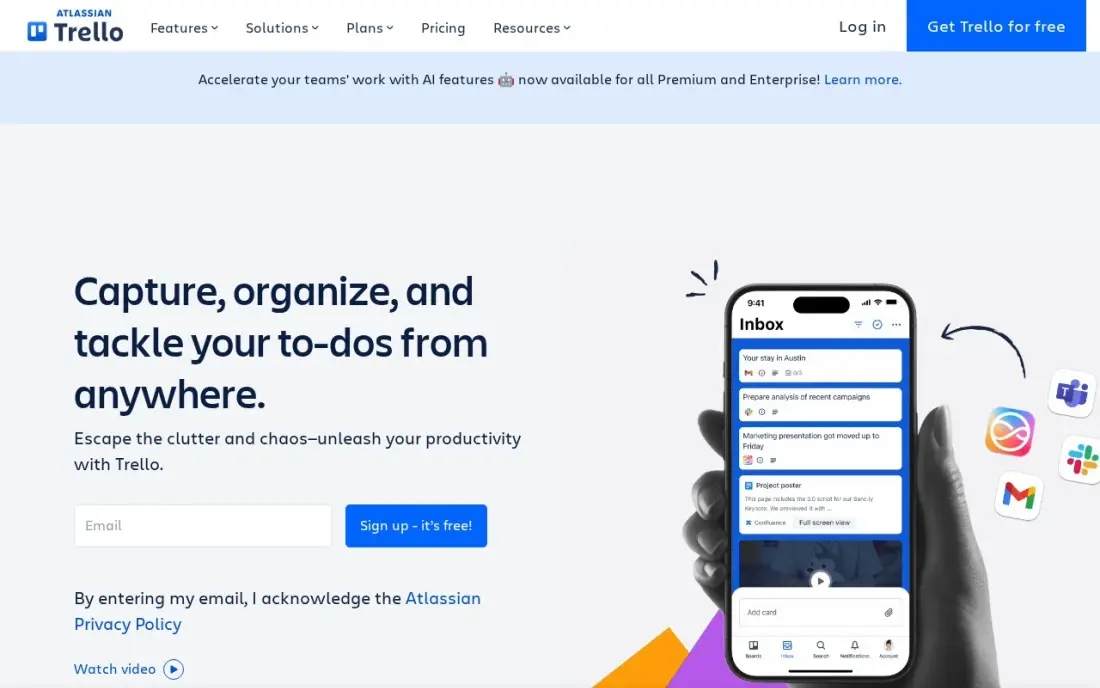
Trello is the kanban original: a board is a set of lists, a list holds cards, and a card moves left to right as work progresses. Nothing needs setting up before the first board works, and the free plan covers 10 boards and 10 collaborators per Workspace — enough for a tiny team to run real work without paying.
Standard costs $5 a user a month billed annually, or $6 monthly, and removes the caps while adding custom fields, card mirroring and 1,000 automation runs a month. The catch is the views: calendar, timeline, table and dashboard views all need Premium at $10 a user a month, so a team that wants more than the board pays double. Pick Trello when the board itself is the product; pick Asana or monday.com when the work needs timelines and reporting too.
What we like
- The purest kanban here: boards, lists and cards with drag-and-drop, and nothing to learn before the first board works
- Free plan covers 10 boards and 10 collaborators per Workspace, so a tiny team may never pay
- Standard adds unlimited boards, custom fields, card mirroring and 1,000 automation runs a month from $5 a user
- Power-Ups connect Trello to Slack, Google Drive, Jira and hundreds of other tools
Watch out for
- Calendar, Timeline, Table and Dashboard views need Premium at $10 a user a month — double the Standard price
- No built-in time tracking or dependencies, so heavier project planning needs another tool
- The free plan caps files at 10 MB and automations at 250 runs a month

Asana
Best for: Small teams that want kanban boards plus timelines, forms and reporting in one workspace
Asana is the structured end of kanban: the same project shows as a board, a list, a timeline or a calendar, so a team can plan on a board and report on a Gantt chart without keeping two systems. Starter costs $10.99 a user a month billed annually, or $13.49 monthly, and adds Timeline and Gantt, dashboards, forms, custom fields and unlimited automations.
The free Personal plan covers only two people, so a real team pays from the first seat, and the features agencies want most — portfolios, goals, workload and approvals — wait for Advanced at $24.99 a user a month. Time tracking is a $5.99 add-on on Starter. Buy Asana when the team needs structure and reporting around the board; buy Trello when the board alone is enough.
What we like
- Board, list, timeline and calendar views in one project, so the same work reads as a kanban board or a Gantt chart
- Starter adds Timeline and Gantt, dashboards, forms, custom fields and unlimited automations from $10.99 a user
- Unlimited free guests, so clients and contractors can follow work without a paid seat
- Asana AI is included on Starter, with writing help and smart summaries
Watch out for
- Portfolios, goals, workload and approvals wait for Advanced at $24.99 a user a month
- The free Personal plan covers only two people, so any real team pays from the first seat
- Time tracking needs a $5.99 add-on or the Advanced plan

monday.com
Best for: Small teams that want the most visual boards with automations and dashboards
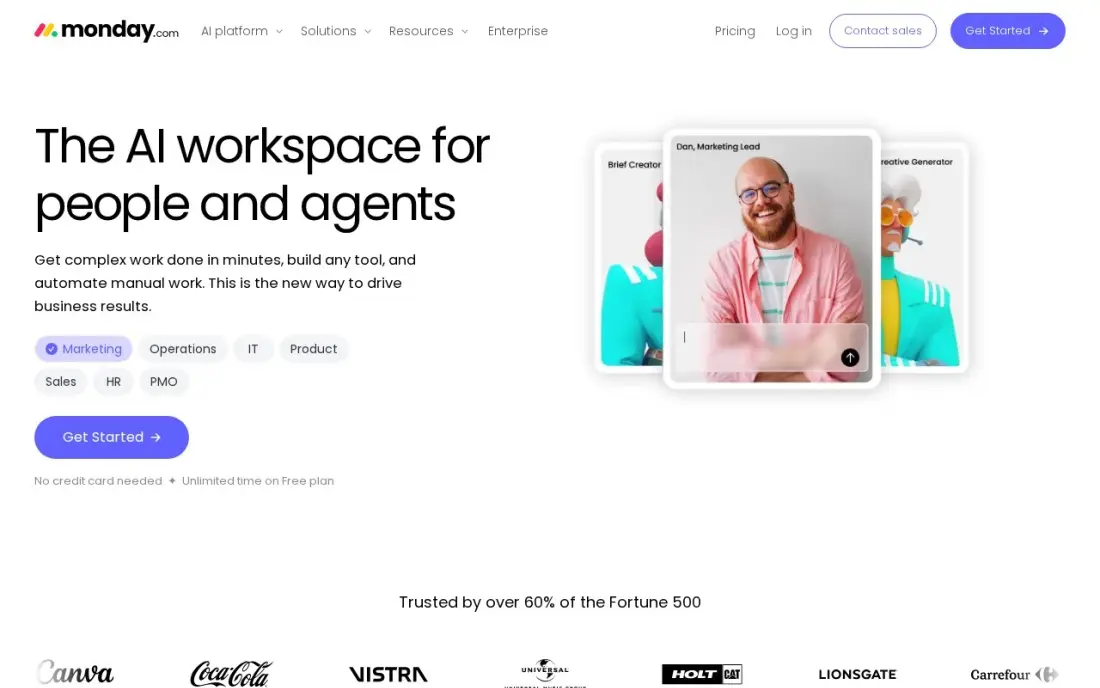
monday.com is the most visual tool in this list: color-coded status columns, automations and dashboards make the state of work obvious at a glance, and non-technical teams usually need no training to start. Basic costs $9 a seat a month billed annually, or $12 monthly, and covers unlimited boards and items — but it has no automations at all, which is the feature that makes monday.com worth the money.
Standard at $12 a seat a month billed annually adds timeline and Gantt views, guest access and 250 automation actions a month, and it is the plan most small teams actually need. The catch is the 3-seat minimum: a solo user pays $27 a month on Basic annual billing, and a two-person team pays the same. Time tracking and private boards wait for Pro at $19 a seat.
What we like
- The most visual boards here: color-coded statuses, automations and dashboards that non-technical teams pick up fast
- Standard adds timeline and Gantt views, guest access and 250 automation actions a month from $12 a seat
- 1,000 to 3,000 AI credits a month on paid plans, for summaries and formula help
- More than 200 integrations, including Slack, Google Workspace and Zoom
Watch out for
- Every paid plan has a 3-seat minimum, so a solo user pays $27 a month on Basic annual billing
- Basic has no automations at all — the automation that makes monday.com worth it starts on Standard
- Time tracking and private boards wait for Pro at $19 a seat a month

ClickUp
Best for: Small teams that want docs, goals, whiteboards and kanban in one subscription
ClickUp is the all-in-one of this list: tasks, docs, whiteboards, goals and chat live in one workspace, so a small team can cancel two or three other subscriptions and run everything from the board. Core costs $9 a user a month billed annually, or $12 monthly, and adds unlimited storage, Gantt charts, custom fields and 1,000 automation actions a month.
The Free Forever plan covers unlimited members with 100 MB of storage, which is generous for trying the tool with a real team. The trade-off is depth: ClickUp does more than any tool here, and new users say it takes a few weeks before it feels simple. Business at $17 a user a month adds time tracking, workload views and ClickUp Brain. Buy ClickUp to replace a stack; buy Trello to replace a whiteboard.
What we like
- One workspace holds tasks, docs, whiteboards, goals and chat, so a small team can drop two or three other subscriptions
- Core adds unlimited storage, Gantt charts, custom fields and 1,000 automation actions a month from $9 a user
- The Free Forever plan covers unlimited members with 100 MB of storage
- 1,000 AI credits per seat a month on Core, with ClickUp Brain included from Business
Watch out for
- The feature list is the deepest here, and new users report a real learning curve before it feels simple
- Guests are free only with limits; every member of the workspace is a paid seat
- Business at $17 a user a month is where time tracking and workload views live

Todoist
Best for: Solo operators and tiny teams who live in task lists and want a board view on top
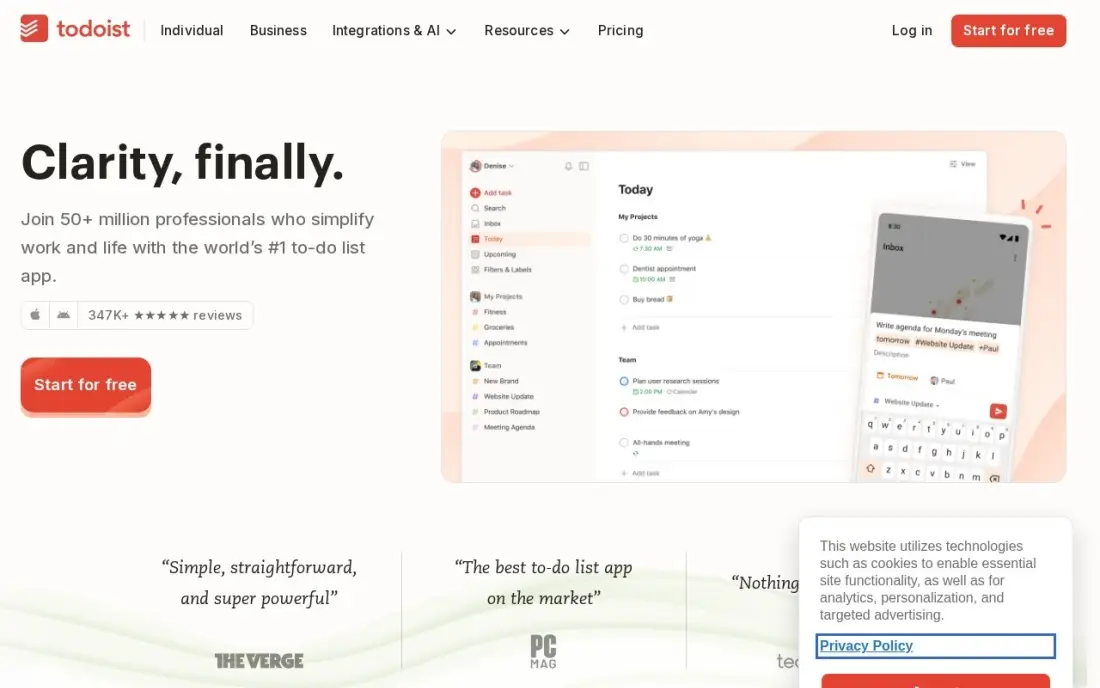
Todoist is the task-first option: it is built for capturing work fast, with natural-language entry that turns plain text into a dated, recurring task, and the board view sits beside list and calendar layouts for the same tasks. Pro costs $5 a user a month billed annually, or $7 monthly, and adds 300 projects, calendar layout, custom reminders and the AI Assistant.
Todoist raised Pro from $48 to $60 a year in December 2025, and Business now costs $8 a user a month billed annually — that is the plan a team needs, because Pro has no shared workspace, roles or admin controls. The free Beginner plan stops at 5 active projects. Pick Todoist when the work is mostly personal tasks with a board on top; pick Asana or ClickUp when the team shares projects and needs roles.
What we like
- The fastest capture here: natural-language entry turns plain text into a dated, recurring task
- Board view sits beside list and calendar layouts, so the same tasks read as a kanban board when that helps
- Pro costs $5 a user a month billed annually — the cheapest paid plan in this list after Trello
- Syncs across every device, with offline access and more than 60 integrations
Watch out for
- Pro is built for one person; team workspaces, roles and admin need Business at $8 a user a month
- No native time tracking or workload view, and no project templates on Pro
- The free Beginner plan stops at 5 active projects and 5 collaborators per project
Notion
Best for: Small teams that want kanban boards inside the same workspace as docs and wikis
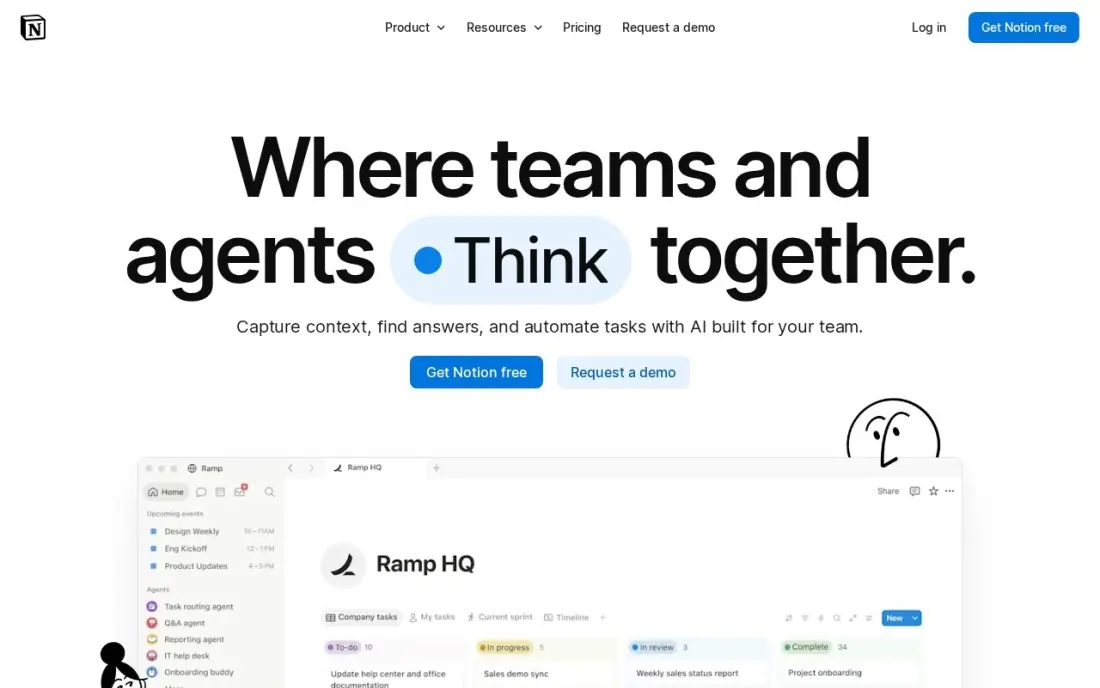
Notion is the docs-first option: a kanban board is one view of a database, so the same records become a board, a calendar or a table without re-entering anything, and docs and wikis live in the same workspace. Plus costs $10 a member a month billed annually, or $12 monthly, and adds unlimited blocks, unlimited file uploads and 30-day page history.
The AI question decides the real price. Full Notion AI — agents, meeting notes and enterprise search — lives on Business at $20 a member a month billed annually, and Plus gets only a trial of AI responses. The free plan caps a shared workspace at 1,000 blocks once a second member joins. Buy Notion when planning happens in writing; buy a dedicated board when the team needs automations and time tracking.
What we like
- Kanban is one view of a database, so the same records become a board, a calendar or a table without re-entering anything
- Docs, wikis and tasks share one workspace, which suits teams that plan in writing
- Plus adds unlimited blocks, unlimited file uploads and 30-day page history from $10 a member
- Guests are not billed, so clients can view shared pages free
Watch out for
- Full Notion AI lives on Business at $20 a member — Plus gets only a trial of AI responses
- No native time tracking, and automations are lighter than the dedicated project tools here
- The free plan caps a shared workspace at 1,000 blocks once a second member joins
Teamwork
Best for: Small agencies and client-service teams that bill time against kanban work
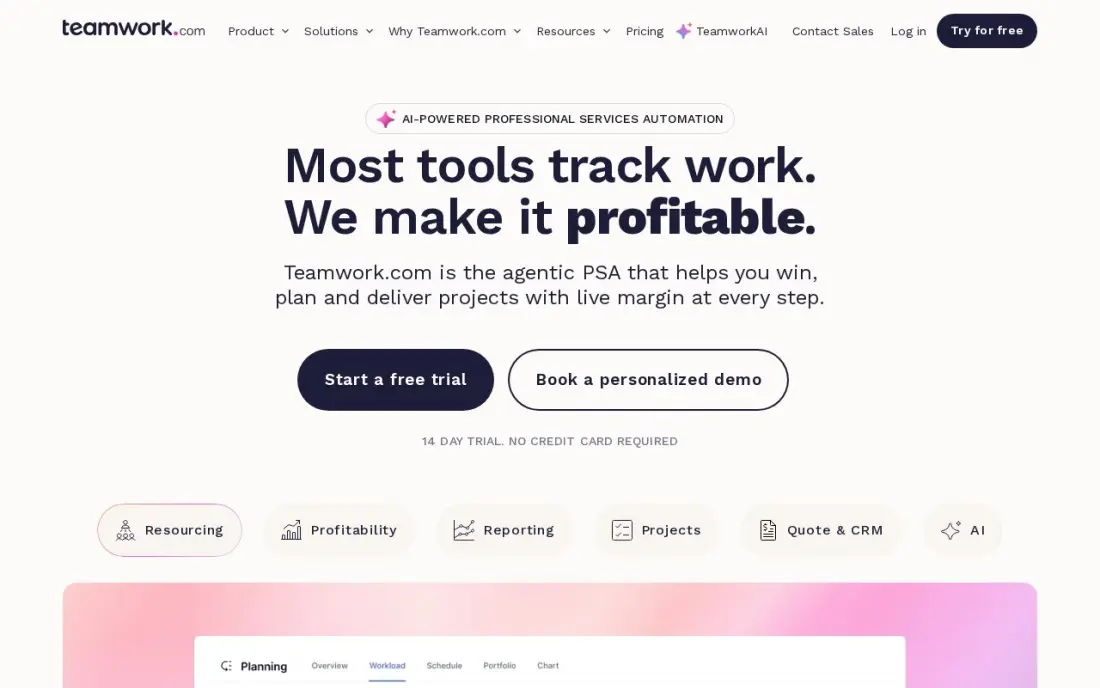
Teamwork is built for client work, and it shows: time tracking, budgets and invoicing sit beside the boards instead of in another app, and client users are free, so clients can follow their own projects without a seat. Basics costs $9.99 a user a month billed annually, or $13.99 monthly, with a 3-user minimum, and includes board, list, table and Gantt views plus time logging.
The free plan covers 5 users and 5 projects with board and Gantt views included, which is enough to run a small client book before paying. Budgets, retainers and invoices wait for Accelerate at $24.99 a user a month, and the plan names changed in 2026 — Deliver became Basics, Grow became Accelerate — so older reviews quote retired names. Pick Teamwork when the work is billed to clients; pick ClickUp when it is internal.
What we like
- Built for client work: time tracking, budgets and invoicing sit beside the boards instead of in another app
- Basics includes list, board, table and Gantt views, time logging and 1,000 AI credits a month from $9.99 a user
- Client users are free, so clients can follow their own projects without a seat
- Free plan covers 5 users and 5 projects with board and Gantt views included
Watch out for
- Basics needs at least 3 users, and budgets, retainers and invoices wait for Accelerate at $24.99 a user
- Smaller template and integration library than Asana or monday.com
- The plan names changed in 2026 (Deliver became Basics), so older reviews quote retired names

Smartsheet
Best for: Small teams that think in spreadsheets and want a board view of the same rows
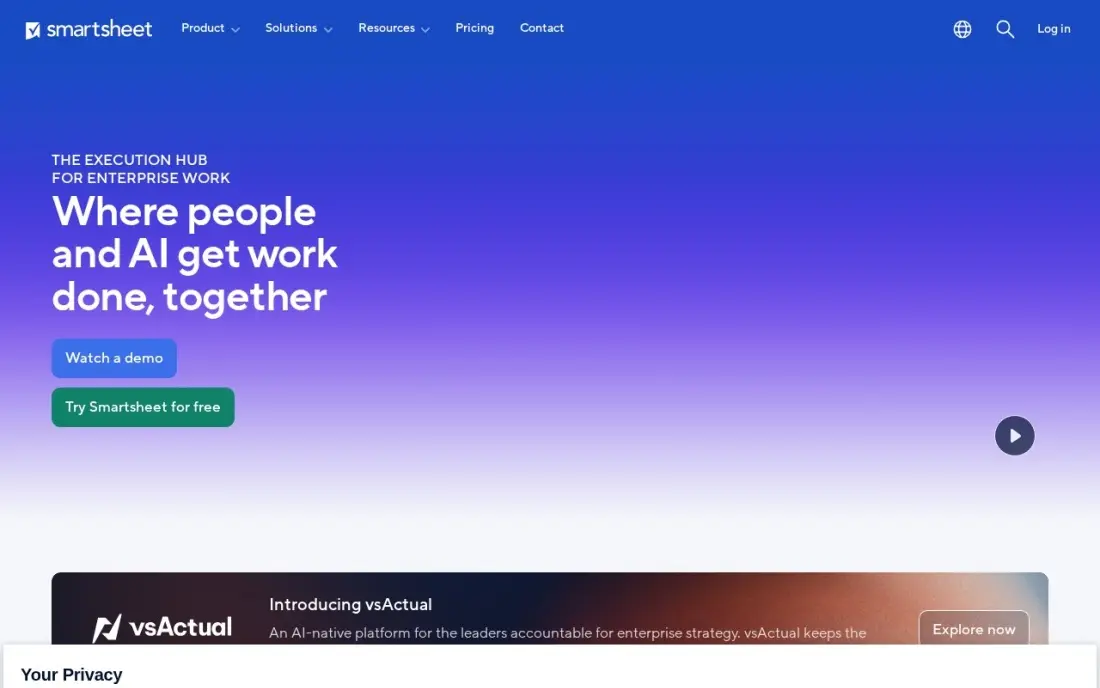
Smartsheet is the spreadsheet end of kanban: the work lives in rows with formulas and reports, and the board view shows the same rows as cards moving across columns. Pro costs $9 a member a month billed annually, or $12 monthly, and includes Gantt, board, table and calendar views, unlimited sheets and 250 automations a month. In September 2026 Smartsheet replaced the old card view with a board view on Pro.
Two limits matter. There is no free plan for new sign-ups since August 2024, only a 30-day trial, and Pro stops at 10 members — the 11th member forces Business at $19 a member a month. Unlimited free Contributors can view and comment without a seat, which softens the per-member pricing. Buy Smartsheet when the team already thinks in spreadsheets; buy Trello when it thinks in cards.
What we like
- The grid is the project: rows, formulas and reports that spreadsheet users already understand, with a board view on top
- Pro includes Gantt, board, table and calendar views, unlimited sheets and 250 automations a month from $9 a member
- Unlimited free Contributors can view, comment and add attachments without a paid seat
- Business adds timeline view, unlimited automations and 1 TB of storage from $19 a member
Watch out for
- No free plan for new sign-ups since August 2024 — only a 30-day trial before the subscription starts
- Pro stops at 10 members, so an 11th member forces the jump to Business at $19
- The interface feels more spreadsheet than kanban, and the learning curve is steeper than Trello

Wrike
Best for: Small teams of 2 to 15 that want Gantt charts and dashboards with their boards
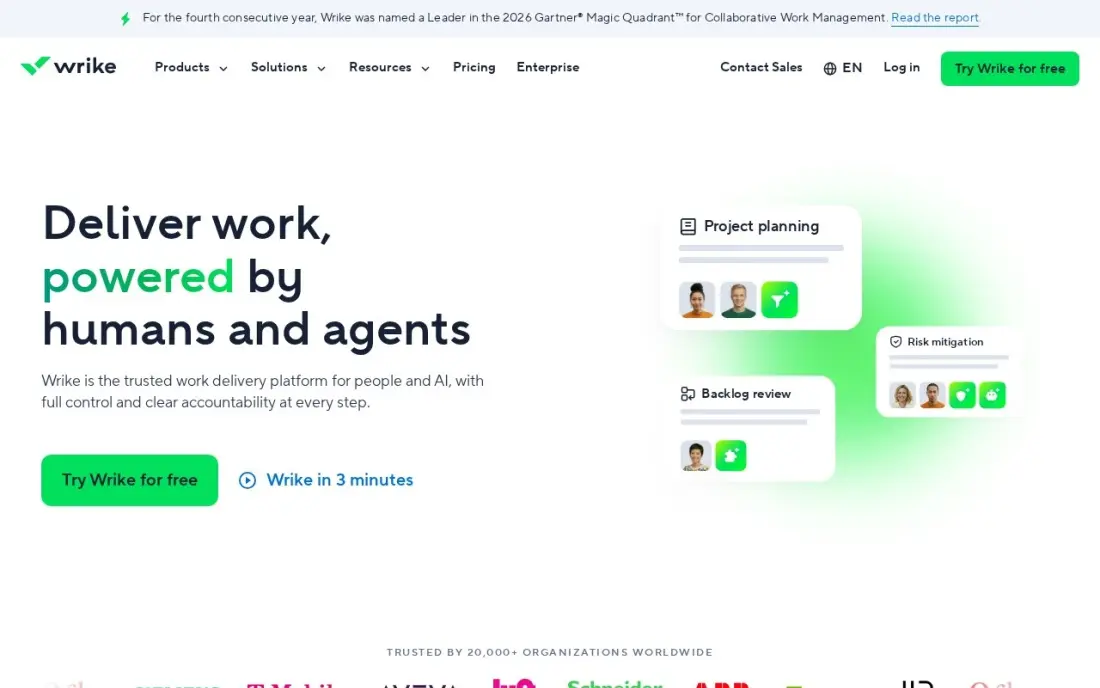
Wrike pairs boards with the heaviest planning tools in this list: shareable dashboards, interactive Gantt charts, custom fields and workflows, plus AI essentials for summaries and task help. Team costs $10 a user a month billed annually after a January 2026 reprice from $9.80, and Business is $25, up from $24.80 — and Wrike publishes no monthly-billing price for either plan.
The seat model is the catch: Wrike sells seats in blocks of 5, so a 6-person team pays for 10 seats, or $100 a month on Team. Custom fields are on Team, but request forms and proofing wait for Business, a 2.5x jump. The free plan covers basic task work. Pick Wrike when Gantt charts and dashboards matter as much as the board; pick monday.com for a lighter version of the same idea.
What we like
- Team adds shareable dashboards, interactive Gantt charts, custom fields and workflows from $10 a user a month
- AI essentials are included on Team, for summaries and task help
- Free plan covers basic task work with unlimited users
- Business adds request forms, proofing, time tracking and resource management from $25 a user
Watch out for
- Wrike sells seats in blocks of 5, so a 6-person team pays for 10 seats
- No monthly-billing price is published — Team is an annual commitment at $10 a user a month
- Custom fields and request forms wait for Business, a 2.5x jump from Team

Airtable
Best for: Small teams that want to build their own kanban tracker on a database
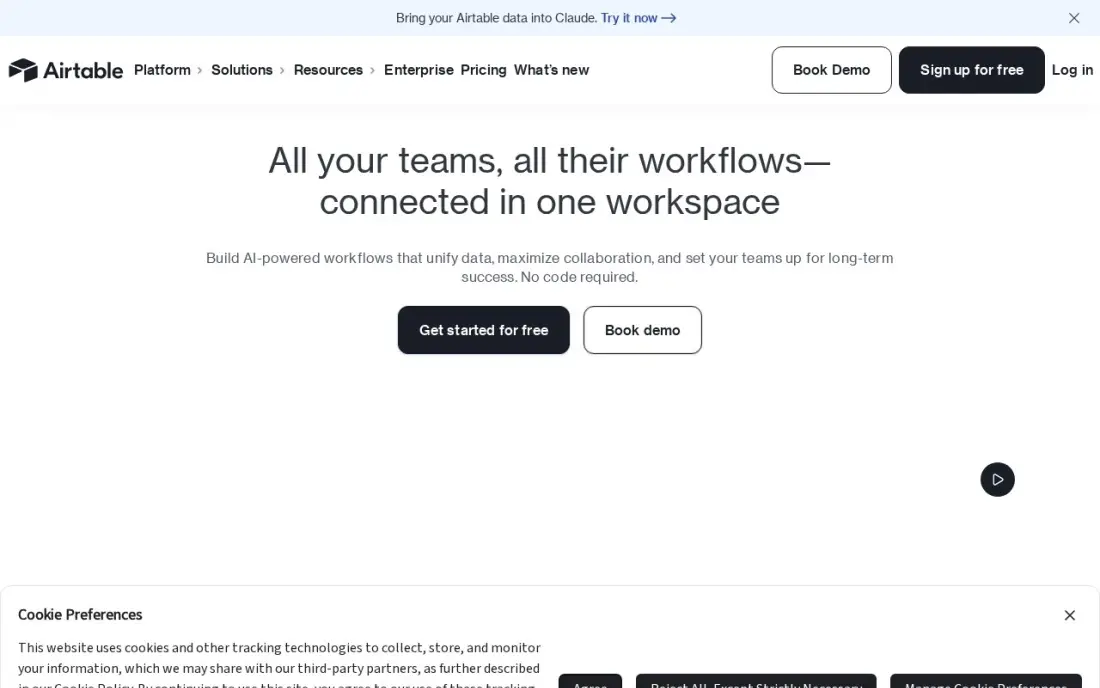
Airtable is the build-your-own option: a relational database you shape into a tracker, with kanban, calendar and gallery views over the same records, and an interface builder for a simple client-facing front end. Team costs $20 a seat a month billed annually, or $24 monthly, and adds Gantt and timeline views, extensions and 15,000 AI credits per seat a month.
The seat rule is the thing to check before buying: on Team, anyone with comment access is billed as a seat, so a team that shares widely pays for people who only comment. The free plan covers 1,000 records per base, and two-way sync waits for Business at $45 a seat. Buy Airtable when the work is really a database; buy Trello when it is really a board.
What we like
- A database you shape into a tracker: kanban, calendar and gallery views over the same records
- Team adds Gantt and timeline views, extensions and 15,000 AI credits per seat a month from $20 a seat
- Free plan covers 1,000 records per base, enough to prove the setup before paying
- Interfaces let a team build a simple front end for clients without code
Watch out for
- The dearest per-seat price here at $20, and Team bills Commenters as paid seats
- No native time tracking or workload planning — those need extensions or another tool
- Performance slows on very large bases, and two-way sync waits for Business at $45 a seat

ProofHub
Best for: Growing teams that want one flat monthly price no matter how many people join
ProofHub is the flat-rate option: Essential costs $45 a month billed annually, or $50 monthly, for unlimited users — the bill is the same for 5 people or 50. That one subscription covers boards, Gantt charts, discussions, group chat, file proofing and time tracking, with 40 projects and 15 GB of storage on Essential.
The comparison that matters is against per-user pricing: a 25-person team pays $125 a month on Trello Standard but $45 on ProofHub Essential. The trade-offs are a 40-project cap on Essential, no free plan — only a 14-day trial — and a smaller integration library than Asana or monday.com. The top plan starts at $89 a month for three months, then rises to $135. Pick ProofHub when the team is growing and the bill must not grow with it.
What we like
- Flat pricing: Essential costs $45 a month for unlimited users, so the 11th hire costs nothing extra
- Boards, Gantt, discussions, group chat, file proofing and time tracking in one subscription
- 40 projects and 15 GB of storage on Essential, with no per-user fee at any tier
- White labelling and custom roles wait for the top plan, but the flat model stays
Watch out for
- No free plan — only a 14-day trial before the subscription starts
- Essential caps at 40 projects, so a busy team outgrows it and jumps to the top plan
- Smaller integration library than Asana, monday.com or ClickUp
The best kanban app for small business is the one the whole team actually opens every morning — a board that shows who is doing what, without a training course first. The 11 tools below are ranked by fit for the most common buyer, a small US business with 1 to 10 people, and every price was checked on the vendor's own pricing page on November 12, 2026.
How to choose the best kanban app for small business
- Count the seats you will actually pay for. monday.com has a 3-seat minimum, Wrike sells seats in blocks of 5, and ClickUp charges for every member — the per-user price is not the bill.
- Check the free-plan caps. Trello stops at 10 boards, Asana's free plan covers 2 people, Notion caps a shared workspace at 1,000 blocks and Airtable at 1,000 records per base.
- Check what the entry plan gates. Trello's extra views, monday.com's automations and Notion's full AI all sit on a higher tier than the starting price.
- Check the pricing unit. Per-user plans stay cheap for small teams, but ProofHub's flat $45 a month beats every per-user price once the team passes 10 people.
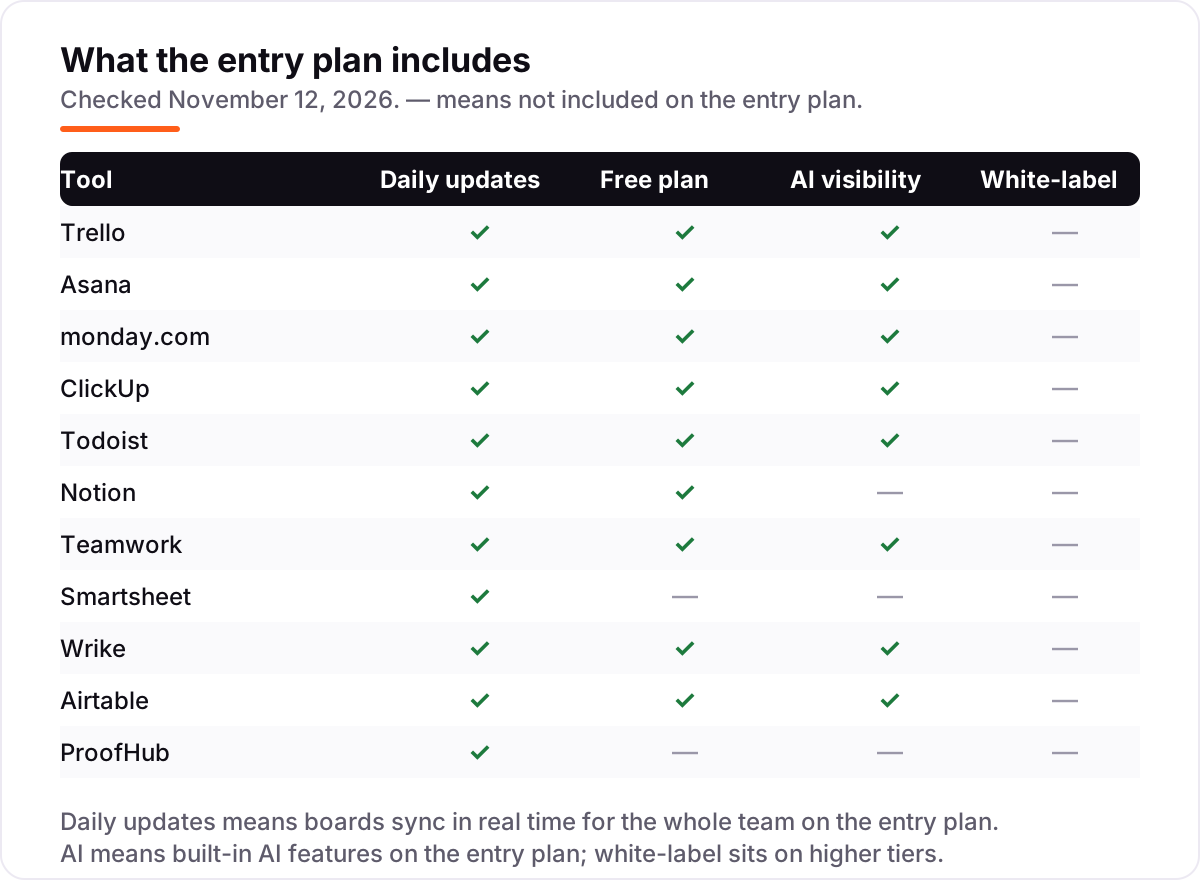
- Check the automations and AI. Trello, Asana, monday.com, ClickUp, Todoist, Teamwork, Wrike and Airtable all include some AI on their entry plans; Notion, Smartsheet and ProofHub do not.
- Try the board with real work. Every tool here has a free plan or a trial, so run one real week of work through it before paying — a board that looks good empty can feel slow full.
A board organizes the work, but it does not bring in the work — if new clients are not finding the business, our local SEO service covers that side. And before the team writes card titles that become page titles, the free SERP snippet preview tool shows how they will look in Google.
Kanban app for small business pricing: what you will actually pay
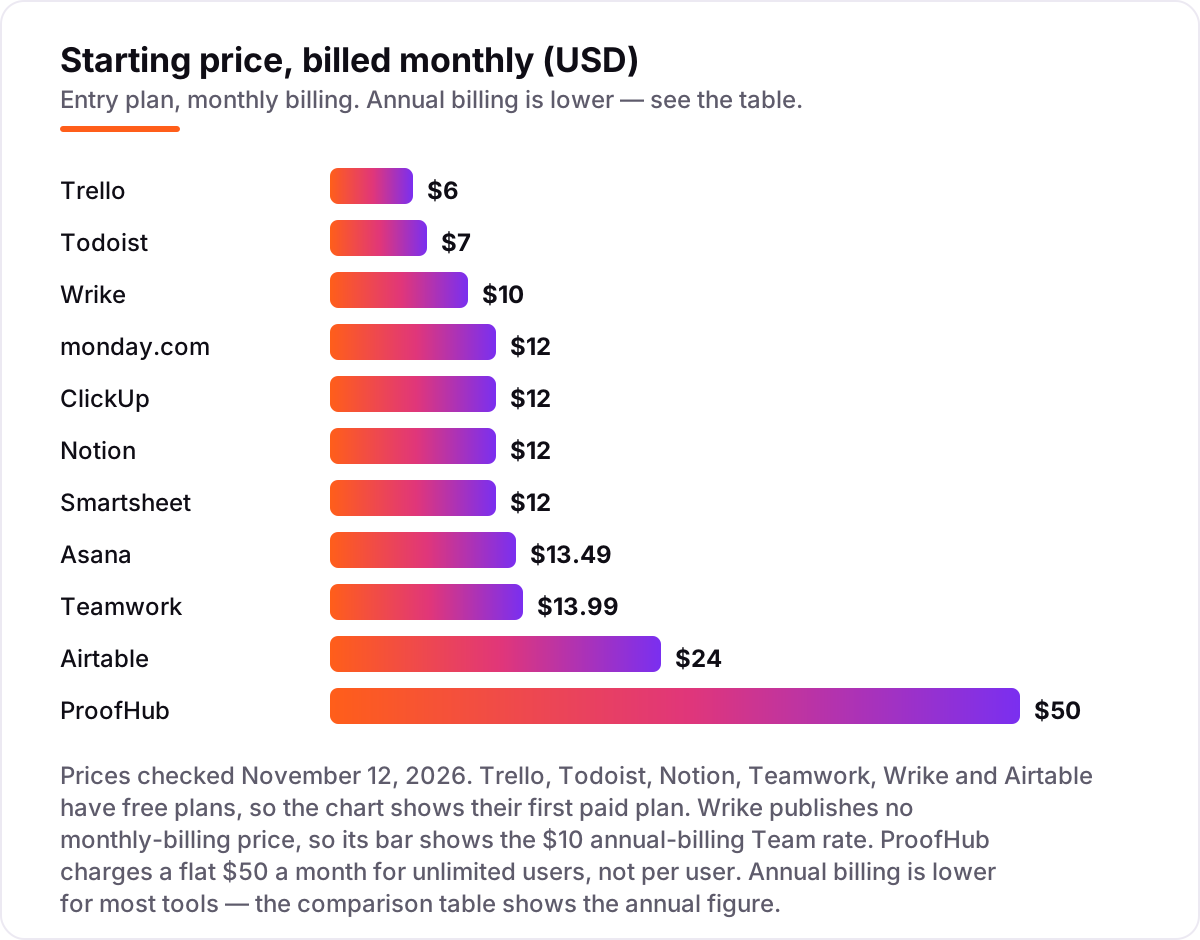
Take a five-person team in one workspace, on list prices. On monthly billing, the subscription costs $30 on Trello Standard, $35 on Todoist Pro, $60 on monday.com Basic, ClickUp Core, Notion Plus and Smartsheet Pro, $67.45 on Asana Starter, $69.95 on Teamwork Basics and $120 on Airtable Team. ProofHub Essential is $50 a month flat, and Wrike Team is $50 a month on annual billing — a five-person team fits one 5-seat block exactly.
Over a year on annual billing, that is $300 on Trello Standard and Todoist Pro, $540 on monday.com Basic, ClickUp Core, Smartsheet Pro and ProofHub Essential, $599.40 on Teamwork Basics, $600 on Notion Plus and Wrike Team, $659.40 on Asana Starter and $1,200 on Airtable Team. Todoist Business, the plan a team actually needs, is $480 a year for five people — $180 more than Pro, which has no shared workspace.
Three costs sit outside every number above. First, the seat rules: monday.com's 3-seat minimum means a solo user pays $27 a month on Basic annual billing, and a six-person team on Wrike pays for 10 seats, or $100 a month. Second, the step-up plan: the views, automations or AI a team actually wants often live one tier up — Trello Premium at $10, monday.com Standard at $12, Notion Business at $20. Third, AI credits and add-ons: Asana's time tracking is a $5.99 add-on, and several tools meter AI credits that run out on a busy month.
Know the difference: pure kanban boards and all-in-one suites
The confusion in this category is between a board and a suite. A pure kanban tool — Trello, and Todoist's board view — does one job: cards move across columns. It is fast to learn, cheap, and honest about what it cannot do. An all-in-one suite — Asana, monday.com, ClickUp, Teamwork, Smartsheet, Wrike, Airtable, Notion and ProofHub — wraps the board in timelines, Gantt charts, docs, reporting and automations, and charges for the bundle.
The mistake runs both ways. A team that buys a suite for board-only work pays $10 to $20 a user a month for timelines and dashboards nobody opens, and spends weeks learning features it never uses. A team that buys a pure board and then needs dependencies, workload views or client billing ends up bolting on a second and third tool, which costs more than the suite would have.
The deciding question is what happens after the card moves. If the answer is "nothing — the work is done", buy the board. If the answer is "it needs a report, a timesheet, an invoice or a client update", buy the suite that does that job natively, and check which tier it sits on before comparing prices.
Quick comparison: tool type by need
| Buyer | Best pick | Why |
|---|---|---|
| Solo operator who wants to pay $0 | Trello | Free plan with 10 boards; Standard is $5/user/month billed annually |
| Small team that needs structure | Asana | Boards plus timelines and forms from $10.99/user/month |
| Team that wants visual boards and automations | monday.com | Standard is $12/seat/month, but note the 3-seat minimum |
| Team that wants one tool for everything | ClickUp | Docs, goals and boards from $9/user/month |
| Team that bills clients by the hour | Teamwork | Boards with time tracking from $9.99/user/month |
| Growing team that hates per-user pricing | ProofHub | Flat $45/month for unlimited users |
Mistakes to avoid
- Budgeting on the per-user price alone. monday.com's 3-seat minimum and Wrike's 5-seat blocks mean the bill for a small team can be double the headline rate.
- Comparing monthly prices with annual prices. Annual billing is usually 15–20% lower, and Wrike publishes no monthly price at all — its $10 is an annual-billing rate.
- Ignoring what the entry plan gates. Trello's extra views, monday.com's automations, Asana's portfolios and Notion's full AI all sit one tier above the starting price.
- Trusting a directory price. Wrike's old $9.80 Team rate and Teamwork's retired Deliver and Grow plan names still appear in directories; the vendor's own page says $10 and Basics.
- Buying a suite when a board would do. A $12-a-seat suite for work that only needs cards moving across columns costs $720 a year for five people on annual billing; Trello Standard does it for $300.
How we chose
We checked each vendor's own pricing page and recorded the starting price exactly as shown, including the annual-billing figure where the page lists one. Direct page loads were unavailable on the day, so prices were verified from fresh search-index copies of the vendor pricing pages dated October to November 2026, and ratings come from G2 pages checked the same way on November 12, 2026. Wrike publishes no monthly-billing price, so its figure is the annual-billing Team rate, and ProofHub's flat monthly fee is shown as listed. We ranked the tools by fit for the most common buyer — a small business with 1 to 10 people that needs a board the whole team will use — not by brand size. No vendor paid for a place in this list, and none of the links here are affiliate links.
What to do next
Start with the free plan or trial of your top pick and run one real week of work through it: move real cards, invite the whole team, and check that the board still feels fast when it is full. If the trial ends and the team is still opening the board every morning, you have your tool. If the business is sorted but new clients are not finding it, our monthly SEO service handles the visibility side. Once your tools are in place, find out what's holding your rankings back.
Frequently asked questions
What is the best kanban app for small business?
Trello is the best fit for most small businesses: the purest kanban board, a free plan for up to 10 boards and 10 collaborators, and Standard from $5 a user a month billed annually. Asana is the better pick when the team needs timelines and reporting, and monday.com when it wants visual boards with automations. All three have free plans, so try the board with real work before paying.
How much does a kanban app cost?
Most small businesses pay $0 to $24 a user a month. Trello Standard is $5 a user a month billed annually, Asana Starter $10.99, monday.com Basic $9 and ClickUp Core $9. ProofHub is the exception: a flat $45 a month for unlimited users. A five-person team pays $300 to $1,200 a year at list prices, depending on the tool and the billing cycle.
Is there a free kanban app?
Yes — nine of the 11 tools here have a free plan, including Trello, Asana, monday.com, ClickUp, Todoist, Notion, Teamwork, Wrike and Airtable. The free plans cap boards, projects or records, so they suit a tiny team or a trial, not a growing one. Only Smartsheet and ProofHub have no free plan; both offer a trial instead.
What is the difference between a kanban board and a task list?
A task list orders work by due date; a kanban board orders it by state — to do, doing, done — so the whole team sees what is stuck, not just what is late. Boards suit work that moves through stages, like content, sales or support. Lists suit personal work with deadlines. Most tools here offer both views of the same tasks.
Do kanban apps work for teams that are not software teams?
Yes — kanban started in manufacturing, and the tools here serve marketing, sales, operations and client-service teams as well as developers. Trello, monday.com and Asana are all used more by business teams than by engineers now. The test is whether the work moves through stages; if it does, a board fits, whatever the industry.
What should I check before paying for a kanban app?
Four things: how many seats you must buy (monday.com has a 3-seat minimum, Wrike sells blocks of 5), what the entry plan gates (views, automations and AI often sit higher), what the free plan caps, and whether the price is monthly or annual billing. Then run the trial with the team's real work for a week before committing.
Sources we checked (22)
- Trello pricing — trello.com/pricing (checked November 12, 2026)
- Trello on G2 — 4.4/5, 14,071 reviews (checked November 12, 2026)
- Asana pricing — asana.com/pricing (checked November 12, 2026)
- Asana on G2 — 4.4/5, 13,672 reviews (checked November 12, 2026)
- monday.com pricing — monday.com/pricing (checked November 12, 2026)
- monday.com on G2 — 4.7/5, 15,428 reviews (checked November 12, 2026)
- ClickUp pricing — clickup.com/pricing (checked November 12, 2026)
- ClickUp on G2 — 4.6/5, 12,527 reviews (checked November 12, 2026)
- Todoist pricing — todoist.com/pricing (checked November 12, 2026)
- Todoist on G2 — 4.5/5, 826 reviews (checked November 12, 2026)
- Notion pricing — notion.com/pricing (checked November 12, 2026)
- Notion on G2 — 4.6/5, 13,767 reviews (checked November 12, 2026)
- Teamwork pricing — teamwork.com/pricing (checked November 12, 2026)
- Teamwork on G2 — 4.4/5, 1,215 reviews (checked November 12, 2026)
- Smartsheet pricing — smartsheet.com/pricing (checked November 12, 2026)
- Smartsheet on G2 — 4.4/5, 22,707 reviews (checked November 12, 2026)
- Wrike pricing — wrike.com/pricing (checked November 12, 2026)
- Wrike on G2 — 4.2/5, 4,531 reviews (checked November 12, 2026)
- Airtable pricing — airtable.com/pricing (checked November 12, 2026)
- Airtable on G2 — 4.6/5, 3,287 reviews (checked November 12, 2026)
- ProofHub pricing — proofhub.com/pricing (checked November 12, 2026)
- ProofHub on G2 — 4.6/5, 121 reviews (checked November 12, 2026)
Make one of these tools?
We re-check this list every quarter. Send a correction, request a review, or ask about a clearly labeled sponsored spot.
Request a listingShamim
Founder of SerpAstra
A full-stack SEO and digital marketer who spends most days on Local SEO for dental practices, AI search visibility and lead generation.
Free SEO and AI visibility audit
Find out what is holding your rankings back
Send us your site. Within 2 business days you get a written audit, an AI visibility check and a short fix list ranked by impact. Free, with no contract attached.
Request my free audit→Related buying guides
 Project & Product Management10 Best Project Management Software for Small Businesses in 2026, ComparedCompare the 10 best project management software for small businesses on price, free plans and features, with every price checked November 12, 2026.Read guide →
 Project & Product Management8 Best Task Management Software for Small Business in 2026, ComparedCompare the 8 best task management software for small business options on price, free plans and features, with every price checked November 12, 2026.Read guide →
 Marketing10 Best Marketing Project Management Tools in 2026, ComparedCompare the 10 best marketing project management tools on price, free plans, proofing and AI features, with every price checked November 5, 2026.Read guide →