
8 Best Task Management Software for Small Business in 2026, Compared
Compare the 8 best task management software for small business options on price, free plans and features, with every price checked November 12, 2026.
 Shamim Mia, Founder, SerpAstraLast verified November 12, 202612 min read
We compare pricing pages, documentation and public reviews. We never accept payment for rankings.
Key takeaways
- ClickUp leads for most small businesses at $9 a user a month billed annually, with Asana from $10.99 and Trello from $5.
- The single most important buying factor is the pricing unit: seat minimums, seat buckets and whole-workspace billing turn a cheap per-user price into a dear team bill.
- Seven of the 8 tools have a genuinely free plan — only Smartsheet offers just a 30-day trial — but automations, advanced views and full AI usually need a paid plan.
- Every price below is the vendor's published list price, verified in November 2026. Ratings are G2, with review counts shown.
On this page
Quick comparison
| Tool | Best for | Starting price | Free plan |
|---|---|---|---|
| ClickUp | Small businesses that want the most features per dollar and a genuinely free plan to start on | $12/user/mo | Yes (free plan) |
| Asana | Small teams that want clear task ownership, timelines and goals without enterprise software | $13.49/user/mo | Yes (2 users) |
| monday.com | Non-technical teams that want visual boards and a setup that works in a day | $12/seat/mo | Yes (2 seats) |
| Trello | Tiny teams and solo operators who want simple Kanban boards at the lowest price | $6/user/mo | Yes (free plan) |
| Todoist | Solo professionals and small teams that live in to-do lists and want the fastest capture | $7/user/mo | Yes (free plan) |
| Notion | Small teams that want tasks, docs and databases in one shared workspace | $12/member/mo | Yes (free plan) |
| Teamwork | Agencies and client-services firms that bill time and track projects against budgets | $13.99/user/mo | Yes (5 users) |
| Smartsheet | Small businesses that plan in spreadsheets and need Gantt charts and real project controls | $12/member/mo | No (30-day trial) |
Make one of these tools?
We re-check this list every quarter. Send a correction, request a review, or ask about a clearly labeled sponsored spot.
Request a listingThe best task management software for small business

ClickUp
Best for: Small businesses that want the most features per dollar and a genuinely free plan to start on
ClickUp is the most tool for the money in this list. The Free Forever plan covers unlimited members and unlimited tasks, so a small team can run real work on it for $0, and Core at $9 a user a month billed annually adds unlimited storage, custom fields, Gantt charts and 1,000 automation actions a month. Docs, whiteboards, goals and time tracking sit in the same workspace, so one subscription replaces two or three others.
The trade-off is the learning curve. ClickUp's depth means the first week is setup, not just use, and upgrading the workspace upgrades every member at once, so the bill jumps for the whole team. Start on the free plan, and move to Core when the team hits the 60 MB storage cap or needs client guests.
What we like
- Free Forever plan covers unlimited members and unlimited tasks with 60 MB of storage
- Core at $9 a user a month billed annually adds unlimited storage, custom fields, Gantt charts and 1,000 automation actions a month
- One workspace holds tasks, docs, whiteboards, goals and time tracking, so a small team can cancel separate tools
- 1,000 AI credits a user a month are pooled on Core, with premium models on Business
Watch out for
- The depth takes time to learn — new users report a steeper setup than Trello or Todoist
- Upgrading the workspace upgrades every member, so the bill jumps for the whole team at once
- Guest seats and advanced reporting wait for Business at $17 a user a month

Asana
Best for: Small teams that want clear task ownership, timelines and goals without enterprise software
Asana is the most structured task tool in this list, and it shows in the details: every task has an owner, a due date and a place in a timeline, and Starter at $10.99 a user a month billed annually adds Gantt charts, dashboards, forms, custom fields and unlimited automations. AI Teammates and Asana Dash are included on Starter, and unlimited free guests mean clients can follow tasks without a paid seat.
The limits are the seat math. The free Personal plan covers only 2 users, so a three-person team pays from day one, and seats are sold in bands, so a team can pay for seats it never fills. Asana suits a team that wants clear ownership and is willing to pay for it; a team that wants the cheapest start should look at Trello or Todoist instead.
What we like
- Starter at $10.99 a user a month billed annually includes Timeline and Gantt, dashboards, forms, custom fields and unlimited automations
- AI Teammates and Asana Dash are included on Starter, with 50,000 AI Studio credits a billing account each month
- Unlimited free guests, so clients and contractors can follow tasks without a paid seat
Watch out for
- The free Personal plan covers only 2 users, so even a three-person team must pay
- Seats are sold in bands, so a team can pay for seats it does not use
- Goals, portfolios and native time tracking wait for Advanced at $24.99 a user a month

monday.com
Best for: Non-technical teams that want visual boards and a setup that works in a day

monday.com is the easiest tool in this list to get running. Basic at $9 a seat a month billed annually covers unlimited items and boards, and the color-coded status columns make it obvious who is doing what without opening a single task. Standard at $12 adds Timeline, Gantt, Calendar, 250 automations and 250 integrations a month, which is where the tool starts to pay for itself.
The pricing unit is the catch. Paid plans need a minimum of 3 seats, and above that seats come in buckets of 5, so a team of 4 pays for 5. Basic also has no automations or integrations at all. Buy monday.com when the team is non-technical and wants boards today; buy ClickUp when automations matter from the first month.
What we like
- Basic at $9 a seat a month billed annually covers unlimited items and boards with 1,000 AI credits a month
- Color-coded boards make status visible at a glance, which is why non-technical teams adopt it fast
- Standard at $12 adds Timeline, Gantt, Calendar, 250 automations and 250 integrations a month
Watch out for
- Paid plans require a minimum of 3 seats, so a solo user or a pair still pays for three
- Above 3 seats, seats come in buckets of 5, so a team of 4 pays for 5
- Basic has no automations or integrations — the features that justify the price start on Standard

Trello
Best for: Tiny teams and solo operators who want simple Kanban boards at the lowest price
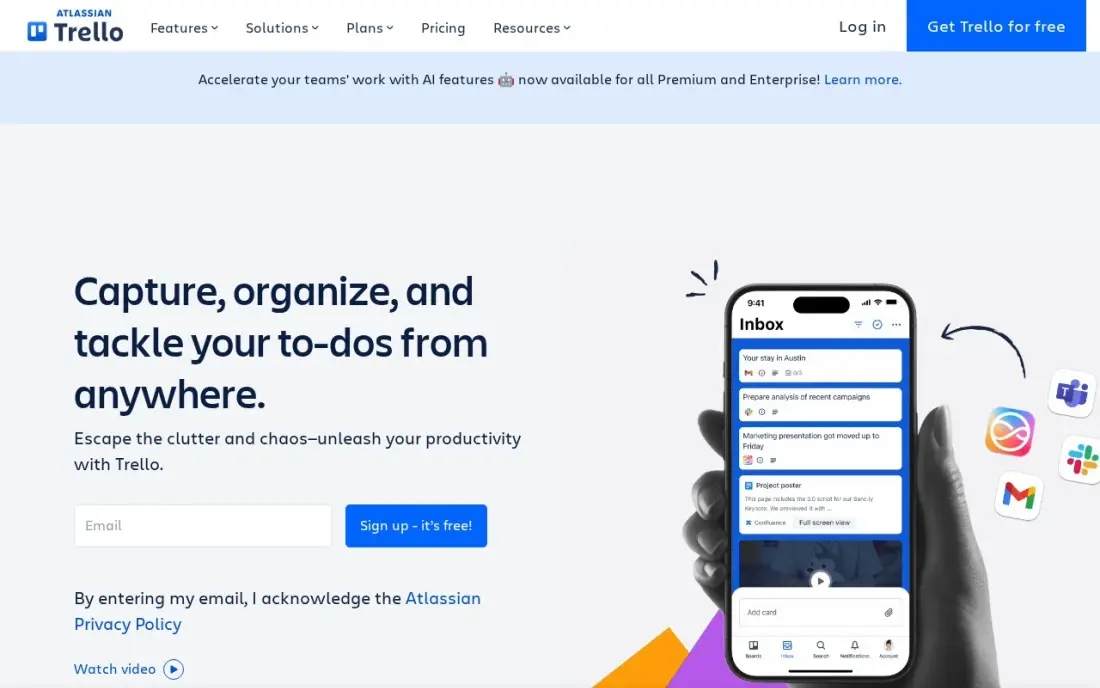
Trello is the simplest board in this list, and for a tiny team that is the whole point. The free plan covers unlimited cards and Power-Ups with up to 10 boards and 10 collaborators, and Standard at $5 a user a month billed annually removes the caps and adds custom fields, advanced checklists and 1,000 automation runs a month. Nobody needs training to use it.
The ceiling is low. Calendar, Timeline, Table, Dashboard and Map views all wait for Premium at $10 a user a month, and there is no built-in time tracking or reporting. A team that outgrows boards will move to Asana or ClickUp. Pick Trello when the work is a simple list of cards; pick anything else when the work needs dates, dependencies and reports.
What we like
- Standard at $5 a user a month billed annually is the cheapest paid start in this list
- The free plan is genuinely usable: unlimited cards and Power-Ups, up to 10 boards and 10 collaborators
- Drag-and-drop boards need no training, and Premium adds Calendar, Timeline, Table, Dashboard and Map views
Watch out for
- Advanced views, unlimited automation and admin controls all wait for Premium at $10 a user a month
- No built-in time tracking or reporting — teams that need either must add a Power-Up or another tool
- Boards get cluttered on large projects, and there is no native workload view

Todoist
Best for: Solo professionals and small teams that live in to-do lists and want the fastest capture
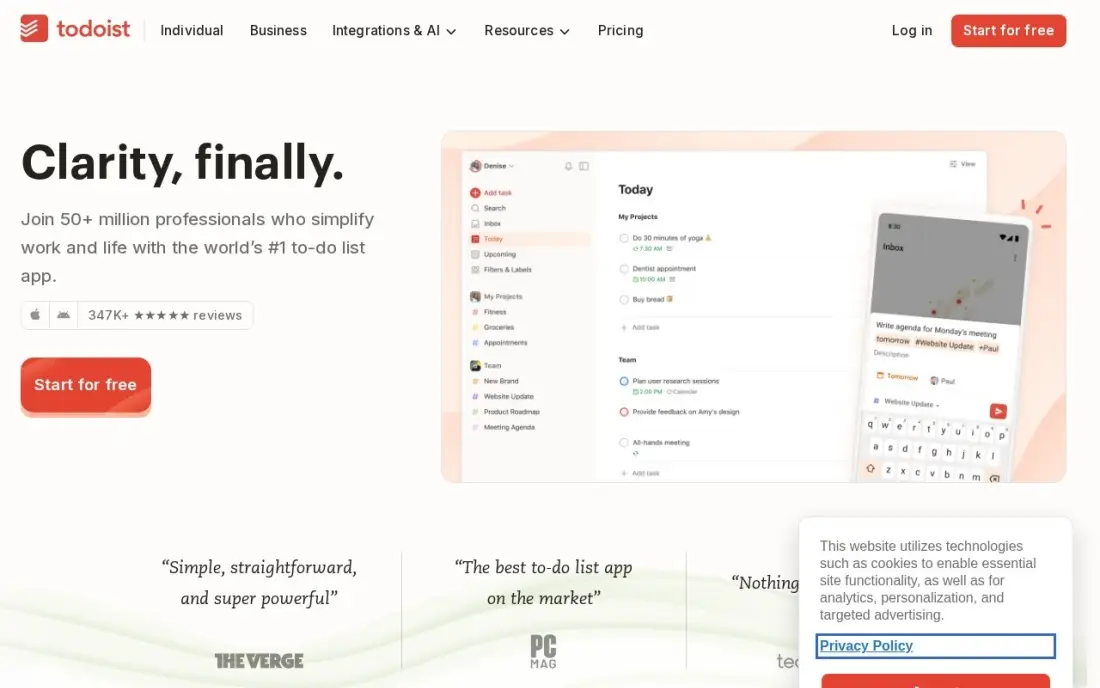
Todoist is the fastest task list in this list. Type 'Submit invoice Friday 9am' and it becomes a scheduled task, and Pro at $5 a user a month billed annually adds 300 projects, calendar layout, task duration, custom reminders and Task Assist AI. It is the cheapest paid plan here, and it stays out of the way on phone and desktop alike.
The catch is that Pro is a personal plan. A shared team workspace needs Business at $8 a user a month, which adds the team workspace, roles and central billing. The free Beginner plan stops at 5 projects. Todoist suits a solo operator or a small team that lives in lists; a team that needs boards and timelines should look at Trello or Asana instead.
What we like
- Pro at $5 a user a month billed annually is the cheapest paid plan here, with 300 projects and calendar layout
- Natural-language input turns 'Submit invoice Friday 9am' into a scheduled task in one line
- Task Assist AI, Email Assist and full reporting history are included on Pro
Watch out for
- Pro is billed per person, not per team — a shared team workspace needs Business at $8 a user a month
- The free Beginner plan caps at 5 personal projects and 3 filter views
- No built-in time tracking, and team permissions are thinner than Asana or ClickUp

Notion
Best for: Small teams that want tasks, docs and databases in one shared workspace
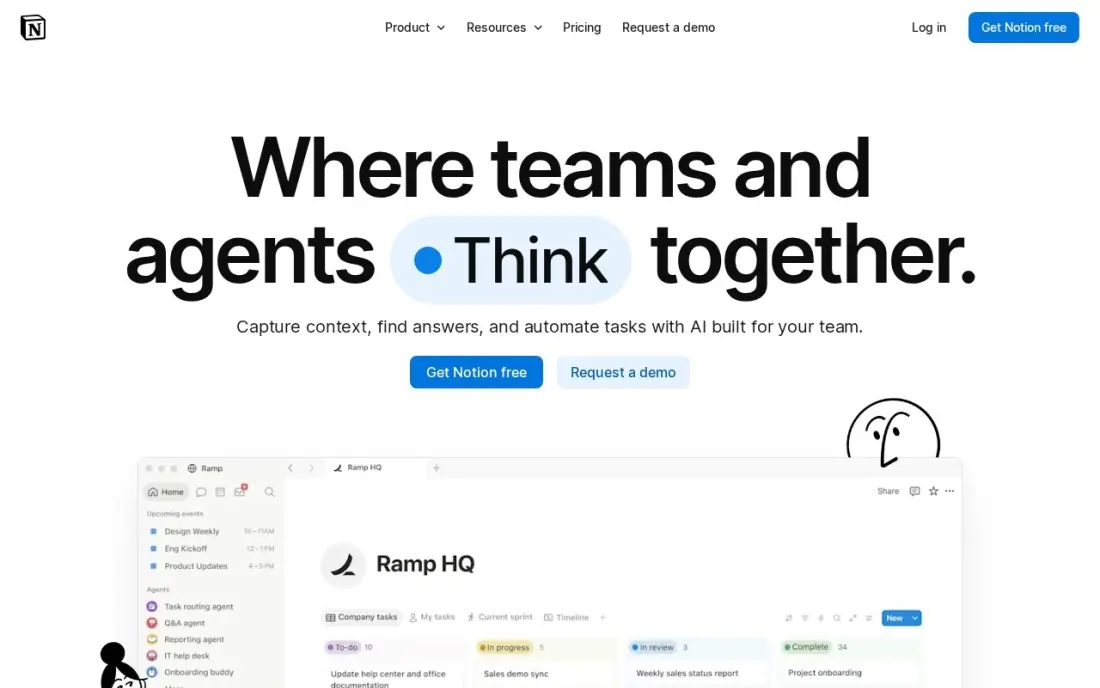
Notion is the only tool in this list that is also a wiki, a database and a docs app. Plus at $10 a member a month billed annually pairs tasks with unlimited file uploads, 30-day page history and up to 100 guests, and databases turn a task list into a content calendar, a CRM or a bug tracker without another subscription. For a team that already lives in Notion, tasks are free to add.
The price doubles when AI enters the picture. Full Notion AI, including the Notion Agent, needs Business at $20 a member a month, and there is no native time tracking. Task views are also weaker than dedicated tools for heavy workloads. Buy Notion when the team wants one workspace for everything; buy a task tool when tasks are the whole job.
What we like
- Plus at $10 a member a month billed annually pairs tasks with docs, wikis and databases in one workspace
- Unlimited file uploads, 30-day page history and up to 100 guests on Plus
- Databases turn a task list into a tracker, CRM or content calendar without another subscription
Watch out for
- Full Notion AI, including the Notion Agent, needs Business at $20 a member a month — double the Plus price
- No native time tracking, and task views are weaker than dedicated task tools for heavy workloads
- The flexibility is the learning curve: a blank workspace needs setup before it manages anything

Teamwork
Best for: Agencies and client-services firms that bill time and track projects against budgets
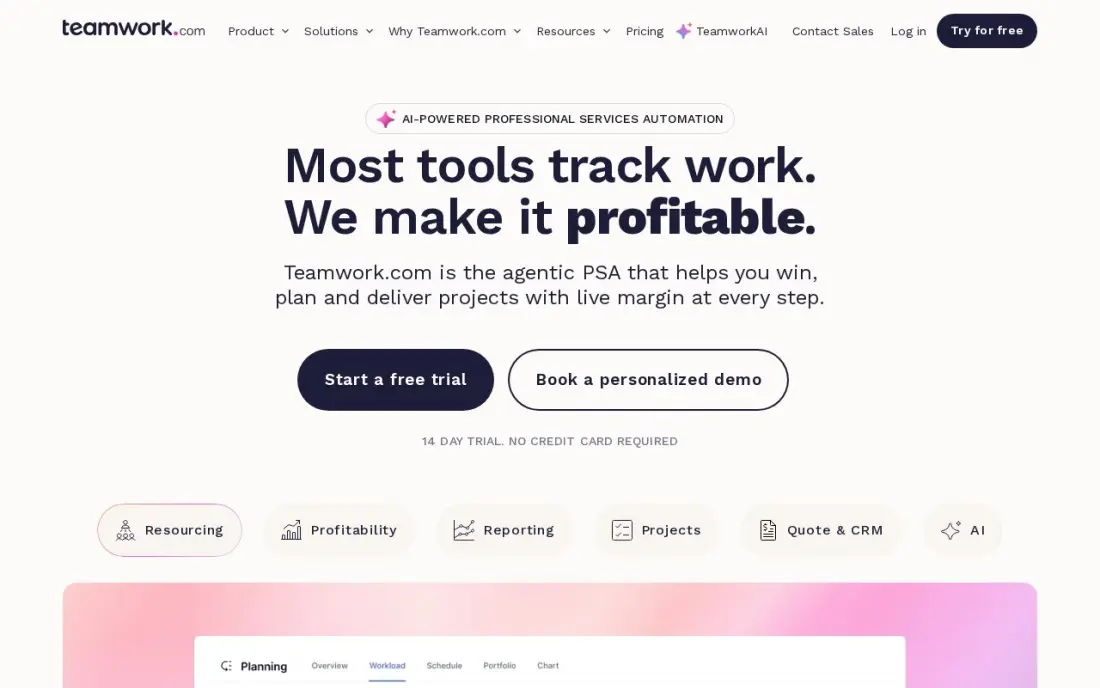
Teamwork is built for agencies and client-services firms, and it shows in the billing. Deliver at $10.99 a user a month billed annually includes native time tracking, so hours feed straight into client invoices, and projects track against budgets with workload views that show who is overallocated. The free plan covers up to 5 users, the most generous free tier here.
The tiers climb in big steps. Workload management and advanced budgeting wait for Grow at $19.99, and clients who need to assign tasks need a paid Client Power User seat. Teamwork suits a firm that bills by the hour and needs the money trail; a team without clients will find ClickUp or Asana cheaper and simpler.
What we like
- Deliver at $10.99 a user a month billed annually includes native time tracking and billable-time billing
- Free plan covers up to 5 users, the most generous free tier for a small team here
- Projects track against budgets, and workload views show who is overallocated across clients
Watch out for
- The step from Deliver to Grow ($19.99) is steep, and workload management and advanced budgeting wait there
- Client users who need to assign tasks need a paid Client Power User seat at $4.99 a month
- Fewer integrations than ClickUp or Asana, and the interface feels dated next to monday.com

Smartsheet
Best for: Small businesses that plan in spreadsheets and need Gantt charts and real project controls
Smartsheet is the spreadsheet that grew into a project tool. Pro at $9 a member a month billed annually adds Gantt, board and calendar views, unlimited sheets, forms and reports, and 250 automations a month, and unlimited free Contributors can view, comment and add attachments without a paid seat. Teams that already plan in rows and columns adopt it fast.
Two honest caveats. There is no free plan for new sign-ups, only a 30-day trial, so every other tool in this list is cheaper to try. And Pro caps at 10 members, so a growing team must move to Business at $19 a member a month. Buy Smartsheet when the work already lives in grids; buy Trello when it lives on a whiteboard.
What we like
- Pro at $9 a member a month billed annually adds Gantt, board and calendar views, unlimited sheets and forms
- Spreadsheet-style grids suit teams that already plan in rows and columns
- Unlimited free Contributors can view, comment and add attachments without a paid seat
Watch out for
- No free plan for new sign-ups — only a 30-day trial, unlike every other tool in this list
- Pro caps at 10 members, so a growing team must move to Business at $19 a member a month
- Timeline view, workload tracking and unlimited automations wait for Business
The best task management software for small business turns a scattered to-do list into work a whole team can see, assign and finish. The 8 tools below are ranked by fit for the most common buyer, a US small business with 1 to 10 people that needs shared tasks without enterprise software, and every price is the vendor's published list price, verified in November 2026.
How to choose the best task management software for small business
- Count the seats you will pay for. monday.com needs 3 seats minimum and sells in buckets of 5; Asana sells seats in bands; ClickUp bills every member. Price the team you will have next year.
- Check the free plan's real cap. Trello stops at 10 boards, Todoist at 5 projects, Asana at 2 users, and Smartsheet has no free plan at all.
- Decide boards, lists or grids. Trello and monday.com think in boards, Todoist in lists, Smartsheet in grids, Notion in databases. The shape that matches how the team already works wins.
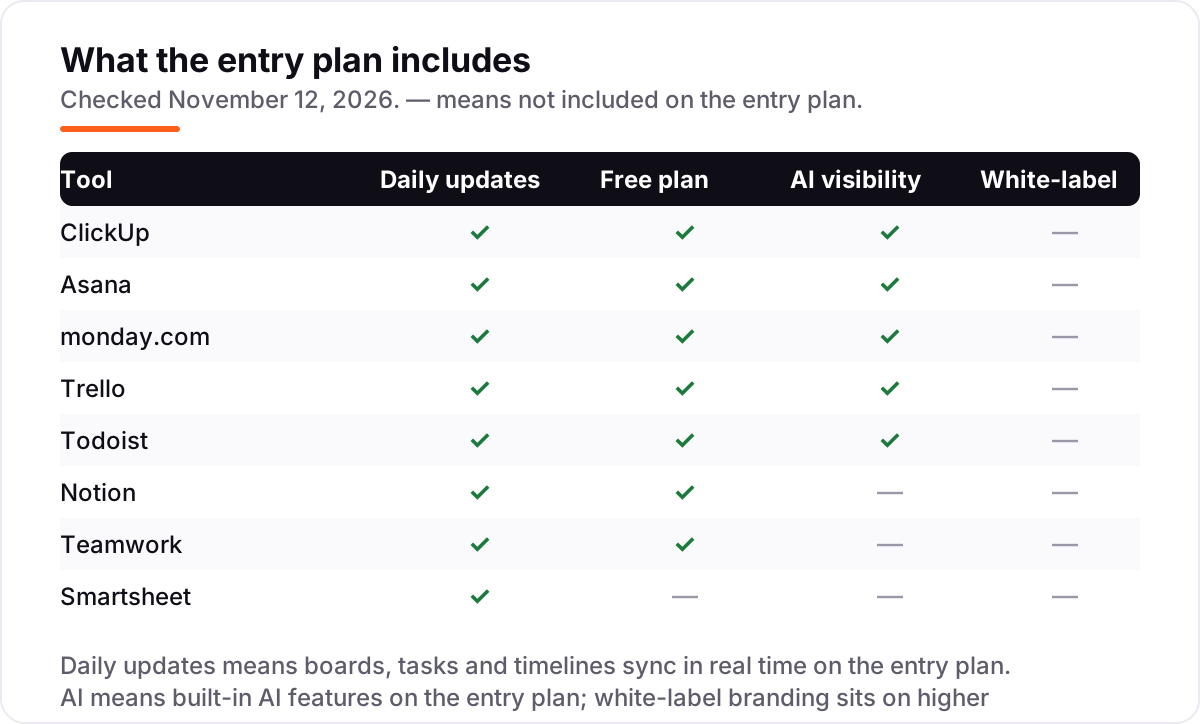
- Check what the entry plan leaves out. Automations start on Standard at monday.com, advanced views on Premium at Trello, and full AI on Business at Notion.
- Think about clients. Teams that bill time need Teamwork's native time tracking; teams without clients should not pay for it.
Task software keeps the work moving, but it does not bring in new customers on its own. If the business is not showing up when people nearby search, our local SEO service covers that side. And before the team publishes new pages for the services it sells, the free SERP snippet preview tool shows exactly how the title and description will look in Google.
Whatever you shortlist, try it with real work before you pay. Every tool here except Smartsheet has a free plan, and Smartsheet offers a 30-day trial, so run one real week of tasks through your top pick: assign work to the whole team, move cards through the board, and check that nobody's task falls through the cracks.
Task management software for small business pricing: what you will actually pay
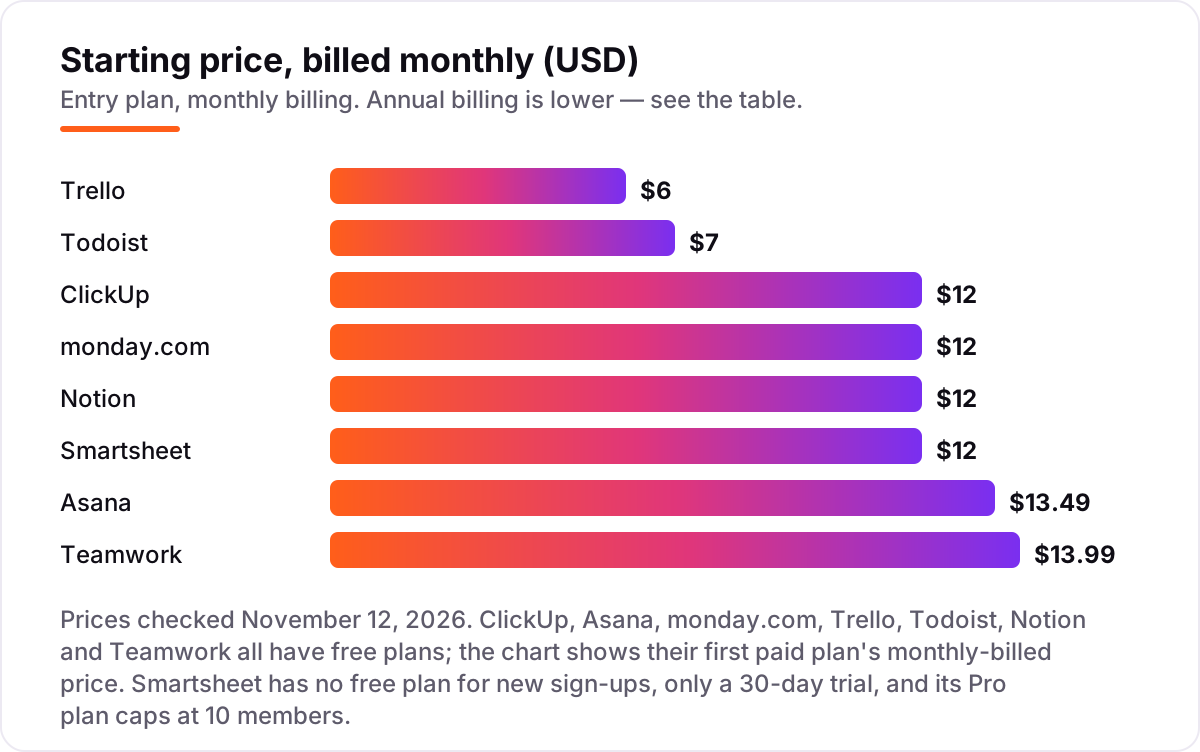
Take a five-person business that needs shared tasks, due dates and one board the whole team can see. On annual billing, the subscription costs $25 a month on Trello Standard, $40 on Todoist Business, $45 on ClickUp Core, monday.com Basic and Smartsheet Pro, $50 on Notion Plus, and $54.95 on Asana Starter and Teamwork Deliver. Over a year that is $300 on Trello, $480 on Todoist Business, $540 on ClickUp, monday.com and Smartsheet, $600 on Notion, and $659.40 on Asana and Teamwork.
Pay monthly instead and the same five seats cost $30 on Trello, $35 on Todoist Pro (or $50 on Business), $60 on ClickUp, monday.com, Notion and Smartsheet, $67.45 on Asana and $69.95 on Teamwork. Annual billing saves 17 to 25 percent on most of these, which is $60 to $180 a year for five people — worth the upfront payment once the team has picked a tool it will keep.
Three costs sit outside every number above. First, the seat minimums: monday.com charges for 3 seats even for a pair, and a team of 4 pays for 5. Second, the step-ups: a team that needs monday.com automations pays Standard, not Basic, and a team that needs Notion AI pays Business, not Plus. Third, the add-ons: extra AI credits, guest seats and premium support are billed on top at ClickUp and Teamwork. Price the team you will have in a year, on the plan that has the features you need, before comparing the headlines.
There is also a $0 route. ClickUp Free Forever, Trello Free, Todoist Beginner, Notion Free and Teamwork Free all cost nothing, and a solo operator or a pair can run real work on them for months. The caps decide when the $0 route ends: Trello stops at 10 boards, Todoist at 5 projects, Asana at 2 users and Teamwork at 5 users. A business that fits inside those caps pays nothing for the subscription at all — only the time it takes to keep the board tidy.
Know the difference: task management vs project management
Task management and project management sound like the same job, and for a small business they nearly are — until the work gets complicated. A task tool tracks who does what by when: a list of tasks with owners, due dates and a status. A project tool adds the structure around the tasks: timelines with dependencies, budgets, resource planning and portfolios of many projects at once.
For a team of 1 to 10 people running day-to-day work, a task tool is usually enough. The moment the business juggles several client projects with shared deadlines, dependencies between tasks and a budget to track, it needs the project layer — Asana Advanced, Teamwork Grow, or a heavier tool like Wrike, which sits beyond this list because it publishes no monthly price and sells to larger teams. Buy the task tool first; upgrade when the dependencies, not the task count, start to hurt. A useful test: if the team can describe every task in one sentence and nobody needs to see a Gantt chart, the task tool is enough.
Quick comparison: tool type by need
| Buyer | Best pick | Why |
|---|---|---|
| Solo operator who wants the cheapest start | Todoist | Pro is $5/user/month billed annually, free plan included |
| Small team that wants the most for its money | ClickUp | Free Forever, Core is $9/user/month billed annually |
| Team that needs clear ownership and timelines | Asana | Starter is $10.99/user/month billed annually |
| Non-technical team that wants visual boards | monday.com | Basic is $9/seat/month billed annually, 3-seat minimum |
| Team that wants the simplest possible board | Trello | Standard is $5/user/month billed annually |
| Agency that bills clients by the hour | Teamwork | Deliver is $10.99/user/month billed annually, time tracking included |
Mistakes to avoid
- Paying for seats nobody uses. monday.com's 3-seat minimum and 5-seat buckets, Asana's seat bands and ClickUp's whole-workspace upgrade all charge for people who never open the tool. Count real users first.
- Comparing monthly prices without checking billing. Annual billing saves 17–25% here — Trello drops from $6 to $5, ClickUp from $12 to $9 — and Smartsheet's Pro caps at 10 members, so a growing team pays Business.
- Buying the plan without the feature. Automations, advanced views and full AI sit on higher tiers at monday.com, Trello and Notion. Check the feature list for the plan you will actually buy.
- Trusting a directory price. Notion still shows $8 Plus and $15 Business on some directories; the live pricing page says $10 and $20. Teamwork's old $9.99 Deliver figure is also still floating around — the current price is $10.99 billed annually. Always check the vendor's own page.
- Skipping the trial week. Set a reminder for the day the trial converts, and run real tasks through the tool first — a tool the team will not open is the most expensive one in this list.
How we chose
We verified each price against the vendor's published pricing page through multiple independent reads dated October 26 to November 11, 2026, cross-checked against a same-day verification of the same prices; the browser tool that opens vendor pages directly was unavailable on November 12, 2026, so no price here rests on a single source. Ratings are G2 scores from the review pages, with review counts shown. We ranked the tools by fit for the most common buyer — a US small business with 1 to 10 people that needs shared tasks without enterprise software — not by brand size. No vendor paid for a place in this list, and none of the links here are affiliate links.
What to do next
Start with the free plan or trial of your top pick and run one real week of tasks through it. Assign work to the whole team, move cards through the board, and check that nothing falls through the cracks. If the business is sorted but new customers are not finding it, our monthly SEO service handles the visibility side — or compare providers in our guide to SEO companies for small business. Once your tools are in place, find out what's holding your rankings back.
Frequently asked questions
What is the best task management software for small business?
ClickUp is the best fit for most small businesses: a free plan with unlimited members, and Core at $9 a user a month billed annually with tasks, docs, goals and time tracking in one place. Asana is the better pick for structured teams that want timelines and goals, and Trello is the simplest and cheapest at $5 a user a month.
How much does task management software cost for a small business?
A five-person team pays $25 to $54.95 a month on annual billing, depending on the tool: Trello Standard is $25, Todoist Business $40, ClickUp Core, monday.com Basic and Smartsheet Pro $45 each, Notion Plus $50, and Asana Starter and Teamwork Deliver $54.95. Monthly billing costs 17 to 25 percent more.
Is there free task management software for small business?
Yes, with limits. ClickUp, Trello, Todoist, Notion and Teamwork all have free plans, Asana's covers 2 users and monday.com's covers 2 seats. Smartsheet is the exception: it has no free plan for new sign-ups, only a 30-day trial. Free plans cap projects, boards or users, so a growing team should expect to pay.
What is the difference between task management and project management software?
A task tool tracks who does what by when: a list of tasks with owners, due dates and a status. A project tool adds the structure around the tasks: timelines with dependencies, budgets, resource planning and portfolios of many projects. For a team of 1 to 10 people, a task tool is usually enough until dependencies and budgets start to matter.
Can I switch task management software later?
Yes, but move in a quiet week. Export the task list, owners, due dates and attachments, then import them into the new tool and test the board before going live. Keep the old tool open until the new one is proven, because a mid-week switch is how tasks fall through the cracks.
Do I pay per user or per team for task management software?
Almost every tool here charges per user or per seat, but the unit has traps. monday.com needs 3 seats minimum and sells seats in buckets of 5, Asana sells seats in bands, and ClickUp bills every member when the workspace upgrades. Count the people who will actually use the tool next year, then price that number.
Which task management tool is easiest to learn?
Trello is the easiest: drag-and-drop boards that need no training. Todoist is nearly as fast for people who live in lists. monday.com is the easiest of the fuller tools, with color-coded boards a non-technical team can run in a day. ClickUp and Asana take longer to set up but reward the effort with more depth.
Sources we checked (16)
- ClickUp pricing — clickup.com/pricing (checked November 12, 2026)
- ClickUp on G2 — 4.6/5, 13,719 reviews (checked November 12, 2026)
- Asana pricing — asana.com/pricing (checked November 12, 2026)
- Asana on G2 — 4.4/5, 13,867 reviews (checked November 12, 2026)
- monday.com pricing — monday.com/pricing (checked November 12, 2026)
- monday.com on G2 — 4.7/5, 15,428 reviews (checked November 12, 2026)
- Trello pricing — trello.com/pricing (checked November 12, 2026)
- Trello on G2 — 4.4/5, 14,064 reviews (checked November 12, 2026)
- Todoist pricing — todoist.com/pricing (checked November 12, 2026)
- Todoist on G2 — 4.5/5, 825 reviews (checked November 12, 2026)
- Notion pricing — notion.com/pricing (checked November 12, 2026)
- Notion on G2 — 4.6/5, 13,770 reviews (checked November 12, 2026)
- Teamwork pricing — teamwork.com/pricing (checked November 12, 2026)
- Teamwork on G2 — 4.4/5, 1,215 reviews (checked November 12, 2026)
- Smartsheet pricing — smartsheet.com/pricing (checked November 12, 2026)
- Smartsheet on G2 — 4.4/5, 22,712 reviews (checked November 12, 2026)
Make one of these tools?
We re-check this list every quarter. Send a correction, request a review, or ask about a clearly labeled sponsored spot.
Request a listingShamim
Founder of SerpAstra
A full-stack SEO and digital marketer who spends most days on Local SEO for dental practices, AI search visibility and lead generation.
Free SEO and AI visibility audit
Find out what is holding your rankings back
Send us your site. Within 2 business days you get a written audit, an AI visibility check and a short fix list ranked by impact. Free, with no contract attached.
Request my free audit→Related buying guides
 Marketing10 Best Marketing Project Management Tools in 2026, ComparedCompare the 10 best marketing project management tools on price, free plans, proofing and AI features, with every price checked November 5, 2026.Read guide →
 Project & Product Management11 Best Workload Management Tools in 2026 (Free and Paid, Compared)11 best workload management tools compared with real prices, free plans and workload views. Find the right fit for your team, from $5 a person a month.Read guide →
 Marketing12 Best Project Management Software for Marketing Teams in 2026, ComparedCompare the 12 best project management software for marketing teams on price, proofing, timelines and client seats, with prices checked November 5, 2026.Read guide →