
6 Best Offline Website Builder Software in 2026, Compared
Compare the 6 best offline website builder software on one-time vs yearly price, platforms, code export and hosting freedom, checked on each vendor's own page.
 Shamim Mia, Founder, SerpAstraLast verified November 12, 20269 min read
We compare pricing pages, documentation and public reviews. We never accept payment for rankings.

Key takeaways
- Bootstrap Studio is the best value: Standard is a $29 one-time purchase and Lifetime is $59, both running on Windows, macOS and Linux.
- Publii is completely free and open source, and builds fast static sites you can publish to GitHub Pages, Netlify, S3 or plain FTP.
- Blocs is the most polished visual builder for Mac users, from $112.99 one-time for Standard, but it does not run on Windows.
- Every tool here lets you edit without an internet connection, but publishing, updates and template libraries still need one.
On this page
Quick comparison
| Tool | Best for | Starting price | Free plan |
|---|---|---|---|
| Bootstrap Studio | Freelancers and small businesses that want a low one-time price and clean Bootstrap code | $29 one-time | No |
| Publii | Bloggers and small sites that want a free desktop CMS and fast static pages | Free | Yes |
| Blocs | Mac users who want a polished visual builder they buy once | $112.99 one-time | Yes (no export) |
| Pinegrow Web Editor | Developers and designers who want visual editing of real HTML and CSS files on any desktop | $99/yr | Free trial |
| Mobirise | Small businesses that want a free drag-and-drop desktop builder with a large theme library | Free; Kit $199 | Yes |
| WordPress | Site owners who want to build locally and later run a full CMS with plugins | Free software | Yes |
Make one of these tools?
We re-check this list every quarter. Send a correction, request a review, or ask about a clearly labeled sponsored spot.
Request a listingThe best offline website builder software

Bootstrap Studio
Best for: Freelancers and small businesses that want a low one-time price and clean Bootstrap code
Bootstrap Studio is the cheapest serious desktop builder in this list. Standard costs $29 once and Lifetime $59 once, with no monthly payments, and both run on Windows 10 or later, macOS and Linux. You drag Bootstrap components onto the page, edit the HTML and CSS directly when you want to, and export plain files you can upload to any host. The licence allows installation on up to three computers used by the same person.
The difference between the two editions matters. Standard includes one year of upgrades, then nothing more, not even bug fixes, while Lifetime keeps updating and adds hosting and Smart Forms for life plus ecommerce store building. For $30 more, Lifetime is the better buy for anyone who builds sites every year.
What we like
- Standard is $29 once, with no monthly payments or ongoing fees
- Runs on Windows 10+, macOS and Linux
- Lifetime at $59 adds upgrades forever, hosting for life and store building
- Built-in templates can be used on commercial sites, including client work
Watch out for
- Standard gets 1 year of upgrades; after that there are no further updates, not even bug fixes
- No free trial is mentioned on the pricing page
- Output is tied to the Bootstrap framework, which not every developer wants

Publii
Best for: Bloggers and small sites that want a free desktop CMS and fast static pages
Publii is the free pick. It is an open-source desktop CMS under the GPL-3.0 licence for Windows, macOS and Linux, and once installed you can write posts, change settings, customise themes and preview the site with no internet connection. When you are ready, it publishes static files to GitHub Pages, GitLab Pages, Netlify, Amazon S3, Google Cloud, FTP or SFTP, or to a local folder.
Because the published site is plain static files, there is no database, PHP or admin login for attackers to find, and pages load quickly on cheap hosting. The trade-off is that Publii is a content tool, not a drag-and-drop designer: layout comes from the theme, and premium themes cost extra.
What we like
- Free and open source under GPL-3.0, for personal and commercial sites
- Runs on Windows, macOS and Linux, and edits fully offline after installation
- Publishes to GitHub Pages, GitLab Pages, Netlify, Amazon S3, Google Cloud or FTP/SFTP
- Static output needs no database, PHP or public admin panel
Watch out for
- A blog-style CMS, so free-form page design is limited to what the theme allows
- Premium themes and plugins cost extra, and prices are on the marketplace, not the home page
- Publishing, app updates and marketplace downloads need an internet connection

Blocs is the most finished visual builder here for Mac users. You build pages from pre-made blocks, style them visually and add interactions and scroll effects without writing code. The free version has unlimited websites but no export, so it works as an extended trial. Standard costs $112.99 including tax as a one-time payment for one Mac and adds code export and publishing to your own hosting.
Plus at $179.99 covers two Macs and adds custom interactions, WordPress theme building, content import and shared styles. Updates within a major version are free, but moving to the next major version costs a reduced upgrade price. Direct purchases carry a 14-day full refund.
What we like
- A one-off purchase you own forever, with free updates within the major version
- The free version includes unlimited websites, interactions and animations to learn on
- Plus at $179.99 adds WordPress theme building, content import and use on 2 Macs
- 14-day full refund on direct purchases
Watch out for
- Mac only on the pricing page — there is no Windows version
- The free version cannot export code or publish
- Moving to a new major version, such as Blocs 5 to 6, is a paid upgrade

Pinegrow Web Editor
Best for: Developers and designers who want visual editing of real HTML and CSS files on any desktop
Pinegrow is a visual editor for people who want to keep working with real HTML and CSS files. It opens existing pages as well as new ones, runs on Mac, Windows and Linux, and installs on up to three computers for one user. The annual subscription lists at $99 a year and was on sale at $49.50 a year when we checked; a one-time licence with one year of updates is also offered.
Add-ons shape the real cost. The WordPress Builder, which turns a design into a WordPress theme, was $25 a year on sale against a $50 list price, and Interactions is sold separately. Start with the free trial, which unlocks every feature, before choosing between yearly and one-time.
What we like
- Runs on Mac, Windows and Linux, on up to 3 computers for one user
- Free trial with every feature unlocked
- WordPress Builder add-on turns designs into WordPress themes
- 30-day money-back guarantee on one-time licences and yearly subscriptions
Watch out for
- The annual subscription only works while it is active
- Interactions and WordPress Builder are paid add-ons on top of the editor
- More technical than a drag-and-drop builder; it assumes some HTML knowledge

Mobirise
Best for: Small businesses that want a free drag-and-drop desktop builder with a large theme library
Mobirise is a free drag-and-drop builder for Windows and Mac that works from ready-made blocks, so a non-designer can put together a clean site quickly. The free version includes three AI generations a month. Both paid Kits, BASE at $199 and GROW at $249, give a year of access to all 226 premium themes and extensions, unlimited offline sites, unlimited publishing to your own hosting and no Mobirise branding.
The limits sit on the online side. BASE includes three online sites and 100 AI generations a month, while GROW raises that to ten sites and 1,000 generations. Each account works on up to two computers, and because the Kit runs for one year, check the renewal cost before you depend on premium themes.
What we like
- A free version of the desktop app for Windows and Mac
- Kits include all 226 premium themes and extensions, with new releases added
- Unlimited offline sites and unlimited publishing to your own hosting on both Kits
- Each account can be used on up to 2 computers
Watch out for
- The Kit gives access for 1 year, so it is not a one-time purchase
- BASE includes only 3 online sites and 100 AI generations a month
- Most of the value is in premium themes, which means paying for the Kit

WordPress
Best for: Site owners who want to build locally and later run a full CMS with plugins
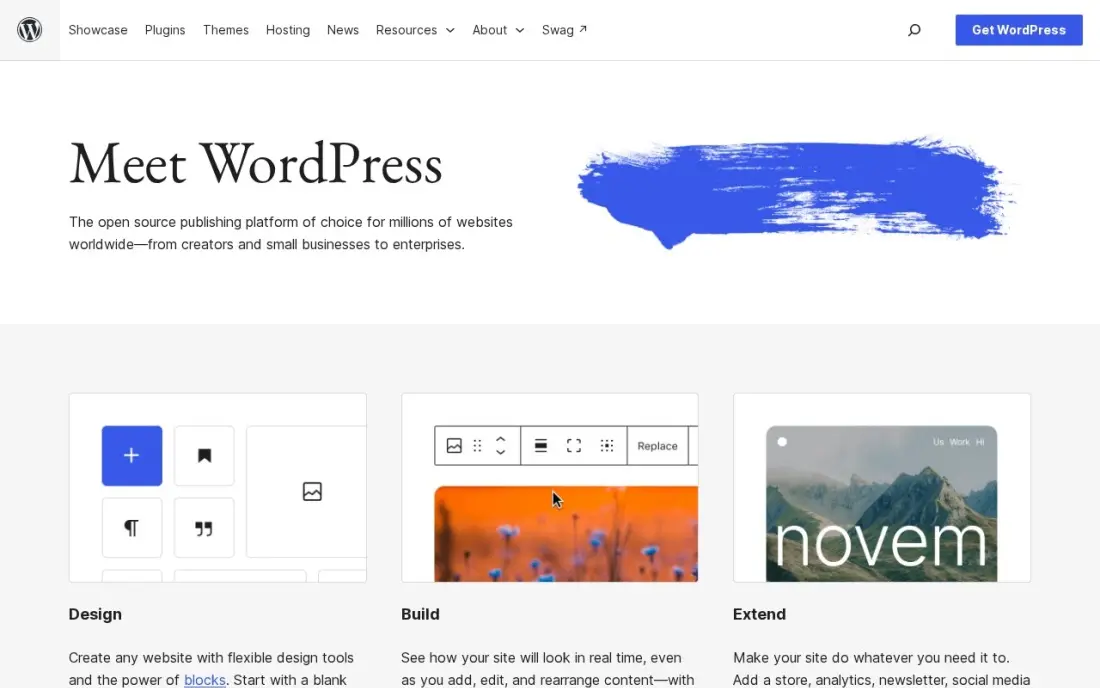
WordPress is not a desktop app, but many developers build WordPress sites offline by running the free software on a local server on their own computer, then moving the finished site to a host. The software itself costs nothing, it has the biggest theme and plugin ecosystem, and you can export the whole site and move it whenever you like.
Choose it when the site needs a full CMS after launch: many editors, a blog, forms, bookings or a store. The catch is that hosting, security and updates become your job, and the local setup is more technical than any app above. WordPress.com Personal is $9 a month billed monthly, or $4 billed annually, if you would rather not run hosting.
What we like
- The software is free, with no licence fee at any size
- The largest theme and plugin ecosystem of any website platform
- Full data ownership — export the whole site and move it any time
Watch out for
- Hosting, security, updates and backups are your job once the site is live
- Building offline needs a local server setup on your computer
- Design quality depends on the theme you choose
The best offline website builder software lets you design and edit a site on your own computer, with no browser tab and no monthly platform fee, then export clean files to any host you choose. We compared six desktop builders and CMS tools on price model, operating systems, code export, publishing options and how much they still depend on the internet. Every price below comes from the vendor's own page as checked in November 2026.
How to choose the best offline website builder software
- Check your operating system first. Blocs is Mac only; Bootstrap Studio, Publii and Pinegrow run on Windows, macOS and Linux.
- Decide between one-time and yearly. Bootstrap Studio and Blocs are bought once; Pinegrow's annual plan and Mobirise's Kits run by the year.
- Read the updates policy. A one-time licence often includes one year of updates, and Bootstrap Studio Standard gets no fixes at all after that year.
- Make sure you can export. The point of an offline builder is owning the files; Blocs' free version, for example, cannot export or publish.
- Match the tool to your skill. Mobirise and Blocs are visual block builders; Pinegrow and Bootstrap Studio expose the HTML and CSS; Publii is a content tool driven by themes.
- Plan how the site gets online. Know whether you will use FTP to a shared host or push to a static host like Netlify or GitHub Pages.
A site built offline still needs to be found once it goes live. Before launch, run the pages through our free title tag checker and XML sitemap generator, and if the site is replacing an old one, our SEO audit checks redirects and indexing so you keep existing rankings.
Offline website builder software pricing: what you will actually pay
Take a freelancer who builds sites for clients over two years. Bootstrap Studio Lifetime costs $59 once and keeps updating, so the two-year cost is $59; Standard is $29 but stops updating after the first year. Blocs Standard costs $112.99 once for one Mac, or $179.99 for Plus on two Macs, with free updates until the next major version.
Pinegrow's annual subscription lists at $99 a year, which is $198 over two years at list price; it was on sale at $49.50 a year when we checked, and the WordPress Builder add-on adds $25 to $50 a year. Mobirise's BASE Kit costs $199 for a year of access to every premium theme, or $249 for GROW, so ask about the second-year price before you rely on it. Publii costs $0, and WordPress costs $0 for the software, leaving hosting as the only fixed bill.
The cheapest long-term route is a one-time licence such as Bootstrap Studio Lifetime or Blocs, plus low-cost static hosting. A yearly plan earns its price only when you use its extras, such as Mobirise's premium themes or Pinegrow's WordPress theme builder.
Know the difference: offline builder vs online builder
An offline builder is an app on your computer. You edit without a connection, keep the project files yourself and export plain HTML, CSS and JavaScript to whichever host you like. If the vendor raises prices or shuts down, your site keeps running, because it never depended on their servers. The cost is that hosting, forms, backups and security become your job.
An online builder, such as Wix or Squarespace, runs in the browser and hosts the site for you. You pay a monthly fee that covers hosting, SSL, forms and updates, and you can edit from any computer. You cannot take the site with you if you leave. Choose offline when ownership, one-time cost or working without internet matters most; choose online when you want someone else to run the hosting.
Quick comparison: tool type by need
| Buyer | Best pick | Why |
|---|---|---|
| Best value on any desktop | Bootstrap Studio | $29 one-time Standard, $59 Lifetime, Windows, macOS and Linux |
| Free blogs and static sites | Publii | Free, open-source desktop CMS that publishes to Netlify, S3 or FTP |
| Mac users who want visual design | Blocs | $112.99 one-time Standard, free version to learn on |
| Developers editing real HTML | Pinegrow Web Editor | Visual editing of HTML and CSS, $99/year list price |
| Non-designers wanting themes | Mobirise | Free drag-and-drop app, Kit from $199 for a year of themes |
| Local build, full CMS later | WordPress | Free software with the biggest plugin ecosystem |
Mistakes to avoid
- Buying a Mac-only tool for a Windows team. Check every computer that will open the project before you pay.
- Forgetting the update window. A one-time licence with one year of updates can leave you on an old version that does not support new browsers or frameworks.
- Keeping the only copy on one laptop. Offline means the project lives with you; back it up to cloud storage or a Git repository.
- Ignoring forms and search basics. Static exports need a form service, a sitemap and proper titles, which online builders handle for you.
- Paying yearly for features you never use. If you only need the editor, a one-time licence or the free option is usually enough.
How we chose
We read each vendor's own pricing page, home page or FAQ in November 2026 and recorded the price and billing model exactly as shown, including one-time versus yearly terms and the number of computers allowed. Pinegrow's price is listed at its $99 list rate with the sale price we saw noted separately, because sale prices change. WordPress figures come from our verified pricing data checked in November 2026. We did not show review-site ratings because we did not read a complete rating page for each tool this session. No vendor paid for a place in this list, and none of the links here are affiliate links.
What to do next
Download the free version or trial that fits your operating system, such as Publii, Mobirise, Blocs or Pinegrow, and rebuild one real page of your site before you buy anything. If the finished site needs to rank, we can check it before it goes live. Book a free website and SEO review.
Frequently asked questions
What is the best offline website builder software?
Bootstrap Studio is the best value for most people, at $29 one-time for Standard or $59 for Lifetime, on Windows, macOS and Linux. Publii is the best free option for blogs and static sites, and Blocs is the best visual builder for Mac users, from $112.99 one-time.
Is there a free offline website builder?
Yes. Publii is free and open source under GPL-3.0 and publishes static sites to GitHub Pages, Netlify, S3 or FTP. Mobirise has a free version for Windows and Mac, and Blocs has a free version for Mac, though Blocs' free version cannot export or publish.
Can I build a website without an internet connection?
Yes, you can design and edit offline in all of these tools. You still need a connection to publish the site, download updates and fetch templates or marketplace items. Publii, for example, edits fully offline after installation but needs the internet to publish.
Which offline website builder works on Windows?
Bootstrap Studio, Publii and Pinegrow run on Windows, macOS and Linux, and Mobirise runs on Windows and Mac. Blocs is Mac only, so Windows users should look at the other tools.
Are offline website builders a one-time purchase?
Some are. Bootstrap Studio ($29 or $59) and Blocs ($112.99 or $179.99) are one-time purchases. Pinegrow's annual plan lists at $99 a year, and Mobirise sells its Kits for a year of access at $199 or $249.
Where do I host a site built with an offline builder?
Any standard web host works because these tools export plain HTML, CSS and JavaScript. Static hosts such as GitHub Pages and Netlify are cheap or free for small sites, and a regular shared host works through FTP.
Sources we checked (7)
- Bootstrap Studio — bootstrapstudio.io (checked November 16, 2026)
- Publii — getpublii.com/faq (checked November 16, 2026)
- Blocs — blocsapp.com/pricing (checked November 16, 2026)
- Pinegrow Web Editor — pinegrow.com/#buy (checked November 16, 2026)
- Mobirise — mobirise.com/p (checked November 16, 2026)
- WordPress — wordpress.com/pricing (checked November 12, 2026)
- WordPress reviews on G2 (checked November 12, 2026)
Make one of these tools?
We re-check this list every quarter. Send a correction, request a review, or ask about a clearly labeled sponsored spot.
Request a listingShamim
Founder of SerpAstra
A full-stack SEO and digital marketer who spends most days on Local SEO for dental practices, AI search visibility and lead generation.
Free SEO and AI visibility audit
Find out what is holding your rankings back
Send us your site. Within 2 business days you get a written audit, an AI visibility check and a short fix list ranked by impact. Free, with no contract attached.
Request my free audit→Related buying guides
 Website Builders & Hosting8 Best Web Design Software in 2026, ComparedCompare the 8 best web design software tools for designing websites, from Figma and Webflow to Wix and WordPress, with every price checked on vendor pages.Read guide →
 Developer Tools8 Best Website Development Software in 2026, ComparedCompare the 8 best website development software tools, from WordPress and Webflow to GitHub, Copilot and Bubble, on cost, control and who each one suits.Read guide →
 Website Builders & Hosting8 Best Website Builder Platforms in 2026, ComparedCompare the 8 best website builder platforms on ease of use, design control, free plans, SEO and real yearly cost, with every price checked on vendor pages.Read guide →