
9 Best Platforms for Artists in 2026, Compared
Compare the 9 best platforms for artists to sell work, earn from fans and create, with marketplace fees, store plans and app prices checked in November 2026.
 Shamim Mia, Founder, SerpAstraLast verified November 7, 20269 min read
We compare pricing pages, documentation and public reviews. We never accept payment for rankings.

Key takeaways
- Etsy is the best platform for artists who need buyers to find them: there is no monthly fee, but listing, transaction and processing fees add up to about 10% of a sale.
- Shopify ($29/month billed annually) and Squarespace ($19/month billed annually) give artists their own store and domain, so the customer list belongs to the artist, not a marketplace.
- Patreon and Ko-fi turn fans into monthly income: Patreon charges new creators 10%, while Ko-fi takes 0% on one-time tips and 5% on shop sales on its free plan.
- For making the work itself, Procreate costs $12.99 once on iPad, Clip Studio Paint PRO costs $63 once on desktop, and Krita is free and open source.
On this page
Quick comparison
| Tool | Best for | Starting price | Free plan |
|---|---|---|---|
| Etsy | Artists selling prints, originals and handmade pieces who need buyers to find them | $0.20/listing + 6.5% | Yes (no monthly fee) |
| Shopify | Established artists who want their own online store, domain and customer list | $29/mo yearly | No (trial) |
| Squarespace | Artists who want a gallery-style portfolio website that can also sell work | $19/mo yearly | No (14-day trial) |
| Patreon | Artists building paid fan memberships with tiers, process posts and member-only rewards | Free; 10% fee | Yes (free to start) |
| Ko-fi | Artists who want tips, commissions and small shop sales with the lowest fees | Free; Gold $12/mo | Yes (free plan) |
| Gumroad | Artists selling brushes, tutorials, templates and other digital downloads | Free; 10% + $0.50 | Yes (free to start) |
| Procreate | iPad artists who want a complete painting and drawing studio for a one-time price | $12.99 once | No |
| Clip Studio Paint | Illustrators, comic and manga artists who work on a desktop or need posable 3D models | $63 once | No (free trial) |
| Krita | Artists who want a free, open-source painting program with no paywall | Free | Yes (free) |
Make one of these tools?
We re-check this list every quarter. Send a correction, request a review, or ask about a clearly labeled sponsored spot.
Request a listingThe best platforms and tools for artists

Etsy
Best for: Artists selling prints, originals and handmade pieces who need buyers to find them
Etsy is where most artists make their first sale, because the buyers are already there searching for prints, illustrations and handmade pieces. There is no monthly fee: a listing costs $0.20 and a sale costs 6.5%, and Etsy Payments handles cards, PayPal, Apple Pay and Klarna. Digital downloads such as printable art deliver automatically.
The fees stack to about 10% of a sale once 3% + $0.25 processing is added, and Offsite Ads take 12% to 15% of the sales they drive, with no opt-out once a shop passes $10,000 a year. The shop and the customer list belong to Etsy, so use it to find buyers and build your own channel alongside it.
What we like
- Built-in buyers: Etsy search brings customers to the listing without ads or an audience of your own
- No monthly fee — a standard shop costs $0.20 per listing plus fees only when something sells
- Digital downloads deliver automatically, with no file hosting or checkout to build
- Etsy Payments handles cards, PayPal, Apple Pay and Klarna in one checkout
Watch out for
- Fees stack to about 10% of a sale: 6.5% transaction plus 3% + $0.25 processing, before ads
- Offsite Ads take 12–15% of sales they drive, and shops cannot opt out once they pass $10,000 a year
- The shop is Etsy's, not yours — no custom domain, no email list, and rules can change overnight

Shopify
Best for: Established artists who want their own online store, domain and customer list

Shopify is the step up from a marketplace: your own store, your own domain and a customer list you keep. Basic costs $29 a month billed annually, or $39 monthly, with unlimited products, hosting and checkout, and Shopify Payments charges 2.9% + 30c online with no extra platform fee. POS for markets and art fairs is included on Basic.
The headline price grows with apps for print-on-demand, reviews or email and with a paid theme, and a 2% fee applies if you use a third-party payment gateway. Only the owner gets a staff account on Basic. Choose it once you sell steadily and want to stop paying marketplace commission on every order.
What we like
- The largest app and theme ecosystem here, with ready-made themes and apps to install
- Unlimited products, hosting, SSL and checkout included, with AI-chat selling on the entry plan
- Shopify Payments charges 2.9% + 30c online with no extra platform fee
- POS for in-person sales at markets and pop-ups is included on Basic
Watch out for
- Apps and a paid theme push the real bill well above the $39 headline price
- A 2% fee applies on sales through a third-party payment gateway on Basic
- Only the store owner gets a staff account on Basic, so a small team must upgrade

Squarespace
Best for: Artists who want a gallery-style portfolio website that can also sell work
Squarespace is the portfolio-first choice: its templates are built around large images, so originals, commissions and exhibition pages look polished without design work. Basic costs $19 a month billed annually, or $25 monthly, with unlimited products, memberships and digital content built in, and a free custom domain for the first year on annual billing.
On Basic, Squarespace takes 2% of every online store sale on top of card processing, and only two contributors can edit the site. For an artist whose website is mostly a gallery with a small shop, that is a fair trade; heavy sellers will save money on Shopify or a higher Squarespace plan.
What we like
- The most polished templates here, with strong photography and video presentation for artwork
- Unlimited products, subscription products and abandoned cart recovery on every plan
- Hosting, SSL and a free custom domain for the first year are included on annual billing
- Invoices, memberships and digital content are built in, not add-ons
Watch out for
- Basic adds a 2% Squarespace fee on every online store sale, on top of card processing
- Only two contributors on Basic, so a team quickly outgrows it
- No code injection on Basic, which limits custom tracking and widgets

Patreon
Best for: Artists building paid fan memberships with tiers, process posts and member-only rewards
Patreon turns a following into monthly income. Fans pay a recurring pledge for tiers that might include sketches, process videos, tutorials, brush packs or early access, and the platform handles posts, livestreams, chat and a shop in one place. It is free to start, so an artist with a small audience risks nothing.
New creators pay a 10% platform fee plus 2.9% + $0.30 processing on each pledge, though pages published before August 4, 2025 keep their legacy rates. Patreon lets you export your member email list, but most of the relationship lives on Patreon, so keep a newsletter or site of your own as well.
What we like
- The default home for paid memberships: tiers, member-only posts, video, livestreams, chat and a shop in one place
- Free to start with no monthly fee, so a creator with no audience yet risks nothing
- Pages published before August 4, 2025 keep legacy rates of 5% (Lite), 8% (Pro) or 12% (Premium) while they stay published
- Exportable email list and Discord role granting keep the audience portable
Watch out for
- New creators pay a 10% platform fee, up from the 5% and 8% legacy rates
- Payment processing of 2.9% + $0.30 sits on top of the platform fee on every pledge
- Most of the audience stays on Patreon, so the creator does not fully own the relationship

Ko-fi
Best for: Artists who want tips, commissions and small shop sales with the lowest fees
Ko-fi is the low-fee option for artists who take commissions or sell a few items. One page covers tips, memberships, a shop and commission requests, and money goes straight to your own PayPal or Stripe with no payout minimum. One-time tips carry a 0% platform fee on the free plan.
Shop sales, memberships and commissions cost 5% on the free plan, and Gold at $12 a month for new users removes that fee, which pays off once those sales pass $240 a month. Membership tools are lighter than Patreon's and there is no discovery network, so Ko-fi works best when you already have followers on social media.
What we like
- Free to join with no monthly fee, and 0% platform fee on one-time tips
- Payments go straight to the creator's own PayPal or Stripe, with no payout minimum
- One page covers tips, memberships, a shop and commissions, so a creator needs no second tool
- Gold at $12 a month for new users removes the 5% fee on shop, membership and commission sales
Watch out for
- Shop sales, memberships and commissions cost 5% on the free plan — only one-time tips are 0%
- Gold costs $12 a month for new users, not the $6 figure still quoted across the web; annual plans are gone
- Membership and analytics tools are weaker than Patreon's, and there is no discovery network

Gumroad
Best for: Artists selling brushes, tutorials, templates and other digital downloads
Gumroad suits artists whose products are files: brush packs, tutorial videos, reference sets, colouring pages and templates. There is no monthly fee and a product can be selling within minutes, and Gumroad acts as merchant of record, collecting and remitting sales tax worldwide so you do not have to.
The fee is the catch for cheap products. Direct sales cost 10% + $0.50 plus 2.9% + $0.30 processing, about 29% of a $5 sale, and sales through the Discover marketplace cost a flat 30%. Price digital products at $10 or more and the maths becomes reasonable; the storefront itself is plain.
What we like
- No monthly fee and no tiers: list a product and pay only when something sells
- The fastest start here — a product can be listed and selling in minutes
- Merchant of record since January 2025, so Gumroad collects and remits sales tax worldwide
- A built-in Discover marketplace can find buyers the creator would never reach alone
Watch out for
- 10% + $0.50 per direct sale, plus 2.9% + $0.30 processing, makes cheap products expensive — about 29% on a $5 sale
- Sales through the Gumroad Discover marketplace cost a flat 30% instead
- Bare-bones storefront with little customization and no built-in funnels or upsells

Procreate
Best for: iPad artists who want a complete painting and drawing studio for a one-time price
Procreate is the tool many working illustrators use every day on iPad. It costs $12.99 once on the App Store, with no subscription and free updates, and includes more than 200 brushes, a Brush Studio for making your own, Animation Assist and time-lapse recording that doubles as content for social media and Patreon.
It runs only on iPad, so there is no desktop or Android version, and it paints in raster, which makes it a poor fit for logos that must scale. There is no free trial. For an artist with an iPad and an Apple Pencil, it is the cheapest serious studio available.
What we like
- One-time $12.99 purchase with no subscription and free updates for life
- More than 200 brushes plus Brush Studio for building your own
- Animation Assist and time-lapse recording are built in
- Fast, touch-first interface built around the Apple Pencil
Watch out for
- iPad only — there is no Mac, Windows or Android version
- Raster only, so logos and icons cannot scale like vector art
- No free plan and no free trial — the $12.99 purchase is the only way in

Clip Studio Paint
Best for: Illustrators, comic and manga artists who work on a desktop or need posable 3D models
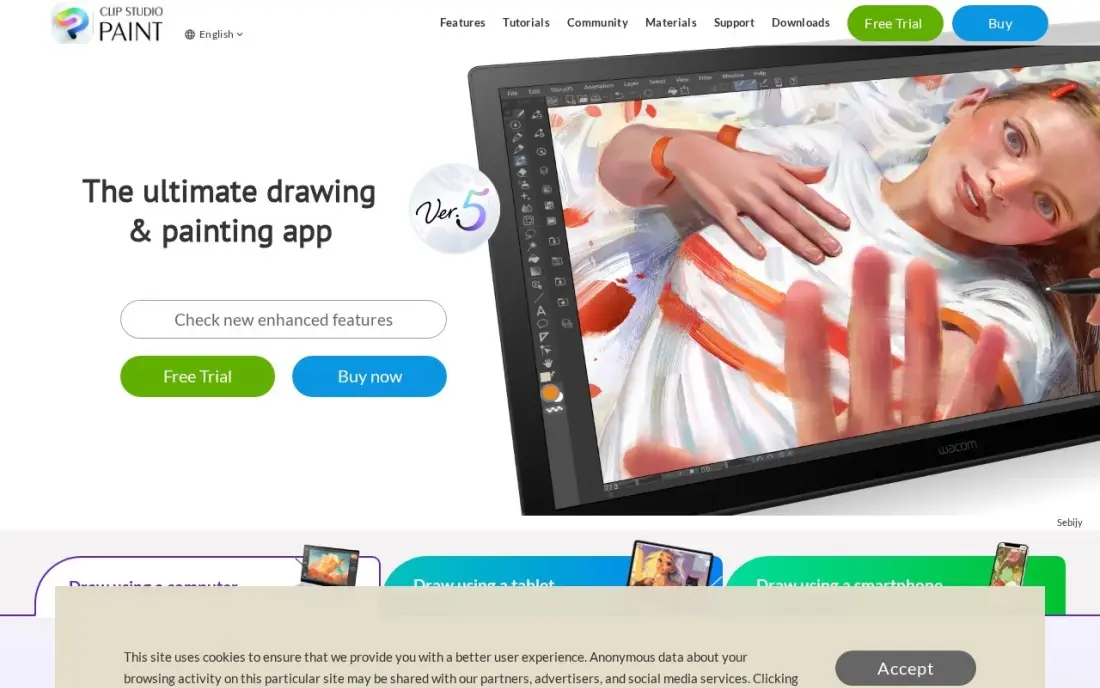
Clip Studio Paint is the desktop studio for illustration, comics and manga. The PRO Ver. 5.0 perpetual licence costs $63 once on Windows or macOS, with subscriptions from $0.99 a month, and it has the deepest brush and 3D-model tools in this list, including posable figures and vector layers for correcting lines.
The perpetual licence stays on version 5.0, so new features need the $10.99 a year Update Pass, and iPad and Android are subscription-only. Multi-page comic tools wait for EX at $277 once. For artists drawing panels or characters every day, it does more than Procreate on a bigger screen.
What we like
- Deepest brush and 3D-model tools in this list, with posable models and photo-to-pose import
- Huge Clip Studio Assets library of brushes, tones and materials from other artists
- Vector layers let you correct lines after drawing without redrawing
- Perpetual licence option — pay once and keep the version
Watch out for
- A perpetual licence locks to Ver. 5.0 — new features need the $10.99/year Update Pass
- Subscription is the only option on iPad and Android
- Multi-page manga tools wait for EX at $277 one-time

Krita
Best for: Artists who want a free, open-source painting program with no paywall
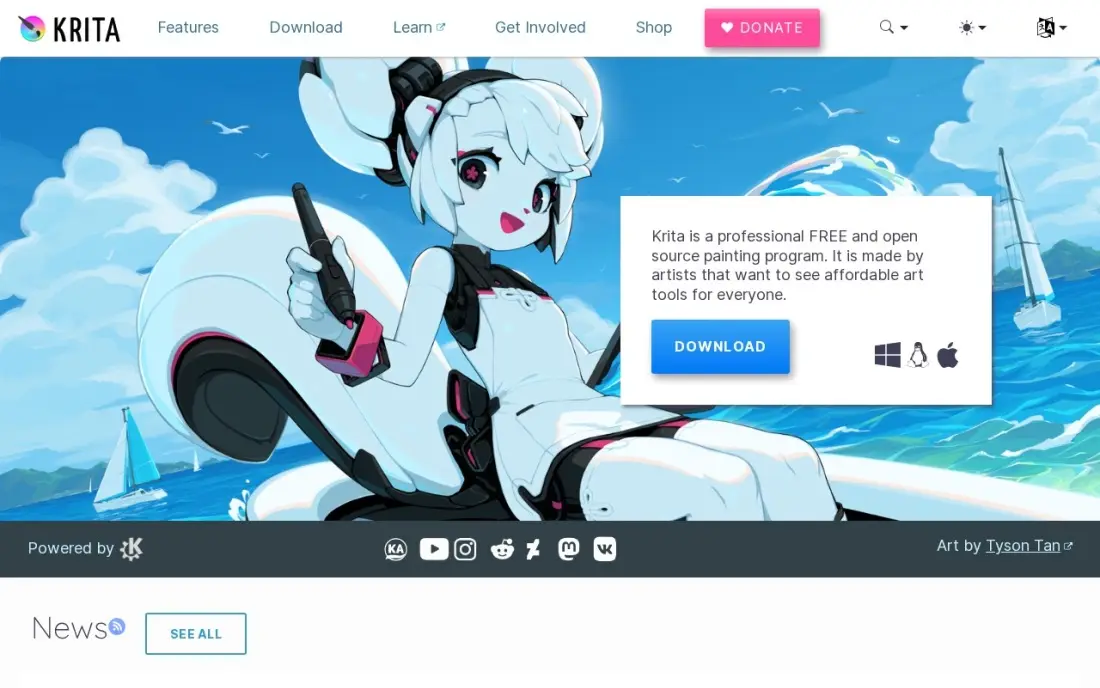
Krita is the free studio in this list, and it is free without limits: open source, every feature included, and available on Windows, Mac and Linux. It offers customisable brush engines for painting and inking, built-in animation and HDR painting, and it runs well on modest hardware, which matters for students and artists on older laptops.
Support comes from the community rather than a help desk, animation export needs FFmpeg downloaded separately, and vector tools are basic. An optional paid version is available on Steam and app stores if you want to support the project. Try it before paying for anything else.
What we like
- Free and open source, with every feature included at $0
- Wide brush library with customizable brush engines for painting and inking
- Animation tools and HDR painting built in
- Runs on Windows, Mac and Linux, and works well on modest hardware
Watch out for
- Raster-first: vector layers exist but are basic next to a dedicated vector editor
- Animation export needs FFmpeg downloaded separately
- Support comes from the community, not a help desk
The best platforms for artists help with three different jobs: making the work, selling it, and turning followers into steady income. We compared nine options across those jobs — marketplaces and store builders for selling, fan-funding platforms for recurring income, and the drawing and painting tools artists use every day — on fees, plans and what each one costs a working artist. Every price below comes from our database of vendor pricing pages checked in November 2026.
How to choose the best platforms for artists
- Separate finding buyers from keeping them. A marketplace such as Etsy brings strangers to your work; your own site on Shopify or Squarespace keeps the customer list.
- Work out the fee on a typical sale. Percentage fees hurt cheap items most: Gumroad's 10% + $0.50 is about 29% of a $5 sale once processing is added.
- Match the platform to what you sell. Originals and prints suit Etsy or a store; brush packs and tutorials suit Gumroad; process content and early access suit Patreon.
- Check who owns the audience. Choose platforms that let you export emails, and keep one channel you control.
- Avoid subscriptions you do not need. Procreate, Clip Studio Paint's perpetual licence and Krita all let you create without a monthly bill.
- Plan for tax and payouts. Gumroad handles sales tax as merchant of record; on other platforms, check what you must collect yourself.
If you want a website that does more than sell, our guide to the best website platform for artists compares portfolio builders in detail. Once the site is live, the free title tag checker helps each gallery page show a clear title in Google.
Platforms for artists pricing: what you will actually pay
Take an artist who sells 20 prints a month at $30 each, or $600 in sales. On Etsy, 20 listings cost $4, the 6.5% transaction fee is $39, and processing at 3% + $0.25 is $23, about $66 a month before any ads. On Shopify Basic at $29 a month billed annually, Shopify Payments at 2.9% + 30c costs about $23.40, so the total is about $52.40, but you must bring the buyers yourself.
On Squarespace Basic at $19 a month billed annually, the 2% Squarespace fee adds $12 and card processing comes on top, so the cost lands close to Shopify's for this volume. Fan income works differently: $500 a month in Patreon pledges costs a new creator $50 in platform fees plus processing, while Ko-fi tips carry a 0% platform fee and shop sales 5% on the free plan.
Creation tools are one-off costs: $12.99 once for Procreate, $63 once for Clip Studio Paint PRO, or $0 for Krita.
Know the difference: marketplace vs your own store
A marketplace such as Etsy owns the shop window. Buyers search Etsy, find your print next to hundreds of others, and pay Etsy, which passes the money on after its fees. You get traffic you could not buy on your own, but you also accept Etsy's rules, its ad fees and the fact that the customer belongs to the platform.
Your own store on Shopify or Squarespace reverses that trade. You pay a monthly fee and keep the customer list, your domain and your prices, and no one else's work sits beside yours. The catch is that nobody arrives unless you send them through social media, email or search. Most successful artists use a marketplace for discovery and their own store for repeat buyers.
Quick comparison: tool type by need
| Buyer | Best pick | Why |
|---|---|---|
| First sales of prints and originals | Etsy | Built-in buyers, $0.20 per listing + 6.5% per sale |
| Established sellers | Shopify | Own store and customer list, $29/month yearly |
| Portfolio with a small shop | Squarespace | Gallery templates, $19/month yearly |
| Paid fan memberships | Patreon | Tiers and member posts, free to start |
| Tips and commissions | Ko-fi | 0% on one-time tips, payouts to your own PayPal or Stripe |
| Digital downloads | Gumroad | No monthly fee, sales tax handled as merchant of record |
| iPad artists | Procreate | Full studio for $12.99 once |
| Comics and illustration on desktop | Clip Studio Paint | PRO perpetual licence $63 once |
| Zero budget | Krita | Free and open source on Windows, Mac and Linux |
Mistakes to avoid
- Pricing work before counting fees. Work out what you keep after listing, transaction and processing fees, then set the price.
- Relying on one platform. A policy change or a suspended account can stop your income overnight; keep an email list you own.
- Underpricing digital products. Fixed per-sale fees make $3 and $5 downloads barely worth selling.
- Paying for upgrades too early. Ko-fi Gold and paid store plans make sense only once your sales cover the fee.
- Ignoring rights and licences. Spell out what a buyer may do with a digital file or commission before you sell it.
Related comparisons: Website Platforms for Artists
How we chose
We used our database of vendor pricing pages, checked in November 2026, and recorded fees and plans exactly as listed, with annual and monthly figures where both appear. We ranked the platforms for the most common buyer, an independent artist selling prints, commissions or digital files while building a following, and weighed fees on a typical sale, audience ownership, ease of setup and creation cost. Fee examples are worked from published rates and round to the nearest cent. No vendor paid for a place in this list, and none of the links here are affiliate links.
What to do next
List five of your best pieces on one marketplace this week and set up a free email sign-up to capture every buyer. When you are ready for your own site to be found in search, book a free SEO consultation.
Frequently asked questions
What is the best platform for artists to sell their work?
Etsy is the best place to start selling because buyers already search there, with no monthly fee and $0.20 per listing plus 6.5% per sale. Once you sell regularly, Shopify at $29 a month billed annually or Squarespace at $19 a month billed annually gives you your own store and customer list.
What is the best platform for artists to earn from fans?
Patreon is the standard for paid memberships, with a 10% fee for new creators plus processing. Ko-fi is cheaper for tips and commissions: one-time tips carry a 0% platform fee and shop sales 5% on the free plan.
What are the best tools for artists on a budget?
Krita is free and open source on Windows, Mac and Linux. Procreate costs $12.99 once on iPad, and Clip Studio Paint PRO costs $63 once for a perpetual desktop licence. None of the three needs a monthly subscription.
Should artists sell on a marketplace or their own website?
Most should do both. A marketplace such as Etsy brings buyers you cannot reach yet, while your own website keeps the customer list and avoids marketplace commission. Start on the marketplace and move repeat buyers to your own site.
How much do platforms for artists charge?
Marketplaces and fan platforms take a share of each sale: about 10% on Etsy once processing is added, 10% plus processing on Patreon for new creators, and 10% + $0.50 plus processing on Gumroad direct sales. Store builders charge a monthly fee instead, from $19 a month on Squarespace and $29 on Shopify, both billed annually.
Can artists sell digital art on these platforms?
Yes. Etsy delivers digital downloads automatically, Gumroad is built for digital files and handles sales tax as merchant of record, and Squarespace includes digital content on every plan. Patreon and Ko-fi can also sell downloads to supporters.
What is the best website platform for artists?
Squarespace is the portfolio-first pick, with templates built around large images so originals, commissions and exhibition pages look polished without design work. Basic costs $19 a month billed annually, but takes 2% of every online store sale on top of card processing. Artists who sell heavily will save on Shopify, at $29 a month billed annually, which gives them their own store, domain and customer list.
Sources we checked (14)
- Etsy — www.etsy.com/legal/fees (checked November 12, 2026)
- Shopify — shopify.com/pricing (checked November 12, 2026)
- Shopify reviews on G2 (checked November 12, 2026)
- Squarespace — www.squarespace.com/pricing (checked November 12, 2026)
- Squarespace reviews on G2 (checked November 12, 2026)
- Patreon — www.patreon.com/pricing (checked November 12, 2026)
- Patreon reviews on G2 (checked November 12, 2026)
- Ko-fi — ko-fi.com/pricing (checked November 12, 2026)
- Ko-fi reviews on Trustpilot (checked November 12, 2026)
- Gumroad — gumroad.com/pricing (checked November 12, 2026)
- Gumroad reviews on G2 (checked November 12, 2026)
- Procreate — procreate.com (checked November 7, 2026)
- Clip Studio Paint — www.clipstudio.net/en/lineup (checked November 7, 2026)
- Krita — krita.org/en (checked November 7, 2026)
Make one of these tools?
We re-check this list every quarter. Send a correction, request a review, or ask about a clearly labeled sponsored spot.
Request a listingShamim
Founder of SerpAstra
A full-stack digital marketer and SEO strategist covering technical and local SEO, AI search visibility, paid ads and lead generation for local businesses, e-commerce brands and SaaS teams.
Free SEO and AI visibility audit
Find out what is holding your rankings back
Send us your site. Within 2 business days you get a written audit, an AI visibility check and a short fix list ranked by impact. Free, with no contract attached.
Request my free audit→Related buying guides
 Website Builders & Hosting8 Best Website Platforms for Artists in 2026, ComparedCompare the 8 best website platforms for artists to show a portfolio, sell prints and take commissions, from Squarespace and Wix to Shopify and Ko-fi.Read guide →
 Graphic Design & Creative8 Best Apps for Digital Painting in 2026: Free and Paid Apps RankedCompare the 8 best apps for digital painting on price, brushes and platform, with every price checked November 7, 2026 — free and paid picks ranked.Read guide →
 Marketing7 Best Platforms for Content Creators in 2026 (Pros, Cons and Pricing)Compare the 7 best platforms for content creators on fees, free plans and features, with every price checked November 12, 2026, against the vendor's own page.Read guide →