
7 Best Publishing Software in 2026, Compared
Compare the 7 best publishing software for page layout, print-ready PDFs and book formatting, from free open-source tools to InDesign, prices checked in 2026.
 Shamim Mia, Founder, SerpAstraLast verified November 4, 20269 min read
We compare pricing pages, documentation and public reviews. We never accept payment for rankings.
Key takeaways
- Adobe InDesign remains the professional standard for multi-page layout, at $22.99 a month billed annually or $34.49 billed monthly.
- Affinity by Canva is the strongest free alternative, combining layout, photo editing and illustration in one app; only some AI tools need Canva Pro.
- QuarkXPress is the pick for buyers who want to own their software, with a $699 perpetual licence or a $279 prepaid annual subscription.
- For books, Atticus formats ebooks and print interiors for $147 once, and Reedsy Studio does a simpler version free in the browser.
On this page
Quick comparison
| Tool | Best for | Starting price | Free plan |
|---|---|---|---|
| Adobe InDesign | Professional designers laying out magazines, books and catalogues for print | $34.49/mo | No (7-day trial) |
| Affinity by Canva | Designers who want a free InDesign alternative with layout, photo and vector tools in one app | Free | Yes (free) |
| QuarkXPress | Publishers and designers who want professional layout they can own outright | $279/yr; $699 perpetual | No (free trial) |
| Scribus | Budget-conscious publishers who need free CMYK layout and print PDFs | Free | Yes (free) |
| Canva | Non-designers who need brochures, ebooks and newsletters from templates | Free; Pro $18/mo | Yes (free plan) |
| Atticus | Self-published authors who want to format ebooks and print books themselves | $147 once | No (money-back only) |
| Reedsy Studio | First-time authors who want free book formatting in the browser | Free | Yes (free core) |
Make one of these tools?
We re-check this list every quarter. Send a correction, request a review, or ask about a clearly labeled sponsored spot.
Request a listingThe best publishing software

Adobe InDesign
Best for: Professional designers laying out magazines, books and catalogues for print
Adobe InDesign is still the industry standard for multi-page layout. Its typography, grids, master pages and long-document tools are what printers and publishers expect, and it exports print-ready PDFs that any print shop accepts. The single-app plan includes 25 monthly generative credits and the full Adobe Fonts library.
It costs $22.99 a month billed annually or $34.49 billed monthly, per seat, and it is subscription-only, so the software stops working when you stop paying. A five-person team pays about $1,380 a year on the annual rate. The learning curve is steep. Choose it when layout quality is the product.
What we like
- The print-industry standard for multi-page layout, with unmatched typography and grid control
- 25 monthly generative credits and the full Adobe Fonts library included in the single-app plan
- Exports print-ready PDFs that any print shop accepts, with master pages and long-document tools
Watch out for
- Subscription only — stop paying and the software stops working, with no perpetual licence
- The $22.99 annual rate is per seat, so a five-person team pays about $1,380 a year before any other Adobe app
- Steep learning curve, so it pays off only when layout quality is the product

Affinity by Canva
Best for: Designers who want a free InDesign alternative with layout, photo and vector tools in one app
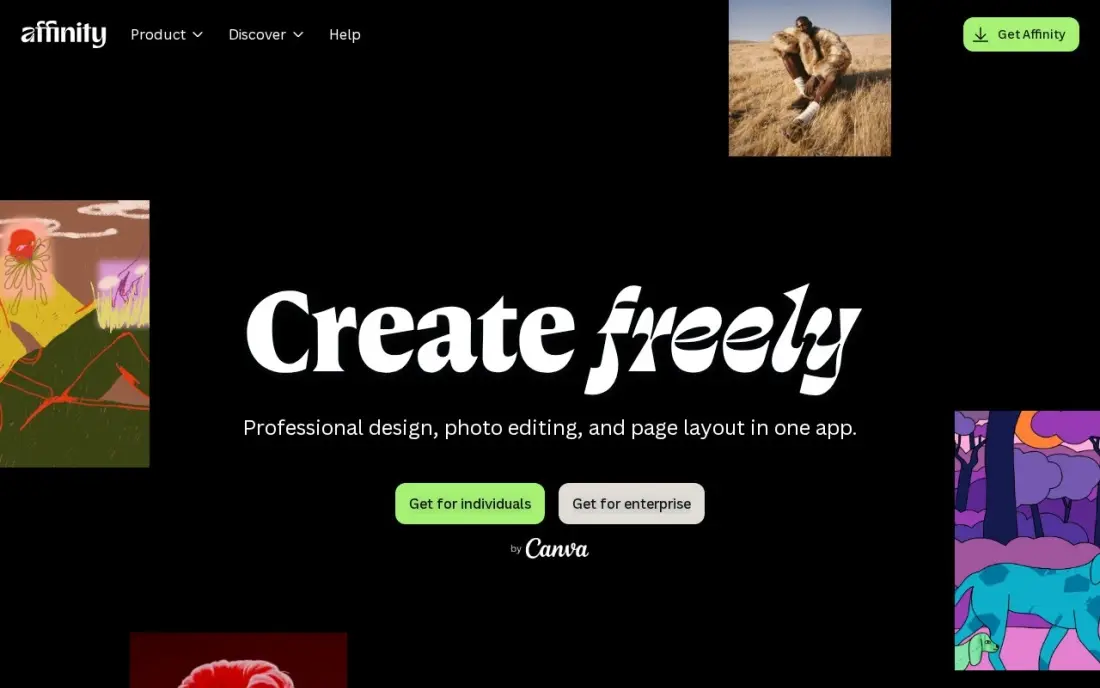
Affinity, bought by Canva in March 2024, now ships as one free app that merges the former Affinity Publisher, Designer and Photo. Its Layout studio handles multi-page documents, and the same file can switch to photo editing or vector illustration without leaving the app. It needs a Canva login on first launch and then works offline.
The core tools are free; AI features such as generative fill and upscaling need a Canva Pro subscription, which costs $18 a month or $144 a year. It opens PSD and AI files, but InDesign users must export INDD files as IDML first, and Adobe Fonts do not come across. For anyone leaving InDesign to save money, it is the first tool to try.
What we like
- Layout, photo editing and vector design merged into one free app
- Works offline after a first sign-in with a Canva account
- Opens PSD and AI files, and InDesign layouts via IDML export
Watch out for
- Cannot open InDesign INDD files directly; they must be exported as IDML first
- AI tools such as generative fill need a Canva Pro subscription
- Adobe Fonts do not transfer, and large Adobe imports can be slow

QuarkXPress
Best for: Publishers and designers who want professional layout they can own outright
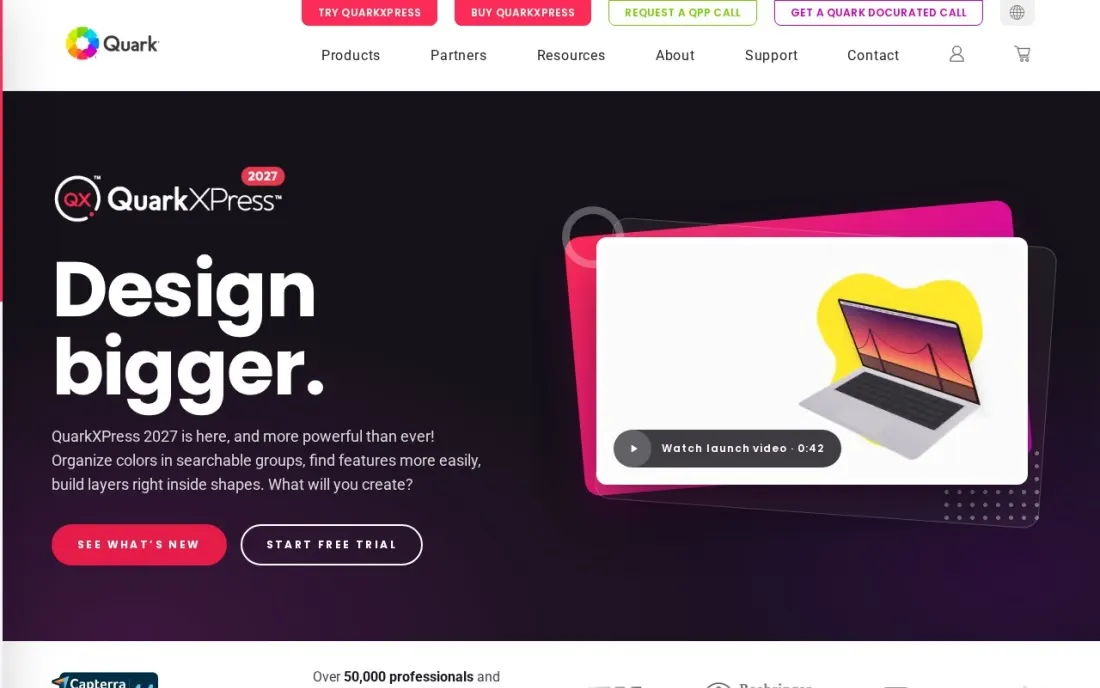
QuarkXPress is the long-standing professional alternative to InDesign, and its main draw is ownership. A perpetual licence costs $699, and a prepaid annual subscription costs $279 a year with page layout, digital publishing, InDesign shortcuts and a royalty-free stock image library. Students pay $109 a year and charities $199.
Capterra rates it 4.4 out of 5 from 201 reviews, but value for money scores lower at 3.9, and reviewers say upgrades are frequent and costly. The free trial needs no card. Choose it if you want professional layout without a monthly Adobe bill.
What we like
- Perpetual licence at $699, so you can own the software instead of renting it
- Page layout, digital publishing and a royalty-free stock image library on the annual subscription
- InDesign shortcuts ease the switch for Adobe users
- Student, nonprofit and government pricing available
Watch out for
- Reviewers call upgrades frequent and expensive
- Licensing differences between perpetual and subscription plans confuse some buyers
- Capterra reviewers rate value for money at 3.9 out of 5

Scribus
Best for: Budget-conscious publishers who need free CMYK layout and print PDFs
Scribus is free, open-source desktop publishing software for Windows, Mac and Linux, released under the GNU GPL. It covers what a print job needs: CMYK and spot colours, ICC colour management, colour separations and flexible PDF creation. SourceForge users rate it 4.6 out of 5 from 146 reviews, and the project was updated in November 2026.
The trade-off is support and convenience: help comes from the community rather than a vendor, and there are fewer ready-made templates than in paid tools. For a club newsletter, a small magazine or a nonprofit report going to a printer, it does the job at no cost.
What we like
- Free and open source on Windows, Mac and Linux
- CMYK and spot colours, ICC colour management and colour separations for print
- Flexible PDF creation for print shops
Watch out for
- No commercial support; help comes from the community
- Fewer ready-made templates and no AI design tools compared with paid options
Canva
Best for: Non-designers who need brochures, ebooks and newsletters from templates
Canva is publishing software for people who are not designers. Thousands of magazine, ebook, brochure and newsletter templates, drag-and-drop editing and Magic Studio AI tools let a small team produce a clean document in an afternoon, and the free plan includes more than 250,000 templates and 5 GB of storage.
Pro costs $18 a month or $144 a year and adds the Brand Kit, background remover and Magic Resize. Canva exports a print-ready PDF or publishes a website link, but its long-document and typography control is far below InDesign or Affinity. Use it for short marketing pieces, not a 300-page book.
What we like
- The easiest way to design a publication from scratch: thousands of magazine and ebook templates with drag-and-drop editing
- Magic Studio AI tools and Brand Kit come with Pro, so a small team can stay on-brand without a designer
- Publish as a website link that updates when the design changes, or export a print-ready PDF for the printer
Watch out for
- Long-document and typography control is far below InDesign or Affinity, so it suits short pieces, not a 300-page book
- Brand Kit, background remover and Magic Resize all need Pro, so the free plan is template-only for branding
- No reader analytics: there is no way to see how far readers get through a published document

Atticus
Best for: Self-published authors who want to format ebooks and print books themselves
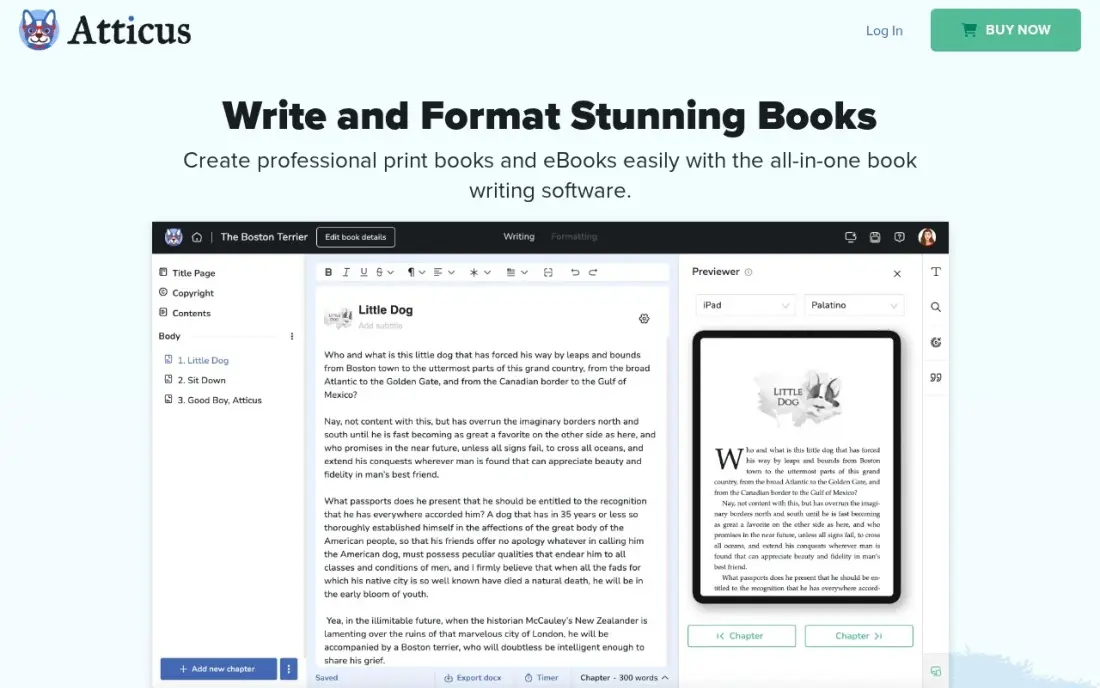
Atticus is book publishing software for independent authors. It combines a chapter editor with professional formatting, 17 chapter themes, 1,500 fonts and custom themes, then exports EPUB and print-ready PDF files with live ebook and paperback previews. It runs on Windows, Mac, Linux and Chromebook, with cloud sync between devices.
It costs $147 once for unlimited books, with all future updates included. There is no free trial, only a 30-day money-back guarantee, and reviewers note updates have slowed. If you would otherwise pay a formatter for each book, it pays for itself on the first title.
What we like
- One-time $147 covers unlimited books on Windows, Mac, Linux and Chromebook, with all future updates
- 17 chapter themes, 1,500 fonts and custom theme building for professional-looking interiors
- One-click export to EPUB and print-ready PDF, with live ebook and paperback previews
- Built-in cloud sync, so no Dropbox juggling between devices
Watch out for
- $147 upfront is steep if all you need is somewhere to write a first draft
- Drafting tools are good but not as deep as Scrivener's binder and outliner
- No free trial, only a 30-day money-back guarantee, and updates have slowed

Reedsy Studio
Best for: First-time authors who want free book formatting in the browser
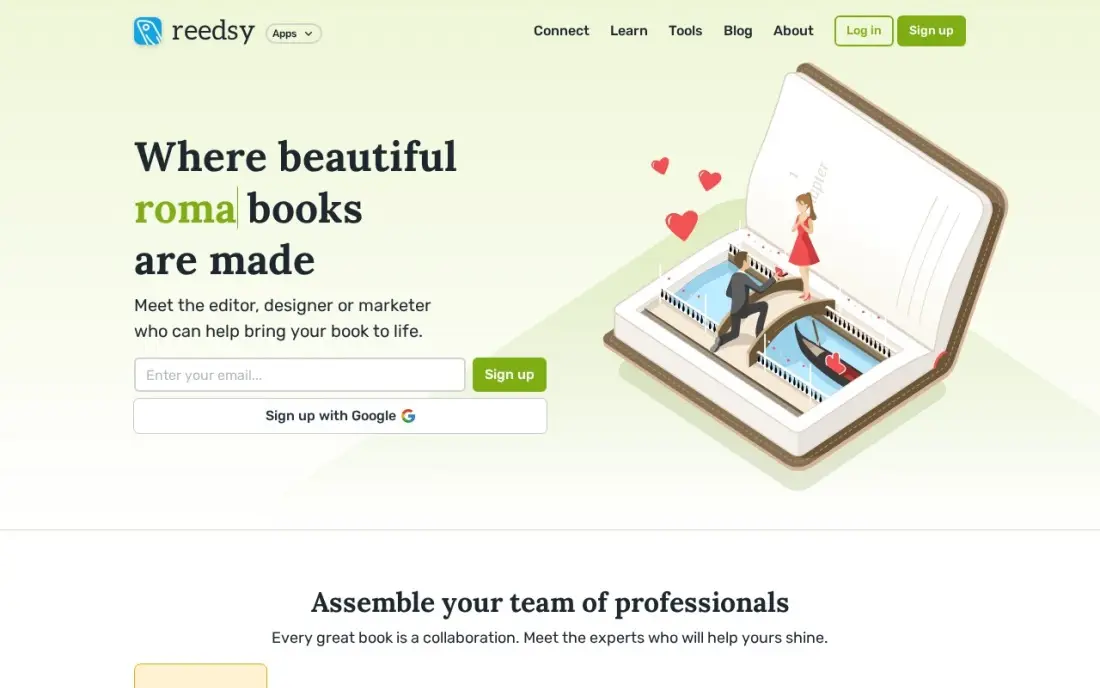
Reedsy Studio is the free way to turn a manuscript into publishable files. You write or paste chapters into the browser app, invite an editor to comment with tracked changes, and export a typeset EPUB and a print-ready PDF ready for KDP or IngramSpark. Core writing, formatting and export are free.
Formatting control is limited to three templates and four trim sizes, there is no offline mode or desktop app, and planning boards need paid add-ons such as Craft at $4.99 a month. For a standard novel or memoir on a zero budget, it is enough to publish.
What we like
- Core writing, formatting and export are free, and Reedsy says they will stay free
- Exports a typeset EPUB and a print-ready PDF ready for KDP or IngramSpark
- Real-time collaboration with tracked changes, comments and a read-only preview link
- Chapter management, front and back matter toggles and goal tracking included free
Watch out for
- Browser-only, with no offline mode and no native desktop or mobile app
- Only three export templates and four trim sizes, so formatting control is limited
- Planning boards and advanced goals need the paid Craft or Outline add-ons
The best publishing software turns text and images into finished pages, ready for a printer, an ebook store or a PDF download. We compared seven tools across professional page layout, free desktop publishing, template-based design and book formatting for self-published authors. Every price was checked on the vendor's own page, or on the review or directory page named in each entry where the vendor publishes none, in November 2026.
How to choose the best publishing software
- Match the tool to the document. Magazines and catalogues need a layout tool, books need a formatter, and short marketing pieces suit a template editor.
- Check print output. Print shops ask for CMYK colour, bleed and print-ready PDFs; make sure the tool exports them.
- Decide between renting and owning. InDesign is subscription-only, while QuarkXPress offers a perpetual licence and Atticus is a one-time purchase.
- Test file compatibility. If you work with InDesign users, check whether the tool opens their files or needs an IDML export.
- Count the learning curve. Professional layout tools take weeks to learn; templates and book formatters take hours.
- Look at fonts and assets. Font libraries and stock images can save money, but some do not move between tools.
Publishing is half the job; readers still have to find the work. Our guide to digital publishing platforms covers hosting finished PDFs online, and our book marketing services guide compares help with promotion.
Which publishing software fits your situation
A design studio producing magazines and catalogues for print. Adobe InDesign is the safe choice because printers and publishers expect its files, and it exports print-ready PDFs any print shop accepts. Budget per seat: $22.99 a month billed annually, or about $1,380 a year for five people. Watch the steep learning curve and the subscription-only licence.
A freelancer leaving Adobe to cut costs. Start with Affinity by Canva, which is free and merges layout, photo and vector tools in one app. Export your InDesign files as IDML first, because Affinity cannot open INDD files directly, and expect Adobe Fonts not to come across. If you want professional layout you own outright, QuarkXPress sells a $699 perpetual licence, though reviewers say upgrades are frequent and costly.
A nonprofit or club printing a newsletter or annual report. Scribus costs nothing and covers CMYK and spot colours, ICC colour management and print PDFs. Help comes from the community rather than a vendor, and there are fewer templates. If nobody on the team designs, Canva's free plan with more than 250,000 templates is faster, but its typography and long-document control are well below a layout tool.
A marketing team making short brochures and ebooks without a designer. Canva Pro at $18 a month or $144 a year adds the Brand Kit, background remover and Magic Resize so the team stays on-brand. It exports a print-ready PDF or a website link, not a page-flip reader, and it offers no reader analytics.
A self-published author formatting a novel or memoir. Reedsy Studio is free in the browser and exports a typeset EPUB and print-ready PDF for KDP or IngramSpark, but it has only three templates and four trim sizes and no offline mode. Atticus costs $147 once for unlimited books, with 17 chapter themes, 1,500 fonts and live previews; there is no free trial, only a 30-day money-back guarantee.
Publishing software pricing: what you will actually pay
Over three years, one designer on InDesign pays $22.99 a month billed annually, or $827.64, and $34.49 a month billed monthly, or $1,241.64. QuarkXPress costs $699 once for a perpetual licence, or $837 for three years of the $279 prepaid annual subscription. Affinity by Canva and Scribus cost $0, and Canva Pro, needed only for Affinity's AI tools, costs $144 a year billed annually.
For a self-published author, Atticus costs $147 once for unlimited books, and Reedsy Studio costs nothing for writing, formatting and export. Canva Pro costs $144 a year billed annually if you also design covers and marketing graphics there. The cheapest serious setup is therefore free: Affinity or Scribus for layout, or Reedsy Studio for a standard book.
Know the difference: page layout software vs book formatting software
Page layout software, such as InDesign, Affinity, QuarkXPress and Scribus, gives you a blank page with grids, frames and full control of every element. It suits magazines, catalogues, brochures and illustrated books where each spread is designed by hand, but it takes skill to use well.
Book formatting software, such as Atticus and Reedsy Studio, starts from your manuscript and applies a theme to every chapter at once, handling headers, drop caps, front matter and ebook files automatically. It is far faster for text-heavy novels and non-fiction, but it cannot lay out a magazine. Canva sits between the two, built for short, template-based documents.
Quick comparison: tool type by need
| Buyer | Best pick | Why |
|---|---|---|
| Professional print layout | Adobe InDesign | Industry standard, $22.99/month billed annually |
| Free InDesign alternative | Affinity by Canva | Free layout, photo and vector tools in one app |
| Own your layout software | QuarkXPress | $699 perpetual licence or $279/year |
| Free open-source print layout | Scribus | CMYK, spot colours and ICC colour management |
| Non-designers | Canva | Free plan with 250,000+ templates, Pro $18/month |
| Self-published authors | Atticus | Ebook and print formatting for $147 once |
| First book on no budget | Reedsy Studio | Free formatting and EPUB and PDF export |
Mistakes to avoid
- Laying out a novel by hand. A book formatter handles chapters, headers and ebook files in minutes; a layout tool makes you do it page by page.
- Sending RGB files to a printer. Check the printer's colour and bleed requirements before you export.
- Paying for a subscription you rarely use. If you publish once or twice a year, a free tool or a one-time licence costs less.
- Ignoring file handoff. Agree file formats with designers and printers before you start, especially if anyone uses InDesign.
- Skipping a printed proof. Order one proof copy; colours, margins and fonts often look different on paper.
Related comparisons: Digital Publishing Platforms
How we chose
We checked each vendor's own page in November 2026 and recorded prices exactly as shown. QuarkXPress pricing and ratings come from its Capterra pricing page, Scribus details and its rating from its SourceForge page, and Affinity's pricing from a February 2026 TechRadar review. We covered professional layout, free layout, template design and book formatting, and ranked tools by fit for small publishers and independent authors. No vendor paid for a place in this list, and none of the links here are affiliate links.
What to do next
Pick one real project, such as a newsletter or a book chapter, and build it in a free tool first: Affinity or Scribus for layout, Reedsy Studio for a book. Pay only when that free tool blocks you. If you also publish on your own website and want the work found in search, book a free content visibility check.
Frequently asked questions
What is the best publishing software?
Adobe InDesign is the best for professional page layout, at $22.99 a month billed annually. Affinity by Canva is the best free alternative, QuarkXPress is the best if you want a $699 perpetual licence, and Atticus is the best for self-published books at $147 once.
Is there free publishing software?
Yes. Affinity by Canva and Scribus are free desktop publishing tools, Canva has a free plan with more than 250,000 templates, and Reedsy Studio formats and exports books free in the browser.
What is the best free alternative to InDesign?
Affinity by Canva for most designers, because it is free and polished, and it opens InDesign layouts exported as IDML. Scribus is the open-source option with CMYK, spot colours and ICC colour management for print.
What software do self-published authors use?
Many use a dedicated book formatter. Atticus costs $147 once and runs on Windows, Mac, Linux and Chromebook, and Reedsy Studio is free in the browser. Both export EPUB and print-ready PDF files for platforms such as KDP.
Can I buy publishing software without a subscription?
Yes. QuarkXPress sells a perpetual licence for $699, Atticus costs $147 once, and Affinity by Canva and Scribus are free. InDesign is subscription-only.
What is the difference between desktop publishing and digital publishing?
Desktop publishing software designs the pages and exports a print-ready PDF. Digital publishing platforms host that PDF online as a flipbook or web document with reader analytics. Many publishers use one of each.
What is the best desktop publishing software for beginners?
Canva is the easiest start: thousands of magazine, ebook and brochure templates with drag-and-drop editing, on a free plan or Pro at $18 a month. Affinity by Canva is free and adds layout, photo and vector tools for beginners who want to grow into real page design. For books, Reedsy Studio formats and exports EPUB and print-ready PDF free in the browser.
What is the difference between desktop publishing and word processing software?
A word processor is built for writing text in a flowing document. Desktop publishing software such as Adobe InDesign, QuarkXPress, Scribus and Affinity by Canva controls the page itself: grids, multi-page layout, typography, images and print output such as CMYK colour and print-ready PDFs. Book formatters like Atticus and Reedsy Studio sit between the two, turning a manuscript into EPUB and print files.
Sources we checked (11)
- Adobe InDesign — www.adobe.com/creativecloud/plans.html (checked November 12, 2026)
- Adobe InDesign reviews on G2 (checked November 12, 2026)
- Affinity by Canva — www.techradar.com/pro/affinity-by-canva-2026-review (checked November 16, 2026)
- QuarkXPress — www.capterra.com/p/178598/QuarkXPress/pricing (checked November 16, 2026)
- QuarkXPress reviews on Capterra (checked November 16, 2026)
- Scribus — sourceforge.net/projects/scribus (checked November 16, 2026)
- Scribus reviews on SourceForge (checked November 16, 2026)
- Canva — www.canva.com/pricing (checked November 12, 2026)
- Canva reviews on G2 (checked November 12, 2026)
- Atticus — www.atticus.io (checked November 4, 2026)
- Reedsy Studio — reedsy.com/studio/resources/book-writing-software-faq (checked November 4, 2026)
Make one of these tools?
We re-check this list every quarter. Send a correction, request a review, or ask about a clearly labeled sponsored spot.
Request a listingShamim
Founder of SerpAstra
A full-stack digital marketer and SEO strategist covering technical and local SEO, AI search visibility, paid ads and lead generation for local businesses, e-commerce brands and SaaS teams.
Free SEO and AI visibility audit
Find out what is holding your rankings back
Send us your site. Within 2 business days you get a written audit, an AI visibility check and a short fix list ranked by impact. Free, with no contract attached.
Request my free audit→Related buying guides
 Productivity & Office11 Best Digital Publishing Platforms for 2026 (Pros, Cons and Pricing)Compare the 11 best digital publishing platforms on price, free plans and features, with every price checked on the vendor's pricing page on November 12, 2026.Read guide →
 Productivity & Office10 Best Apps for Writing a Book in 2026: Free and Paid Apps RankedCompare the 10 best app for writing a book picks on price, free plans and formatting, with every price checked November 4, 2026, and ranked by use case.Read guide →
 MarketingBest Book Marketing Services for 2026: 8 Providers Ranked by Value8 best book marketing services compared on price, from $9-a-month ARC tools to BookBub deals, with real starting prices checked November 4, 2026.Read guide →