
6 Best Web Security Software in 2026, Compared
Compare the 6 best web security software for websites on firewalls, malware scanning, cleanup, DDoS protection and real yearly cost, with vendor prices checked.
 Shamim Mia, Founder, SerpAstraLast verified November 16, 202610 min read
We compare pricing pages, documentation and public reviews. We never accept payment for rankings.

Key takeaways
- Cloudflare's free plan already includes a web application firewall, a managed ruleset and unmetered DDoS protection; Pro costs $20 a month billed annually.
- Sucuri is the pick for guaranteed malware cleanup, with platform plans from $229 a year and a 30-hour removal target on Basic.
- For WordPress, Wordfence Premium costs $149 per licence per year until December 3, 2026, when it rises to $199; free users get new firewall rules 30 days later.
- MalCare and SiteLock both separate detection from removal, so check which plan actually cleans an infected site before you buy.
On this page
Quick comparison
| Tool | Best for | Starting price | Free plan |
|---|---|---|---|
| Cloudflare | Any website that wants a free firewall and DDoS protection in front of the server | Free; Pro $20/mo | Yes (free plan) |
| Sucuri | Businesses that want malware cleanup with a stated response time and frequent scans | $229/yr | No |
| Wordfence | WordPress sites that want an endpoint firewall and malware scanner inside the site | Free; Premium $149/yr | Yes (free plugin) |
| SiteLock | Small business sites that want daily scans and automatic malware removal for a monthly fee | $19.99/mo | No |
| Jetpack | WordPress site owners who want backups, malware scanning and a firewall in one bundle | $29/mo (billed yearly) | No |
| MalCare | WordPress owners and agencies that want one-click malware removal at a per-site yearly price | Free; $99/yr | Yes (detect only) |
Make one of these tools?
We re-check this list every quarter. Send a correction, request a review, or ask about a clearly labeled sponsored spot.
Request a listingThe best web security software

Cloudflare
Best for: Any website that wants a free firewall and DDoS protection in front of the server
Cloudflare protects a website before traffic reaches it. You point your domain's DNS at Cloudflare, and every request passes through its network, where the web application firewall, a managed ruleset and unmetered DDoS protection filter attacks. All of that is on the free plan, with a Universal SSL certificate, which makes it the obvious first layer for any site.
Pro costs $20 a month billed annually or $25 monthly, and Business $200 billed annually or $250 monthly, adding PCI DSS 4.0 support and a 100% uptime SLA. Cloudflare does not scan your server for malware or clean an infected site, so pair it with a scanner.
What we like
- Free plan includes a WAF, a managed ruleset, unmetered DDoS protection and a Universal SSL certificate
- Works for any site on any platform, since it sits in front of the server as a proxy
- Business adds PCI DSS 4.0 compliance support and a 100% uptime SLA
Watch out for
- Does not scan files on your server or clean up malware that is already there
- Bot Management is a separate product, not part of the listed plans
- Business at $200 a month billed annually is a big jump from Pro

Sucuri
Best for: Businesses that want malware cleanup with a stated response time and frequent scans
Sucuri is the cleanup specialist. Its Website Security Platform combines scanning with malware removal, and each plan states a response target: 30 hours on Basic at $229 a year, 12 hours on Pro at $339 and 6 hours on Business at $549. Scans run every 12 hours, every 6 hours and every 30 minutes respectively.
The response times are estimates, so a busy week can stretch them. Only Pro and Business accept an SSL certificate you already own, and firewall-only plans are sold separately from $9.99 a month. Multi-year sign-ups take up to 30% off.
What we like
- Malware removal is part of the platform plans, with response targets of 30, 12 and 6 hours
- Scans run every 12 hours on Basic and every 30 minutes on Business
- Up to 30% off for multi-year sign-ups
Watch out for
- Removal times are estimates and can vary with ticket complexity and queue
- Only Pro and Business can be preloaded with an SSL certificate you already bought
- Firewall-only plans are billed separately, from $9.99 a month

Wordfence
Best for: WordPress sites that want an endpoint firewall and malware scanner inside the site
Wordfence is the best-known WordPress security plugin. It runs inside the site, so its firewall sees requests in WordPress context, and its scanner checks the site's files for malware. The free plugin is good, but new firewall rules and malware signatures reach free users 30 days after paying customers, which is a long time during an active exploit.
Premium costs $149 per licence per year until December 3, 2026, when it rises to $199; Care moves from $590 to $890 and Response from $1,250 to $1,900. Prices come from a November 2026 report, as Wordfence's pricing page did not load for us.
What we like
- Free plugin includes a firewall and malware scanner for WordPress
- Premium delivers firewall rules and malware signatures in real time
- Care and Response add hands-on help, at $590 and $1,250 per licence per year before the December increase
Watch out for
- Free users receive new firewall rules and signatures 30 days after paying customers
- Prices rise on December 3, 2026: Premium to $199, Care to $890 and Response to $1,900
- WordPress only, and the firewall runs on your own server

SiteLock
Best for: Small business sites that want daily scans and automatic malware removal for a monthly fee
SiteLock suits a small business that wants scanning and removal to happen without thinking about it. Every plan runs daily scans, including webpage and SQL injection checks, with unlimited automatic malware removal. Basic costs $19.99 a month, Pro $29.99 and Business $44.99, and paying annually gives two months free.
Basic leaves out the firewall and CDN, which start on Pro along with DDoS protection. Expert cleanup through SiteLock 911 is separate on monthly plans and included with annual ones, so the annual Pro plan is the one to compare with Sucuri.
What we like
- Daily scans including webpage and SQL injection checks on every plan
- Unlimited automatic malware removal from Basic
- Pro and Business add a CDN and WAF with DDoS protection
Watch out for
- Basic has no WAF or CDN and no expert removal
- Expert emergency cleanup through SiteLock 911 is separate unless you pay annually
- Annual prices are not shown, only a two-months-free discount

Jetpack
Best for: WordPress site owners who want backups, malware scanning and a firewall in one bundle
Jetpack packages security with the thing most site owners forget: backups. The Pro bundle includes real-time backups with 50 GB of storage, real-time malware scanning, automatic firewall rules and 10,000 Akismet anti-spam calls a month. When something goes wrong, restoring yesterday's clean copy is often faster than any cleanup.
Pro costs $29 a month billed $348 yearly, or $23 a month billed $552 every two years. Complete at $49 a month billed $588 yearly raises storage to 1 TB. The pricing page lists bundles only, with no standalone scan price.
What we like
- Real-time backups and real-time malware scanning in the same bundle
- Automatic WAF rules and Akismet anti-spam included
- Two-year billing cuts Pro to $23 a month
Watch out for
- Bundles only; the pricing page lists no standalone scan price
- Pro's 50 GB of backup storage can fill on larger sites
- WordPress only

MalCare
Best for: WordPress owners and agencies that want one-click malware removal at a per-site yearly price
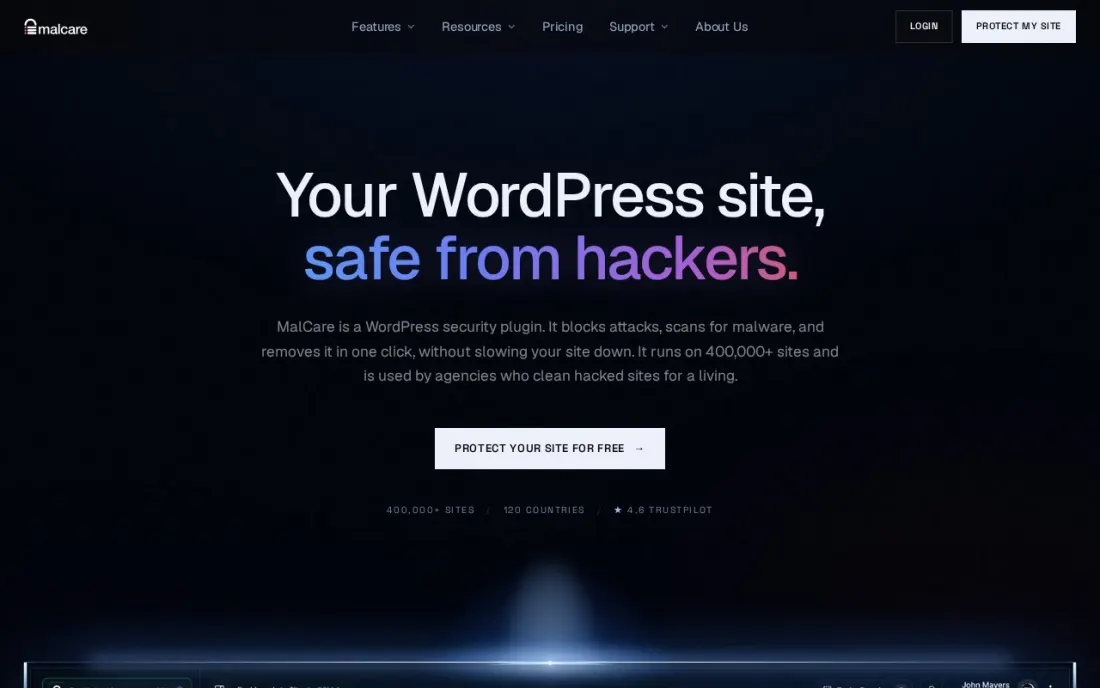
MalCare is a WordPress plugin built around scanning and removal. Its free plan scans weekly, adds a basic firewall, login protection and vulnerability alerts, and tells you when it finds malware. Protect at $99 a year for one site moves to daily scans, an advanced firewall and bot protection.
Removal is the line to watch: one-click cleanup starts on Repair at $299 a year for one site, with real-time firewall and scans every 12 hours, and Fortify at $499 adds hourly scans and unlimited manual fixes. Agencies save with 5-site packs, such as Repair at $899.
What we like
- One-click malware removal with a post-cleanup report from the Repair plan
- 5-site packs cut the per-site price, such as Repair at $899 for 5 sites
- Free plan includes login protection, vulnerability alerts and SSL monitoring
Watch out for
- Free and Protect plans detect malware but do not remove it
- Free plan scans only every 7 days and starts virtual patching after 7 days
- Free-plan support can take up to 72 hours
The best web security software keeps attackers, bots and malware away from your website and gets it clean again fast if something gets through. We compared six tools — a cloud firewall, cleanup services and WordPress security plugins — on firewall protection, malware scanning, removal, DDoS protection and real yearly cost, and every price below was checked on the vendor's own pricing page in November 2026, except Wordfence, whose page would not load and whose prices come from a November 2026 report.
How to choose the best web security software
- Decide where protection runs. A cloud firewall filters traffic before it reaches your server; a plugin runs inside the site and sees requests in context. Many sites use both.
- Separate detection from removal. Several plans find malware but do not clean it; check which tier includes cleanup and how fast.
- Check how fast rules arrive. Free tiers sometimes get new firewall rules weeks after paying users, which matters during an active exploit.
- Count your sites. Per-site pricing adds up fast for agencies; look for multi-site packs.
- Keep backups separate from security. A clean backup you can restore is the quickest recovery after a hack, whatever tool you use.
- Match the tool to your platform. WordPress plugins only work on WordPress; a cloud firewall such as Cloudflare works in front of any site.
Security and search are linked: a hacked site can be flagged in Google and lose rankings for months. If your traffic dropped after an incident, our SEO audit service finds injected spam pages, redirects and indexing problems, and our WordPress hosting comparison covers hosts with security built in.
Which web security software fits your situation
A small business brochure site on any platform. Start with Cloudflare's free plan, which puts a web application firewall, a managed ruleset and unmetered DDoS protection in front of the server at no cost. It will not scan your files or clean an infected site, so add SiteLock if you want daily scans and unlimited automatic removal without touching anything. SiteLock Basic at $19.99 a month has no firewall or expert cleanup, so Pro paid annually is the plan to price.
A business that cannot afford a long outage after a hack. Sucuri fits, because every platform plan includes malware removal with a stated response target: 30 hours on Basic at $229 a year, 12 hours on Pro and 6 hours on Business. Treat those targets as estimates, since they can stretch with ticket volume, and note that only Pro and Business accept an SSL certificate you already own.
A single WordPress site run by its owner. Wordfence's free plugin gives you a firewall and scanner inside WordPress, but new rules arrive 30 days after paying users. Premium closes that gap at $149 a year until December 3, 2026, then $199. Pair either with Cloudflare's free plan so floods are stopped before they reach your host.
A WordPress site where losing content would hurt most. Jetpack Pro at $348 a year bundles real-time backups with 50 GB of storage, real-time malware scanning and automatic firewall rules. Restoring a clean copy is often faster than any cleanup, but larger sites can fill 50 GB, and the pricing page lists no standalone scan.
An agency looking after several WordPress client sites. MalCare's 5-site packs keep per-site cost down, with Repair at $899 for five sites against $1,495 for five single licences. Avoid the Free and Protect plans for client work, because they detect malware but do not remove it.
Web security software pricing: what you will actually pay
Take one business website. Cloudflare's free plan costs $0 and adds a firewall and DDoS protection in front of it; Pro costs $20 a month billed annually, or $240 a year, versus $25 a month, or $300 a year, billed monthly. For malware cleanup on top, Sucuri Basic costs $229 a year with a 30-hour removal target, and SiteLock Pro costs $29.99 a month, or $359.88 a year billed monthly, with two months free on annual billing.
On WordPress, MalCare Repair at $299 a year is the cheapest plan here with one-click removal for one site, and Jetpack Pro costs $348 a year with backups included. Wordfence Premium costs $149 a year until December 3, 2026, then $199. An agency with five WordPress sites pays $899 a year for MalCare Repair's 5-site pack, about $180 per site, versus $1,495 for five single MalCare Repair licences.
Know the difference: cloud WAF vs WordPress security plugin
A cloud WAF, such as Cloudflare or the firewall in SiteLock Pro, sits between visitors and your server. Bad traffic is blocked on the provider's network, so attacks and DDoS floods never use your server's resources, and it works for any platform. It cannot see files on your server, so it will not notice malware that is already there.
A WordPress security plugin, such as Wordfence, MalCare or Jetpack, runs inside the site. It understands WordPress users, plugins and files, so it can scan site files for malware and protect the login page. It uses your server's resources, though, and a large attack can still overwhelm the host. For most business sites, a free cloud WAF plus a plugin or cleanup service covers both sides.
Quick comparison: tool type by need
| Buyer | Best pick | Why |
|---|---|---|
| Any site, free first layer | Cloudflare | Free WAF, managed rules and DDoS protection; Pro $20/month |
| Cleanup with response targets | Sucuri | Malware removal targets from 30 hours, from $229/year |
| WordPress firewall and scanner | Wordfence | Free plugin; Premium $149/year until December 3, 2026 |
| Hands-off small business sites | SiteLock | Daily scans and automatic removal from $19.99/month |
| WordPress backups plus security | Jetpack | Real-time backups and scanning, Pro $348/year |
| WordPress agencies | MalCare | One-click removal from $299/year, 5-site packs |
Mistakes to avoid
- Buying detection and expecting removal. A scanner that only alerts leaves you to clean the site yourself; read the plan line by line.
- Leaving old plugins and themes installed. Inactive plugins can still be exploited; delete what you do not use and update the rest.
- Skipping two-factor login. Stolen admin passwords cause many hacks, and 2FA blocks most of them.
- Restoring a backup without fixing the hole. The site will be reinfected within days unless you close the entry point first.
- Forgetting Search Console after a hack. If Google flagged the site, request a review once it is clean, or the warning stays.
Related comparisons: IT Security Software · Email Security Software · Firewall Security Software · Code Security Tools for Cloud
How we chose
We checked each vendor's own pricing page in November 2026 and recorded the plans and prices exactly as shown, including annual and monthly billing. Wordfence's pricing page did not load, so its prices come from a November 2026 industry report on its price change, and we list both the current and the December 2026 prices. We weighted firewall coverage, malware scanning, removal, backups and per-site cost for the most common buyer, a small business running one to five websites. We did not rate tools whose review pages we did not read. No vendor paid for a place in this list, and none of the links here are affiliate links.
What to do next
Put the site behind a free cloud firewall today, then choose one tool that includes malware removal and make sure a clean backup exists. If a past hack has hurt your rankings, book a free call with our team.
Frequently asked questions
What is the best web security software?
Cloudflare is the best first layer, with a free plan that includes a web application firewall and unmetered DDoS protection. Sucuri is the best for malware cleanup with stated response targets, from $229 a year, and Wordfence and MalCare are the strongest WordPress plugins.
Is there free website security software?
Yes. Cloudflare's free plan includes a WAF, a managed ruleset, DDoS protection and SSL. Wordfence's free plugin adds a WordPress firewall and scanner, with new rules 30 days after paying users, and MalCare's free plan scans weekly but does not remove malware.
What is a web application firewall?
A WAF inspects requests to your site and blocks attacks such as SQL injection, cross-site scripting and malicious bots before they reach your code. Cloud WAFs like Cloudflare sit in front of the server; plugin firewalls like Wordfence run inside WordPress.
How much does website security cost per year?
On published prices, Cloudflare Pro costs $240 a year billed annually, Sucuri's platform $229 to $549 a year, SiteLock $19.99 to $44.99 a month, Jetpack Pro $348 a year, MalCare $99 to $499 a year for one site and Wordfence Premium $149 a year until it rises to $199 on December 3, 2026.
Do I need malware removal if I have a firewall?
Yes. A firewall reduces the chance of infection, but stolen passwords, vulnerable plugins and bad uploads can still let malware in. A plan with cleanup, or reliable backups you can restore, is what gets the site back online.
Can a hacked website hurt my Google rankings?
Yes. Google can flag hacked sites in search results and browsers, and spam pages injected by attackers can damage rankings. Clean the site, fix the entry point, then request a review in Google Search Console.
What is the best web security software for a small business?
Start with Cloudflare's free plan, which puts a web application firewall, a managed ruleset and unmetered DDoS protection in front of any site. Add a scanner that removes malware, because Cloudflare does not clean an infected site. SiteLock suits small business sites with daily scans and unlimited automatic removal from $19.99 a month, and Sucuri adds stated cleanup response targets from $229 a year.
Sources we checked (6)
- Cloudflare — www.cloudflare.com/plans (checked November 16, 2026)
- Sucuri — sucuri.net/website-security-platform/signup (checked November 16, 2026)
- Wordfence — www.wordfence.com/products/pricing (checked November 16, 2026)
- SiteLock — www.sitelock.com/pricing (checked November 16, 2026)
- Jetpack — jetpack.com/pricing (checked November 16, 2026)
- MalCare — www.malcare.com/pricing (checked November 16, 2026)
Make one of these tools?
We re-check this list every quarter. Send a correction, request a review, or ask about a clearly labeled sponsored spot.
Request a listingShamim
Founder of SerpAstra
A full-stack digital marketer and SEO strategist covering technical and local SEO, AI search visibility, paid ads and lead generation for local businesses, e-commerce brands and SaaS teams.
Free SEO and AI visibility audit
Find out what is holding your rankings back
Send us your site. Within 2 business days you get a written audit, an AI visibility check and a short fix list ranked by impact. Free, with no contract attached.
Request my free audit→Related buying guides
 Website Builders & Hosting7 Best WordPress Hosting Companies in 2026, ComparedCompare the best WordPress hosting companies on speed tools, backups, renewal prices and real yearly cost, from budget shared hosts to managed platforms.Read guide →
 IT Security7 Best Firewall Security Software in 2026, ComparedCompare the 7 best firewall security software for offices and homes: appliances, open-source and cloud firewalls and security suites, prices checked Nov 2026.Read guide →
 SEO & AI Search Visibility9 Best WordPress SEO Plugins in 2026 (Free and Paid, Compared)The 9 best WordPress SEO plugins compared on price, free plans, AI help and schema, for bloggers and small businesses. Prices checked November 2, 2026.Read guide →