
6 Best AI Drawing Apps in 2026, Compared
Compare the 6 best AI drawing apps for turning sketches into finished art, on real-time canvases, free daily limits, credits and cost, checked on vendor sites.
 Shamim Mia, Founder, SerpAstraLast verified November 2, 20267 min read
We compare pricing pages, documentation and public reviews. We never accept payment for rankings.
Key takeaways
- Krea is the best AI drawing app for live sketching: its free plan includes real-time models that render as you draw, about 900 real-time images a day.
- Vizcom is built for product and apparel designers who sketch to render, with a free Starter plan of 800 credits a month and Professional at $49 a user.
- Adobe Firefly suits artists already in Adobe, with Standard at $9.99 a month for 2,000 generative credits.
- ChatGPT and the Gemini app are the easiest free starts: describe or upload an idea and refine it in conversation.
On this page
Quick comparison
| Tool | Best for | Starting price | Free plan |
|---|---|---|---|
| Krea | Artists who want AI to render their sketch live as they draw | Free; Basic $5/mo | Yes (100 units/day) |
| Vizcom | Product, industrial and apparel designers who turn sketches into renders and 3D models | Free; Pro $49/user/mo | Yes (800 credits/mo) |
| Adobe Firefly | Illustrators already in Adobe who want AI image generation with a clear credit allowance | Free; Standard $9.99/mo | Yes (limited) |
| ChatGPT | Beginners who want to describe a drawing in words and refine it step by step | $20/mo (no annual) | Yes (limited images) |
| Gemini app | People who want free AI drawing and image editing with a Google account | Free (Pro $199.99/yr) | Yes (daily limits) |
| Picsart | Phone users who want AI image generation and drawing edits in one mobile app | $15/mo | Yes |
Make one of these tools?
We re-check this list every quarter. Send a correction, request a review, or ask about a clearly labeled sponsored spot.
Request a listingThe best AI drawing apps

Krea is the closest thing to drawing with AI beside you. Its Realtime mode gives instant renders as you draw, so a rough line sketch turns into a lit, coloured image while your pen is still moving, and a Sketch to Image tool handles slower, higher-quality passes. The free plan includes full access to the real-time models, with about 900 real-time images a day.
Paid plans add compute: Basic is listed at $5 a month for 5,000 units, and Pro at $21 a month, or $252 billed yearly, for 20,000. The page's savings claims do not add up against its prices, so check the final figure at checkout. The same units also pay for editing, enhancing, video and 3D.
What we like
- Realtime renders as you draw, with a Sketch to Image tool
- Free plan includes about 900 real-time images a day
- One account also covers image editing, enhancing, video and 3D models
Watch out for
- The pricing page's savings figures do not match its prices, so confirm at checkout
- Free plan allows one image generation at a time and limited upscaling
- Compute units are shared across every tool, so heavy video use drains them

Vizcom
Best for: Product, industrial and apparel designers who turn sketches into renders and 3D models
Vizcom is an AI drawing app for designers rather than illustrators. You work from sketch to final design, turning a quick drawing of a shoe, chair or jacket into renders, animations and 3D models. The free Starter plan includes 800 credits a month, about 200 images, 14 animations and 20 3D models, with 10 files and no card needed.
Professional costs $49 a user a month for 20,000 credits, a priority queue, multi-image generation, Live Render, 4K exports and full design privacy. Annual billing saves 30%, though the page shows no annual figure. Qualified students and educators get a free Education plan with 15,000 credits a month.
What we like
- Starter gives about 200 images, 14 animations and 20 3D models a month free
- Professional adds Live Render, 4K exports and full design privacy
- Free Education plan with 15,000 credits a month for qualified students and teachers
Watch out for
- Professional at $49 a user a month is a big step from free
- Annual billing saves 30% but no annual price is shown
- Starter limits you to 10 files and 1 seat

Adobe Firefly
Best for: Illustrators already in Adobe who want AI image generation with a clear credit allowance
Adobe Firefly is Adobe's AI image generator, and it fits artists who already sketch and paint in Adobe apps. You generate images from text prompts, with a monthly allowance of generative credits that is easy to plan around. The free plan offers limited daily generations with one generation at a time.
Standard costs $9.99 a month for 2,000 generative credits, Pro $19.99 for 4,000 and Pro Plus $49.99 for 10,000. When we checked, Pro was $9.99 and Pro Plus $19.99 for the first six months until December 6. No annual prices are listed for individuals, and team plans start at $19.99 a licence.
What we like
- Standard includes 2,000 generative credits a month for $9.99
- Pro includes 4,000 credits, with a 50% first-six-month offer when we checked
- Team plans from $19.99 a licence for studios
Watch out for
- Free generations are limited, with no published number
- No annual prices are listed for individual plans
- Promo prices end, so budget the regular rate
ChatGPT
Best for: Beginners who want to describe a drawing in words and refine it step by step
ChatGPT is the easiest AI drawing app for people who cannot draw at all. You describe a scene, a character or a style in plain words, get an image back and refine it across turns — make the cat bigger, switch to watercolour, add a night sky — instead of starting over each time. It is also good at writing prompts for the other tools here.
The free plan includes limited image generation, capped at an unpublished number of images, and Plus costs $20 a month billed monthly, with no annual option, for higher limits. The output is a flat image rather than layers or strokes, so it suits ideas and finished pictures more than editable artwork.
What we like
- Describe the backdrop, outfit and lighting in plain words and iterate in conversation
- Free plan includes unlimited everyday text chats plus limited image generation
- Refine the same image across turns instead of starting over each time
- Plus raises image limits and adds advanced reasoning for $20 a month
Watch out for
- Free plan caps image generation at an unpublished number of images
- No trained face model, so likeness varies from one generation to the next
- Plus is billed monthly only, so there is no annual discount to take
Gemini app
Best for: People who want free AI drawing and image editing with a Google account
The Gemini app gives free image generation with a Google account, using Google's Nano Banana image model on the free tier. You describe what you want or upload a picture and ask for changes in plain words, which makes it a quick way to turn an idea or a photo into a stylised drawing without installing anything.
Free accounts have daily limits that Google does not publish and says may change. Google AI Pro costs $19.99 a month, or $199.99 a year, and raises usage limits with 5 TB of storage. Like ChatGPT, it produces flat images, and each new style starts from scratch.
What we like
- Turns one selfie into a polished headshot in seconds with a plain written prompt
- Free tier includes the Nano Banana image model with no watermark on results
- No app install and no credit card, just a free Google account
- Paid Pro plan quadruples usage limits and adds 5 TB of storage
Watch out for
- One selfie gives the model little to work with, so faces can drift after several rounds of edits
- Free accounts hit unpublished daily limits that Google says may change
- No trained model of your face, so every new style starts from scratch
Picsart
Best for: Phone users who want AI image generation and drawing edits in one mobile app
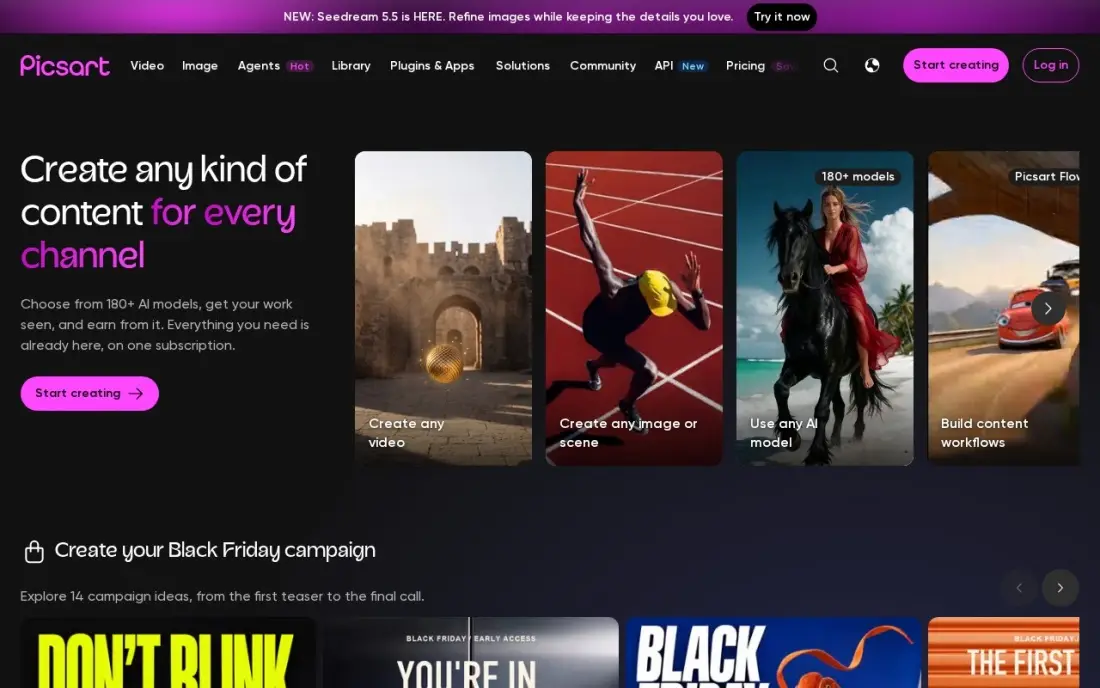
Picsart puts AI image and video generation next to a full photo and video editor, so you can generate a drawing, then cut it out, add text and post it from your phone. Pro also includes advanced background and object removal, a one-tap enhancer, three brand kits and 100GB of storage.
Pro costs $15 a month billed monthly, or $126 a year, and includes 500 AI credits a month, which heavy generation uses up quickly. App Store prices start at $13.99 a month, and the free tier shows ads and locks several tools. It suits casual creators more than artists who want to sketch by hand.
What we like
- Photo and video editing plus AI image and video generation in one app, with 500 AI credits a month on Pro
- Pro includes advanced background and object removal, a one-tap enhancer, premium templates and 100 GB of storage
- Bulk editing handles 50 images at once, and three brand kits come with Pro
Watch out for
- AI generation is capped at 500 credits a month on Pro, so heavy AI use hits the ceiling fast
- In-app prices differ from the website: the App Store sells Pro from $13.99 a month, cheaper on yearly billing
- Free tier locks several desirable features behind the paywall and shows ads
The best AI drawing apps turn a rough sketch or a short description into finished art, letting you test colour, light and style in seconds before committing to hours of work. We compared six apps, from real-time sketch canvases and design tools to chat-based image makers, on how they handle drawing input, what their free plans allow and what they really cost. Every price below comes from the vendor's own pages as checked in November 2026.
How to choose the best AI drawing apps
- Decide whether you draw or describe. If you want to sketch, choose Krea or Vizcom. If you would rather type an idea, ChatGPT and the Gemini app are easier.
- Look for real-time rendering. Krea renders as you draw, which feels like a creative partner rather than a slot machine.
- Check the free allowance. Krea gives 100 compute units a day, Vizcom 800 credits a month and Firefly limited daily generations. Use them before paying.
- Match the app to the job. Product and apparel designers need Vizcom's renders and 3D. Illustrators and hobbyists get more from Krea, Firefly or Picsart.
- Read the commercial rights. If you plan to sell prints, merch or client work, confirm the plan grants commercial use.
- Keep your own style. Use AI for drafts and variations, then finish by hand so the work stays yours.
Artists who sell work online need people to find their portfolio. Our monthly SEO service helps creative businesses rank, and our guide to the best digital art software covers the drawing apps you will finish your pieces in.
AI drawing apps pricing: what you will actually pay
Take an illustrator who sketches concepts most days. Krea's free plan may be enough at about 900 real-time images a day; Basic is listed at $5 a month and Pro at $21 a month, or $252 billed yearly. Adobe Firefly Standard costs $9.99 a month, $119.88 a year, for 2,000 generative credits a month. ChatGPT Plus costs $20 a month, or $240 a year, with no annual discount, and Google AI Pro costs $199.99 a year.
A product designer pays more for design-specific tools. Vizcom Professional costs $49 a user a month, or $588 a year on monthly billing, with annual billing said to save 30%. Picsart Pro costs $126 a year, but its 500 AI credits a month suit casual use rather than daily concept work.
Know the difference: AI drawing apps vs AI image generators
An AI drawing app starts from your marks. You sketch a shape or a pose, and the AI uses it as the structure for the finished image, so composition and proportions stay under your control. Krea's Realtime mode and Vizcom's sketch-to-render workflow are built this way, and the results look like your idea, finished.
An AI image generator starts from words. ChatGPT, the Gemini app and Firefly create an image from a prompt and then let you refine it, which is fast and needs no drawing skill, but you have less control over exact layout. Many artists use both: a generator for early mood and colour ideas, and a sketch-based tool once they know what they want.
Quick comparison: tool type by need
| Buyer | Best pick | Why |
|---|---|---|
| Live sketch-to-art | Krea | Realtime renders as you draw, free 100 units a day |
| Product and apparel designers | Vizcom | Sketch to renders and 3D, free 800 credits a month |
| Adobe users | Adobe Firefly | Standard $9.99/month for 2,000 credits |
| Beginners who describe ideas | ChatGPT | Refine images in conversation, Plus $20/month |
| Free with a Google account | Gemini app | Free image generation, AI Pro $199.99/year |
| Phone-first creators | Picsart | AI generation plus editing, Pro $126/year |
Mistakes to avoid
- Starting with a messy sketch. AI follows your lines. Clean, simple shapes give far better results than tangled scribbles.
- Copying a living artist's style. It raises ethical and legal questions. Develop prompts around your own references instead.
- Ignoring credit costs. Video and 3D use far more credits than images. Check before you experiment on a paid plan.
- Assuming commercial rights. Free plans often restrict commercial use. Read the terms before selling anything.
- Skipping the hand finish. AI images often have odd hands, text or edges. Fix them in a drawing app before sharing.
How we chose
We read each vendor's own pricing pages in November 2026 and recorded prices and allowances exactly as shown, noting promotions and any figures that did not add up, as on Krea's page. We compared how each app takes drawing input, what the free plans include and how credits work, then priced a month of daily concept work. Leonardo could not be included because its pricing page could not be read. Ratings for database tools come from G2 pages checked on the dates shown in the sources; we did not add ratings for the new tools. No vendor paid for a place in this list, and none of the links here are affiliate links.
What to do next
Draw one quick sketch of something you want to make, then run it through Krea's free real-time canvas and Vizcom's free Starter plan. Keep whichever result looks most like your idea. If you sell your art and want more buyers to find you, book a free call with SerpAstra.
Frequently asked questions
What is the best AI drawing app?
Krea is the best for live sketching, with real-time renders as you draw on its free plan. Vizcom is best for product and apparel designers, and ChatGPT or the Gemini app are the easiest free choices for people who prefer describing to drawing.
Is there a free AI drawing app?
Yes. Krea's free plan gives 100 compute units a day with real-time models, Vizcom Starter gives 800 credits a month, Adobe Firefly has limited free generations, and ChatGPT and the Gemini app include free image generation.
Can AI turn my sketch into a finished drawing?
Yes. Krea's Realtime and Sketch to Image tools and Vizcom's sketch-to-design workflow are built for that. Clear lines and simple shapes give the best results.
Are AI drawing apps good for learning to draw?
They can show you lighting, colour and composition ideas quickly, but they do not build hand skills. Use them for reference and inspiration alongside regular practice in a normal drawing app.
Can I sell art made with AI drawing apps?
It depends on the app and plan. Check each tool's terms for commercial rights, and avoid prompts that copy a living artist's style or a trademarked character.
How much do AI drawing apps cost?
Krea Basic is listed at $5 a month, Adobe Firefly Standard costs $9.99 a month, Picsart Pro $126 a year, ChatGPT Plus $20 a month and Vizcom Professional $49 a user a month.
Sources we checked (7)
- Krea — www.krea.ai/pricing (checked November 19, 2026)
- Vizcom — www.vizcom.com/pricing (checked November 19, 2026)
- Adobe Firefly — www.adobe.com/products/firefly/plans.html (checked November 19, 2026)
- ChatGPT — chatgpt.com/pricing (checked November 2, 2026)
- Gemini app — gemini.google.com (checked November 2, 2026)
- Picsart — www.picsart.com/pricing (checked November 10, 2026)
- Picsart reviews on G2 (checked November 10, 2026)
Make one of these tools?
We re-check this list every quarter. Send a correction, request a review, or ask about a clearly labeled sponsored spot.
Request a listingShamim
Founder of SerpAstra
A full-stack digital marketer and SEO strategist covering technical and local SEO, AI search visibility, paid ads and lead generation for local businesses, e-commerce brands and SaaS teams.
Free SEO and AI visibility audit
Find out what is holding your rankings back
Send us your site. Within 2 business days you get a written audit, an AI visibility check and a short fix list ranked by impact. Free, with no contract attached.
Request my free audit→Related buying guides
 Graphic Design & CreativeBest Digital Art Software for 2026: 11 Options Compared by Use CaseCompare the 11 best digital art software options for 2026 by use case, with real prices — from free open-source tools to Photoshop at $22.99 a month.Read guide →
 Graphic Design & Creative7 Best AI Image Generation Tools in 2026, ComparedCompare the 7 best AI image generation tools on image quality, text in images, free plans and real monthly cost, with every price checked in November 2026.Read guide →
 Graphic Design & Creative9 Best Platforms for Artists in 2026, ComparedCompare the 9 best platforms for artists to sell work, earn from fans and create, with marketplace fees, store plans and app prices checked in November 2026.Read guide →