
9 Best AI Tools for Graphic Design in 2026, Compared
Compare the 9 best AI tools for graphic design, Canva to Illustrator, on AI features, credits, free plans and real cost, with prices checked on vendor sites.
 Shamim Mia, Founder, SerpAstraLast verified November 2, 20269 min read
We compare pricing pages, documentation and public reviews. We never accept payment for rankings.
Key takeaways
- Canva is the best AI graphic design software for most non-designers: Magic Studio comes with Pro at $18 a month or $144 a year.
- Adobe Illustrator is the professional pick for AI vector work, with Text to Vector Graphic and Generative Recolor, at $22.99 a month on an annual plan.
- Adobe Express is the cheapest way into Firefly AI with Adobe Stock and Fonts, at $9.99 a month for Premium.
- Watch the AI credit caps: Creative Cloud Standard includes only 25 generative credits a month against 4,000 on Pro, and Picsart Pro includes 500.
On this page
Quick comparison
| Tool | Best for | Starting price | Free plan |
|---|---|---|---|
| Canva | Marketers and small businesses who design social posts, ads and decks without a designer | $18/mo | Yes (free plan) |
| Adobe Illustrator | Professional designers who build logos, icons and print artwork as vectors | $22.99/mo | No (7-day trial) |
| Adobe Express | Small teams who want Firefly AI, Adobe Stock and Adobe Fonts in a simple editor | $9.99/mo | Yes (free plan) |
| Adobe Photoshop | Designers who edit and composite photos for ads, banners and campaign artwork | $22.99/mo | No (7-day trial) |
| Adobe Creative Cloud | Design teams that need Photoshop, Illustrator and the full suite with a large AI allowance | $54.99/mo | No (7-day trial) |
| CorelDRAW Graphics Suite | Print shops and vector designers who want AI credits and a one-time purchase option | $269/yr | No (15-day trial) |
| VistaCreate | Small teams that want AI images and animated designs at a low annual price | $10/mo (annual) | Yes (free plan) |
| Picsart | Creators who design on their phone and want AI editing and generation in one app | $15/mo | Yes |
| ChatGPT | Designers who want to brainstorm concepts and draft images by describing them in conversation | $20/mo (no annual) | Yes (limited images) |
Make one of these tools?
We re-check this list every quarter. Send a correction, request a review, or ask about a clearly labeled sponsored spot.
Request a listingThe best AI tools for graphic design
Canva
Best for: Marketers and small businesses who design social posts, ads and decks without a designer
Canva is where most non-designers should start. Magic Studio puts AI image generation and editing inside the same drag-and-drop canvas used for layout and text, so a prompt, a photo and a template become a finished social post or flyer in one place. Brand Kit keeps logos, colours and fonts consistent, and the free plan includes more than 250,000 templates and 5GB of storage.
The tools that matter for brand work need Pro at $18 a month or $144 a year: Brand Kit, the background remover and Magic Resize, which turns one design into every social size. Canva is not a vector editor, so logos and print packaging still belong in Illustrator or CorelDRAW.
What we like
- The easiest way to design a publication from scratch: thousands of magazine and ebook templates with drag-and-drop editing
- Magic Studio AI tools and Brand Kit come with Pro, so a small team can stay on-brand without a designer
- Publish as a website link that updates when the design changes, or export a print-ready PDF for the flipbook tools above
Watch out for
- It designs publications but does not produce a page-flip reader — the output is a PDF or a website link, not a flipbook
- Brand Kit, background remover and Magic Resize all need Pro, so the free plan is template-only for branding
- No reader analytics: there is no way to see how far readers get through a published document

Adobe Illustrator
Best for: Professional designers who build logos, icons and print artwork as vectors
Adobe Illustrator is the standard vector editor, and Firefly AI now sits inside it. Text to Vector Graphic creates editable vector artwork from a prompt, and Generative Recolor tries new colour schemes across a whole illustration in seconds. Files open everywhere in the print and branding world, and the plan includes desktop and iPad apps, 100GB of storage and Adobe Fonts.
It costs $22.99 a month on an annual plan billed monthly, with a 7-day trial and no free plan. It is subscription only, and the pen tool and path workflow take real practice, so beginners face a steep first month. Choose it when vector files are the deliverable.
What we like
- The professional vector editor: logos, icons, type, packaging and print in one program
- Text to Vector Graphic and Generative Recolor add Firefly AI to vector work
- Works on desktop and iPad with 100GB of cloud storage and Adobe Fonts included
- Files open everywhere in the print and branding world, with no conversion worries
Watch out for
- Subscription only — no perpetual license, and access ends when you stop paying
- The pen tool and path workflow take real practice; beginners face a steep first month
- No free plan, only a 7-day trial

Adobe Express
Best for: Small teams who want Firefly AI, Adobe Stock and Adobe Fonts in a simple editor
Adobe Express is Adobe's answer to Canva. Firefly AI generates images and text effects from a prompt, Brand Kits keep logos and colours consistent, and Adobe Stock photos and Adobe Fonts are included in the price. The same files work on web and mobile, so a design started on a laptop can be finished on a phone.
Premium costs $9.99 a month, and the free plan covers basic templates and tools. It has fewer ready-made templates than Canva, and it has no scheduling, so designs still need a separate tool to publish. It is the cheapest route into Adobe's AI and asset library.
What we like
- Adobe Stock photos and Adobe Fonts are included in the price
- Firefly AI generates images and text effects from a prompt
- Brand Kits keep logos and colors consistent across every design
- Works on web and mobile with the same files
Watch out for
- No scheduling or publishing — designs still need a scheduler
- Fewer ready-made retail templates than Canva
- $9.99 a month buys design only, not distribution

Adobe Photoshop
Best for: Designers who edit and composite photos for ads, banners and campaign artwork
Photoshop is the AI tool for image-heavy design work. Generative Fill adds or replaces parts of an image from a text prompt, Generative Remove clears clutter, and layers and masks give full control when the AI result needs fixing. For a campaign visual that starts as a photo, it is still the most capable editor here.
The single-app plan costs $22.99 a month on an annual plan, or $34.49 billed monthly, and cancelling an annual contract early costs 50% of the remaining months. It takes weeks to learn properly, so it suits designers who already work in Adobe rather than marketers making a quick post.
What we like
- Generative Fill and Remove rebuild window views, skies and missing corners from a text prompt
- Layers, masks and frequency separation give full control over every pixel of a hero shot
- The largest plugin ecosystem here, including real estate presets, sky packs and virtual staging tools
- Runs as a Lightroom plugin, so the batch workflow and the retouching stay in one pipeline
Watch out for
- Costs more than the Photography plan while delivering less: $22.99 a month against $19.99 for Photoshop plus Lightroom and 1TB
- The annual contract carries an early-termination fee of 50% of the remaining months
- Steep learning curve — the full toolset takes weeks to learn, not an afternoon

Adobe Creative Cloud
Best for: Design teams that need Photoshop, Illustrator and the full suite with a large AI allowance
Creative Cloud bundles Photoshop, Illustrator, Premiere Pro and the rest of Adobe's desktop apps. Standard costs $54.99 a month on an annual plan billed monthly and includes 100GB of storage, Adobe Fonts and Adobe Portfolio; Pro costs $69.99. It holds a 4.7 out of 5 score on Capterra from 7,327 reviews.
The AI allowance is the real difference between the two plans. Standard caps generative AI at 25 credits a month, while Pro includes 4,000, so a designer who uses Generative Fill daily needs Pro. Cancelling an annual plan early costs 50% of the remaining balance, and a designer who only needs Photoshop pays less on a single-app plan.
What we like
- Standard costs $54.99 a month on an annual plan billed monthly and includes the full desktop app set: Photoshop, Illustrator, Premiere Pro and more
- 100 GB of cloud storage, Adobe Fonts and Adobe Portfolio are included on every individual plan
- The highest review score in this list, 4.7 out of 5 on Capterra from 7,327 reviews
- Single-app plans from $22.99 a month mean a team that needs only Photoshop never pays for the suite
Watch out for
- The old $59.99 All Apps price is gone: the plan is now Creative Cloud Pro at $69.99, with Standard at $54.99 below it
- Cancelling an annual plan early triggers a fee equal to 50% of the remaining balance
- Standard caps generative AI at 25 credits a month, far below Pro's 4,000

CorelDRAW Graphics Suite
Best for: Print shops and vector designers who want AI credits and a one-time purchase option
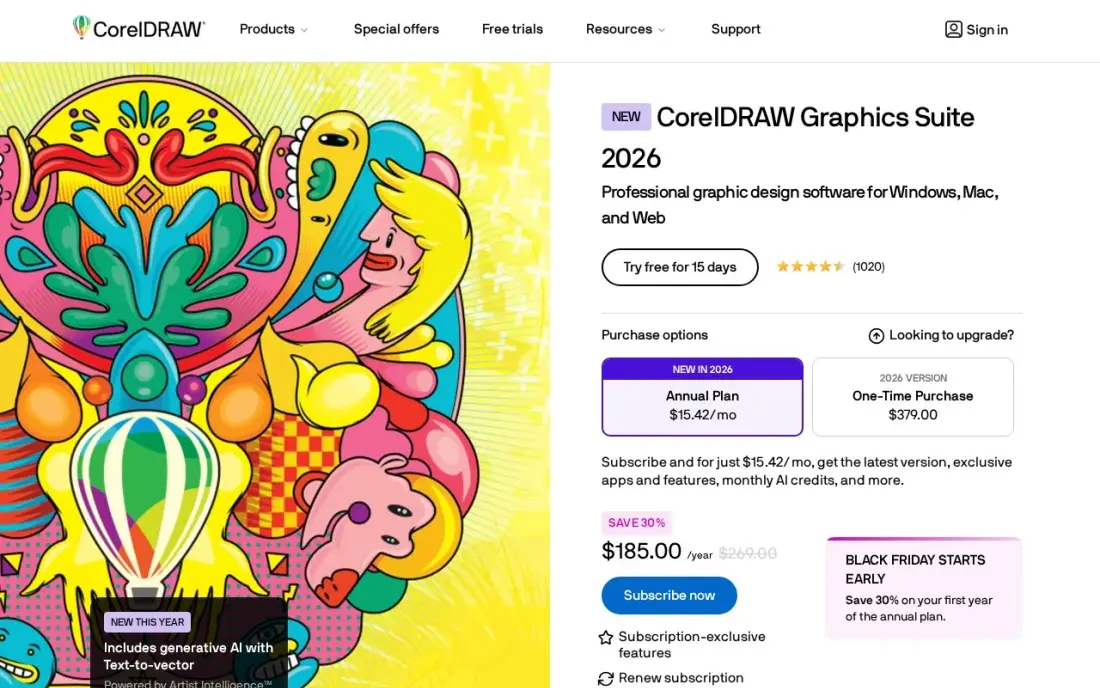
CorelDRAW Graphics Suite is the main alternative to Illustrator for vector and print work, and it bundles CorelDRAW, PHOTO-PAINT, Font Manager and CAPTURE in one price. Subscribers get 2,000 AI credits a month plus CorelDRAW Web in the browser, with Pantone support and page layout built in for print shops.
The subscription costs $269 a year, or you can buy the 2026 version once for $549. One-time buyers get 2,000 AI credits once rather than monthly, and no CorelDRAW Web. The interface feels dated next to Illustrator and the macOS version trails Windows, but no rival here offers a perpetual licence.
What we like
- A full suite in one price: CorelDRAW, PHOTO-PAINT, Font Manager and CAPTURE
- Subscription is $269 a year, or buy the 2026 version once for $549
- Subscribers get 2,000 AI credits a month plus CorelDRAW Web in the browser
- Strong print-shop workflow with Pantone support and page layout built in
Watch out for
- No free plan beyond a 15-day trial, and the subscription renews at the full rate after year one
- The interface feels dated next to Illustrator, and the macOS version trails Windows
- One-time buyers get 2,000 AI credits once, not monthly, and no CorelDRAW Web

VistaCreate
Best for: Small teams that want AI images and animated designs at a low annual price
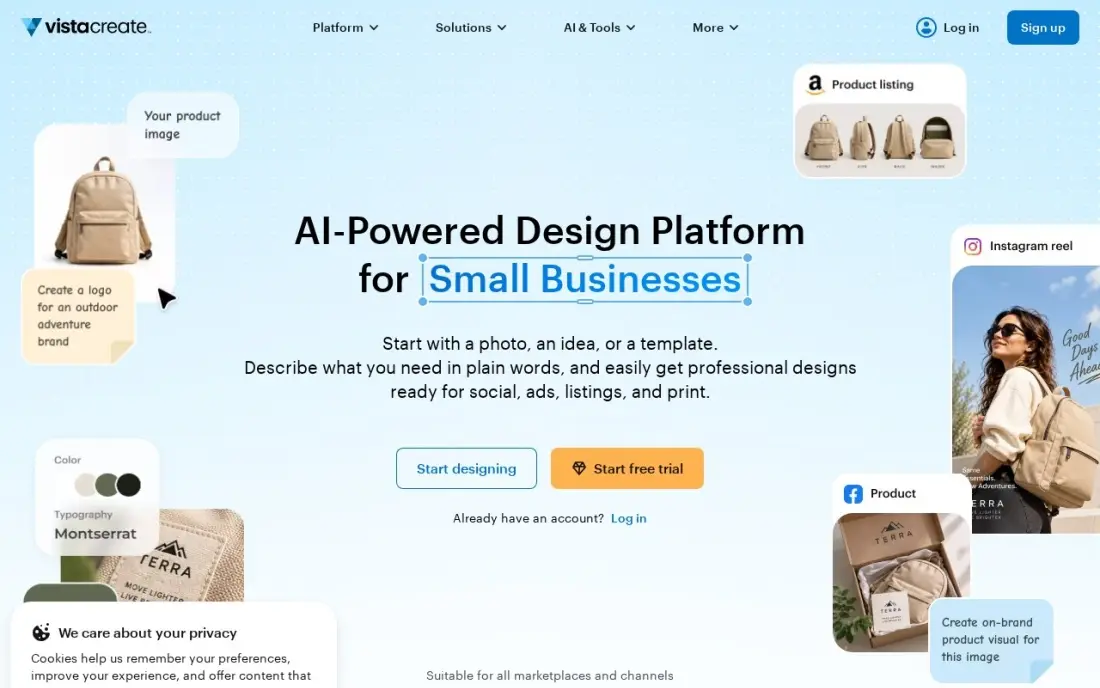
VistaCreate covers the same ground as Canva at a lower price. Pro includes an AI Image Generator with 100 generations a month, an AI Writer and background and object removal, plus more than 200,000 templates, 170M+ stock assets and an animation editor for moving ads and stories.
Pro costs $13 a month billed monthly, or $120 a year billed annually, and covers a team of up to 10. The free Starter plan has no AI tools at all, so you cannot test the AI before paying, and the template and integration range is smaller than Canva's.
What we like
- AI Image Generator (100 generations a month), AI Writer and background and object removal all on Pro
- 200,000+ templates and 170M+ stock assets, with animated designs and a built-in animation editor
- Cheapest full-featured Pro plan here at $10/month billed annually, covering a team of up to 10
Watch out for
- Starter has no AI tools at all, so the free plan cannot test the AI features
- Smaller template and integration range than Canva, and no ad-performance scoring

Picsart
Best for: Creators who design on their phone and want AI editing and generation in one app
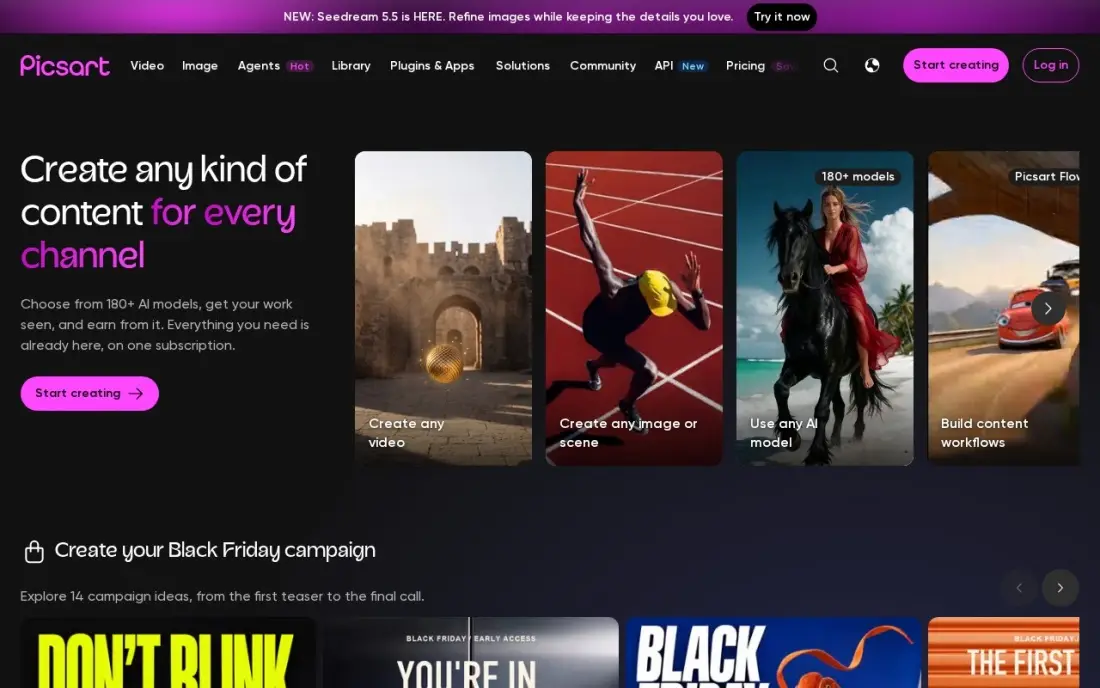
Picsart is the phone-first pick. It combines photo and video editing, advanced background and object removal, a one-tap enhancer and AI image and video generation, so a design can go from camera roll to finished post without leaving the app. Pro includes three brand kits, bulk editing of 50 images and 100GB of storage.
Pro costs $15 a month billed monthly, or $126 a year, and includes 500 AI credits a month, which heavy AI users reach quickly. App Store prices differ from the website, starting at $13.99 a month, and the free tier shows ads and locks several tools.
What we like
- Photo and video editing plus AI image and video generation in one app, with 500 AI credits a month on Pro
- Pro includes advanced background and object removal, a one-tap enhancer, premium templates and 100 GB of storage
- Bulk editing handles 50 images at once, and three brand kits come with Pro
Watch out for
- AI generation is capped at 500 credits a month on Pro, so heavy AI use hits the ceiling fast
- In-app prices differ from the website: the App Store sells Pro from $13.99 a month, cheaper on yearly billing
- Free tier locks several desirable features behind the paywall and shows ads

ChatGPT
Best for: Designers who want to brainstorm concepts and draft images by describing them in conversation
ChatGPT is not a design tool, but it is a useful first step. You can describe a poster, a mood board or a product scene in plain words, get an image back and refine it across turns instead of starting over each time. It is also good at writing headlines, taglines and design briefs.
The free plan includes limited image generation, capped at an unpublished number of images, and Plus costs $20 a month billed monthly, with no annual option, for higher limits. The output is a flat image, not an editable layered file, so finished work still moves into Canva, Photoshop or Illustrator.
What we like
- Describe the backdrop, outfit and lighting in plain words and iterate in conversation
- Free plan includes unlimited everyday text chats plus limited image generation
- Refine the same image across turns instead of starting over each time
- Plus raises image limits and adds advanced reasoning for $20 a month
Watch out for
- Free plan caps image generation at an unpublished number of images
- No trained face model, so likeness varies from one generation to the next
- Plus is billed monthly only, so there is no annual discount to take
The best AI tools for graphic design cut the slow parts of the job — resizing, background removal, first drafts and colour variations — without taking away control of the final file. We compared nine tools, from Canva and Adobe Express for non-designers to Illustrator, Photoshop and CorelDRAW for professionals, on their AI features, credit limits and real cost. This is also our guide to AI graphic design software in general, and every price below comes from the vendor's own pages as checked in November 2026.
How to choose the best AI tools for graphic design
- Start with the file you deliver. Logos and print need vectors (Illustrator, CorelDRAW). Social posts and ads need templates and resizing (Canva, Adobe Express, VistaCreate).
- Count the AI credits. Creative Cloud Standard includes 25 generative credits a month, Picsart Pro 500 and CorelDRAW 2,000. Daily AI use needs a plan with room.
- Check that AI output stays editable. Text to Vector Graphic in Illustrator gives editable paths; a chatbot image is a flat picture you cannot rework layer by layer.
- Keep the brand in one place. Brand Kits in Canva, Adobe Express and Picsart store logos, colours and fonts so AI drafts stay on-brand.
- Compare annual and monthly billing. Photoshop costs $22.99 a month on an annual plan and $34.49 month to month, and Adobe charges 50% of the remaining months to cancel early.
- Try before you pay. Canva, Adobe Express and Picsart have free plans, and Illustrator and Photoshop have 7-day trials.
Good design gets attention; search makes sure people see it. If your graphics support a website or ad campaign, our AI search optimization service helps your brand appear in AI answers, and our guide to the best AI platforms for ad design covers ad creative in more depth.
AI graphic design tools pricing: what you will actually pay
Take a two-person marketing team that designs social posts, ads and the occasional logo. On annual billing, Canva Pro costs $144 a year per person, VistaCreate Pro costs $120 a year for a team of up to 10, and Picsart Pro costs $126 a year. Adobe Express Premium costs $9.99 a month, or about $120 a year. For the occasional vector job, Illustrator adds $22.99 a month on an annual plan, or $275.88 a year.
A professional designer pays more. Creative Cloud Standard costs $54.99 a month on an annual plan, or $659.88 a year, and Pro costs $69.99, or $839.88 a year, with 4,000 AI credits instead of 25. CorelDRAW costs $269 a year on subscription, or $549 once for the 2026 version. ChatGPT Plus, if you use it for concepts, adds $20 a month with no annual option.
Know the difference: template tools vs professional editors
Template tools such as Canva, Adobe Express, VistaCreate and Picsart start from a finished layout. AI fills in images, rewrites text and resizes the design for each channel, and almost anyone can produce a usable post in minutes. The trade-off is depth: limited control over vectors, colour profiles and print preparation, and designs that can look like everyone else's.
Professional editors such as Illustrator, Photoshop and CorelDRAW start from a blank canvas. Their AI features — Text to Vector Graphic, Generative Recolor, Generative Fill — speed up specific steps but assume you know what you are doing. They cost more and take weeks to learn, but they produce the original, print-ready files that brand identities and packaging need.
Quick comparison: tool type by need
| Buyer | Best pick | Why |
|---|---|---|
| Non-designers and small businesses | Canva | Magic Studio and Brand Kit on Pro, $144/year |
| Professional vector work | Adobe Illustrator | Text to Vector Graphic and Generative Recolor, $22.99/month |
| Firefly AI on a budget | Adobe Express | Adobe Stock and Fonts included, Premium $9.99/month |
| Photo-based campaign artwork | Adobe Photoshop | Generative Fill and Remove with full layer control |
| Full-suite design teams | Adobe Creative Cloud | All desktop apps, 4,000 AI credits on Pro |
| Print shops wanting a licence | CorelDRAW Graphics Suite | $269/year or $549 one-time, 2,000 AI credits a month |
| Low-cost team plan | VistaCreate | Pro $120/year for up to 10 people |
| Phone-first creators | Picsart | Editing plus AI generation, 500 credits a month |
| Concepts and briefs | ChatGPT | Describe and refine images in conversation, Plus $20/month |
Mistakes to avoid
- Using a flat AI image as a logo. A generated picture cannot scale or be edited cleanly. Logos need vector files.
- Running out of credits mid-project. Check the monthly AI allowance before a big campaign, not after.
- Skipping the brand kit. Without stored colours and fonts, AI drafts drift off-brand fast.
- Signing an annual Adobe plan for a short job. Early cancellation costs 50% of the remaining months; a month-to-month plan is cheaper for a one-off.
- Ignoring usage rights. AI images that resemble a known brand, artist or character can still create legal problems.
How we chose
We checked each vendor's own pricing page in November 2026 and recorded prices exactly as shown, with annual and monthly billing stated separately where the page lists both. We compared the AI features each tool offers, how many AI credits each plan includes and whether the output stays editable, then ranked them by fit for the most common buyer, a small business or marketing team without a full-time designer. Ratings come from G2 and Capterra pages checked on the dates shown in the sources. No vendor paid for a place in this list, and none of the links here are affiliate links.
What to do next
Pick one real job you design every week — a social post or an ad — and make it in the free plans of Canva and Adobe Express. Time both, and compare how much you had to fix by hand. If the designs are ready but the traffic is not, book a free call with SerpAstra.
Frequently asked questions
What is the best AI tool for graphic design?
Canva is the best AI graphic design software for most non-designers, with Magic Studio on Pro at $18 a month. Adobe Illustrator is the best for professional vector work at $22.99 a month on an annual plan, and Adobe Express is the cheapest Adobe option at $9.99 a month.
Can AI replace a graphic designer?
Not for brand work. AI tools speed up drafts, resizing, background removal and variations, but choosing a concept, keeping a brand consistent and preparing files for print still need a designer's judgment.
Is there free AI graphic design software?
Canva, Adobe Express and Picsart have free plans with some AI features, and ChatGPT's free plan includes limited image generation. VistaCreate's free Starter plan has no AI tools.
Which AI design tool is best for logos?
Adobe Illustrator, because Text to Vector Graphic produces editable vectors that scale without losing quality. CorelDRAW is the alternative if you want a one-time licence at $549.
How do AI credits work in design tools?
Each AI generation uses credits from a monthly allowance. Creative Cloud Standard includes 25 a month and Pro 4,000, Picsart Pro includes 500, CorelDRAW subscribers get 2,000 a month and VistaCreate Pro allows 100 AI image generations.
Can I use AI-generated designs commercially?
Usually, but check each tool's terms. Rules on commercial use, trademarks and image ownership differ by tool and plan, and AI images that copy a known brand or character can still create legal risk.
Sources we checked (14)
- Canva — www.canva.com/pricing (checked November 12, 2026)
- Canva reviews on G2 (checked November 12, 2026)
- Adobe Illustrator — www.adobe.com/products/illustrator.html (checked November 4, 2026)
- Adobe Express — www.adobe.com/express/pricing (checked November 12, 2026)
- Adobe Express reviews on G2 (checked November 12, 2026)
- Adobe Photoshop — www.adobe.com/products/photoshop.html (checked November 8, 2026)
- Adobe Photoshop reviews on G2 (checked November 8, 2026)
- Adobe Creative Cloud — www.adobe.com/creativecloud/plans.html (checked November 4, 2026)
- Adobe Creative Cloud reviews on Capterra (checked November 4, 2026)
- CorelDRAW Graphics Suite — www.corel.com/en/newsroom/news/press-releases/20260915-ai-vector-graphics-tools-power-creative-workflows-coreldraw-graphics-suite-2026 (checked November 4, 2026)
- VistaCreate — create.vista.com/plans (checked November 4, 2026)
- Picsart — www.picsart.com/pricing (checked November 10, 2026)
- Picsart reviews on G2 (checked November 10, 2026)
- ChatGPT — chatgpt.com/pricing (checked November 2, 2026)
Make one of these tools?
We re-check this list every quarter. Send a correction, request a review, or ask about a clearly labeled sponsored spot.
Request a listingShamim
Founder of SerpAstra
A full-stack digital marketer and SEO strategist covering technical and local SEO, AI search visibility, paid ads and lead generation for local businesses, e-commerce brands and SaaS teams.
Free SEO and AI visibility audit
Find out what is holding your rankings back
Send us your site. Within 2 business days you get a written audit, an AI visibility check and a short fix list ranked by impact. Free, with no contract attached.
Request my free audit→Related buying guides
 Graphic Design & Creative8 Best AI Design Apps Free to Use in 2026, ComparedCompare the 8 best AI design apps free to use, with what each free plan includes, its AI limits and the real price of upgrading, checked on vendor pages.Read guide →
 Marketing7 Best AI Platforms for Ad Design in 2026 (Pros, Cons and Pricing)The 7 best ai platform for ad design options compared on price, AI generation and ad formats, with real 2026 prices checked on each vendor pricing page.Read guide →
 Graphic Design & Creative6 Best Free Vector Graphics Software in 2026, ComparedCompare the 6 best free vector graphics software for logos, icons and illustration, from Inkscape to Affinity and Figma, on limits, platforms and upgrade cost.Read guide →