
7 Best Audio Editing Software for Beginners in 2026
Compare the 7 best audio editing software for beginners: free editors, text-based editing and low-cost upgrades, with every price checked on vendor pages.
 Shamim Mia, Founder, SerpAstraLast verified November 7, 20268 min read
We compare pricing pages, documentation and public reviews. We never accept payment for rankings.
Key takeaways
- Audacity is the best place to start: free and open source on Windows, macOS and Linux, with no paid plan at all.
- Ocenaudio is the simplest free editor for quick cuts, fades and format changes, and GarageBand is free on the Mac for music and voice.
- Descript suits podcasters and video creators who would rather edit a transcript than a waveform, with a free plan of 1 media hour a month.
- REAPER is the low-cost step up at $60 one-time for a discounted licence, after a 60-day full evaluation.
On this page
Quick comparison
| Tool | Best for | Starting price | Free plan |
|---|---|---|---|
| Audacity | Complete beginners who want a capable editor that costs nothing, on any computer | Free | Yes (free) |
| Ocenaudio | Beginners who want the simplest free editor for quick cuts, fades and conversions | Free | Yes (free) |
| GarageBand | Mac owners who want to record and edit music or voice in a free multitrack app | Free | Yes (Mac only) |
| Descript | Podcasters and video creators who would rather edit a transcript than a waveform | $16/mo (annual) | Yes (1 hour/mo) |
| WavePad | Home users who want a free, menu-driven editor with built-in restoration tools | Free (home use) | Yes (non-commercial) |
| Adobe Audition | Beginners already paying for Adobe Creative Cloud who want room to grow into pro work | $22.99/mo | No (7-day trial) |
| REAPER | Beginners ready for a full multitrack editor without a subscription | $60 one-time | 60-day trial |
Make one of these tools?
We re-check this list every quarter. Send a correction, request a review, or ask about a clearly labeled sponsored spot.
Request a listingThe best audio editing software for beginners
Audacity
Best for: Complete beginners who want a capable editor that costs nothing, on any computer
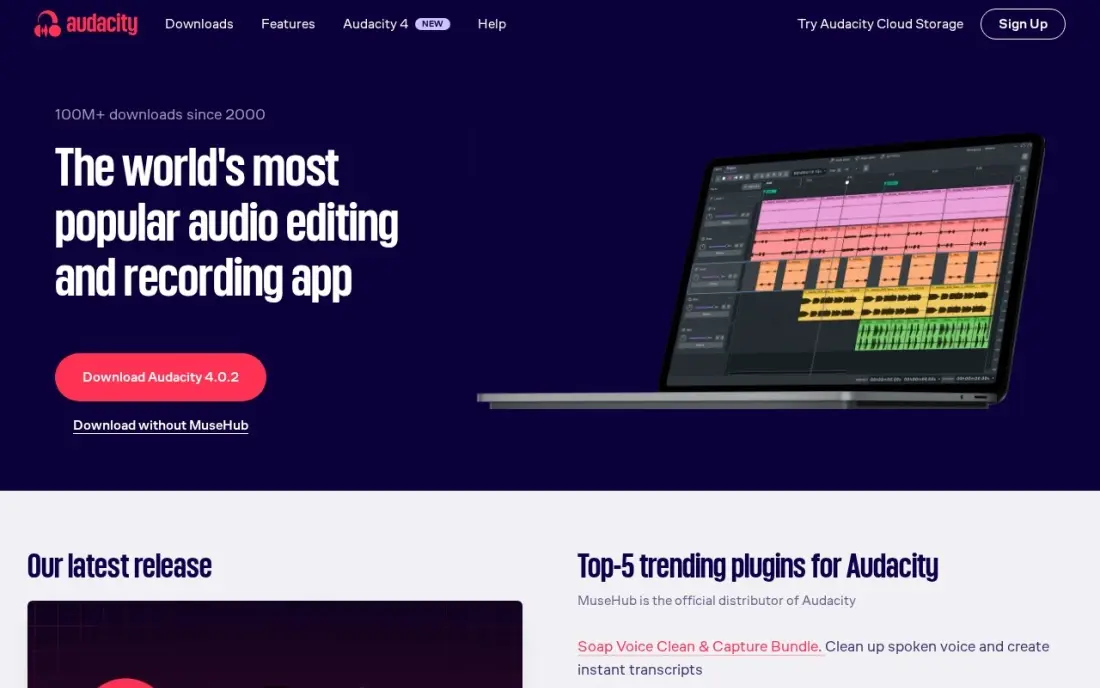
Audacity is the editor most people should learn first. It is free and open source with no paid plan, runs on Windows, macOS and Linux, and covers the jobs a beginner actually has: cutting mistakes, trimming silence, fading in and out, removing background hiss with Noise Reduction and exporting to MP3 or WAV. Because so many people use it, there is a tutorial for almost every task.
The trade-off is the interface, which looks dated and takes a little practice before it feels natural. Effects are easy to overdo, so a heavily processed voice can end up sounding hollow. Learn a handful of tools well, keep a copy of the original file, and Audacity will cover most beginner projects for years.
What we like
- Completely free and open source, with no paid plan at all
- Noise Reduction works from a noise profile you capture from the recording itself
- Spectrogram view lets you find and fix individual noises by sight
- Runs on Windows, macOS and Linux, with a huge free plugin ecosystem
Watch out for
- Manual and slow next to AI tools — you set the noise profile yourself
- Dated interface that takes a while to learn
- Easy to over-process a track and leave audible artifacts

Ocenaudio
Best for: Beginners who want the simplest free editor for quick cuts, fades and conversions
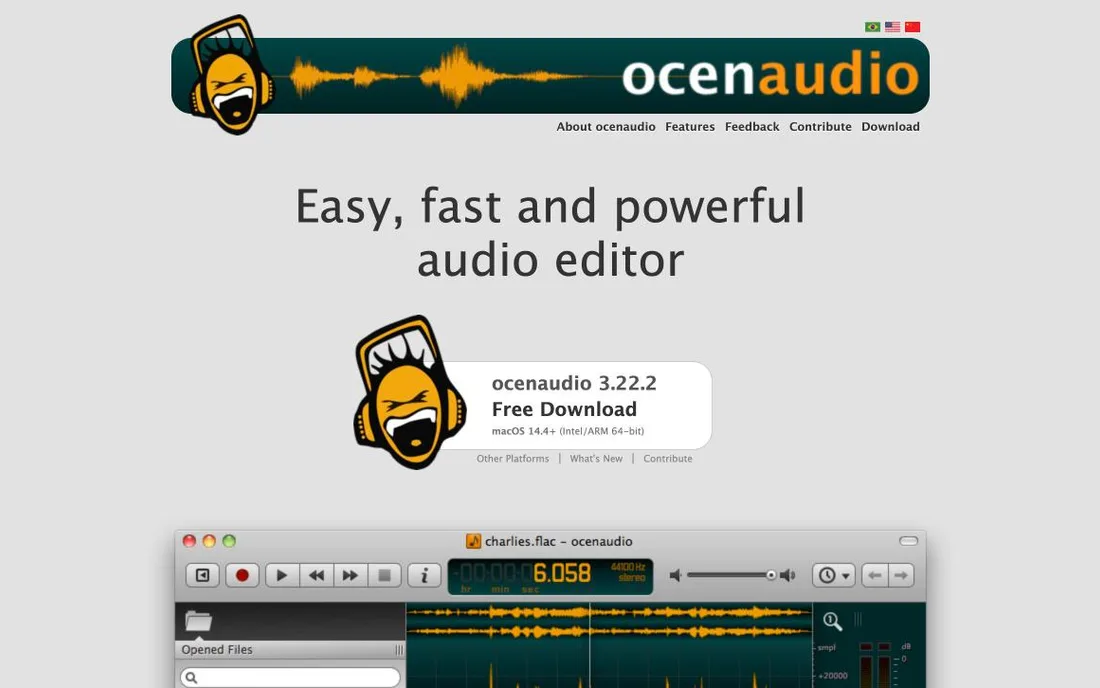
Ocenaudio is the quickest free editor to pick up. It was built around usability by a Brazilian research group, so the screen is uncluttered and the common jobs, such as selecting a section, cutting it, applying a fade or changing the file format, take a click or two. Time-consuming tasks run in the background, so the app stays responsive even with several files open.
It is a free download for Windows, macOS and Linux. The limit is scope: Ocenaudio edits one file at a time rather than mixing several tracks, so it suits voice memos, interview clean-ups and sample trimming more than a full podcast with music beds. Pair it with a multitrack tool when your projects grow.
What we like
- Free editor for Windows, macOS and Linux
- Stays responsive because saving and effects run in the background
- Built-in spectral analysis for users who want to look deeper
Watch out for
- Single-file editor, not a multitrack mixer
- Fewer tutorials and plug-ins than Audacity

GarageBand
Best for: Mac owners who want to record and edit music or voice in a free multitrack app
GarageBand is the obvious first stop on a Mac because it is free on the Mac App Store and made by Apple. It is a full multitrack studio with up to 255 tracks, multi-take recording, Flex Time to fix timing, a visual EQ and a virtual session drummer, plus built-in lessons for piano and guitar. Beginners can record a song or a simple podcast without buying anything.
It is built for music first, so editing a long interview is less direct than in Audacity or Descript. It is Mac only, with a separate app for iPhone and iPad, and the current version requires a recent macOS. When you outgrow it, projects open in Logic Pro, so nothing you learn is wasted.
What we like
- Free from Apple, with up to 255 tracks
- Built-in lessons for piano and guitar, plus a virtual session drummer
- Projects open in Logic Pro when you outgrow it
Watch out for
- Mac only (iPhone and iPad have a separate app)
- Built for music first, so spoken-word editing tools are basic

Descript
Best for: Podcasters and video creators who would rather edit a transcript than a waveform
Descript is the easiest way into editing for people who find waveforms confusing. It transcribes your recording, and you edit the text like a document: delete a sentence and the audio follows. Filler-word removal and Studio Sound clean up a rough recording in the same project. The free plan gives 1 media hour a month at 720p, which is enough to learn the workflow.
Hobbyist costs $24 a month billed monthly, or $16 a month billed annually, for 10 media hours. The meters are the catch: media hours and AI credits both run down, and G2 reviewers mention slowdowns on large projects. Choose Descript when you mainly edit talk, not music.
What we like
- Text-based editing: delete a word in the transcript and the video and audio follow
- Studio Sound, filler-word removal and Overdub clean up recordings without a separate audio tool
- Rated 4.6/5 on G2 from 936 reviews, with easy editing the most cited strength
Watch out for
- Hobbyist covers only 10 media hours a month, and the two meters (hours plus AI credits) confuse new buyers
- The app can feel slow or glitchy on large projects, per G2 reviewers
- Creator at $24/month billed annually is the practical entry for serious creators, not Hobbyist

WavePad
Best for: Home users who want a free, menu-driven editor with built-in restoration tools
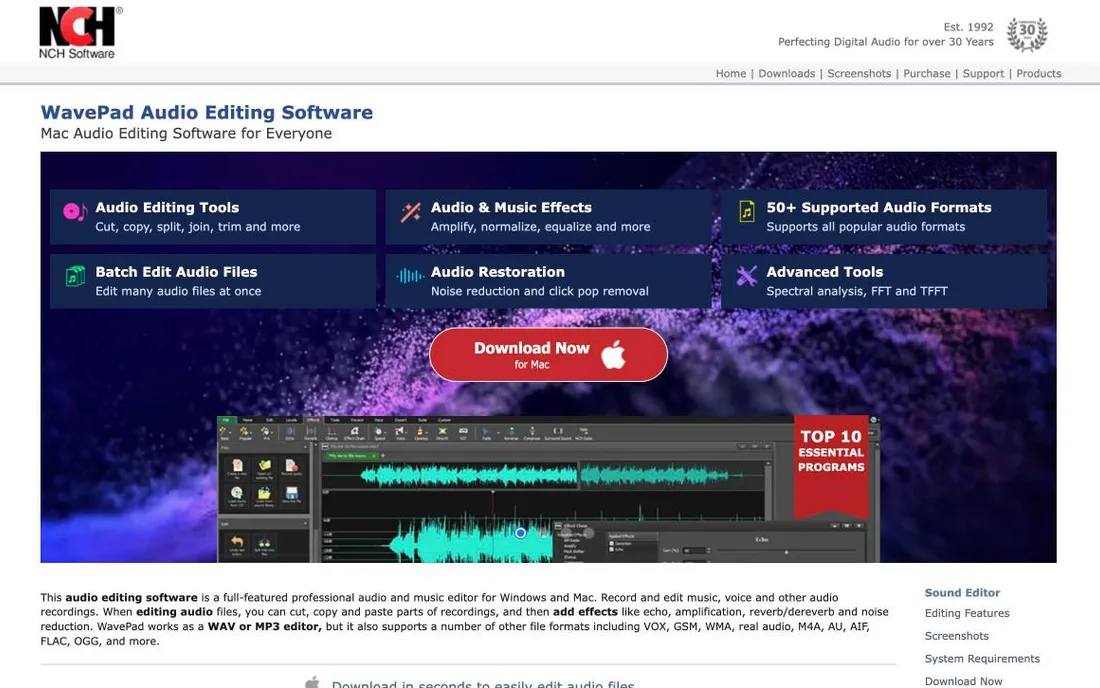
WavePad is a traditional editor with a gentle learning curve. The menus lay out cut, copy, trim, fade, normalise and noise reduction in plain view, and batch processing lets a beginner convert or clean a folder of files in one pass. The free version for home use does not expire, needs no signup and includes many of the paid features.
The free licence covers non-commercial use only. Standard Edition normally costs $50 a year and Master's Edition $80 a year, with November 2026 sale prices of $34.99 and $59.95, and the store offers quarterly plans and bundles. Anyone editing for clients or a monetised channel should budget for a paid edition or pick a free tool without that restriction.
What we like
- Free version for home use does not expire and needs no signup
- Noise reduction, click and pop removal and batch processing built in
- Runs on Windows and Mac, with mobile apps
Watch out for
- Free version is for non-commercial use only
- Paid editions are annual plans, and the store pushes bundles and add-ons

Adobe Audition
Best for: Beginners already paying for Adobe Creative Cloud who want room to grow into pro work
Adobe Audition is the professional editor in this list, and it makes sense for a beginner in one situation: you already use Premiere Pro or another Adobe app. Audio moves between Premiere and Audition, and the noise reduction, spectral display and multitrack mixing cover everything a podcast or video soundtrack needs as your skills grow.
It costs $22.99 a month as a single app on an annual plan billed monthly, with a 7-day free trial, and there is no one-time licence. That is a lot to pay while you are still learning to cut and fade, and the interface assumes some audio knowledge. Learn on a free editor first unless Creative Cloud already covers it.
What we like
- Deep manual repair: noise reduction, click removal, diagnostics, spectral display
- Multitrack recording, editing and mixing in one editor
- Round-trips audio with Premiere Pro for video workflows
- Part of Creative Cloud, so subscribers may already have it
Watch out for
- Subscription only — $22.99 a month adds up fast for occasional use
- Manual tools in an AI era: you do the work the one-click tools automate
- Learning curve for beginners, and no perpetual licence exists

REAPER
Best for: Beginners ready for a full multitrack editor without a subscription
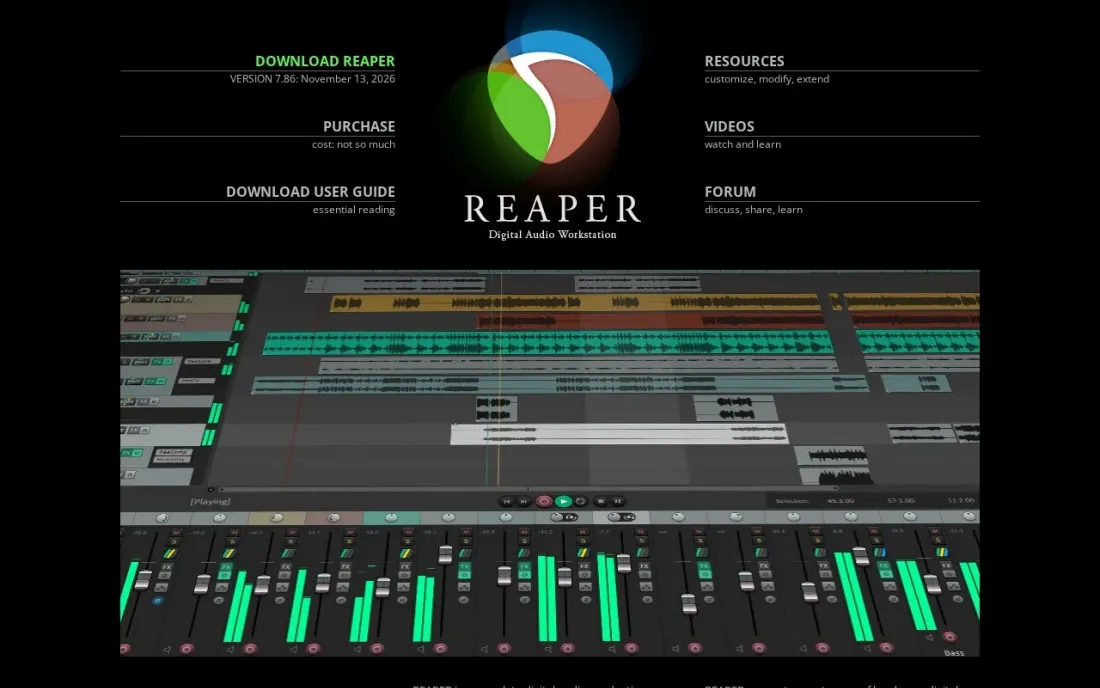
REAPER is the step up for beginners who already know they will keep editing. It is a full recording, editing and mixing application, so a podcast with several voices, music and sound effects fits in one project, and it runs well on modest computers. You get 60 days of evaluation with full functionality before paying anything.
The discounted licence costs $60 one-time for personal use, businesses with yearly gross revenue under $20,000, and schools or nonprofits; others pay $225. A new licence includes free upgrades through version 8.99. The learning curve is steeper than Audacity's, because nearly everything can be customised, so follow a beginner video series for the first week.
What we like
- Discounted licence is $60 for personal use or businesses under $20,000 a year in revenue
- 60-day evaluation with full functionality before you pay
- A new licence includes free upgrades through version 8.99
Watch out for
- Commercial users above $20,000 a year in revenue need the $225 licence
- Highly customisable, which means more setup before it feels comfortable
The best audio editing software for beginners lets you cut mistakes, clean up noise and export a finished file on day one, without hiding the basics behind a subscription. We compared seven editors across the three routes beginners take in 2026 — free waveform editors, text-based editing and low-cost multitrack upgrades — and every price below comes from the vendor's own page as checked in November 2026.
How to choose the best audio editing software for beginners
- Start free. Audacity, Ocenaudio and GarageBand cost nothing, so learn cutting, fades and noise reduction before you pay.
- Match the tool to the job. Voice and podcast editing needs clean cuts and levelling; music needs multitrack recording and instruments.
- Check your computer. GarageBand is Mac only, while Audacity, Ocenaudio and REAPER run on more than one system.
- Read the licence terms. WavePad's free version is for non-commercial use, and REAPER's $60 licence has a revenue limit.
- Prefer one-time prices while learning. A subscription such as Adobe Audition makes sense only once you edit regularly.
- Look for tutorials. Popular tools have a video for every task, which matters more to a beginner than a long feature list.
Good audio helps a podcast or video get found and kept. If you publish episodes on your own website, our monthly SEO service helps those pages rank, and the free readability checker tidies up show notes. For video projects, see our guide to video editing software for YouTube beginners.
Audio editing software for beginners pricing: what you will actually pay
Take a beginner who edits a weekly podcast for a year. Audacity, Ocenaudio and GarageBand cost $0. WavePad is $0 for home use, but a monetised show needs a paid edition: Standard Edition normally costs $50 a year, or $34.99 a year on the November 2026 sale. REAPER costs $60 once on the discounted licence, which covers personal use and businesses under $20,000 a year in revenue, and includes upgrades through version 8.99.
Descript Hobbyist costs $16 a month billed annually, or $192 a year, against $24 a month, or $288 a year, billed monthly. Adobe Audition costs $22.99 a month on an annual plan billed monthly, or $275.88 a year. Over two years, REAPER's one-time $60 is the cheapest paid option by a wide margin.
Know the difference: waveform editor vs text-based editor
A waveform editor shows the sound itself. You see peaks for speech and flat lines for silence, select a stretch with the mouse and cut, fade or clean it. Audacity, Ocenaudio, WavePad, Audition and REAPER work this way. It takes a little longer to learn, but it gives precise control and works the same for voice, music and sound effects.
A text-based editor, such as Descript, transcribes the recording and lets you edit the words. Deleting a sentence removes the matching audio, and filler words can be removed in one step. It is much faster for interviews and talking-head video, but less useful for music, and it depends on monthly media-hour limits. Many podcasters rough-cut in Descript and fine-tune in a waveform editor.
Quick comparison: tool type by need
| Buyer | Best pick | Why |
|---|---|---|
| First editor on any computer | Audacity | Free and open source on Windows, macOS and Linux |
| Quick cuts and conversions | Ocenaudio | Simple free editor that stays responsive |
| Mac owners making music | GarageBand | Free multitrack studio with lessons |
| Editing talk by transcript | Descript | Free plan, Hobbyist $16/month billed annually |
| Home users wanting restoration tools | WavePad | Free for non-commercial use, batch processing |
| Creative Cloud subscribers | Adobe Audition | Pro editor, $22.99/month on an annual plan |
| Multitrack without a subscription | REAPER | $60 one-time discounted licence, 60-day trial |
Mistakes to avoid
- Editing the only copy. Keep the original recording untouched and work on a duplicate.
- Overdoing noise reduction. Heavy settings make voices sound hollow; apply a little and listen on headphones.
- Paying before learning. A subscription bought in week one often goes unused; learn on a free tool first.
- Ignoring licence terms. Free-for-home-use licences do not cover client work or a monetised channel.
- Exporting at the wrong settings. Check sample rate and bitrate against your podcast host or video platform before publishing.
How we chose
We read each vendor's own pricing, store or download page in November 2026 and recorded the price exactly as shown, including billing period and licence limits. We favoured tools a first-time user can learn in an afternoon, with a free version or full trial, then ranked them by how quickly a beginner gets a clean, finished file. Ratings come from G2 pages where we list them. No vendor paid for a place in this list, and none of the links here are affiliate links.
What to do next
Install Audacity, or GarageBand on a Mac, record two minutes of speech, then cut one mistake, add a fade and export an MP3. If those recordings will live on your own website, book a free SEO review.
Frequently asked questions
What is the best audio editing software for beginners?
Audacity is the best starting point for most beginners because it is free and open source on Windows, macOS and Linux. Mac users can also start with GarageBand, which is free from Apple, and podcasters who prefer editing text should try Descript's free plan.
Is there free audio editing software for beginners?
Yes. Audacity and Ocenaudio are free on Windows, macOS and Linux, GarageBand is free on the Mac App Store, WavePad is free for non-commercial use, and Descript has a free plan with 1 media hour a month.
How much does audio editing software cost?
On the prices we checked, REAPER costs $60 one-time on the discounted licence, WavePad Standard Edition costs $50 a year at normal price, Descript Hobbyist costs $16 a month billed annually or $24 monthly, and Adobe Audition costs $22.99 a month on an annual plan billed monthly.
Is Audacity good enough for podcasts?
Yes, for most beginner podcasts. It handles cutting, noise reduction, levelling and export to MP3. Its weak spots are a dated interface and manual workflows, so podcasters with long interviews often add Descript for transcript-based editing.
Should a beginner pay for Adobe Audition?
Usually not at first. At $22.99 a month it is worth it if you already use Adobe apps such as Premiere Pro, but a free editor teaches the same basics. Move to Audition or REAPER once you know which features you need.
What is the difference between an audio editor and a DAW?
An audio editor works on one recording at a time for cutting, cleaning and exporting, like Ocenaudio or Audacity's basic workflow. A DAW, a digital audio workstation, mixes many tracks with instruments and effects, like GarageBand or REAPER. Beginners editing voice need an editor; those making music need a DAW.
Sources we checked (10)
- Audacity — www.audacityteam.org (checked November 7, 2026)
- Audacity reviews on G2 (checked November 7, 2026)
- Ocenaudio — www.ocenaudio.com/whatis (checked November 21, 2026)
- GarageBand — apps.apple.com/us/app/garageband/id682658836?mt=12 (checked November 21, 2026)
- Descript — www.descript.com/pricing (checked November 10, 2026)
- Descript reviews on G2 (checked November 10, 2026)
- WavePad — www.nch.com.au/wavepad (checked November 21, 2026)
- Adobe Audition — www.adobe.com/products/audition.html (checked November 7, 2026)
- Adobe Audition reviews on G2 (checked November 7, 2026)
- REAPER — www.reaper.fm/purchase.php (checked November 21, 2026)
Make one of these tools?
We re-check this list every quarter. Send a correction, request a review, or ask about a clearly labeled sponsored spot.
Request a listingShamim
Founder of SerpAstra
A full-stack digital marketer and SEO strategist covering technical and local SEO, AI search visibility, paid ads and lead generation for local businesses, e-commerce brands and SaaS teams.
Free SEO and AI visibility audit
Find out what is holding your rankings back
Send us your site. Within 2 business days you get a written audit, an AI visibility check and a short fix list ranked by impact. Free, with no contract attached.
Request my free audit→Related buying guides
 Audio, Music & Podcasting7 Best Audio Software in 2026, ComparedCompare the 7 best audio software for editing, recording, music and repair on features, free options and one-time vs subscription cost, with checked prices.Read guide →
 Audio, Music & PodcastingBest Audio Cleaning Software for 2026: 8 Options Compared by Use CaseCompare the 8 best audio cleaning software tools on price, free plans and AI cleanup, with every price checked November 7, 2026, for podcasters.Read guide →
 Video Editing & Streaming10 Best Video Editing Software for YouTube Beginners in 2026, ComparedCompare the 10 best video editing software for youtube beginners on price, free plans, 4K export and AI tools, with every price checked November 6, 2026.Read guide →