
Best Digital Planner Apps (2026): 12 Apps Worth Downloading
Compare the 12 best digital planner app options for iPad, Android and desktop on price, free plans and features, with every price checked November 12, 2026.
 Shamim Mia, Founder, SerpAstraLast verified November 12, 202613 min read
We compare pricing pages, documentation and public reviews. We never accept payment for rankings.
Key takeaways
- GoodNotes leads for most iPad planners at $11.99 a year, with Notability from $14.99 a year and Noteshelf at $14.99 once — and Samsung Notes and OneNote cost $0.
- The single most important buying factor is the device in your hand: the best handwriting apps are Apple-only, while the free cross-platform options run everywhere.
- Three of the 12 apps are completely free — Samsung Notes, Microsoft OneNote and CollaNote's free plan — and six more cost under $36 for the first year.
- Every price below was checked on November 12, 2026, using the vendor's own pricing page or its official App Store listing. Ratings are G2, with review counts shown.
On this page
Quick comparison
| Tool | Best for | Starting price | Free plan |
|---|---|---|---|
| GoodNotes | Students and professionals who handwrite notes and annotate PDFs on iPad | $11.99/yr | Yes (3 notebooks) |
| Notability | Students who record lectures and want their notes synced to the audio | $14.99/yr | Yes (5 notes) |
| Noteshelf | Digital planner fans who want a lifetime purchase and a big template library | $14.99 once | Yes (3 notebooks) |
| Samsung Notes | Galaxy phone and tablet owners who want a free stylus planner with no setup | Free | Yes (preinstalled) |
| Microsoft OneNote | Anyone in the Microsoft ecosystem who wants a free notebook that syncs everywhere | Free | Yes (free) |
| CollaNote | Apple Pencil owners who want a free handwriting app with live collaboration | Free; Premium $13.90 | Yes (free plan) |
| Flexcil | Students who read and annotate PDFs and want a one-time purchase | $9.99 once | Yes (free plan) |
| Zinnia | Creative journalers who want stickers, washi tape and guided daily pages | $34.99/yr | Yes (limited) |
| Evernote | People who clip articles and scan documents into a searchable archive | $14.99/mo | Yes (50 notes) |
| Notion | Small teams and solo planners who build their planner from databases and templates | $10/member/mo | Yes (free plan) |
| TickTick | People who want tasks, calendar, habits and a Pomodoro timer in one app | $35.99/yr | Yes (9 lists) |
| Todoist | Solo professionals who want a fast task list with natural-language entry | $5/user/mo | Yes (5 projects) |
Make one of these tools?
We re-check this list every quarter. Send a correction, request a review, or ask about a clearly labeled sponsored spot.
Request a listingThe best digital planner app

GoodNotes
Best for: Students and professionals who handwrite notes and annotate PDFs on iPad
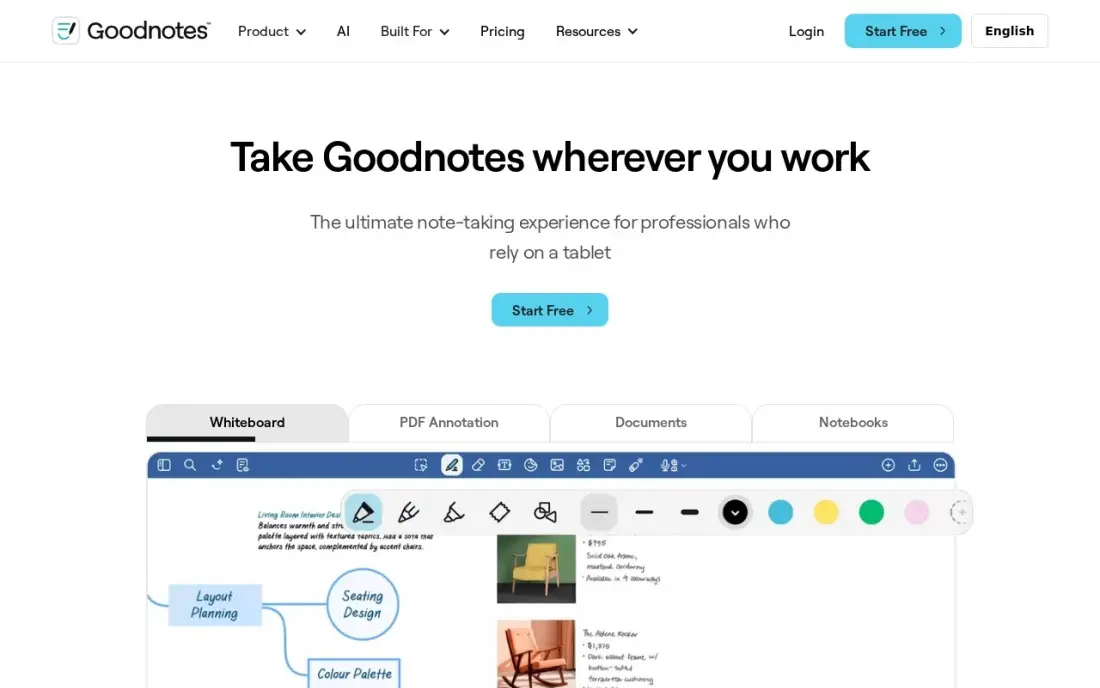
GoodNotes is the default iPad planner for a reason: the handwriting feels natural, PDF annotation is the deepest in this list, and the template library covers daily, weekly and monthly planner pages out of the box. Essential costs $11.99 a year, the cheapest paid start among the dedicated handwriting apps here, and the free plan covers three notebooks — enough to run a real planner setup before paying anything.
The catch is the AI paywall. Handwriting search and the core tools come with Essential, but the stronger AI features sit on Pro at $35.99 a year or the $9.99-a-month AI Pass add-on. The $35.99 one-time Special Edition suits subscription refusers, but it covers Apple devices only and leaves out Goodnotes Cloud. Buy GoodNotes when the iPad is your main planner; buy Notability when lectures matter more.
What we like
- The deepest PDF annotation toolkit on iPad, with handwriting search and a huge template library
- Essential costs $11.99 a year, the cheapest paid start among the dedicated handwriting apps here
- Syncs across iOS, iPadOS, macOS, Windows, Android and the web on the subscription
- A one-time Special Edition purchase ($35.99) exists for buyers who refuse subscriptions
Watch out for
- The best AI features sit on Pro ($35.99/year) or the $9.99/month AI Pass add-on, not Essential
- The one-time Special Edition ($35.99) covers Apple devices only and leaves out Goodnotes Cloud
- Free plan stops at 3 notebooks, so heavy users pay from the start

Notability
Best for: Students who record lectures and want their notes synced to the audio
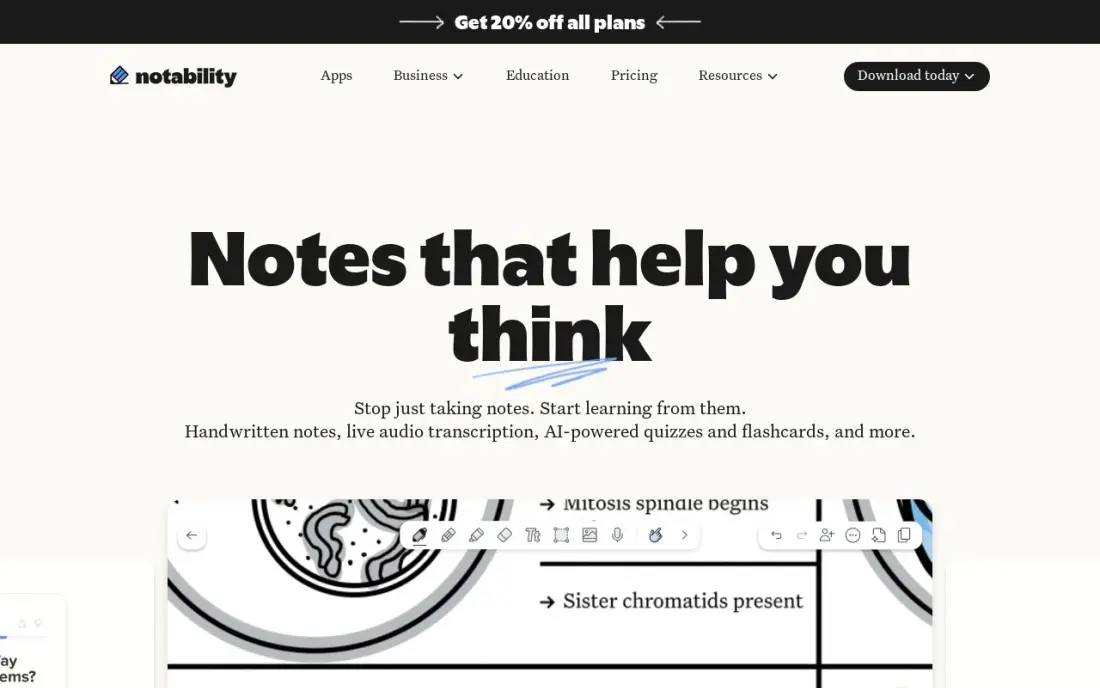
Notability wins the lecture hall. Record a class, scribble half a diagram, and later tap the diagram to hear exactly what the lecturer said at that moment — no other app here ties audio to ink this tightly. Lite costs $14.99 a year for unlimited notes, and the free Starter plan covers five notes with all the editing tools, so the audio trick can be tested before paying.
The limits are the platform and the tiers. Notability runs on Apple devices only, so Android and Windows users get nothing, and the features students actually want — transcription, handwriting search and AI quizzes — need Plus at $19.99 a year or Pro at $99.99. The $49.99 one-time Classic purchase softens the subscription sting. Pick Notability for lecture-heavy days; pick GoodNotes for PDF-heavy work.
What we like
- Audio recording syncs to handwriting, so tapping a note replays what was said at that moment
- Lite costs $14.99 a year for unlimited notes and third-party backups
- A one-time Classic purchase ($49.99) exists for buyers who refuse subscriptions
- Rated 4.6/5 on G2, the joint-highest score among the handwriting apps here
Watch out for
- Apple devices only — no Android, Windows or web version
- Free Starter plan stops at 5 notes, so real use needs a paid tier
- Audio transcription and AI study tools need Plus ($19.99/year) or Pro ($99.99/year)

Noteshelf
Best for: Digital planner fans who want a lifetime purchase and a big template library
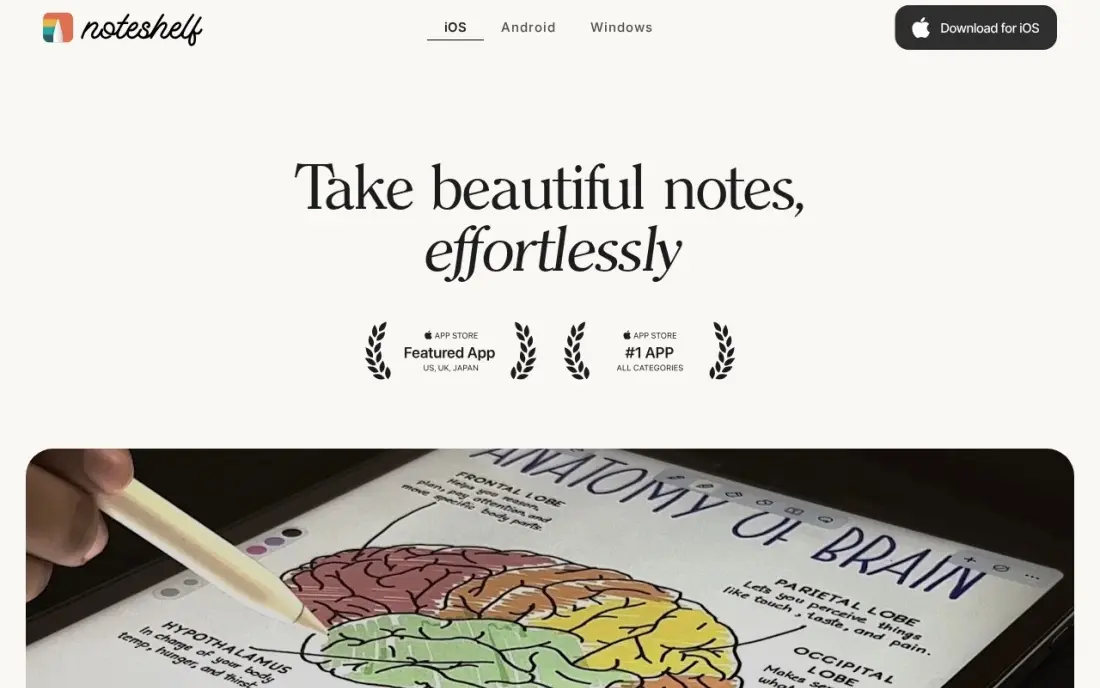
Noteshelf is the most planner-shaped app in this list. It ships with more than 50 digital planners — daily, weekly, monthly and diary layouts — plus lifelike pens and papers that make a planning session feel like paper without the paper. Premium Lifetime costs $14.99 once, so it is the only dedicated planner here with no recurring bill, and the free plan includes 30 AI credits a month.
The price is the messy part. Noteshelf sells per platform, and the App Store lists several yearly Premium prices between $19.99 and $49.99, so the figure on your purchase screen may differ from the lifetime price quoted here. There is also no sync between the Apple and Android versions. Buy Noteshelf when the planner templates matter more than the subscription — and buy the lifetime option, not a yearly plan.
What we like
- Premium Lifetime costs $14.99 once — no subscription if you buy it that way
- Built for planners: daily, weekly and monthly templates, diaries and lifelike pens
- Free plan includes 30 AI credits a month for generated handwritten notes
- Runs on Apple, Android and Windows devices, not just iPad
Watch out for
- Pricing differs by platform, and the App Store lists several yearly Premium prices ($19.99-$49.99)
- No sync between Apple and Android versions — each platform is a separate purchase
- No web version, so planners live only on the devices that run the app

Samsung Notes
Best for: Galaxy phone and tablet owners who want a free stylus planner with no setup
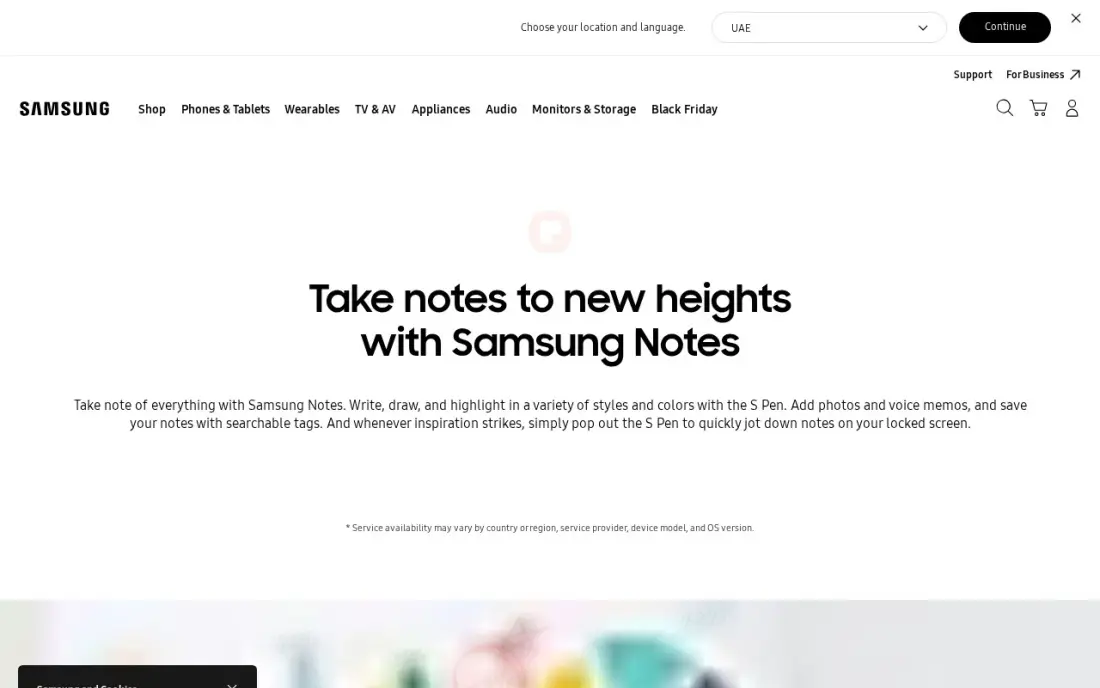
Samsung Notes is the best free stylus planner most people never think to praise. It comes preinstalled on every Galaxy phone and tablet, the S Pen latency and palm rejection are genuinely excellent, and it does live handwriting-to-text conversion as you write — no export step, no waiting. PDF markup, voice recording and Samsung Cloud sync are all included for $0, with no paid tier at all.
The catch is the ecosystem wall. Buy an iPad, get handed a Windows laptop at work, and Samsung Notes mostly stops existing for you — there is no iOS version and no real web app, and the Windows version needs a Samsung account. The template choices are also thinner than the dedicated planner apps. If you live entirely inside Galaxy hardware, there is little reason to pay for anything else.
What we like
- Completely free with no paid tier, subscription or in-app purchase
- Preinstalled on Galaxy phones and tablets with excellent S Pen latency and palm rejection
- Handwriting-to-text conversion, PDF markup, voice recording and Samsung Cloud sync
- Galaxy AI features format and summarize notes on supported devices
Watch out for
- Only fully available on Samsung devices; the Windows version needs a Samsung account
- No iPad, iPhone or web version, so planners stay inside the Galaxy ecosystem
- Template and planner choices are thinner than the dedicated planner apps
Microsoft OneNote
Best for: Anyone in the Microsoft ecosystem who wants a free notebook that syncs everywhere
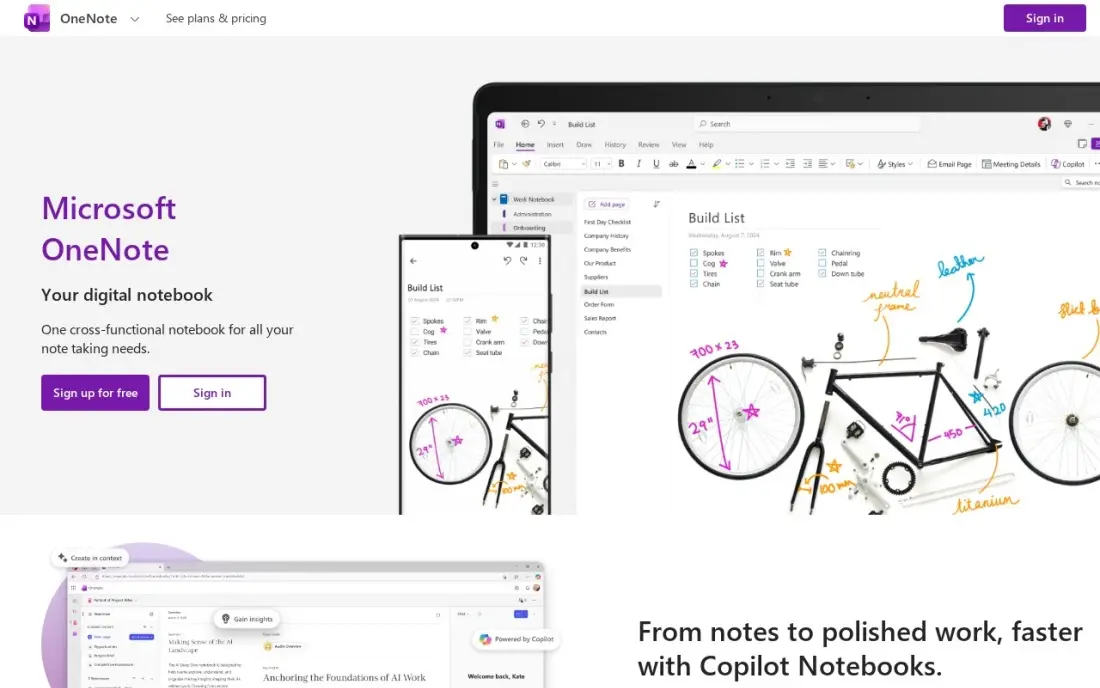
OneNote is the free notebook that runs everywhere. Windows, Mac, web, iPhone, iPad and Android all get the same app, and a free Microsoft account syncs every notebook through OneDrive. The free-form page is the draw: handwriting, typed text, images, audio and clipped web pages can share one planner page, and there is no paid tier for core use — the only cap is the 5 GB of free OneDrive storage.
What OneNote does not give you is a planner. There are no built-in daily planner templates, so you build planner pages yourself or import PDF templates, and Copilot plus premium features such as Math Assistant need a Microsoft 365 subscription. Pick OneNote when your devices are mixed and your budget is $0; pick GoodNotes when you want planner templates ready on day one.
What we like
- Free on Windows, Mac, web, iPhone, iPad and Android with no paid tier for core use
- Free-form pages take handwriting, typed text, images, audio and clipped web pages side by side
- Syncs through OneDrive, so the same planner opens on every device
- Rated 4.5/5 on G2 from 1,873 reviews, the largest review base here
Watch out for
- No built-in daily planner templates — you build planner pages yourself or import them
- Copilot and premium features such as Math Assistant need a Microsoft 365 subscription
- Free notebooks are capped by the 5 GB of OneDrive storage on a free Microsoft account
CollaNote
Best for: Apple Pencil owners who want a free handwriting app with live collaboration
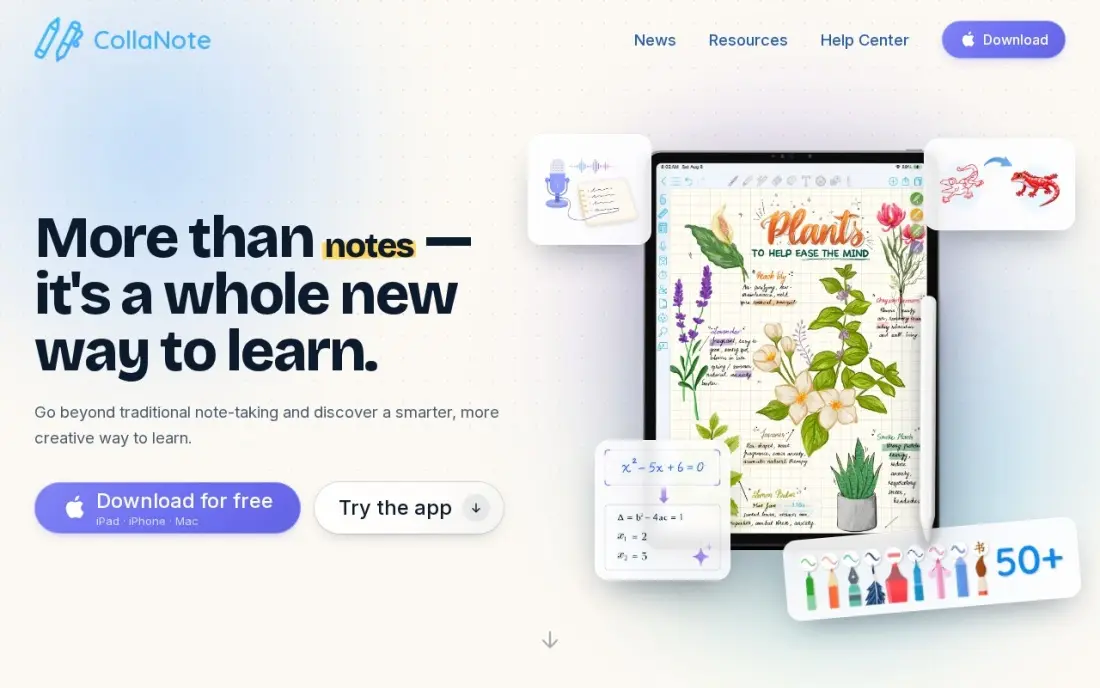
CollaNote is the free surprise in this list. It costs $0 to download and use on iPad, iPhone and Apple silicon Macs — no account, no subscription — and it still packs more than 50 pens, PDF and slide markup, flashcards and audio that jumps to the word you tap. Live collaboration lets several people write on the same page at once, which no other free app here offers.
The paid side is oddly vague. Lifetime Premium is a $13.90 one-time purchase, but neither the site nor the App Store itemizes what it unlocks, and the store lists several Premium prices from $6.95 to $13.90 without saying who qualifies for which. CollaNote is also Apple-only. Use the free plan with confidence; treat Premium as a small tip to the developer rather than a feature purchase.
What we like
- Free to download and use on iPad, iPhone and Apple silicon Macs with no account at all
- Live collaboration lets several people write on the same page at once
- 50+ pens, PDF and slide markup, flashcards and audio that jumps to the tapped word
- Lifetime Premium is a $13.90 one-time purchase — no subscription exists
Watch out for
- Apple devices only — no Android, Windows or web version
- Neither the site nor the App Store itemizes what Lifetime Premium unlocks
- The App Store lists several Premium prices ($6.95-$13.90) without saying who qualifies for which

Flexcil
Best for: Students who read and annotate PDFs and want a one-time purchase
Flexcil is a PDF reader first and a planner second, and that order is its strength. A pen gesture pulls a passage from a PDF into a notebook, linked back to its source page, so reading and note-taking stay connected instead of living in separate apps. Flexcil Standard is a $9.99 one-time purchase, it runs on iPad, iPhone, Android and the web, and the free plan is enough to test the gesture workflow.
The buying experience is the weak point. There is no pricing page: the App Store lists Standard at $9.99 and Premium at $8.99 to $9.99 without saying what either unlocks, and the planner content packs cost another $11.99 to $13.99. The free version also shows ads and locks exports behind the upgrade. Buy Flexcil for PDF-heavy study; buy Noteshelf if planner templates are the priority.
What we like
- Flexcil Standard is a $9.99 one-time purchase — no subscription
- A pen gesture pulls a passage from a PDF into a notebook, linked back to its source
- Runs on iPad, iPhone, Android and the web, unlike the Apple-only apps here
- Strong PDF reader first, with handwriting notes built around the document
Watch out for
- No pricing page — the App Store lists Standard at $9.99 and Premium at $8.99-$9.99 without saying what each unlocks
- Free version shows ads and locks exports behind the paid upgrade
- Planner content packs cost $11.99-$13.99 extra on top of the app

Zinnia
Best for: Creative journalers who want stickers, washi tape and guided daily pages

Zinnia is the prettiest planner in this list, and it is not close. Calendars, trackers, stickers, washi tape and fresh monthly content make bullet journaling feel like a craft project, and the daily, weekly, monthly and yearly templates are built for journaling rather than adapted from note-taking. Premium costs $34.99 a year with a 7-day free trial, and the subscription supports Family Sharing.
The free plan is barely a taste: three journals with three pages each, and nearly everything beyond a blank dot-grid page needs Premium. There is also no one-time purchase, so the $34.99 repeats every year, and paying monthly at $8.99 costs more than three times the annual rate. Pick Zinnia when the look of the pages matters as much as the planning; pick GoodNotes when function beats decoration.
What we like
- The prettiest planner here: calendars, trackers, stickers, washi tape and fresh monthly content
- Daily, weekly, monthly and yearly templates built for bullet journaling
- Premium is $34.99 a year with a 7-day free trial, and supports Family Sharing
- Runs on iPad, iPhone, Mac and Android
Watch out for
- Nearly everything beyond a blank dot-grid page needs Premium
- No one-time purchase — Premium is a subscription only
- Monthly billing at $8.99 a month costs more than three times the annual rate
Evernote
Best for: People who clip articles and scan documents into a searchable archive
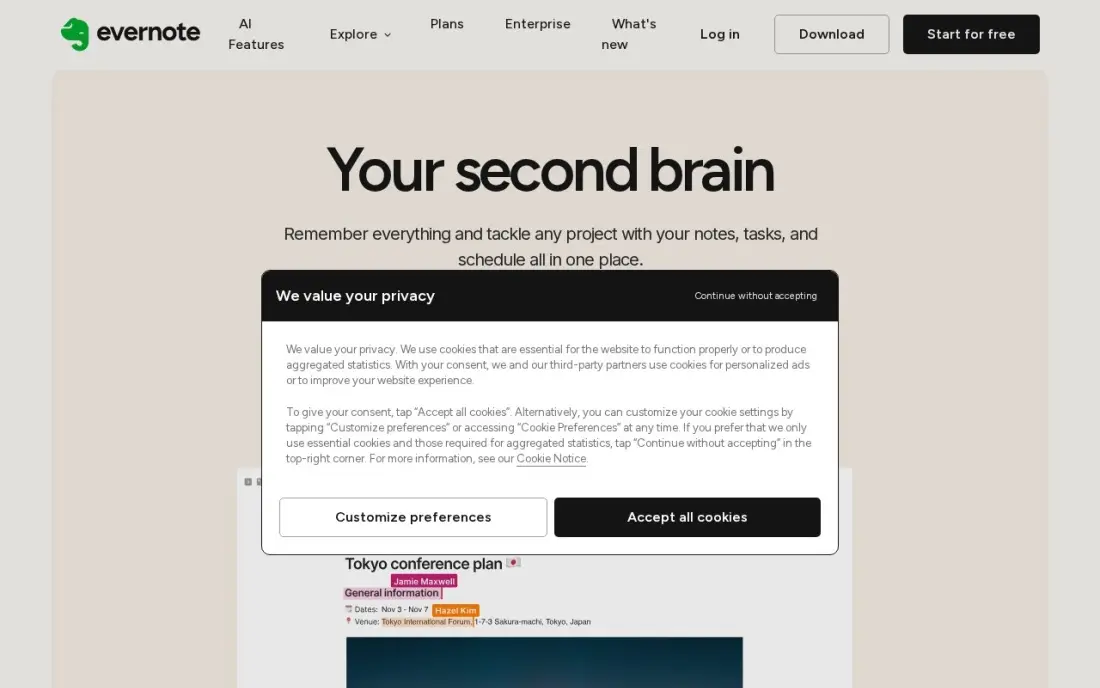
Evernote is the veteran archive in this list. Clip a web article, photograph a receipt or scan a handwritten page, and the text inside becomes searchable later — which matters when a notebook holds years of reference material. Starter costs $14.99 a month or $99 a year and raises the caps to 1,000 notes, 20 notebooks and sync across three devices, with AI features included.
It is also the priciest start here, and the free plan is now too limited for serious use: 50 notes and one notebook work as a trial rather than a home. There is no real handwriting or stylus planning either — Evernote is a typed-note archive, not a paper planner. Buy Evernote when searchable documents are the job; buy OneNote when the same archive can be free.
What we like
- Search inside scanned documents and PDFs — the strongest archive search here
- Web Clipper saves articles, receipts and pages into notebooks with tags
- Starter raises the caps to 1,000 notes, 20 notebooks and 3-device sync
- Rated 4.3/5 on G2 from 2,046 reviews
Watch out for
- The priciest start here: Starter is $14.99 a month, or $99 a year
- Free plan allows only 50 notes and one notebook, so it works as a trial, not a home
- No real handwriting or stylus planning — it is a typed-note archive, not a paper planner
Notion
Best for: Small teams and solo planners who build their planner from databases and templates
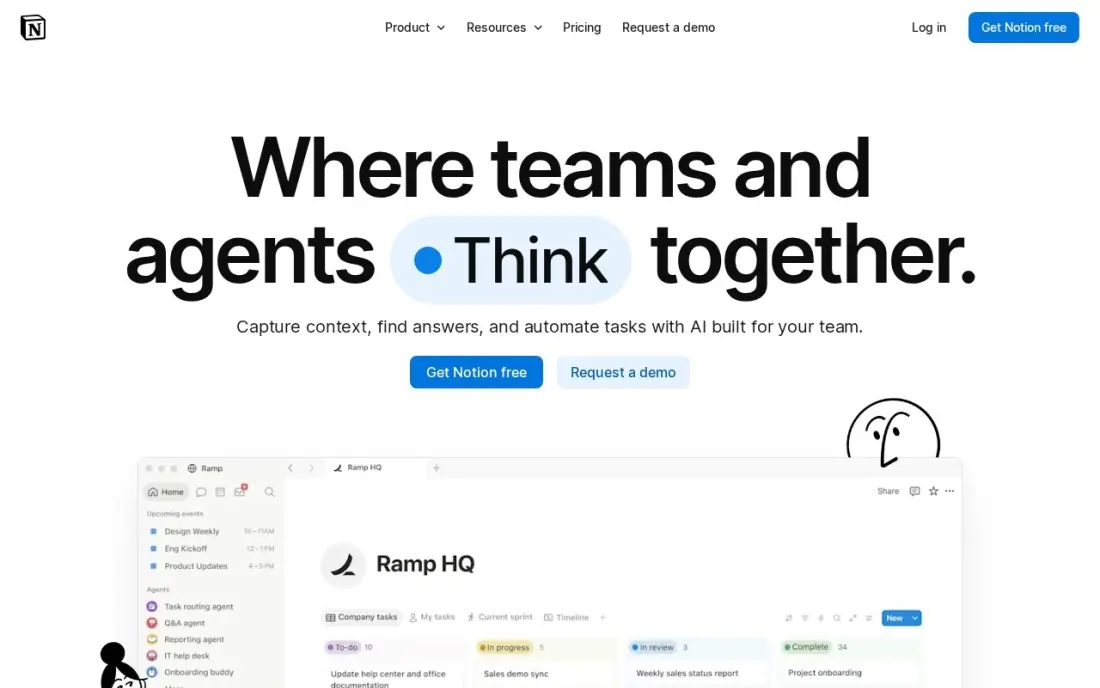
Notion is the build-your-own planner. Databases, calendars, kanban boards and templates combine into any planner you can design — habit trackers, project dashboards, reading lists. The free plan is genuinely unlimited for one person, with sync on every device, and Plus at $10 a member a month adds unlimited uploads and 30-day page history.
The freedom is also the cost. A blank Notion page plans nothing until you build it, so expect setup time first, and per-member pricing means a five-person team pays $50 a month on Plus. Full Notion AI sits on Business at $20 a member a month — Plus gets an AI trial only. Pick Notion when you want one workspace for everything; pick TickTick when you want a planner that works on day one.
What we like
- Databases, calendars, kanban boards and templates combine into any planner you can design
- Free plan is genuinely unlimited for one person, with sync on every device
- Plus adds unlimited file uploads, 30-day page history and unlimited guests
- Rated 4.6/5 on G2 from 13,975 reviews, the largest review base in this list
Watch out for
- Full Notion AI sits on Business ($20/member/month), not Plus — Plus gets an AI trial only
- Per-member pricing means a 5-person team pays $50 a month on Plus
- Blank-page freedom is a learning curve: building a good planner takes setup time

TickTick
Best for: People who want tasks, calendar, habits and a Pomodoro timer in one app
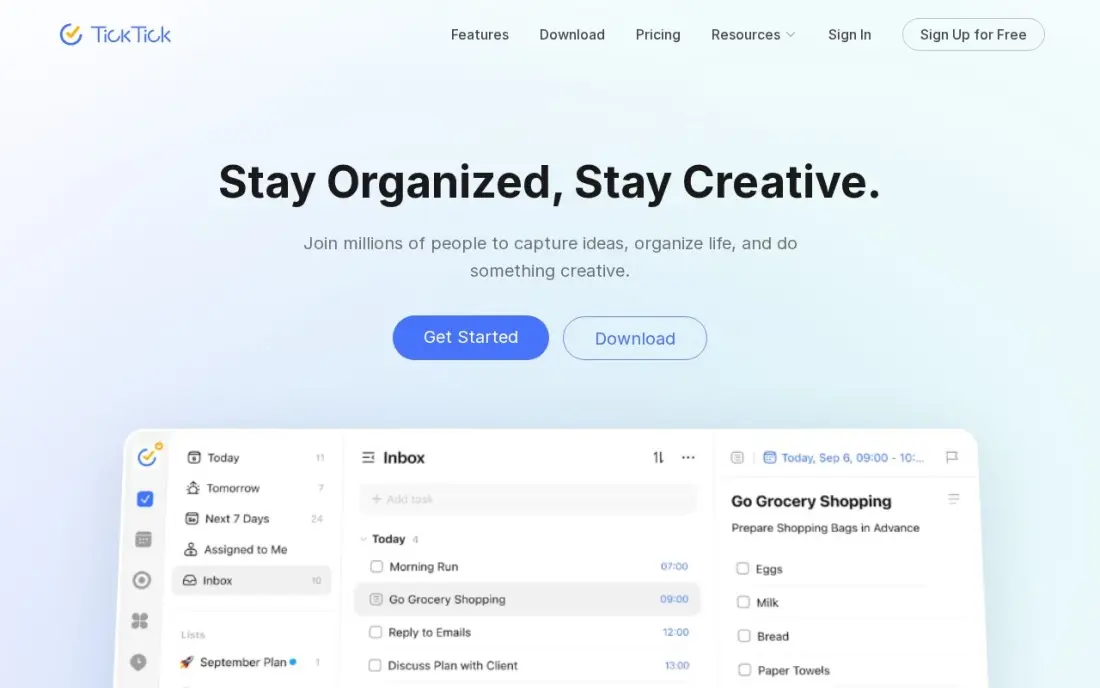
TickTick packs the most planning into one subscription for the least money. Tasks, a real calendar, habit tracking, a Pomodoro timer and reminders all live behind one icon, and Premium costs $35.99 a year — the cheapest full task-plus-calendar plan here. Two-way calendar sync, custom filters, smart lists and location reminders are included, and the 2026 update added AI voice task creation and meeting transcription.
Two honest caveats. The $35.99 annual price is shown as a limited-time offer against a $49.99 list price, so check the renewal price before subscribing. And there is no free trial of Premium and no team or family plan, so each person pays separately and pays before testing the paid features. Buy TickTick when one app should run the whole day; buy Todoist when capture speed matters more than the calendar.
What we like
- One subscription covers tasks, calendar, habit tracking, Pomodoro timer and reminders
- Premium is $35.99 a year, the cheapest full task-plus-calendar plan here
- Two-way calendar sync, custom filters, smart lists and location reminders
- AI voice task creation and meeting transcription arrived in the 2026 update
Watch out for
- The $35.99 annual price is shown as a limited-time offer against a $49.99 list price — check the renewal price
- No free trial of Premium, so you pay before testing the paid features
- No team or family plan: each person needs their own subscription

Todoist
Best for: Solo professionals who want a fast task list with natural-language entry
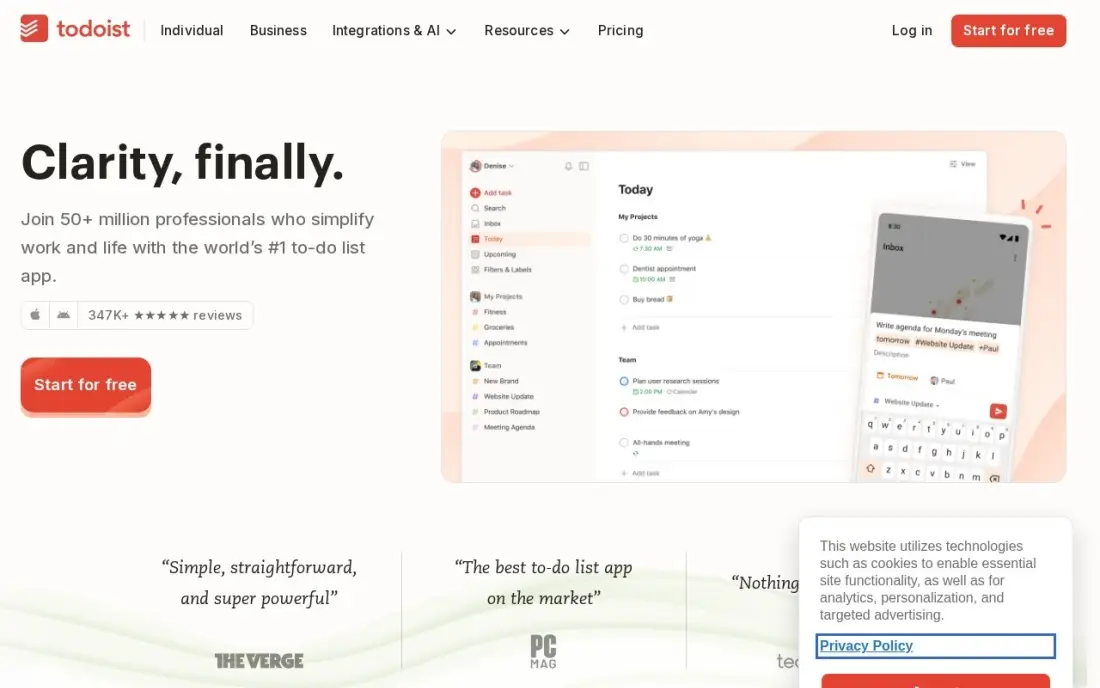
Todoist is the fastest way to capture a task. Type 'call Sara tomorrow 9am' and natural-language entry turns it into a dated task with a reminder — no menus to tap through. Pro costs $5 a user a month billed annually and adds 300 projects, calendar layout, task duration, custom reminders and the AI Assistant, and it runs on every platform, including Linux and Apple Watch.
The free plan is the catch. It stops at five projects and has no reminders, the feature most planners need, so the free tier is a capture box rather than a planner. There is no built-in calendar or habit tracking — the calendar is a view of tasks, not a planning system. Buy Todoist when speed of capture is the priority; buy TickTick when the day needs a calendar and a timer too.
What we like
- Natural-language entry turns 'call Sara tomorrow 9am' into a dated, reminded task
- Pro costs $5 a user a month billed annually, with 300 projects, filters and calendar layout
- Runs on every platform, including web, Linux and Apple Watch
- Rated 4.5/5 on G2 from 855 reviews
Watch out for
- Free plan stops at 5 projects and has no reminders — the feature most planners need
- No built-in calendar or habit tracking; the calendar layout is a view, not a planner
- AI Assistant and task duration sit on Pro, so the free plan is a capture box only
The best digital planner app depends on the device you already own and whether you write by hand or type your plans. The 12 apps below are ranked by fit for the most common buyer — someone planning days, weeks and projects on a tablet or phone — and every price was checked on November 12, 2026.
How to choose the best digital planner app
- Start with your device. GoodNotes, Notability and CollaNote are Apple-only; Samsung Notes needs Galaxy hardware. If your devices are mixed, start with OneNote, Notion, TickTick or Todoist.
- Decide handwriting or typing. A stylus planner mimics paper and suits visual planning and study; a typed task planner suits deadlines, recurring work and shared lists.
- Check the free plan's caps before you commit. GoodNotes stops at 3 notebooks, Notability at 5 notes, Evernote at 50 notes and Todoist at 5 projects — a free plan that runs out mid-week is not a free plan.
- Check subscription versus one-time. Noteshelf ($14.99), CollaNote Premium ($13.90) and Flexcil ($9.99) are one-time purchases; everything else with a price repeats every year or month.
- Check sync, not just the app. A planner that lives on one device is a notebook, not a planner. Confirm your notes reach the phone, tablet and computer you actually use.
- Try a real week first. Every app here has a free plan or a trial. Run your actual planner — real tasks, real meetings — for a week before paying.
Before you publish a planner template or a landing page for one, run the page title through the free SERP snippet preview tool — it shows exactly how the title and description will look in Google.
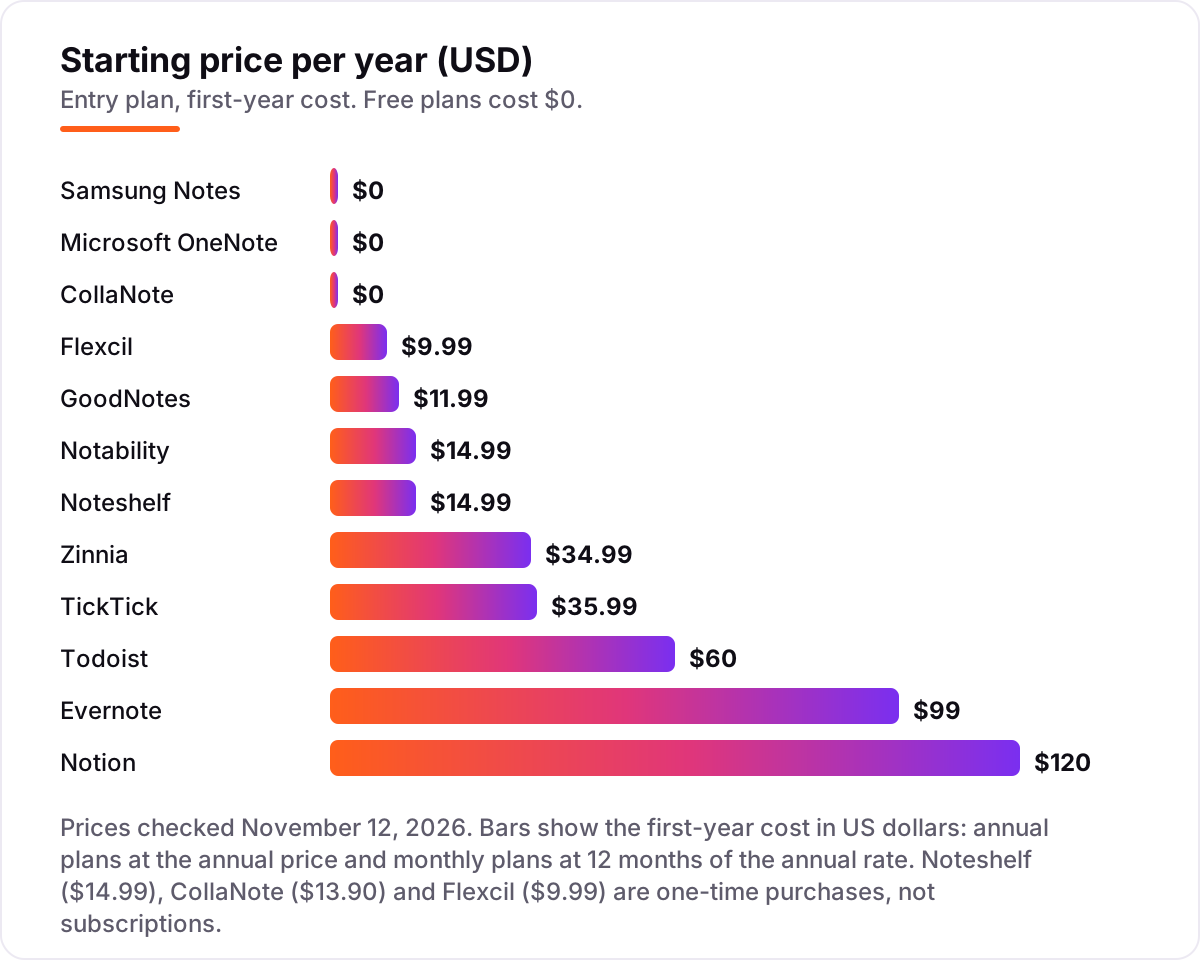
Digital planner app pricing: what you will actually pay
Take one person planning a full year. The $0 route is real: Samsung Notes, Microsoft OneNote and CollaNote's free plan together cost $0 for the year, and they cover handwriting, typing and collaboration. The one-time route costs $38.88 once — Noteshelf Premium Lifetime $14.99, CollaNote Premium $13.90 and Flexcil Standard $9.99 — and never bills again.
The subscription route is where the money goes. A handwriting-plus-journal setup of GoodNotes Essential ($11.99) and Zinnia Premium ($34.99) costs $46.98 for the year. A task-planning setup of TickTick Premium ($35.99) and Todoist Pro ($60) costs $95.99. Add Notion Plus at $120 a year and Evernote Starter at $99, and the full 12-app shelf costs $401.94 for the first year — $38.88 of it one-time purchases and $363.06 of it subscriptions that repeat.
Two costs sit outside every number above. First, the hardware: the handwriting apps need a stylus and a tablet, and a good stylus costs $50 to $130 if you do not already own one. Second, the templates: PDF planner templates cost $5 to $30 each from template shops, and the free templates bundled with these apps cover the basics only. Budget the tablet, the stylus and a template or two alongside the app.
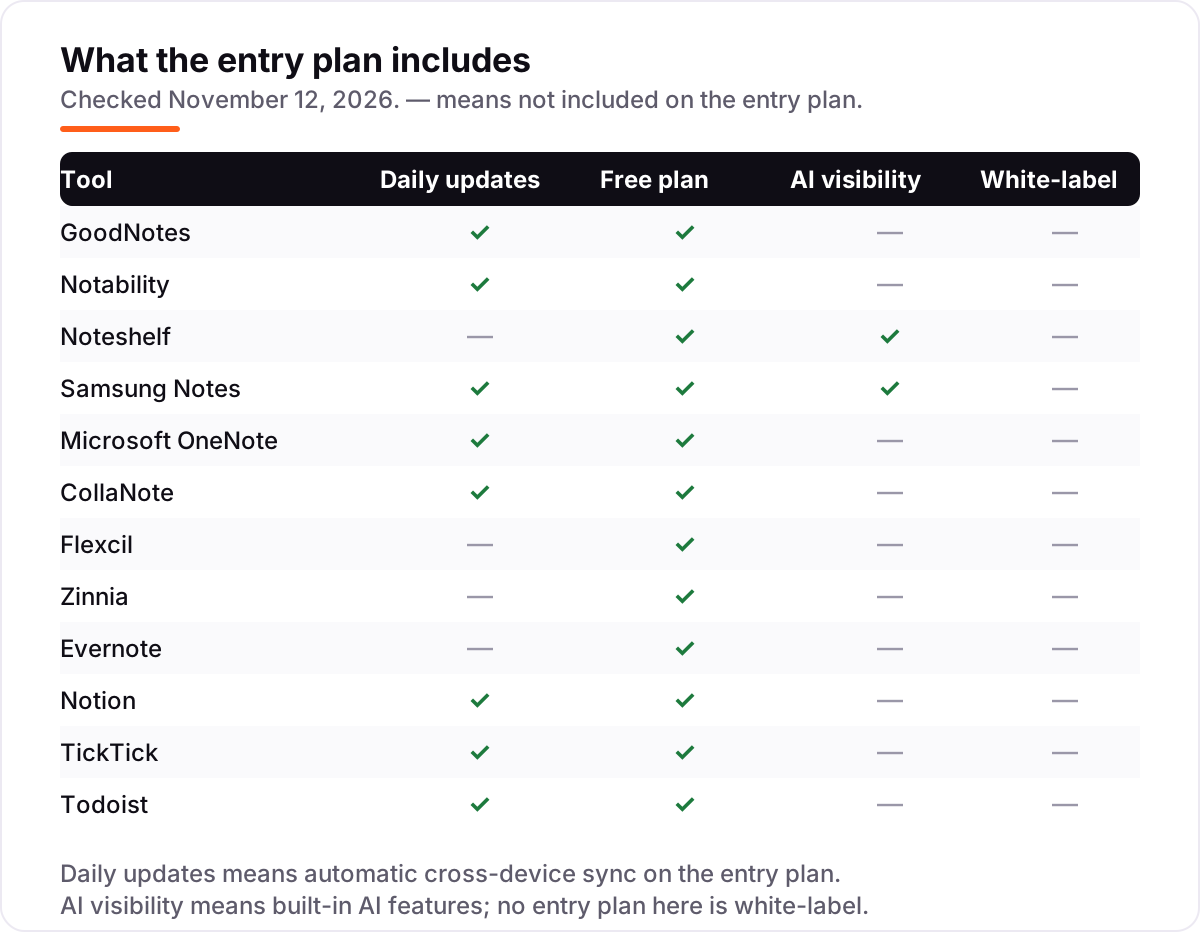
Know the difference: handwriting planners vs task planners
The confusion in this category is what "planner" means, because the word covers two different products. A handwriting planner — GoodNotes, Notability, Noteshelf, Samsung Notes, CollaNote, Flexcil, Zinnia — is a digital version of a paper planner: you write on daily, weekly and monthly pages with a stylus, stick on digital stickers, and flip between hyperlinked tabs. A task planner — TickTick, Todoist, Notion, Evernote — is a database with dates: typed tasks, reminders, recurring items and calendar views, with no handwriting at all.
The two types solve different problems. Handwriting planners suit visual thinkers, students and journalers: the act of writing helps memory, and a PDF planner template looks like a real diary. Task planners suit deadlines and shared work: a reminder that fires at 9am, a task that repeats every Monday, a list shared with a partner. Neither type replaces the other, and plenty of people run both — GoodNotes for the daily pages, TickTick for the reminders.
A planner organises your day; it does not bring customers to your business. If the business behind the plan is not showing up when people nearby search, our monthly SEO service covers that side — or compare providers in our guide to SEO companies for small business.
Quick comparison: tool type by need
| Buyer | Best pick | Why |
|---|---|---|
| iPad owner who handwrites everything | GoodNotes | $11.99/year, deepest PDF annotation, free plan for 3 notebooks |
| Student who records lectures | Notability | $14.99/year, audio synced to handwriting, free Starter plan |
| Galaxy owner who wants to pay $0 | Samsung Notes | Free and preinstalled, S Pen handwriting, no paid tier |
| Mixed devices, zero budget | Microsoft OneNote | Free everywhere, syncs through OneDrive |
| Creative journaler | Zinnia | $34.99/year, stickers, washi tape and guided daily pages |
| One app for tasks, calendar and habits | TickTick | $35.99/year, calendar, habits and Pomodoro timer included |
Mistakes to avoid
- Buying before checking the platform. GoodNotes, Notability and CollaNote do not run on Android or Windows. A $14.99 subscription you cannot open is the most expensive kind.
- Comparing annual prices with monthly ones. Zinnia costs $34.99 a year but $8.99 a month — paying monthly costs $107.88 a year. Notion Plus is $10 a member a month billed annually but $12 billed monthly.
- Trusting the free plan to last. GoodNotes stops at 3 notebooks, Notability at 5 notes, Evernote at 50 notes and Todoist at 5 projects. A free plan that runs out mid-month forces an upgrade at the worst moment.
- Paying for a subscription when a one-time purchase exists. Noteshelf Premium Lifetime is $14.99 once against $19.99 a year and up; CollaNote Premium is $13.90 once; Flexcil Standard is $9.99 once. Check the lifetime option before subscribing.
- Forgetting the renewal price. TickTick shows $35.99 as a limited-time offer against a $49.99 list price, and Notability's page shows sale prices beside its regular $14.99, $19.99 and $99.99 annual rates. Check what the second year costs, not just the first.
How we chose
We checked each vendor's own pricing page on November 12, 2026 and recorded the starting price exactly as shown, including the annual-billing figure where the page lists one. Four prices come from the vendor's official App Store listing rather than a pricing page, because the vendor publishes no pricing page: Noteshelf ($14.99 Premium Lifetime), CollaNote ($13.90 Lifetime Premium), Flexcil ($9.99 Standard) and Zinnia ($34.99 a year, confirmed on the vendor's own support page). GoodNotes repriced in September 2025, so the old $9.99-a-year and $29.99 one-time figures no longer apply — Essential is $11.99 a year and Pro $35.99. Todoist raised Pro from $4 to $5 a month on annual billing in December 2025, so any source still quoting $4 is stale. Ratings come from G2 pages checked on November 12, 2026: GoodNotes 4.7 from 149 reviews, Notability 4.6 from 45, Noteshelf 4.2 from 5, OneNote 4.5 from 1,873, Evernote 4.3 from 2,046, Notion 4.6 from 13,975, TickTick 4.5 from 114 and Todoist 4.5 from 855. Samsung Notes, CollaNote, Flexcil and Zinnia show no rating because they have no G2 listing with a score. We ranked the tools by fit for the most common buyer — someone planning days, weeks and projects on a tablet or phone — not by brand size. No vendor paid for a place in this list, and none of the links here are affiliate links.
What to do next
Start with the free plan of your top pick and run one real week of planning through it — real tasks, real meetings, real notes. Check that your planner opens on every device you use, that the free plan's caps cover a normal week, and that sync never loses a page. If the week works, pay for the annual plan rather than the monthly one: it is cheaper on every subscription here. Once your tools are in place, find out what's holding your rankings back.
Frequently asked questions
What is the best digital planner app in 2026?
GoodNotes is the best fit for most iPad planners at $11.99 a year, with the deepest PDF annotation and handwriting search. Notability is the better pick for lecture-heavy days at $14.99 a year, and Samsung Notes or OneNote are the best free options at $0. Pick by device first: the handwriting leaders are Apple-only.
How much does a digital planner app cost?
Between $0 and $120 for the first year. Samsung Notes and OneNote are free, CollaNote's free plan costs $0, and GoodNotes starts at $11.99 a year. Notion Plus is the dearest here at $120 a year for one member, and Evernote Starter is $99 a year. Three apps are one-time purchases: Noteshelf $14.99, CollaNote Premium $13.90 and Flexcil $9.99.
Is there a free digital planner app?
Yes, with limits. Samsung Notes is completely free on Galaxy devices, OneNote is free everywhere with a Microsoft account, and CollaNote, GoodNotes, Notability, Noteshelf, Flexcil, Zinnia, Evernote, Notion, TickTick and Todoist all have free plans. The free plans cap notebooks, notes or projects, so heavy daily use usually needs a paid tier.
What is the difference between a handwriting planner and a task planner?
A handwriting planner — GoodNotes, Notability, Noteshelf — mimics paper: you write, draw and annotate PDF planner pages with a stylus. A task planner — TickTick, Todoist, Notion — organises typed tasks, dates and reminders in lists and calendars. Handwriting suits visual planning and study; task planners suit deadlines, recurring work and teams.
Do digital planner apps work on Android and Windows?
Some do, some do not. Samsung Notes, OneNote, Notion, TickTick, Todoist, Evernote, Zinnia, Noteshelf and Flexcil run on Android, and most of those run on Windows too. GoodNotes, Notability and CollaNote are Apple-only, so Android and Windows users should start with OneNote, Samsung Notes or TickTick instead.
Can I use a PDF planner template in these apps?
Yes, in the handwriting apps. GoodNotes, Notability, Noteshelf, Samsung Notes, CollaNote and Flexcil all import PDF planner templates with hyperlinked tabs you can tap to jump between daily, weekly and monthly pages. The task planners — TickTick, Todoist and Notion — do not use PDF templates; they build planners from lists, databases and calendar views instead.
What should I check before paying for a digital planner app?
Check four things: whether your device is supported, since the best handwriting apps are Apple-only; whether the free plan's caps cover your real use; whether the price is a subscription or a one-time purchase; and whether your notes sync to the devices you actually use. Run the free plan for a week with a real planner before paying.
Sources we checked (21)
- GoodNotes pricing — goodnotes.com/pricing (checked November 12, 2026)
- GoodNotes on G2 — 4.7/5, 149 reviews (checked November 12, 2026)
- Notability pricing — notability.com/pricing (checked November 12, 2026)
- Notability on G2 — 4.6/5, 45 reviews (checked November 12, 2026)
- Noteshelf 3 on the App Store — Premium Lifetime $14.99 (checked November 12, 2026)
- Noteshelf on G2 — 4.2/5, 5 reviews (checked November 12, 2026)
- Samsung Notes — samsung.com (checked November 12, 2026)
- Microsoft OneNote — onenote.com (checked November 12, 2026)
- Microsoft OneNote on G2 — 4.5/5, 1,873 reviews (checked November 12, 2026)
- CollaNote on the App Store — Lifetime Premium $13.90 (checked November 12, 2026)
- Flexcil on the App Store — Flexcil Standard $9.99 (checked November 12, 2026)
- Zinnia on the App Store — Premium $34.99/year (checked November 12, 2026)
- Zinnia Premium pricing — support.pixiteapps.com (checked November 12, 2026)
- Evernote pricing — evernote.com/pricing (checked November 12, 2026)
- Evernote on G2 — 4.3/5, 2,046 reviews (checked November 12, 2026)
- Notion pricing — notion.com/pricing (checked November 12, 2026)
- Notion on G2 — 4.6/5, 13,975 reviews (checked November 12, 2026)
- TickTick pricing — ticktick.com (checked November 12, 2026)
- TickTick on G2 — 4.5/5, 114 reviews (checked November 12, 2026)
- Todoist pricing — todoist.com/pricing (checked November 12, 2026)
- Todoist on G2 — 4.5/5, 855 reviews (checked November 12, 2026)
Make one of these tools?
We re-check this list every quarter. Send a correction, request a review, or ask about a clearly labeled sponsored spot.
Request a listingShamim
Founder of SerpAstra
A full-stack SEO and digital marketer who spends most days on Local SEO for dental practices, AI search visibility and lead generation.
Free SEO and AI visibility audit
Find out what is holding your rankings back
Send us your site. Within 2 business days you get a written audit, an AI visibility check and a short fix list ranked by impact. Free, with no contract attached.
Request my free audit→Related buying guides
 Productivity & Office10 Best Cross-Platform Note Taking Apps in 2026, ComparedCompare the 10 best cross-platform note taking apps on price, sync, free plans and AI features, with every price checked on November 10, 2026.Read guide →
 Productivity & Office8 Best Productivity Software for Small Business in 2026, ComparedCompare the 8 best productivity software for small business options on price, free plans and features, with every price checked November 12, 2026.Read guide →
 Project & Product Management8 Best Task Management Software for Small Business in 2026, ComparedCompare the 8 best task management software for small business options on price, free plans and features, with every price checked November 12, 2026.Read guide →