
8 Best Productivity Software for Small Business in 2026, Compared
Compare the 8 best productivity software for small business options on price, free plans and features, with every price checked November 12, 2026.
 Shamim Mia, Founder, SerpAstraLast verified November 12, 202613 min read
We compare pricing pages, documentation and public reviews. We never accept payment for rankings.

Key takeaways
- ClickUp leads for most small businesses at $9 a user a month billed annually, with Notion from $10 and Asana from $10.99.
- The single most important buying factor is the pricing unit: per-user, per-seat and per-task pricing turn a cheap headline into a dear team bill.
- All eight tools have a free plan — ClickUp, Notion, Asana, monday.com, Slack, Trello, Todoist and Zapier — but timelines, automation and full AI usually need a paid plan.
- Every price below was checked on November 12, 2026 against the vendor's own pricing page or a fresh vendor-supplied listing. Ratings are G2, with review counts shown.
On this page
Quick comparison
| Tool | Best for | Starting price | Free plan |
|---|---|---|---|
| ClickUp | Small businesses that want tasks, docs and chat in one workspace | Free; Core $12/mo | Yes (free plan) |
| Notion | Small teams that plan in docs, wikis and databases | $12/member/mo | Yes (free plan) |
| Asana | Small teams that want the easiest tool to adopt | $13.49/user/mo | Yes (free plan) |
| monday.com | Visual teams that plan work on boards | $12/seat/mo | Yes (free plan) |
| Slack | Small teams drowning in email that need one place to talk | $8.75/user/mo | Yes (free plan) |
| Trello | Tiny teams that want the simplest possible board | $6/user/mo | Yes (free plan) |
| Todoist | Individuals and tiny teams that live in to-do lists | $5/user/mo | Yes (free plan) |
| Zapier | Small businesses that want their tools to talk to each other | From $29.99/mo | Yes (free plan) |
Make one of these tools?
We re-check this list every quarter. Send a correction, request a review, or ask about a clearly labeled sponsored spot.
Request a listingThe best productivity software

ClickUp
Best for: Small businesses that want tasks, docs and chat in one workspace
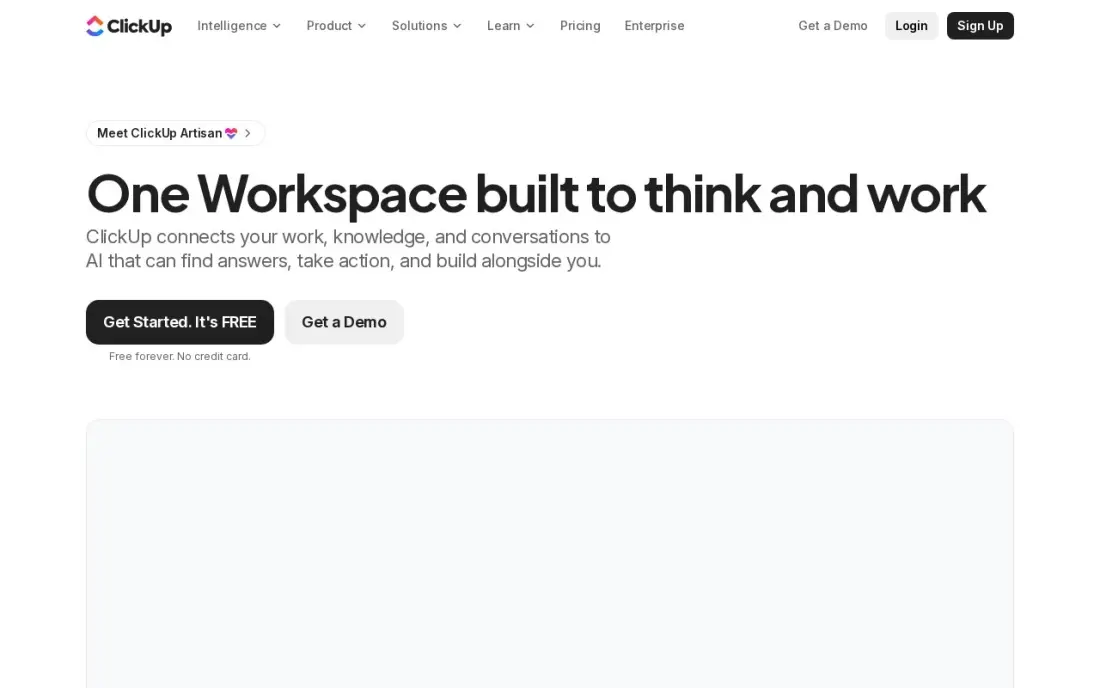
ClickUp is the all-in-one pick in this list: tasks, docs, whiteboards, goals and chat live in one workspace, so one subscription replaces five separate tools. Core is $9 a user a month billed annually, or $12 billed monthly, and it adds unlimited storage, Gantt charts, custom fields and 1,000 automations a month. The Free Forever plan covers unlimited tasks and members, so a team can run real work on it before paying.
The trade-off is setup time: the first week goes to building lists, statuses and views, and the interface feels busy until the workspace is trimmed down. Business at $17 a user a month billed annually adds timesheets and workload views. Pick ClickUp for one workspace instead of a stack; pick Trello or Todoist when the team wants something that works on day one.
What we like
- The only all-in-one here: tasks, docs, whiteboards, goals and chat in one workspace
- Core at $9 a user a month billed annually is the cheapest full work-management seat in this list
- Free Forever covers unlimited tasks and members, so a team can run real work before paying
- 1,000 automation actions a month and Gantt charts come with Core, not a higher tier
Watch out for
- Setup takes real work: lists, statuses and views must be built before the workspace feels simple
- The interface can feel busy and slow on large workspaces until it is trimmed down
- Full AI features run on credits, so heavy AI use costs extra beyond the seat price
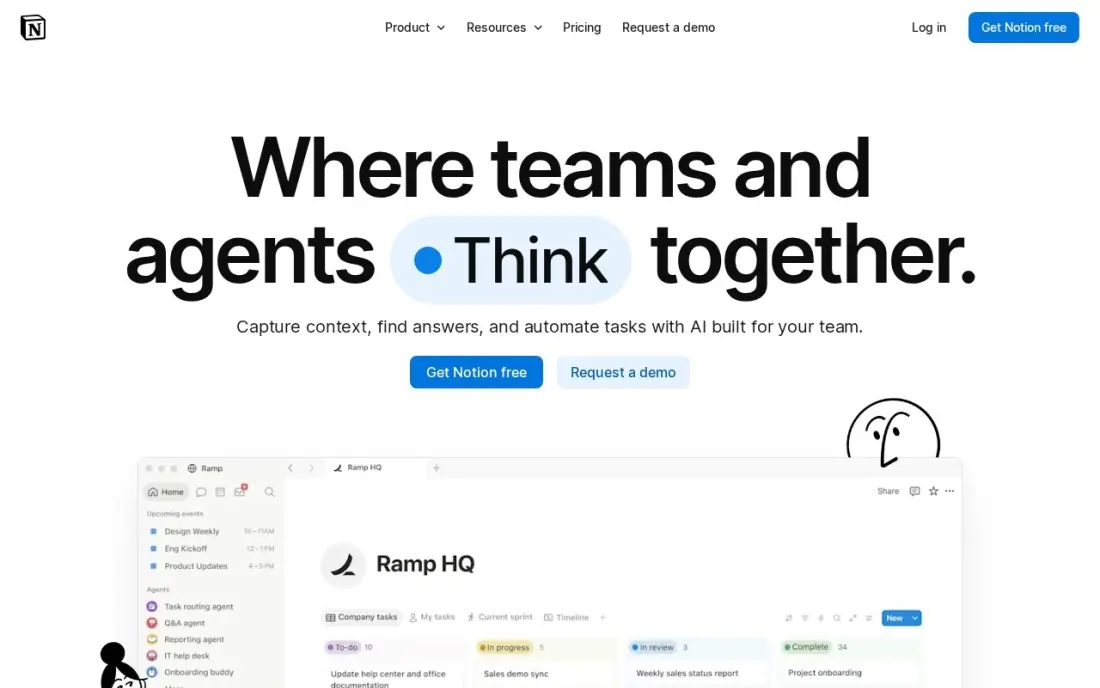
Notion is the docs-first workspace: notes, wikis, task lists and project databases share one home, so a plan and the thinking behind it never live in different apps. Plus is $10 a member a month billed annually, or $12 billed monthly, and it adds unlimited file uploads, 30-day page history, unlimited guests and custom automations. The free plan covers unlimited blocks for one person, which suits a solo owner getting started.
The catch is the blank page. Notion ships as an empty workspace, so the team must build its own templates, databases and views before it feels like a system — and that first build takes a weekend, not an hour. Full AI also waits for Business at $20 a member a month. Pick Notion when the business plans in writing; pick Asana when it plans in task lists.
What we like
- Docs, wikis, tasks and databases share one workspace, so plans and notes never live apart
- Plus at $10 a member a month billed annually is the cheapest docs-led seat here
- Guests get page-level access without a paid seat, which keeps client sharing cheap
- Unlimited file uploads and 30-day page history come with Plus
Watch out for
- Full Notion AI sits on Business at $20 a member a month, not on Plus
- A blank workspace is intimidating: templates and structure must be built, not found
- Per-member billing means every person with full access takes a paid seat

Asana is the tool teams actually open: the interface needs no training, one assignee per task makes ownership clear, and timelines, forms and automation rules cover most team workflows without configuration. Starter is $10.99 a user a month billed annually, or $13.49 billed monthly, and it adds Timeline and Gantt views, dashboards, custom fields and unlimited automations. Guests are free, so clients and contractors never take a paid seat.
The limit is the free plan, which stops at two users — a team of three has no free option at all. Seats are also sold in bands rather than one by one, so the bill can jump when the team crosses a band. Advanced at $24.99 a user a month adds portfolios, goals and workload views. Pick Asana for the fastest adoption; pick ClickUp when the budget is tighter.
What we like
- The cleanest interface here: one assignee per task makes ownership unambiguous
- Starter adds Timeline and Gantt, dashboards, forms and unlimited automations
- AI Teammates and 50,000 AI Studio credits a month come with Starter
- Unlimited free guests, so clients and contractors do not take paid seats
Watch out for
- The free Personal plan stops at 2 users, so a team of three has no free option at all
- Seats are sold in bands, so the bill can jump when the team crosses a band
- Portfolios, goals and workload views need Advanced at $24.99 a user a month

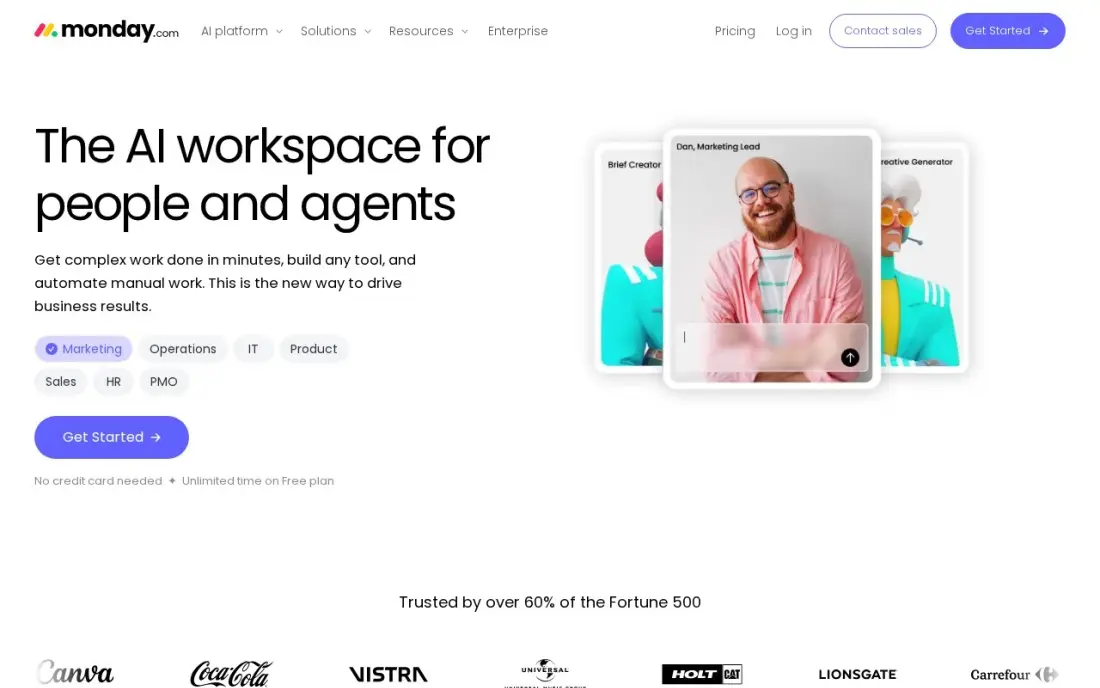
monday.com is the most visual tool in this list: colour-coded boards show who is doing what and where each job stands, which suits teams that plan by looking, not by reading lists. Basic is $9 a seat a month billed annually, or $12 billed monthly, with unlimited boards and items and 1,000 AI credits a month. Standard at $12 a seat billed annually is the real starting point for most teams, adding Timeline, Gantt and automations.
The catch is the seat rules. Every paid plan needs at least three seats, and seats come in fixed buckets of 3, 5 and 10, so a team of four pays for five, a solo user for three. Basic also leaves out automations and integrations. Pick monday.com for visual planning; pick Asana when the team is small and the seat count must stay exact.
What we like
- The most visual boards here: colour-coded status columns show project health at a glance
- Standard at $12 a seat a month billed annually adds Timeline, Gantt and 250 automation actions
- 1,000 AI credits a month come with Basic, so AI is in the entry plan
- A large integration catalog connects the boards to email, files and calendars
Watch out for
- Every paid plan needs at least 3 seats, so a solo user still pays $27 a month billed annually
- Basic has no automations, no integrations and no Timeline or Gantt views
- Seats are sold in fixed buckets (3, 5, 10), so a team of four pays for five

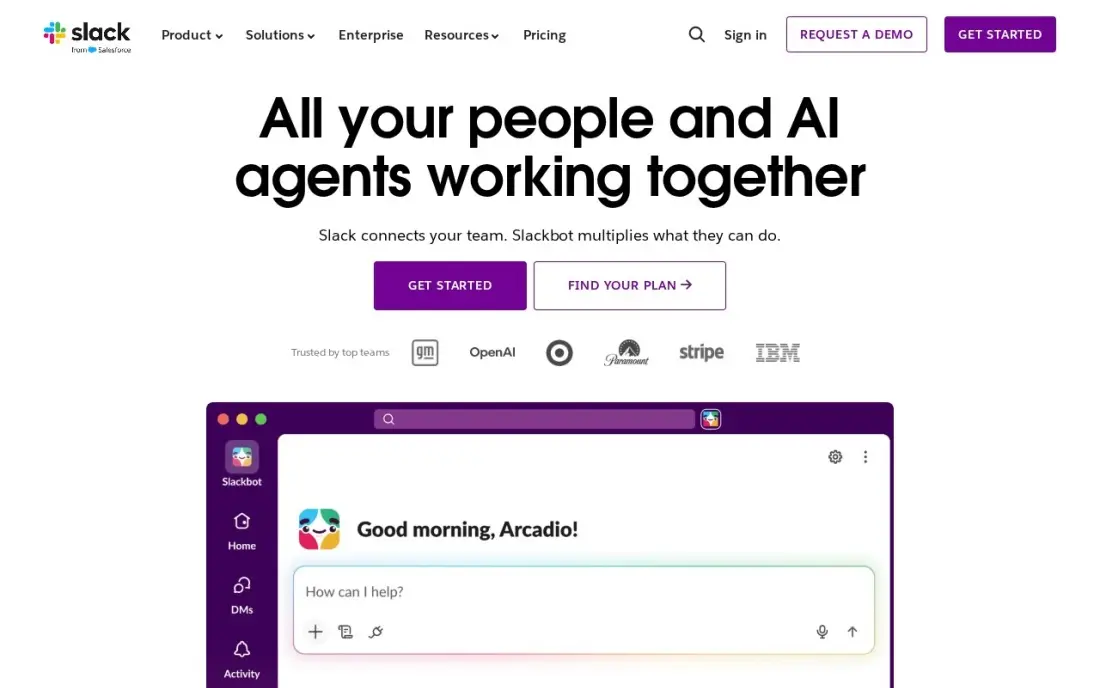
Slack is the communication layer of this list: channels replace long email threads, huddles replace short meetings, and the whole team can find any conversation by topic. Pro is $7.25 a user a month billed annually, or $8.75 billed monthly, and it adds unlimited message history, unlimited apps and group huddles. Fair billing means the business pays only for members active in the last 28 days, which trims the bill for part-timers.
Slack does not manage work on its own: deadlines, owners and project views still need a tool like Asana, Trello or ClickUp alongside it. The free plan also keeps only 90 days of message history, so decisions older than three months vanish unless the team pays. Pick Slack to kill email; pair it with a task tool to run the work.
What we like
- Channels replace long email threads and keep every conversation findable by topic
- Pro adds unlimited message history, unlimited apps and group huddles
- Fair billing means the business pays only for members active in the last 28 days
- More than 2,600 apps in the Slack Marketplace, including Google Drive, Jira and Zoom
Watch out for
- Slack is chat, not task management: deadlines and ownership still need another tool
- The free plan keeps only 90 days of message history, so old decisions disappear
- Per-user billing rises with every hire, and inactive users still count unless deactivated

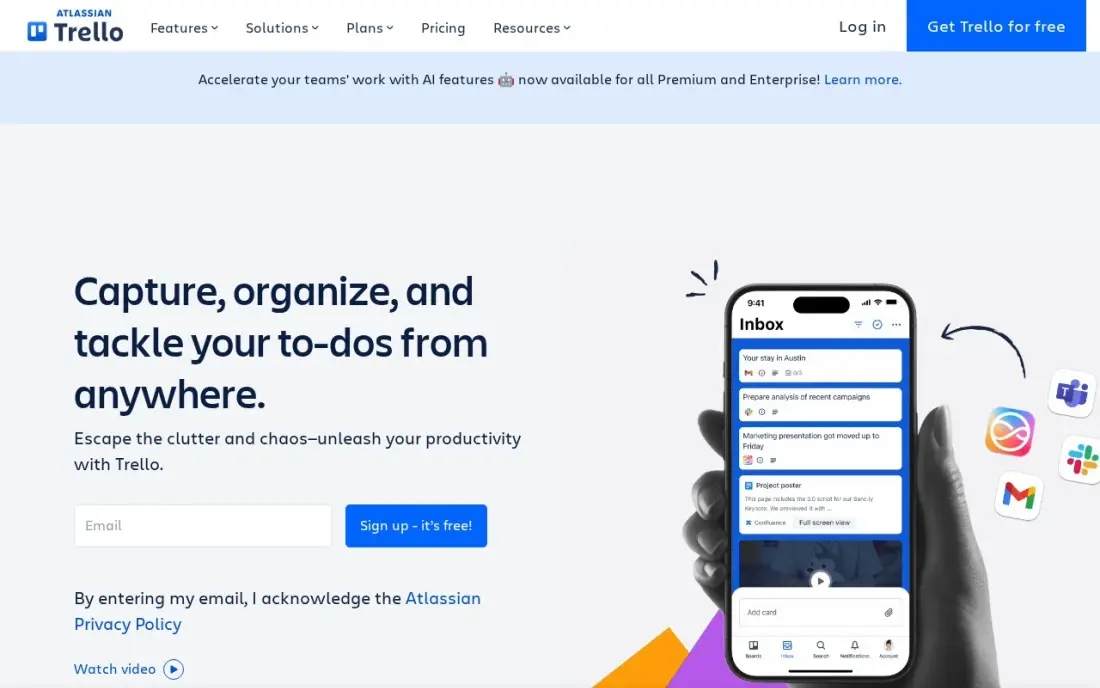
Trello is the simplest board in this list: cards move across columns with a drag, and a new hire understands it in minutes with no training at all. Standard is $5 a user a month billed annually, or $6 billed monthly, and it removes the free plan's caps, adding unlimited boards and collaborators, custom fields, card mirroring and 1,000 automation runs a month. The free plan covers 10 boards and 10 collaborators, enough for a tiny team to start.
The simplicity has edges. Calendar, Timeline, Table and Dashboard views wait for Premium at $10 a user a month, and reporting is thin compared with Asana or monday.com. Billing is per Workspace, and guests on two or more boards count as billable users. Pick Trello for the lightest possible start; pick ClickUp when the work outgrows cards.
What we like
- The fastest setup here: a board is ready in minutes and needs no training
- Standard at $5 a user a month billed annually is the cheapest paid work-management seat in this list
- AI features, custom fields and card mirroring come with Standard
- Unlimited boards and collaborators from Standard, so growth never hits a cap
Watch out for
- The free plan caps at 10 boards and 10 collaborators per Workspace
- Calendar, Timeline and Dashboard views need Premium at $10 a user a month
- Billing is per Workspace and counts multi-board guests as billable users

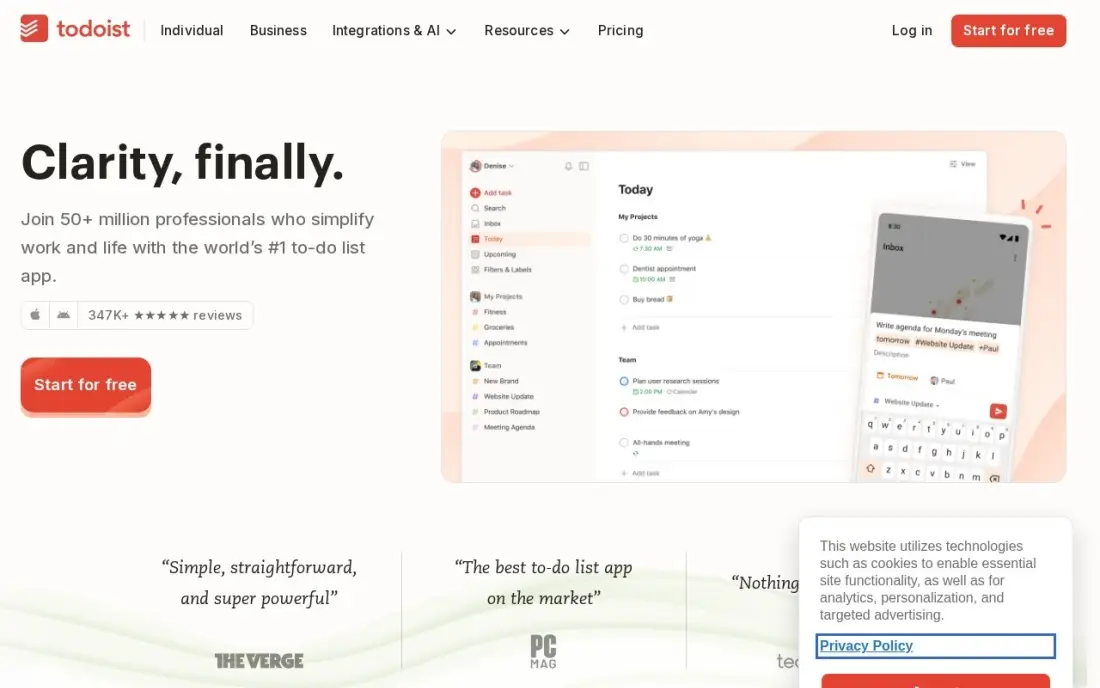
Todoist is the lightest tool in this list: a to-do list with natural-language quick-add, so typing 'call the supplier Friday at 10am' creates a dated, prioritised task. Pro is $4 a user a month billed annually, or $5 billed monthly, and it adds 300 projects, calendar layout, custom reminders and the AI Assistant. The free Beginner plan covers five active projects, which is enough for one person to run a real week on it.
Pro is built for one person, not a team: shared workspaces, roles and central billing need Business at $6 a user a month billed annually. Reminders and the calendar view also sit behind the paywall, so the free plan is a list, not a system. Pick Todoist for personal task lists; pick Trello or Asana when the work is shared across a team.
What we like
- The cheapest paid seat here at $4 a user a month billed annually
- Natural-language quick-add turns typed sentences into dated, prioritised tasks
- Calendar layout, custom reminders and the AI Assistant come with Pro
- Syncs across phone, desktop and web, so the list is the same everywhere
Watch out for
- Pro is built for one person: shared team workspaces need Business at $6 a user a month
- Reminders, calendar view and the AI Assistant all sit behind the paid plans
- One source claims a December 2025 rise to $5 a month billed annually; the vendor-supplied G2 listing and most October 2026 reads still show $4

Zapier is the automation glue in this list: it connects the apps a small business already uses, so a new form entry can create a task, send a Slack message and update a spreadsheet with no manual work. Professional starts at $19.99 a month billed annually, or $29.99 billed monthly, for 750 tasks, with multi-step Zaps, webhooks, filters and AI by Zapier included. The free plan covers 100 tasks a month.
The price is set by task volume, not by seats, which is the trap to watch: one three-step workflow running 1,000 times a month uses 3,000 tasks and moves the bill from $19.99 to $49 a month billed annually. Professional covers only one user, so a team building Zaps together needs Team at $69. Pick Zapier to remove repetitive admin; skip it until the manual work is worth automating.
What we like
- Connects thousands of apps, so the tools a business already uses can share data
- Multi-step Zaps, webhooks, filters and paths come with Professional
- AI by Zapier is included, so workflows can draft, summarise and route work
- 2-minute polling on Professional keeps automations close to real time
Watch out for
- The bill is set by task volume, not seats: a busy workflow can jump from $19.99 to $89 a month
- Professional covers only 1 user, so a team that builds Zaps together needs Team at $69 a month
- No free plan beyond 100 tasks a month, so real automation starts on a paid tier
The best productivity software for small business is the one the whole team actually opens every day — and the eight tools below are ranked by fit for the most common buyer, a small US business with two to ten people. Every price was checked on November 12, 2026, and every tool here has a free plan, so the shortlist costs nothing to try.
How to choose the best productivity software for small business
- Count the pricing unit first. Asana and Trello charge per user, monday.com sells seats in fixed buckets, and Zapier charges per task. The unit decides what a growing team pays, not the headline price.
- Check what the free plan really covers. Asana Personal stops at two users, Trello Free at ten boards, and Slack Free keeps only 90 days of history — a free plan that runs out mid-month is not a free plan.
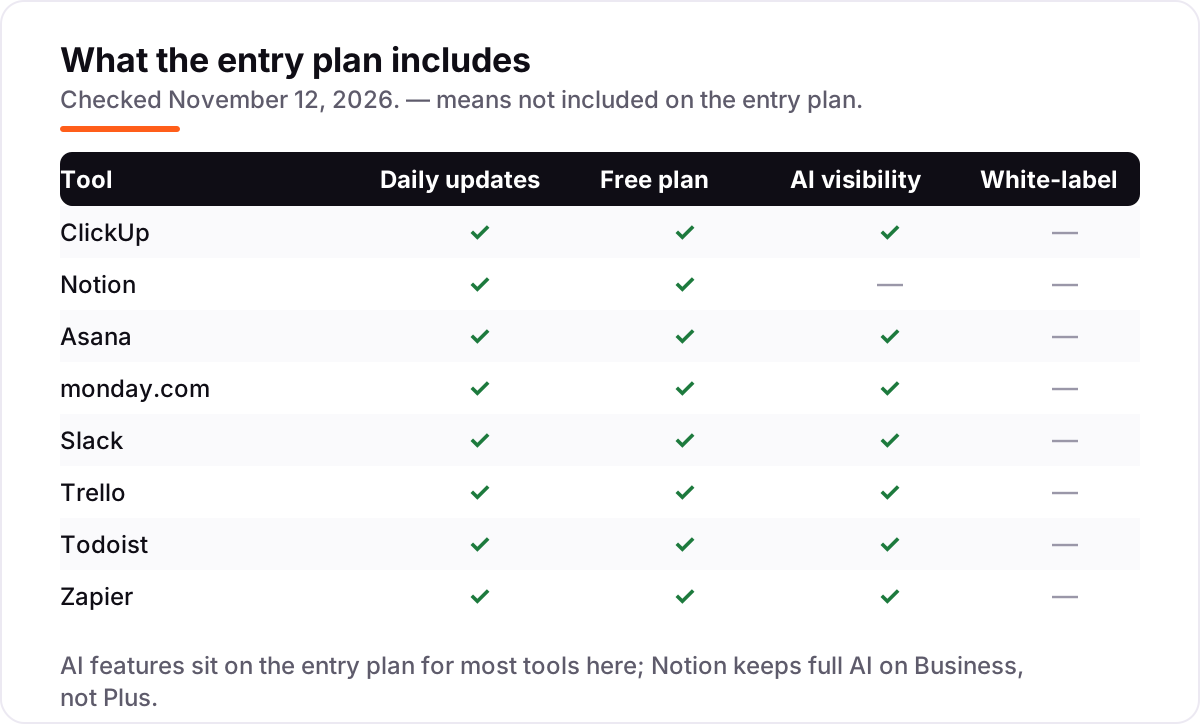
- Check where the AI lives. Full AI sits on Business at Notion, on credits at ClickUp and on the entry plan at Asana, monday.com, Slack, Trello, Todoist and Zapier — do not pay twice for the same feature.
- Check the step-up price, not just the entry price. The second tier is where timelines, portfolios and team admin live, and it is often double the entry price.
- Check how the team already works. A team that plans in writing fits Notion, a team that plans on boards fits monday.com or Trello, and a team drowning in email needs Slack first.
- Think about the next year, not the next month. A solo owner who hires three people needs a plan that grows by the person, not one that jumps to an enterprise tier.
Productivity software organises the work, but it does not bring in new customers on its own. If the business is not showing up when people nearby search, our monthly SEO service covers that side. And before the business writes the launch post for its new workflow, the free SERP snippet preview tool checks how the title and description will look in search results.
Whatever you shortlist, try it with real work before you pay. The free plans in this list are generous enough to run a genuine week on, and the trials run 7 to 14 days. Check two things in the trial: that the whole team opens it without being chased, and that the work still makes sense a week later when the novelty wears off. Every tool here offers a free plan or a trial, so there is no reason to buy before the team has run a real week on it.
Productivity software pricing: what you will actually pay
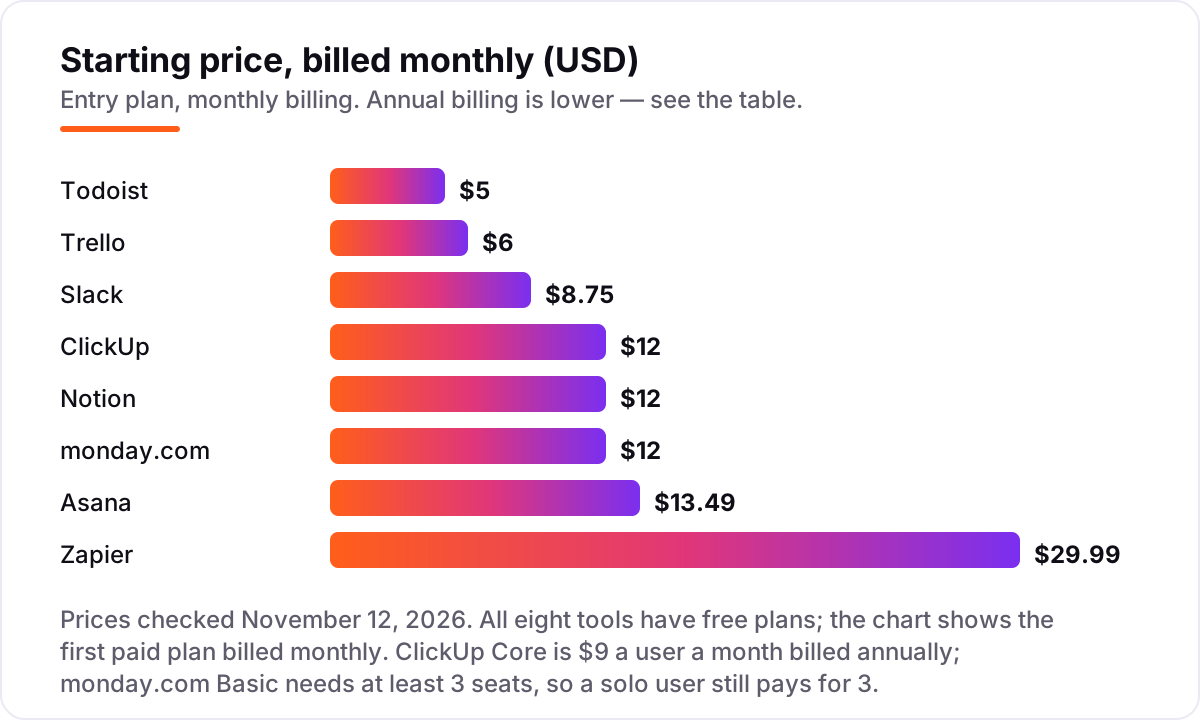
Take a five-person team at one location. On list prices billed monthly, the subscription costs $60 a month on ClickUp Core, $60 on Notion Plus, $67.45 on Asana Starter, $60 on monday.com Basic, $43.75 on Slack Pro, $30 on Trello Standard and $25 on Todoist Pro. Zapier Professional is a flat $29.99 a month for one user and 750 tasks, so a five-person team pays $29.99 for the automation layer on top of whichever work tool it picks.
Over a year on monthly billing, that is $720 on ClickUp, Notion and monday.com, $809.40 on Asana, $525 on Slack, $360 on Trello, $300 on Todoist Pro and $359.88 on Zapier Professional. Annual billing cuts most of these: ClickUp drops to $45 a month ($540 a year), Notion to $50 ($600), Asana to $54.95 ($659.40), monday.com to $45 ($540), Slack to $36.25 ($435), Trello to $25 ($300), Todoist Pro to $20 ($240) and Zapier to $19.99 ($239.88). The annual saving is $180 on ClickUp and monday.com, $150 on Asana and $120 on Notion.
Two costs sit outside every number above. First, the step-up tier: the features a growing team actually needs — portfolios on Asana Advanced at $24.99 a user a month, automations on monday.com Standard at $12 a seat, team workspaces on Todoist Business at $6 a user a month — can double the entry bill. Second, task volume on Zapier: one three-step workflow running 1,000 times a month uses 3,000 tasks and moves Professional from $19.99 to $49 a month billed annually. Price the team you will have next year, on the tier you will actually need, before buying.
Know the difference: all-in-one workspaces vs single-purpose tools
The confusion in this category is scope, not price. All-in-one workspaces — ClickUp, Notion, Asana and monday.com — cover tasks, docs and planning in one subscription, so the business pays once and keeps one login. Single-purpose tools — Slack for chat, Trello for boards, Todoist for to-do lists, Zapier for automation — do one job well and leave the rest to other tools. The same five people cost $45 a month on ClickUp Core billed annually and $36.25 on Slack Pro, but those two numbers buy different things: ClickUp runs the work, Slack runs the conversation about the work.
The right answer is usually one all-in-one plus one specialist. A team that buys ClickUp and then adds Slack and Zapier pays $45 plus $36.25 plus $19.99 a month billed annually — about $101 — and covers planning, chat and automation. A team that buys five specialists instead pays five subscriptions, keeps five logins and spends its Fridays copying the same task between tools. Start with the all-in-one, add the specialist only when one job clearly fails, and never pay for two tools that do the same thing.
There is a second, quieter confusion: a free plan is not a free business. Every tool here has a $0 plan, but the features that make the tool useful — reminders on Todoist, message history on Slack, timelines on Asana — need a paid plan. Budget on the subscription the team will actually need in three months, not on the $0 headline.
Quick comparison: tool type by need
| Buyer | Best pick | Why |
|---|---|---|
| Small business that wants one tool for everything | ClickUp | Tasks, docs and chat in one workspace from $9/user/month |
| Team that plans in docs and wikis | Notion | Docs, wikis and databases from $10/member/month |
| Team that wants the easiest adoption | Asana | Clean task lists and timelines from $10.99/user/month |
| Visual team that plans on boards | monday.com | Colour-coded boards from $9/seat/month, 3-seat minimum |
| Team drowning in email | Slack | Channels and huddles from $7.25/user/month billed annually |
| Solo user or tiny team on a budget | Todoist | To-do lists with reminders from $4/user/month billed annually |
Mistakes to avoid
- Budgeting on the subscription alone. The step-up tier is where the bill grows: Asana Advanced at $24.99 a user a month and monday.com Standard at $12 a seat can double the entry price once the team needs portfolios and automations.
- Comparing monthly prices without checking billing. The annual price is usually 17–20% lower — ClickUp Core drops from $12 to $9 a user a month — and Zapier Professional drops from $29.99 to $19.99, but annual billing means paying a year up front.
- Ignoring the pricing unit. A tool can be cheap for one person and dear for five: monday.com sells seats in fixed buckets, Asana sells them in bands, and Zapier charges per task. Price the team you will have next year, not the team you have today.
- Paying for two tools that do the same job. ClickUp and Notion overlap heavily, and so do Trello and Asana — pick one work tool, then add only the specialist that covers a job the first one cannot do.
- Forgetting the free-plan caps. Asana Personal stops at two users, Trello Free at ten boards, Slack Free at 90 days of history and Zapier Free at 100 tasks a month. A free plan that runs out mid-month forces an upgrade at the worst moment.
How we chose
We checked each vendor's own pricing page on November 12, 2026 and recorded the starting price exactly as shown, including the annual-billing figure where the page lists one, and we ranked the tools by fit for the most common buyer — a small US business with two to ten people — not by brand size. Two prices needed extra care. Todoist's own pricing page did not load from our connection, so its $4 Pro price rests on G2's vendor-supplied pricing listing and several independent reads of the vendor page dated October to November 2026; one source claims a December 2025 rise to $5 a month billed annually, and we flag that disagreement in the Todoist card. ClickUp's page shows both its new Core line and legacy plans side by side, so we use the new-workspace Core price of $9 a user a month billed annually. Ratings come from G2 comparison pages crawled within the last three days: ClickUp 4.6 from 13,726 reviews, Notion 4.6 from 13,767, Asana 4.4 from 13,867, monday.com 4.7 from 17,144, Slack 4.5 from 39,274, Trello 4.4 from 14,064, Todoist 4.5 from 826 and Zapier 4.5 from 2,088. No vendor paid for a place in this list, and none of the links here are affiliate links.
What to do next
Start with the free plan of your top pick and run one real week of work through it. Check that the whole team opens it without being chased, that tasks and deadlines are easy to find, and that the work still makes sense a week later. If the business is sorted but new customers are not finding it, compare providers in our guide to SEO companies for small business. Once your tools are in place, find out what's holding your rankings back.
Frequently asked questions
What is the best productivity software for small business?
ClickUp is the best fit for most small businesses at $9 a user a month billed annually, because it covers tasks, docs and chat in one workspace. Notion is the best pick for teams that plan in writing at $10 a member a month, and Asana is the easiest to adopt at $10.99 a user a month. Trello suits the smallest teams at $5 a user a month.
How much does productivity software cost for a small business?
A five-person team pays $25 to $67.45 a month on monthly billing, or $19.99 to $54.95 on annual billing, depending on the tool. Todoist Pro is the cheapest at $25 a month billed monthly, and Asana Starter is the dearest at $67.45. Zapier Professional is a flat $29.99 a month for one user and 750 tasks.
Is there free productivity software for small business?
Yes, with limits. All eight tools here have a free plan: ClickUp Free Forever, Notion Free, Asana Personal for two users, monday.com Free for two seats, Slack Free with 90 days of history, Trello Free with 10 boards, Todoist Beginner with five projects and Zapier Free with 100 tasks a month. Timelines, automation and full AI usually need a paid plan.
What is the difference between per-user and per-seat pricing?
Per-user pricing, like Asana and Trello, charges for each person who uses the tool, so the bill grows with every hire. Per-seat pricing, like monday.com, works the same way but sells seats in fixed buckets, so a team of four pays for five seats. Zapier charges per task instead, so the bill grows with automation volume, not headcount.
Should a small business pick one all-in-one tool or several specialist tools?
Start with one all-in-one tool like ClickUp or Notion, because a single workspace is cheaper and easier to keep tidy than five subscriptions. Add a specialist only when the all-in-one clearly fails at one job: Slack for team chat, Zapier for automation between apps, or Todoist for personal task lists. Two tools that work well together beat five that overlap.
Can I switch productivity software later?
Yes, but move in a quiet week. Export the task lists, projects, files and member list, then import them into the new tool and test it with one real project before moving the team. Keep the old workspace open until the new one is proven, because a mid-week switch is how deadlines get lost. Most tools here export to CSV, which the new tool can usually import.
Sources we checked (16)
- ClickUp pricing — clickup.com/pricing (checked November 12, 2026)
- ClickUp on G2 — 4.6/5, 13,726 reviews (checked November 12, 2026)
- Notion pricing — notion.com/pricing (checked November 12, 2026)
- Notion on G2 — 4.6/5, 13,767 reviews (checked November 12, 2026)
- Asana pricing — asana.com/pricing (checked November 12, 2026)
- Asana on G2 — 4.4/5, 13,867 reviews (checked November 12, 2026)
- monday.com pricing — monday.com/pricing (checked November 12, 2026)
- monday.com on G2 — 4.7/5, 17,144 reviews (checked November 12, 2026)
- Slack pricing — slack.com/pricing (checked November 12, 2026)
- Slack on G2 — 4.5/5, 39,274 reviews (checked November 12, 2026)
- Trello pricing — trello.com/pricing (checked November 12, 2026)
- Trello on G2 — 4.4/5, 14,064 reviews (checked November 12, 2026)
- Todoist pricing — todoist.com/pricing (checked November 12, 2026)
- Todoist on G2 — 4.5/5, 826 reviews (checked November 12, 2026)
- Zapier pricing — zapier.com/pricing (checked November 12, 2026)
- Zapier on G2 — 4.5/5, 2,088 reviews (checked November 12, 2026)
Make one of these tools?
We re-check this list every quarter. Send a correction, request a review, or ask about a clearly labeled sponsored spot.
Request a listingShamim
Founder of SerpAstra
A full-stack SEO and digital marketer who spends most days on Local SEO for dental practices, AI search visibility and lead generation.
Free SEO and AI visibility audit
Find out what is holding your rankings back
Send us your site. Within 2 business days you get a written audit, an AI visibility check and a short fix list ranked by impact. Free, with no contract attached.
Request my free audit→Related buying guides
 Marketing12 Best Project Management Software for Marketing Teams in 2026, ComparedCompare the 12 best project management software for marketing teams on price, proofing, timelines and client seats, with prices checked November 5, 2026.Read guide →
 Marketing10 Best Marketing Project Management Tools in 2026, ComparedCompare the 10 best marketing project management tools on price, free plans, proofing and AI features, with every price checked November 5, 2026.Read guide →
 Construction & Field Service10 Best Project Management Software for Contractors in 2026, ComparedCompare the 10 best project management software for contractors on price, free plans, field tools and AI features, with every price checked November 8, 2026.Read guide →