
7 Best Free Issue Tracking Software in 2026, Compared
Compare the 7 best free issue tracking software on free-plan user and issue limits, self-hosted options and first paid tier, with prices checked Nov 2026.
 Shamim Mia, Founder, SerpAstraLast verified November 4, 20269 min read
We compare pricing pages, documentation and public reviews. We never accept payment for rankings.

Key takeaways
- Jira is free for up to 10 users and is the safest pick for a software team that will grow into sprints, boards and reporting.
- Linear's free plan allows unlimited members but caps you at 250 issues and 2 teams, so it suits a small product team testing the workflow.
- GitHub Issues costs nothing with unlimited public and private repositories, which makes it the default when the code already lives on GitHub.
- Redmine and MantisBT are free open-source trackers with no user caps, at the cost of hosting, updating and backing them up yourself.
On this page
Quick comparison
| Tool | Best for | Starting price | Free plan |
|---|---|---|---|
| Atlassian Jira | Software teams of up to 10 that want sprints, boards and backlogs on a free plan they can grow into | Free; $9.70/user/mo | Yes (10 users) |
| Linear | Product and engineering teams that want a fast, opinionated tracker with unlimited members | Free; Basic $10/user/mo | Yes (250 issues) |
| GitHub | Developers whose code already lives on GitHub and who want issues next to the pull requests | $4/user/mo | Yes (unlimited repos) |
| GitLab | Teams that want issues, merge requests and CI in one platform, including self-hosted | $29/user/mo | Yes (5 users per group) |
| ClickUp | Mixed teams that want bugs, tasks and docs in one workspace with unlimited free members | $12/user/mo | Yes (unlimited members) |
| Redmine | Teams with a server and an admin who want a free, self-hosted tracker with no user limits | Free (self-hosted) | Yes (open source) |
| MantisBT | Small teams that want a plain, free bug tracker they can host on a standard PHP server | Free (self-hosted) | Yes (open source) |
Make one of these tools?
We re-check this list every quarter. Send a correction, request a review, or ask about a clearly labeled sponsored spot.
Request a listingThe best free issue tracking software

Atlassian Jira
Best for: Software teams of up to 10 that want sprints, boards and backlogs on a free plan they can grow into
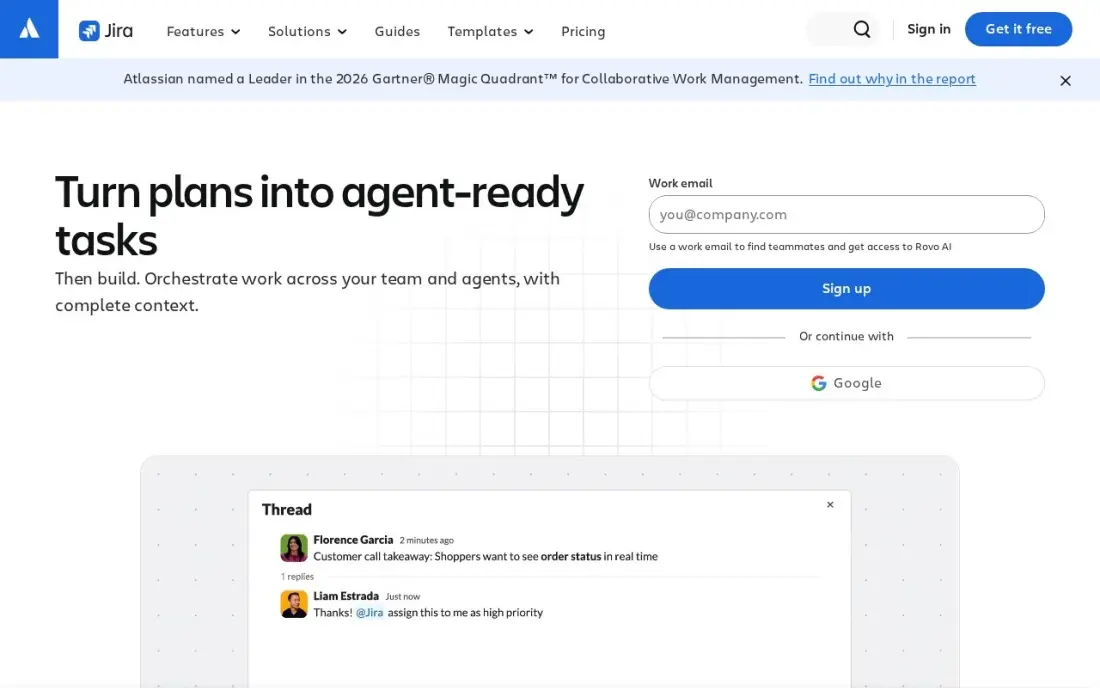
Jira is the issue tracker most software teams end up on, and its free plan is a real one: up to 10 users, which is enough for a small team to run real sprints for years without paying, and every developer it hires later will already know the tool.
The jump past 10 users is the cost to plan for. Standard costs $9.70 a user a month for 1 to 100 users on monthly billing, after Atlassian raised Cloud prices on October 13, 2026. G2 reviewers also cite complexity and a steep learning curve, so non-technical teams may find it heavy for a simple bug list.
What we like
- Standard costs $9.70 per user per month on monthly billing for 1-100 users, or $9,700 a year for 100 users on annual billing
- Free for up to 10 users, so a small team can run real sprints before paying anything
- AI agents (Rovo) are included on every paid plan, with 25 Rovo AI credits per user per month on Standard
- Rated 4.3 out of 5 on G2 from 7,941 reviews, with project management the most-cited strength
Watch out for
- Atlassian raised Cloud prices on October 13, 2026: Standard went from $9.05 to $9.70 per user per month for 1-100 users
- The per-user rate changes by user band, so the bill is hard to predict as the team grows
- G2 reviewers cite complexity and a steep learning curve for new users

Linear
Best for: Product and engineering teams that want a fast, opinionated tracker with unlimited members
Linear is the tracker for teams that find Jira slow. It is built around speed, with cycles for sprint-style planning, projects and initiatives for roadmaps, and a triage inbox for incoming bugs. The free plan has no member limit and includes those core features plus integrations, so a whole small team can work in it from day one.
The catch is the issue cap. The free plan allows 250 issues, 2 teams and 10MB file uploads, which an active team fills in months. Basic costs $10 a user a month billed yearly and removes the cap; Business at $16 adds private teams, guests and issue SLAs. Use the free plan to decide whether Linear's opinionated workflow fits.
What we like
- Free plan allows unlimited members, with issues, projects, cycles, initiatives and triage included
- Basic at $10 a user a month billed yearly removes the issue cap and adds 5 teams and unlimited uploads
- Integrations are included on every plan, including the free one
Watch out for
- Free plan caps you at 250 issues and 2 teams, with a 10MB file upload limit
- The pricing page lists only yearly billing for Basic and Business
- Private teams, guests and issue SLAs wait for Business at $16 a user a month

GitHub
Best for: Developers whose code already lives on GitHub and who want issues next to the pull requests
GitHub Issues is the free issue tracker most developers already have. The Free plan covers unlimited public and private repositories, and every repository comes with issues that link straight to commits and pull requests, so a bug report, the fix and the review sit in one place. For an open-source project, it is also where outside users expect to report bugs.
It is lighter than a dedicated tracker: there are no built-in sprint reports of the Jira kind, and heavier automation leans on Actions or third-party apps. Team costs $4 a user a month and adds code owners, required reviewers and branch rules, though GitHub labels that a first-12-months price. Start here if the code is on GitHub.
What we like
- Pull requests keep the discussion, the diff and the decision in one place, next to the code
- Code owners, required reviewers and branch rules on Team give async teams a clear approval path
- The largest ecosystem here: Actions runs CI on every pull request, and most developers already know the workflow
- The Free plan covers unlimited public and private repositories, so small teams start at $0
Watch out for
- Team and Enterprise prices are labelled "first 12 months" on GitHub's pricing page, with no published renewal price
- Single sign-on and advanced security wait for Enterprise from $21/user/month
- Review automation beyond the basics needs Actions or third-party apps

GitLab
Best for: Teams that want issues, merge requests and CI in one platform, including self-hosted

GitLab bundles issue tracking into a full DevOps platform: issues link to merge requests that show pipeline results and security findings next to the diff, so a bug moves from report to fix to deploy without leaving one tool. There is also a self-managed option for teams that must host their own code. The Free plan costs $0 for 5 users per group.
Beyond five users the price jumps. Premium costs $29 a user a month billed annually, roughly seven times GitHub Team, and the top tier is quote-only. That is good value when you replace separate CI, planning and scanning tools, and too much when all you need is a bug list.
What we like
- Merge requests show pipeline results and security findings next to the diff, so reviewers judge a change in one place
- One platform replaces separate CI, planning and scanning tools, which cuts tool sprawl for distributed teams
- Self-managed option for teams that must host their own code
- Premium includes $12 of GitLab Credits a month for Duo agent features
Watch out for
- $29/user/month is roughly seven times GitHub Team, so seat count dominates the bill
- The top tier is now quote-only, with no published price
- Platform breadth can feel heavy for a team that only needs code review

ClickUp
Best for: Mixed teams that want bugs, tasks and docs in one workspace with unlimited free members

ClickUp is not a dedicated bug tracker, but its Free Forever plan covers unlimited members, so a mixed team of developers, designers and support staff can log bugs as tasks with custom statuses alongside the rest of their work and docs. That suits a small company where issues are only one part of the work being tracked.
The free plan's 100 MB of storage fills fast once screenshots and screen recordings are attached to bug reports. Core costs $9 a user a month billed annually, or $12 billed monthly, and adds unlimited storage and custom fields. New users report a learning curve, so set up one bug list before rolling it out.
What we like
- One workspace holds tasks, docs, whiteboards, goals and chat, so a small team can drop two or three other subscriptions
- Core adds unlimited storage, Gantt charts, custom fields and 1,000 automation actions a month from $9 a user
- The Free Forever plan covers unlimited members with 100 MB of storage
- 1,000 AI credits per seat a month on Core, with ClickUp Brain included from Business
Watch out for
- The feature list is the deepest here, and new users report a real learning curve before it feels simple
- Guests are free only with limits; every member of the workspace is a paid seat
- Business at $17 a user a month is where time tracking and workload views live

Redmine
Best for: Teams with a server and an admin who want a free, self-hosted tracker with no user limits
Redmine is a long-running open-source project management and issue tracking app, built on Ruby on Rails and released under the GNU GPL v2. It handles multiple projects, flexible issue tracking, a Gantt chart and calendar, and a wiki per project, and it connects to Git, Subversion, Mercurial, Bazaar and CVS repositories.
It costs nothing to use, with no user cap, but you host it. That means a server, a database, upgrades — the project shipped version 7.0.3 on November 1, 2026 — and your own backups. It suits an IT team or agency that already runs servers and wants its issue data in-house.
What we like
- Free under the GNU GPL v2, with no user or project limits
- Issue tracking, multiple projects, Gantt chart, calendar and per-project wiki in one app
- SCM integration with Subversion, Git, Mercurial, Bazaar and CVS
Watch out for
- Self-hosted only from the project itself, so you run the server, updates and backups
- No vendor support contract; help comes from the community

MantisBT
Best for: Small teams that want a plain, free bug tracker they can host on a standard PHP server
MantisBT is a free, web-based bug tracker built on PHP and released under the GNU GPL. It does one job: issues come in, get assigned, move through a workflow you can customize and trigger email notifications on updates, resolutions and comments. Per-project, role-based access lets you give clients a login to report bugs without seeing everything else.
Its narrow focus is both the strength and the limit. There are no sprint boards or roadmaps, and you host it yourself on a PHP server, so updates — the current release is 2.28.4 — are your job. For a small team that wants a plain bug list it fully controls, it does the work at no cost.
What we like
- Free web-based bug tracker under the GNU GPL
- Per-project role-based access control for team members and clients
- Customizable issue fields, notifications and workflow, with email alerts on updates
Watch out for
- Focused on bugs only, with no boards or roadmap planning of the Jira or Linear kind
- You host and maintain it yourself unless you arrange separate hosting
The best free issue tracking software lets a team log every bug and request, assign it, and see it through to a fix without paying until the team or the backlog genuinely outgrows the free tier. We compared seven trackers — hosted free plans and self-hosted open-source tools — on user and issue limits, workflow features and the cost of the first paid tier, with every price checked on the vendor's own page in November 2026.
How to choose the best free issue tracking software
- Find the free plan's real cap. Jira caps users at 10, GitLab at 5 per group, Linear caps issues at 250, and ClickUp caps storage at 100 MB. Pick the cap your team will hit last.
- Keep issues close to the code. If your repositories are on GitHub or GitLab, their built-in issues link straight to commits and pull or merge requests, which saves a sync.
- Decide hosted or self-hosted. Redmine and MantisBT cost nothing and have no user caps, but someone has to run the server, apply updates and take backups.
- Check who reports bugs. If clients or support staff file issues, you need guest access or role-based permissions, not just developer seats.
- Look at workflow, not just lists. Custom statuses, required fields and triage queues stop a backlog turning into a junk drawer.
- Price the first upgrade now. The jump from free to paid — $9.70 a user on Jira, $29 on GitLab — is the number that matters a year from now.
Issue trackers also catch website problems: broken pages, missing tags and crawl errors are bugs like any other. If you track site fixes this way, our SEO audit service produces a prioritized list your team can drop straight into the tracker, and the free robots.txt tester helps confirm one common class of fix.
Free issue tracking pricing: what you will actually pay
Take a team of eight developers. Jira costs $0 because the free plan covers 10 users; GitHub Issues costs $0 on the Free plan; Linear costs $0 until the team passes 250 issues or 2 teams; ClickUp costs $0 within 100 MB of storage; Redmine and MantisBT cost $0 in licences. GitLab's free plan covers 5 users per group, so eight people on one group would need Premium at $29 a user a month billed annually — $232 a month, or $2,784 a year.
Now let the team grow to 12. Jira Standard at $9.70 a user a month on monthly billing comes to $116.40 a month, or $1,396.80 a year. Linear Basic at $10 a user a month billed yearly comes to $1,440 a year. GitHub Team at $4 a user a month comes to $576 a year, though GitHub labels that a first-12-months price. ClickUp Core at $9 a user billed annually is $1,296 a year. Redmine and MantisBT still cost nothing in licences, but a server and an admin's time are real costs.
Know the difference: hosted free plans vs open-source trackers
Hosted free plans — Jira, Linear, GitHub, GitLab and ClickUp — run on the vendor's servers. You sign up and start logging issues in minutes, updates and security patches arrive automatically, and the vendor handles backups. The trade-off is the cap: the free plan is a funnel into paid seats, and the limit is set where a growing team will hit it.
Open-source trackers such as Redmine and MantisBT flip that. The software is free under the GPL with no user or issue limits, and the data stays on your own server. In exchange you install it, keep it patched, and restore it if a disk fails. For a team with an existing server and someone who enjoys running it, that is the cheapest setup over many years; for everyone else, a hosted free plan is less work.
Quick comparison: tool type by need
| Buyer | Best pick | Why |
|---|---|---|
| Growing software teams | Atlassian Jira | Free for up to 10 users, enough to run real sprints |
| Fast-moving product teams | Linear | Unlimited free members; 250-issue cap, Basic $10/user/month yearly |
| Code on GitHub | GitHub | Issues free on unlimited public and private repositories |
| All-in-one DevOps | GitLab | Issues, merge requests and CI together; free for 5 users per group |
| Mixed business teams | ClickUp | Free Forever plan with unlimited members, 100 MB storage |
| Self-hosted, many projects | Redmine | Free GPL software with Gantt, wiki and SCM integration |
| Self-hosted, bugs only | MantisBT | Free GPL bug tracker with role-based access and email alerts |
Mistakes to avoid
- Choosing on today's team size. A free plan that fits eight people today may force a paid move after the next two hires; check the cap against next year's headcount.
- Letting every request become an issue. Without a triage step, trackers fill with duplicates and vague tickets; assign someone to sort the inbox weekly.
- Self-hosting without backups. A free open-source tracker is only free until the server fails; schedule and test backups from day one.
- Splitting bugs across tools. If support logs bugs in one place and developers in another, issues get lost; pick one tracker or connect them.
- Ignoring attachment limits. Screenshots and recordings make bug reports useful, and they eat free storage fast on capped plans.
How we chose
We checked each vendor's own pricing or project page in November 2026 and recorded free-plan limits and paid prices exactly as shown, stating monthly or annual billing. We ranked the tools by fit for a small software or product team that wants to stay on a free plan as long as possible, weighing user and issue caps, workflow features, code integration and the cost of the first upgrade. Ratings come from G2 pages checked on the dates shown in the sources. No vendor paid for a place in this list, and none of the links here are affiliate links.
What to do next
Put your next ten real bugs into the free plan of the tracker that matches where your code lives, and check after two weeks whether the team still uses it without being reminded. If some of those bugs are website and search problems, book a free SEO review and we will help you prioritize them.
Frequently asked questions
What is the best free issue tracking software?
Jira is the best free issue tracker for most software teams, with a free plan for up to 10 users that is enough to run real sprints. GitHub Issues is the best choice when the code is already on GitHub, and Redmine is the best free self-hosted option with no user limits.
Is Jira free?
Yes, for up to 10 users. Beyond that, Jira Standard costs $9.70 a user a month for 1 to 100 users on monthly billing, following Atlassian's October 13, 2026 Cloud price rise.
What is the limit on Linear's free plan?
Linear's free plan allows unlimited members but caps you at 250 issues, 2 teams and 10MB file uploads. Basic removes the issue cap at $10 a user a month billed yearly.
Is there a free open-source issue tracker?
Yes. Redmine is released under the GNU GPL v2 and MantisBT under the GNU GPL, and both are free with no user caps. You host them yourself, so budget time for the server, upgrades and backups.
Can I use GitHub Issues as a bug tracker?
Yes. GitHub's Free plan includes issues on unlimited public and private repositories, linked to commits and pull requests. It is lighter than Jira on sprint reporting, so larger teams often add a project board or a dedicated tracker later.
What is the difference between issue tracking and project management software?
Issue tracking software records specific problems or requests — bugs, defects, feature requests — and moves each one through a workflow to resolution. Project management software plans whole pieces of work with timelines and resources. Tools such as Jira and ClickUp do both.
Sources we checked (10)
- Atlassian Jira — www.atlassian.com/licensing/future-pricing/cloud/list/pricing-tables (checked November 4, 2026)
- Linear — linear.app/pricing (checked November 18, 2026)
- GitHub — github.com/pricing (checked November 7, 2026)
- GitHub reviews on G2 (checked November 7, 2026)
- GitLab — about.gitlab.com/pricing (checked November 7, 2026)
- GitLab reviews on G2 (checked November 7, 2026)
- ClickUp — clickup.com/pricing (checked November 12, 2026)
- ClickUp reviews on G2 (checked November 12, 2026)
- Redmine — www.redmine.org (checked November 18, 2026)
- MantisBT — www.mantisbt.org (checked November 18, 2026)
Make one of these tools?
We re-check this list every quarter. Send a correction, request a review, or ask about a clearly labeled sponsored spot.
Request a listingShamim
Founder of SerpAstra
A full-stack digital marketer and SEO strategist covering technical and local SEO, AI search visibility, paid ads and lead generation for local businesses, e-commerce brands and SaaS teams.
Free SEO and AI visibility audit
Find out what is holding your rankings back
Send us your site. Within 2 business days you get a written audit, an AI visibility check and a short fix list ranked by impact. Free, with no contract attached.
Request my free audit→Related buying guides
 Project & Product ManagementBest Kanban Apps for Small Business (2026): 11 Apps Worth DownloadingCompare the best kanban app for small business: 11 tools on price, free plans and board features, with every price checked November 12, 2026.Read guide →
 Developer Tools7 Best Code Review Tools for Distributed Teams in 2026, ComparedCompare the 7 best code review tools for distributed teams on price, free plans and review workflows, with every price checked November 7, 2026.Read guide →
 Developer Tools10 Best Software Development Tools in 2026, ComparedCompare the 10 best software development tools, from editors and Git hosting to app development frameworks, on free plans and real per-seat cost in 2026.Read guide →