
10 Best PDF Software for Small Business in 2026, Compared
Compare the 10 best pdf software for small business options on price, free plans and features, with every price checked on November 12, 2026.
 Shamim Mia, Founder, SerpAstraLast verified November 12, 202615 min read
We compare pricing pages, documentation and public reviews. We never accept payment for rankings.

Key takeaways
- Adobe Acrobat Pro leads for most small businesses at $239.88 a year, with Foxit PDF Editor at $129.99 and PDFelement at $79.99 as the cheaper full desktop editors.
- The single most important buying factor is the pricing unit: subscriptions, annual plans and one-time licences turn a cheap headline price into very different year-one costs.
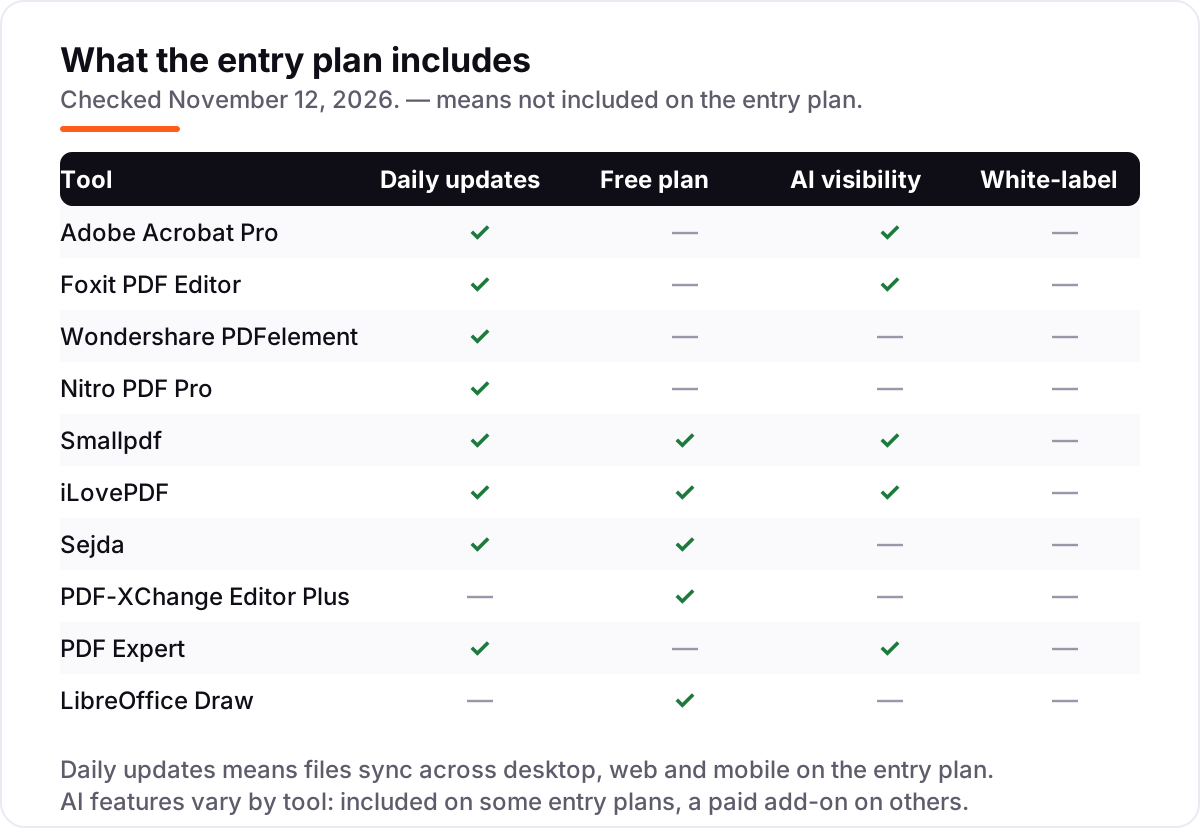
- Four of the 10 tools have a genuinely free plan — Smallpdf, iLovePDF, Sejda and LibreOffice Draw — but OCR, e-signatures and batch tools usually need a paid plan.
- Every price below was checked on the vendor's own pricing page or a fresh crawl of it on November 12, 2026. Ratings are G2, with review counts shown.
On this page
Quick comparison
| Tool | Best for | Starting price | Free plan |
|---|---|---|---|
| Adobe Acrobat Pro | Small businesses that want the most complete PDF editor, with e-signatures built in | $239.88/yr | No (7-day trial) |
| Foxit PDF Editor | Small businesses that want Acrobat-level editing for about half the price | $129.99/yr | No (14-day trial) |
| Wondershare PDFelement | Small businesses that want a full desktop editor with OCR at the lowest annual price | $79.99/yr | No (free trial) |
| Nitro PDF Pro | Small teams that want an Office-style editor with admin controls for every seat | $180/yr | No (free trial) |
| Smallpdf | Browser-first teams that also need e-signatures without a second subscription | $120/yr | Yes (free plan) |
| iLovePDF | Small businesses that want the cheapest browser PDF suite for daily merge, split and convert jobs | $60/yr | Yes (free plan) |
| Sejda | Small businesses that want a cheap desktop app plus web tools, with no watermark on free output | $63/yr | Yes (free plan) |
| PDF-XChange Editor Plus | Windows users who want to pay once and own their PDF editor | $79 once | Yes (free version) |
| PDF Expert | Mac-only small businesses that want the fastest, cleanest PDF editor on Apple devices | $49.99/yr | No (free trial) |
| LibreOffice Draw | Small businesses that want a $0 PDF editor and never want another subscription | Free | Yes (free) |
Make one of these tools?
We re-check this list every quarter. Send a correction, request a review, or ask about a clearly labeled sponsored spot.
Request a listingThe best pdf software for small business

Adobe Acrobat Pro
Best for: Small businesses that want the most complete PDF editor, with e-signatures built in
Adobe Acrobat Pro is the reference PDF editor, and for a small business that lives in contracts, invoices and forms, it is the safest buy. One subscription covers editing, conversion, OCR, redaction, web forms, document compare and e-signatures, plus an AI Assistant that answers questions about a document. Because Adobe created the format, files open and save exactly as clients, printers and courts expect.
The price is the highest here: $19.99 a user a month on the annual plan billed monthly, or $239.88 prepaid for the year, against $29.99 month to month. The annual plan is a commitment — cancelling after 14 days can cost up to half of what remains. Buy Acrobat when PDFs are core to the business and compatibility matters; buy Foxit or PDFelement when the budget is tighter and the feature list is close enough.
What we like
- The only editor here that covers editing, OCR, redaction, web forms, compare and e-signatures in one subscription
- The format's own maker, so files open and save exactly as clients and printers expect
- AI Assistant is included, so staff can ask questions about a long contract instead of reading all of it
- Works the same on Windows, Mac, web and mobile, with files syncing through Adobe cloud storage
Watch out for
- The highest annual price here at $239.88 a year for one user
- Cancelling the annual plan billed monthly after 14 days can cost up to half the remaining commitment
- The full feature set takes time to learn — casual users will only touch a fraction of it

Foxit PDF Editor
Best for: Small businesses that want Acrobat-level editing for about half the price
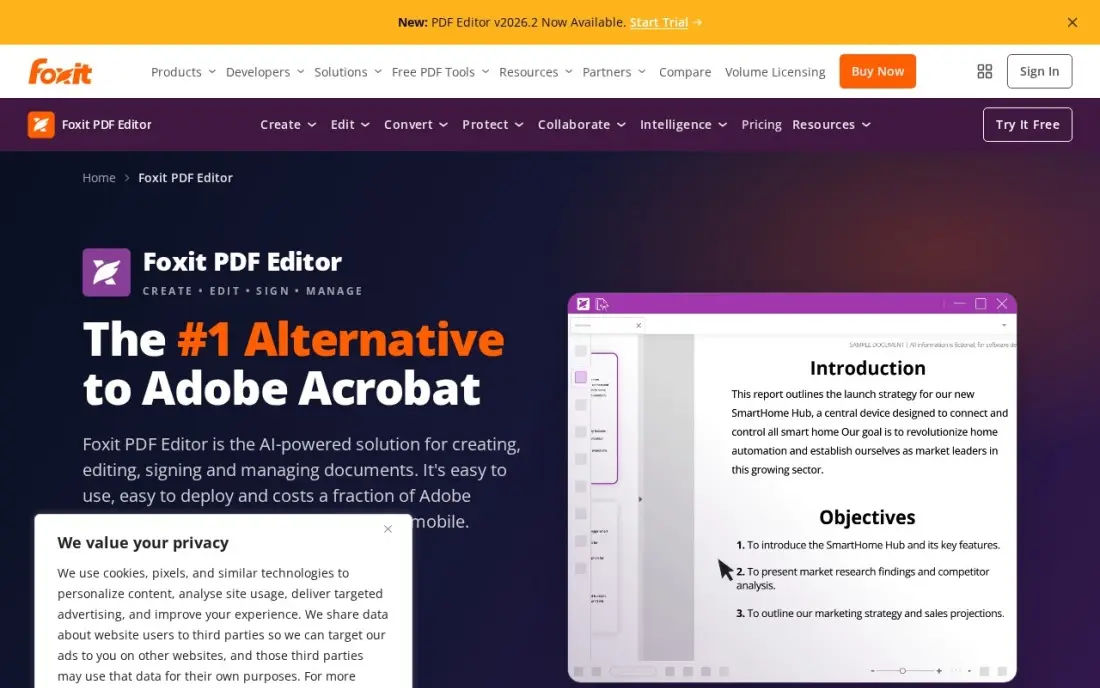
Foxit PDF Editor is the strongest Acrobat alternative in this list, and the numbers make the case: $129.99 a user a year against $239.88 for Acrobat Pro, with editing, conversion, OCR, forms and document security included. It is also the highest-rated desktop editor here on G2 at 4.6 from 3,784 reviews, and 300 AI credits a month come with the subscription.
The tiers are where buyers get caught. The base editor has no mobile apps and no e-signatures — those need Editor+ at $159.99 a year — and heavy AI use costs $49.99 a year more. A perpetual licence for version 14 costs $209.99 once, which suits a business that will not rent software. Pick Foxit when the desk runs Windows or Mac and wants Acrobat-level tools for about half the price.
What we like
- At $129.99 a year against Acrobat Pro at $239.88, with editing, conversion, OCR, forms and security included
- The highest-rated desktop editor here on G2 at 4.6 from 3,784 reviews
- A perpetual licence for version 14 costs $209.99 once, for buyers who will not rent software
- 300 AI credits a month are included, so staff can summarise and question documents without an add-on
Watch out for
- The $129.99 annual price buys the base editor only — mobile apps and e-signatures need Editor+ at $159.99 a year
- The AI Assistant beyond 300 credits a month costs $49.99 a year extra
- The interface packs in so many tools that new users need a week to settle in

Wondershare PDFelement
Best for: Small businesses that want a full desktop editor with OCR at the lowest annual price
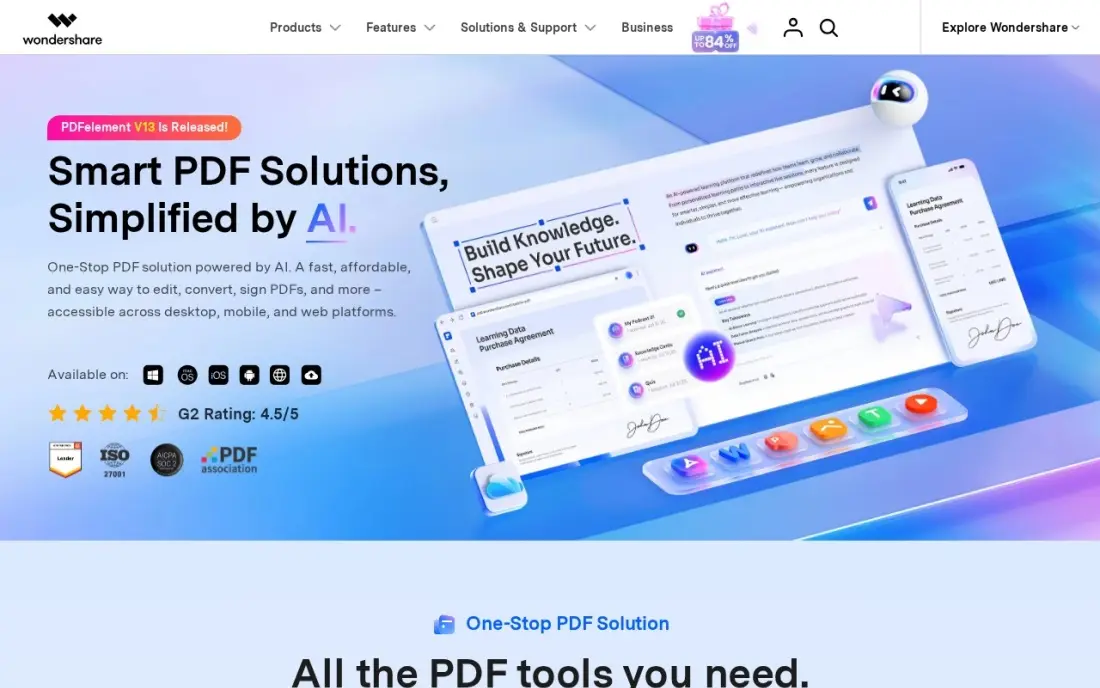
PDFelement is Wondershare's Acrobat challenger, and its main weapon is price: $79.99 a year for one platform, against $239.88 for Acrobat Pro and $129.99 for Foxit. That buys a full editor with OCR, forms, redaction and e-signatures, plus a $129.99 one-time perpetual licence for buyers who hate subscriptions. Team plans from $109 a user a year add central licence management.
The price needs care. The $79.99 plan covers Windows or Mac, not both — the cross-platform plan is $89.99 a year — and the store shows a cheaper manual-renew yearly plan alongside the auto-renew one we quote. AI is metered too: 50 uses free, then $3.99 a month. Pick PDFelement when the budget is the deciding factor and OCR matters; pick Foxit when support and polish matter more.
What we like
- The cheapest full desktop editor with OCR here at $79.99 a year for one platform
- A $129.99 one-time perpetual licence for buyers who hate subscriptions
- Team plans from $109 a user a year add central licence management for growing desks
- Runs on Windows, Mac, iOS and Android, with a web version through PDFelement Cloud
Watch out for
- The $79.99 yearly plan covers one platform — Windows and Mac together cost $89.99 a year
- AI beyond 50 uses is a separate add-on at $3.99 a month or $39.99 a year
- The perpetual licence covers version 13 only, so a major upgrade means paying again

Nitro PDF Pro
Best for: Small teams that want an Office-style editor with admin controls for every seat
Nitro PDF Pro is the team editor in this list. Its Office-style ribbon means staff who live in Word and Excel need almost no training, and the Standard plan at $15 a user a month billed annually includes an admin portal and 24/7 support — things the cheaper desktop editors do not offer. A $270 Classic licence covers three years on Windows for buyers who will not subscribe.
Two costs hide behind the headline. There is no monthly billing, so one seat costs $180 up front, and e-signatures are a separate product: Nitro Sign Standard costs another $15 a user a month, which doubles the bill for a business that signs a lot. Pick Nitro when the whole team needs the same editor with admin control; pick Foxit when one or two seats are enough.
What we like
- An Office-style ribbon interface, so staff who live in Word and Excel need almost no training
- At $15 a user a month billed annually, it undercuts Acrobat Pro by about $5 a user a month
- Includes an admin portal and 24/7 support, which the cheaper desktop editors do not
- A $270 Classic licence covers three years on Windows for buyers who will not subscribe
Watch out for
- No monthly billing — the $15 a user price is annual only, so one seat costs $180 up front
- E-signatures are a separate product: Nitro Sign Standard costs another $15 a user a month
- The Classic $270 three-year licence is Windows only and covers one machine for three years

Smallpdf
Best for: Browser-first teams that also need e-signatures without a second subscription
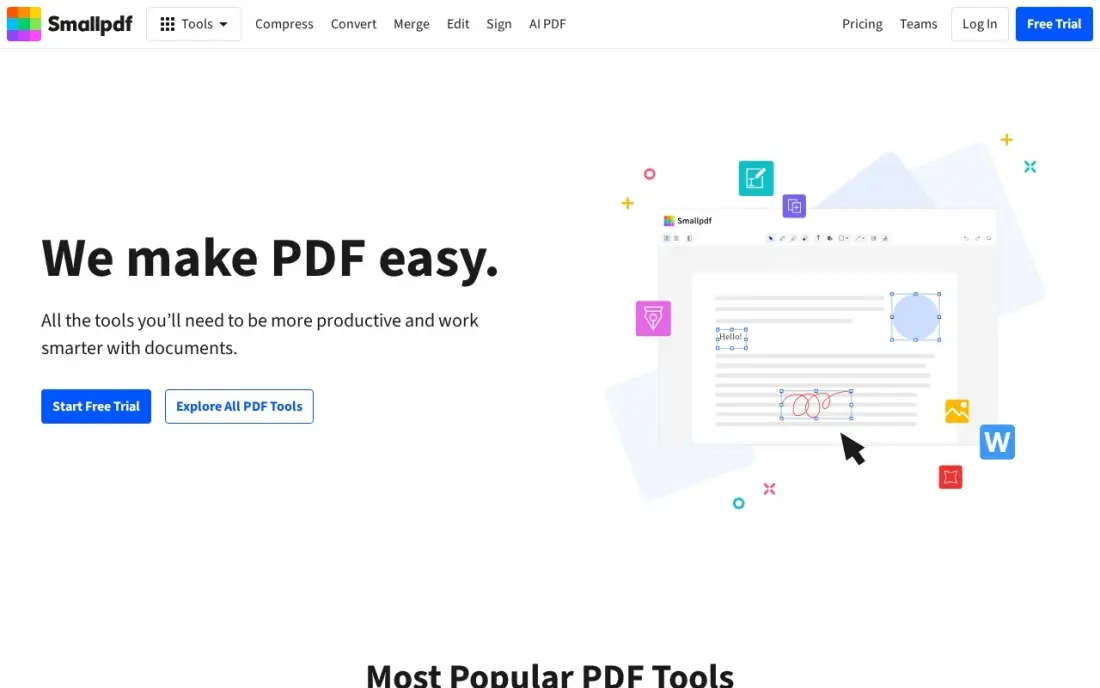
Smallpdf is the best-known online PDF suite: over 20 tools for compress, convert, edit, sign and protect, all in the browser, with desktop and mobile apps for Pro subscribers. Pro at $120 a year bundles a full Sign.com premium e-signing subscription, which can replace a separate signing tool, and AI PDF tools with unlimited use.
The free plan is the tightest here: two tasks a day, shared across every tool, so a busy morning uses it up before lunch. Files also upload to Smallpdf's servers, which matters for sensitive documents — a law firm or clinic should weigh that against the convenience. Pick Smallpdf when the team works in browsers and signs documents often; pick a desktop editor when files must stay on office machines.
What we like
- The best-known online PDF suite: over 20 tools for compress, convert, edit, sign and protect, all in the browser
- Pro bundles a full Sign.com premium e-signing subscription, which replaces a separate signing tool
- AI PDF tools with unlimited use on Pro, including summaries and chat with a document
- Team plans from $7 a user a month add central billing and user management
Watch out for
- The free plan stops after 2 tasks a day, shared across all tools — the tightest free tier here
- Files upload to Smallpdf servers, so sensitive documents leave the office network
- Strong compression, OCR and batch tools all need Pro — the free plan is for occasional jobs only
iLovePDF
Best for: Small businesses that want the cheapest browser PDF suite for daily merge, split and convert jobs
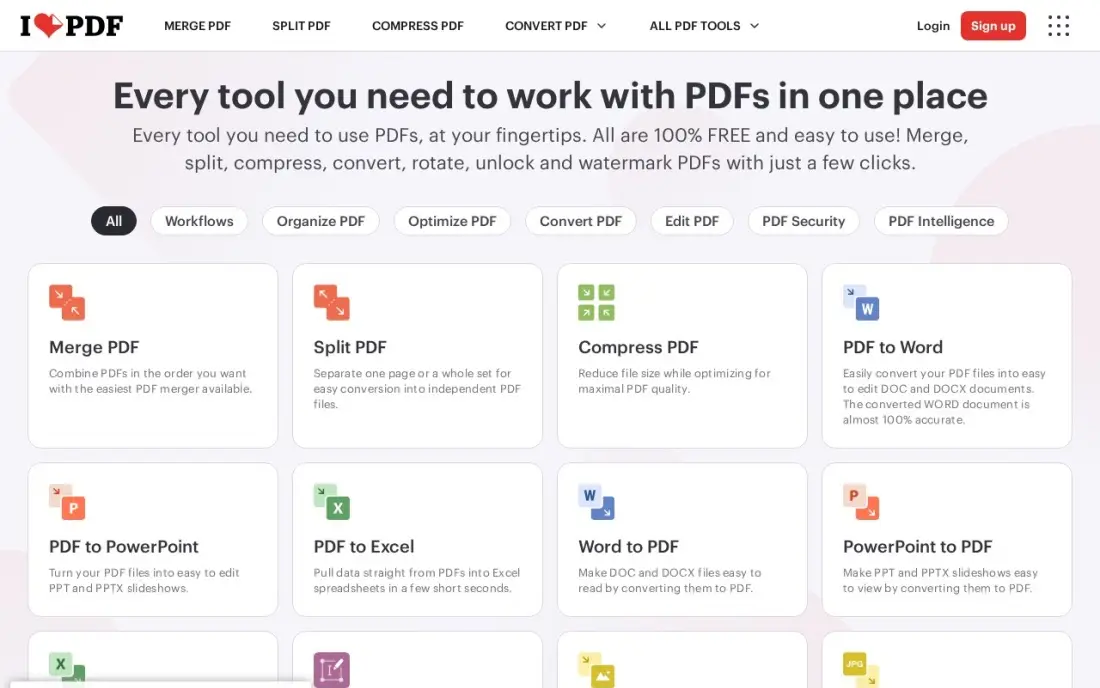
iLovePDF is the cheapest browser PDF suite in this list: Premium costs $60 a year, or $5 a month billed annually, and one subscription covers 1 to 25 users, so a small team shares a single bill. It includes 2,000 AI credits a month, desktop and mobile apps, and files up to 4 GB per task — generous limits for the price.
The trade-off is editing depth. There is no true text editing: the editor whites out text and types over it, which works for a quick fix but not for reworking a contract. OCR and the apps are Premium only, and prices vary by region and by store. Pick iLovePDF when the daily work is merge, split, compress and convert; pick a desktop editor when documents need real text edits.
What we like
- The cheapest paid browser suite here at $60 a year, or $5 a month billed annually
- Premium covers 1 to 25 users on one subscription, so a small team shares one bill
- 2,000 AI credits a month are included, with desktop and mobile apps and files up to 4 GB per task
- The free plan is generous for occasional work, with per-tool limits printed on the pricing page
Watch out for
- No true text editing — the editor whites out text and types over it rather than editing in place
- OCR and the desktop and mobile apps are Premium only; the free plan is web only
- Prices vary by region and by where you buy — app-store prices differ from the website price

Sejda
Best for: Small businesses that want a cheap desktop app plus web tools, with no watermark on free output
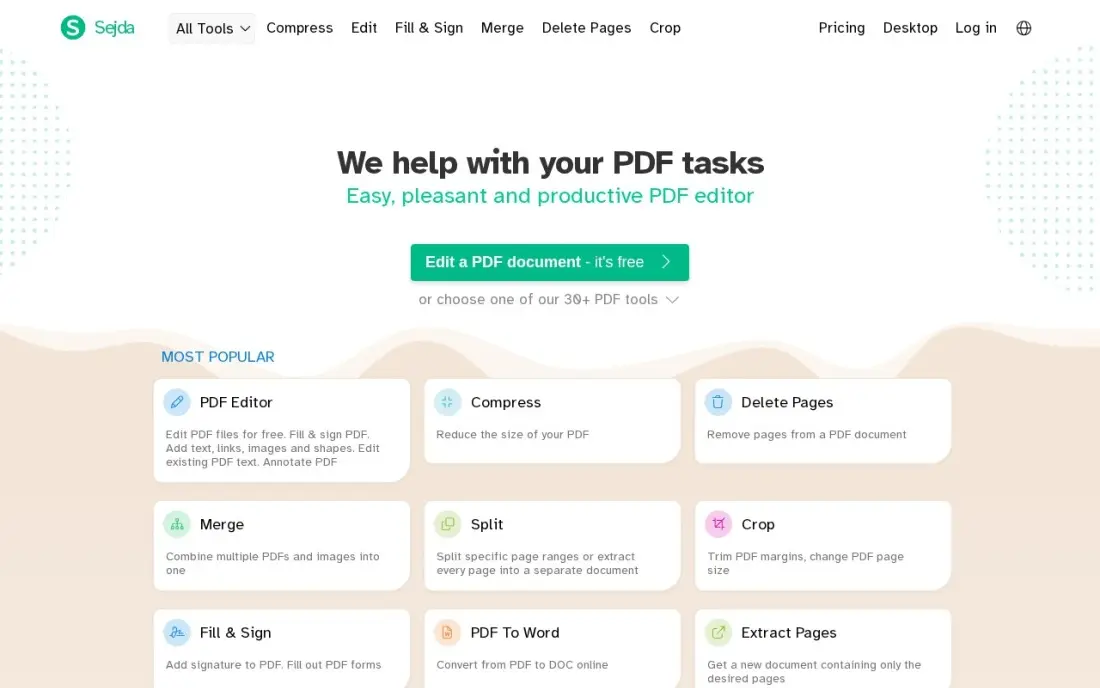
Sejda is the quiet value pick in this list. Its Desktop+Web Annual plan costs $63 a year — the cheapest paid plan here that includes a real desktop app — and the free tier is unusually honest: no watermark on output, real text editing, and limits printed on each tool's page. A $5 Web Week Pass buys seven days of unlimited web tools with no renewal.
The limits are real, though. Free use stops at three tasks an hour, 50 MB and 200 pages, and even paid plans have no real redaction and no Word export from edits. Files are deleted after about two hours, which is good for privacy. Pick Sejda when the budget is tiny and the work is light editing; pick iLovePDF when the team needs more tools for a similar price.
What we like
- The cheapest paid plan here that includes a real desktop app: Desktop+Web Annual at $63 a year
- Free output carries no watermark, and the editor genuinely changes existing text
- A $5 Web Week Pass buys 7 days of unlimited web tools with no renewal — handy for a one-off project
- Files are deleted after about 2 hours, and paid plans lift limits to 500 MB uploads and OCR up to 100 pages
Watch out for
- The free plan stops at 3 tasks an hour, 50 MB and 200 pages — a busy morning hits the cap fast
- No real redaction and no Word export from edits, even on paid plans
- The desktop app is a separate download and the paid plans are per user, not per team

PDF-XChange Editor Plus
Best for: Windows users who want to pay once and own their PDF editor
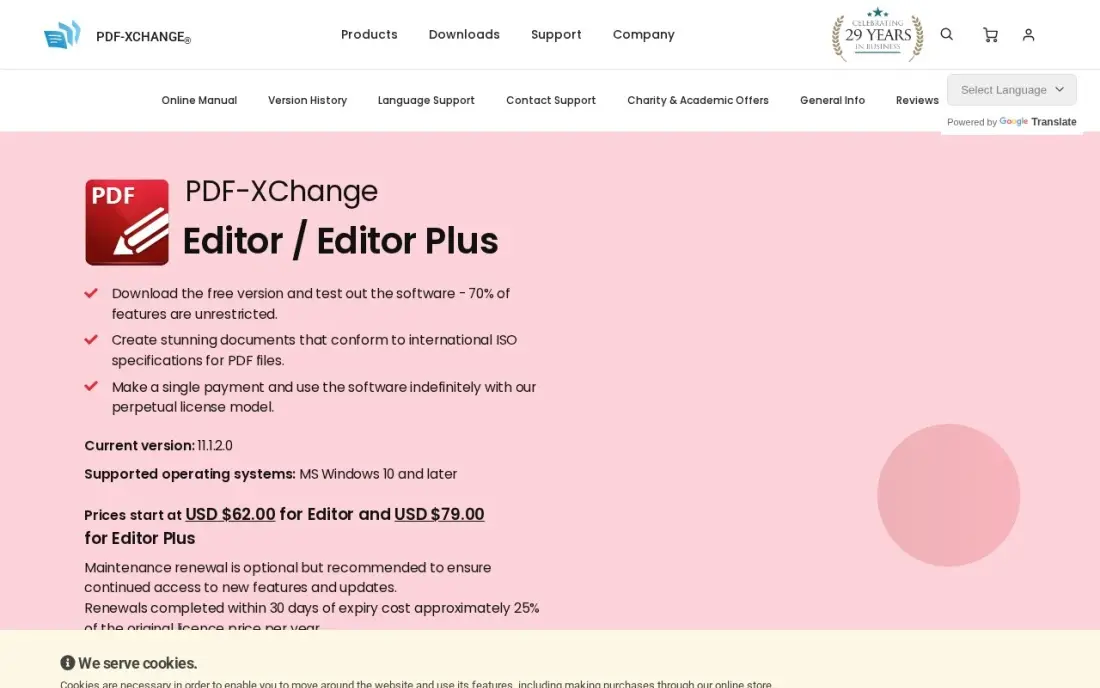
PDF-XChange Editor Plus is the pay-once pick in this list: $79 for a perpetual licence, with no subscription and no renewal. The free version unlocks about 70% of features with no watermark, so most daily work costs nothing at all, and Plus adds enhanced OCR, fillable form creation, document compare and dynamic stamps. A five-user pack costs $355 once.
The catch is the platform and the maintenance. There is no Mac version, so a mixed-platform office needs a second tool, and the licence includes only one year of maintenance — updates after that cost about 25% of the licence price a year. Pick PDF-XChange when the desk runs Windows and hates subscriptions; pick PDFelement when the team also uses Macs.
What we like
- A $79 one-time perpetual licence — pay once, use the version you bought indefinitely
- The free version unlocks about 70% of features with no watermark, so most daily work costs nothing
- Plus adds enhanced OCR, fillable form creation, document compare and dynamic stamps
- Five-user packs cost $355 once, below five single licences, which suits a small Windows desk
Watch out for
- Windows only — there is no Mac version, so mixed-platform offices need a second tool
- The licence includes one year of maintenance; updates after that cost about 25% of the licence price a year
- The free version watermarks premium features, so the trial is not a full test of the paid tools
PDF Expert
Best for: Mac-only small businesses that want the fastest, cleanest PDF editor on Apple devices
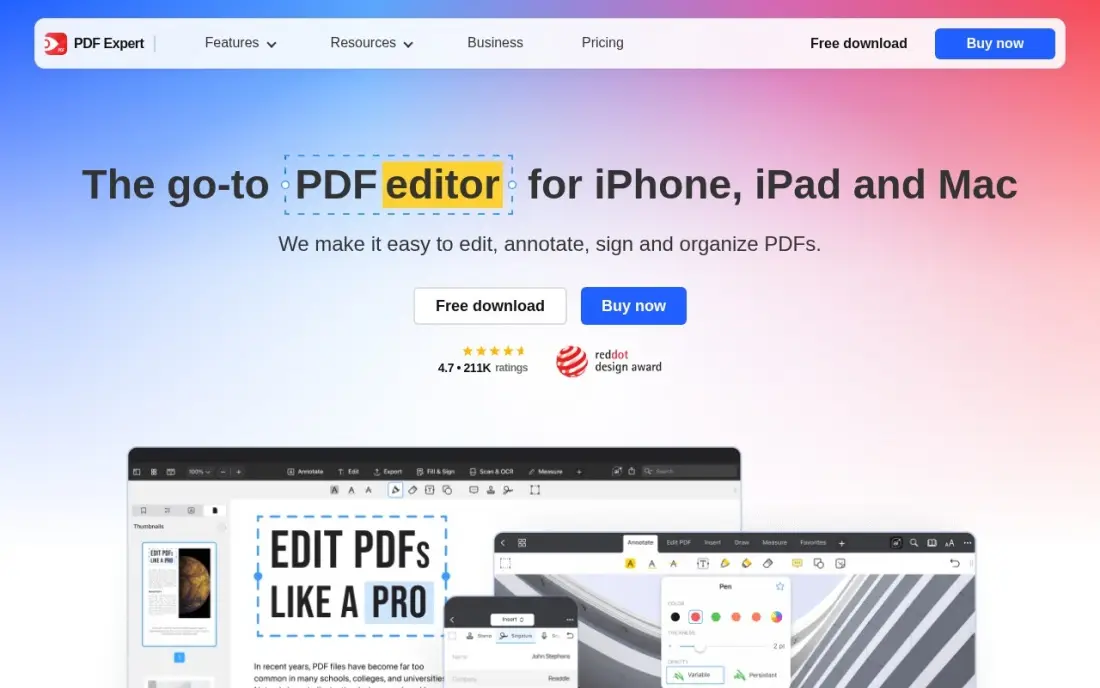
PDF Expert is Readdle's PDF app for Apple devices, and it is the highest-rated tool in this list on G2 at 4.7 from 33 reviews, praised for speed and ease of use. Essential starts at $49.99 a year — the cheapest paid desktop editor here — and PDF Copilot AI, annotations and editing sync across Mac, iPhone and iPad.
The limits are about coverage, not quality. There is no Windows or Android version, so a mixed-platform office cannot standardise on it, and Essential lacks translation, Office conversion, OCR and signing — those need Pro at $79.99 a year. The $139.99 Lifetime licence is Mac only. Pick PDF Expert when the whole business runs on Apple; look elsewhere when even one Windows PC is in the mix.
What we like
- The highest-rated tool here on G2 at 4.7 from 33 reviews, praised for speed and ease of use
- Essential starts at $49.99 a year — the cheapest paid desktop editor in this list
- PDF Copilot AI, annotations and editing work across Mac, iPhone and iPad with sync
- A $139.99 one-time Lifetime licence suits Mac-only users who will keep the app for years
Watch out for
- No Windows or Android version at all — a mixed-platform office cannot standardise on it
- Essential at $49.99 a year lacks translation, Office conversion, OCR and signing; Pro costs $79.99
- The $139.99 Lifetime licence is Mac only and leaves out PDF Copilot and mobile premium access

LibreOffice Draw
Best for: Small businesses that want a $0 PDF editor and never want another subscription
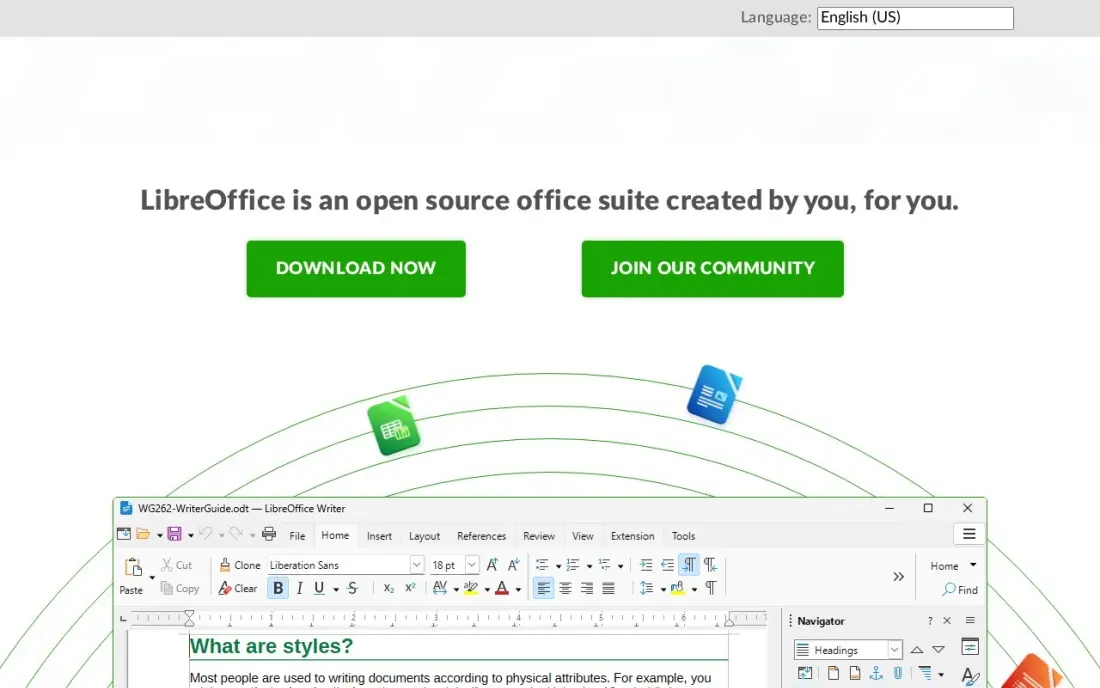
LibreOffice Draw is the free pick in this list, and it is genuinely free: open source, no licence, no subscription, no account and no watermark, on Windows, Mac and Linux. It opens PDFs and lets staff edit text and images inside them without uploading anything anywhere — the only $0 tool here that does that. The current release is version 26.8, from October 2026.
The trade-off is polish. Draw treats a PDF page as a drawing, so fonts and layout can shift when text is edited, and there is no OCR, no e-signatures and no built-in cloud sync. Support is community forums and documentation. Pick Draw when the budget is zero and the work is light annotation and fixes; pay for Foxit or PDFelement when layout fidelity and OCR matter.
What we like
- Completely free and open source — no licence, no subscription, no account and no watermark, ever
- Opens and edits PDFs on Windows, Mac and Linux, with the whole LibreOffice suite behind it
- The only $0 tool here that edits text and images inside a PDF without uploading it anywhere
- A large community keeps it updated — the current release is version 26.8, from October 2026
Watch out for
- Editing a PDF in Draw can shift fonts and layout, because it treats pages as drawings, not text
- No OCR, no e-signatures and no built-in cloud sync — it is an editor, not a document platform
- Support is community forums and documentation, with no vendor to call when a file will not open
The best pdf software for small business work does three jobs: it edits the PDF, it signs it, and it sends it on without a fuss. The 10 tools below are ranked by fit for the most common buyer, a small US business with one to ten staff that handles contracts, invoices and forms every day, and every price was checked on the vendor's own pricing page on November 12, 2026.
How to choose the best pdf software for small business
- Count the seats first. Acrobat, Foxit, Nitro and PDFelement charge per user, while iLovePDF Premium covers up to 25 users for $60 a year and LibreOffice Draw costs $0 for everyone. The pricing unit decides what a growing team pays, not the headline price.
- Decide where the files live. Desktop editors keep documents on office machines; browser tools upload them to a vendor's servers. A clinic or law firm with sensitive files should weigh that before choosing Smallpdf, iLovePDF or Sejda.
- Check whether signing is included. Acrobat Pro and Smallpdf Pro include e-signatures, Foxit needs Editor+ and Nitro sells signing separately. A business that signs contracts weekly should price signing in from day one.
- Check OCR before you pay. Scanned contracts and paper invoices need OCR to become searchable text. It is included with the desktop editors here, but it is a paid extra on the browser tools and missing entirely from LibreOffice Draw.
- Check the platform. PDF Expert and PDF-XChange are single-platform tools — Mac only and Windows only. A mixed-platform office needs a tool that runs everywhere, or it ends up buying twice.
- Think about the next year, not the next month. A perpetual licence looks cheap once and dear at upgrade time; a subscription looks dear monthly and cheap when it includes the newest version. Price three years, not one month.
PDF software edits the document, but it does not bring in the clients who will sign it. If the business is not showing up when people nearby search, our local SEO service covers that side. And before the business sends a contract out, the free SERP snippet preview tool checks how its pages will look in search results.
Whatever you shortlist, try it with real documents before you pay. The trials in this list run 7 to 14 days, which is long enough to edit a real contract, run OCR on a real scan and send a real document for signature. Check two things in the trial: that edited text keeps the original fonts and layout, and that a signed document comes back without a watermark or a missing page. Every tool here offers a trial or a free plan, so there is no reason to buy before the business has run a real week on it.
PDF software for small business pricing: what you will actually pay
Take a five-person business that edits PDFs every day. On list prices for one year, the subscription costs $0 on LibreOffice Draw, $60 on iLovePDF Premium — one subscription covers all five — $249.95 on PDF Expert Essential, $315 on Sejda Desktop+Web Annual, $399.95 on PDFelement Yearly, $600 on Smallpdf Pro, $649.95 on Foxit PDF Editor, $900 on Nitro PDF Standard and $1,199.40 on Adobe Acrobat Pro. PDF-XChange Editor Plus costs $355 once for a five-user pack, with no yearly bill at all.
Over three years on the same list prices, that is $0 on LibreOffice Draw, $180 on iLovePDF Premium, $239.97 on PDFelement, $355 once on PDF-XChange Editor Plus, $749.85 on PDF Expert Essential, $945 on Sejda, $1,800 on Smallpdf Pro, $1,949.85 on Foxit, $2,700 on Nitro and $3,598.20 on Acrobat Pro. The one-time licences win the three-year maths by a wide margin — but only on Windows for PDF-XChange and only for version 13 on PDFelement's perpetual licence, so a major upgrade resets the saving.
Three costs sit outside every number above. First, e-signatures: Nitro Sign Standard adds $15 a user a month, or $900 a year for five people, on top of Nitro PDF Standard. Second, AI add-ons: Foxit charges $49.99 a year beyond 300 credits a month, and PDFelement charges $3.99 a month beyond 50 uses. Third, maintenance on perpetual licences: PDF-XChange charges about 25% of the licence price a year for updates after the first year, or about $20 a year for one Editor Plus licence.
Know the difference: subscription, annual plan and perpetual licence
The confusion in this category is the billing model, not the feature list. A subscription charges every month or year and stops working when you stop paying, but it always includes the newest version: Acrobat Pro at $19.99 a month on the annual plan, Smallpdf Pro at $10 a month billed annually. An annual plan is a subscription paid once a year, usually 15–40% cheaper than paying monthly: Foxit at $129.99 a year against $16.99 a month, iLovePDF at $60 a year against $9 a month. A perpetual licence costs once and the version you bought works indefinitely: PDF-XChange Editor Plus at $79, PDFelement's perpetual licence at $129.99, PDF Expert Lifetime at $139.99 for Mac.
The model matters most over three years. Five Acrobat Pro seats cost $3,598.20 over three years; five Foxit seats cost $1,949.85; five PDF-XChange Editor Plus licences cost $355 once, plus about $100 a year in maintenance if the business keeps updating. The subscription looks dear and the licence looks cheap — until the business needs a major new version, a new platform, or cloud features that the licence does not include. Price three years of the model you will actually live with, and check what happens to your files if you stop paying: a subscription can lock you out of editing, while a perpetual licence keeps working.
There is a second, quieter confusion: a free plan is not a free business. Smallpdf Free, iLovePDF Free and Sejda Free all cost $0 a month, but every one of them caps how much work you can do — two tasks a day, per-tool file sizes, three tasks an hour — and the features that earn money, OCR and e-signatures, need a paid plan. Budget on the subscription plus signing plus AI, not on the $0 headline.
Quick comparison: tool type by need
| Buyer | Best pick | Why |
|---|---|---|
| Small business that wants the complete editor | Adobe Acrobat Pro | Editing, OCR, redaction and signing in one, $239.88/year |
| Small business that wants Acrobat tools for less | Foxit PDF Editor | Full desktop editing with OCR for $129.99/year |
| Small business on the tightest budget | PDFelement | Full editor with OCR for $79.99/year |
| Browser-first team that also signs documents | Smallpdf | 20+ tools plus Sign.com signing for $120/year |
| Windows desk that hates subscriptions | PDF-XChange Editor Plus | $79 once, perpetual licence, free version included |
| Small business that wants to pay $0 | LibreOffice Draw | Free and open source, no watermark, no paid tier |
Mistakes to avoid
- Budgeting on the monthly price alone. The annual plan is usually 15–40% cheaper — Foxit drops from $16.99 a month to $129.99 a year — and a few tools have no monthly option at all, so one seat costs $180 up front on Nitro.
- Comparing annual prices without checking the billing model. A $79 one-time licence and a $79.99 yearly subscription look the same on a price chart and cost very different amounts over three years. Check whether the price repeats, and what happens when it stops.
- Ignoring the pricing unit. A tool can be cheap for one person and dear for five: iLovePDF Premium covers 25 users for $60 a year, while Acrobat Pro costs $239.88 per user. Price the team you will have next year, not the team you have today.
- Forgetting that signing is often a second bill. Nitro Sign Standard adds $15 a user a month on top of Nitro PDF Standard, and Foxit needs Editor+ for e-signatures. If the business signs contracts weekly, signing belongs in the price from day one.
- Trusting a free plan to cover daily work. Smallpdf stops after two tasks a day, Sejda after three tasks an hour, and LibreOffice Draw has no OCR at all. A free plan that runs out mid-morning forces an upgrade at the worst moment.
How we chose
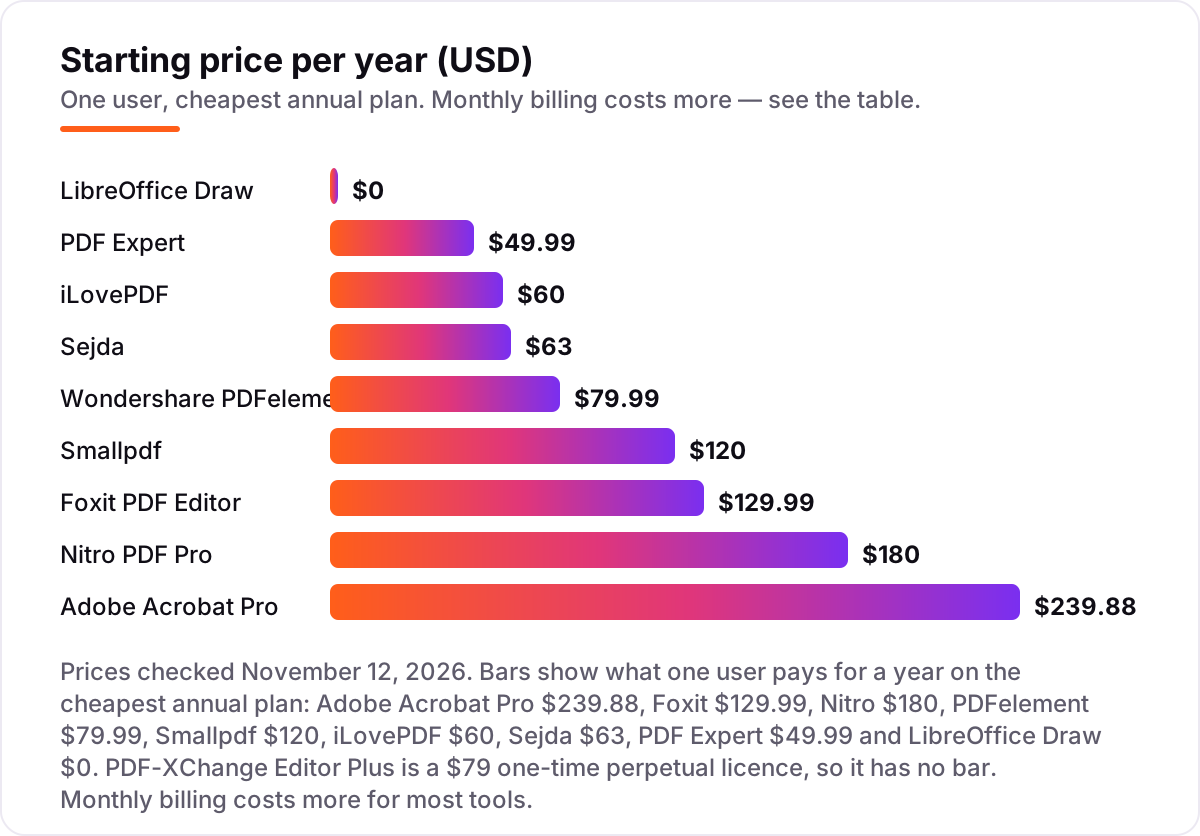
We checked each vendor's own pricing page on November 12, 2026 and recorded the starting price exactly as shown, including the annual-billing figure where the page lists one, and we ranked the tools by fit for the most common buyer — a small US business with one to ten staff that handles contracts, invoices and forms every day — not by brand size. Where a vendor page would not load directly, we used a fresh search-index crawl of that page dated November 9–11, 2026. Three prices needed extra care. Nitro's pricing page renders its prices in JavaScript, so the extracted text showed the plan names but not the figures; the $15 a user a month Standard price is confirmed by G2's vendor-supplied pricing listing and several independent reads of the same page dated October to November 2026. PDFelement lists several yearly prices; we use the $79.99 auto-renewing Yearly Plan, and the manual-renew yearly plan costs less. iLovePDF's prices vary by region and by store — the $9 a month and $60 a year figures are the US website prices. The price bars show what one user pays for a year on the cheapest annual plan, and PDF-XChange Editor Plus has no bar because it is a $79 one-time perpetual licence. Ratings come from G2 pages checked on November 12, 2026: Acrobat Pro 4.5 from 5,332 reviews, Foxit 4.6 from 3,784, PDFelement 4.5 from 1,067, Smallpdf 4.5 from 305, iLovePDF 4.6 from 583, PDF-XChange 4.6 from 151, PDF Expert 4.7 from 33 and LibreOffice Draw 4.4 from 14. Nitro's 4.4 from 432 reviews comes from a G2 crawl dated November 8, 2026, the freshest copy available. Sejda shows no rating because its G2 listing is the G Suite variant and its last fresh crawl is weeks old. No vendor paid for a place in this list, and none of the links here are affiliate links.
What to do next
Start with the free plan or trial of your top pick and run one real week of documents through it. Edit a real contract, run OCR on a real scan and send a real document for signature, then check that the fonts and layout survived. If the business is sorted but new clients are not finding it, our monthly SEO service handles the visibility side — or compare providers in our guide to SEO companies for small business. Once your tools are in place, find out what's holding your rankings back.
Frequently asked questions
What is the best PDF software for small business?
Adobe Acrobat Pro is the best fit for most small businesses at $239.88 a year, because it covers editing, OCR, redaction and e-signatures in one subscription. Foxit PDF Editor at $129.99 a year is the best cheaper desktop editor, and iLovePDF at $60 a year is the best browser suite for teams that mostly merge, split and convert.
How much does PDF software cost for a small business?
A single user pays $0 to $239.88 a year on the cheapest annual plan. A five-person desk pays about $250 a year on PDF Expert, $400 on PDFelement, $650 on Foxit and $1,199 on Acrobat Pro. Browser suites are cheaper per team: iLovePDF Premium covers up to 25 users for $60 a year.
Is there free PDF software for small business?
Yes. LibreOffice Draw is completely free and open source, with no watermark and no paid tier. Smallpdf, iLovePDF and Sejda all have free plans with daily or hourly limits, and PDF-XChange has a free version covering about 70% of features. Free plans cover light work; OCR and e-signatures usually need a paid plan.
What is the difference between a subscription and a perpetual licence?
A subscription like Acrobat Pro charges every month or year and stops working when you stop paying, but it always includes the newest version. A perpetual licence like PDF-XChange Editor Plus costs $79 once and the version you bought works indefinitely, but major upgrades and updates after the first year cost extra.
Can I edit a PDF without Adobe Acrobat?
Yes. Foxit PDF Editor, PDFelement, Nitro PDF Pro and PDF-XChange all edit PDFs on the desktop, and Smallpdf, iLovePDF and Sejda edit them in a browser. LibreOffice Draw edits PDFs for free. The main things Acrobat still does best are redaction, web forms and document compare, which some cheaper editors lack.
Which PDF software is best for signing documents?
Adobe Acrobat Pro includes e-signatures in its $239.88-a-year subscription, and Smallpdf Pro bundles a full Sign.com premium subscription for $120 a year. Foxit needs Editor+ at $159.99 a year for e-signatures, and Nitro sells signing separately as Nitro Sign Standard at $15 a user a month. Check whether signing is included before you buy.
Do I need OCR, or is it an extra?
OCR turns a scanned page into searchable, editable text, and most small businesses need it for old contracts and paper invoices. It is included with Acrobat Pro, Foxit, PDFelement, Nitro and PDF-XChange Plus, but it is a paid feature on Smallpdf, iLovePDF and Sejda, and LibreOffice Draw has no OCR at all.
Sources we checked (19)
- Adobe Acrobat pricing — adobe.com/acrobat/plans.html (checked November 12, 2026)
- Adobe Acrobat on G2 — 4.5/5, 5,332 reviews (checked November 12, 2026)
- Foxit PDF Editor pricing — foxit.com/pdf-editor (checked November 12, 2026)
- Foxit PDF Editor on G2 — 4.6/5, 3,784 reviews (checked November 12, 2026)
- Wondershare PDFelement pricing — pdf.wondershare.com (checked November 12, 2026)
- Wondershare PDFelement on G2 — 4.5/5, 1,067 reviews (checked November 12, 2026)
- Nitro PDF pricing — gonitro.com/pricing (checked November 12, 2026)
- Nitro PDF on G2 — 4.4/5, 432 reviews (checked November 12, 2026)
- Smallpdf pricing — smallpdf.com/pricing (checked November 12, 2026)
- Smallpdf on G2 — 4.5/5, 305 reviews (checked November 12, 2026)
- iLovePDF pricing — ilovepdf.com/pricing (checked November 12, 2026)
- iLovePDF on G2 — 4.6/5, 583 reviews (checked November 12, 2026)
- Sejda pricing — sejda.com/upgrade (checked November 12, 2026)
- PDF-XChange Editor pricing — pdf-xchange.com/product/pdf-xchange-editor (checked November 12, 2026)
- PDF-XChange Editor on G2 — 4.6/5, 151 reviews (checked November 12, 2026)
- PDF Expert pricing — pdfexpert.com/pricing (checked November 12, 2026)
- PDF Expert on G2 — 4.7/5, 33 reviews (checked November 12, 2026)
- LibreOffice Draw — libreoffice.org/discover/draw (checked November 12, 2026)
- LibreOffice Draw on G2 — 4.4/5, 14 reviews (checked November 12, 2026)
Make one of these tools?
We re-check this list every quarter. Send a correction, request a review, or ask about a clearly labeled sponsored spot.
Request a listingShamim
Founder of SerpAstra
A full-stack SEO and digital marketer who spends most days on Local SEO for dental practices, AI search visibility and lead generation.
Free SEO and AI visibility audit
Find out what is holding your rankings back
Send us your site. Within 2 business days you get a written audit, an AI visibility check and a short fix list ranked by impact. Free, with no contract attached.
Request my free audit→Related buying guides
 Legal8 Best Document Management Software for Small Law Firm in 2026, ComparedCompare the 8 best document management software for small law firm on price, matter filing and email management, with every price checked November 7, 2026.Read guide →
 Productivity & Office10 Best Collaboration Software for Small Business in 2026, ComparedCompare the 10 best collaboration software for small business options on price, free plans, chat and project tools, with every price checked November 10, 2026.Read guide →
 Productivity & Office9 Best AI Workspace Tools for Documents in 2026, ComparedThe 9 best ai workspace tool for documents, compared with real 2026 prices, free plans and AI limits — from Notion and Google Workspace to Coda and ClickUp.Read guide →