
7 Best Report Writing Software in 2026, Compared
Compare the 7 best report writing software for business, project and client reports on templates, collaboration, AI help and real pricing checked in 2026.
 Shamim Mia, Founder, SerpAstraLast verified November 4, 202610 min read
We compare pricing pages, documentation and public reviews. We never accept payment for rankings.

Key takeaways
- Microsoft Word is still the safest report writing software for formal reports, with Word for the web free and Microsoft 365 Personal at $99.99 a year.
- Google Docs is the best free option for collaborative reports, with comments, suggestions and simultaneous editing.
- Visme and Canva turn data-heavy reports into designed documents; Visme Starter costs $147 a year and Canva Pro $144 a year.
- Notion and Coda suit recurring internal reports built from live data, and Grammarly Pro at $12 a month billed annually polishes the writing in any of them.
On this page
Quick comparison
| Tool | Best for | Starting price | Free plan |
|---|---|---|---|
| Microsoft Word | Formal business, technical and client reports that must follow a house style | $99.99/yr | Yes (web version) |
| Google Docs | Teams that co-write reports and want the easiest free collaboration | Free | Yes (free) |
| Visme | Marketers and consultants who need visually designed reports with charts | $147/yr | Yes (Basic) |
| Canva | Small teams that want quick, attractive report layouts from templates | Free; Pro $18/mo | Yes (free plan) |
| Notion | Teams that publish recurring internal reports alongside their project data | $10/member/mo | Yes (free plan) |
| Coda | Teams whose reports combine live tables, calculations and narrative | $10/mo (annual) | Yes |
| Grammarly | Report writers who want clearer, more consistent writing in any editor | $12/mo (annual) | Yes (free) |
Make one of these tools?
We re-check this list every quarter. Send a correction, request a review, or ask about a clearly labeled sponsored spot.
Request a listingThe best report writing software

Microsoft Word
Best for: Formal business, technical and client reports that must follow a house style
Microsoft Word remains the standard for formal reports. Styles, automatic tables of contents, captions, cross-references and track changes handle long structured documents better than any other tool here, and the .docx format is what most clients, regulators and editors expect to receive. It runs on Windows, Mac, the web, iOS and Android with the same files everywhere.
Word for the web is free with a Microsoft account, though cut down; the desktop app comes with Microsoft 365 Personal at $9.99 a month or $99.99 a year, which includes Copilot AI help and 1 TB of OneDrive. Long reports in one file can slow down. For anything with numbered sections and a formal review cycle, start here.
What we like
- The format every editor, agent and publisher already accepts, with track changes built in
- OneDrive autosave and version history, plus 1 TB of cloud storage on Personal
- Copilot AI help is included in Microsoft 365 Personal since the 2025 repricing
- Runs on Windows, Mac, web, iOS and Android, with the same files everywhere
Watch out for
- A general word processor, with no binder, corkboard, plot grid or story bible
- A long manuscript in one file gets slow, and navigation relies on headings alone
- Desktop Word needs the $99.99-a-year subscription; the free web version is cut down

Google Docs
Best for: Teams that co-write reports and want the easiest free collaboration
Google Docs is free with a Google account and has the smoothest collaboration of any tool here: several people can write at once, leave comments and suggest edits, and version history records every change. That suits project updates, research summaries and client reports written by a team rather than one author. It runs in any browser and exports to Word and PDF.
It lacks Word's depth for long formal documents, such as complex captions, cross-references and fine layout control, and very large files slow down. Offline work needs the Chrome extension set up in advance. For most collaborative reports under 50 pages, it is all you need, at no cost.
What we like
- Free with a Google account, with autosave and version history on every document
- The best free collaboration here: comments, suggestions and simultaneous editing
- Works on any device in a browser, with voice typing and offline mode via Chrome
- Exports to Word, PDF and EPUB, so a manuscript moves anywhere
Watch out for
- One long document per file, so a novel needs manual chapter files or a single giant doc
- No corkboard, plot grid or story bible, and no book-specific export or formatting
- Offline work needs the Chrome extension set up in advance, and large manuscripts slow down

Visme
Best for: Marketers and consultants who need visually designed reports with charts
Visme is a design tool with a dedicated Report Maker, plus templates for documents, proposals and ebooks, so a data-heavy report can be laid out with charts, icons and branded pages rather than plain text. The free Basic plan includes unlimited projects, 500MB of storage, up to 50 pages per project, 10 AI credits a month and JPG, PNG and PDF downloads, with limited templates.
Starter costs $147 a year, listed as $12.25 a person a month, and Business costs $297 a year, adding Brand Kit, analytics and exports to PPTX, HTML5, MP4 and GIF. The page's discount label does not match its prices, so confirm at checkout. It suits annual reports, client reports and marketing reports.
What we like
- Report Maker, document and proposal templates in one design tool
- Free Basic plan with unlimited projects and PDF download
- Business adds Brand Kit, analytics and PPTX, HTML5 and MP4 export
- Charts and data visuals built in
Watch out for
- Free and Starter downloads are limited to JPG, PNG and PDF
- The pricing page's discount label does not match the prices shown

Canva
Best for: Small teams that want quick, attractive report layouts from templates
Canva's template library includes report layouts that look finished with very little design skill, and drag-and-drop editing makes adding charts, photos and brand colours quick. You can publish a report as a website link that updates when the design changes, or export a print-ready PDF. The free plan includes more than 250,000 templates and 5 GB of storage, and G2 reviewers give Canva 4.7 out of 5.
Pro costs $18 a month or $144 a year and adds Brand Kit, Magic Resize and AI tools. Canva handles short, visual reports well but is awkward for long text with numbered sections and references, so write long content in Word or Docs first.
What we like
- The easiest way to design a publication from scratch: thousands of magazine and ebook templates with drag-and-drop editing
- Magic Studio AI tools and Brand Kit come with Pro, so a small team can stay on-brand without a designer
- Publish as a website link that updates when the design changes, or export a print-ready PDF for the flipbook tools above
Watch out for
- It designs publications but does not produce a page-flip reader — the output is a PDF or a website link, not a flipbook
- Brand Kit, background remover and Magic Resize all need Pro, so the free plan is template-only for branding
- No reader analytics: there is no way to see how far readers get through a published document

Notion
Best for: Teams that publish recurring internal reports alongside their project data
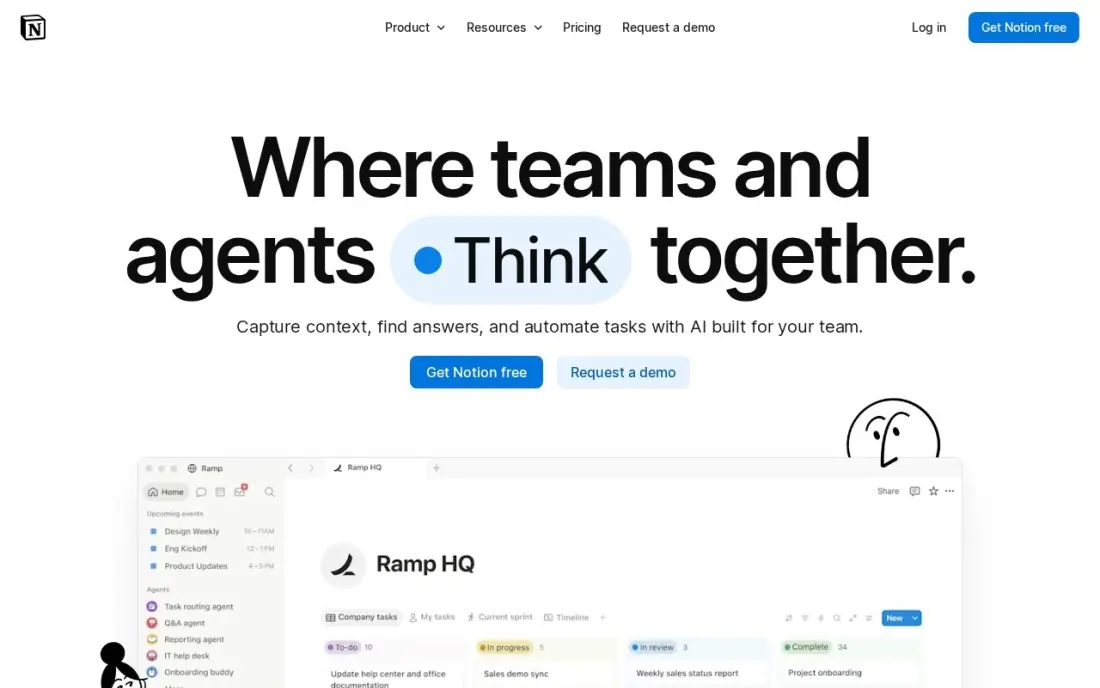
Notion suits internal reports that draw on work already tracked in it: weekly status updates, project reviews and research notes can pull in databases, tables and linked pages, so the report sits next to the data it describes. Templates make a recurring report quick to repeat. The free plan is unlimited for one person, and G2 reviewers give it 4.6 out of 5 from nearly 14,000 reviews.
Plus costs $10 a member a month billed annually, or $12 monthly, adding unlimited uploads and 30-day page history; full Notion AI for drafting and summarising needs Business at $20. Export to PDF works, but layout control is limited for formal external reports.
What we like
- Databases, calendars, kanban boards and templates combine into any planner you can design
- Free plan is genuinely unlimited for one person, with sync on every device
- Plus adds unlimited file uploads, 30-day page history and unlimited guests
- Rated 4.6/5 on G2 from 13,975 reviews, the largest review base in this list
Watch out for
- Full Notion AI sits on Business ($20/member/month), not Plus — Plus gets an AI trial only
- Per-member pricing means a 5-person team pays $50 a month on Plus
- Blank-page freedom is a learning curve: building a good planner takes setup time

Coda makes a report behave like a small app: tables, formulas, buttons and AI columns sit inside the document, so a monthly KPI report can calculate its own numbers and update when the data changes. AI writing and natural-language table queries help draft summaries. G2 reviewers give it 4.6 out of 5.
Pricing suits teams where a few people build and many read: Pro costs $10 per Doc Maker a month billed annually, or $12 monthly, and editors and viewers are free. AI runs on credits on top of the plan, and formulas take time to learn. Choose Coda for living operational reports, not one-off formal documents.
What we like
- Doc Maker billing means only the people who build docs pay — editors and viewers are unlimited and free on every plan
- AI columns, a writing assistant and natural-language table queries turn a document into a working app, not just a page
- Pro at $10 a Doc Maker a month is cheap for a team where five builders serve twenty-five readers
Watch out for
- A team where everyone builds docs pays per builder, so the bill grows fast once more people start creating
- Reviewers report a steep learning curve for formulas, automations and packs, and slow performance in very large docs
- AI runs on credits on top of the plan, so heavy AI use needs a usage budget as well as the seat price

Grammarly
Best for: Report writers who want clearer, more consistent writing in any editor
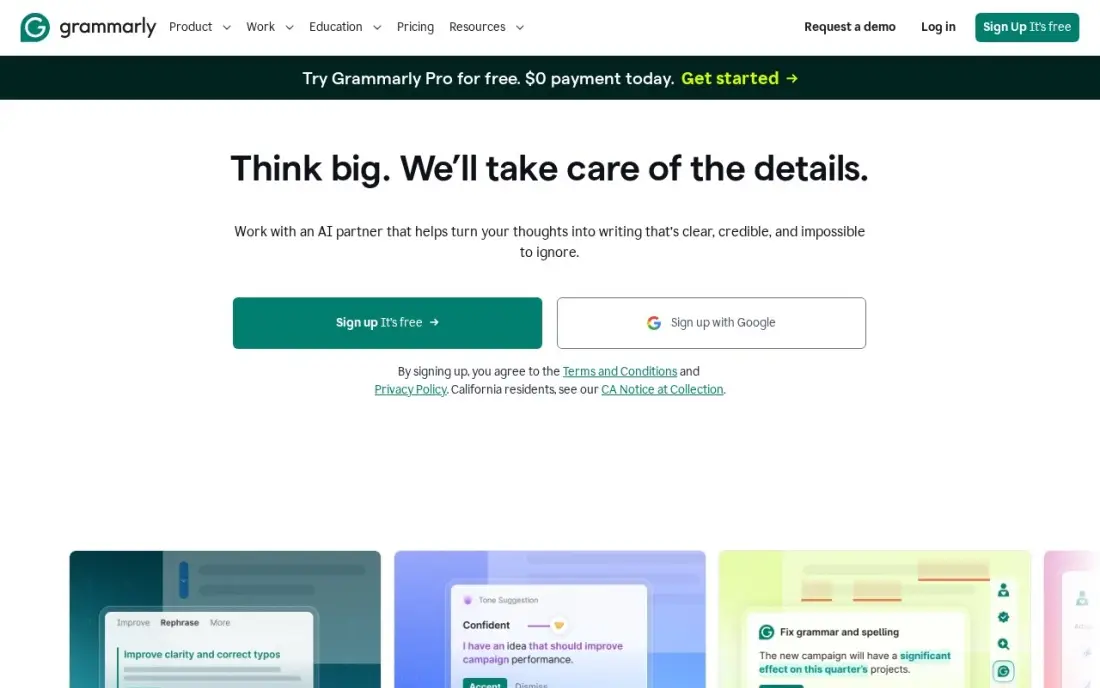
Grammarly does not create reports, but it improves them wherever they are written: in Google Docs, Microsoft Word, browsers, desktop apps and mobile. The free plan covers grammar, spelling and tone detection. Pro adds full-sentence rewrites, tone adjustment, plagiarism and AI detection, and 2,000 AI prompts a member a month, with style guides that keep a team's reports consistent.
Pro costs $12 a month billed annually, or $30 billed monthly, the widest gap between billing options in this list. It checks English only. For anyone writing reports for clients or senior managers, it is an inexpensive way to catch errors and tighten long sentences before sending.
What we like
- Works in browsers, Google Docs, Microsoft Office, desktop apps and mobile from one account
- Pro adds full-sentence rewrites, tone adjustment, plagiarism and AI detection
- 2,000 AI prompts a member a month on Pro, with style guides and brand tones for teams
- Free plan covers grammar, spelling and tone detection, so the paid tier is easy to test against
Watch out for
- Monthly billing costs $30 a member, two and a half times the $12 annual rate
- Only checks English, so multilingual teams get no value from it
- The free plan covers grammar and spelling, so Pro only pays off if you need rewrites and tone control
The best report writing software helps you turn notes and numbers into a clear document that readers can act on, without fighting the formatting. We compared seven tools across three jobs — formal written reports, designed visual reports and recurring internal reports — and checked every price on vendor pages in November 2026.
How to choose the best report writing software
- Start with the reader. Clients and regulators often expect Word or PDF; internal teams may prefer a live Notion or Coda page.
- Check structure tools. Styles, numbered headings, automatic contents pages and captions save hours in long reports.
- Plan for collaboration. Comments, suggestions and version history matter when several people write or review.
- Decide how visual it should be. Data-heavy or marketing reports benefit from a design tool such as Visme or Canva.
- Consider recurring reports. If you publish the same report every month, templates and live data save the most time.
- Use AI carefully. Drafting help is useful, but every figure and claim needs checking.
Many reports end up published on a website as case studies, research or annual reports, where they can attract search traffic. Our free readability checker and heading structure checker help you make those pages easy to read and well organised.
Which report writing software fits your situation
A consultant or analyst delivering formal client reports. Microsoft Word is the safe choice, because styles, automatic contents pages, captions, cross-references and track changes handle numbered sections and review cycles, and .docx is what most clients and regulators expect. Microsoft 365 Personal costs $99.99 a year and includes Copilot. Watch file size: very long reports in a single file can slow down.
A team that co-writes project updates or research summaries. Google Docs is free, lets several people write at once, and keeps every change in version history. It exports to Word and PDF, so many teams draft in Docs and finish in Word. Set up the Chrome extension in advance if anyone needs to work offline, and expect it to struggle with complex captions and cross-references.
A marketer or consultant producing reports that need to look designed. Visme has a dedicated Report Maker with charts built in, and Starter costs $147 a year; Business at $297 adds Brand Kit, analytics and PPTX, HTML5 and MP4 export. Canva is quicker for short visual reports from templates, with Pro at $144 a year. Write long text in a word processor first, since Canva handles numbered sections and references awkwardly.
An operations team publishing the same internal report every week or month. Notion keeps the report next to the projects and databases it describes, with Plus at $10 a member a month billed annually. Coda suits KPI reports that calculate their own numbers, and because editors and viewers are free, only the Doc Makers pay $10 a month billed annually. Coda's AI runs on credits on top of the plan, and its formulas take time to learn.
Anyone whose writing needs tightening before it goes out. Grammarly works inside Docs, Word and browsers. The free plan covers grammar, spelling and tone, while Pro at $12 a month billed annually adds full-sentence rewrites and team style guides. Avoid monthly billing at $30, and note it checks English only.
Report writing software pricing: what you will actually pay
For one person writing occasional reports, the cost can be zero: Google Docs and Word for the web are free, and Grammarly's free plan checks grammar and spelling. Microsoft 365 Personal, which includes desktop Word, costs $9.99 a month or $99.99 a year, and Grammarly Pro costs $12 a month billed annually, or $144 a year.
For a five-person team, Notion Plus costs $10 a member a month billed annually, or $600 a year, and Coda Pro costs $10 per Doc Maker billed annually, so two builders cost $240 a year with free editors and viewers. For designed reports, Visme Starter costs $147 a year per person and Business $297, while Canva Pro costs $144 a year. A team that writes in Docs, polishes with Grammarly and designs in Canva can stay under $300 a person a year.
Know the difference: written reports vs designed reports
A written report is mainly text: findings, analysis and recommendations, organised with headings, tables and references. Word and Google Docs are built for this, and they handle long documents, tracked review and consistent formatting well. Notion and Coda sit in the same camp for internal reports, with the advantage of live data.
A designed report is mainly visual: charts, callouts, icons and branded layouts that tell the story at a glance, such as an annual report, impact report or marketing summary. Visme and Canva are built for this. The best results often come from writing the text first in a word processor, then laying it out in a design tool.
A third kind, the live report, is worth separating out. Notion and Coda pages are read on screen rather than sent as a file, and they change as the data underneath changes; Canva's website-link publishing works the same way for visual reports. Live reports save rebuilding the same document every month, but Notion's PDF export gives limited layout control for formal documents, so keep Word or Visme for anything that must be filed, signed off or archived as a fixed version.
Quick comparison: tool type by need
| Buyer | Best pick | Why |
|---|---|---|
| Formal reports | Microsoft Word | Styles, contents pages and track changes; free on the web |
| Collaborative drafts | Google Docs | Free, real-time editing and suggestions |
| Designed data reports | Visme | Report Maker and charts, Starter $147/year |
| Quick visual reports | Canva | Report templates, Pro $144/year |
| Recurring internal reports | Notion | Reports next to project data, Plus $10/member/month annually |
| Live KPI reports | Coda | Tables and formulas in the doc, Pro $10/Doc Maker annually |
| Polishing any report | Grammarly | Rewrites and tone, Pro $12/month annually |
Mistakes to avoid
- Burying the conclusion. Put the key finding and recommendation in the first paragraph or executive summary.
- Formatting by hand. Use styles and templates so headings, numbering and contents stay consistent.
- Pasting charts as images without sources. Label every chart and note where the data came from.
- Trusting AI drafts unchecked. Verify every number, name and claim before sending.
- Emailing endless versions. Keep one shared file with version history instead of report_final_v7.
How we chose
We read Visme's pricing page on November 18, 2026, and used vendor pricing and G2 data checked earlier in November 2026 for Microsoft Word, Google Docs, Canva, Notion, Coda and Grammarly. We chose tools that cover the three most common report jobs and ranked them by fit for a small business or team. Ratings come from G2 where shown. No vendor paid for a place in this list, and none of the links here are affiliate links.
What to do next
Build one reusable template for your most common report in Word or Google Docs, with styles and a fixed structure, and use it for the next three reports. If your reports are meant to win clients through your website, book a free strategy call.
Frequently asked questions
What is the best report writing software?
Microsoft Word is the best for formal reports, Google Docs is the best free option for collaboration, and Visme or Canva are best for designed reports. Notion and Coda suit recurring internal reports built on live data.
Is there free report writing software?
Yes. Google Docs is free, Word for the web is free with a Microsoft account, and Visme, Canva, Notion, Coda and Grammarly all have free plans with limits.
What software is best for designed reports with charts?
Visme has a dedicated Report Maker and charts, with Starter at $147 a year. Canva has many report templates, with Pro at $144 a year. Both export PDF.
Can AI write reports?
AI tools in Word (Copilot with Microsoft 365 Personal), Notion Business, Coda and Grammarly Pro can draft sections, summarise notes and rewrite sentences. You still need to check every fact and number before sending.
How should a business report be structured?
A typical report has an executive summary, introduction, findings, analysis, recommendations and appendices. Word's styles and automatic table of contents make that structure easy to maintain.
Word or Google Docs for reports?
Word for long formal reports with complex formatting and track changes; Google Docs for collaborative drafts and shorter reports. Many teams draft in Docs and finish in Word.
Which report writing tool is cheapest for a team where most people only read reports?
Coda, because editors and viewers are free and only Doc Makers pay, at $10 a month billed annually on Pro. Google Docs is free for everyone with a Google account. Notion Plus charges $10 a member a month billed annually, so costs rise with every person added to the workspace.
Sources we checked (10)
- Microsoft Word — www.microsoft.com/en-us/microsoft-365 (checked November 4, 2026)
- Google Docs — docs.google.com (checked November 4, 2026)
- Visme — www.visme.co/pricing (checked November 18, 2026)
- Canva — www.canva.com/pricing (checked November 12, 2026)
- Canva reviews on G2 (checked November 12, 2026)
- Notion — www.notion.com/pricing (checked November 12, 2026)
- Notion reviews on G2 (checked November 12, 2026)
- Coda — coda.io/pricing (checked November 10, 2026)
- Coda reviews on G2 (checked November 10, 2026)
- Grammarly — www.grammarly.com/plans (checked November 10, 2026)
Make one of these tools?
We re-check this list every quarter. Send a correction, request a review, or ask about a clearly labeled sponsored spot.
Request a listingShamim
Founder of SerpAstra
A full-stack digital marketer and SEO strategist covering technical and local SEO, AI search visibility, paid ads and lead generation for local businesses, e-commerce brands and SaaS teams.
Free SEO and AI visibility audit
Find out what is holding your rankings back
Send us your site. Within 2 business days you get a written audit, an AI visibility check and a short fix list ranked by impact. Free, with no contract attached.
Request my free audit→Related buying guides
 Developer Tools7 Best Documentation Software in 2026, ComparedCompare the 7 best documentation software for product, API and internal docs on Git sync, AI search, free plans and real monthly cost, with vendor prices.Read guide →
 Productivity & OfficeBest Proofreading Software for 2026: 10 Options Compared by Use CaseCompare the 10 best proofreading software tools on price, free plans, grammar depth and plagiarism checks, with every price checked November 8, 2026.Read guide →
 Productivity & Office9 Best AI Workspace Tools for Documents in 2026, ComparedThe 9 best ai workspace tool for documents, compared with real 2026 prices, free plans and AI limits — from Notion and Google Workspace to Coda and ClickUp.Read guide →