
11 Best PDF Splitter Tools in 2026 (Free and Paid, Compared)
Compare the 11 best pdf splitter tools for 2026 — free and paid — with real prices, free-plan limits and split modes, every price checked November 12, 2026.
 Shamim Mia, Founder, SerpAstraLast verified November 12, 202614 min read
We compare pricing pages, documentation and public reviews. We never accept payment for rankings.

Key takeaways
- Smallpdf leads for most people at $15 a month, with iLovePDF Premium from $9 a month and Sejda from $7.50 a month — and PDF24 Tools and PDFsam Basic split for free.
- The single most important buying factor is where the file goes: web tools upload your PDF to a server, desktop tools keep it on your computer.
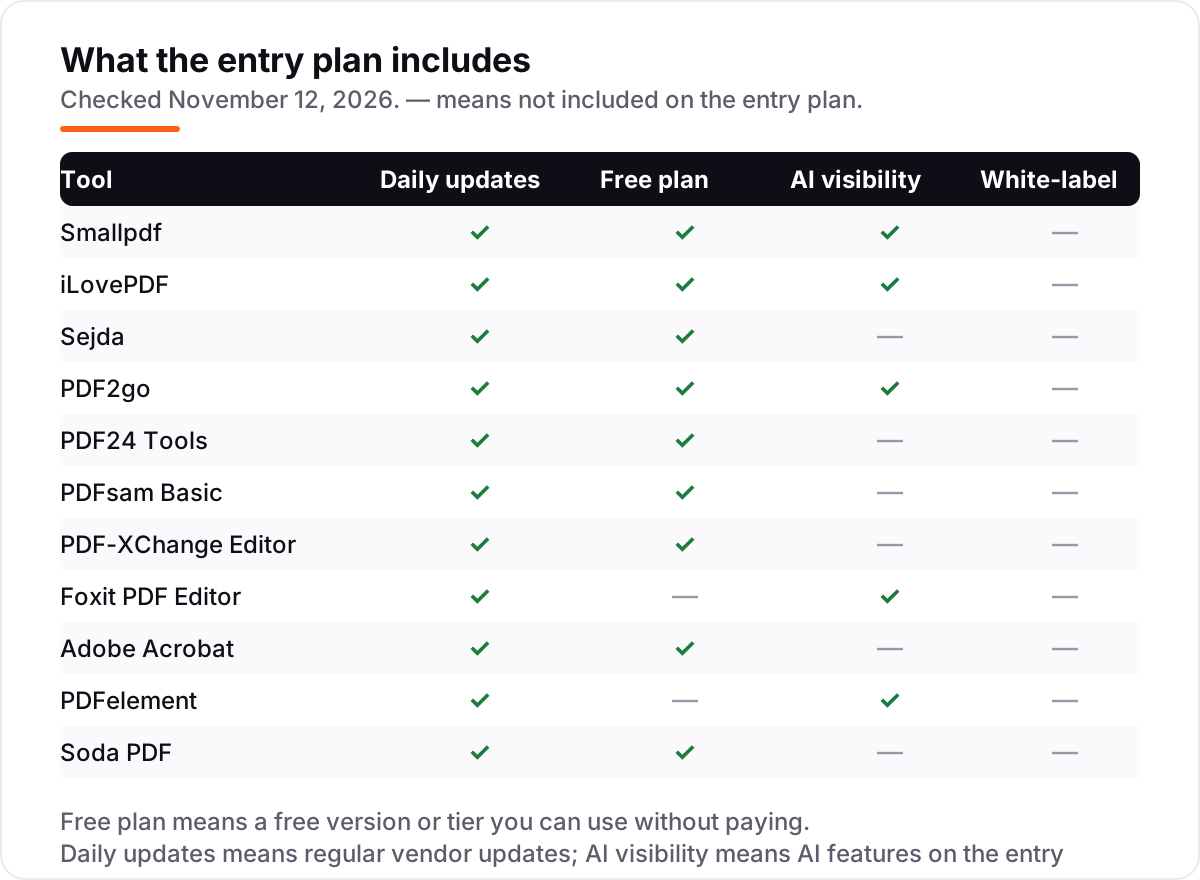
- Nine of the 11 tools have a free plan, version or tier — only Foxit and PDFelement are trial-only — but file-size and task caps push regular users to a paid plan.
- Every price below was checked on November 12, 2026. Ratings are G2, with review counts shown.
On this page
Quick comparison
| Tool | Best for | Starting price | Free plan |
|---|---|---|---|
| Smallpdf | People who split PDFs in a browser and want the simplest tool | $15/mo | Yes (free plan) |
| iLovePDF | Anyone who splits PDFs often and wants the cheapest paid plan | $9/mo | Yes (free plan) |
| Sejda | People who want a cheap plan plus a desktop app that works offline | $7.50/mo | Yes (free tier) |
| PDF2go | Occasional users who want to split without signing up | $8/mo | Yes (free guest tier) |
| PDF24 Tools | Windows users who split PDFs often and never want to pay | Free | Yes (free) |
| PDFsam Basic | People who split PDFs on Windows, Mac or Linux and want files to stay local | Free | Yes (free) |
| PDF-XChange Editor | Windows users who want a one-time licence instead of a subscription | Free; $62 once | Yes (free version) |
| Foxit PDF Editor | Small businesses that want a full editor cheaper than Acrobat | $16.99/mo | No (14-day trial) |
| Adobe Acrobat | Businesses that already live in Adobe's apps and need the reference editor | $24.99/mo | Yes (free online tool) |
| PDFelement | Buyers who want a full desktop editor at the lowest annual price | $79.99/yr | No (free trial) |
| Soda PDF | Small businesses that want desktop and web editing with phone support on higher tiers | $12.50/mo | Yes (free tier) |
Make one of these tools?
We re-check this list every quarter. Send a correction, request a review, or ask about a clearly labeled sponsored spot.
Request a listingThe best pdf splitter tool

Smallpdf
Best for: People who split PDFs in a browser and want the simplest tool
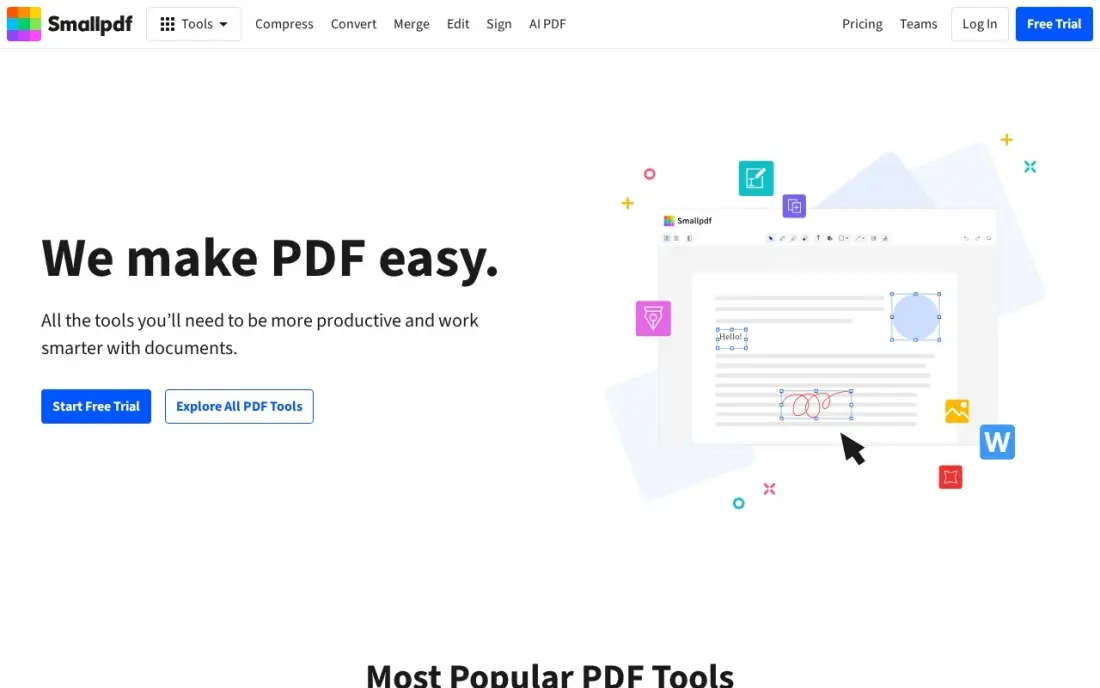
Smallpdf is the easiest splitter here for someone who has never split a PDF before. Open Split PDF, drop in a file, pick the pages or ranges to keep — or split every page into its own file — then download the result. The free plan allows two tasks a day across all its tools, covering the occasional split without an account or a card.
The catch is the daily cap, which runs out fast if splitting is a daily job. Pro at $15 a month, or $10 a month on annual billing, removes the cap and adds batch processing, the desktop and mobile apps, OCR and strong compression. Pick Smallpdf when splitting happens in a browser and simplicity matters more than the lowest price; pick iLovePDF when the same job needs doing for $60 a year.
What we like
- The simplest split flow here: drop a file, pick pages or ranges, download
- Split by page range, by every page, or by file size, with a page preview
- Free plan needs no account and handles the odd split without paying
- Desktop and mobile apps included with Pro, plus OCR and batch processing
Watch out for
- The free plan stops after 2 tasks a day, so regular use needs Pro
- Pro costs more than iLovePDF Premium for the same basic job
- No desktop app on the free plan — the app needs Pro
iLovePDF
Best for: Anyone who splits PDFs often and wants the cheapest paid plan
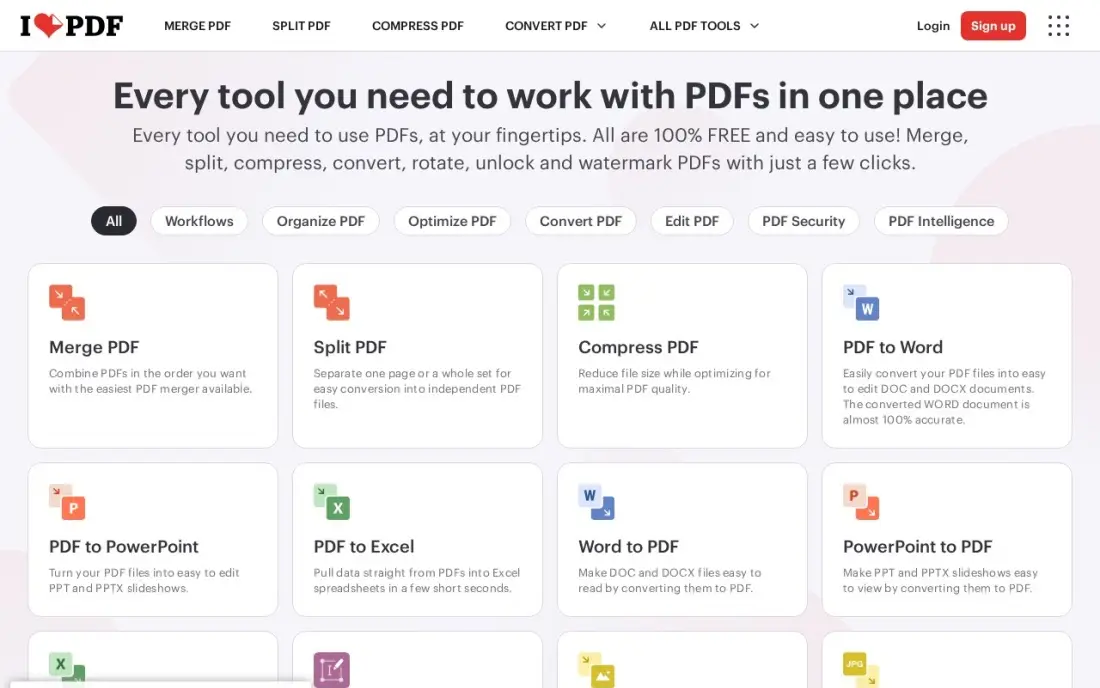
iLovePDF is the cheapest way to stop worrying about limits. The free plan handles occasional splits with per-tool caps — Split PDF takes one file up to 100 MB — and Premium at $9 a month, or $5 a month on annual billing, lifts the caps entirely: unlimited processing, files up to 4 GB, desktop and mobile apps and 2,000 AI credits. One Premium plan covers 1 to 25 users, so a small team pays once.
The free tier is the honest limit to check before committing. A 120 MB report will not split for free, and every file is uploaded to iLovePDF's servers, so confidential documents belong on a desktop tool instead. Pick iLovePDF when splitting is frequent and the budget is tight; pick Sejda when a desktop app matters, or PDF24 Tools when the budget is zero.
What we like
- The cheapest paid plan here: Premium is $60 a year on annual billing
- Premium covers 1 to 25 users on one plan, so a small team shares one price
- Split by range, extract pages, or split every page, with files up to 4 GB on Premium
- Desktop and mobile apps included with Premium, plus 2,000 AI credits
Watch out for
- The free tier caps each tool by file size — Split PDF stops at 100 MB
- Ads on the free plan, and the interface pushes Premium often
- No offline mode: every file goes through iLovePDF's servers

Sejda
Best for: People who want a cheap plan plus a desktop app that works offline
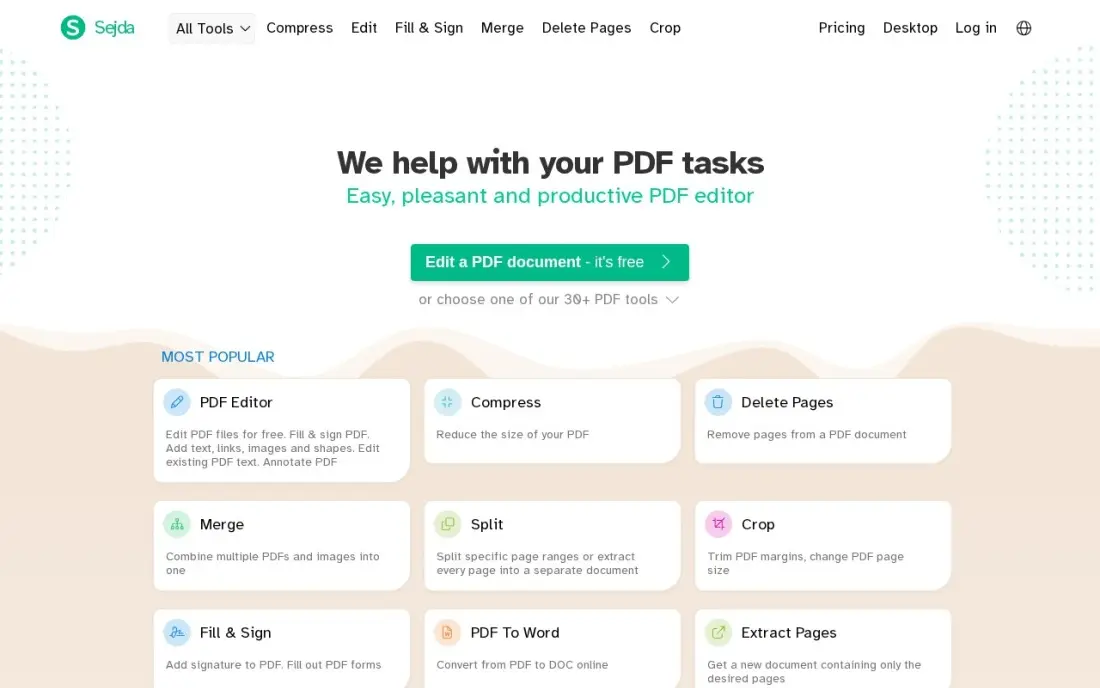
Sejda is the cheapest monthly subscription in this list, and it is the only one with a week pass: $5 buys seven days of unlimited web use, which is the right shape for a one-off project like splitting a year's worth of invoices. Web Monthly at $7.50 removes the free tier's 3-tasks-an-hour cap, and Desktop+Web Annual at $63 a year adds a real desktop app for offline work.
The free tier is usable but narrow: three tasks an hour, files up to 50 MB or 200 pages, and no batch processing. Paid plans lift uploads to 500 MB, add OCR for up to 100 pages and allow several files at once. Pick Sejda when the job is short and the budget is small; pick PDF24 Tools when the job never ends and the budget is zero.
What we like
- The lowest monthly price here at $7.50, with a $5 week pass for one-off jobs
- A real desktop app on the annual plan, so files never leave the computer
- Split by page ranges, bookmarks, size, or into single pages, with batch processing
- Files are deleted from Sejda's servers after 2 hours, and output has no watermark
Watch out for
- The free tier stops at 3 tasks an hour, 50 MB and 200 pages
- Web Monthly has no desktop app — that needs the $63 annual plan
- No AI features: no summarising or chat with a document
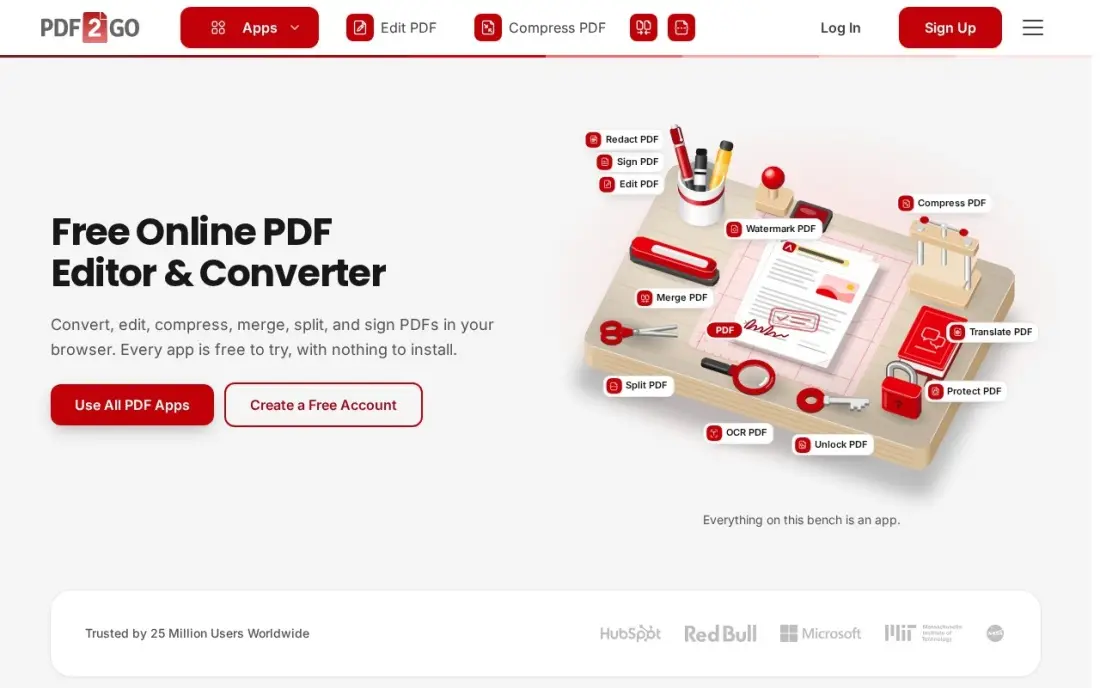
PDF2go is the quickest start in this list: open the Split PDF page, drop in a file up to 50 MB, pick the pages and download, with no account and no sign-up. That makes it the right pick for the one-off split on a shared computer or a borrowed laptop. Starter at $8 a month, or $77 a year, adds batch processing, a priority queue, files up to 64 GB and an AI allowance.
The credit system is the thing to understand before paying. Paid plans hand out a set number of credits each month, and heavy files burn them faster, so a month of big reports can run out before the month does. Pick PDF2go for occasional splits with no account; pick iLovePDF when the volume is steady and a flat price matters.
What we like
- No account needed to start: free guests can split files up to 50 MB
- Split by page range or into single pages, with a clean page preview
- Starter adds batch processing, a priority queue and 64 GB files
- Files are deleted automatically and are not used for AI training
Watch out for
- Paid plans run on credits, so heavy months cost more than the headline price
- Free guests are capped at 50 MB per file with no batch processing
- No desktop app on the free tier — splitting means using the browser

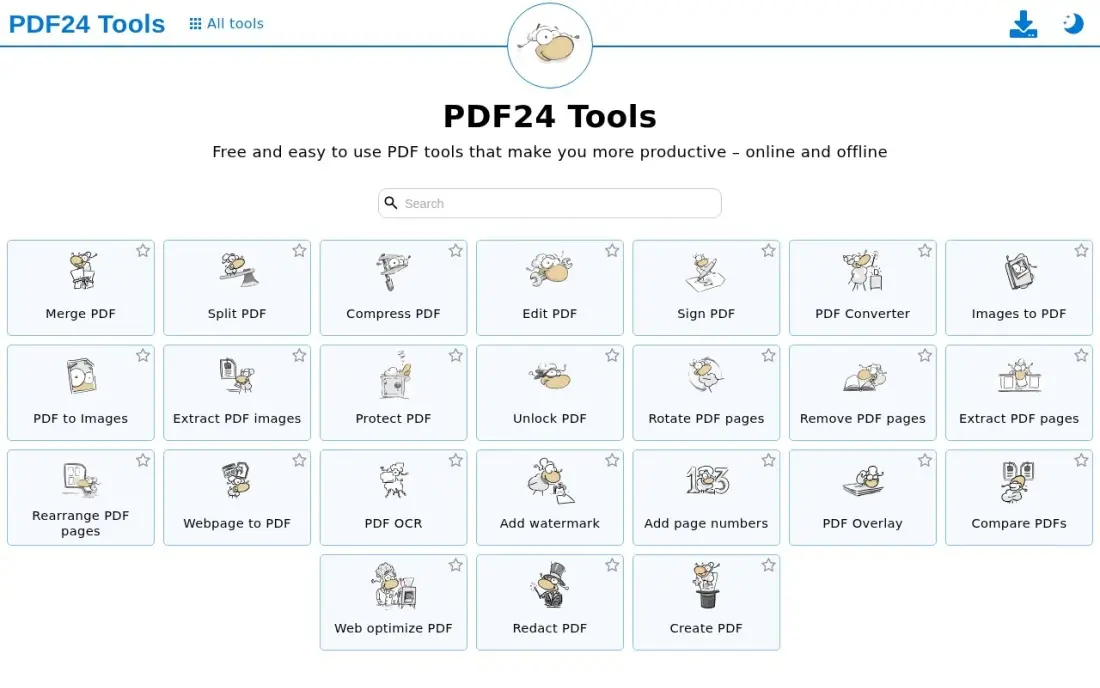
PDF24 Tools is the only tool in this list with no paid plan at all. The web tools split, merge, compress and convert for free with no account, no daily task cap and no watermark, and the free Creator app for Windows puts the same tools on the desktop with a virtual PDF printer. Splitting offers four modes: pages per file, even and odd pages, halving, and custom ranges.
The trade-offs are the platform and the polish. The desktop app runs on Windows only, so Mac and Linux users rely on the browser tools, and the interface looks older than Smallpdf's. It is also a page organiser, not a text editor. Pick PDF24 Tools when the budget is zero and the volume is high; pick PDFsam Basic when Mac or Linux support matters.
What we like
- The only tool here with no paid plan at all: every split is free
- Split by pages per file, even and odd pages, half, or custom ranges
- Free for commercial use, with no account, no task cap and no watermark
- The free Creator app works fully offline, so files never leave the computer
Watch out for
- The desktop app is Windows only — Mac and Linux users get the web tools only
- The interface looks dated next to Smallpdf and iLovePDF
- No full text editing: it organises and splits pages rather than editing content

PDFsam Basic
Best for: People who split PDFs on Windows, Mac or Linux and want files to stay local
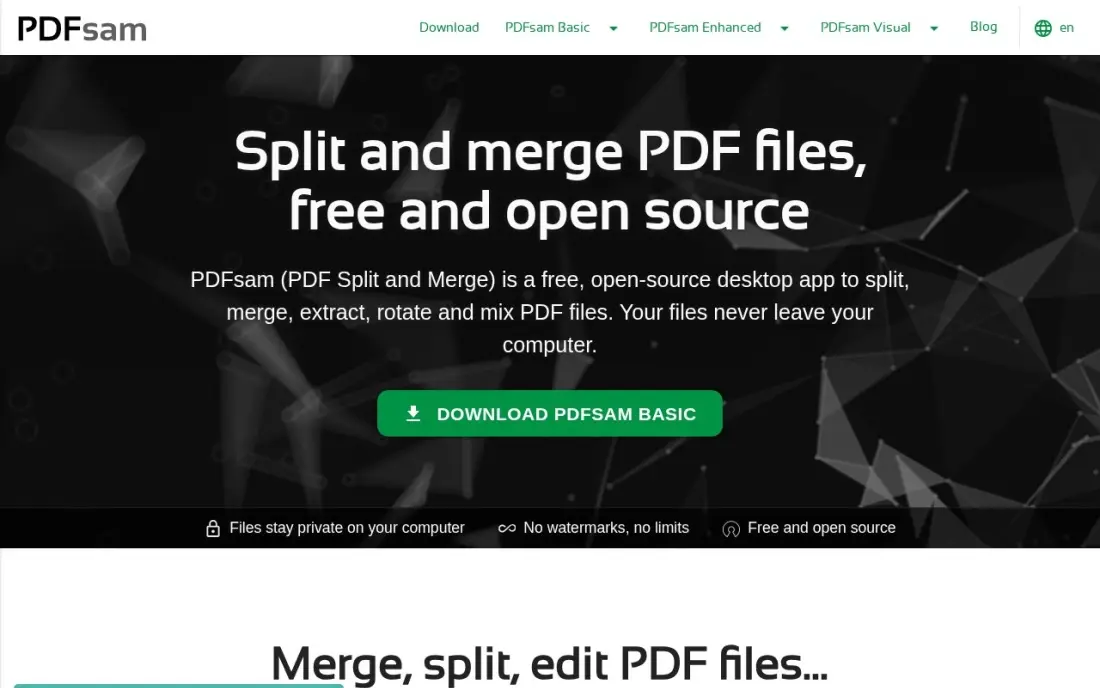
PDFsam Basic is the open-source splitter in this list, free since 2006 with no watermarks and no file size limit. It splits by page ranges, by bookmarks, by size, or into single pages, and it runs on Windows, Mac and Linux entirely offline — the file never leaves the computer, which is the deciding factor for contracts, medical records and anything confidential.
The interface asks for page numbers rather than showing a thumbnail strip, so it feels plain next to Smallpdf, and it splits, merges and rotates rather than editing text. The paid Enhanced edition at $59 a year adds the full editor, OCR and signatures. Pick PDFsam Basic when privacy matters and the budget is zero; pick PDF-XChange Editor when a one-time licence and editing are worth $62.
What we like
- Free and open source since 2006, with no watermarks and no file size limit
- Split by page ranges, bookmarks, size, or into single pages
- Runs on Windows, Mac and Linux, fully offline — files never leave the computer
- Batch splitting handles a folder of files in one run
Watch out for
- Split, merge and rotate only — no text editing without the paid Enhanced edition
- The interface is plain and asks for page numbers rather than showing thumbnails
- No web version: splitting means installing the desktop app

PDF-XChange Editor
Best for: Windows users who want a one-time licence instead of a subscription
PDF-XChange Editor is the bargain for anyone who refuses subscriptions. The free version handles viewing, annotation and most everyday edits — about 70% of the features — and a $62 one-time licence opens the full editor, including OCR, redaction and digital signatures, with no monthly bill. Splitting and page extraction are in the toolset from the start, and it opens large files faster than most tools here.
Two limits decide whether it fits. It runs on Windows only, so Mac users need another pick, and paid features stamp a watermark on output in the free version until a licence is bought. The licence also covers one year of updates, so later versions cost extra. Pick PDF-XChange Editor when one payment beats a subscription; pick Foxit when Mac support matters.
What we like
- A $62 one-time licence with a strong free version — the cheapest way to own a full editor
- The free version covers viewing, annotation and most everyday edits
- Split and extract pages, plus OCR, redaction and digital signatures once licensed
- Fast and light: it opens large files quicker than most tools here
Watch out for
- Windows only — Mac users need another pick from this list
- Paid features watermark output in the free version until a licence is bought
- The $62 licence covers one year of updates; later versions cost extra

Foxit PDF Editor
Best for: Small businesses that want a full editor cheaper than Acrobat
Foxit PDF Editor is the full editor for buyers who want Acrobat's toolset without Acrobat's price. The entry plan covers editing, conversion, OCR, forms and document management across Windows, macOS and the web, with 300 AI credits a month, and it splits and extracts pages alongside everything else. Monthly billing is $16.99, or $10.99 a month on the $129.99-a-year plan.
There is no free plan, only a 14-day trial, so the first month is a real payment. The perpetual licence at $209.99 is the dearest one-time buy in this list, and mobile apps wait for PDF Editor+ at $159.99 a year. Pick Foxit when the business needs a full editor on Mac and Windows; pick PDFelement when the annual price matters most.
What we like
- Full editing, OCR and 300 AI credits a month for about half of Acrobat Pro's price
- Split, extract and organise pages in Windows, macOS and web apps
- Monthly billing from $16.99, or $129.99 a year — the annual plan saves about $74
- A $209.99 perpetual licence exists for buyers who refuse subscriptions
Watch out for
- No free plan — only a 14-day trial before the subscription starts
- The perpetual licence costs $209.99, more than two years of PDFelement
- Mobile apps need PDF Editor+ at $159.99 a year, not the entry plan

Adobe Acrobat
Best for: Businesses that already live in Adobe's apps and need the reference editor
Adobe Acrobat is the reference PDF editor, and Standard covers the whole job: edit, convert, organise, e-sign, fill forms and password-protect, with split by page range and page extraction built in. It works across Windows, macOS, web and mobile with 100 GB of cloud storage, and bookmarks survive the split. A limited free online split tool handles the odd file without a subscription.
The price is the highest in this list: Standard is $24.99 a month, or $14.99 a month on the $179.88-a-year plan, and there is no one-time licence to buy out of the subscription. The AI Assistant costs extra unless Studio is bought. Pick Acrobat when the business already runs on Adobe and needs the full toolset; pick Foxit when a cheaper full editor will do.
What we like
- The reference PDF editor: the most complete toolset, with split in every plan
- Split by page range or extract pages, with bookmarks kept intact
- Works across Windows, macOS, web and mobile with 100 GB of cloud storage
- E-signatures, forms and password protection are included from Standard
Watch out for
- The most expensive tool here: Standard is $299.88 a year on monthly billing
- No one-time licence: the subscription runs for as long as the tool is used
- The AI Assistant costs extra — it is bundled only with Studio at $24.99 a month

PDFelement
Best for: Buyers who want a full desktop editor at the lowest annual price
PDFelement is Wondershare's Acrobat challenger, and its main weapon is price: $79.99 a year for one platform, against $239.88 for Acrobat Pro, with a $129.99 perpetual licence for buyers who refuse subscriptions. Splitting and page extraction sit alongside full editing, OCR, forms, redaction and e-signatures, and 50 AI uses come included.
The year is paid up front — there is no monthly billing for the desktop app — and the perpetual licence covers version 13 only, so a future major version costs extra. The free trial never expires but watermarks exports and limits conversion to two pages. Pick PDFelement when the annual price decides the buy; pick Foxit when monthly billing matters.
What we like
- The cheapest full desktop editor here at $79.99 a year for one platform
- Split and extract pages, with OCR, forms, redaction and e-signatures included
- A $129.99 perpetual licence exists for buyers who refuse subscriptions
- 50 AI uses are included; heavier AI use is a $3.99-a-month add-on
Watch out for
- No monthly billing for the desktop app — the year is paid up front
- The $129.99 perpetual licence covers version 13 only, not future versions
- The free trial watermarks exports and limits conversion to two pages

Soda PDF
Best for: Small businesses that want desktop and web editing with phone support on higher tiers
Soda PDF is the mid-priced all-rounder in this list: one Pro subscription covers the desktop app and the web tools, with splitting by page range or page extraction, OCR and e-signatures included. Monthly billing at $12.50 means there is no yearly commitment, and the free tier handles the odd split at two files a day. Business plans add phone support and a perpetual licence option.
The price to watch is the renewal: Pro costs $89 for the first year and renews at $129 a year, so the second year is $40 dearer than the first. The free tier is thin, and there are no AI features on the entry plan. Pick Soda PDF when desktop and web in one plan matters; pick iLovePDF when the lowest flat annual price matters.
What we like
- Desktop and web in one subscription, with a free tier for the odd split
- Split by page range or extract pages, with OCR and e-signatures on Pro
- Monthly billing exists at $12.50, so there is no yearly commitment
- Business plans add phone support and a perpetual licence option
Watch out for
- The $89 first-year price renews at $129 a year, so the second year costs more
- The free tier is thin: 2 files a day and limited tools
- No AI features on the entry plan
The best pdf splitter tool is the one that matches how often you split and how private your files are. The 11 tools below are ranked by fit for the most common buyer, a small business or individual who splits PDFs a few times a month and wants to pay as little as possible, and every price was checked on November 12, 2026.
A splitter does one small job — cut one PDF into two or more files — and the free tools in this list do it as well as the paid ones. The differences that matter are the free-tier caps, where the file goes, and whether the tool can do anything else once the split is done. A web tool uploads the file to a server; a desktop tool keeps it on the computer. That single difference decides the pick for contracts, medical records and anything confidential.
Splitting will not bring in customers on its own. If the business is not showing up when people nearby search, our local SEO service covers that side. And before publishing a new service page, the free SERP snippet preview tool shows how its title and description will look in search.
Whatever you shortlist, try it with a real file before you pay. Split a report you actually use, check that the page order and bookmarks survive, and open the output on another device. Every tool here offers a free plan, a free version or a trial, so there is no reason to buy before the tool has handled a real file.
How to choose the best pdf splitter tool
- Count how often you split first. Two splits a month fit every free tier here; daily splitting needs a paid plan or a free desktop tool.
- Check where the file goes. Web tools upload to a server; desktop tools keep the file local. Confidential files belong on PDF24 Creator, PDFsam Basic or PDF-XChange Editor.
- Check the free-tier caps. Smallpdf stops at 2 tasks a day, Sejda at 3 tasks an hour and 50 MB, iLovePDF by file size. A cap that runs out mid-job is not a free plan.
- Check the split modes. Page ranges cover most jobs, but bookmarks, every-page splits and split-by-size matter for reports and scanned books.
- Check whether you need an editor too. If splitting is the only job, a free tool wins; editing, OCR and signatures are what justify Acrobat, Foxit or PDFelement.
- Think about the next year, not the next month. A $62 one-time licence beats a $15-a-month subscription in five months, and a $7.50 monthly plan beats both for a short project.
PDF splitter tool pricing: what you will actually pay
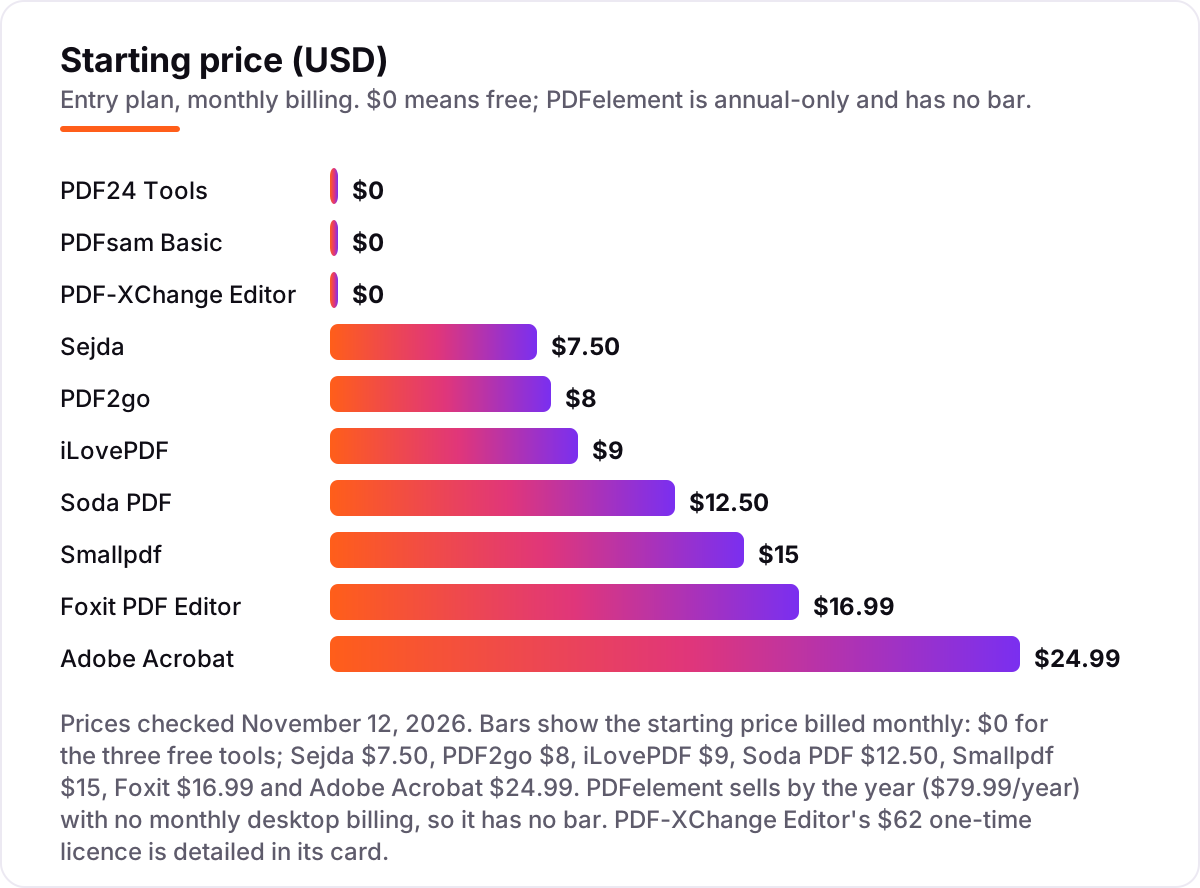
Take one person splitting about 40 PDFs a month. On list prices billed monthly for a year, the subscription costs $0 on PDF24 Tools, PDFsam Basic and the free version of PDF-XChange Editor, $90 on Sejda Web Monthly, $96 on PDF2go Starter, $108 on iLovePDF Premium, $150 on Soda PDF Pro, $180 on Smallpdf Pro, $203.88 on Foxit PDF Editor and $299.88 on Adobe Acrobat Standard. PDFelement has no monthly billing: its Yearly plan is $79.99 a year, and a $62 one-time PDF-XChange Editor licence covers the same year for a single payment.
Annual billing cuts most of these: Sejda Desktop+Web is $63 a year against $90 monthly, PDF2go Starter is $77 against $96, iLovePDF Premium is $60 against $108, Smallpdf Pro is $120 against $180, Foxit is $129.99 against $203.88 and Adobe Standard is $179.88 against $299.88. Soda PDF is the exception to watch: Pro is $89 for the first year and renews at $129, so the second year costs $40 more than the first.
Two costs sit outside every number above. First, the renewal: PDFelement's perpetual licence covers version 13 only, and PDF-XChange Editor's $62 licence covers one year of updates, so later versions cost extra. Second, the file itself: a free web tier that caps at 50 MB or 100 MB will not split a 200 MB scanned report at any price, so check the cap before the deadline, not after it.
Know the difference: splitting, extracting and dividing a PDF
The confusion in this category is the vocabulary, not the feature list. Splitting divides one PDF into several files, usually by page ranges — pages 1–10 in one file, 11–20 in another — or by splitting every page into its own file. Extracting pulls chosen pages out into a new file and leaves the original alone. Dividing by size cuts a file into pieces under a size limit, which matters when an email system refuses attachments over 25 MB. Dividing by bookmark cuts at chapter marks, which is the fast way to split a long report or a scanned book.
The second confusion is the platform. A web splitter runs in a browser tab: nothing to install, but the file is uploaded to a server, processed there and downloaded again. A desktop splitter runs on the computer: the file never leaves the desk, but it has to be installed and it usually runs on Windows only. The same split costs $0 either way on PDF24 Tools and PDFsam Basic; the difference is privacy and convenience, not price.
There is a third, quieter confusion: a splitter is not an editor. Splitting, merging and rotating pages are page jobs, and the free tools here do them well. Editing the text inside a page, running OCR on a scan or signing a form are editor jobs, and they are what the paid plans of Acrobat, Foxit, PDFelement and Soda PDF exist for. Buy the editor only when the text needs changing, not when the pages need cutting.
Quick comparison: tool type by need
| Buyer | Best pick | Why |
|---|---|---|
| Occasional splits, no budget | PDF24 Tools | Completely free, no account, no task cap |
| Cheapest paid web plan | iLovePDF | Premium is $60 a year on annual billing |
| Cheapest monthly plan | Sejda | Web Monthly is $7.50 a month, week pass $5 |
| Split without signing up | PDF2go | Free guests can split files up to 50 MB |
| Own a full editor once | PDF-XChange Editor | $62 one-time licence, strong free version |
| Full editor, lowest annual price | PDFelement | Yearly plan is $79.99 a year |
Mistakes to avoid
- Budgeting on the annual $/mo figure while paying monthly. The $10-a-month Smallpdf price and the $14.99 Adobe price are annual-billing rates; paying monthly costs $15 and $24.99. Price the billing cycle you will actually use.
- Uploading sensitive files to a free web tool. Contracts, medical records and financial files should be split offline with PDF24 Creator, PDFsam Basic or PDF-XChange Editor, not uploaded to a server.
- Paying for a full editor when only splitting is needed. Acrobat, Foxit and PDFelement charge for editing, OCR and signatures; if the job is cutting pages, PDF24 Tools or PDFsam Basic do it for $0.
- Ignoring the free-tier caps. Smallpdf stops at 2 tasks a day, Sejda at 3 tasks an hour and 50 MB, iLovePDF by file size. A cap that runs out mid-job forces an upgrade at the worst moment.
- Buying a perpetual licence without reading what it covers. PDFelement's $129.99 licence covers version 13 only, PDF-XChange Editor's $62 licence covers one year of updates, and Foxit's $209.99 licence is Windows and macOS only.
How we chose
We ranked the tools by fit for the most common buyer — a small business or individual who splits PDFs a few times a month and wants to pay as little as possible — not by brand size. Direct fetches of the vendor pricing pages returned nothing today and the browser read failed, so prices rest on fresh independent reads of each vendor's own pricing page, all dated October 20 to November 10, 2026. Smallpdf Pro ($15 monthly, $120 a year) was read on the vendor's page November 9–10, 2026; iLovePDF Premium ($9 monthly, $60 a year) on November 2; Sejda ($7.50 a month, $63 a year), PDF2go Starter ($8 a month, $77 a year) and Soda PDF Pro ($12.50 a month, $89 first year) on October 20–25; Foxit ($16.99 monthly, $129.99 a year) on November 9; Adobe Standard ($24.99 monthly, $179.88 a year) on October 26 to November 1; and PDFelement ($79.99 a year) and PDF-XChange Editor ($62 one-time) in October. PDFelement sells by the year with no monthly desktop billing, so it has no bar in the price chart. Ratings come from fresh search-index copies of the G2 pages crawled November 10–11, 2026: Foxit 4.6 from 3,791 reviews, PDFelement 4.5 from 1,065, Adobe Acrobat 4.5 from 5,332, PDF-XChange Editor 4.6 from 148 and Sejda 4.5 from 41. Smallpdf, iLovePDF, PDF2go, PDF24 Tools, PDFsam Basic and Soda PDF show no rating because their G2 pages were not verified closely enough to cite. No vendor paid for a place in this list, and none of the links here are affiliate links.
What to do next
Start with the free plan or version of your top pick and split a real file through it. Check that the page order and bookmarks survive, that the output opens on another device, and that the file size fits the free tier. If the business is sorted but new clients are not finding it, our monthly SEO service handles the visibility side — or compare providers in our guide to SEO companies for small business. Once your tools are in place, find out what's holding your rankings back.
Frequently asked questions
What is the best pdf splitter tool?
Smallpdf is the best pick for most people at $15 a month, with a free plan for the odd split. iLovePDF Premium is the cheapest paid plan at $60 a year, and Sejda is the cheapest monthly plan at $7.50. PDF24 Tools and PDFsam Basic split for free, and PDF-XChange Editor is the best one-time buy at $62.
How much does a PDF splitter cost?
From $0 to about $300 a year. PDF24 Tools and PDFsam Basic are free, Sejda costs $7.50 a month, PDF2go $8 and iLovePDF $9. Smallpdf Pro is $15 a month, Foxit $16.99 and Adobe Acrobat Standard $24.99. PDFelement costs $79.99 a year and PDF-XChange Editor is a $62 one-time licence.
Is there a free PDF splitter?
Yes. PDF24 Tools is completely free with no paid plan at all. PDFsam Basic is free and open source, with a paid Enhanced editor above it. Smallpdf, iLovePDF, Sejda, PDF2go and PDF-XChange Editor all have free plans or versions with caps on tasks, file size or pages. The caps are what push regular users to a paid plan.
Can I split a PDF without uploading it?
Yes, with a desktop tool. PDF24 Creator, PDFsam Basic and PDF-XChange Editor all work offline, so the file never leaves your computer. Sejda's desktop app on the $63-a-year plan works offline too. Web tools like Smallpdf, iLovePDF and PDF2go always upload the file to a server first.
What is the difference between splitting and extracting pages?
Splitting divides one PDF into several files, usually by page ranges or every page. Extracting pulls chosen pages out into a new file and leaves the original alone. Most tools here do both, and the split modes that matter are by range, by bookmark, by size and into single pages.
Can I split a PDF on my phone?
Yes. Smallpdf, iLovePDF and Sejda include mobile apps on their paid plans, and Adobe Acrobat and Foxit have mobile apps too. PDF24 Tools, PDF2go and PDFsam Basic have no mobile app, so phone splitting means using their web tools in a mobile browser instead.
Do I need a full PDF editor to split a PDF?
No. Splitting is a small job, and the free tools here do it well: PDF24 Tools and PDFsam Basic cost nothing, and the free tiers of Smallpdf, iLovePDF and Sejda cover occasional splits. A full editor only pays off when editing, OCR, forms or signatures are needed as well.
Sources we checked (16)
- Smallpdf pricing — smallpdf.com/pricing (checked November 12, 2026)
- iLovePDF pricing — ilovepdf.com/pricing (checked November 12, 2026)
- Sejda pricing — sejda.com/upgrade (checked November 12, 2026)
- PDF2go — pdf2go.com (checked November 12, 2026)
- PDF24 Tools — tools.pdf24.org (checked November 12, 2026)
- PDFsam FAQ — pdfsam.org/faq (checked November 12, 2026)
- PDF-XChange Editor products comparison — pdf-xchange.com (checked November 12, 2026)
- PDF-XChange Editor on G2 — 4.6/5, 148 reviews (checked November 12, 2026)
- Foxit PDF Editor pricing — foxit.com/pdf-editor (checked November 12, 2026)
- Foxit PDF Editor on G2 — 4.6/5, 3,791 reviews (checked November 12, 2026)
- Adobe Acrobat pricing — adobe.com/acrobat/pricing.html (checked November 12, 2026)
- Adobe Acrobat on G2 — 4.5/5, 5,332 reviews (checked November 12, 2026)
- PDFelement pricing — pdf.wondershare.com/store/windows-individuals.html (checked November 12, 2026)
- PDFelement on G2 — 4.5/5, 1,065 reviews (checked November 12, 2026)
- Soda PDF — sodapdf.com (checked November 12, 2026)
- Sejda on G2 — 4.5/5, 41 reviews (checked November 12, 2026)
Make one of these tools?
We re-check this list every quarter. Send a correction, request a review, or ask about a clearly labeled sponsored spot.
Request a listingShamim
Founder of SerpAstra
A full-stack SEO and digital marketer who spends most days on Local SEO for dental practices, AI search visibility and lead generation.
Free SEO and AI visibility audit
Find out what is holding your rankings back
Send us your site. Within 2 business days you get a written audit, an AI visibility check and a short fix list ranked by impact. Free, with no contract attached.
Request my free audit→Related buying guides
 Marketing10 Best PDF Combining Tools with No Ads in 2026, ComparedCompare the 10 best pdf combining tool with no ads on price, limits and privacy, with every price checked November 5, 2026, before you merge your next file.Read guide →
 Legal8 Best Document Management Software for Small Law Firm in 2026, ComparedCompare the 8 best document management software for small law firm on price, matter filing and email management, with every price checked November 7, 2026.Read guide →
 Real Estate & Property Management10 Best E-Signature Software for Real Estate in 2026, ComparedCompare the 10 best e-signature software for real estate on price, free plans, forms and broker review, with every price checked November 7, 2026.Read guide →