
12 Best Scheduling Software for Small Business in 2026, Compared
Compare the 12 best scheduling software for small business options on price, free plans and features, with every price checked November 12, 2026.
 Shamim Mia, Founder, SerpAstraLast verified November 12, 202615 min read
We compare pricing pages, documentation and public reviews. We never accept payment for rankings.
Key takeaways
- Calendly leads for meetings at $12 a seat a month, Square Appointments books clients free, and Homebase schedules hourly staff free — the three cover most small businesses.
- The single most important buying factor is the pricing unit: per-seat, per-location, per-user and per-booking pricing turn a cheap solo plan into a dear team plan.
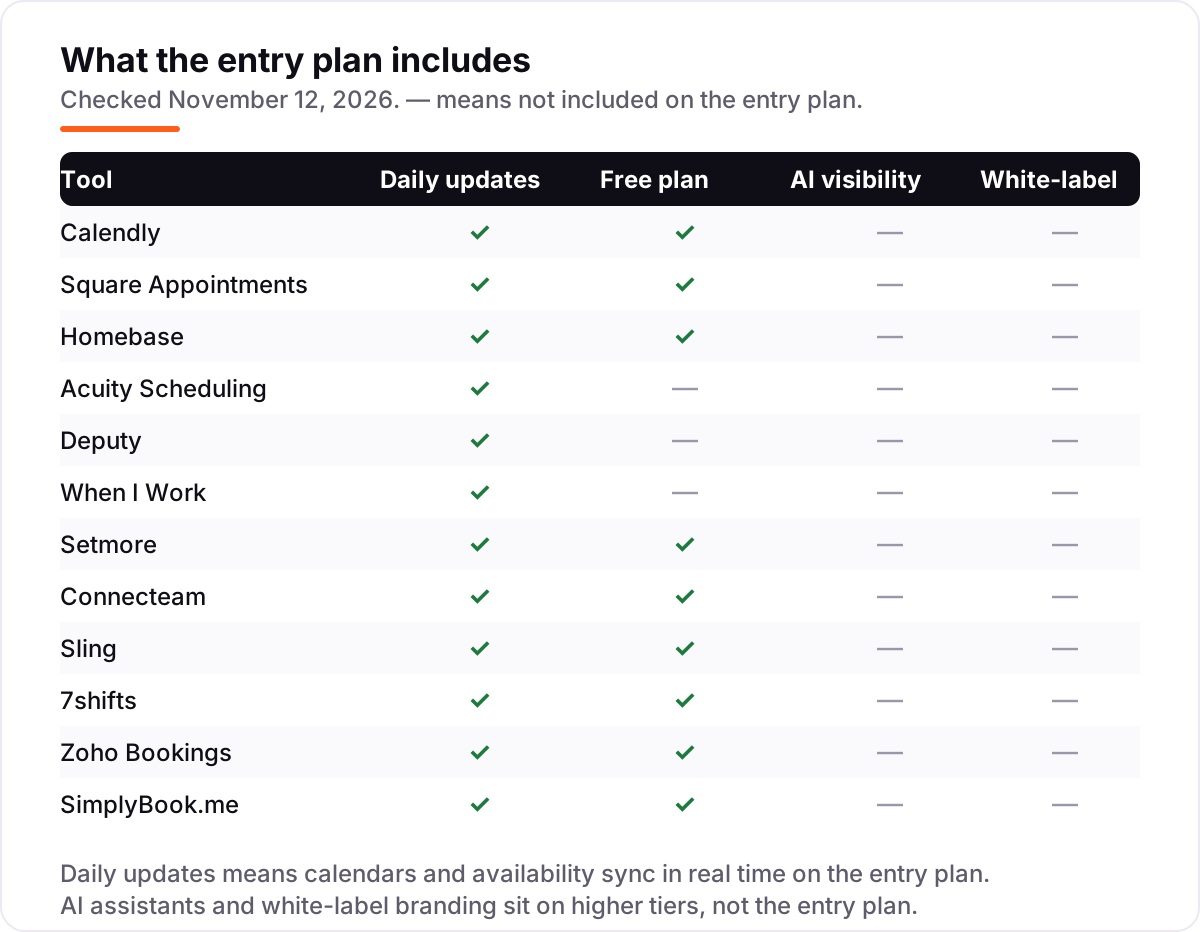
- Seven of the 12 tools have a genuinely free plan — Square, Homebase, Setmore, Connecteam, Sling, 7shifts and Zoho Bookings — but time tracking, text reminders and no-show protection often need a paid plan.
- Every price below was checked on the vendor's own pricing page on November 12, 2026. Ratings are G2, with review counts shown.
On this page
Quick comparison
| Tool | Best for | Starting price | Free plan |
|---|---|---|---|
| Calendly | Solo professionals and small teams booking meetings, consultations and calls | $12/seat/mo | Yes (free plan) |
| Square Appointments | Small service businesses already taking Square payments that want booking with no monthly fee | Free; Plus $49/mo | Yes (free plan) |
| Homebase | Small hourly teams — cafes, retail, salons and clinics — that want scheduling, time tracking and messaging in one free app | Free; Essentials $30/mo | Yes (free plan) |
| Acuity Scheduling | Service businesses that need intake forms, packages and memberships on one booking page | $20/mo | No (7-day trial) |
| Deputy | Multi-site shift teams that need labour-law compliance, auto-scheduling and demand forecasting | $5.50/user/mo | No (31-day trial) |
| When I Work | Small hourly teams that want the cheapest per-user shift scheduling with auto-scheduling included | $2.50/user/mo | No (14-day trial) |
| Setmore | Small teams on a tight budget that want a working free booking system | Free; Pro $12/mo | Yes (free plan) |
| Connecteam | Frontline and field teams that want scheduling, time clock, chat and HR in one mobile-first app | $35/hub/mo | Yes (free plan) |
| Sling | Budget-minded shift teams that want free scheduling for up to 30 people | Free; Premium $2/mo | Yes (free plan) |
| 7shifts | Single-location restaurants and cafes that want scheduling built around sections, roles and labour targets | Free; Appetizer $34.99/mo | Yes (free plan) |
| Zoho Bookings | Small businesses already running Zoho that want booking tied to the Zoho suite | Free; Basic $8/mo | Yes (free plan) |
| SimplyBook.me | Multi-provider businesses that want a booking website sized by booking volume | €13.90/mo | Yes (free plan) |
Make one of these tools?
We re-check this list every quarter. Send a correction, request a review, or ask about a clearly labeled sponsored spot.
Request a listingThe best scheduling software for small business

Calendly
Best for: Solo professionals and small teams booking meetings, consultations and calls
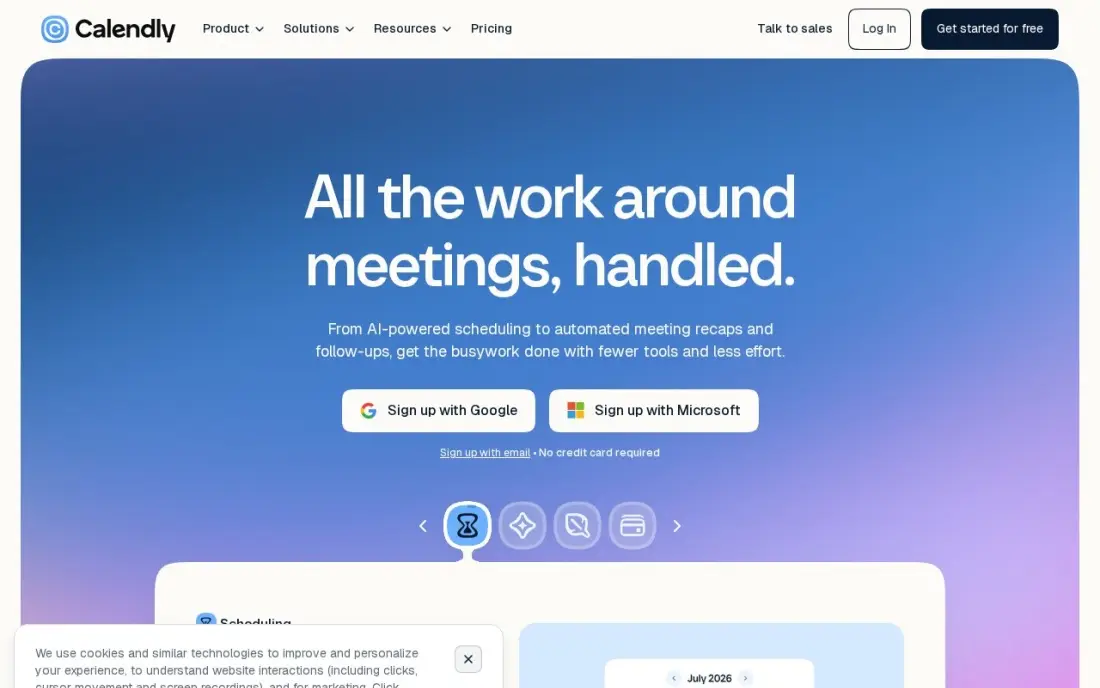
Calendly is the safest first pick in this list because it does one job well: it puts a booking link in front of clients and fills the calendar without the back-and-forth. The free plan covers one event type and one calendar connection, and Standard at $12 a seat a month adds unlimited event types, six connected calendars, automated reminders and payments through Stripe and PayPal. Setup takes minutes.
The limit is the shape of the business it serves. Calendly schedules meetings, not services: there is no staff roster, no service menu, no point of sale and no client list. The AI add-ons cost extra on top of the seat price, and team scheduling needs the $20-a-seat Teams plan. Buy Calendly for meetings and calls; a business that sells appointments needs Acuity or Square instead.
What we like
- The fastest setup here: one booking link, unlimited one-on-one meetings and no booking cap on every plan
- Free plan is genuinely usable for a solo pro, with one event type and one calendar connection
- Payments at booking through Stripe and PayPal from Standard, plus automated reminders that cut no-shows
- 129 integrations, including Zoom, Google Meet, Salesforce and HubSpot
Watch out for
- Built for meetings, not services: no staff calendars, no service menu and no point of sale
- Round-robin and team scheduling need Teams at $16/seat/month billed annually
- AI add-ons (Notetaker and Callie) cost extra on top of the per-seat price

Square Appointments
Best for: Small service businesses already taking Square payments that want booking with no monthly fee
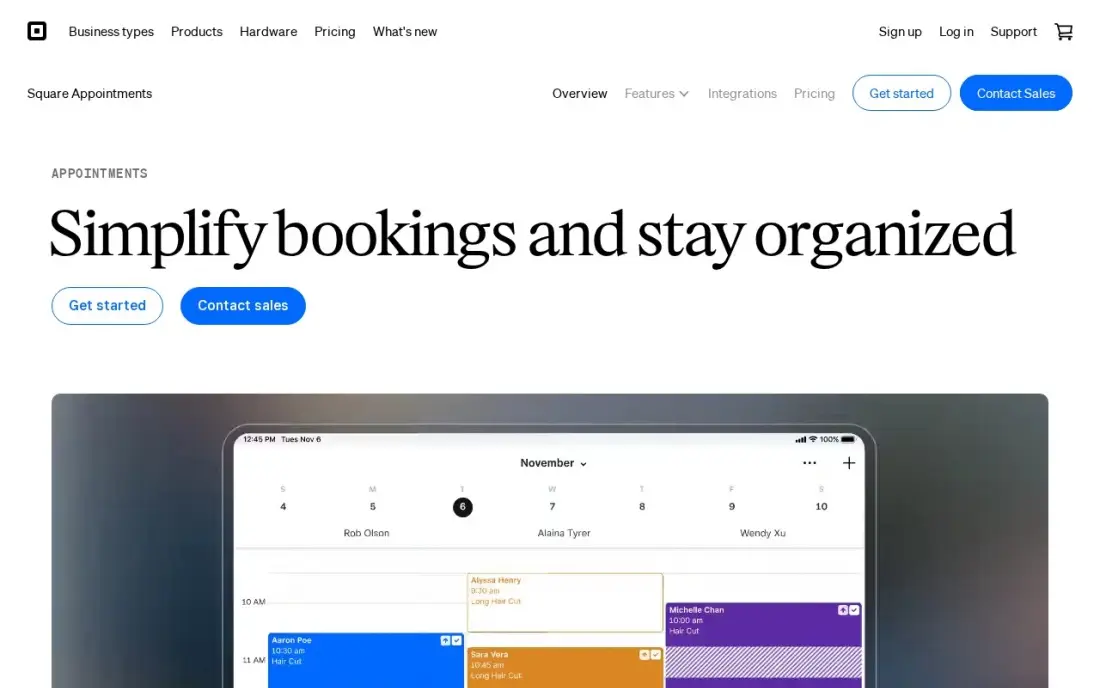
Square Appointments is the cheapest way into this list, and it is not a stripped-down trial: the Free plan covers unlimited appointments, a booking website, unlimited staff calendars and automated email reminders for $0 a month, with Square point of sale built in so services and retail share one checkout. For a business already taking Square payments, booking costs nothing extra beyond card processing.
The catch is the same as on every free plan: the features that protect revenue sit behind the paywall. No-show fees, cancellation policies, the waitlist and Google Calendar sync all need Plus at $49 a month per location, and rooms and chairs wait for Premium at $149. Pick Square when the business already runs on Square and wants booking free; pick Acuity when the business sells packages and memberships.
What we like
- The only $0 start here that is a real booking system: unlimited appointments, a booking site and Square POS with no monthly fee
- Per-location pricing means adding staff never raises the subscription — one price covers the whole team at a site
- Automated email reminders and unlimited staff calendars come with every plan, including Free
- No marketplace commission — clients the business finds itself cost nothing extra
Watch out for
- Text reminders and no-show protection need Plus at $49/month per location
- Card processing applies on every plan, and online payments cost more than in-person ones
- Payments run through Square only, so no other payment provider can be connected

Homebase
Best for: Small hourly teams — cafes, retail, salons and clinics — that want scheduling, time tracking and messaging in one free app
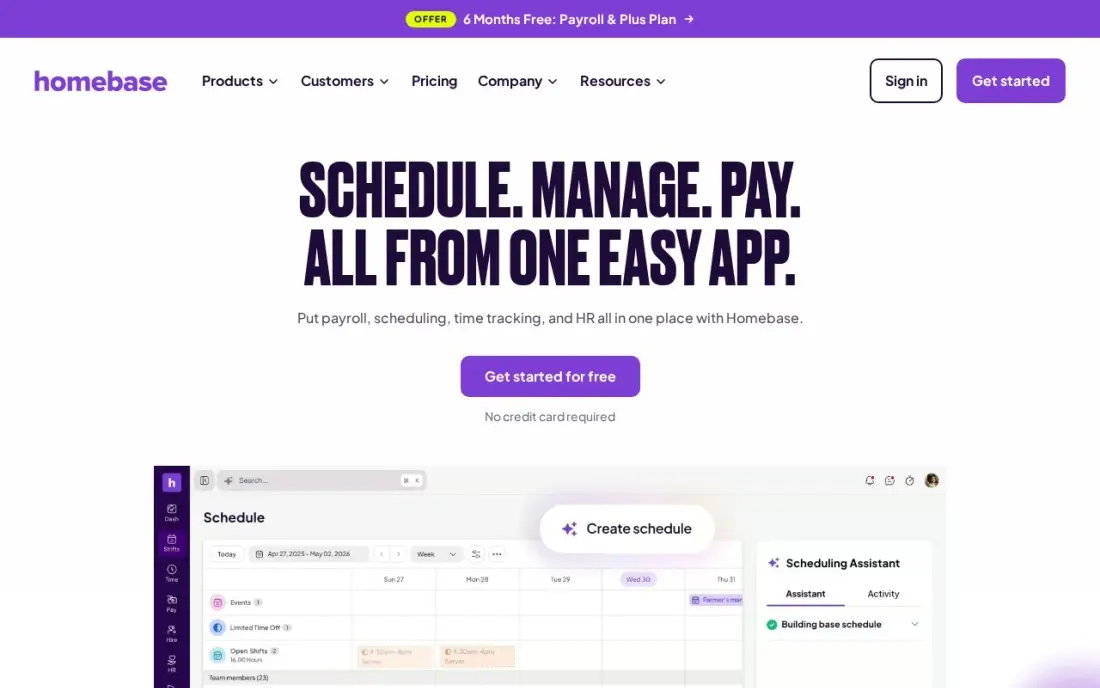
Homebase is the best free start for a business that schedules people, not appointments: the Basic plan covers shift scheduling, a time clock, team messaging and point-of-sale connections for one location and up to 10 employees at $0. Essentials at $30 a month per location removes the employee cap and adds GPS clock-ins, late-arrival alerts and better scheduling tools. The price never moves with headcount, only with locations.
The add-ons are where the bill grows. Payroll costs $49 a month plus $6 per employee on every plan, and hiring tools wait for Plus at $70 a month per location. A second location doubles the subscription even if the same staff cover both sites. Pick Homebase for a single-location hourly team; a multi-site business should price Deputy or When I Work against it first.
What we like
- The free Basic plan covers real scheduling, time tracking and team messaging for one location and up to 10 employees
- Per-location pricing means hiring more people never raises the subscription on paid plans
- GPS clock-ins and late-arrival alerts come with Essentials, not a higher tier
- Point-of-sale connections are included from the free plan, so hours can be checked against sales
Watch out for
- Pricing is per location, so a second site doubles the bill even with the same staff
- Payroll is an add-on at $49/month plus $6 per employee, on every plan including All-in-One
- Hiring tools start on Plus at $70/month per location, not on Essentials

Acuity Scheduling
Best for: Service businesses that need intake forms, packages and memberships on one booking page
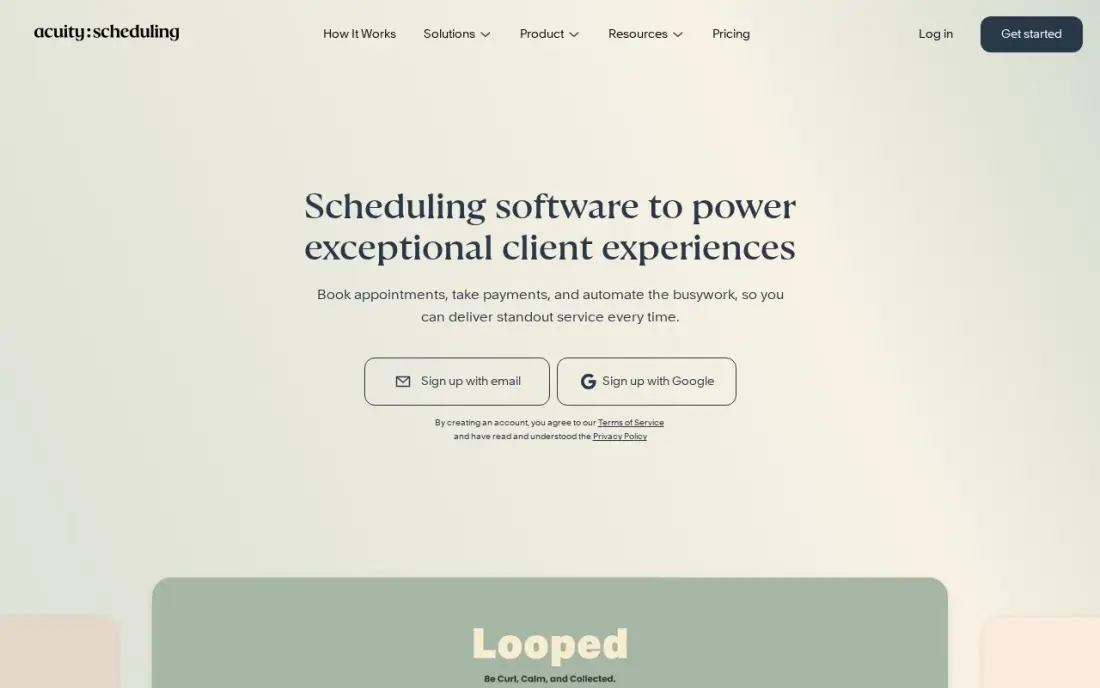
Acuity Scheduling is the service-business scheduler in this list: unlimited services and appointments, intake forms that collect client details before the visit, and payments through Stripe, Square, PayPal or Venmo, all from the $20-a-month Starter plan. The price is flat per account, so adding staff does not raise the bill — only the number of calendars matters.
The tiers are about calendars and extras, not seats. Starter covers one calendar; Standard at $34 a month covers six and adds text reminders, packages, memberships and gift certificates; Premium at $61 covers 36 and adds the AI booking assistant, HIPAA compliance and logo removal. There is no free plan, only a 7-day trial, so try it with real bookings before paying.
What we like
- Flat pricing per account, not per seat: Starter covers the whole business for $20 a month
- Intake forms, packages, memberships and gift certificates included — the service-business toolkit in one plan
- Payments through Stripe, Square, PayPal and Venmo, with deposits at booking
- Automatic time-zone conversion and a waitlist for fully booked times
Watch out for
- No free plan — only a 7-day trial before the subscription starts
- Text reminders, packages and memberships need Standard at $34 a month, not Starter
- Removing the Acuity logo and HIPAA compliance need Premium at $61 a month

Deputy
Best for: Multi-site shift teams that need labour-law compliance, auto-scheduling and demand forecasting
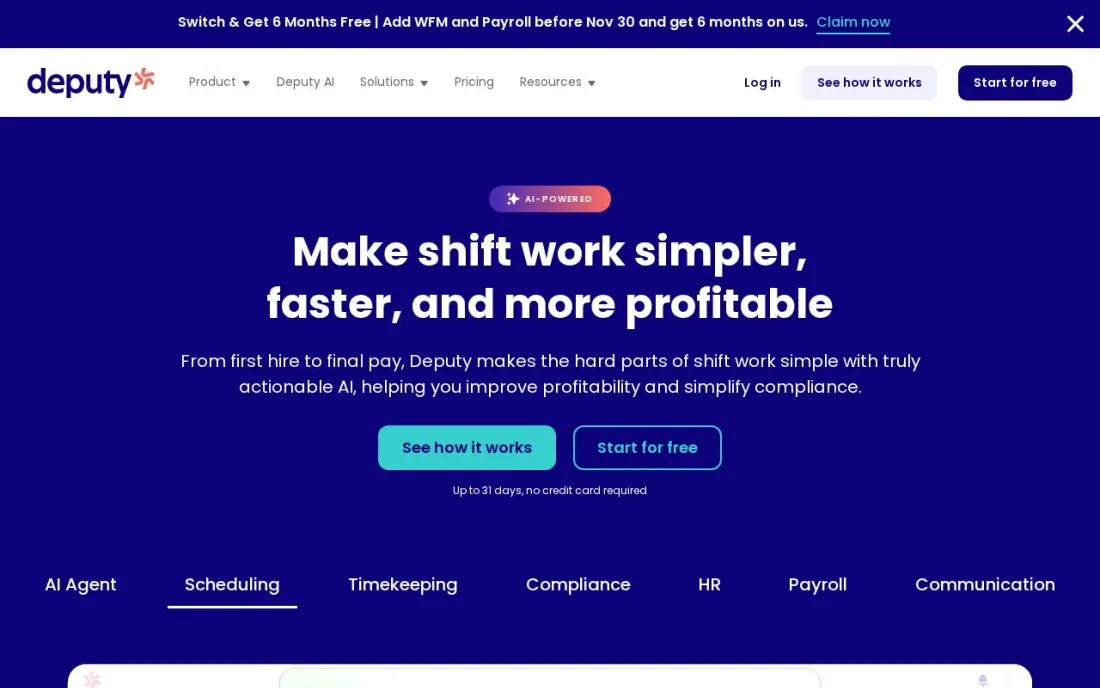
Deputy is the compliance seat in this list: break rules and labour-law tools are built into the $5.50-a-user Lite plan, and Core at $6.50 a user a month billed annually adds auto-scheduling, demand forecasting, wage budgets and labour optimisation. Shift swaps, leave management and payroll integrations come with every plan, and the 31-day trial is the longest here — long enough to run a full roster cycle before paying.
Two billing details matter. Monthly plans carry a $30 minimum per invoice, so a two-person team pays $30 a month, not $11. And every user counts, including the owner and every manager, so the headcount to price is the whole team, not just the shift workers. Pick Deputy when compliance and forecasting matter; a simpler team will pay less on When I Work or Sling.
What we like
- Labour-law compliance and break rules are built into the entry plan, not an add-on
- Shift swaps, leave and availability management and payroll integrations from Lite
- The longest trial here at 31 days, long enough to run a full roster cycle before paying
- Auto-scheduling and demand forecasting on Core cut the weekly roster build to minutes
Watch out for
- A $30 monthly minimum applies on monthly plans, so a 2-person team pays $30, not $11
- Every user counts toward the bill, including owners, managers and supervisors
- Auto-scheduling and demand forecasting need Core at $6.50/user/month billed annually, not Lite

When I Work
Best for: Small hourly teams that want the cheapest per-user shift scheduling with auto-scheduling included
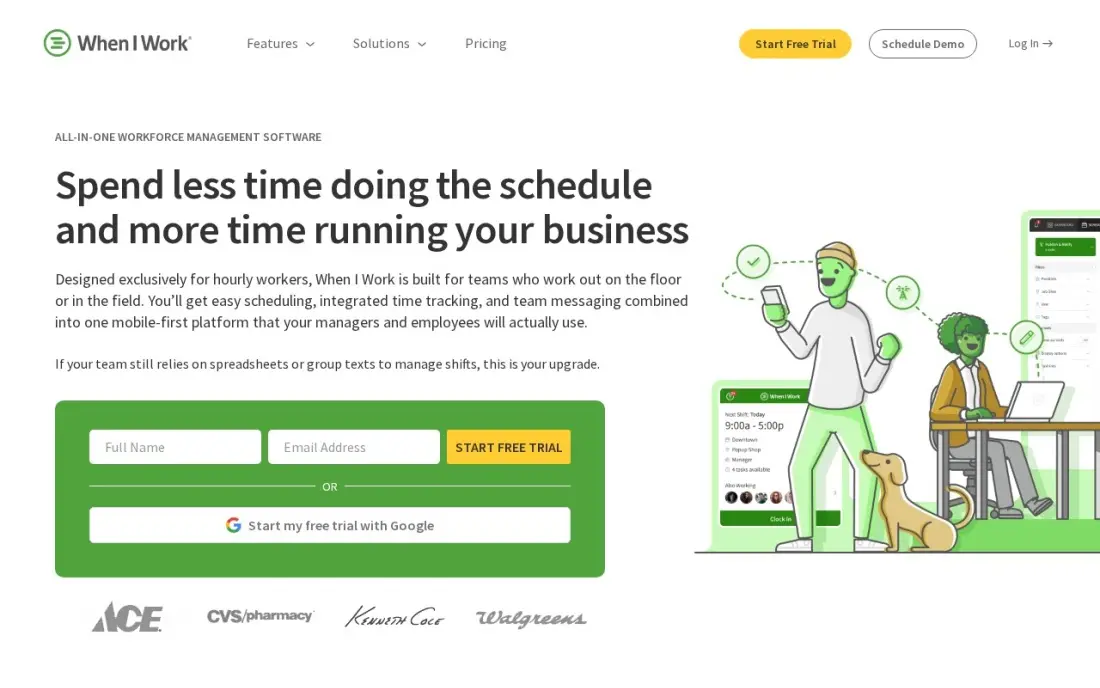
When I Work is the cheapest seat in this list: Essentials costs $2.50 a user a month for scheduling, with auto-scheduling included on every tier — a feature most rivals reserve for a higher plan. There is no base fee, no minimum and no per-location charge, and the plan covers unlimited users with multi-location scheduling, shift swaps, open shifts and team messaging.
The headline price is scheduling only. Add the time clock and Essentials becomes $4 a user a month, Pro $7 and Premium $10, and the pricing page shows no annual rate at all, so there is no discount for paying a year ahead. There is also no free plan, only a 14-day trial. Pick When I Work when the roster is the job and the budget is tight; add the clock cost before comparing it with Homebase.
What we like
- The cheapest per-user price here: $2.50 a user a month, with no base fee and no minimum
- Auto-scheduling is included on every tier, including Essentials — rare at this price
- Unlimited users on every plan, with multi-location scheduling from Essentials
- Shift swaps, open shifts and availability requests are in the entry plan
Watch out for
- No free plan — only a 14-day trial before the subscription starts
- Time tracking is a paid add-on, so Essentials with the clock costs $4/user/month, not $2.50
- No annual prices are published, so there is no discount for paying a year ahead

Setmore
Best for: Small teams on a tight budget that want a working free booking system
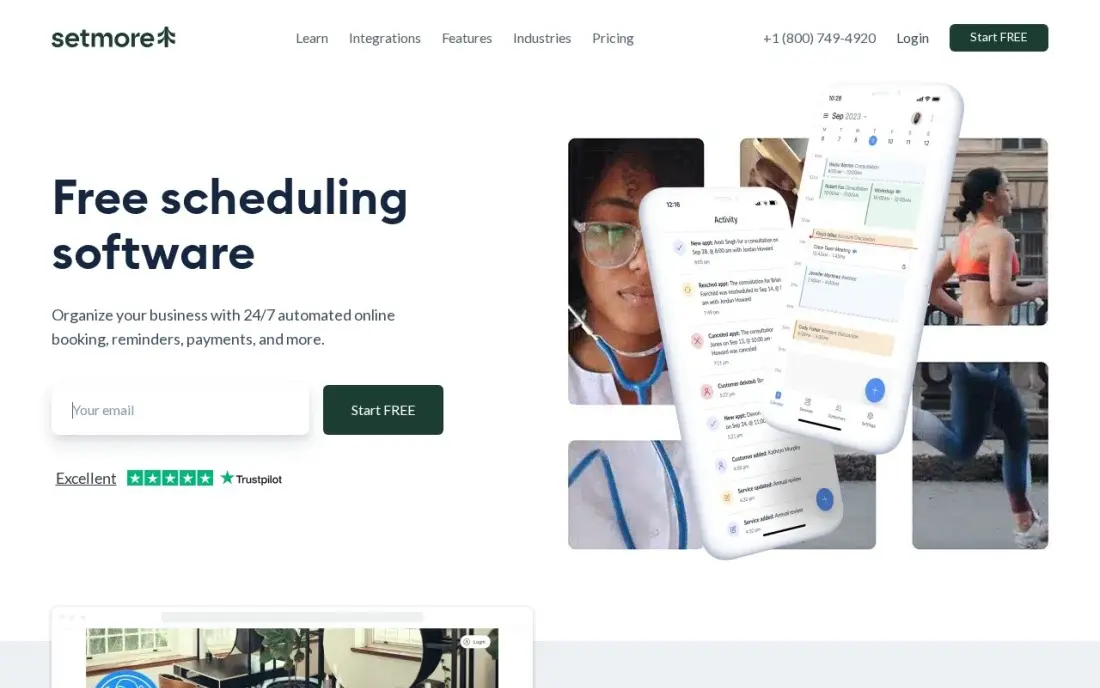
Setmore's free plan is the most useful $0 in this list: four users, a booking page, online payments and email reminders, with Reserve with Google included so the business can be booked straight from search. Pro is $12 per user a month, or $5 on annual billing — the cheapest paid step up here — and it adds text reminders, recurring appointments and two-way calendar sync.
The free plan has edges. It stops at four users, carries Setmore branding, and has no packages, memberships or gift certificates — the tools that turn one-off visits into steady revenue. Start on Setmore while the business is small and the volume is light; move to Acuity or Square when memberships and packages start to matter.
What we like
- The most generous free plan here: 4 users, a booking page, online payments and email reminders at $0
- Pro is $5 per user a month on annual billing — the cheapest paid step up in this list
- Reserve with Google is included on the free plan, so the business shows up bookable in search
- Payments run through Square, Stripe or PayPal, even on the free plan
Watch out for
- The free plan caps at 4 users and carries Setmore branding
- SMS reminders, recurring appointments and two-way calendar sync all need Pro
- No packages, memberships or gift certificates — the revenue layer service businesses rely on is missing

Connecteam
Best for: Frontline and field teams that want scheduling, time clock, chat and HR in one mobile-first app
Connecteam is the all-rounder for deskless teams: scheduling, a GPS time clock, forms, team chat and basic HR tools in one mobile-first app, with a free Small Business plan that covers up to 10 users across all three hubs. Basic is $35 a month per hub billed monthly, or $29 billed annually, and the flat rate covers the first 30 users — no per-seat maths at all.
The hub model is the thing to price carefully. Operations, Communications and HR and Skills are sold separately, so a business wanting all three pays three times the headline price, and growing past 30 users jumps a full tier with no per-user overage. There is also no built-in payroll. Pick Connecteam when the team is deskless and mobile-first; a desk team will pay less per seat elsewhere.
What we like
- A genuinely free Small Business plan: up to 10 users with access to all three hubs
- Flat pricing per hub, not per seat — Basic covers the first 30 users for $29 a month billed annually
- Scheduling, GPS time clock, forms, team chat and basic HR tools in one mobile-first app
- No corporate email needed: deskless staff join with a phone number
Watch out for
- Each hub is priced separately, so a business wanting Operations, Communications and HR pays three times
- The price jumps a full tier at 31 users — Basic $29 to Advanced $49 — with no per-user overage option
- No built-in payroll; paying staff needs a separate provider through integrations

Sling
Best for: Budget-minded shift teams that want free scheduling for up to 30 people
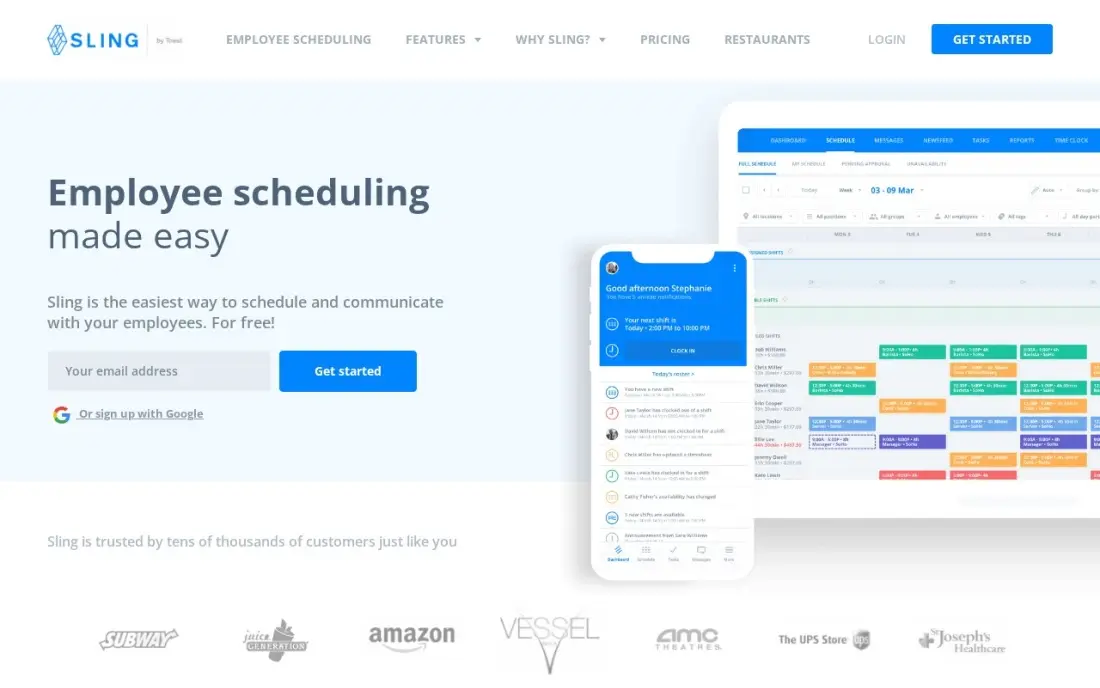
Sling has the biggest free plan in this list: shift scheduling, time-off requests, available shifts, long-term scheduling and private messaging for up to 30 users at $0. Nothing else here covers a 30-person team for free. Premium is $2 a user a month, or $1.70 billed annually, and adds mobile time tracking, labour cost management and overtime tracking.
The trade-off is automation. There is no auto-scheduling engine, so managers build every roster by hand, and the integration list is thinner than Deputy's or Homebase's. Sling suits a team that wants a free, working schedule and is happy to build it manually; a manager who wants the roster to build itself should look at When I Work or Deputy.
What we like
- The largest free plan here: shift scheduling for up to 30 users at $0
- Shift trades, time-off requests, available shifts and private messaging are all in the free plan
- Premium is $2 per user a month — the cheapest paid clock-in upgrade in this list
- Long-term scheduling is included free, so recurring rosters need no paid plan
Watch out for
- No auto-scheduling: managers build every schedule by hand
- Time tracking and labour cost tools need Premium at $2/user/month — the free plan has no clock
- Fewer integrations than the bigger workforce platforms, and no payroll of its own

7shifts
Best for: Single-location restaurants and cafes that want scheduling built around sections, roles and labour targets
7shifts is built only for restaurants, and it shows: the schedule understands sections, roles and labour targets, with tip pooling, POS integrations for Toast, Square and Clover, and a manager log book on the higher tiers. The free Comp plan covers basic scheduling for one location and up to 30 employees, and Appetizer at $34.99 a month per location adds schedule templates and basic reporting.
The catch is the clock. Time tracking needs The Works at $76.99 a month per location, so a restaurant that wants scheduling and clocking in one subscription pays more than the headline suggests. And the tool is restaurant-only — a retailer or clinic gets nothing from the sections and tip tools. Pick 7shifts for one restaurant; a multi-unit group should negotiate the higher tiers first.
What we like
- Built only for restaurants: sections, roles, labour targets and tip pooling are native, not bolted on
- The free Comp plan covers basic scheduling for one location and up to 30 employees
- POS integrations with Toast, Square and Clover tie the schedule to actual sales
- Manager log book and labour alerts come with the higher tiers
Watch out for
- Restaurant-only: the sections, roles and tip tools do not transfer to other industries
- Time tracking needs The Works at $76.99/month per location — the free and Appetizer plans have no clock
- Per-location pricing gets expensive fast for multi-unit operators on higher tiers

Zoho Bookings
Best for: Small businesses already running Zoho that want booking tied to the Zoho suite
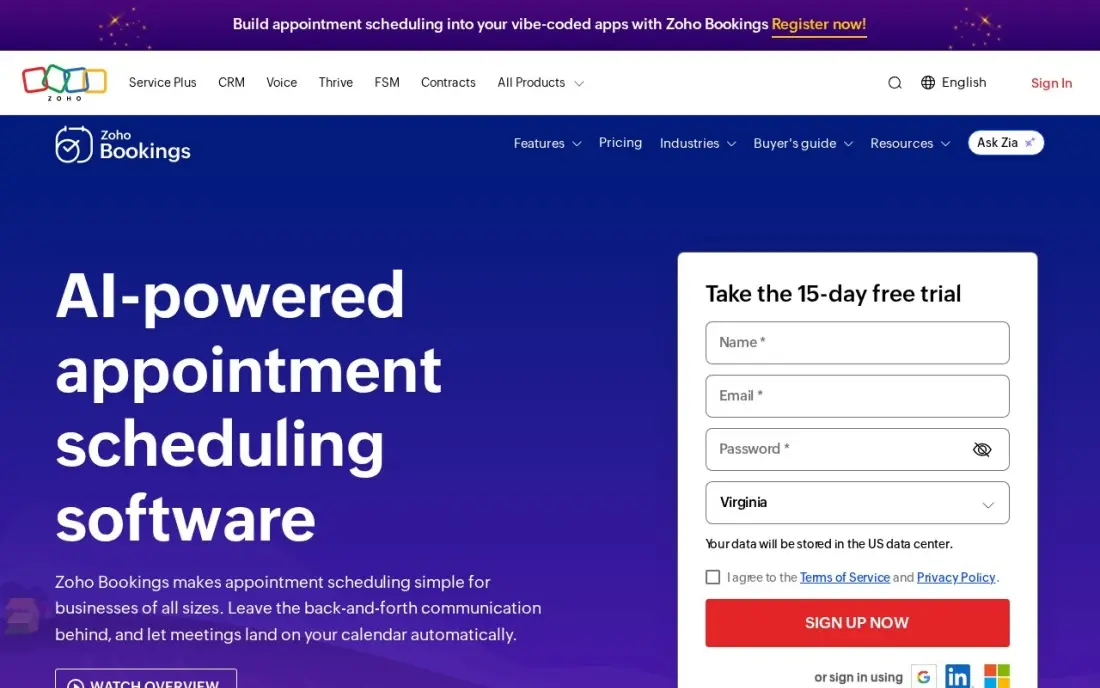
Zoho Bookings is the obvious pick for a business already running Zoho: it is free for one user, with online meetings, email notifications and two-way calendar sync with Zoho, Google and Microsoft 365, and bookings can flow into Zoho CRM and Zoho Meeting. Basic is $8 a user a month, or $6 billed annually, and Premium at $12 adds payments at booking.
Outside the Zoho suite it is thinner than the tools above it. The free plan stops at one user, payments need Premium, and there is no service menu or package selling to match Acuity. Pick Zoho Bookings when the business already lives in Zoho; a business choosing a scheduler on its own merits will get more from Calendly or Setmore.
What we like
- Free for one user with online meetings, email notifications and two-way calendar sync
- Two-way sync with Zoho, Google and Microsoft 365 calendars from the free plan
- Per-user pricing stays cheap for small teams: Basic is $6 a user a month billed annually
- Sits inside the Zoho suite, so bookings can flow into Zoho CRM and Zoho Meeting
Watch out for
- The free plan covers one user only — a second team member means paying
- Taking payments at booking needs Premium at $12/user/month
- Its real value shows only inside the Zoho suite; standalone it is thinner than Calendly or Acuity

SimplyBook.me
Best for: Multi-provider businesses that want a booking website sized by booking volume
SimplyBook.me prices by bookings, not by people, which makes it the cheapest way to cover a team: Basic is €13.90 a month, or €11.90 billed annually, and covers 100 bookings a month for up to five providers. Every plan comes with a booking website and widget, and payments and deposits are included from Basic, so a clinic or studio can take bookings and money from day one.
The cap is the thing to watch. A business taking more than 100 bookings a month outgrows Basic and needs Standard at €29.90 for 500 bookings and 15 providers, and SMS and WhatsApp reminders cost extra as credits. The free plan covers 50 bookings a month — enough to prove the system works before paying. Pick SimplyBook.me when the team is bigger than the booking volume.
What we like
- Priced by bookings, not by people: Basic covers 5 providers for €11.90 a month billed annually
- A ready booking website and widget come with every plan, including Free
- Payments and deposits are included from Basic, with a client app on higher tiers
- The free plan is genuinely usable for a solo business starting out: 50 bookings a month
Watch out for
- The 100-booking cap on Basic runs out fast — a busy business needs Standard at €29.90 a month
- SMS and WhatsApp reminders cost extra as credits, on top of the subscription
- Setup can feel complex, with dozens of optional features to sort through first
The best scheduling software for small business fills the diary or the roster without a phone call — and the right one depends on whether the business books clients or schedules staff. The 12 tools below are ranked by fit for the most common buyer, a small US business with one location and one to five staff, and every price was checked on the vendor's own pricing page on November 12, 2026.
How to choose the best scheduling software for small business
- Decide what is being scheduled first. Appointment tools book clients; staff tools roster employees. Buying one for the other's job is the most expensive mistake in this category.
- Count who takes bookings first. Square and Homebase charge per location, Calendly and Deputy per person, SimplyBook.me per booking. The pricing unit decides what a growing team pays, not the headline price.
- Check the free-plan caps. Zoho Bookings stops at 1 user, Setmore at 4, Homebase at 10 employees, Sling at 30 — a free plan that runs out mid-month is not a free plan.
- Check whether time tracking is included. When I Work adds $1.50 a user for the clock, Sling needs Premium, and 7shifts needs The Works at $76.99 a month. Price the clock, not just the schedule.
- Check reminders and no-show protection. Text reminders and deposits are the features that stop empty slots, and they sit on paid plans at Square, Setmore and Acuity — count them in the price from day one.
- Think about the next year, not the next month. A solo pro who hires two people needs a plan that grows by the person, not one that jumps to an enterprise tier.
Scheduling software fills the diary, but it does not fill it with new clients on its own. If the business is not showing up when people nearby search, our local SEO service covers that side. And before the business asks clients for reviews, the free Google review link generator makes a one-tap review link for the front desk.
Whatever you shortlist, try it with real bookings before you pay. The trials in this list run 7 to 31 days, which is long enough to take real appointments, send real reminders and run a real week of shifts. Check two things in the trial: that online booking works from the business's own website link, and that the calendar never double-books when two clients pick the same slot. Every tool here offers a trial or a free plan, so there is no reason to buy before the business has run a real week on it.
Scheduling software for small business pricing: what you will actually pay
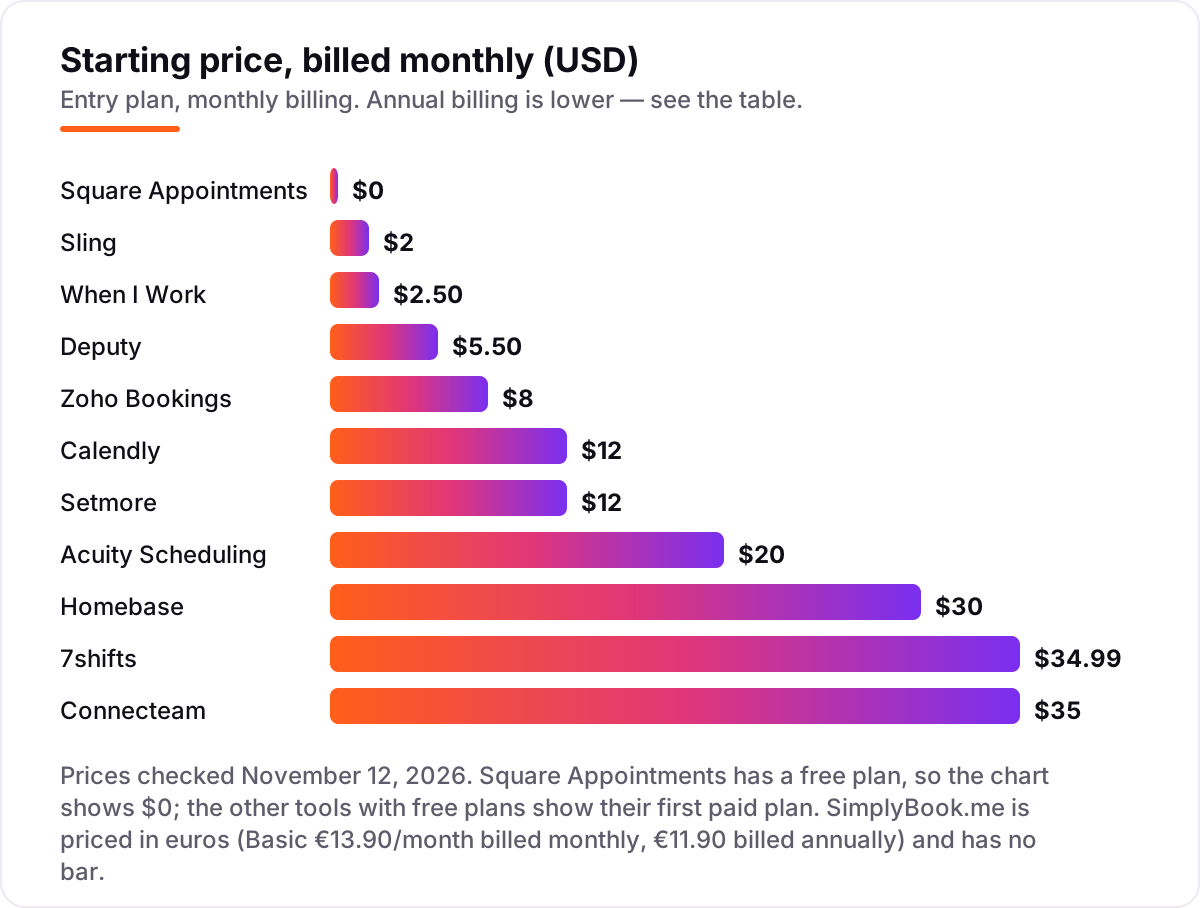
Take a five-person business at one location, taking about 120 appointments or shifts a month. On list prices, the subscription costs $0 on Square Appointments Free, Homebase Basic, Setmore Free (four users only), Connecteam Small Business, Sling Free and 7shifts Comp — six of the 12 tools cost nothing for this team. The paid starts are $12.50 a month on When I Work Essentials, $10 on Sling Premium, $20 on Acuity Starter, $30 on Homebase Essentials, $40 on Zoho Bookings Basic, $49 on Square Plus and $60 on Calendly Standard for five seats.
Two catches change those numbers. First, the free plans do not all cover five people: Setmore Free stops at four users, so the fifth person forces Pro at $60 a month billed monthly ($25 billed annually), and Zoho Bookings Free stops at one user, so five people cost $40 a month on Basic. Second, Deputy Lite at $5.50 a user looks like $27.50 for five people, but monthly plans carry a $30 minimum per invoice, so the bill is $30 — and with time tracking, When I Work Essentials rises from $12.50 to $20 a month.
Over a year on monthly billing, that is $0 on Square, Homebase, Connecteam, Sling and 7shifts free plans, $120 on Sling Premium, $150 on When I Work Essentials, $240 on Acuity Starter, $360 on Deputy Lite at the $30 minimum, $480 on Zoho Bookings Basic, $588 on Square Plus and $720 on Calendly Standard. Annual billing cuts most of these: Homebase Essentials drops to $288 a year, Acuity Starter to $192, Zoho Bookings Basic to $360, and Setmore Pro to $300 for five users.
Three costs sit outside every number above. First, card processing: at a $60 average ticket and 120 appointments, the business takes $7,200 a month, and about 2.5% of that — roughly $180 a month — goes to processing on every appointment tool here. Second, text reminders beyond the included allowance, which cost a few cents each and add up fast in a business that confirms every booking by text. Third, payroll: Homebase charges $49 a month plus $6 per employee as an add-on, and Deputy and Connecteam need a separate payroll provider entirely.
Know the difference: appointment scheduling vs staff scheduling
The confusion in this category is the job, not the feature list. Appointment scheduling lets clients book the business: a booking page, a service menu, payments at booking and reminders, like Calendly, Acuity, Square Appointments, Setmore, Zoho Bookings and SimplyBook.me. Staff scheduling lets the business schedule its own people: shifts, swaps, time-off requests, availability and a time clock, like Homebase, Deputy, When I Work, Connecteam, Sling and 7shifts. The two jobs share a calendar and almost nothing else.
Buying one for the other's job is the most expensive mistake here. Calendly cannot roster five baristas, and Homebase cannot take a client's card payment for a haircut. A business that needs both — a salon that books clients and rosters stylists, for example — usually needs two tools, or one of the few that spans both: Square Appointments covers bookings and staff calendars, and Homebase covers shifts plus a booking-adjacent client flow through its POS connections. Check which job is the daily one before shortlisting.
There is a second, quieter confusion: the pricing unit. Per-seat pricing charges for each person who takes bookings, like Calendly at $12 a seat and Deputy at $5.50 a user. Per-location pricing charges one price for the whole site, like Square Plus at $49 a location and Homebase Essentials at $30. Per-booking pricing charges for volume, like SimplyBook.me Basic covering 100 bookings a month for €13.90. The same five people cost $60 a month on Calendly Standard, $49 on Square Plus and €13.90 on SimplyBook.me Basic — three different answers for the same team, decided entirely by the unit.
Quick comparison: tool type by need
| Buyer | Best pick | Why |
|---|---|---|
| Solo pro booking meetings and calls | Calendly | Free plan, Standard is $12/seat/month |
| Service business taking card payments | Square Appointments | Free plan with unlimited appointments, Plus is $49/month |
| Hourly team at one location | Homebase | Free for 10 staff, Essentials is $30/month per location |
| Multi-site team needing compliance | Deputy | Labour-law tools from $5.50/user/month, 31-day trial |
| Cheapest per-user shift scheduling | When I Work | $2.50/user/month with auto-scheduling included |
| Restaurant or cafe | 7shifts | Free Comp plan, Appetizer is $34.99/month per location |
Mistakes to avoid
- Budgeting on the subscription alone. Card processing runs about $180 a month on $7,200 of sales, and text reminders and payroll add-ons sit outside the headline price. The subscription is the smallest part of the bill for a busy business.
- Comparing prices without checking the pricing unit. A tool can be cheap for one person and dear for five: Calendly and Deputy charge per person, Square and Homebase per location, SimplyBook.me per booking. Price the team you will have next year, not the team you have today.
- Assuming the free plan covers the whole team. Zoho Bookings stops at 1 user, Setmore at 4, Homebase at 10 employees and Sling at 30. A free plan that runs out mid-month forces an upgrade at the worst moment.
- Assuming time tracking is included. When I Work adds $1.50 a user for the clock, Sling needs Premium at $2 a user, and 7shifts needs The Works at $76.99 a month. Price the clock, not just the schedule.
- Forgetting the minimums and the multipliers. Deputy monthly plans carry a $30 minimum per invoice, and Connecteam sells each hub separately — a business wanting all three hubs pays three times the $29 headline price.
How we chose
We checked each vendor's own pricing page on November 12, 2026 and recorded the starting price exactly as shown, including the annual-billing figure where the page lists one, and we ranked the tools by fit for the most common buyer — a small US business with one location and one to five staff — not by brand size. Two things need saying plainly. First, our connection could not load the vendor pricing pages directly today, so each price was verified against a fresh search-index copy of the vendor's own pricing page, crawled within the last one to three days, and cross-checked against at least one independent read dated October or November 2026. Second, 7shifts shows conflicting plan names in directories — some list renamed Essentials, Pro and Premium tiers — while the freshest reads of the vendor's own page show the Comp, Appetizer, Entree and The Works structure used here. When I Work publishes no annual rate, and Connecteam is priced per hub, so a business wanting all three hubs pays three times the Basic price. Ratings come from G2 pages in the search index, crawled within the last three days: Calendly 4.7 from 2,643 reviews, Homebase 4.6 from 513, Deputy 4.6 from 665, Connecteam 4.6 from 3,505, When I Work 4.4 from 382, Setmore 4.5 from 270, Sling 4.4 from 88, 7shifts 4.5 from 125, Zoho Bookings 4.1 from 54, Acuity 4.6 from 410 and SimplyBook.me 4.4 from 110. Square Appointments shows no rating because its G2 page was not opened today. No vendor paid for a place in this list, and none of the links here are affiliate links.
What to do next
Start with the free plan or trial of your top pick and run one real week of bookings or shifts through it. Check that online booking works from your own website link, that reminders go out on time and that the calendar never double-books. If the business is sorted but new clients are not finding it, our monthly SEO service handles the visibility side — or compare providers in our guide to SEO companies for small business. Once your tools are in place, find out what's holding your rankings back.
Frequently asked questions
What is the best scheduling software for small business?
Calendly is the best fit for meetings at $12 a seat a month, Square Appointments is the best free booking system at $0, and Homebase is the best free staff scheduler for one location. The right pick depends on what is being scheduled: clients booking you, or staff you schedule. Read the difference section above before shortlisting.
How much does scheduling software cost for a small business?
Most small businesses pay $0 to $35 a month for the subscription. Seven tools here have free plans, and the first paid plans run $2 to $35 a month. A five-person business typically pays $0 to $60 a month for the subscription alone, before card processing, text reminders and time-tracking add-ons.
Is there free scheduling software for small business?
Yes, with limits. Square Appointments is free with unlimited appointments, Sling is free for up to 30 users, Homebase is free for one location and 10 employees, and Setmore, Connecteam, 7shifts and Zoho Bookings all have free plans. All seven still charge card processing on payments, and time tracking usually needs a paid plan.
What is the difference between appointment scheduling and staff scheduling software?
Appointment scheduling lets clients book you: a booking page, a service menu and payments, like Calendly, Acuity and Square Appointments. Staff scheduling lets you schedule your team: shifts, swaps, time-off and a time clock, like Homebase, Deputy and When I Work. Some tools do one job well and the other badly, so buy for the job you actually have.
Per-seat, per-location or per-user pricing — which is cheapest?
It depends on the team. Per-user pricing like When I Work at $2.50 is cheapest for a small team, per-location pricing like Square Plus at $49 is cheapest for a big team at one site, and per-booking pricing like SimplyBook.me is cheapest for a big team with few bookings. Count the people who will take bookings next year and price all three units.
Can I switch scheduling software later?
Yes, but move in a quiet week. Export the client list, services, prices, staff calendars and future appointments, then import them into the new tool and test the booking page before going live. Keep the old calendar open until the new one is proven, because a mid-week switch is how double-bookings happen.
What should I check before paying for scheduling software?
Check how the price grows with your team, whether time tracking and text reminders are included or extra, and what the free plan actually covers. Then run the trial with real bookings: book from your own website link, take a real payment, and confirm the calendar never double-books the same slot.
Sources we checked (23)
- Calendly pricing — calendly.com/pricing (checked November 12, 2026)
- Calendly on G2 — 4.7/5, 2,643 reviews (checked November 12, 2026)
- Square Appointments pricing — squareup.com/us/en/appointments/pricing (checked November 12, 2026)
- Homebase pricing — joinhomebase.com/pricing (checked November 12, 2026)
- Homebase on G2 — 4.6/5, 513 reviews (checked November 12, 2026)
- Acuity Scheduling pricing — acuityscheduling.com/pricing (checked November 12, 2026)
- Acuity Scheduling on G2 — 4.6/5, 410 reviews (checked November 12, 2026)
- Deputy pricing — deputy.com/pricing (checked November 12, 2026)
- Deputy on G2 — 4.6/5, 665 reviews (checked November 12, 2026)
- When I Work pricing — wheniwork.com/pricing (checked November 12, 2026)
- When I Work on G2 — 4.4/5, 382 reviews (checked November 12, 2026)
- Setmore pricing — setmore.com/pricing (checked November 12, 2026)
- Setmore on G2 — 4.5/5, 270 reviews (checked November 12, 2026)
- Connecteam pricing — connecteam.com/pricing (checked November 12, 2026)
- Connecteam on G2 — 4.6/5, 3,505 reviews (checked November 12, 2026)
- Sling pricing — getsling.com/pricing (checked November 12, 2026)
- Sling on G2 — 4.4/5, 88 reviews (checked November 12, 2026)
- 7shifts pricing — 7shifts.com/pricing (checked November 12, 2026)
- 7shifts on G2 — 4.5/5, 125 reviews (checked November 12, 2026)
- Zoho Bookings pricing — zoho.com/bookings/pricing.html (checked November 12, 2026)
- Zoho Bookings on G2 — 4.1/5, 54 reviews (checked November 12, 2026)
- SimplyBook.me pricing — simplybook.me/en/pricing (checked November 12, 2026)
- SimplyBook.me on G2 — 4.4/5, 110 reviews (checked November 12, 2026)
Make one of these tools?
We re-check this list every quarter. Send a correction, request a review, or ask about a clearly labeled sponsored spot.
Request a listingShamim
Founder of SerpAstra
A full-stack SEO and digital marketer who spends most days on Local SEO for dental practices, AI search visibility and lead generation.
Free SEO and AI visibility audit
Find out what is holding your rankings back
Send us your site. Within 2 business days you get a written audit, an AI visibility check and a short fix list ranked by impact. Free, with no contract attached.
Request my free audit→Related buying guides
 Productivity & Office12 Best Appointment Scheduling Software in 2026, ComparedCompare the 12 best appointment scheduling software options for small businesses on price, free plans and features, with every price checked November 10, 2026.Read guide →
 Retail, Restaurants & Hospitality11 Best Restaurant Scheduling Software in 2026, ComparedCompare the 11 best restaurant scheduling software options for restaurants on price, free plans and POS links, with every price checked November 8, 2026.Read guide →
 Productivity & Office12 Best Time Tracking Software for Small Business in 2026, ComparedThe 12 best time tracking software for small business compared on price, free plans and billing features, with real starting prices checked November 10, 2026.Read guide →