
8 Best Software for Financial Modeling in 2026, Compared
Compare the 8 best software for financial modeling, from Excel and Google Sheets to FP&A platforms like Cube and Jirav, on model depth, scenarios and real cost.
 Shamim Mia, Founder, SerpAstraLast verified November 2, 20269 min read
We compare pricing pages, documentation and public reviews. We never accept payment for rankings.

Key takeaways
- Microsoft Excel is still the standard for building financial models, with a 1,048,576-row grid and the deepest formula library; Microsoft 365 Personal costs $9.99 a month.
- Google Sheets is the free choice for models several people edit at once, and it opens and saves Excel files directly.
- Cube is the only FP&A platform here with published pricing, from $1,500 a month, and it keeps modelling inside Excel and Google Sheets with two-way sync.
- Jirav builds three-statement driver-based models for small and mid-size companies, while Anaplan and Workday Adaptive Planning handle enterprise-scale connected planning, all priced by quote.
On this page
Quick comparison
| Tool | Best for | Starting price | Free plan |
|---|---|---|---|
| Microsoft Excel | Analysts and founders who build models from scratch and need full formula control | $9.99/mo | Yes (free web) |
| Google Sheets | Small teams and startups that edit one model together and want it free | $0 | Yes (free) |
| Cube | Mid-market finance teams that model in spreadsheets but want one governed source of numbers | $1,500/mo | No (demo) |
| Jirav | Small and mid-size companies and CPA firms that want three-statement driver-based models | Custom quote | No (demo) |
| LivePlan | Owners who need a business plan and financial projections for a loan or investor | $20/mo | No |
| Datarails | Excel-based finance teams that want consolidation and automated actuals behind their models | Custom quote | No (demo) |
| Workday Adaptive Planning | Mid-size and large companies that want driver-based models with unlimited scenarios | Custom quote | No (30-day trial) |
| Anaplan | Large enterprises that model finance, sales, supply chain and workforce together | Custom quote | No (demo) |
Make one of these tools?
We re-check this list every quarter. Send a correction, request a review, or ask about a clearly labeled sponsored spot.
Request a listingThe best financial modeling software

Microsoft Excel
Best for: Analysts and founders who build models from scratch and need full formula control
Excel is where most financial models are built, taught and shared, and for good reason. Its grid holds 1,048,576 rows by 16,384 columns, its formula library covers everything a three-statement model, DCF or cap table needs, and its file format is the one investors, lenders and banks expect to receive. Microsoft 365 Personal costs $9.99 a month, or $99.99 a year, and adds Copilot and 1 TB of OneDrive.
The weaknesses are collaboration and control. Co-authoring is less smooth than Google Sheets, large models can slow down, and nothing stops a broken link or hard-coded number spreading through the file. A free web version exists but caps OneDrive at 5 GB.
What we like
- The largest grid here: 1,048,576 rows by 16,384 columns, with the deepest formula and modelling library
- The file format every other tool measures itself against, so compatibility problems are rare
- Copilot in Excel and 1 TB of OneDrive storage included with Microsoft 365 Personal
Watch out for
- The full desktop app needs a paid Microsoft 365 subscription; the free web version caps OneDrive at 5 GB
- Real-time co-authoring still lags Google Sheets on ease and speed
- Performance can lag with very large files or complex formulas, per G2 reviewers

Google Sheets
Best for: Small teams and startups that edit one model together and want it free
Google Sheets is the best free modelling tool when more than one person works on the numbers. Anyone with a Google account can open the model, edit it live and leave comments, and version history shows who changed which assumption. A sheet holds up to 10 million cells, with pivot tables, charts and Apps Script automation, and it opens and saves Excel files directly, so you can still send investors an .xlsx.
It is slower than Excel on very large or formula-heavy models, offline mode is limited and some Gemini features need a paid Workspace plan, from $7 a user a month billed annually. For an early-stage operating model it does the job at no cost.
What we like
- Free for anyone with a Google account, with real-time co-editing and comments built in
- Up to 10 million cells per spreadsheet, with pivot tables, charts and Apps Script automation
- Opens and saves Excel files directly, so sharing with Excel users needs no conversion step
Watch out for
- Slows down on very large files; Excel handles heavy models and big datasets better
- No desktop app with full offline power — offline mode is limited compared with Excel
- Some Gemini in Sheets features need a paid Google Workspace plan

Cube
Best for: Mid-market finance teams that model in spreadsheets but want one governed source of numbers
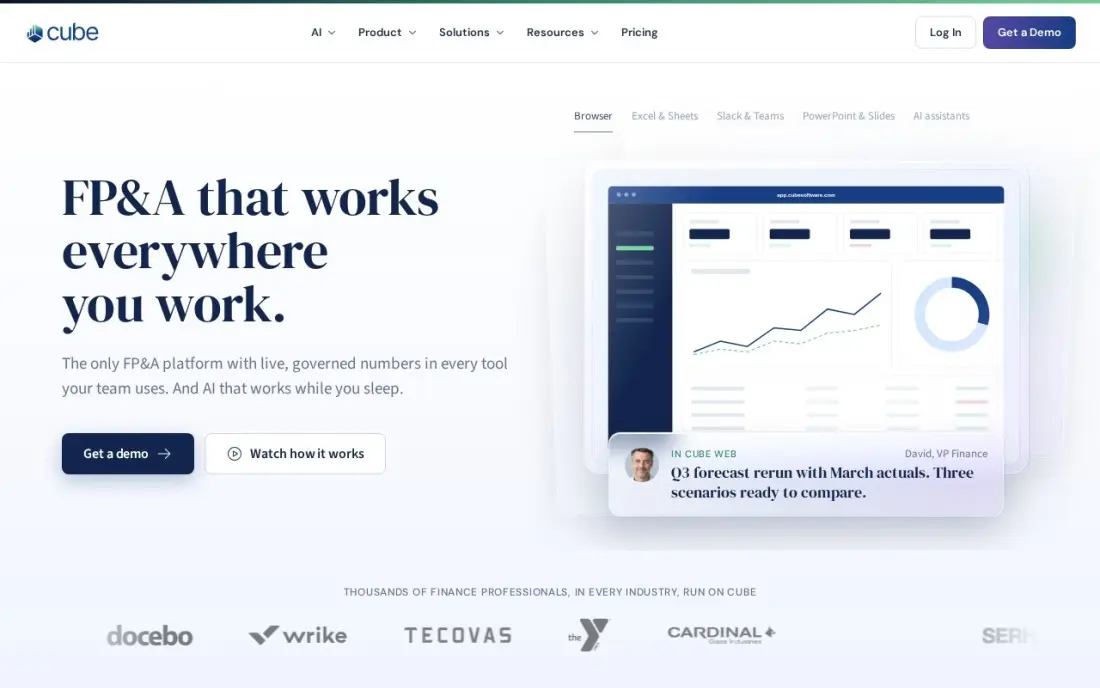
Cube keeps the spreadsheet and fixes what goes wrong around it. Finance teams build and run models in Excel or Google Sheets, while Cube syncs actuals and assumptions two ways with a central database, so every version of the model pulls the same numbers. AI forecasting and scenario planning sit on top, with apps for Slack and Microsoft Teams. It is also the only dedicated FP&A platform here with published prices: Go from $1,500 a month and Pro from $2,800 a month.
That entry price is steep for a startup, implementation fees come on top and Cube sells only in the US and Canada. It suits a team that has outgrown emailing model files around.
What we like
- The only FP&A platform here with published pricing: Go from $1,500/month, Pro from $2,800/month
- Spreadsheet-native planning in Excel and Google Sheets with two-way sync
- AI-powered forecasting and scenario planning, with apps for Slack and Microsoft Teams
Watch out for
- Entry price of $1,500/month is steep for startups and very small teams
- Sold in the US and Canada only, so teams elsewhere cannot buy it
- Implementation and onboarding fees sit on top of the subscription

Jirav
Best for: Small and mid-size companies and CPA firms that want three-statement driver-based models
Jirav is built for the model most growing companies need: a driver-based three-statement forecast in which a hiring plan or price change flows through the profit and loss, balance sheet and cash flow at once. Autoforecast builds a starting forecast from historicals and seasonality in one click, and integrations cover QuickBooks, Xero, NetSuite, Sage Intacct, Gusto, Excel and Google Sheets.
Jirav publishes no starting price, and third-party figures disagree, so budget for a five-figure annual contract and get a written quote. Workforce planning is thinner than in the enterprise platforms. CPA firms also use it to build models for advisory clients, which makes it a good fit for outsourced finance teams.
What we like
- Three-statement pro forma modeling with driver-based forecasts across profit and loss, balance sheet and cash flow
- Autoforecast builds forecasts from historicals and seasonality with one click
- Connects to QuickBooks, Xero, NetSuite, Sage Intacct, Gusto, Excel and Google Sheets
Watch out for
- No published starting price on the vendor site, so the entry cost needs a sales conversation
- Third-party figures disagree with each other, so budget for a five-figure annual contract
- Workforce planning is thinner than in the enterprise platforms

LivePlan
Best for: Owners who need a business plan and financial projections for a loan or investor

LivePlan is the modelling tool for people who are not financial modellers. Its step-by-step builder turns your assumptions about sales, costs and hiring into lender-ready financial statements, with more than 500 sample plans to borrow structure from. Standard costs $20 a month billed monthly, with a $15 annual rate reported by a third party, and Premium at $40 a month adds QuickBooks and Xero sync, up to 10 forecast scenarios and industry benchmarking.
The model is simpler than one built in Excel or Jirav, and Standard has no accounting sync, so actuals are typed in by hand. There is no free trial, only a 35-day money-back guarantee.
What we like
- Step-by-step business planning with 500-plus sample plans and lender-ready financial statements
- Premium adds QuickBooks and Xero sync, up to 10 forecast scenarios and industry benchmarking
- Performance dashboards compare actuals against the plan, which is the budget check most owners skip
Watch out for
- No free plan and no free trial — only a 35-day money-back guarantee
- Standard has no QuickBooks or Xero sync and no scenarios; those need Premium at $40/month
- Forecasting is simpler than PlanGuru or Fathom, and G2 reviewers call the pricing model hard to justify long-term

Datarails
Best for: Excel-based finance teams that want consolidation and automated actuals behind their models
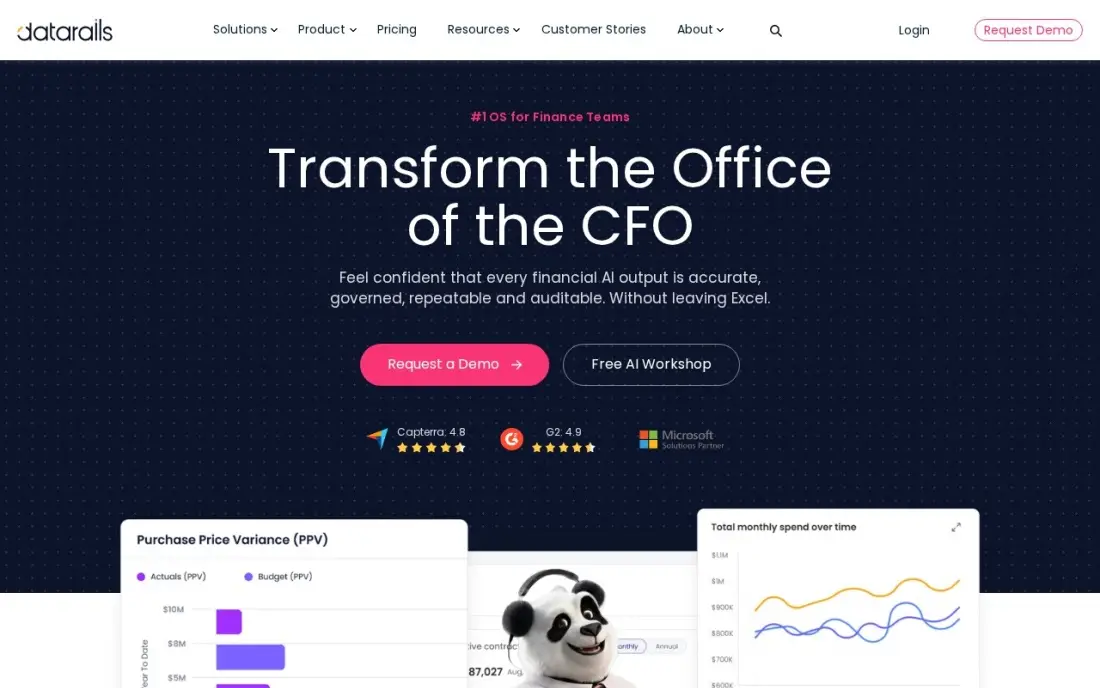
Datarails lets a finance team keep its Excel models while removing the copy-and-paste work that feeds them. It pulls actuals from QuickBooks, NetSuite, Xero, Sage Intacct and more than 200 other sources into a governed database, consolidates entities and refreshes the model, so the monthly update stops being a day of pasting exports. An AI assistant, cash management and month-end close sit in the same workspace.
There is no published price, and third-party estimates put typical deals in the tens of thousands a year. Implementation is a real project. Choose Datarails over Cube when the team wants to stay fully inside Excel.
What we like
- Stays inside Excel while a governed database consolidates the numbers behind it
- Automated data consolidation from QuickBooks, NetSuite, Xero, Sage Intacct and 200+ other sources
- AI assistant plus cash management, spend control and month-end close in one workspace
Watch out for
- No published pricing, so you cannot budget without a sales conversation
- Excel-native design means teams that want to leave spreadsheets behind will find the workflow familiar rather than new
- Implementation and onboarding are a real project, not a same-day setup

Workday Adaptive Planning
Best for: Mid-size and large companies that want driver-based models with unlimited scenarios
Workday Adaptive Planning moves the model out of spreadsheets into a cloud planning system with driver-based models, unlimited versions and unlimited what-if scenarios. Machine learning builds predictive forecasts and flags anomalies, and it connects to any ERP or general ledger, so you do not need Workday Financials to use it. It is also the only enterprise platform here with a 30-day free trial.
Pricing is by quote and depends on forecast seats and modules, which is where buyers tend to overspend; size the quote on the people who will really build models. Getting full value needs a model administrator in-house or a partner.
What we like
- Native-cloud planning with driver-based models, unlimited versions and unlimited what-if scenarios
- Machine learning creates predictive forecasts and flags anomalies in the plan
- Connects to any ERP or general ledger, and a 30-day free trial lets you test it first
Watch out for
- No published pricing; both Adaptive Planning editions are listed as pricing varies
- Quote sizing depends on a forecast of seats and modules, which is where overspend usually comes from
- Full value needs model administration skill in-house or from a partner

Anaplan
Best for: Large enterprises that model finance, sales, supply chain and workforce together

Anaplan is the enterprise end of financial modelling. Its connected planning platform links finance, sales, supply chain and workforce models, so a change to a sales quota or hiring plan flows through the financial model in real time. The Hyperblock engine handles modelling that spreadsheets cannot at scale, including territory design, quota and incentive planning and driver-based forecasting, and more than 250 certified partners support deployments.
There is no published price and the vendor treats pricing as confidential. Implementations run for months with certified model builders, and contracts are non-cancelable with seats fixed mid-term. It fits only companies planning as one large organisation.
What we like
- Connected planning links finance, sales, supply chain and workforce models in real time
- Hyperblock engine handles territory, quota, incentive and driver-based forecasting at enterprise scale
- A 250-plus certified partner network supports large deployments
Watch out for
- No published pricing, and the vendor classifies pricing as confidential information
- Implementations span months and need certified modeling expertise or a partner
- Contracts are non-cancelable and non-refundable, with seat counts fixed mid-term
The best software for financial modeling lets you change one assumption, such as price, headcount or churn, and see the effect on revenue, profit and cash straight away, without breaking the model. We compared eight tools, from the spreadsheets most models are built in to FP&A platforms that run models on a governed data source, and every price below comes from the vendor's own pages as checked in November 2026.
How to choose the best software for financial modeling
- Decide who builds the model. An analyst who wants full control needs a spreadsheet; an owner who wants projections without formulas needs a guided planner.
- Check how actuals get in. If someone pastes exports from accounting every month, the model will drift; look for direct connections to QuickBooks, Xero or your ERP.
- Test scenarios. A good tool lets you save a base, upside and downside case and compare them side by side without copying the whole file.
- Look for three-statement links. Revenue and cost changes should flow through the profit and loss, balance sheet and cash flow together.
- Think about who reads it. Lenders and investors usually want an Excel file, so make sure the tool exports cleanly.
- Price the whole year. FP&A platforms add implementation and onboarding to the subscription, so ask for a first-year total.
A model is only as good as its revenue assumptions, and for many businesses those depend on traffic and leads. Our SEO forecasting tools guide shows how to estimate organic growth you can put into a model, and our monthly SEO service is built around targets you can track against it.
Financial modeling software pricing: what you will actually pay
At the spreadsheet end, cost is close to zero. Google Sheets is free, Excel for the web is free with 5 GB of storage, and Microsoft 365 Personal costs $9.99 a month or $99.99 a year for the desktop app. A three-person team on Google Workspace pays from $7 a user a month billed annually, or $252 a year, mostly for email and storage rather than the spreadsheet.
Guided planning costs a little more. LivePlan Standard costs $20 a month billed monthly, or $240 a year, and Premium, with accounting sync and scenarios, costs $40 a month, or $480 a year. FP&A platforms are a different scale: Cube Go starts at $1,500 a month, or $18,000 a year, and Cube Pro at $2,800 a month, or $33,600 a year, before implementation. Jirav, Datarails, Workday Adaptive Planning and Anaplan publish no prices, and third-party sources put Jirav and Datarails in five-figure annual ranges, so get a written quote with seats, modules and onboarding listed.
Know the difference: spreadsheet model vs FP&A platform
A spreadsheet model is a single file that one person designs. You choose the structure, write every formula and decide how assumptions flow into the statements. That flexibility is why Excel and Google Sheets remain the standard for deal models, startup projections and one-off analysis. The risk is control: one broken reference or overwritten cell can change the answer, and versions multiply as the file is emailed around.
An FP&A platform puts the model on a shared, governed data source. Actuals arrive from the accounting system automatically, versions and scenarios are stored centrally and permissions decide who can change what. Cube and Datarails keep the spreadsheet as the front end, while Jirav, Workday Adaptive Planning and Anaplan replace it with their own modelling engines. You move to a platform when the model becomes the company's plan rather than one person's analysis.
Quick comparison: tool type by need
| Buyer | Best pick | Why |
|---|---|---|
| Analysts building from scratch | Microsoft Excel | Deepest formulas and the standard file format, from $9.99/month |
| Free shared models | Google Sheets | Free live co-editing, opens and saves Excel files |
| Spreadsheet-based finance teams | Cube | Two-way sync with Excel and Sheets, from $1,500/month |
| Three-statement forecasts for SMBs | Jirav | Driver-based models with Autoforecast, quote only |
| Business plans for lenders | LivePlan | Guided projections from $20/month |
| Excel teams needing consolidation | Datarails | Automated actuals from 200+ sources, quote only |
| Mid-size to large scenario planning | Workday Adaptive Planning | Unlimited versions and scenarios, 30-day free trial |
| Enterprise connected planning | Anaplan | Finance, sales, supply chain and workforce models linked |
Mistakes to avoid
- Hard-coding numbers inside formulas. Keep every assumption in its own labelled cell so a reviewer can see and change it.
- Skipping the balance sheet. A profit and loss forecast without cash flow and balance sheet links hides the cash crunch that sinks growing companies.
- Buying a platform before the model works. If you cannot explain your model's drivers in a spreadsheet, software will not fix it.
- Running one scenario. Lenders and boards ask what happens if sales come in 20% lower; build that case before they ask.
- Over-buying seats. Enterprise quotes are sized on modellers; count the people who will really build, not just view.
Related comparisons: Financial Close Software · Financial Consolidation Software · Financial Analytics Software · Financial Management Software for Small Business
How we chose
We checked each vendor's own pricing and product pages in November 2026 and recorded published prices exactly as shown, marking third-party figures as such. We grouped the tools into spreadsheets, guided planners and FP&A platforms and ranked them for the most common buyer, a founder, analyst or small finance team building an operating model. Where a vendor publishes no price, we say so rather than guess. Ratings come from G2 pages checked on the dates shown in the sources. No vendor paid for a place in this list, and none of the links here are affiliate links.
What to do next
Build a one-page driver sheet in Excel or Google Sheets with your five biggest assumptions, then decide whether you need a platform to keep it fed with actuals. If organic growth is one of those assumptions, book a free SEO consultation to put a realistic number on it.
Frequently asked questions
What is the best software for financial modeling?
Microsoft Excel is still the best for building models from scratch, with the deepest formula library and the file format lenders and investors expect. Google Sheets is the best free option for shared models, and Cube is the best FP&A platform for teams that want to keep modelling in spreadsheets.
Is Excel still the standard for financial modeling?
Yes. Most models, training courses and investor templates use Excel, and its grid holds 1,048,576 rows. FP&A platforms such as Cube and Datarails work with Excel rather than replacing it.
Is there free financial modeling software?
Google Sheets is free with any Google account and handles most startup models. Excel for the web is also free, with 5 GB of OneDrive storage, though the full desktop app needs Microsoft 365.
How much does financial modeling software cost?
Microsoft 365 Personal costs $9.99 a month, LivePlan Standard $20 a month and Cube from $1,500 a month. Jirav, Datarails, Workday Adaptive Planning and Anaplan are priced by quote.
What is the difference between financial modeling software and FP&A software?
Modeling tools let you build any structure you like, such as a DCF or a three-statement model. FP&A software adds a governed data source, actuals from accounting systems, versions and approvals, so the whole finance team plans from the same numbers.
What software do startups use for financial models?
Most early-stage startups use Google Sheets or Excel templates. Founders preparing for a loan or grant often use LivePlan, and companies with a finance hire move to Jirav or Cube as reporting needs grow.
What is the best financial modeling software for beginners?
LivePlan is the easiest start for an owner with no modelling experience: it walks you step by step through a business plan with 500-plus sample plans and produces lender-ready financial statements, from $20 a month or $15 billed annually. If you want to learn to build models yourself, Google Sheets is free with any Google account and opens Excel files, so you can move to Excel later.
Sources we checked (11)
- Microsoft Excel — www.microsoft.com/en-us/microsoft-365/excel (checked November 10, 2026)
- Microsoft Excel reviews on G2 (checked November 10, 2026)
- Google Sheets — sheets.google.com (checked November 10, 2026)
- Google Sheets reviews on G2 (checked November 10, 2026)
- Cube — www.cubesoftware.com/blog/financial-planning-software (checked November 2, 2026)
- Jirav — www.jirav.com (checked November 2, 2026)
- LivePlan — www.g2.com/products/liveplan/pricing (checked November 2, 2026)
- LivePlan reviews on G2 (checked November 2, 2026)
- Datarails — www.datarails.com (checked November 2, 2026)
- Workday Adaptive Planning — www.workday.com (checked November 2, 2026)
- Anaplan — www.anaplan.com (checked November 2, 2026)
Make one of these tools?
We re-check this list every quarter. Send a correction, request a review, or ask about a clearly labeled sponsored spot.
Request a listingShamim
Founder of SerpAstra
A full-stack digital marketer and SEO strategist covering technical and local SEO, AI search visibility, paid ads and lead generation for local businesses, e-commerce brands and SaaS teams.
Free SEO and AI visibility audit
Find out what is holding your rankings back
Send us your site. Within 2 business days you get a written audit, an AI visibility check and a short fix list ranked by impact. Free, with no contract attached.
Request my free audit→Related buying guides
 Accounting & Finance11 Best Financial Analytics Software in 2026, Compared11 best financial analytics software options compared on price, planning depth and reporting, with prices checked on the vendor's own page on November 2, 2026.Read guide →
 Productivity & OfficeBest Spreadsheet Software for 2026: 10 Options Compared by Use CaseBest spreadsheet software for 2026: 10 options compared by use case, with real starting prices — from free Google Sheets to Excel, Smartsheet and Airtable.Read guide →
 Business Software6 Best Business Plan Software in 2026, ComparedCompare the 6 best business plan software tools for writing lender-ready plans and financial projections, with free options and every price checked.Read guide →