
7 Best Company Logo Designers in 2026, Compared
Compare the 7 best company logo designers, from design contests and freelance marketplaces to DIY tools, on real cost, fees, rights and refunds, checked 2026.
 Shamim Mia, Founder, SerpAstraLast verified November 4, 20268 min read
We compare pricing pages, documentation and public reviews. We never accept payment for rankings.
Key takeaways
- 99designs is the best route for most companies that want a professional logo: a Bronze contest costs $299 plus a 5% platform fee and brings about 30 concepts, with full copyright included.
- Crowdspring runs the same contest model at an all-in $299 with a 30-day refund policy, but draws a smaller designer pool.
- Upwork and Fiverr are better when you want one designer: Upwork is free to post with a 5% marketplace fee, and Fiverr sells fixed-price gigs with a 5.5% service fee.
- Doing it yourself costs least: Canva Pro is $18 a month with Brand Kit, and Adobe Illustrator is $22.99 a month for a designer who wants professional vector files.
On this page
Quick comparison
| Tool | Best for | Starting price | Free plan |
|---|---|---|---|
| 99designs | Companies that want dozens of professional logo concepts to choose from before paying | $299/contest | No |
| Crowdspring | Companies that want a logo contest with all-inclusive pricing and a clear refund policy | $299/project | No |
| Upwork | Companies that want to hire one vetted logo designer and work through revisions together | Free; 5% fee | Yes (free to post) |
| Fiverr | Small companies that want a fixed-price logo package with a set delivery date | Free; 5.5% fee | Yes (free to join) |
| DesignCrowd | Very tight budgets that still want several logo options from a contest | $109/contest | No |
| Canva | Founders who want to design a simple logo themselves and keep brand assets in one place | Free; Pro $18/mo | Yes (free plan) |
| Adobe Illustrator | In-house designers who need professional vector logo files that print at any size | $22.99/mo | No (7-day trial) |
Make one of these tools?
We re-check this list every quarter. Send a correction, request a review, or ask about a clearly labeled sponsored spot.
Request a listingThe best company logo designers
99designs
Best for: Companies that want dozens of professional logo concepts to choose from before paying
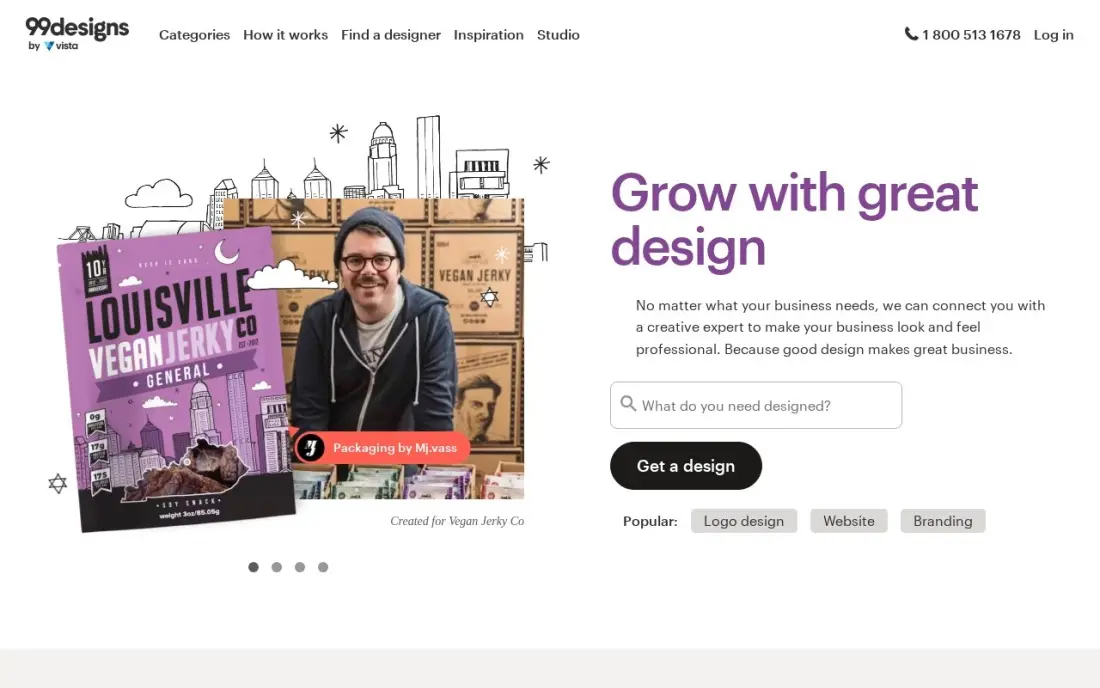
99designs is the most proven logo contest. You write a brief, designers submit concepts, and you pick a winner: a Bronze contest costs $299 and draws about 30 concepts, Silver $499 about 60, and Gold at $899 limits entries to mid and top-level designers. Full copyright in the winning design transfers with every package, and a money-back guarantee applies if nothing works.
Budget for the 5% platform fee at checkout, which takes a Bronze contest to $313.95. Reviewers warn that cheap contests attract recycled or low-effort entries, so a detailed brief and a higher tier pay off. G2 rates 99designs 4.0 from 32 reviews. A contest winner can also be hired directly for later brand work.
What we like
- Dozens of concepts per contest — Bronze brings about 30 — so you compare real designs, not portfolios
- Full copyright ownership of the winning design is included in every package
- Money-back guarantee if no design works for you
- Direct hire is available too, so a contest winner can become your ongoing designer
Watch out for
- A 5% client platform fee applies at checkout on top of the contest price
- Higher tiers cost up to $1,299 for a logo, and cheap contests attract recycled or low-effort entries, per reviewers
- You pay per project, so a business with regular design needs pays $299 every time

Crowdspring
Best for: Companies that want a logo contest with all-inclusive pricing and a clear refund policy
Crowdspring runs the same contest model as 99designs, with one practical difference: the price is all-in. A Silver logo project costs $299 including the award and fees and draws about 60 designs; Gold costs $499 and Platinum $1,199. Intellectual property transfers in full, a 30-day refund applies if you dislike the entries, and one-to-one projects with a chosen designer start at $200.
The designer pool is smaller than 99designs', so expect fewer entries per contest. G2 rates Crowdspring 3.6 from 15 reviews, and some Trustpilot reviewers report designer payment disputes. Its project tools also feel dated when you are giving feedback to many designers at once.
What we like
- All-inclusive pricing: the $299 Silver price covers the award and fees, with no platform fee added at checkout
- Clear 30-day refund policy if you are not happy with the entries
- Full intellectual-property transfer to the buyer, which reviewers cite as a real differentiator
- 1-to-1 projects from $200 let you negotiate directly with a designer you like
Watch out for
- Smaller creative pool than 99designs, so fewer entries per contest on average
- G2 score of 3.6/5 from 15 reviews, and Trustpilot reviewers report designer payment disputes
- Project management tools feel dated, and giving feedback to many designers at once is clunky

Upwork
Best for: Companies that want to hire one vetted logo designer and work through revisions together
Upwork suits a company that wants a working relationship rather than a contest. Post a logo brief free on the Basic plan, review proposals and portfolios, check each freelancer's Job Success Score and client feedback, and hire the one whose past logos fit your style. You pay a 5% marketplace fee on payments plus a contract initiation fee of $0.99 to $14.99.
Screening is your job. Upwork verifies identity, not design skill, so a public post can draw many generic proposals. Shortlist three designers, ask each for logo work in your industry, and start with a small paid concept round. G2 rates Upwork 4.5 from 3,217 reviews.
What we like
- Largest talent pool here: 18+ million ID-verified freelancers across 180 countries, per Upwork
- Free to post and hire on Basic — you pay only the 5% marketplace fee on payments, plus a $0.99–$14.99 contract initiation fee
- Job Success Scores, Top Rated badges and client feedback on every profile, so quality is checkable before you hire
- Payment protection and escrow on hourly and fixed-price contracts, with dispute support
Watch out for
- The 5% fee and initiation fee apply to every contract, so small jobs carry a proportionally larger surcharge
- No vetting beyond identity checks — screening proposals and testing candidates is your job
- Reviewers frequently cite rising fees and low-quality proposals on open job posts

Fiverr
Best for: Small companies that want a fixed-price logo package with a set delivery date
Fiverr sells logo design as packaged gigs: each listing shows the price, delivery time and number of revisions before you pay, and the money sits in escrow until you approve the work. Checkout adds a 5.5% service fee, plus $3.50 on orders under $200, so a $100 logo gig costs $109. Fiverr Pro offers vetted sellers when the brief needs more than a template.
Quality varies most at the cheap end, where many low-priced logo gigs are adapted templates rather than original marks. Filter by seller level, read recent reviews on the exact gig and ask for source files in the package. G2 rates Fiverr 4.3 from 463 reviews.
What we like
- Fixed prices up front: you see the gig price, delivery time and revisions before you pay anything
- Huge catalogue of packaged services, from a $5 logo tweak to full website builds, with seller ratings on every gig
- Buyer protection holds payment in escrow until you approve the delivery
- Fiverr Pro vets sellers for quality, so the top tier is a shortcut past the cheapest gigs
Watch out for
- The 5.5% service fee plus $3.50 on orders under $200 adds up to 9% on a $100 order
- Quality varies widely at the cheap end — the lowest-priced gigs are often templates, not custom work
- Sellers pay a flat 20% commission, which pushes some experienced freelancers to charge more or leave

DesignCrowd
Best for: Very tight budgets that still want several logo options from a contest
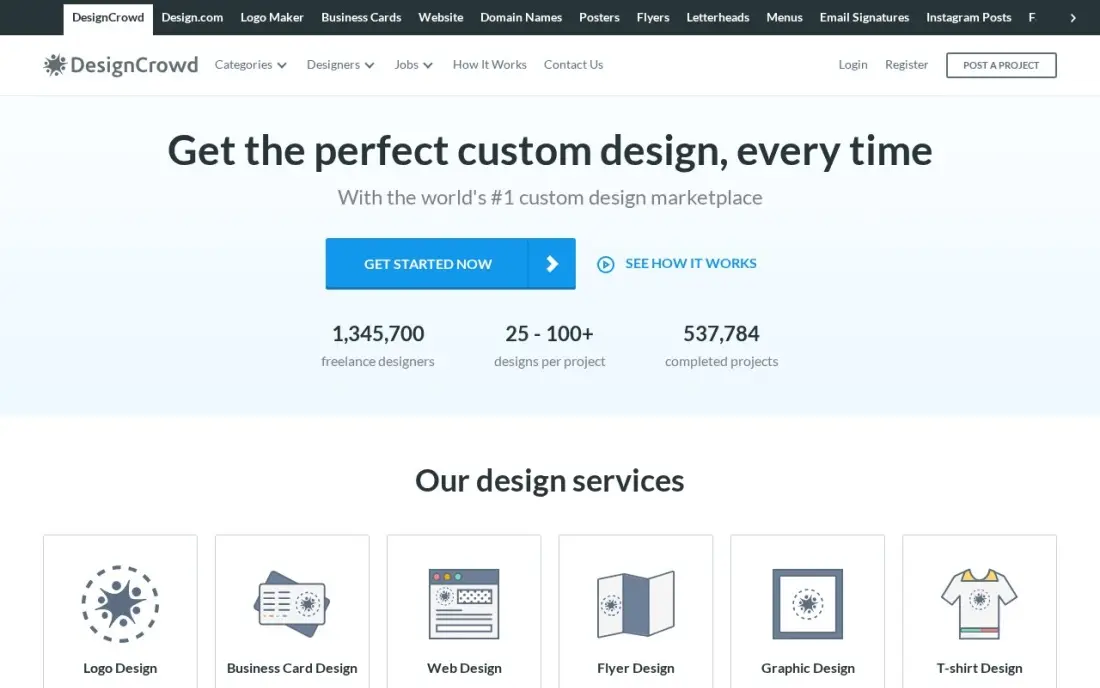
DesignCrowd has the lowest entry price of the contest sites: a logo package starts at $109 for one to three designs, with larger packages at $229 for six or more designs, $319 for 50 or more and $739 for 150 or more. A money-back guarantee applies, and the company says its network holds over 1 million designers.
Read the fees before you commit. DesignCrowd lists a posting fee of up to $129 and a 4% transaction fee, so a $109 contest can really cost about $242, and package prices appear only after you start a project. Its G2 score of 2.9 from 21 reviews is the lowest in this list, with reviewers citing uneven quality.
What we like
- Lowest contest entry price in this list at $109 for a logo, against $299 at 99designs and crowdspring
- Over 1 million designers in the network, per DesignCrowd, with contests typically drawing 50–100+ entries on larger packages
- Money-back guarantee if you are not satisfied with the designs
- Fixed-price projects from $29 for simple design tasks
Watch out for
- Lowest G2 score here at 2.9/5 from 21 reviews, with reviewers citing variable submission quality
- A posting fee of up to $129 plus a 4% transaction fee can lift the real cost well above the $109 package price
- No single public pricing page — package prices appear only after you sign up and start a project
Canva
Best for: Founders who want to design a simple logo themselves and keep brand assets in one place
Canva is the do-it-yourself route for a company that cannot justify a designer yet. The drag-and-drop editor and template library make a simple text or icon mark achievable in an afternoon, and Pro adds Brand Kit, which stores your logo, colours and fonts so every flyer and social post stays consistent. Pro costs $18 a month, or $144 a year billed annually.
The free plan covers templates but not Brand Kit, background remover or Magic Resize. A template-based logo is also easy for another business to match, so treat it as a starter mark and budget for a designed logo once the brand matters. G2 rates Canva 4.7 from 7,660 reviews.
What we like
- The easiest do-it-yourself route: the drag-and-drop editor and template library make a simple text or icon mark achievable in an afternoon
- Magic Studio AI tools and Brand Kit come with Pro, so a small team can stay on-brand without a designer
- The free plan includes more than 250,000 templates and 5GB of storage, so a first logo draft costs nothing
Watch out for
- A template-based logo is easy for another business to match, so it may not stay distinctive
- Brand Kit, background remover and Magic Resize all need Pro, so the free plan is template-only for branding
- Best treated as a starter mark — budget for a designed logo once the brand matters

Adobe Illustrator
Best for: In-house designers who need professional vector logo files that print at any size
If your company has a designer on staff, or you plan to hire one, Adobe Illustrator is the tool professional logos are drawn in. Vector files scale from a business card to a sign without losing quality and open everywhere in print and branding. The single-app plan costs $22.99 a month on an annual plan billed monthly, with desktop and iPad apps, Adobe Fonts and 100GB of cloud storage.
It is not a beginner tool. The pen tool and path workflow take real practice, there is no free plan beyond a 7-day trial, and access ends when you stop paying. Ask any outside designer you hire to deliver editable vector files so you are never locked out of your own logo.
What we like
- The professional vector editor: logos, icons, type, packaging and print in one program
- Text to Vector Graphic and Generative Recolor add Firefly AI to vector work
- Works on desktop and iPad with 100GB of cloud storage and Adobe Fonts included
- Files open everywhere in the print and branding world, with no conversion worries
Watch out for
- Subscription only — no perpetual license, and access ends when you stop paying
- The pen tool and path workflow take real practice; beginners face a steep first month
- No free plan, only a 7-day trial
The best company logo designers give you an original mark you own outright, in files that work on a website, a van and a business card. We compared seven routes to a company logo — design contests, freelance marketplaces and do-it-yourself tools — on real cost after fees, rights, refunds and how much effort each asks of you, with every price checked on the vendor's own pages in November 2026.
How to choose the best company logo designers
- Decide between choice and collaboration. Contests show you many concepts from many designers; hiring one designer gives you a conversation and revisions with the same person.
- Add the fees to the headline price. Platform, posting and service fees can add 5% to more than 100% on top of the package price.
- Get the rights in writing. Full copyright or IP transfer should be part of the deal, not an upgrade.
- Ask for vector source files. An AI, EPS or SVG file is what printers and sign makers need; a PNG alone is not a finished logo.
- Check the refund terms. Money-back guarantees and refund windows differ by platform, so read them before you pay.
- Write a real brief. Your audience, competitors, colours you like and hate, and where the logo will appear do more for quality than a higher tier.
A new logo is also a good moment to tidy up how your company appears online. When you update the website and Google Business Profile with the new brand, our local SEO service can make sure the change helps rankings rather than confusing them, and the free local business schema generator adds your logo to the structured data Google reads.
Company logo designers pricing: what you will actually pay
Here is what a single logo costs through each route on published prices. A 99designs Bronze contest is $299 plus the 5% platform fee, or $313.95, and Silver is $499 before the fee. Crowdspring Silver is $299 with fees included. A DesignCrowd logo package starts at $109, but with a posting fee of up to $129 and a 4% transaction fee, the real total can reach about $242. On Fiverr, a $100 logo gig costs $109 at checkout, and on Upwork a $500 fixed-price contract costs $525 plus the $0.99 to $14.99 initiation fee.
Doing it yourself costs time instead of fees. Canva Pro is $18 a month billed monthly, or $144 a year billed annually, and Adobe Illustrator is $22.99 a month on an annual plan billed monthly, or about $276 over the year. For a company that needs one logo and nothing else, a contest or a single freelancer is usually cheaper than a design subscription.
Know the difference: logo contest vs freelance designer
A logo contest turns the brief into a competition. 99designs, Crowdspring and DesignCrowd invite many designers to submit concepts, you give feedback in rounds and you pay only the winner. It works best when you will recognise the right logo when you see it, and it gives a small company a wide range of ideas for a fixed price.
A freelance designer works for you alone. On Upwork or Fiverr you choose one person by portfolio and reviews, agree a price and revisions, and build the logo together. You see fewer ideas, but you get more thought behind each one, and the same designer can produce business cards, social graphics and a style guide afterwards.
Quick comparison: tool type by need
| Buyer | Best pick | Why |
|---|---|---|
| Most companies | 99designs | About 30 concepts from $299 plus 5%, full copyright |
| All-in contest pricing | Crowdspring | $299 including fees, 30-day refund |
| One vetted designer | Upwork | Free to post, 5% marketplace fee |
| Fixed-price package | Fiverr | Price, delivery and revisions shown up front |
| Tightest budget contest | DesignCrowd | From $109 before posting and transaction fees |
| Do it yourself | Canva | Free editor, Brand Kit on Pro at $18/month |
| In-house designer | Adobe Illustrator | Professional vector files, $22.99/month |
Mistakes to avoid
- Judging the price before the fees. Compare the total at checkout, not the package headline.
- Accepting a PNG as the final logo. Always get an editable vector file and the exact colour codes.
- Writing a one-line brief. Vague briefs produce generic logos on every platform.
- Skipping a trademark check. Search for similar marks in your industry before you print anything.
- Testing the logo only on a big screen. Check it at favicon size, in one colour and on a dark background before you approve it.
Related comparisons: Website Design Services · Presentation Platforms · Platforms for Artists · Free Vector Graphics Software
How we chose
We checked each platform's own pricing and fee pages in November 2026 and recorded the starting price exactly as shown, including platform, posting and service fees where published. We ranked the routes by fit for the most common buyer, a small or mid-size company that needs one original logo it owns outright. Ratings come from G2 pages checked on the dates shown in the sources. No vendor paid for a place in this list, and none of the links here are affiliate links.
What to do next
Write a one-page brief this week — who your customers are, three competitors, colours to use and avoid, and every place the logo will appear — then run it through one contest or two shortlisted freelancers. When the new logo is ready, make sure your website and listings carry it consistently. Get a free SEO review.
Frequently asked questions
Who are the best company logo designers?
For most companies, 99designs is the best route: a Bronze contest costs $299 plus a 5% fee and brings about 30 concepts with full copyright. Crowdspring offers contests at an all-in $299, while Upwork and Fiverr suit companies that want to hire one designer directly.
How much does a company logo cost?
On published prices, a DesignCrowd contest starts at $109 before fees, 99designs Bronze costs $299 plus 5%, Crowdspring Silver is $299 all-in, and Fiverr gigs carry a 5.5% service fee on the seller's price. Doing it yourself in Canva Pro costs $18 a month.
Do I own the copyright to my logo?
On the contest sites in this list, yes: 99designs includes full copyright in every package, and Crowdspring transfers full intellectual property. With a freelancer on Upwork or Fiverr, confirm the rights transfer and the source files in writing before you pay.
Is a design contest better than hiring one logo designer?
A contest is better when you know what you like but cannot describe it, because you see many concepts. Hiring one designer is better when you want a strategy conversation and several revision rounds with the same person.
What files should a logo designer deliver?
At minimum, an editable vector file such as AI, EPS or SVG, plus PNG versions with transparent backgrounds, colour and one-colour variants, and the exact colour codes and font names. Without the vector file, every future resize becomes a redesign.
Can I design my company logo for free?
Yes. Canva's free plan includes templates and the editor, and Inkscape is a free vector editor. A free template-based logo works as a starting point, but it is harder to protect and easier for others to copy than an original design.
How do I get a good logo for a construction company?
Write a real brief first: your customers, competitors, colours you like and hate, and where the logo will appear, such as signs, vehicles or shirts. Then choose contest or hire. 99designs and crowdspring contests start at $299 and DesignCrowd at $109, giving many concepts; Upwork and Fiverr let you work with one designer. Either way, get full copyright in writing and vector files such as AI, EPS or SVG for printers and sign makers.
Sources we checked (13)
- 99designs — 99designs.com/pricing (checked November 12, 2026)
- 99designs reviews on G2 (checked November 12, 2026)
- Crowdspring — www.crowdspring.com/help/pricing-payment/how-much-does-it-cost-to-post-a-project (checked November 12, 2026)
- Crowdspring reviews on G2 (checked November 12, 2026)
- Upwork — www.upwork.com/resources/is-upwork-free (checked November 12, 2026)
- Upwork reviews on G2 (checked November 12, 2026)
- Fiverr — www.fiverr.com (checked November 12, 2026)
- Fiverr reviews on G2 (checked November 12, 2026)
- DesignCrowd — www.designcrowd.com (checked November 12, 2026)
- DesignCrowd reviews on G2 (checked November 12, 2026)
- Canva — www.canva.com/pricing (checked November 12, 2026)
- Canva reviews on G2 (checked November 12, 2026)
- Adobe Illustrator — www.adobe.com/products/illustrator.html (checked November 4, 2026)
Make one of these tools?
We re-check this list every quarter. Send a correction, request a review, or ask about a clearly labeled sponsored spot.
Request a listingShamim
Founder of SerpAstra
A full-stack digital marketer and SEO strategist covering technical and local SEO, AI search visibility, paid ads and lead generation for local businesses, e-commerce brands and SaaS teams.
Free SEO and AI visibility audit
Find out what is holding your rankings back
Send us your site. Within 2 business days you get a written audit, an AI visibility check and a short fix list ranked by impact. Free, with no contract attached.
Request my free audit→Related buying guides
 Business SoftwareBest Crowdsourcing Platforms (2026): 9 Options Ranked for Every BudgetCompare the 9 best crowdsourcing platforms for hiring freelancers, running design contests and sourcing data work, with real fees checked November 12, 2026.Read guide →
 Graphic Design & CreativeBest Digital Art Software for 2026: 11 Options Compared by Use CaseCompare the 11 best digital art software options for 2026 by use case, with real prices — from free open-source tools to Photoshop at $22.99 a month.Read guide →
 Business Software8 Best Platforms for Freelancers in 2026, ComparedCompare the 8 best platforms for freelancers: marketplaces to win clients and tools to invoice and track time, with freelancer fees checked in November 2026.Read guide →