
8 Best Day Planner Apps in 2026, Compared
Compare the 8 best day planner apps for time-blocking, daily rituals and AI scheduling, on free plans, platforms and real yearly cost, with prices checked.
 Shamim Mia, Founder, SerpAstraLast verified November 10, 20269 min read
We compare pricing pages, documentation and public reviews. We never accept payment for rankings.
Key takeaways
- Sunsama is the best day planner app for a guided daily planning ritual, at $17 a month billed annually; Structured is the best free visual timeline for Apple devices.
- Motion and Reclaim.ai plan the day for you with AI; Reclaim has a free Lite plan, while Motion costs $29 a month billed annually for one person.
- TickTick is the cheapest full planner here at $35.99 a year, with tasks, calendar, habits and a focus timer in one app.
- Annual billing nearly halves the cost of most paid planners: Akiflow drops from $34 to $19 a month and Morgen from $30 to $15.
On this page
Quick comparison
| Tool | Best for | Starting price | Free plan |
|---|---|---|---|
| Sunsama | People who want a guided morning ritual that turns tasks into a realistic, time-boxed day | $22/mo | No (14-day trial) |
| Structured | iPhone, iPad and Mac users who want a free visual timeline of their day | Free; Pro in-app | Yes (free app) |
| Akiflow | Busy professionals who want every task inbox and calendar in one time-blocking planner | $19/mo (annual) | No (7-day trial) |
| Motion | People with meeting-heavy days who want AI to build and rebuild the schedule for them | $49/mo | No (7-day trial) |
| Reclaim.ai | Google and Outlook users who want focus time, habits and breaks defended automatically | $12/mo | Yes (free Lite plan) |
| Morgen | People juggling several work and personal calendars who want tasks planned onto one view | $30/mo | No (14-day trial) |
| TickTick | Budget planners who want tasks, calendar, habits and a focus timer in one app | $35.99/yr | Yes (9 lists) |
| Todoist | People who plan from a fast task list rather than a timeline | $5/user/mo | Yes (5 projects) |
Make one of these tools?
We re-check this list every quarter. Send a correction, request a review, or ask about a clearly labeled sponsored spot.
Request a listingThe best day planner apps

Sunsama
Best for: People who want a guided morning ritual that turns tasks into a realistic, time-boxed day
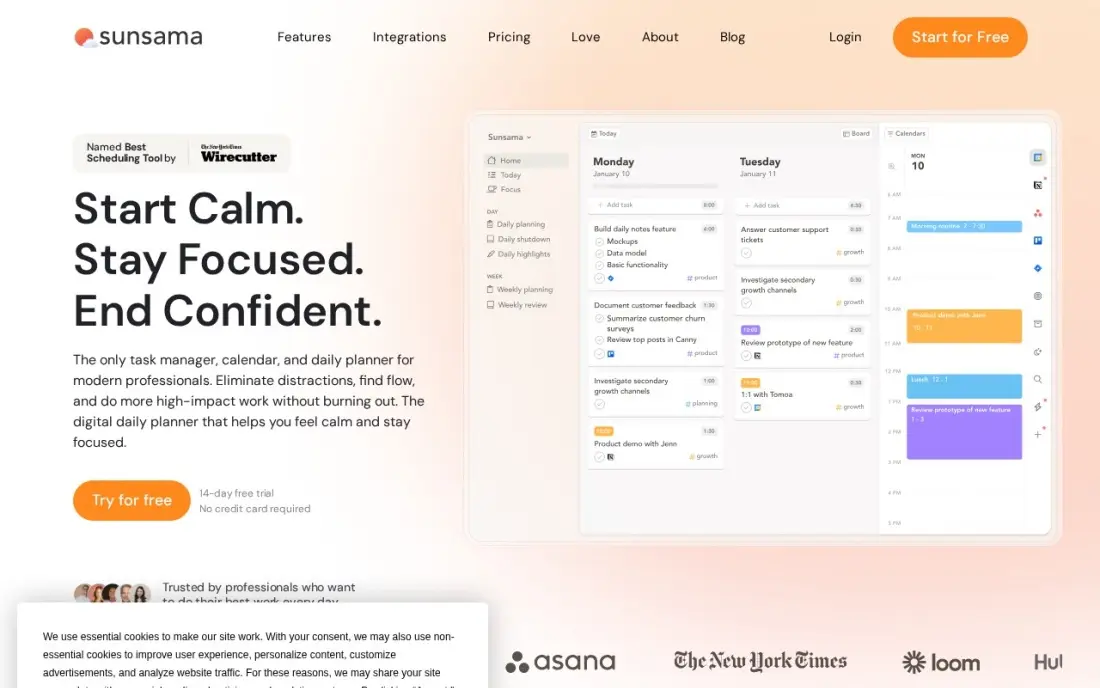
Sunsama is built around one habit: each morning it walks you through choosing today's tasks, estimating them and dragging them onto your calendar, then warns you when the plan is longer than the day. It pulls tasks from Asana, Trello, Todoist, Gmail and Slack, and ends the day with a shutdown ritual that moves unfinished work forward.
Pro costs $17 a month billed annually, or $22 monthly, with everything on one plan. There is no free plan, only a 14-day trial, and cancelling gives account credit rather than a refund. It suits people whose days are mostly self-directed work rather than back-to-back meetings.
What we like
- A guided morning ritual turns the task list into a realistic, time-boxed day
- Pulls tasks from Asana, Trello, Todoist, Gmail and Slack into one plan
- Focus mode and an end-of-day shutdown ritual keep the plan honest
- One plan with everything included, so there are no tiers to compare
Watch out for
- No free plan, only a 14-day trial, and cancellation gives account credit, not a refund
- The vendor's own pricing page still shows older $25 and $20 figures in its FAQ
- Manual daily planning suits routine days better than fast-changing ones

Structured
Best for: iPhone, iPad and Mac users who want a free visual timeline of their day

Structured shows your day as a single vertical timeline: each task is a coloured block with an icon, and you drag it to the time you plan to do it. The free version covers the timeline, an inbox for unscheduled tasks, subtasks with notes, a Pomodoro timer and sync across iPhone, iPad, Apple Watch and Mac, which is enough for many people.
Structured Pro adds calendar and Reminders sync, recurring tasks and routines, AI day planning and Replan, which moves missed tasks forward. It is sold monthly, yearly or as a lifetime purchase, and the US App Store lists Pro Lifetime at $99.99. Check the exact price in the app, because the store shows several Pro options.
What we like
- The free version includes the drag-and-drop day timeline, a task inbox, subtasks and a Pomodoro timer
- Syncs across iPhone, iPad, Apple Watch and Mac, with widgets and Live Activities
- Pro is sold monthly, yearly or as a one-time lifetime purchase
Watch out for
- Calendar and Reminders sync, recurring tasks and AI planning all need Pro
- The App Store lists several Pro prices, so check the exact price shown in the app before buying
- Built for personal planning, with no team features

Akiflow
Best for: Busy professionals who want every task inbox and calendar in one time-blocking planner
Akiflow is for people whose tasks arrive from everywhere. It pulls them from email, chat and project tools into one inbox, and you drag each one onto your calendar to block the time, with meetings and tasks side by side. One Pro plan includes the integrations, Aki, the AI assistant, and a free onboarding call.
Pro costs $34 a month on monthly billing or $19 a month billed yearly, which is $228 a year. There is no free plan, only a 7-day trial that needs a card, and the AI meeting assistant is a $19-a-month add-on. Students and researchers get 40% off the yearly plan.
What we like
- Collects tasks from email, chat and project tools into one inbox, then time-blocks them on the calendar
- One Pro plan includes integrations, the Aki AI assistant and a free 1:1 onboarding call
- Yearly billing cuts the price from $34 to $19 a month
- Students and researchers get 40% off Pro Yearly
Watch out for
- No free plan, and the 7-day trial needs a card
- The dearest solo planner here on monthly billing at $34
- The AI meeting assistant is a separate $19-a-month add-on

Motion
Best for: People with meeting-heavy days who want AI to build and rebuild the schedule for them
Motion takes planning off your hands. You give each task a deadline, priority and duration, and its AI fits the work into the gaps between meetings, then rebuilds the plan when a call runs long or a new task arrives. Calendar, tasks, projects and meeting notes sit in one workspace, with booking links included.
That automation is priced accordingly. Pro AI for one person costs $29 a month billed annually, or $49 monthly, and the cheaper $19 rate shown on the pricing page is the per-seat team price. There is no free plan, only a 7-day trial, and purchases are non-refundable, so use the trial on a real week.
What we like
- AI auto-schedules tasks around meetings and re-plans the day when things slip
- Calendar, tasks, projects, docs and meeting notes live in one workspace
- Booking links and a meeting notetaker come with the AI features
- Team Pro drops to $19 a seat a month billed annually, so teams pay far less per head
Watch out for
- One person pays $49 a month, not the $19 team rate the pricing page shows first
- No free plan, only a 7-day trial, and purchases are non-refundable
- AI credits cap at 7,500 a month on Pro, with extra credits charged on top

Reclaim.ai
Best for: Google and Outlook users who want focus time, habits and breaks defended automatically
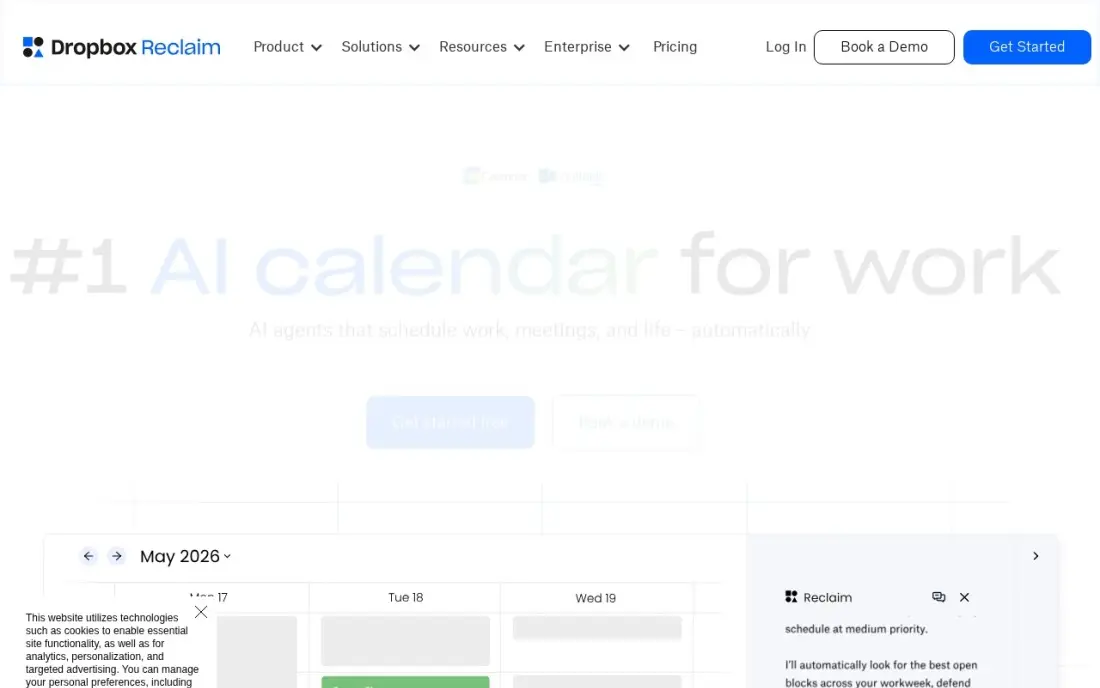
Reclaim.ai plans your day by defending time rather than listing tasks. You set habits such as lunch, exercise or a daily writing block, plus tasks with deadlines, and it books them around your meetings and moves them when plans change. It can also sync events between work and personal calendars so people do not double-book you.
The free Lite plan covers the core scheduling, though it caps you at five AI agents and a one-week range. Starter costs $10 a user a month billed annually, or $12 monthly. There is no native mobile app, and it works only with Google Calendar and Outlook, not iCloud.
What we like
- A real free Lite plan that defends focus time, habits and breaks
- Auto-schedules tasks and habits around meetings, then moves them when plans change
- Syncs events between Google and Outlook calendars to protect availability
- The tool Clockwise itself recommended when it shut down in March 2026
Watch out for
- No native mobile app yet, so phone use runs through the web or the calendar itself
- Lite caps at 5 AI agents and a 1-week scheduling range, so real use needs Starter
- Works only on Google Calendar and Outlook, not iCloud directly

Morgen
Best for: People juggling several work and personal calendars who want tasks planned onto one view

Morgen layers Google, Outlook, iCloud, Fastmail and Zoho calendars into one view, then lets you drag tasks from Notion, Todoist, ClickUp and Linear onto the day. Its AI planner suggests a daily plan and adjusts it when meetings move. It runs on Mac, Windows, Linux, iOS, Android and the web.
Individual costs $15 a month billed annually, or $30 monthly, which makes it the dearest monthly option after Akiflow. There is no free plan, only a 14-day trial. Choose Morgen when your problem is many calendars, especially across operating systems, rather than a long task list.
What we like
- Layers Google, Outlook, iCloud, Fastmail and Zoho calendars into one view
- Tasks from Notion, Todoist, ClickUp and Linear can be dragged onto the calendar
- Runs on Mac, Windows, Linux, iOS, Android and the web
- AI planner suggests a daily plan and re-plans when meetings move
Watch out for
- No free plan at all, only a 14-day trial before the $30 a month bill starts
- The most expensive solo planner here on monthly billing
- Team plans need at least two seats, so a solo user cannot split the cost

TickTick
Best for: Budget planners who want tasks, calendar, habits and a focus timer in one app
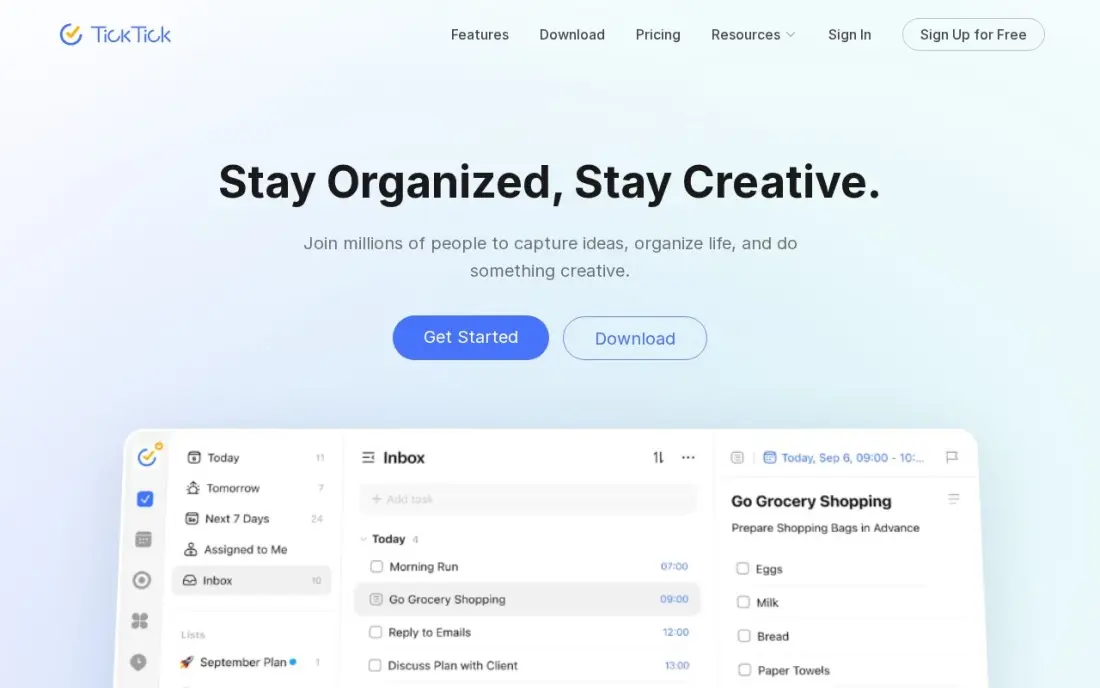
TickTick puts a to-do list, a calendar view, a habit tracker and a Pomodoro timer in one app, which covers what most people mean by a day planner. Tasks with times appear on the calendar, two-way calendar sync shows meetings alongside them, and smart lists show today's work. The free plan covers nine lists.
Premium costs $35.99 a year billed annually, or $3.99 monthly, the cheapest full plan here, but the annual price is shown as an offer against a $49.99 list price, so check what renewal will cost. There is no free trial of Premium and no family plan.
What we like
- One subscription covers tasks, calendar, habit tracking, Pomodoro timer and reminders
- Premium is $35.99 a year, the cheapest full task-plus-calendar plan here
- Two-way calendar sync, custom filters, smart lists and location reminders
- AI voice task creation and meeting transcription arrived in the 2026 update
Watch out for
- The $35.99 annual price is shown as a limited-time offer against a $49.99 list price — check the renewal price
- No free trial of Premium, so you pay before testing the paid features
- No team or family plan: each person needs their own subscription

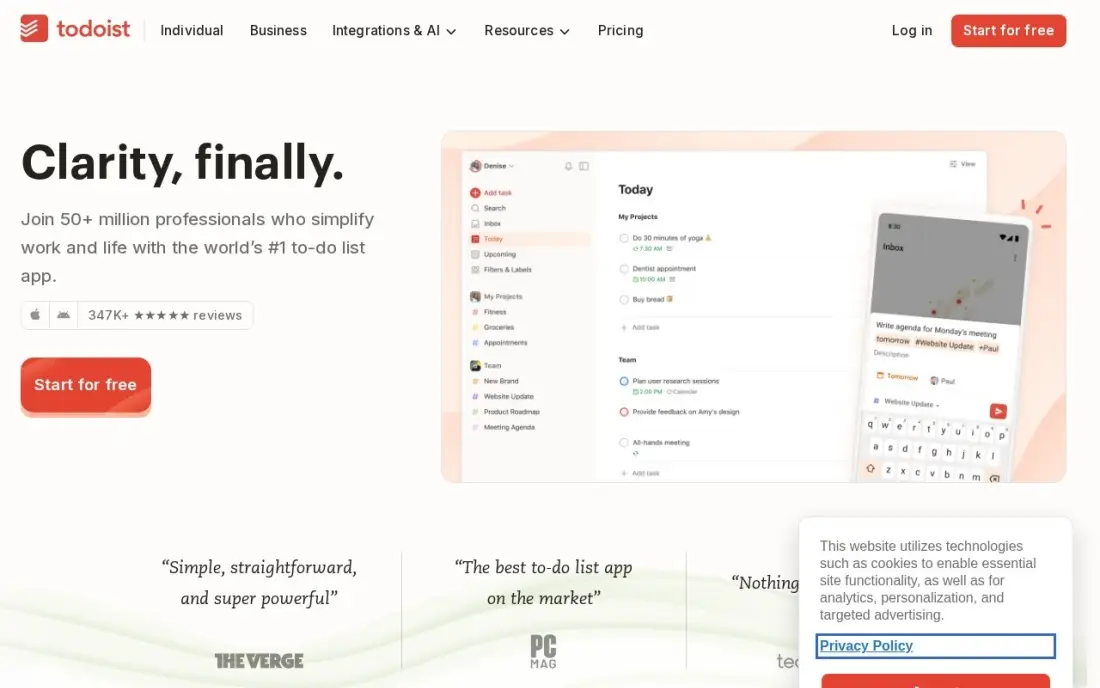
Todoist suits people who plan the day as a ranked list rather than blocks of time. Natural-language entry turns 'call Sara tomorrow 9am' into a dated task, the Today view shows what is due, and Pro adds a calendar layout, durations, reminders and filters. It runs on every platform, including web, Linux and Apple Watch.
Pro costs $5 a user a month billed annually, or $7 monthly. The free Beginner plan stops at five projects and has no reminders, which most planners need. Its calendar layout is a view, not a time-blocking planner, so pair it with Sunsama, Morgen or Reclaim if you want both.
What we like
- Natural-language entry turns 'call Sara tomorrow 9am' into a dated, reminded task
- Pro costs $5 a user a month billed annually, with 300 projects, filters and calendar layout
- Runs on every platform, including web, Linux and Apple Watch
- Rated 4.5/5 on G2 from 855 reviews
Watch out for
- Free plan stops at 5 projects and has no reminders — the feature most planners need
- No built-in calendar or habit tracking; the calendar layout is a view, not a planner
- AI Assistant and task duration sit on Pro, so the free plan is a capture box only
The best day planner app shows you, before the day starts, whether your tasks actually fit around your meetings, and helps you put each one in a time slot rather than on an endless list. We compared eight apps across three styles of planning: guided daily rituals, visual timelines and AI schedulers, plus two strong task apps with calendar views. Every price below was checked on the vendor's own pricing page or app store listing in November 2026.
How to choose the best day planner app
- Pick your planning style first. If you like to plan by hand each morning, choose Sunsama or Structured; if you want the app to decide, choose Motion or Reclaim.ai.
- Check the calendar connection. A day planner is only useful if it sees your meetings, so confirm it supports Google, Outlook or iCloud, whichever you use.
- Count where your tasks come from. If they arrive by email, Slack and project tools, Akiflow and Sunsama pull them into one place; if you type them in yourself, a simpler app will do.
- Make sure it works on your devices. Structured is Apple-only, Reclaim has no native mobile app and Morgen runs on everything, including Linux.
- Look at what the free version leaves out. Free plans often drop reminders, calendar sync or recurring tasks, which are the features a daily planner relies on.
- Compare annual and monthly prices. Several apps nearly halve the price on yearly billing, but trials are short, so test on a real week before paying for a year.
A good daily plan protects time for the work that grows your business. If part of that work is marketing, our free UTM builder helps you track which campaigns bring visitors, and our monthly SEO service can take search off your list entirely.
Day planner app pricing: what you will actually pay
Here is what one person pays for a year on annual billing. TickTick Premium costs $35.99. Todoist Pro costs $5 a month, or $60. Reclaim.ai Starter costs $10 a month, or $120. Morgen costs $15 a month, or $180. Sunsama costs $17 a month, or $204. Akiflow costs $19 a month, or $228. Motion Pro AI costs $29 a month, or $348.
Monthly billing is where costs climb. Akiflow rises to $34 a month, Morgen to $30, Sunsama to $22 and Motion to $49, so a person who pays Motion monthly for a year spends $588 instead of $348. Structured is the outlier: its free version covers the timeline, and Pro is an in-app purchase that can be bought outright, with the US App Store listing a lifetime option at $99.99. Reclaim.ai's free Lite plan and TickTick's free plan are the cheapest ways to test whether planning the day changes how much you finish.
Know the difference: manual planners vs AI schedulers
A manual planner, like Sunsama, Structured, Akiflow or TickTick, gives you the tools to plan and leaves the decisions to you. You pick today's tasks, guess how long each will take and drag them onto the calendar. That takes five to fifteen minutes each morning, but it forces you to decide what matters, and many people find the ritual itself is what makes them productive.
An AI scheduler, like Motion or Reclaim.ai, makes those decisions for you. You enter deadlines, priorities and durations, and the app fills gaps between meetings and reshuffles everything when the day changes. It suits people with unpredictable, meeting-heavy days, but it only works if you keep task details accurate and trust the plan it builds.
Quick comparison: tool type by need
| Buyer | Best pick | Why |
|---|---|---|
| Guided daily planning | Sunsama | Morning ritual and time-boxing, $17/month billed annually |
| Apple users on a budget | Structured | Free visual timeline, Pro as an in-app purchase |
| Tasks from many inboxes | Akiflow | One inbox for email, chat and project tasks, $19/month yearly |
| Meeting-heavy days | Motion | AI builds and rebuilds the schedule, $29/month billed annually |
| Protecting focus time | Reclaim.ai | Free Lite plan that defends habits and focus blocks |
| Many calendars | Morgen | Google, Outlook, iCloud and more in one view, $15/month yearly |
| Cheapest full planner | TickTick | Tasks, calendar, habits and timer for $35.99/year |
| List-first planners | Todoist | Fast task capture with a calendar layout, $5/month yearly |
Mistakes to avoid
- Planning more than the day can hold. Add up your task estimates before you start; if they exceed the free hours between meetings, cut the list rather than the breaks.
- Skipping time estimates. Without durations, a planner is just a list with times on it, and the AI schedulers cannot work at all.
- Running two planners at once. Tasks split between a to-do app and a day planner get forgotten; choose one place where today's plan lives.
- Paying annually before testing. Trials run seven to fourteen days, so use them on a normal work week and keep the plan only if you used it every day.
- Ignoring the end of the day. Moving unfinished tasks forward each evening, which Sunsama and Structured Pro help with, keeps tomorrow's plan honest.
Related comparisons: Digital Planner Apps · Free Keyword Planner Tools · Trip Planner Apps · Route Planner Apps
How we chose
We checked each vendor's own pricing page or app store listing in November 2026 and recorded prices exactly as shown, with annual and monthly billing stated where both are listed. We compared planning style, calendar support, platforms, free version limits and yearly cost for one person, the most common buyer. Ratings come from G2 pages checked on the dates shown in the sources where a G2 page exists. No vendor paid for a place in this list, and none of the links here are affiliate links.
What to do next
Pick one manual planner and one AI scheduler from the table, use each for three working days, and keep the one where you finished more of what you planned. If you run a business and want marketing to take less of your week, book a free SEO consultation.
Frequently asked questions
What is the best day planner app?
Sunsama is the best day planner app for a guided daily planning routine, at $17 a month billed annually. Structured is the best free visual planner on Apple devices, Motion is the pick for AI scheduling and TickTick is the best budget option at $35.99 a year.
Is there a free day planner app?
Yes. Structured has a free version with its full visual timeline, Reclaim.ai has a free Lite plan, TickTick's free plan covers nine lists and Todoist's free Beginner plan covers five projects. Sunsama, Akiflow, Motion and Morgen offer trials only.
What is the difference between a day planner app and a to-do list app?
A to-do list tells you what needs doing; a day planner tells you when. Day planners put tasks on a timeline or calendar next to your meetings, so you can see whether the day actually fits, while to-do apps such as Todoist mainly rank and date tasks.
Which day planner app uses AI to schedule my day?
Motion and Reclaim.ai schedule tasks automatically around your meetings and re-plan when things change. Morgen and Akiflow include AI planning assistants, and Structured Pro adds AI day planning and Replan for missed tasks.
How much does a day planner app cost?
On published prices, TickTick Premium costs $35.99 a year, Todoist Pro $5 a month billed annually, Reclaim Starter $10, Morgen $15, Sunsama $17, Akiflow $19 and Motion $29 for one person, all billed annually. Monthly billing costs more for every one of them.
What is the best day planner app for iPhone?
Structured is the best fit for iPhone users who want a visual timeline, with a free version that syncs to iPad, Apple Watch and Mac. TickTick, Todoist, Sunsama and Morgen also have iPhone apps; Reclaim.ai has no native mobile app.
What is the best day planner app for PC?
Morgen is the strongest pick for a Windows PC: it runs on Mac, Windows, Linux, iOS, Android and the web, layers several calendars into one view, and plans tasks onto the day, from $15 a month billed annually. Reclaim.ai works in the browser with a free Lite plan. Skip Structured on a PC, because it is Apple-only.
Sources we checked (10)
- Sunsama — www.sunsama.com/pricing (checked November 10, 2026)
- Structured — apps.apple.com/us/app/id1499198946 (checked November 16, 2026)
- Akiflow — akiflow.com/pricing (checked November 16, 2026)
- Motion — www.usemotion.com/pricing (checked November 10, 2026)
- Reclaim.ai — reclaim.ai/pricing (checked November 10, 2026)
- Morgen — www.morgen.so/pricing (checked November 10, 2026)
- TickTick — ticktick.com (checked November 12, 2026)
- TickTick reviews on G2 (checked November 12, 2026)
- Todoist — todoist.com/pricing (checked November 12, 2026)
- Todoist reviews on G2 (checked November 12, 2026)
Make one of these tools?
We re-check this list every quarter. Send a correction, request a review, or ask about a clearly labeled sponsored spot.
Request a listingShamim
Founder of SerpAstra
A full-stack digital marketer and SEO strategist covering technical and local SEO, AI search visibility, paid ads and lead generation for local businesses, e-commerce brands and SaaS teams.
Free SEO and AI visibility audit
Find out what is holding your rankings back
Send us your site. Within 2 business days you get a written audit, an AI visibility check and a short fix list ranked by impact. Free, with no contract attached.
Request my free audit→Related buying guides
 Productivity & OfficeBest Digital Planner Apps (2026): 12 Apps Worth DownloadingCompare the 12 best digital planner app options for iPad, Android and desktop on price, free plans and features, with every price checked November 12, 2026.Read guide →
 Productivity & Office12 Best Cross-Platform Calendar for 2026 (Pros, Cons and Pricing)Compare the 12 best cross-platform calendar apps for 2026, with real starting prices, free plans and sync across iOS, Android and the web checked.Read guide →
 Project & Product Management7 Best To-Do List Apps for Small Business in 2026Compare the 7 best to-do list app for small business options on price, free plans and features, with every single price checked November 12, 2026.Read guide →