
8 Best Trip Planner Apps in 2026, Compared
Compare the 8 best trip planner apps for itineraries, group planning, bookings and offline maps, free and paid, with every price checked on vendor sites.
 Shamim Mia, Founder, SerpAstraLast verified November 4, 20269 min read
We compare pricing pages, documentation and public reviews. We never accept payment for rankings.

Key takeaways
- Wanderlog is the best trip planner app for most travellers: the free plan covers unlimited stops, shared editing and budgets, and Pro costs $39.99 a year.
- TripIt is the pick for trips built around bookings: forward your confirmation emails and it builds the itinerary, with flight alerts on Pro at $49 a year.
- Several strong planners are free: Google Maps, Tripadvisor and Kayak cost nothing, and Polarsteps keeps planning, tracking and sharing free.
- Pay only for what the trip needs on the road — offline access, route optimisation or flight alerts — and buy on the web where app-store prices differ.
On this page
Quick comparison
| Tool | Best for | Starting price | Free plan |
|---|---|---|---|
| Wanderlog | Travellers and groups who want a full day-by-day itinerary on a shared map for free | $39.99/yr | Yes (free plan) |
| TripIt | Frequent flyers and business travellers who want bookings turned into one itinerary automatically | $49/yr | Yes (free plan) |
| Stippl | Couples and friend groups who want itinerary, budget, expense splits and packing in one app | Free; PRO €24.99/yr | Yes |
| Tripadvisor | Travellers who choose hotels, restaurants and activities by reading reviews first | Free | Yes (free) |
| Google Maps | Travellers who want free saved lists, offline maps and navigation they already know | Free | Yes (free app) |
| Kayak | Price-watchers who want flight alerts and an itinerary organiser in one free app | Free | Yes (free) |
| Polarsteps | Backpackers and long-trip travellers who want to plan, track and share a route for free | Free; Plus €29.99/yr | Yes |
| Roadtrippers | Travellers whose trip is a drive across the US or Canada with stops along the way | $11.99/mo | Yes (1 trip, 3 stops) |
Make one of these tools?
We re-check this list every quarter. Send a correction, request a review, or ask about a clearly labeled sponsored spot.
Request a listingThe best trip planner apps

Wanderlog
Best for: Travellers and groups who want a full day-by-day itinerary on a shared map for free
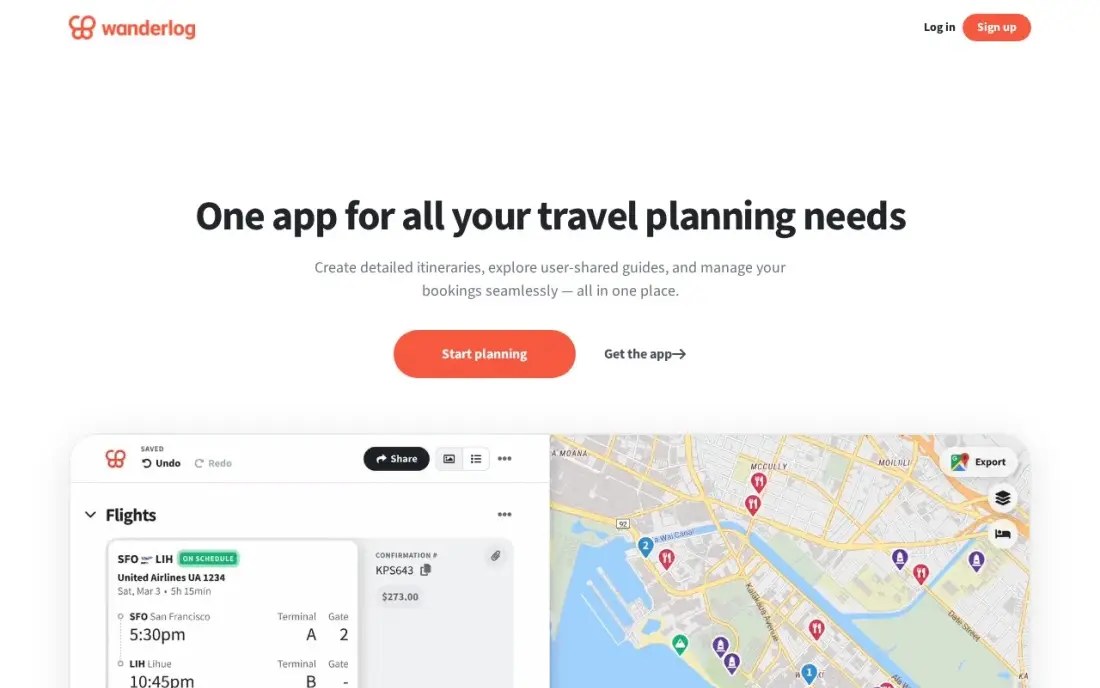
Wanderlog is the most complete free trip planner here. The free plan covers unlimited places, real-time shared editing, budget tracking and booking imports, all on a map that shows each day's stops with travel times between them. Places come with photos, opening hours and reviews, so research and planning happen in the same screen, which suits city breaks and multi-country trips alike.
Pro costs $39.99 a year on the web and adds offline access to the whole plan, route optimisation, Gmail scanning, unlimited AI help and Google Maps export. There is no monthly plan on the web, and the App Store shows several annual prices depending on the account, so buy through the website.
What we like
- The strongest free plan here: unlimited stops, real-time shared editing, budget tracking and booking imports at $0
- Map-first layout shows every place by day with driving times and distances between stops
- Places come with photos, hours and reviews, and the plan exports to Google Maps on Pro
- Pro adds offline access, automatic route optimization and unlimited AI help for $39.99 a year on the web
Watch out for
- Offline access and route optimization sit behind Pro, so the free plan needs a connection
- The App Store lists several annual prices ($31.99 to $59.99) depending on your account, so the web price is the one to buy through
- Importing places from social-media links is new and still misses some places

TripIt
Best for: Frequent flyers and business travellers who want bookings turned into one itinerary automatically
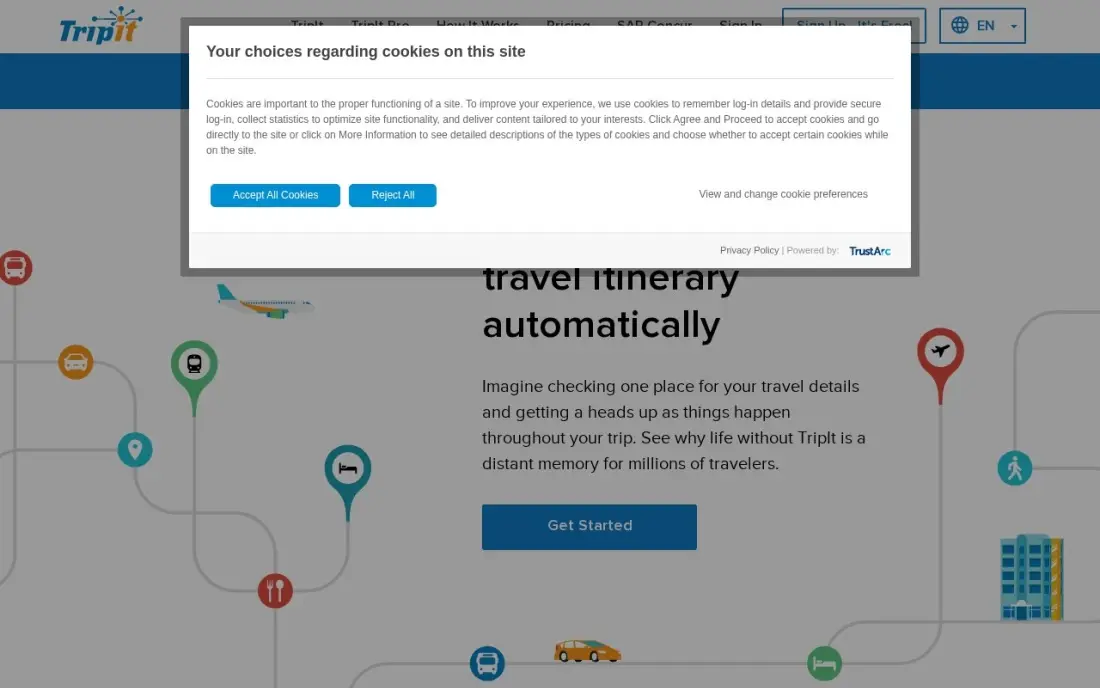
TripIt plans the trip from what you have already booked. Forward flight, hotel and rental confirmations to TripIt and it builds one timeline with maps, documents and calendar sync, so nobody has to dig through an inbox at the airport. Sharing lets a partner or assistant see the whole plan.
The free plan handles that organising. Pro costs $49 a year, with no monthly plan, and adds real-time flight alerts, fare-drop monitoring, a seat tracker, alternate flights and airport navigation, with a 30-day free trial. It does not suggest places or build days of sightseeing, so pair it with a planner such as Wanderlog for the itinerary itself. It holds 4.6 out of 5 on G2 from 44 reviews.
What we like
- Forward confirmation emails and TripIt assembles flights, hotels and rental cars into one timeline
- Pro adds real-time flight alerts, fare-drop monitoring, a seat tracker and alternate flights
- Calendar sync, document uploads and sharing keep the whole trip in one place
- 30-day free trial on Pro, and the $49 annual price is flat for everyone
Watch out for
- Not a route planner: it organises bookings but will not build or optimize a day-by-day route
- The useful features are all Pro — the free plan only organizes what you already booked
- No monthly plan, so a single trip still costs the full $49 a year

Stippl
Best for: Couples and friend groups who want itinerary, budget, expense splits and packing in one app
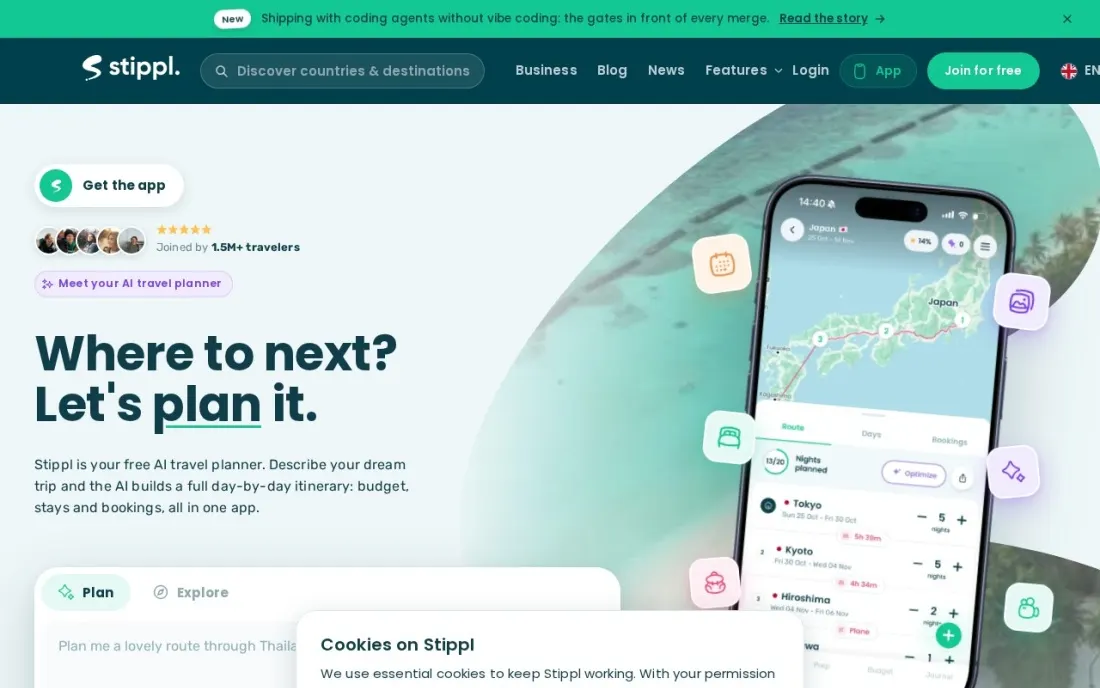
Stippl puts the parts of a group trip that usually live in separate apps into one: a shared itinerary that updates live for everyone, a budget planner with per-category tracking, automatic expense splits and per-person packing lists. A map view shows each day's plan, and a travel reel and scratch map give the trip a record afterwards.
The free plan covers itinerary planning, budgets and packing. PRO costs €24.99 a year, with no monthly price listed, and adds offline access and full AI day plans generated from a trip description. Stippl's own pages are not consistent about how much AI the free plan includes, so test it before paying. For friends splitting costs, it saves a second app.
What we like
- Shared itinerary with live updates for everyone on the trip
- Budget planner with per-category tracking and automatic expense splits
- Per-person packing lists, a map view and a travel reel after the trip
Watch out for
- Offline access and full AI day plans need PRO
- Only an annual PRO price is listed, in euros
- The vendor's own page is inconsistent on how much AI the free plan includes

Tripadvisor
Best for: Travellers who choose hotels, restaurants and activities by reading reviews first
Tripadvisor is where many trips start: more than 1 billion reviews and opinions across about 9 million listed businesses make it the quickest way to check whether a hotel, restaurant or tour is actually good. Its AI Trip Planner, in the app, builds day-by-day itineraries from that review data, so a traveller can go from reading reviews to a draft plan in one place.
The app is free, and price comparison pulls hotel rates from Booking.com, Expedia and other partners, with the free Rewards programme paying 5% back in Trip Cash on eligible bookings. Bookings usually finish on a partner site, and sponsored placements sit beside organic results, so check the reviews rather than trusting the first listing.
What we like
- More than 1 billion reviews and opinions across about 9 million listed businesses
- Tripadvisor Rewards is free to join and pays 5% back in Trip Cash on eligible bookings
- AI Trip Planner in the app builds day-by-day itineraries from review data
- Price comparison pulls rates from Booking.com, Expedia and other partners in one search
Watch out for
- Tripadvisor rarely sells the room itself, so checkout and changes happen on a partner site
- The $99-a-year Tripadvisor Plus subscription was shut down in 2024, so there is no paid tier for deeper discounts
- Sponsored placements sit alongside organic results, so the top result is not always the best-reviewed one

Google Maps
Best for: Travellers who want free saved lists, offline maps and navigation they already know
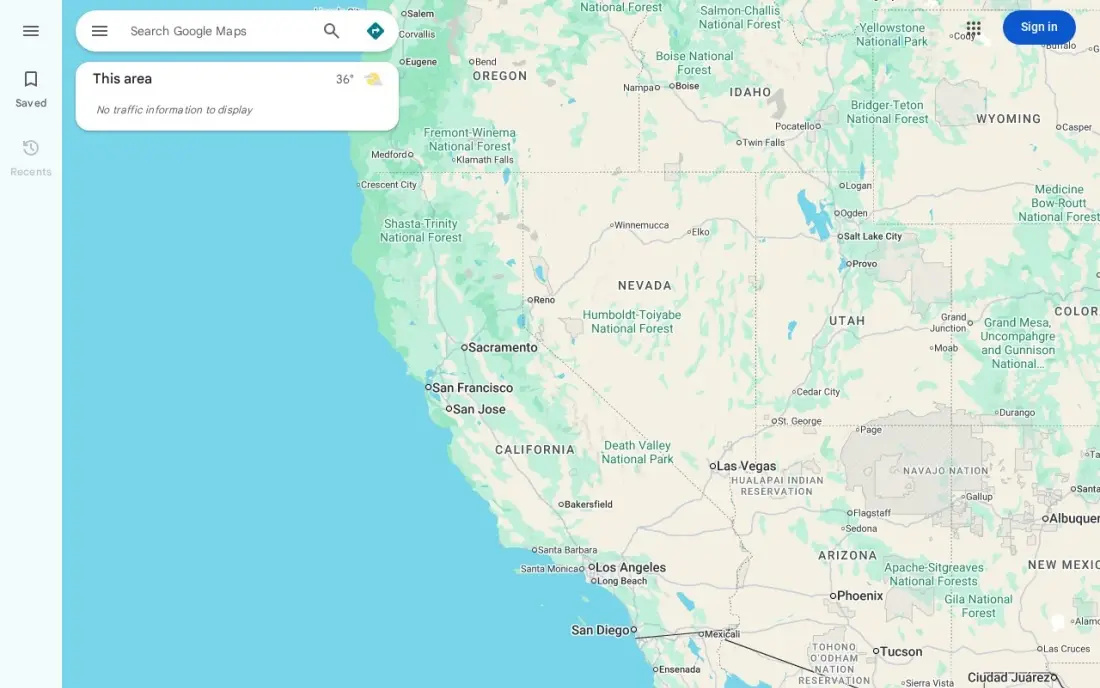
Google Maps is the trip planner most people already carry. Saved places and custom lists sync from the desktop to the phone, so you can pin every restaurant and sight before you go, and offline maps cover areas without signal. On the day, live traffic, transit times and turn-by-turn navigation get you between stops, anywhere in the world, with no account fees.
It is free with no paid plan. What it lacks is structure: there is no day-by-day schedule, a route holds up to 10 places, and there is no automatic stop ordering or shared budget. Use it alongside a planner, or on its own for a short city break where a list of saved places is plan enough.
What we like
- Free forever for drivers, with live traffic, ETAs and turn-by-turn navigation on every phone
- Saved places and lists sync from desktop to phone, and offline maps cover stretches without signal
- No account or subscription needed to plan a route, and it works everywhere in the world
- Gas prices and toll estimates shown along the route
Watch out for
- Ten places per route, counting the start, so a week-long drive becomes several separate routes
- No automatic stop-order optimization — you drag stops into place yourself
- No day-by-day schedule and no shared budget, so it works best alongside a planner

Kayak
Best for: Price-watchers who want flight alerts and an itinerary organiser in one free app
Kayak covers the booking side of trip planning. Its Price Forecast gives a buy-now-or-wait call on most round-trip searches, price alerts are free with no stated limit, and the Fee Assistant adds baggage fees into displayed prices so cheap fares compare honestly. Once booked, Trips pulls flights, hotels and cars into one itinerary with flight status, gate changes and offline access.
The app is free with no paid tier. Kayak hands you to another site to book, and the price does not always survive the click, while Hacker Fares combine separate one-way tickets with separate change rules. For a traveller who wants to time the purchase and keep bookings together, it does both jobs free.
What we like
- Price Forecast gives a buy-now-or-wait call on most round-trip searches, based on the next seven days
- Price alerts are free with no stated limit on how many routes you can watch at once
- Trips pulls every booking into one itinerary with flight status, gate changes and offline access
- Fee Assistant folds baggage fees into the displayed price so cheap fares compare honestly
Watch out for
- Kayak hands you to another site to book, and the price you saw does not always survive the click-through
- The Price Forecast covers roughly the next seven days, so it cannot time a trip months out
- Hacker Fares combine separate one-way tickets, so each leg has its own change and refund rules

Polarsteps
Best for: Backpackers and long-trip travellers who want to plan, track and share a route for free
Polarsteps is a trip planner and travel journal in one. Plan a route, then let the app track where you go and build a map of the journey with photos at each step, which friends and family can follow without paying. Polarsteps says the core app stays free and ad-free, and that more than 20 million travellers use it.
Polarsteps Plus, launched in July 2026, costs €8.99 a month or €29.99 a year, with prices that may vary by region. It adds 3D maps, extra map styles, a play mode that replays the journey, elevation profiles, step statistics and up to 10 Travel Buddies. For a long backpacking or overland trip, the free app is enough.
What we like
- Planning, tracking and sharing trips stay free, and the app is ad-free
- Friends and family follow the trip without paying
- Plus adds 3D maps, play mode, elevation profiles and up to 10 Travel Buddies
- Polarsteps says more than 20 million travellers use it
Watch out for
- Built around tracking a journey more than scheduling each day
- Plus prices are in euros and may vary by region
- Travel Books cost extra; Plus yearly subscribers get 20% off

Roadtrippers
Best for: Travellers whose trip is a drive across the US or Canada with stops along the way
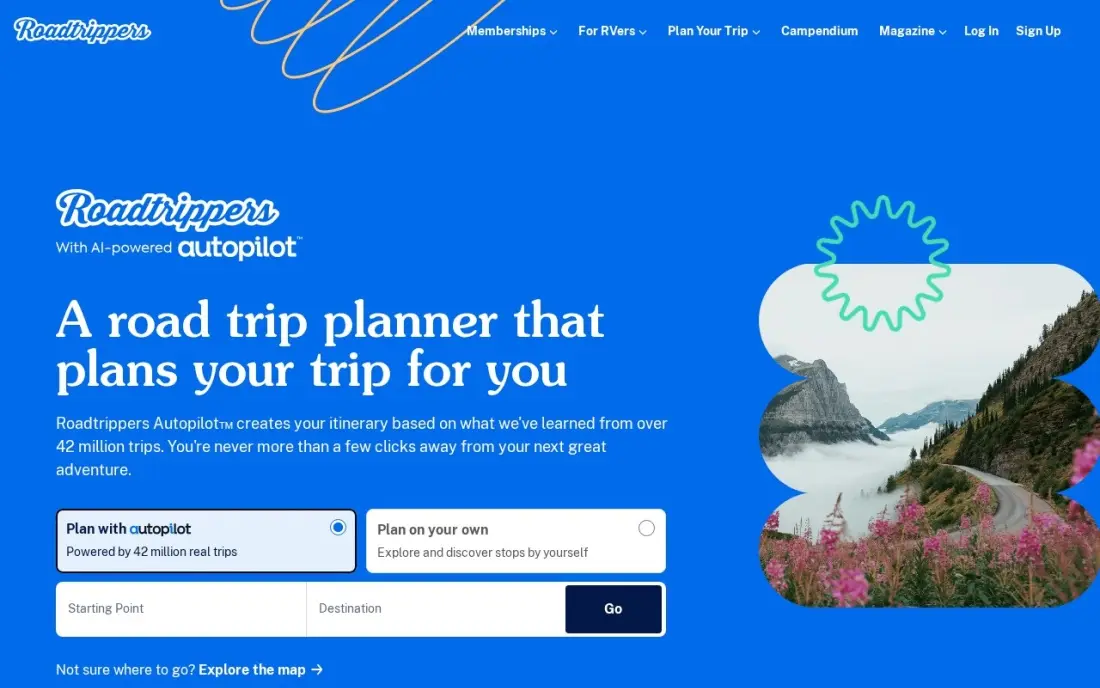
Roadtrippers is the planner for trips where the drive is the trip. Set a route and it fills the miles with diners, roadside attractions, campgrounds, hotels and viewpoints from more than 5 million places, with gas-cost estimates for the budget. Paid plans add trip export and collaboration, so a whole car can plan together.
The free plan covers one saved trip with 3 stops, which is only a test. Basic costs $11.99 a month or $35.99 a year, with a 7-day free trial on annual plans, and higher tiers add RV routing, offline maps and an AI trip builder. Coverage is built for the US and Canada, plus Australia and New Zealand, so it is not the tool for Europe or Asia.
What we like
- Discovery-first planning: more than 5 million places, including diners, roadside attractions, campgrounds and scenic viewpoints, plotted on your route
- Premium adds RV-aware routing, offline maps, RV GPS navigation and Autopilot, an AI tool that builds a trip from a few prompts
- Trip export and collaboration on paid plans, plus gas-cost estimates for budgeting
- 7-day free trial on annual plans, and the Basic plan is $35.99 a year
Watch out for
- Free plan covers only 1 saved trip with 3 stops, so any real trip needs a paid plan
- Coverage is built for the United States and Canada, with Australia and New Zealand added, and little beyond that
- Annual plans auto-renew, and the monthly price is steep if you only take one trip a year
The best trip planner app turns a pile of bookings, saved places and ideas into a day-by-day plan you can follow on your phone, offline if needed, and share with everyone travelling with you. We compared eight apps that cover the main ways people plan: full itinerary builders, booking organisers, review-led planners, map apps and route-based planners. Every price below was checked on the vendor's own pages in November 2026, and most of these apps can be used free.
How to choose the best trip planner app
- Decide what drives the trip. Sightseeing trips need an itinerary builder, business trips need a booking organiser, and road trips need a route planner.
- Check group features. Real-time shared editing, budgets and expense splits matter more than design when four people are planning together.
- Plan for no signal. If you will be abroad without data, check whether offline access is free or a paid feature.
- Look at where places come from. Planners that show reviews, hours and photos save switching between apps while you build each day.
- Treat AI suggestions as a draft. AI itineraries are a quick start, but check opening times and travel times before you rely on them.
- Buy upgrades on the web. App-store prices for the same plan can differ from the vendor's website.
If you run a tour company, hotel or attraction, these apps and the AI planners inside them are now where travellers find you. Our AI search optimization service helps travel businesses get recommended in AI answers, and our guide to the best tour companies for Spain and Portugal shows what travellers compare.
Trip planner app pricing: what you will actually pay
Take a couple planning two trips a year who want offline access and some AI help. Wanderlog Pro costs $39.99 a year on the web, and Stippl PRO costs €24.99 a year — both annual only. If one trip involves several flights, TripIt Pro adds $49 a year for flight alerts and fare-drop monitoring, so the full set comes to $88.99 a year with Wanderlog. Polarsteps Plus costs €29.99 a year, or €8.99 a month, but its core planning, tracking and sharing stay free.
Road trips cost differently. Roadtrippers Basic costs $35.99 a year or $11.99 a month, so a single summer drive is cheaper on one month at $11.99 than a full year — but cancel before it renews. Google Maps, Tripadvisor and Kayak cost nothing at all, and many travellers can plan an entire city break with free tools alone.
Know the difference: itinerary builders vs booking organisers
An itinerary builder starts with the places. You add sights, restaurants and hotels, arrange them into days and see them on a map with travel times between stops. Wanderlog, Stippl and Tripadvisor's planner work this way, and they are best for trips where most of the planning is deciding what to do.
A booking organiser starts with the confirmations. TripIt and Kayak's Trips read your flight, hotel and car bookings and turn them into one timeline with alerts when something changes. They do not suggest what to see, but they keep the fixed parts of the trip in order. Many travellers use one of each: a builder for the days, an organiser for the logistics.
Quick comparison: tool type by need
| Buyer | Best pick | Why |
|---|---|---|
| Most travellers and groups | Wanderlog | Free unlimited itinerary with shared editing, Pro $39.99/year |
| Frequent flyers | TripIt | Itinerary built from forwarded confirmations, Pro $49/year |
| Friends splitting costs | Stippl | Shared plan, budgets and automatic expense splits |
| Review-led planning | Tripadvisor | Free AI Trip Planner built on reviews |
| Short city breaks | Google Maps | Free saved lists, offline maps and navigation |
| Price-watchers | Kayak | Free price alerts, forecast and Trips itinerary |
| Backpackers and long trips | Polarsteps | Free planning, tracking and sharing; Plus €29.99/year |
| US and Canada road trips | Roadtrippers | Stops along the route, Basic $35.99/year |
Mistakes to avoid
- Planning every hour. Leave gaps each day; travel times, queues and weather always take more than an app predicts.
- Trusting AI plans without checking. Confirm opening days and hours before you build a day around a museum or restaurant.
- Forgetting offline access. Download the plan and the maps before you fly, not when you land without a signal.
- Paying for a year to plan one trip. Use a free plan or a single month where it exists, and cancel before renewal.
- Keeping bookings in five places. Forward every confirmation to one organiser so the whole group sees the same details.
Related comparisons: Road Trip Planner Apps · Free Keyword Planner Tools · Route Planner Apps · Day Planner Apps
How we chose
We checked each vendor's own pricing and product pages in November 2026 and recorded prices exactly as shown, including the currency and billing period. Where a vendor's page was unclear, we say so. We grouped apps by how they plan — itineraries, bookings, reviews, maps or routes — and ranked them on free-plan value, group features, offline access and fit for the most common trip, a one- to two-week holiday. Ratings come from G2 pages checked on the dates shown in the sources, where a rating exists. No vendor paid for a place in this list, and none of the links here are affiliate links.
What to do next
Start your next trip in Wanderlog's free plan, forward your bookings to TripIt, and download the offline maps before you leave — that covers most trips at no cost. If you run a travel business and want planners and AI assistants to recommend you, we can help. Book a free visibility review.
Frequently asked questions
What is the best trip planner app?
Wanderlog is the best for most travellers, with a free plan that covers unlimited places, shared editing and budgets, and Pro at $39.99 a year. TripIt is better for trips built around flights and hotels you have already booked, and Roadtrippers is better for US and Canada road trips.
Is there a free trip planner app?
Yes. Wanderlog, Stippl, TripIt and Roadtrippers have free plans, and Google Maps, Tripadvisor and Kayak are free with no paid tier. Polarsteps keeps planning, tracking and sharing trips free.
Which trip planner app is best for groups?
Wanderlog's free plan includes real-time shared editing and budget tracking, and Stippl adds automatic expense splits and per-person packing lists. Both let everyone on the trip see the same plan as it changes.
Which trip planner app works offline?
Google Maps offline maps are free. Wanderlog Pro ($39.99 a year) and Stippl PRO (€24.99 a year) add offline access to the itinerary, and Kayak's Trips itinerary also works offline.
Can a trip planner app build my itinerary with AI?
Several can. Tripadvisor's AI Trip Planner builds day-by-day plans from review data, Wanderlog Pro includes unlimited AI help, Stippl PRO generates full day plans from a trip description, and Roadtrippers' higher tiers include an AI trip builder.
Should I pay for a trip planner app?
Only if the trip needs a paid feature. Most planning works free; paying makes sense for offline access, route optimisation or real-time flight alerts. Wanderlog Pro at $39.99 a year and TripIt Pro at $49 a year are the two upgrades most travellers consider.
Sources we checked (10)
- Wanderlog — wanderlog.com/pro (checked November 12, 2026)
- TripIt — www.tripit.com/web/pro/pricing (checked November 12, 2026)
- TripIt reviews on G2 (checked November 12, 2026)
- Stippl — www.stippl.io/blog/stippl-vs-wanderlog (checked November 16, 2026)
- Tripadvisor — play.google.com/store/apps/details?id=com.tripadvisor.tripadvisor&hl=en_GB (checked November 4, 2026)
- Google Maps — maps.google.com (checked November 12, 2026)
- Google Maps reviews on G2 (checked November 12, 2026)
- Kayak — www.kayak.com/news/kayak-app (checked November 4, 2026)
- Polarsteps — www.polarsteps.com/news/polarsteps-launches-polarsteps-plus-a-new-subscription-for-its-most-dedicated-travelers (checked November 16, 2026)
- Roadtrippers — roadtrippers.com/membership (checked November 12, 2026)
Make one of these tools?
We re-check this list every quarter. Send a correction, request a review, or ask about a clearly labeled sponsored spot.
Request a listingShamim
Founder of SerpAstra
A full-stack digital marketer and SEO strategist covering technical and local SEO, AI search visibility, paid ads and lead generation for local businesses, e-commerce brands and SaaS teams.
Free SEO and AI visibility audit
Find out what is holding your rankings back
Send us your site. Within 2 business days you get a written audit, an AI visibility check and a short fix list ranked by impact. Free, with no contract attached.
Request my free audit→Related buying guides
 Business Software7 Best Road Trip Planner Apps in 2026: Free and Paid Apps RankedCompare the 7 best road trip planner app options on price, free plans and stop limits, with every price checked on the vendor's site on November 12, 2026.Read guide →
 Productivity & Office12 Best Travel Booking Apps in 2026, Tested on Features and PriceCompare the 12 best travel booking apps on price, coverage, cancellation and loyalty perks, with every price checked on the vendor's page on November 4, 2026.Read guide →
 Productivity & Office8 Best Apps for Booking Flights on Mobile in 2026Compare the 8 best app for booking flights on mobile options: every one is free, with price alerts, fare forecasts and flexible search checked November 4, 2026.Read guide →