
8 Best Tools for Enterprises to Integrate Apps in 2026
Compare the 8 best tools for enterprises to integrate apps, from MuleSoft and Boomi to Workato and Zapier, on pricing, governance and trials, checked Nov 2026.
 Shamim Mia, Founder, SerpAstraLast verified November 2, 20268 min read
We compare pricing pages, documentation and public reviews. We never accept payment for rankings.

Key takeaways
- MuleSoft is the best tool for enterprises to integrate apps when APIs and governance come first; packages start at $2,000 a month billed annually, with a 30-day trial.
- Boomi, Workato, Celigo and SnapLogic are full integration platforms, but none publishes a list price, so budget from a quote and a pilot.
- Power Automate is the low-cost route for Microsoft 365 companies, with standard connectors included and Premium at $15 a user a month billed annually.
- Zapier and n8n suit department-level integrations: Zapier for business users, n8n for technical teams that want to self-host for free.
On this page
Quick comparison
| Tool | Best for | Starting price | Free plan |
|---|---|---|---|
| MuleSoft | Large enterprises that integrate apps through managed APIs with strict governance | From $2,000/mo (annual) | No (30-day trial) |
| Boomi | Enterprises that want application, data, API and B2B/EDI integration on one low-code platform | Custom quote | No (30-day trial) |
| Workato | IT and business operations teams that automate across SaaS apps under central controls | Usage-based | Yes (Workato Free) |
| Celigo | Mid-market and enterprise teams integrating ERP, ecommerce and finance apps | Custom quote | No (30-day trial) |
| SnapLogic | Enterprises that move large data volumes between apps, warehouses and AI workloads | Custom quote | No (demo) |
| Microsoft Power Automate | Microsoft 365 enterprises connecting Outlook, Teams, SharePoint and Dynamics with other apps | $15/user/mo (annual) | Yes (M365) |
| Zapier | Business teams inside an enterprise that need quick app-to-app integrations without IT tickets | Free; $19.99/mo (annual) | Yes (free plan) |
| n8n | Engineering teams that want to self-host integrations and keep data inside their own network | Free self-hosted; $20/mo (annual) | Yes (self-hosted) |
Make one of these tools?
We re-check this list every quarter. Send a correction, request a review, or ask about a clearly labeled sponsored spot.
Request a listingThe best enterprise app integration tools

MuleSoft
Best for: Large enterprises that integrate apps through managed APIs with strict governance
MuleSoft is the integration platform enterprises choose when every connection should be a managed API. Teams build reusable APIs over systems such as ERP, CRM and databases, then govern them with policies, guardrails and token budgets, and the newer packages extend the same controls to AI agents and document processing. It is built for central IT, not for a marketer wiring two apps together.
Pricing now runs on Mule Credits shared across integration, API management and automation. Packages start at $2,000 a month billed annually, Pre-Commit has a $50K annual minimum, and Unlimited is a custom fixed price. A 30-day trial covers the full portfolio.
What we like
- API-led integration with API management, policies and guardrails in one platform
- Mule Credits work across integration, API management, automation and agents
- Dashboards forecast credit use by application, team, environment or cost centre
Watch out for
- Packages start at $2,000 a month billed annually, the highest published entry here
- Pre-Commit has a $50K minimum annual commitment
- Credit rates differ by usage type, so forecasting needs a pilot

Boomi
Best for: Enterprises that want application, data, API and B2B/EDI integration on one low-code platform
Boomi is the broad low-code integration platform. Application integration, APIs, data tools, AI agents and EDI and B2B trading sit in one designer, with 80-plus application connectors and pre-built transformations, so one team can connect the ERP, the CRM and the trading partners without three separate products. A 30-day free trial lets a team build a real flow first.
Boomi publishes no list price and quotes by deployment. Third-party sources put an entry point around $550 a month, but reviewers say costs climb with data volume and workflow complexity, so model a year of growth before signing. Choose it when integration needs span several kinds of work, not just app-to-app syncs.
What we like
- Full integration platform: EDI and B2B management sit beside APIs, data and AI agents
- Low-code interface with 80-plus application connectors and pre-built transformations
- 30-day free trial with no contract on the pay-as-you-go entry
- Strongest fit when integration needs span several kinds of work, not just app-to-app syncs
Watch out for
- The $550 figure is third-party sourced; Boomi publishes no list price and quotes by deployment
- Costs climb with data volume and complex workflows, per reviewers
- Overkill for an enterprise that only needs simple app-to-app syncs

Workato
Best for: IT and business operations teams that automate across SaaS apps under central controls
Workato sits where integration meets automation: it connects SaaS apps across CRM, ERP, HR and finance and runs the processes that move data between them, with controls IT can manage while business teams build. That split suits enterprises where operations teams want to automate quickly but security and audit still sit with IT.
Billing is usage-based, measured per capability and rolled up by job, use case and workspace, and Workato publishes no dollar prices. Workato Free and Workato Pro can be started self-service, though the documentation does not list the free plan's limits. Customers from before February 2024 are on an older model, so compare quotes carefully.
What we like
- Workato Free and Workato Pro can be started online without a sales call
- Usage-based billing tracked per capability, job and use case
- Built for SaaS-to-SaaS integration across CRM, ERP, HR and finance apps
Watch out for
- No published dollar prices
- The pricing documentation does not describe the free plan's limits
- Customers who joined before February 2024 are on a separate billing model

Celigo
Best for: Mid-market and enterprise teams integrating ERP, ecommerce and finance apps
Celigo's integrator.io is the integration platform many finance and ecommerce operations teams pick for business-app syncs such as orders, inventory and invoices between storefronts, ERPs and CRMs. Every edition includes support with SLAs, MFA, role-based access, Celigo AI and access to the Celigo Marketplace, so you are not paying extra for support.
There are three editions: Standard for critical integrations, Professional with API Builder, SSO and a sandbox, and Enterprise with the most governance and fastest SLAs. Celigo publishes no prices and says cost depends on edition and usage. The 30-day trial gives unlimited platform access.
What we like
- Support with SLAs, MFA and role-based access included in every edition
- Professional adds API Builder, SSO, a sandbox and enhanced SLAs
- 30-day free trial with unlimited platform access
Watch out for
- No published prices; the price depends on edition and usage
- Edition limits on endpoints and flows are not listed on the pricing page
- Sandbox and SSO wait for Professional

SnapLogic
Best for: Enterprises that move large data volumes between apps, warehouses and AI workloads
SnapLogic is the data-heavy option. Its packages include unlimited data movement, pipelines and integrations, priced by the data and application endpoints you connect rather than by volume, which suits an enterprise syncing apps with a data warehouse or feeding AI workloads. Deployment price is the same in its cloud or on your own GroundPlex nodes.
Packages are Essential, Professional and Enterprise One, but SnapLogic publishes no dollar prices and lists no free trial, only a demo. Premium Snap Packs and add-ons such as API Management, AgentCreator and ELT are sold separately, so get them itemised in the quote.
What we like
- Unlimited data movement, pipelines and integrations in every package
- Priced by the endpoints you connect, the same on GroundPlex or CloudPlex
- A customer success manager and online training come with every package
Watch out for
- No published prices; a demo is the only route
- No free trial listed on the pricing page
- Premium Snap Packs and add-ons such as API Management cost extra

Microsoft Power Automate
Best for: Microsoft 365 enterprises connecting Outlook, Teams, SharePoint and Dynamics with other apps
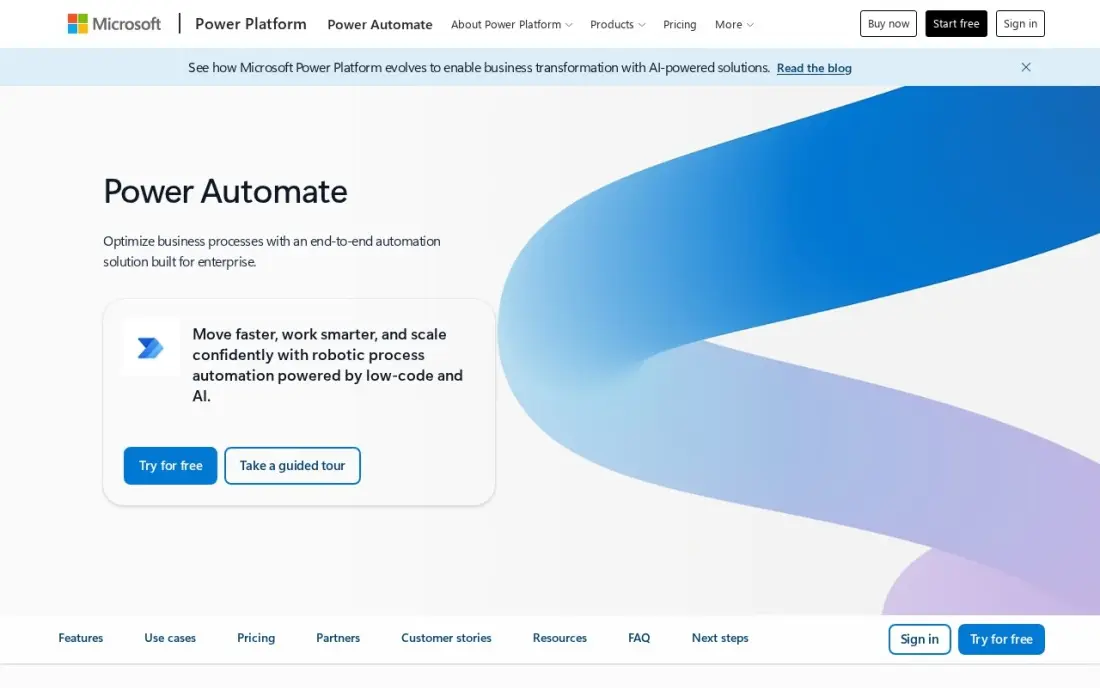
Power Automate is the integration tool most Microsoft-based enterprises already own. Cloud flows with standard connectors come with most Microsoft 365 plans, so approvals, SharePoint file moves and Teams alerts that connect to other apps can run at no extra cost, and Premium adds premium connectors, desktop RPA and AI Builder credits.
Premium costs $15 a user a month billed annually. The catch is licensing at scale: an instant flow needs Premium for every person who runs it, and reviewers describe debugging as slow. It handles Microsoft-centred processes well; for heavy ERP and API work, pair it with a full integration platform.
What we like
- Already included with most Microsoft 365 plans for standard connectors, so many teams pay nothing extra
- Premium adds premium connectors, attended desktop RPA and AI Builder credits in one licence
- Approval flows, SharePoint and Teams triggers are native, not bolted on
Watch out for
- Per-user licensing multiplies fast: every person running an instant premium flow needs a licence
- Debugging is hard work; error messages are vague and trigger delays hit time-sensitive flows
- Works best inside Microsoft tools; non-Microsoft apps connect, but less smoothly than on Zapier

Zapier
Best for: Business teams inside an enterprise that need quick app-to-app integrations without IT tickets
Zapier connects thousands of apps through a builder business users learn in an hour, which is why it spreads through marketing, sales and HR teams even where IT runs a bigger platform. Multi-step Zaps, webhooks, filters and AI by Zapier come with Professional, so a team can route leads or sync records without code.
Professional costs $19.99 a month billed annually, or $29.99 monthly, for 750 tasks and one user; Team costs $69 a month. Billing follows task volume, so a busy workflow raises the bill quickly. For an enterprise, the job is to give teams Zapier inside guardrails rather than let accounts multiply.
What we like
- Connects thousands of apps, so the tools a business already uses can share data
- Multi-step Zaps, webhooks, filters and paths come with Professional
- AI by Zapier is included, so workflows can draft, summarise and route work
- 2-minute polling on Professional keeps automations close to real time
Watch out for
- The bill is set by task volume, not seats: a busy workflow can jump from $19.99 to $89 a month
- Professional covers only 1 user, so a team that builds Zaps together needs Team at $69 a month
- No free plan beyond 100 tasks a month, so real automation starts on a paid tier

n8n
Best for: Engineering teams that want to self-host integrations and keep data inside their own network
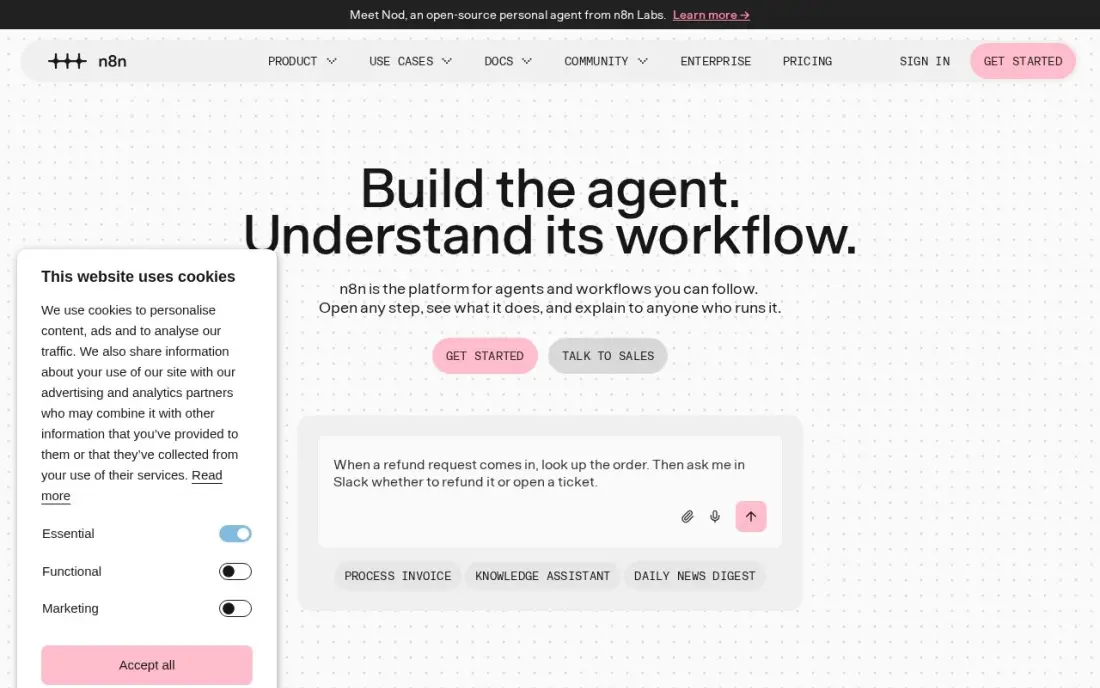
n8n is the integration tool for enterprises with engineers who want control. The Community Edition is free to self-host with unlimited executions under a fair-code licence, so data never leaves your network, and code nodes, webhooks and native AI agent nodes cover what the visual builder cannot. Billing counts workflow runs, not steps.
The hosted Starter plan costs $20 a month billed annually, or $24 monthly, for 2,500 executions and 5 active workflows, so enterprise use means a larger plan or self-hosting. It needs technical skill to run well. Choose it when the team prefers owning the stack to buying a managed platform.
What we like
- Billed per workflow run, not per step, so a 20-step flow costs the same as a 2-step one
- Self-hosted Community Edition is free with unlimited executions, under a fair-code licence
- Native AI agent nodes and a large integration library, with code when the visual builder runs out
Watch out for
- Needs technical confidence: code nodes, webhooks and self-hosting are part of the appeal, not optional extras
- Starter caps at 5 active workflows and 5 concurrent executions, so busy teams outgrow it fast
- A flow that fires every minute eats the 2,500 monthly executions in under two days
The best tools for enterprises to integrate apps connect core systems such as ERP, CRM, HR and finance so data moves once, correctly, and under control. We compared eight tools, from full integration platforms to the automation tools business teams adopt on their own, and every price below comes from the vendor's pricing page or our database records, checked in November 2026.
How to choose the tools for enterprises to integrate apps
- Map the systems first. List the apps, the direction data flows and how often; an ERP-to-warehouse sync needs a different tool than a form-to-CRM handoff.
- Decide API-led or flow-led. MuleSoft builds reusable APIs; Boomi, Workato and Celigo build flows faster. Pick the model your IT team can maintain.
- Check governance. Look for role-based access, SSO, audit logs, environments and monitoring, because an integration that fails silently is worse than none.
- Understand the billing unit. Credits, endpoints, tasks, executions and seats all grow differently; model next year's volume, not this month's.
- Test with a real integration. Use the trial on one high-value connection and measure build time and error handling.
- Plan for citizen developers. Business teams will automate anyway, so decide which tools they may use and how IT oversees them.
Integration projects often start with marketing data: leads, analytics and CRM records that never match. If your enterprise site also needs to perform in search, our SEO audit checks the technical side, and the UTM builder keeps campaign data consistent across the apps you connect.
Enterprise app integration pricing: what you will actually pay
The published numbers sit at two very different levels. MuleSoft packages start at $2,000 a month billed annually, which is $24,000 a year before you add credits, and its Pre-Commit model has a $50K annual minimum. At the other end, Power Automate Premium costs $15 a user a month billed annually, so 100 users cost $18,000 a year, and Zapier Professional costs $19.99 a month billed annually for one builder.
Boomi, Workato, Celigo and SnapLogic publish no list prices. Third-party sources put Boomi's entry around $550 a month, or $6,600 a year, and reviewers say costs climb with data volume. Celigo prices by edition and usage, SnapLogic by the endpoints you connect, and Workato by usage per capability. Get each quote itemised by connectors, environments, support and add-ons, and ask what happens to the price when volume doubles.
n8n is the exception on cost: the self-hosted Community Edition is free with unlimited executions, but you pay in engineering time and hosting.
Know the difference: iPaaS vs workflow automation tools
An iPaaS such as MuleSoft, Boomi, Celigo or SnapLogic is built for system integration. It handles large data volumes, complex mappings, error handling, retries, environments and monitoring, and it is usually owned by IT. It is the right home for the integrations the business cannot run without, like orders flowing from ecommerce into the ERP.
A workflow automation tool such as Zapier, Power Automate or n8n is built for speed. A business user can connect two apps in minutes, which is ideal for team-level tasks but risky for core data if nobody governs it. Workato sits between the two. Most enterprises end up with one platform for core integrations and one sanctioned automation tool for teams.
Quick comparison: tool type by need
| Buyer | Best pick | Why |
|---|---|---|
| API-led enterprises | MuleSoft | API management and integration on credits, from $2,000/month billed annually |
| Broad integration needs incl. EDI | Boomi | Apps, APIs, data and B2B on one low-code platform, quote only |
| IT and ops automation | Workato | Usage-based SaaS integration with a free self-service start |
| ERP and ecommerce syncs | Celigo | Three editions with SLAs included, 30-day trial |
| Data-heavy integration | SnapLogic | Unlimited data movement, priced by endpoints |
| Microsoft 365 enterprises | Microsoft Power Automate | Standard connectors included, Premium $15/user/month billed annually |
| Business team automations | Zapier | Thousands of apps, Professional from $19.99/month billed annually |
| Self-hosted integrations | n8n | Free Community Edition with unlimited executions |
Mistakes to avoid
- Buying before mapping. Without a list of systems, owners and data flows, you cannot size a quote or compare tools fairly.
- Ignoring error handling. Test what happens when an API is down or a record is malformed; silent failures corrupt data for weeks.
- Letting tools sprawl. Five teams with five automation accounts means five sets of credentials to secure; sanction one tool and govern it.
- Pricing only year one. Credits, tasks and endpoints grow with the business, so ask for the price at double today's volume.
- Skipping documentation. Record what each integration does and who owns it, or the person who built it becomes a single point of failure.
Related comparisons: Video Platforms for Enterprises · Social Media Analytics Tools for Enterprises
How we chose
We picked the integration platforms enterprises most often shortlist, plus the automation tools their teams adopt, and checked each pricing page or our records in November 2026. MuleSoft, Workato, Celigo and SnapLogic pages were read on November 16, 2026. Third-party price estimates are labelled as such. Ratings come from G2 pages on the dates shown in the sources. No vendor paid for a place in this list, and none of the links here are affiliate links.
What to do next
Pick the one integration that causes the most manual work today, write down its systems, volume and failure cost, and run it as a pilot in two trials, such as MuleSoft and Celigo, or Workato and Power Automate. If your marketing data is part of that mess, book a free consultation.
Frequently asked questions
What are the best tools for enterprises to integrate apps?
MuleSoft is the best for API-led integration with strict governance, from $2,000 a month billed annually. Boomi, Workato, Celigo and SnapLogic are strong full platforms priced by quote, Power Automate suits Microsoft 365 companies, and Zapier and n8n cover department-level integrations.
What is an iPaaS?
An integration platform as a service is a cloud platform for connecting applications and data, with prebuilt connectors, a designer for flows, monitoring and governance. MuleSoft, Boomi, Workato, Celigo and SnapLogic are all iPaaS products.
How much does enterprise integration software cost?
MuleSoft packages start at $2,000 a month billed annually, Power Automate Premium costs $15 a user a month billed annually and Zapier Professional starts at $19.99 a month billed annually. Boomi, Workato, Celigo and SnapLogic publish no list prices; third-party sources put Boomi's entry around $550 a month.
Which enterprise integration tools have a free trial?
MuleSoft and Celigo offer 30-day free trials, Boomi has a 30-day trial, Workato has a self-service free plan, Zapier has a free plan with 100 tasks a month and n8n's self-hosted Community Edition is free. SnapLogic lists only a demo.
Should enterprises use Zapier or an iPaaS?
Often both. An iPaaS handles core system integrations such as ERP, CRM and data warehouses with governance and monitoring, while Zapier lets business teams automate smaller workflows quickly. The risk is ungoverned Zapier accounts, so set rules for who can connect which systems.
How long does an enterprise integration project take?
A single prebuilt connector can go live in days, while a platform rollout with many systems, APIs and security reviews often takes months. Run a pilot on one high-value integration during the trial to estimate effort before you commit.
Sources we checked (12)
- MuleSoft — www.mulesoft.com/anypoint-pricing (checked November 16, 2026)
- Boomi — www.boomi.com (checked November 10, 2026)
- Boomi reviews on G2 (checked November 10, 2026)
- Workato — docs.workato.com/en/pricing.html (checked November 16, 2026)
- Celigo — www.celigo.com/pricing (checked November 16, 2026)
- SnapLogic — www.snaplogic.com/pricing (checked November 16, 2026)
- Microsoft Power Automate — powerautomate.microsoft.com/en-us/pricing (checked November 2, 2026)
- Microsoft Power Automate reviews on G2 (checked November 2, 2026)
- Zapier — zapier.com/pricing (checked November 12, 2026)
- Zapier reviews on G2 (checked November 12, 2026)
- n8n — n8n.io/pricing (checked November 2, 2026)
- n8n reviews on G2 (checked November 2, 2026)
Make one of these tools?
We re-check this list every quarter. Send a correction, request a review, or ask about a clearly labeled sponsored spot.
Request a listingShamim
Founder of SerpAstra
A full-stack digital marketer and SEO strategist covering technical and local SEO, AI search visibility, paid ads and lead generation for local businesses, e-commerce brands and SaaS teams.
Free SEO and AI visibility audit
Find out what is holding your rankings back
Send us your site. Within 2 business days you get a written audit, an AI visibility check and a short fix list ranked by impact. Free, with no contract attached.
Request my free audit→Related buying guides
 Business Software7 Best Enterprise Automation Software in 2026, ComparedCompare the 7 best enterprise automation software on RPA, integration, governance, free editions and real cost, with every price checked on vendor pages.Read guide →
 Productivity & Office8 Best Workflow Automation Software in 2026, ComparedCompare the 8 best workflow automation software on app connections, task limits, free plans and real monthly cost, with every price checked on vendor pages.Read guide →
 Ecommerce7 Best Ecommerce Integration Software in 2026, ComparedCompare the 7 best ecommerce integration software on store, marketplace and retailer connections, task limits, EDI and real monthly cost, with prices checked.Read guide →