
8 Best Animation Software in 2026, Compared
Compare the 8 best animation software for 2D, 3D and explainer work on features, free options and real cost, with every price checked on vendor pages.
 Shamim Mia, Founder, SerpAstraLast verified November 4, 20269 min read
We compare pricing pages, documentation and public reviews. We never accept payment for rankings.
Key takeaways
- Blender is the best free animation software: a full 3D suite with a 2D Grease Pencil toolset, at $0 with no paid tier.
- Toon Boom Harmony is the pick for serious 2D work, from $30 a month for Essentials or $252 a year; Moho Pro is the buy-once alternative at $399.99.
- Maya, Cinema 4D and Houdini are 3D production tools priced from $299 a year (Houdini Indie) to $2,010 a year (Maya), so match the tool to the job before paying.
- Animaker is the only template tool here: no drawing skill needed, a free watermarked plan and Basic at $15 a month.
On this page
Quick comparison
| Tool | Best for | Starting price | Free plan |
|---|---|---|---|
| Toon Boom Harmony | 2D animators and small studios who want a professional frame-by-frame and rigging tool | $30/mo; $252/yr | No (free trial) |
| Moho | 2D animators who want bone rigging and would rather buy software once than subscribe | $59.99 one-time | No (free trial) |
| Blender | Anyone who wants free 3D and 2D animation software with no feature locks | Free | Yes (free) |
| Autodesk Maya | Film, TV and game studios that animate rigged 3D characters in a production pipeline | $2,010/yr | No (30-day trial) |
| Cinema 4D | Motion designers who animate logos, product shots and 3D graphics for video | $839/yr | No (14-day trial) |
| Houdini | VFX artists who animate simulations such as smoke, water, destruction and crowds | $299/yr | Yes (Apprentice) |
| Krita | Illustrators who want free frame-by-frame 2D animation inside a painting program | Free | Yes (free) |
| Animaker | Marketers and small businesses who want animated explainer videos from templates | Free; Basic $15/mo | Yes (free plan) |
Make one of these tools?
We re-check this list every quarter. Send a correction, request a review, or ask about a clearly labeled sponsored spot.
Request a listingThe best animation software

Toon Boom Harmony
Best for: 2D animators and small studios who want a professional frame-by-frame and rigging tool
Toon Boom Harmony is the tool most people mean when they talk about professional 2D animation software. It handles traditional frame-by-frame drawing, and the higher tiers add rigged cut-out characters and node-based compositing, so one program carries a shot from rough sketch to finished frame. Essentials costs $30 a month billed monthly or $252 a year, Advanced costs $77 a month or $588 a year, and Premium costs $139 a month or $1,128 a year.
The price climbs fast between tiers, and there is no buy-once option on the pricing page. A beginner should start on Essentials and use the free trial to check whether the drawing tools suit them. A studio that rigs characters will usually need Advanced or Premium.
What we like
- Three tiers let you start on Essentials at $30 a month and move up as the work grows
- Annual and three-year terms cut the effective monthly price, to $21 a month on Essentials billed yearly
- Drawing, rigging and compositing tools sit in one program on the upper tiers
- Free trial lets you test the workflow before you subscribe
Watch out for
- Subscription only; the pricing page lists no perpetual licence
- Premium costs $139 a month, or $1,128 a year, for the full studio toolset
- Deep interface takes time to learn for a first-time animator

Moho
Best for: 2D animators who want bone rigging and would rather buy software once than subscribe
Moho is the main buy-once alternative to Toon Boom for 2D animation. Its strength is bone rigging: you build a character from parts once, then pose it with bones instead of redrawing every frame, which suits web series, explainers and YouTube animation. Moho Debut 14 costs $59.99 one-time and Moho Pro 14 costs $399.99 one-time, both for Windows and macOS, and a free trial is available.
Debut is fine for learning, but most working animators will want Pro. Version upgrades cost extra: Pro 13.x owners pay $119.99 to move to Pro 14 on the current offer. Choose Moho if you want to own your tool and your style is rigged rather than hand-drawn.
What we like
- One-time purchase, with no subscription: Debut 14 at $59.99 and Pro 14 at $399.99
- Bone rigging for cut-out characters saves redrawing every frame
- Runs on Windows and macOS
- Upgrade pricing for existing owners, such as $119.99 from Pro 13.x during the current offer
Watch out for
- Debut is a cut-down version, so serious work points to the $399.99 Pro edition
- Built for rigged 2D animation, less suited to pure hand-drawn frame-by-frame work
- Major version upgrades are paid

Blender
Best for: Anyone who wants free 3D and 2D animation software with no feature locks
Blender is the best free animation software by a wide margin. It is a complete 3D suite covering modelling, rigging, animation, simulation and rendering, and its Grease Pencil tools let you draw 2D animation inside the same 3D space. It is free and open source under the GNU GPL, with no paid tier, so a student and a studio get exactly the same program.
The cost is time. The interface is dense and takes weeks to learn, and there is no commercial support, so help comes from the community and the documentation. That community is large, though, and almost every animation question already has a tutorial. Start here before paying for anything else.
What we like
- Completely free and open source under the GNU GPL, with no paid tier or feature locks
- Grease Pencil tools let you draw 2D animation inside the same 3D space
- One program covers modelling, rigging, animation, simulation and rendering
- Largest tutorial library in 3D, so almost every animation question already has an answer
Watch out for
- Built as a full 3D suite, so 2D-only animators get far more program than they need
- Dense interface takes weeks to learn, so expect a slow start before the first finished animation
- No commercial support included; help comes from the community and documentation

Autodesk Maya
Best for: Film, TV and game studios that animate rigged 3D characters in a production pipeline
Maya is the studio standard for 3D character animation. Rigging, keyframe animation, Bifrost simulation and the Arnold renderer come in one subscription, so a character can be built, animated and rendered without leaving the program, which is why so many film and game pipelines are built around it.
It is also the most expensive tool here: $255 a month billed monthly, or $2,010 a year billed annually, with a 30-day free trial. That is a lot for a freelancer, and the learning curve is steep. Qualifying artists under $100,000 in revenue should check Maya Indie first. If you are not aiming at studio work, Blender teaches the same skills for free.
What we like
- Studio standard for character rigging, animation and VFX, so skills transfer to film and game pipelines
- Rigging, keyframe animation and Bifrost simulation ship in the same subscription
- Arnold renderer is included for production-quality look development
- Maya Indie offers a cheaper annual licence for qualifying artists under $100,000 revenue
Watch out for
- Most expensive entry price here at $2,010 a year, or $255 month to month
- A lot to pay for a freelancer who is not aiming at studio work
- Steep learning curve, and the subscription price has risen repeatedly in recent years

Cinema 4D
Best for: Motion designers who animate logos, product shots and 3D graphics for video
Cinema 4D is the 3D animation tool for motion graphics. Its MoGraph toolset makes animated titles, product spins and abstract loops fast to build, and the interface is the friendliest of the professional 3D packages here. The subscription includes the Redshift GPU renderer, so you can render finished frames without buying a separate engine.
It costs $109 a month billed monthly, or $839 a year billed annually, with a 14-day free trial, and Maxon no longer sells perpetual licences. For character animation, Maya or Blender is the stronger choice. For a marketing team or freelancer making 3D graphics for ads and social video, Cinema 4D gets results quickest.
What we like
- Friendliest professional 3D interface here, with the strongest motion-graphics toolset
- MoGraph makes animated titles, product spins and abstract loops fast to build
- Redshift GPU renderer and five Team Render nodes are included in the subscription
- Generative AI features arrived in the 2026.4 release, first on the new iPad edition
Watch out for
- Built for motion graphics — for character animation, Maya or Blender is the stronger choice
- Subscription only — Maxon ended perpetual licences, so there is no buy-once option
- At $839 a year it is a steep cost if motion graphics are not your main work

Houdini
Best for: VFX artists who animate simulations such as smoke, water, destruction and crowds
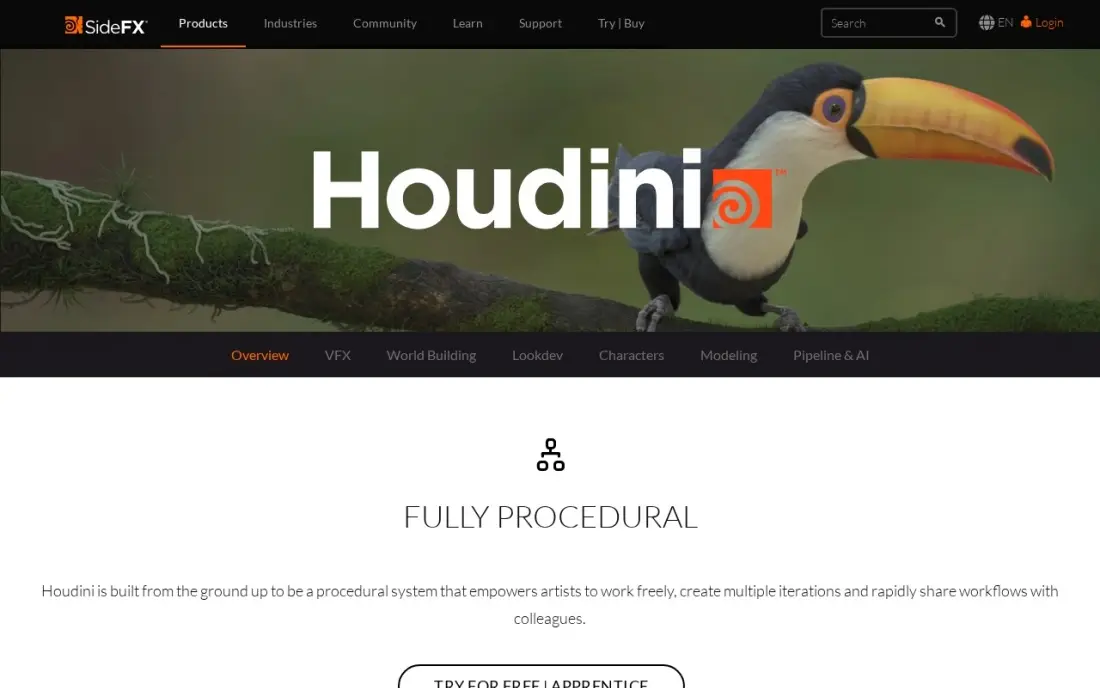
Houdini animates what other tools struggle with: fluids, fire, smoke, destruction and crowds, all built from procedural nodes that stay editable. Change one setting and the whole effect rebuilds, which is why it sits behind so much film and game VFX. Apprentice is free for learning and non-commercial work, and Houdini Indie costs $299 a year.
It is the wrong first tool for character animation. The node-based workflow has the steepest learning curve here, and Indie is capped at $100,000 annual revenue and three seats, with Core at $1,475 a year and FX at $3,505 a year above it. Pick Houdini when effects are the job.
What we like
- Procedural, node-based effects that stay editable — change one setting and the whole effect rebuilds
- Indie at $299 a year gives eligible small studios near-full FX capability
- Same tool behind the water, smoke, destruction and crowd shots in big films
- Free Apprentice tier is the full toolset for learning and non-commercial work
Watch out for
- Steepest learning curve here — the node-based workflow takes weeks to grasp
- The wrong first tool for character animation — it is built for effects work
- Indie licence caps at $100,000 annual revenue and three seats; studios pay far more
Krita
Best for: Illustrators who want free frame-by-frame 2D animation inside a painting program
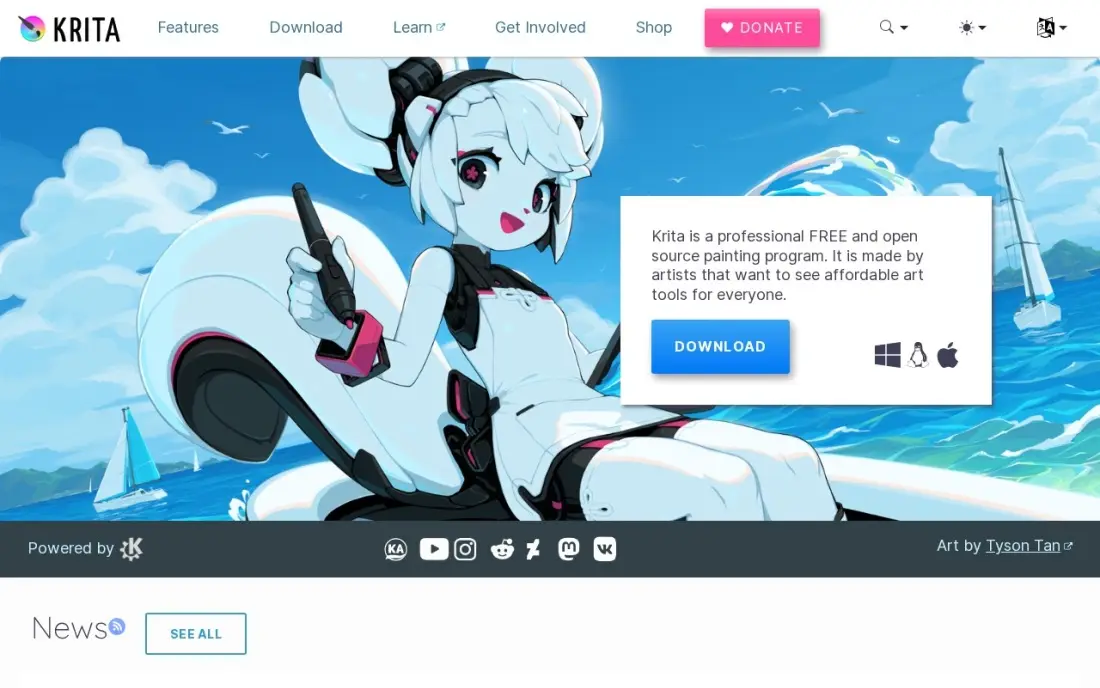
Krita is a free, open-source painting program with frame-by-frame animation built in. You draw each frame with the same brushes you use for illustration, use onion skinning to see neighbouring frames, and export a clip. For an illustrator who wants to make short hand-drawn loops or animatics, it costs nothing and runs on Windows, Mac and Linux, even on modest hardware.
It is a painting app first, not a studio animation tool. There is no rigging, and exporting animation needs FFmpeg downloaded separately. Support comes from the community rather than a help desk. Use Krita to learn hand-drawn animation or to animate your own art; move to Toon Boom or Moho when you need rigs.
What we like
- Free and open source, with every feature included at $0
- Wide brush library with customizable brush engines for painting and inking
- Animation tools and HDR painting built in
- Runs on Windows, Mac and Linux, and works well on modest hardware
Watch out for
- Raster-first: vector layers exist but are basic next to a dedicated vector editor
- Animation export needs FFmpeg downloaded separately
- Support comes from the community, not a help desk

Animaker
Best for: Marketers and small businesses who want animated explainer videos from templates
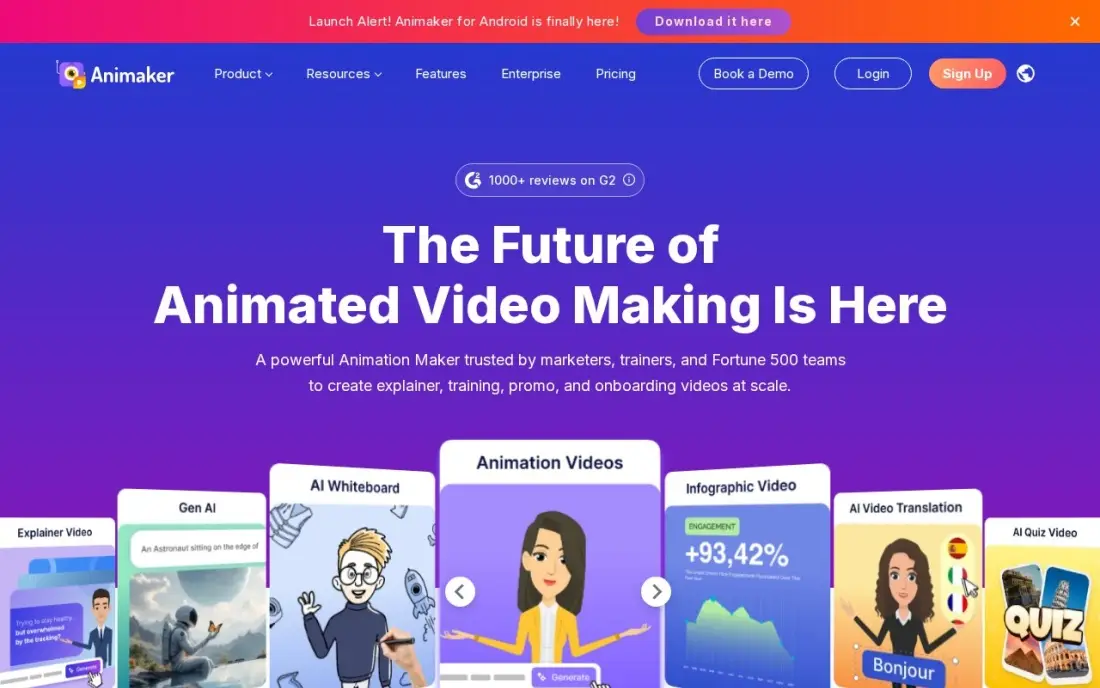
Animaker is animation software for people who do not animate. You pick a template, drop in ready-made characters and scenes, and get an explainer or whiteboard-style video without drawing a frame. The free plan makes unlimited videos with a watermark, and Basic at $15 a month removes it and adds 1,500 AI video credits a month.
The limits are real: Basic exports cap at HD and five minutes, with five premium downloads a month. Animaker also repriced on October 20, 2026, and its FAQ still shows some older plan details, so check the plan cards at checkout. For a business that needs explainers, it is far quicker than learning a real animation package.
What we like
- Basic removes the watermark and gives 1,500 AI video credits a month from $15
- Thousands of templates, characters and whiteboard scenes cover explainer-style ads
- The free plan makes unlimited watermarked videos for testing ideas
Watch out for
- Basic exports cap at HD and 5 minutes, with only 5 premium downloads a month
- Animaker repriced on October 20, 2026, and its own FAQ still lists older plan details
The best animation software matches the kind of movement you need to make: hand-drawn 2D, rigged cut-out characters, 3D characters, motion graphics, effects or quick template explainers. We compared eight tools across those jobs on features, learning curve, free options and real cost, and every price below was checked on the vendor's own page in November 2026.
How to choose the best animation software
- Decide between 2D and 3D first. 2D tools draw or rig flat characters; 3D tools animate models in a scene. Very few people need both on day one.
- Pick frame-by-frame or rigging. Drawing every frame gives the most expressive result; bone rigging, as in Moho and the upper Toon Boom tiers, is far faster for a series or explainer.
- Check subscription vs one-time cost. Toon Boom, Maya and Cinema 4D are subscription only, Moho is a one-time purchase, and Blender and Krita are free.
- Use the free option to test the workflow. Blender, Krita and Houdini Apprentice cost nothing, and Toon Boom, Moho, Maya and Cinema 4D have free trials.
- Look at your hardware. 3D rendering and simulation need a strong graphics card; 2D tools such as Krita and Moho run on modest machines.
- Be honest about time. If you need a finished explainer this week, a template tool beats a professional package you have not learned yet.
Animation only pays off when people see it. If you are making explainers or product animations for a website, our guide to video SEO covers how to get those videos found in search, and the AI search optimization service helps the same content show up in AI answers.
Animation software pricing: what you will actually pay
Take one animator working for a year. A 2D animator on Toon Boom Harmony Essentials pays $360 billed monthly ($30 x 12) or $252 billed annually; on Advanced the year costs $924 monthly or $588 annually. The same animator could buy Moho Pro 14 once for $399.99, which costs less than a year of Toon Boom Advanced and keeps working in year two, though major upgrades are paid.
On the 3D side, Cinema 4D costs $1,308 a year billed monthly ($109 x 12) or $839 billed annually, and Maya costs $3,060 a year billed monthly ($255 x 12) or $2,010 billed annually. Houdini Indie is $299 a year for eligible small studios. Blender and Krita cost $0. For a business that only needs explainers, Animaker Basic is $180 a year at $15 a month. The gap between free and studio pricing is wide, so price the specific job rather than the most famous tool.
Know the difference: frame-by-frame vs rigged animation
Frame-by-frame animation means drawing each pose by hand, usually 12 or 24 drawings for every second of movement. It gives full control over timing and squash and stretch, and it is how Krita, Blender's Grease Pencil and Toon Boom's drawing tools work. It is also slow, which is why it suits short pieces, music videos and art-driven work.
Rigged animation builds a character once from parts, then moves those parts with bones or pegs. Moho is built around this, and Toon Boom's upper tiers support it. Rigging takes time up front but makes every later scene faster, so it is the usual choice for web series, explainers and anything with a recurring cast. 3D animation in Maya, Blender and Cinema 4D is rigged by nature.
Quick comparison: tool type by need
| Buyer | Best pick | Why |
|---|---|---|
| Professional 2D animators | Toon Boom Harmony | Drawing, rigging and compositing, from $30/month or $252/year |
| 2D animators who want to own the tool | Moho | Bone rigging, Pro 14 at $399.99 one-time |
| Anyone on a $0 budget | Blender | Full 3D suite plus 2D Grease Pencil, free and open source |
| 3D character studios | Autodesk Maya | Studio-standard rigging and animation, $2,010/year |
| Motion designers | Cinema 4D | MoGraph and Redshift included, $839/year |
| VFX and simulation | Houdini | Procedural effects, Indie at $299/year, Apprentice free |
| Illustrators | Krita | Free frame-by-frame animation inside a painting app |
| Marketers making explainers | Animaker | Templates and characters, free plan, Basic $15/month |
Mistakes to avoid
- Paying for a studio tool before you know the basics. Learn timing and spacing in Blender or Krita for free, then pay when the work needs it.
- Choosing 3D when the job is 2D. A logo sting or explainer is often quicker in a 2D or template tool than in a full 3D package.
- Ignoring licence limits. Houdini Indie and Maya Indie have revenue caps, and Houdini Apprentice is non-commercial only, so read the terms before client work.
- Forgetting export details. Krita needs FFmpeg for video export, and Animaker's Basic plan caps exports at HD and five minutes.
- Comparing monthly and annual prices as if they were the same. Toon Boom Essentials is $30 a month monthly but $21 a month on the annual plan, so compare like with like.
Related comparisons: Website Design Services · Presentation Platforms · Platforms for Artists · Publishing Software
How we chose
We checked each vendor's own pricing page in November 2026 and recorded the starting price exactly as listed, with the billing term. Toon Boom Harmony and Moho prices were read on their stores on November 16, 2026; the other tools come from our verified tool database checked in November 2026. We grouped the tools by animation type — 2D drawn, 2D rigged, 3D character, motion graphics, effects and templates — and picked the strongest option for each. Ratings, where shown, come from G2 pages checked on the dates in the sources, and we left ratings out where we had not read the review page. No vendor paid for a place in this list, and none of the links here are affiliate links.
What to do next
Download Blender or Krita today and animate one five-second shot — a bouncing ball is the classic test. If you enjoy it and need more, trial Toon Boom or Moho for 2D, or Maya or Cinema 4D for 3D. If the animation is for your business site and you want it to bring in visitors, book a free SEO review.
Frequently asked questions
What is the best animation software?
For most people, Blender is the best starting point because it is free with no paid tier and covers 3D and 2D animation. For dedicated 2D work, Toon Boom Harmony starts at $30 a month, and Moho Pro is a one-time $399.99. Studios animating 3D characters mostly use Maya at $2,010 a year.
What is the best free animation software?
Blender is the most capable free option, with full 3D animation and 2D Grease Pencil tools under the GNU GPL. Krita is free for hand-drawn frame-by-frame animation, Houdini Apprentice is free for non-commercial learning, and Animaker has a free plan with watermarked exports.
What animation software do beginners use?
Beginners who want to draw usually start with Krita or Moho Debut 14 at $59.99 one-time. Beginners who want 3D start with Blender. People who only need explainer videos and do not want to learn animation should use a template tool such as Animaker.
Is there animation software you can buy once?
Yes. Moho sells one-time licences: Debut 14 at $59.99 and Pro 14 at $399.99. Toon Boom Harmony, Maya and Cinema 4D are subscription only, while Blender and Krita are free.
What is the difference between 2D and 3D animation software?
2D tools such as Toon Boom Harmony, Moho and Krita work with flat drawings, either drawn frame by frame or rigged as cut-out characters. 3D tools such as Blender, Maya, Cinema 4D and Houdini animate models in a 3D scene and render the frames, which takes more setup but lets you move the camera freely.
How much does professional animation software cost?
On published prices, Toon Boom Harmony Premium costs $1,128 a year, Maya costs $2,010 a year, Cinema 4D costs $839 a year and Houdini Indie costs $299 a year. Moho Pro 14 is a one-time $399.99.
What is the best animation software for PC?
Blender is the best free pick for a Windows PC, covering 3D animation and 2D Grease Pencil tools at $0. Krita is free, runs on Windows, Mac and Linux, and works well on modest hardware. Moho runs on Windows and macOS as a one-time purchase, $59.99 for Debut 14. For 3D rendering and simulation, budget for a strong graphics card.
What is the best 2D animation software for PC?
Toon Boom Harmony is the professional choice for 2D frame-by-frame animation and rigging, from $30 a month or $21 a month billed yearly. Moho is the buy-once option for rigged cut-out characters on Windows and macOS, at $59.99 for Debut 14 or $399.99 for Pro 14. Krita is the free choice for hand-drawn loops and animatics.
Sources we checked (12)
- Toon Boom Harmony — shop.toonboom.com/en/products/harmony (checked November 16, 2026)
- Moho — moho.lostmarble.com/upgrade (checked November 16, 2026)
- Blender — www.blender.org/download (checked November 10, 2026)
- Blender reviews on G2 (checked November 10, 2026)
- Autodesk Maya — www.autodesk.com/products/maya/buy (checked November 10, 2026)
- Autodesk Maya reviews on G2 (checked November 10, 2026)
- Cinema 4D — www.maxon.net/en/buy (checked November 10, 2026)
- Cinema 4D reviews on G2 (checked November 10, 2026)
- Houdini — www.sidefx.com/buy (checked November 10, 2026)
- Houdini reviews on G2 (checked November 10, 2026)
- Krita — krita.org/en (checked November 7, 2026)
- Animaker — www.animaker.com/pricing (checked November 4, 2026)
Make one of these tools?
We re-check this list every quarter. Send a correction, request a review, or ask about a clearly labeled sponsored spot.
Request a listingShamim
Founder of SerpAstra
A full-stack digital marketer and SEO strategist covering technical and local SEO, AI search visibility, paid ads and lead generation for local businesses, e-commerce brands and SaaS teams.
Free SEO and AI visibility audit
Find out what is holding your rankings back
Send us your site. Within 2 business days you get a written audit, an AI visibility check and a short fix list ranked by impact. Free, with no contract attached.
Request my free audit→Related buying guides
 Graphic Design & Creative12 Best Digital Sculpting Software in 2026, ComparedCompare the 12 best digital sculpting software options on price, free plans and sculpting power for every budget, with prices checked November 10, 2026.Read guide →
 Graphic Design & Creative9 Best 3D Design Software in 2026, ComparedCompare the 9 best 3D design software for modeling, animation, product and architectural design, with free versions, licences and real yearly costs checked.Read guide →
 Graphic Design & Creative8 Best Apps for Digital Painting in 2026: Free and Paid Apps RankedCompare the 8 best apps for digital painting on price, brushes and platform, with every price checked November 7, 2026 — free and paid picks ranked.Read guide →