
8 Best Construction Budget Software Tools in 2026, Compared
Compare the 8 best construction budget software tools on job costing, estimate-to-budget flow, change orders and real cost, with prices checked on vendor pages.
 Shamim Mia, Founder, SerpAstraLast verified November 7, 202610 min read
We compare pricing pages, documentation and public reviews. We never accept payment for rankings.

Key takeaways
- JobTread, Buildxact and Buildern are the only tools here with published prices — $199, $199 and $250 a month billed monthly — and all three turn the winning estimate into the job budget.
- Procore and Buildertrend are the big platforms for commercial and residential builders, but both are quote-only, so get the first-year cost in writing before a demo turns into a contract.
- Jonas Premier, Sage 100 Contractor and Foundation Software are construction accounting systems: pick one when budget-versus-actual has to tie to the general ledger, payroll and WIP reports.
- A construction budget tool only works if committed costs (purchase orders and subcontracts) are entered as they happen, not when the bill arrives.
On this page
Quick comparison
| Tool | Best for | Starting price | Free plan |
|---|---|---|---|
| JobTread | Remodelers and custom-home builders who want estimate-to-actual budgets with one flat price | $199/mo | No (no free trial) |
| Buildxact | Residential builders who build the budget from plan takeoffs and live material prices | $199/mo; free Go plan | Yes (free Go plan) |
| Buildern | Growing builders who want budgets, purchase orders and bills linked, with published prices | $250/mo | No (7-day trial) |
| Buildertrend | Residential builders who want budgets, change orders and the client portal in one system | Custom quote | No (demo only) |
| Procore | Commercial general contractors managing budgets, commitments and change events across many trades | Custom quote | No (demo only) |
| Jonas Premier | Contractors and developers who want cloud accounting with drill-down budget forecasting | Custom quote | No |
| Sage 100 Contractor | Small and midsize contractors who want budgets, job costing and the ledger in one package | Custom quote | No |
| Foundation Software | Commercial subcontractors who need budget-versus-actual, WIP reports and payroll in one ledger | Custom quote | No (demo) |
Make one of these tools?
We re-check this list every quarter. Send a correction, request a review, or ask about a clearly labeled sponsored spot.
Request a listingThe best construction budget software

JobTread
Best for: Remodelers and custom-home builders who want estimate-to-actual budgets with one flat price
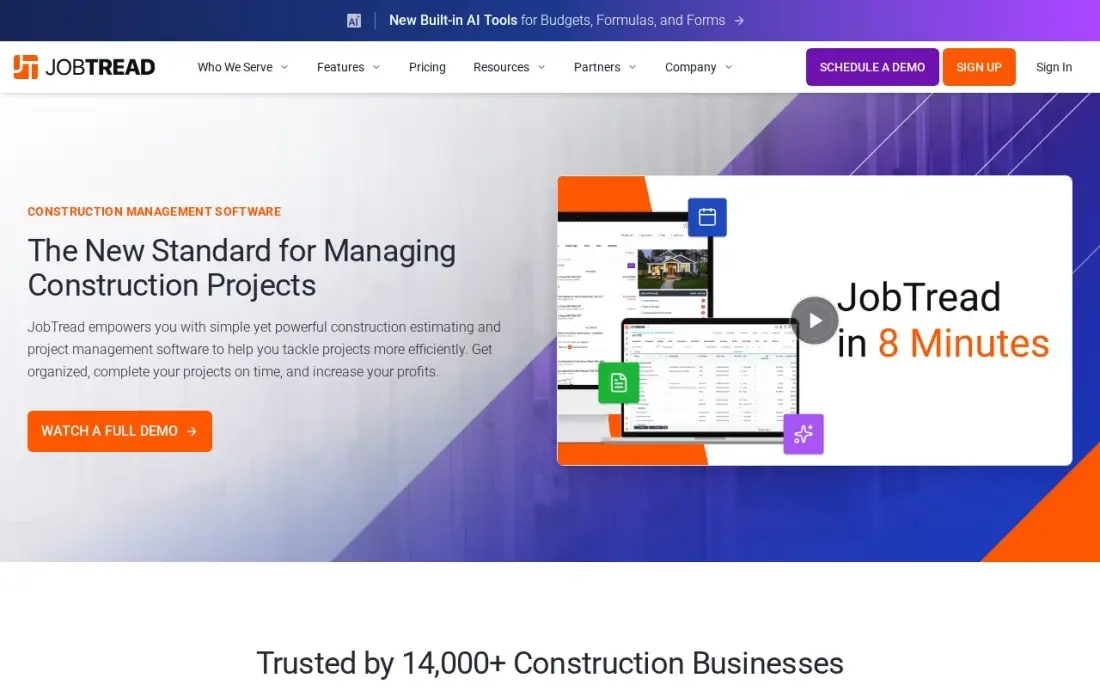
JobTread treats the budget as the centre of the job. The estimate that wins the work becomes the budget, and purchase orders, invoices and job costing all post against the same cost codes, so you can see at any point how much of each line is spent, committed and left. One plan includes every feature: $199 a month with one internal user, or $159 billed annually, plus $20 a month for each extra internal user.
The limits are commercial rather than functional. There is no free trial, only a demo and a 30-day money-back guarantee on monthly plans, and anyone who tracks time counts as an internal user. It is rated 5.0 out of 5 on G2 from 97 reviews, with support the most praised point.
What we like
- The cleanest pricing here: one plan, every feature included, $199 a month plus $20 per internal user
- Estimates link to budgets, purchase orders, invoices and job costing, so the number that wins the job becomes the number you track
- Per-user rates step down after 10 users ($15, then $10, then $5), so growth gets cheaper per seat
- Highest-rated tool in this list on G2 at 5.0/5, with customer support the top reviewer-cited strength
Watch out for
- No free trial — you book a demo, and the 30-day money-back guarantee covers monthly plans only
- The $199 base fee is heavy for a solo operator: one person pays the same base as a nine-seat office
- Anyone who tracks time counts as an internal user, so field staff add $20 a month each

Buildxact
Best for: Residential builders who build the budget from plan takeoffs and live material prices
Buildxact starts the budget at the takeoff. You measure from uploaded plans, pull live dealer material prices into the estimate, and the accepted estimate becomes the cost baseline that actual costs are tracked against. Foundation costs $199 a month, or $169 billed annually, with unlimited users, and a free Go plan includes five AI estimating credits to try it.
The catch is that Foundation is estimating-heavy: job management and scheduling wait for Pro at $399 a month, and the Blu AI tools are add-ons at $99 to $149 a month on lower plans. Monthly plans reportedly carry a 12-month initial contract, so confirm the term. Choose it when accurate estimates are where your budgets go wrong.
What we like
- Digital takeoff runs from uploaded plans, and live dealer material pricing feeds the quote
- The winning estimate becomes the cost baseline, with estimate-to-actual costing in one workflow
- Every plan includes unlimited users, so the crew can grow without repricing the account
- Free Go plan gives five complimentary AI estimating credits to test the style before paying
Watch out for
- Job management and scheduling wait for Pro at $399 a month — Foundation is estimating-heavy
- AI tools (Blu) are add-ons at $99–$149 a month on lower plans, included only on Master
- Monthly plans reportedly carry a 12-month initial contract, so confirm before signing

Buildern
Best for: Growing builders who want budgets, purchase orders and bills linked, with published prices
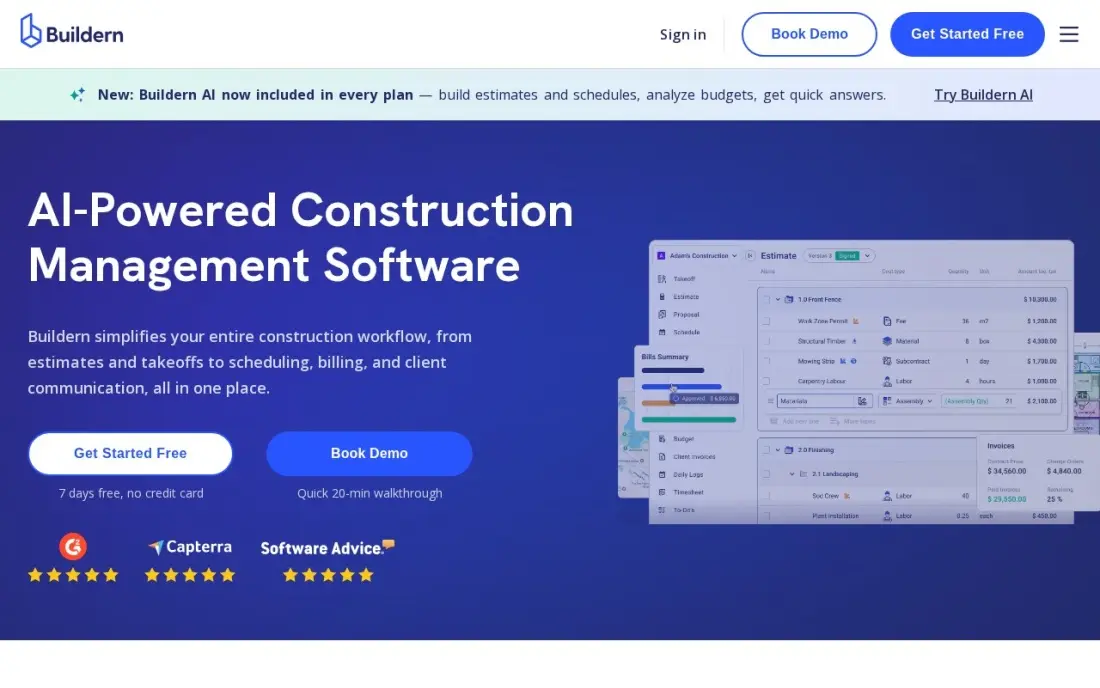
Buildern links the estimate to the budget, then to purchase orders, bills and invoices, so a cost entered once appears everywhere it matters and the budget-versus-actual view stays current without re-keying. Starter costs $250 a month for 2 seats, or $225 billed annually, and Professional costs $400 a month for 4 seats. Field workers, subcontractors, vendors and clients join free.
It is a younger platform with a thinner set of integrations than Buildertrend, and the 7-day free trial is short for testing a whole job. The entry price is also steep for a one-person shop. For a growing firm that wants schedule-of-values billing and clear budgets without a sales call, it is the most transparent option here.
What we like
- Published pricing with no sales call needed: Starter $250 a month for 2 seats, Professional $400 for 4
- Field workers, subcontractors, vendors and clients join free and never count as seats
- Estimates flow into budgets, purchase orders, bills and invoices without re-entering the same numbers
- Gantt scheduling with AI-drafted schedules, allowance selections and schedule-of-values billing included
Watch out for
- At $250 a month billed monthly, the entry price is real money for a one-person remodeling shop
- The 7-day free trial is short for a proper evaluation of a full project cycle
- A newer platform with a thinner integration ecosystem than Buildertrend or JobTread

Buildertrend
Best for: Residential builders who want budgets, change orders and the client portal in one system
Buildertrend tracks the budget alongside everything that changes it on a residential job: estimates, selections with allowances, change orders the homeowner signs in the portal, and the purchase orders and bills that follow. Because approved change orders update the job's numbers, the budget the office sees matches what the client has agreed to pay. Every tier includes unlimited users and projects.
Buildertrend publishes no price. It quotes on annual construction volume, and its last published plans started at $499 a month. Long-term users report renewal increases of 50 to 75 percent, and onboarding takes around two months on average, so lock the renewal terms into the contract before you sign.
What we like
- The residential default: estimating, scheduling, change orders, selections, warranty and payments in one subscription
- A client portal homeowners actually use, cutting the back-and-forth on selections and change orders
- Unlimited users and unlimited projects on every tier — no per-seat math as the team grows
- Absorbed CoConstruct in 2021, so the residential market's two biggest names are now one company
Watch out for
- No published price — every quote comes from a sales call, so budgeting starts with a demo
- Renewal increases of 50–75% are reported by long-term users, with no notice in some cases
- Onboarding takes about two months on average, and the interface feels dated to some users

Procore
Best for: Commercial general contractors managing budgets, commitments and change events across many trades

Procore's financial tools handle a commercial budget the way a general contractor needs: the budget by cost code, subcontract and purchase order commitments, change events that roll up into potential and approved change orders, and forecasts to complete. It is part of a wider platform covering project management, field tools and bidding, sold in bundles such as Cost Management since February 2026.
Pricing is by quote, based on the products you buy and your annual construction volume, with no per-user fee. Third-party estimates put a small contractor's entry around $15,000 to $30,000 a year, and implementation takes weeks. It is rated 4.6 out of 5 on G2 from more than 4,200 reviews.
What we like
- The enterprise default: project management, financials, field tools, BIM and preconstruction in one platform
- No per-seat fees — pricing is by products selected and annual construction volume, with unlimited users
- Bundled packages (Project Execution, Cost Management, Resource Management) added in February 2026 simplify buying
- Highest-rated tool here on G2 at 4.6/5 from more than 4,200 reviews
Watch out for
- No published price — quotes are sized to annual construction volume, and third-party estimates put small GC entry around $15,000–$30,000 a year
- Implementation is a real project: expect weeks of setup and training before the team is fluent
- The depth that makes it powerful also makes it heavy — small firms pay for capability they never use

Jonas Premier
Best for: Contractors and developers who want cloud accounting with drill-down budget forecasting
Jonas Premier, now sold as Premier Construction Software, is construction accounting with the budget built into it. Job costing comes with drill-down views and forecast models, so when a cost code goes over, you can trace the variance to the invoice or commitment behind it. Dashboards keep retainage, AP aging and approvals in one place, and it runs in the cloud.
Premier publishes no price. Third-party listings quote anywhere from $125 to $349 per user per month and put implementation from $15,000, which rules out the smallest firms. Reviewers rate it highly — 4.7 out of 5 on Capterra from 288 reviews — mostly for its reporting and its dashboards.
What we like
- Drill-down job costing with forecast models, so a budget variance can be traced to the line that caused it
- Dashboards keep retainage, AP aging, compliance documents and approvals visible in one place
- Rated 4.7/5 on Capterra across 288 reviews, the highest review score in this list
- Cloud-native, so office and field teams work from the same live data without a VPN
Watch out for
- Quote-only pricing with conflicting third-party figures ($125 to $349 per user per month), so the real price needs a written quote
- Now sold as Premier Construction Software, so older Jonas Premier branding still turns up in search results
- Implementation starts at $15,000, according to third-party listings, which prices out the smallest firms

Sage 100 Contractor
Best for: Small and midsize contractors who want budgets, job costing and the ledger in one package

Sage 100 Contractor ties the budget to the accounting. Estimates export straight into budgets, proposals, subcontracts and purchase orders, and job costing posts to the same general ledger that runs AIA billing, payroll and lien waivers. The figure you bid becomes the figure the books measure, which is what lenders and sureties want to see.
Sage publishes no starting price; third-party estimates put subscriptions at roughly $115 to $200 per user per month, before implementation and training. It is desktop-first, sold and set up through Sage partners, and modules such as Sage Construction Management cost extra. Choose it when accounting, not field management, is the real gap.
What we like
- Purpose-built for contractors: job costing, AIA billing, certified payroll and lien waivers in one package
- Estimates export straight into budgets, proposals, subcontracts and purchase orders
- Service management module covers dispatch, service agreements, quotes and work orders
- A long track record with small to midsize contractors, sold through Sage partners who handle setup
Watch out for
- No published price — every quote depends on users, modules and deployment, so budgeting takes a sales call
- Desktop-first design with a heavier implementation and training load than a cloud add-on
- Add-on modules, including Sage Construction Management, are priced separately from the base quote

Foundation Software
Best for: Commercial subcontractors who need budget-versus-actual, WIP reports and payroll in one ledger
FOUNDATION is construction accounting built for contractors, and its budget work shows up in job costing and WIP reporting: estimated cost, cost to date and cost to complete per job, feeding the over and under billing figures your accountant and bonding company ask for. Payroll, equipment and payables live in the same system, so labour costs land on the job automatically.
There is no published price. FOUNDATION prices per module and on concurrent users, meaning simultaneous logins rather than headcount. Reviewers praise the reporting and rate setup as the weak point — it is rated 3.7 out of 5 on G2 from 24 reviews — so plan training time before your first month-end.
What we like
- Construction accounting built for contractors, not adapted from generic books
- Job costing, WIP reporting, payroll and equipment tracking in one system
- Concurrent-user licensing, so the price follows simultaneous logins rather than headcount
- Strong reporting, the feature reviewers praise most
Watch out for
- No published pricing — the price comes from a sales conversation, and modules add to the cost
- Reviewers rate setup as the weak spot, so budget time and training for rollout
- Desktop-first heritage means dispatch and field work still need another tool
The best construction budget software turns the number you bid into the number you manage, then tells you early when a cost code is heading over. We compared eight tools across the two ways builders buy this — construction management platforms with budgets built in, and construction accounting systems with job costing at their core — and every price below was checked on the vendor's own pricing page in November 2026.
How to choose the best construction budget software
- Check that the estimate becomes the budget. Re-typing a winning estimate into a separate budget is where most errors start; JobTread, Buildxact and Buildern all carry it across automatically.
- Look for committed costs, not just actual costs. A budget that only counts paid bills is weeks behind; purchase orders and subcontracts should reduce the remaining budget the day they are issued.
- See how change orders flow. An approved change order should update the contract value and the budget together, and pending changes should be visible before they are signed.
- Decide whether the budget must tie to the ledger. Remodelers can sync a job tool to QuickBooks; contractors with bonding, WIP reporting or certified payroll need construction accounting such as Sage 100 Contractor or FOUNDATION.
- Count who needs a seat. JobTread charges $20 per internal user, Buildern includes field staff free, and Procore and Buildertrend include unlimited users.
- Ask for the renewal terms in writing. Several vendors here are quote-only, and users report sharp renewal increases on at least one of them.
Good budgets protect the margin on the jobs you win; winning the jobs is a separate problem. If your company needs more local enquiries, our local SEO service covers that side, and the free local business schema generator helps search engines read your service area and contact details.
Construction budget software pricing: what you will actually pay
Take a remodeling company with three office users. JobTread costs $199 a month for the first user plus $20 for each of the other two, or $239 a month billed monthly — $2,868 a year. Billed annually, the base drops to $159, so the same team pays $199 a month, or $2,388 a year. Buildxact Foundation costs $199 a month with unlimited users, or $169 billed annually ($2,028 a year), but scheduling and job management need Pro at $399 a month. Buildern needs Professional at $400 a month for more than two seats, which is $4,800 a year billed monthly.
The quote-only tools sit higher. Buildertrend's last published plans started at $499 a month, about $5,988 a year, before any renewal increase. Third-party estimates for Procore start around $15,000 to $30,000 a year for a small general contractor, and Sage 100 Contractor is estimated at $115 to $200 per user per month before implementation. Those are not vendor prices, so treat them as a reason to ask for a written quote, not as a budget.
Know the difference: project budgeting vs construction accounting
Project budgeting tools such as JobTread, Buildxact, Buildern, Buildertrend and Procore manage the budget from the job's point of view. They start from the estimate, track purchase orders, bills and change orders against cost codes, and give the project manager a live view of what is left. Most push the totals into QuickBooks or another ledger, which keeps the accounting side simple.
Construction accounting systems such as Sage 100 Contractor, Jonas Premier and FOUNDATION start from the ledger. Budgets, job costs, payroll, retainage and WIP reports all sit in the same books, which is what auditors, banks and surety companies want. They are slower to set up and usually sold through a sales process, but for a commercial contractor whose bonding depends on accurate WIP reports, they replace two systems with one.
Quick comparison: tool type by need
| Buyer | Best pick | Why |
|---|---|---|
| Remodelers and custom builders | JobTread | Estimate becomes budget with job costing, $199/month on one plan |
| Plan-based estimators | Buildxact | Takeoff and live material prices set the baseline, free Go plan |
| Growing builders | Buildern | Budgets, POs and bills linked, from $250/month with free field seats |
| Residential builders with clients online | Buildertrend | Change orders and selections update the budget, quote-only |
| Commercial general contractors | Procore | Budgets, commitments and change events across trades, quote-only |
| Contractors wanting cloud accounting | Jonas Premier | Drill-down job costing and forecasts, 4.7/5 on Capterra |
| Small and midsize contractors | Sage 100 Contractor | Budgets, job costing, AIA billing and ledger in one package |
| Commercial subcontractors | Foundation Software | Budget versus actual with WIP reports and payroll |
Mistakes to avoid
- Building the budget from scratch. If the budget does not come straight from the estimate, it will drift from what you priced; choose a tool that converts one into the other.
- Ignoring commitments. A subcontract signed today is a cost today; a budget that waits for the invoice tells you about overruns after you can do anything about them.
- Letting change orders live in email. Unapproved extra work is the most common source of lost margin; record every change in the system before the work starts.
- Using cost codes nobody agrees on. Set one cost code list for estimating, purchasing and accounting before you load your first job, or the budget reports will not line up.
- Buying an accounting system for a field problem. If your issue is that project managers cannot see the numbers, a job tool fixes it faster than replacing the general ledger.
Related comparisons: Construction ERP Software · Project Budget Management Software · Construction Company Website Design Platforms · Payroll Software for Construction
How we chose
We checked each vendor's own pricing page in November 2026 and recorded starting prices exactly as shown, including the annual-billing price where one is listed. We scored each tool on how the estimate becomes the budget, how committed costs and change orders are tracked, and whether budget data ties to accounting. Where a vendor publishes no price, we list it as a custom quote and label any third-party figure as an estimate. Ratings come from G2 and Capterra pages on the dates shown in the sources. No vendor paid for a place in this list, and none of the links here are affiliate links.
What to do next
Take your last finished job and load it into a trial or demo: enter the estimate, two purchase orders and one change order, and check that the budget-versus-actual report matches what you know happened. The tool that gets that right with the least re-typing is the one to buy. If you also want more of the right jobs coming in, book a free local visibility check.
Frequently asked questions
What is the best construction budget software?
For residential builders and remodelers, JobTread is the best value: estimates become budgets with job costing on one plan at $199 a month. Commercial general contractors usually choose Procore, and firms that need budgets tied to accounting and payroll choose Sage 100 Contractor, Jonas Premier or Foundation Software.
How much does construction budget software cost?
Published prices start at $199 a month for JobTread and Buildxact Foundation and $250 a month for Buildern Starter, billed monthly. Procore, Buildertrend, Jonas Premier, Sage 100 Contractor and Foundation Software are quote-only, and third-party estimates for Procore start around $15,000 a year.
Is there free construction budget software?
Buildxact has a free Go plan with five AI estimating credits, which is enough to test how it builds a budget from plans. None of the other tools here has a free plan; Buildern offers a 7-day trial and JobTread a 30-day money-back guarantee on monthly plans.
What is the difference between a construction budget and an estimate?
The estimate is the price you offer the client. The budget is the cost plan you manage the job against after you win it, by cost code, with committed costs, actual costs and approved changes. Good software turns the accepted estimate into the budget automatically.
Can I manage construction budgets in QuickBooks?
Only roughly. QuickBooks Online can track costs by customer or project, but it does not handle committed costs, cost codes, change orders or cost-to-complete the way construction tools do. Many builders run JobTread or Buildertrend for budgets and sync the results to QuickBooks.
What reports should construction budget software produce?
At minimum, budget versus actual by cost code, committed costs, approved and pending change orders, and a cost-to-complete forecast. Larger contractors also need work-in-progress reports showing over and under billing, which Foundation, Sage 100 Contractor and Jonas Premier produce.
Is construction budget software better than Excel?
For anything beyond small jobs, yes. A spreadsheet only knows what you type into it, while construction budget software turns the winning estimate into the budget, reduces the remaining budget when purchase orders and subcontracts are issued, and updates the contract value when a change order is approved. JobTread, Buildxact and Buildern carry the estimate across automatically, and Buildxact's free Go plan lets you try it.
Sources we checked (15)
- JobTread — www.jobtread.com/pricing (checked November 12, 2026)
- JobTread reviews on G2 (checked November 12, 2026)
- Buildxact — www.buildxact.com/pricing (checked November 12, 2026)
- Buildxact reviews on G2 (checked November 12, 2026)
- Buildern — buildern.com/pricing (checked November 8, 2026)
- Buildern reviews on G2 (checked November 8, 2026)
- Buildertrend — buildertrend.com/pricing (checked November 12, 2026)
- Buildertrend reviews on G2 (checked November 12, 2026)
- Procore — www.procore.com/pricing (checked November 12, 2026)
- Procore reviews on G2 (checked November 12, 2026)
- Jonas Premier — www.jonaspremier.com (checked November 8, 2026)
- Jonas Premier reviews on Capterra (checked November 8, 2026)
- Sage 100 Contractor — www.sage.com/en-us/products/sage-100-contractor (checked November 7, 2026)
- Foundation Software — www.foundationsoft.com/learn/construction-accounting-software-costs (checked November 7, 2026)
- Foundation Software reviews on G2 (checked November 7, 2026)
Make one of these tools?
We re-check this list every quarter. Send a correction, request a review, or ask about a clearly labeled sponsored spot.
Request a listingShamim
Founder of SerpAstra
A full-stack digital marketer and SEO strategist covering technical and local SEO, AI search visibility, paid ads and lead generation for local businesses, e-commerce brands and SaaS teams.
Free SEO and AI visibility audit
Find out what is holding your rankings back
Send us your site. Within 2 business days you get a written audit, an AI visibility check and a short fix list ranked by impact. Free, with no contract attached.
Request my free audit→Related buying guides
 Construction & Field Service12 Best Construction CRM Software in 2026, ComparedCompare the 12 best construction crm software options for builders and remodelers on price, free plans and fit, with every price checked November 12, 2026.Read guide →
 Construction & Field Service10 Best Accounting Software for Contractors in 2026, ComparedCompare the 10 best accounting software for contractors on price, job costing, AIA billing and free plans, with every price checked November 7, 2026.Read guide →
 Construction & Field Service8 Best Estimating Software for Contractors in 2026, ComparedCompare the 8 best estimating software for contractors on price, takeoff, cost databases and free trials, with every price checked November 7, 2026.Read guide →