
8 Best Ebook Software Tools in 2026, Compared
Compare the 8 best ebook software tools for formatting, converting and designing ebooks, with real prices, free options and platform limits, checked Nov 2026.
 Shamim Mia, Founder, SerpAstraLast verified November 4, 20269 min read
We compare pricing pages, documentation and public reviews. We never accept payment for rankings.
Key takeaways
- Atticus is the best all-round pick for self-published authors: $147 one-time for ebook and print formatting on Windows, Mac, Linux and Chromebook.
- Vellum produces the most polished interiors but is Mac-only — Vellum Ebooks costs $199.99 and Vellum Press, which adds paperbacks, $249.99.
- Kindle Create and calibre are both free: Kindle Create for books going only to Amazon KDP, calibre for converting and editing EPUB and Kindle files.
- Lead-magnet and marketing ebooks are a design job, not a formatting one — Canva and Flipsnack suit those better than book formatters.
On this page
Quick comparison
| Tool | Best for | Starting price | Free plan |
|---|---|---|---|
| Atticus | Self-published authors on any computer who want ebook and print formatting in one purchase | $147 one-time | No (money-back only) |
| Vellum | Mac-based authors who want the most polished ebook and paperback interiors with the least effort | $199.99 | Free to try |
| Kindle Create | Authors publishing only on Amazon KDP who want a free, simple formatter | Free | Free |
| calibre | Authors and publishers who need to convert, fix and manage EPUB and Kindle files for free | Free | Free |
| Scrivener | Long-form authors who want to draft a book and compile it to EPUB from the same project | $59.99 one-time | No (30-day trial) |
| Adobe InDesign | Designers producing illustrated, fixed-layout or highly designed ebooks | $34.49/mo; $22.99 yearly | No (7-day trial) |
| Canva | Marketers and small businesses creating lead-magnet ebooks and guides from templates | Free; Pro $18/mo | Yes (free plan) |
| Flipsnack | Businesses publishing interactive flipbook ebooks, catalogues and guides online | $35/mo; $16 yearly | Yes (free plan) |
Make one of these tools?
We re-check this list every quarter. Send a correction, request a review, or ask about a clearly labeled sponsored spot.
Request a listingThe best ebook software

Atticus
Best for: Self-published authors on any computer who want ebook and print formatting in one purchase
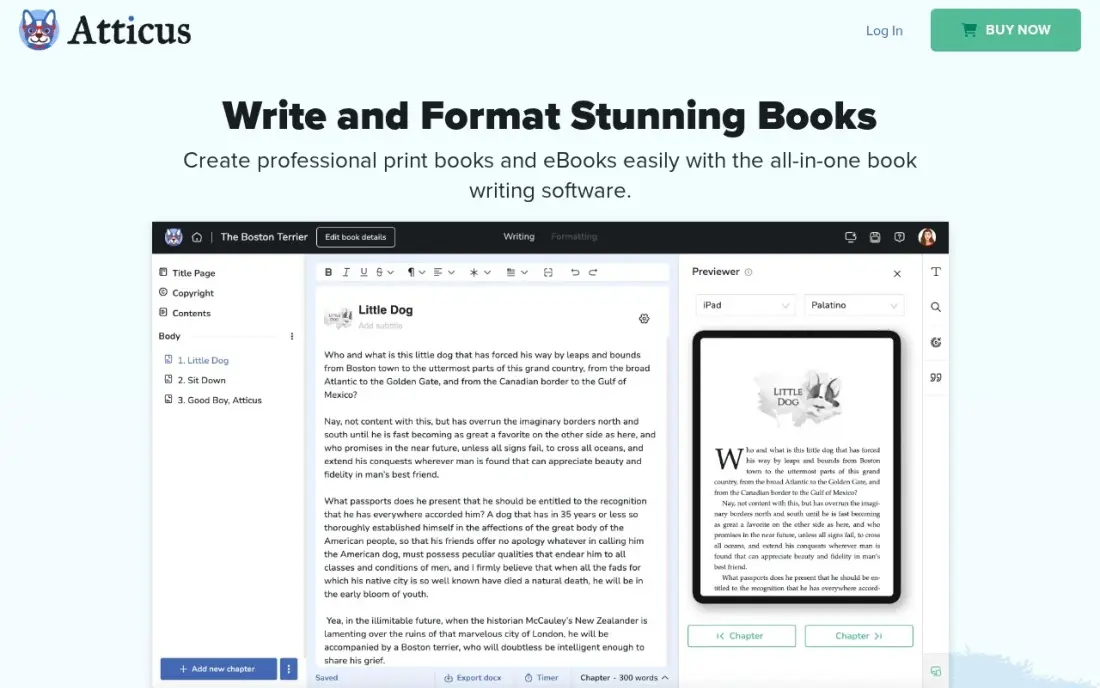
Atticus is the formatter most self-published authors should try first. It runs on Windows, Mac, Linux and Chromebook, offers 17 chapter themes and 1,500 fonts, and exports a reflowable EPUB and a print-ready PDF from the same manuscript, with live previews of both. You can also draft in it, and cloud sync keeps every device up to date.
It costs $147 one-time for unlimited books with all future updates. There is no free trial, only a 30-day money-back guarantee, so format a full chapter inside that window. Updates have slowed, but for a Windows or Linux author it is the closest equivalent at a lower price.
What we like
- One-time $147 covers unlimited books on Windows, Mac, Linux and Chromebook, with all future updates
- 17 chapter themes, 1,500 fonts and custom theme building for professional-looking interiors
- One-click export to EPUB and print-ready PDF, with live ebook and paperback previews
- Built-in cloud sync, so no Dropbox juggling between devices
Watch out for
- $147 upfront is steep if all you need is somewhere to write a first draft
- Drafting tools are good but not as deep as Scrivener's binder and outliner
- No free trial, only a 30-day money-back guarantee, and updates have slowed

Vellum
Best for: Mac-based authors who want the most polished ebook and paperback interiors with the least effort
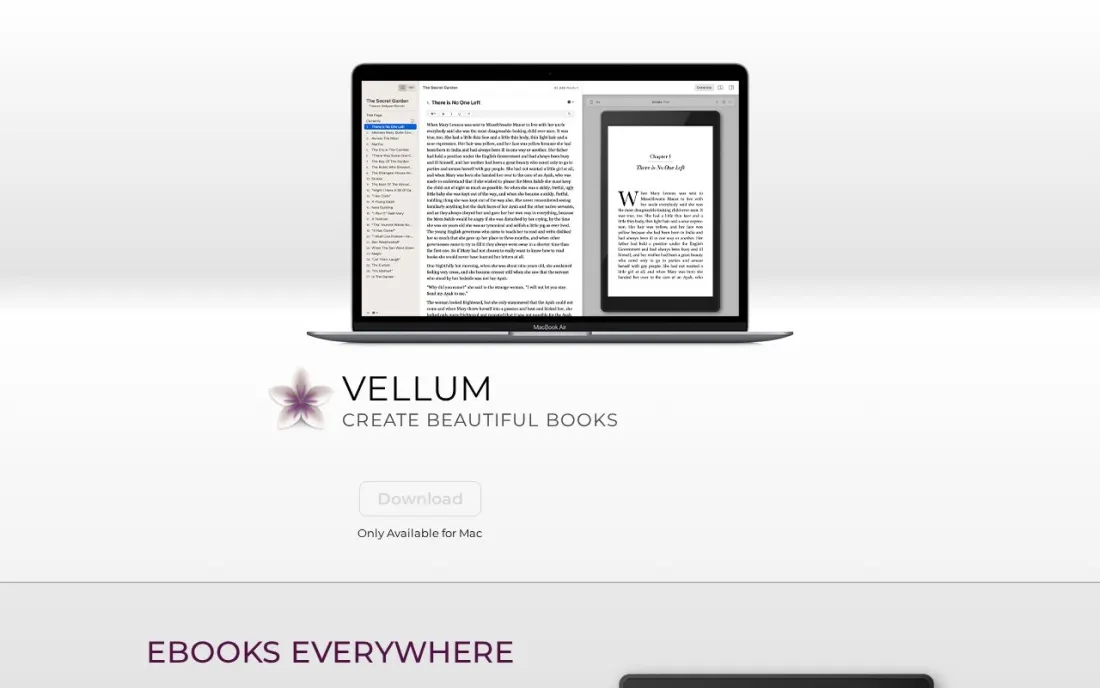
Vellum is built to turn an imported manuscript into a well-styled book with very few decisions, which is why it suits authors who would rather write than fiddle with layout. You can download it free and build, style and preview the whole book before paying, and you buy only when you are ready to publish.
Vellum Ebooks costs $199.99 for unlimited ebooks, and Vellum Press costs $249.99 for unlimited ebooks and paperbacks; both prices exclude tax. The hard limit is the platform: it runs only on a Mac with macOS 14 or newer. Windows authors should look at Atticus, and anyone formatting one short book may not need to spend this much.
What we like
- Download free and format a whole book before you pay anything
- Vellum Ebooks covers unlimited ebooks; Vellum Press adds paperbacks for $249.99
- Purpose-built for book interiors, so a clean result takes very little setup
Watch out for
- Mac only, and it needs macOS 14 or newer
- The most expensive formatter here, and ebooks-only buyers still pay $199.99

Kindle Create
Best for: Authors publishing only on Amazon KDP who want a free, simple formatter
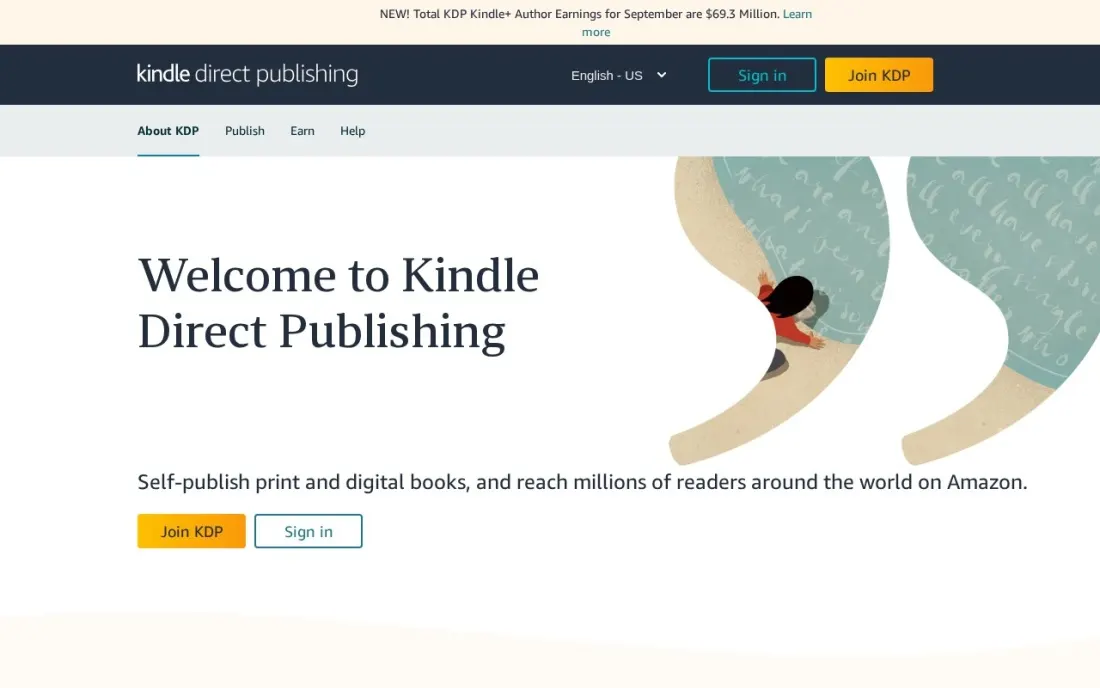
Kindle Create is Amazon's own free formatter, and for a book going only to KDP it is often enough. You import a finished Word document or PDF, pick a theme, add chapter headings and images, and export the KPF file KDP recommends. It handles reflowable novels, print replica books such as textbooks and cookbooks, and simple comics.
The limits are clear in Amazon's own help pages. Publishing outside Kindle is unsupported, tables, lists and footnotes cannot be edited, and EPUB export lacks some Kindle features. Paperback formatting runs through a beta, with little control over margins or fonts. Use it for a straightforward Kindle ebook; use Atticus or Vellum for wide distribution.
What we like
- Free, with imports from DOC, DOCX and PDF on Windows 10 or later and macOS
- Handles reflowable ebooks, print replica books such as cookbooks, and simple comics
- Exports the KPF file KDP recommends, with EPUB export for reflowable books
Watch out for
- Built for Kindle: Amazon says publishing outside Kindle and cover formatting are unsupported
- Cannot edit tables, lists, footnotes or some complex paragraphs; print formatting is limited
calibre
Best for: Authors and publishers who need to convert, fix and manage EPUB and Kindle files for free
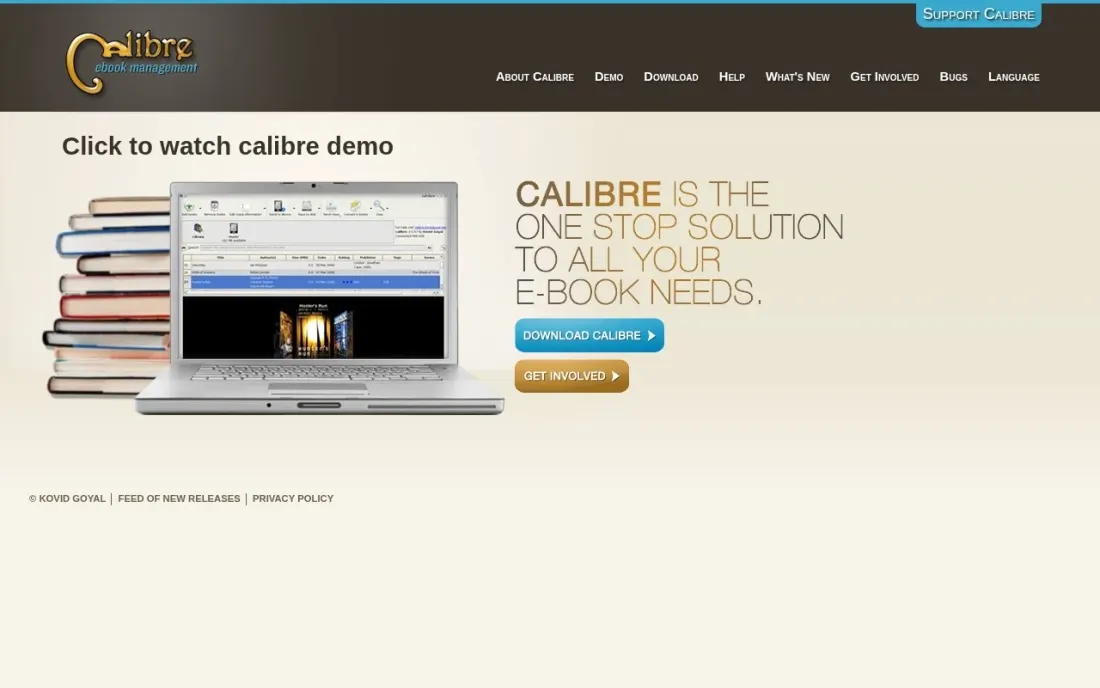
calibre is the free toolkit behind a lot of ebook production. Its developers describe it as completely free and open source, and it converts between dozens of file types, adjusting styles, table of contents and punctuation on the way. The built-in editor works directly on EPUB and Kindle files, which is how authors fix a stray line break without re-exporting the whole book.
It also manages a library, with metadata download, advanced search and a web server for sharing books. What it does not do is design: getting a polished interior means editing HTML and CSS by hand. Use it alongside a formatter, not instead of one.
What we like
- Completely free and open source, funded by donations
- Converts between dozens of ebook file types and adjusts style and table of contents on the way
- Built-in editor works directly on EPUB and Kindle files
Watch out for
- A conversion and editing tool, not a designer — interiors look plain without HTML and CSS work
- The interface is dense and takes time to learn

Scrivener
Best for: Long-form authors who want to draft a book and compile it to EPUB from the same project
Scrivener is a writing app first, but its Compile feature turns the same manuscript into EPUB, Kindle-ready files, Word and print PDFs, so many authors never use a separate formatter. The binder, corkboard and snapshots keep a long manuscript organised while you write, and the export settings are reusable from one book to the next.
The Standard licence costs $59.99 one-time for macOS or Windows, with a 30-day trial counted in days of actual use, and the iOS app is $23.99 extra. Compile has a real learning curve, and the default ebook styling is plain. Choose it if you want one app from first draft to finished file and do not mind setup time.
What we like
- Binder, corkboard and outliner keep a whole novel organised in movable sections, not one long document
- One-time licence with no subscription, and minor updates inside Scrivener 3 are free
- Snapshots save a version of a scene before every rewrite, so no draft is ever lost
- Compile exports to Word, PDF, EPUB and print-ready files from the same manuscript
Watch out for
- One licence covers one desktop platform only, so Mac plus Windows costs $95.98 as a bundle
- Syncing between devices runs through Dropbox, and there is no native cloud sync or web version
- Compile, the export system, has a real learning curve before a manuscript comes out clean

Adobe InDesign
Best for: Designers producing illustrated, fixed-layout or highly designed ebooks
InDesign is the professional layout tool, and it is the one to use when an ebook is a designed object rather than a novel: a cookbook, a photo book, a course workbook or a fixed-layout children's book. It gives precise control over grids, typography and images, and the single-app plan includes Adobe Fonts and 25 generative credits a month.
It costs $34.49 a month billed monthly, or $22.99 a month on an annual plan, after a seven-day free trial. It is subscription only, so stopping payment stops the software, and the learning curve is steep. For a text-only novel it is far more tool than you need; Atticus or Vellum will get there faster.
What we like
- The print-industry standard for multi-page layout, with unmatched typography and grid control
- 25 monthly generative credits and the full Adobe Fonts library included in the single-app plan
- Exports print-ready PDFs of designed ebooks, which Flipsnack can turn into an online flipbook
Watch out for
- Subscription only — stop paying and the software stops working, with no perpetual licence
- The $22.99 annual rate is per seat, so a five-person team pays about $1,380 a year before any other Adobe app
- Steep learning curve, and for a text-only novel it is far more tool than you need
Canva
Best for: Marketers and small businesses creating lead-magnet ebooks and guides from templates
Canva suits the other kind of ebook: the free guide, checklist or report a business gives away for an email address. Its template library includes thousands of ebook layouts, editing is drag and drop, and a finished design exports as a print-ready PDF or publishes as a website link that updates when you edit the design.
The free plan includes more than 250,000 templates and 5GB of storage. Pro costs $18 a month, or $144 a year, and adds Brand Kit, Magic Studio AI tools and Magic Resize. Canva does not produce a reflowable EPUB for ebook stores, and there are no reader analytics, so pair it with a formatter if you want to sell the book.
What we like
- The easiest way to design a publication from scratch: thousands of magazine and ebook templates with drag-and-drop editing
- Magic Studio AI tools and Brand Kit come with Pro, so a small team can stay on-brand without a designer
- Export a finished ebook as a print-ready PDF, or publish it as a website link that updates when you edit the design
Watch out for
- No reflowable EPUB for ebook stores — the output is a PDF or a website link, so pair it with a formatter to sell the book
- Brand Kit, background remover and Magic Resize all need Pro, so the free plan is template-only for branding
- No reader analytics: there is no way to see how far readers get through a published document

Flipsnack
Best for: Businesses publishing interactive flipbook ebooks, catalogues and guides online
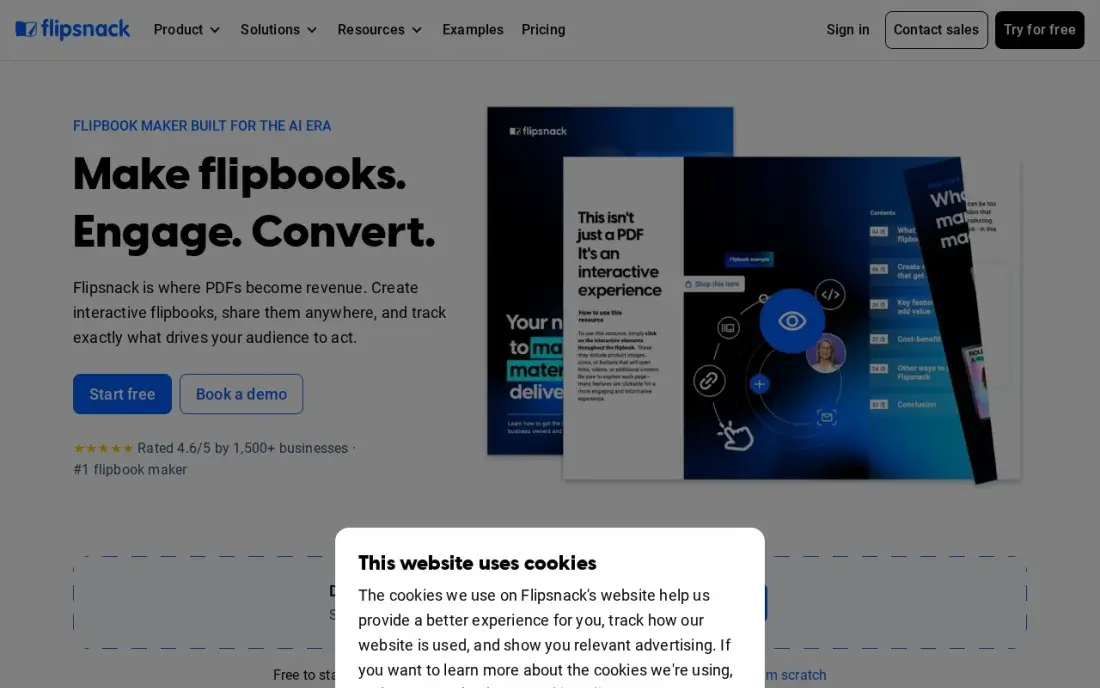
Flipsnack turns an ebook into an online flipbook that readers page through in the browser, which suits catalogues, brochures, lookbooks and gated guides. You can upload a PDF or design from scratch in its drag-and-drop editor, and Starter removes Flipsnack branding from share links and allows downloads in every format.
The free plan covers five flipbooks of 15 pages each. Starter costs $35 a month billed monthly, or $16 a month billed annually, so the annual plan is the only sensible way to buy it. Video, lead forms and full statistics wait for Pro at $52 a month. It is a distribution tool, not an EPUB formatter for ebook stores.
What we like
- The strongest editor here: a drag-and-drop builder for interactive magazines, catalogs and lookbooks, with 100 AI credits a month on Starter
- Share links lose Flipsnack branding from Starter, and downloads work in every format
- Highest review volume in this list — 4.7 out of 5 from 427 G2 reviews, with ease of use the most-cited strength
Watch out for
- The annual discount is the whole deal: Starter costs $35 a month billed monthly but $16 a month billed annually, so monthly billing more than doubles the price
- Website embeds keep Flipsnack branding on Starter — full white-label needs Business at $109 a month
- Video, slideshows, lead forms and full statistics wait for Pro at $52 a month
The best ebook software turns a finished manuscript into a file that reads well on every device — clean chapter breaks, a working table of contents, consistent fonts and images that do not break on a phone. We compared eight tools across the three ways people make ebooks: book formatters for authors, conversion and layout tools, and design tools for marketing ebooks, and every price below comes from the vendor's own page as checked in November 2026.
How to choose the best ebook software
- Decide what kind of ebook you are making. A novel or nonfiction book for ebook stores needs a formatter; a lead magnet or catalogue needs a design tool.
- Check your computer first. Vellum runs only on a Mac with macOS 14 or newer; Atticus runs on Windows, Mac, Linux and Chromebook.
- Confirm the export formats. Ebook stores want EPUB or Amazon's KPF; a designed PDF is fine for a free download but not for a store listing.
- Ask whether you need print too. Vellum Press and Atticus format paperbacks from the same file, which saves paying twice.
- Compare one-time and subscription pricing. Atticus, Vellum and Scrivener are paid once; InDesign, Canva Pro and Flipsnack are monthly or yearly.
- Try it on a real chapter. Format a chapter with images, a list and a footnote before buying — that is where tools differ.
An ebook only sells if readers can find it. Our book marketing services guide covers the launch side, and if you run an author or business website, our monthly SEO service helps the book and its landing page show up in search.
Ebook software pricing: what you will actually pay
Take one self-published author releasing three ebooks this year. Kindle Create and calibre cost $0. Scrivener costs $59.99 once for one platform, Atticus $147 once with print formatting included, and Vellum $199.99 once for ebooks or $249.99 with paperbacks, all for unlimited books. Spread across three books, Atticus works out at $49 a book and Vellum Ebooks at about $67.
Subscription tools cost more over time. Adobe InDesign costs $22.99 a month on an annual plan, which is $275.88 a year, or $34.49 a month billed monthly. For marketing ebooks, Canva Pro costs $144 a year or $18 a month, and Flipsnack Starter costs $192 a year billed annually or $35 a month billed monthly. If you will publish more than one book, a one-time formatter almost always beats a subscription by the end of year one.
Know the difference: ebook formatters vs ebook design tools
A formatter produces reflowable ebooks. The text resizes to fit any screen, the reader can change the font, and the software handles chapter starts, the table of contents and store-ready EPUB or KPF files. Atticus, Vellum, Kindle Create and Scrivener's Compile work this way, and they suit text-led books sold through Amazon, Apple Books and other stores.
A design tool produces fixed layouts. Every page looks exactly as designed, with images and text placed precisely, which suits cookbooks, workbooks, guides and catalogues. Canva and InDesign work this way, and Flipsnack turns those designs into an online flipbook. The output is usually a PDF or web link rather than a store-ready reflowable file, so choose by where the ebook will be read.
Quick comparison: tool type by need
| Buyer | Best pick | Why |
|---|---|---|
| Self-published authors on any computer | Atticus | Ebook and print formatting, $147 one-time |
| Authors on a Mac | Vellum | Most polished interiors, $199.99 for ebooks |
| KDP-only books on no budget | Kindle Create | Free Amazon formatter for Word and PDF files |
| Converting and fixing files | calibre | Free, open-source converter and EPUB editor |
| Writing and formatting in one app | Scrivener | Compile to EPUB, $59.99 one-time |
| Designed and fixed-layout ebooks | Adobe InDesign | Professional layout, $22.99/month on an annual plan |
| Lead-magnet ebooks | Canva | Ebook templates on a free plan, Pro $18/month |
| Online flipbook ebooks | Flipsnack | Interactive flipbooks, Starter $16/month billed annually |
Mistakes to avoid
- Uploading a PDF to an ebook store. Stores want reflowable EPUB or KPF; a PDF reads badly on a phone and may be rejected.
- Skipping device previews. Check every chapter in the formatter's phone, tablet and e-reader previews before you publish.
- Formatting before the final edit. Finish copyediting in your writing app first — fixing text inside a formatter is slower and easy to lose.
- Paying a subscription for one book. A one-time formatter or a free tool is cheaper unless you design ebooks every month.
- Ignoring the cover. Formatters handle the interior; Kindle Create does not format covers, so plan the cover design separately.
Related comparisons: Presentation Platforms · Platforms for Artists · Free Vector Graphics Software · Tools for Creative Design
How we chose
We checked each vendor's own page in November 2026 and recorded the price exactly as shown, including annual-billing figures where listed. Vellum, Kindle Create and calibre were researched directly on November 16, 2026, using Vellum's site, Amazon's KDP help page and calibre's about page; the rest come from our verified tools database. We grouped tools by the kind of ebook they produce and ranked them by fit for a self-published author releasing a first or second book. Ratings come from G2 pages checked on the dates shown in the sources; tools without a rating shown are ones whose review pages we did not read. No vendor paid for a place in this list, and none of the links here are affiliate links.
What to do next
Take your finished manuscript and format one chapter in the free option that fits — Kindle Create for a KDP-only book, the Vellum free download on a Mac — then check it on your phone. If it looks right, format the rest; if not, try Atticus. When the book is live and you want readers to find it, book a free visibility review.
Frequently asked questions
What is the best ebook software?
For self-published authors, Atticus is the best all-round pick at $147 one-time on any computer, and Vellum produces the most polished results on a Mac from $199.99. Kindle Create is the best free option for KDP-only books, and Canva is the best for marketing ebooks and lead magnets.
What is the best free ebook software?
Kindle Create and calibre are both free. Kindle Create formats Word or PDF manuscripts for Amazon KDP, and calibre converts and edits EPUB and Kindle files. Canva's free plan suits designed PDF ebooks, and Flipsnack's free plan covers five flipbooks of 15 pages.
Is Vellum or Atticus better?
Vellum gives more refined results with less effort but runs only on a Mac with macOS 14 or newer, and costs $199.99 for ebooks or $249.99 with paperbacks. Atticus runs on Windows, Mac, Linux and Chromebook for $147 one-time, so it is the choice for anyone not on a Mac.
Can I make an ebook in Microsoft Word or Google Docs?
You can write the manuscript there, and both export files other tools can import, but neither gives you control over ebook styling. Import the finished document into Kindle Create, Atticus or Vellum to format it properly for ebook stores.
What file format do I need to publish an ebook?
EPUB is the standard for most ebook stores, and Amazon KDP accepts EPUB as well as the KPF file Kindle Create produces. Atticus, Vellum, Scrivener and calibre all export EPUB. A PDF suits a free lead-magnet ebook but not an ebook store.
Do I need ebook software for a lead magnet?
Not a book formatter. A lead-magnet ebook is usually a designed PDF, so a design tool such as Canva, or a flipbook tool such as Flipsnack if you want an online reader, fits better than Vellum or Atticus.
What is the best ebook management software?
calibre is the pick for managing ebook files, and it is completely free and open source, funded by donations. It converts between dozens of ebook file types, adjusts style and table of contents on the way, and its built-in editor works directly on EPUB and Kindle files. It is a conversion and editing tool rather than a designer, so interiors look plain without HTML and CSS work.
What is the best ebook software for writers?
Scrivener is the best fit for drafting, at $59.99 one-time per desktop platform. Its binder, corkboard and outliner keep a whole book organised, snapshots save every rewrite, and Compile exports to EPUB and print-ready files. Atticus, at $147 one-time, combines writing with ebook and print formatting on Windows, Mac, Linux and Chromebook, though its drafting tools are not as deep.
What is the easiest ebook software for beginners?
Kindle Create and Vellum need the least setup. Kindle Create is free from Amazon KDP and imports DOC, DOCX and PDF files, but it is built for Kindle only. Vellum is Mac only and costs $199.99 for ebooks, but you can download it free and format a whole book before paying. For lead-magnet ebooks, Canva's free plan offers drag-and-drop templates.
Sources we checked (11)
- Atticus — www.atticus.io (checked November 4, 2026)
- Vellum — vellum.pub (checked November 16, 2026)
- Kindle Create — kdp.amazon.com/help/topic/GUGQ4WDZ92F733GC (checked November 16, 2026)
- calibre — calibre-ebook.com/about (checked November 16, 2026)
- Scrivener — www.literatureandlatte.com/store/scrivener?tab=Windows (checked November 4, 2026)
- Adobe InDesign — www.adobe.com/creativecloud/plans.html (checked November 12, 2026)
- Adobe InDesign reviews on G2 (checked November 12, 2026)
- Canva — www.canva.com/pricing (checked November 12, 2026)
- Canva reviews on G2 (checked November 12, 2026)
- Flipsnack — help.flipsnack.com/en/articles/107456-pricing-plans-explained (checked November 12, 2026)
- Flipsnack reviews on G2 (checked November 12, 2026)
Make one of these tools?
We re-check this list every quarter. Send a correction, request a review, or ask about a clearly labeled sponsored spot.
Request a listingShamim
Founder of SerpAstra
A full-stack digital marketer and SEO strategist covering technical and local SEO, AI search visibility, paid ads and lead generation for local businesses, e-commerce brands and SaaS teams.
Free SEO and AI visibility audit
Find out what is holding your rankings back
Send us your site. Within 2 business days you get a written audit, an AI visibility check and a short fix list ranked by impact. Free, with no contract attached.
Request my free audit→Related buying guides
 Productivity & Office10 Best Apps for Writing a Book in 2026: Free and Paid Apps RankedCompare the 10 best app for writing a book picks on price, free plans and formatting, with every price checked November 4, 2026, and ranked by use case.Read guide →
 Productivity & Office11 Best Digital Publishing Platforms for 2026 (Pros, Cons and Pricing)Compare the 11 best digital publishing platforms on price, free plans and features, with every price checked on the vendor's pricing page on November 12, 2026.Read guide →
 MarketingBest Book Marketing Services for 2026: 8 Providers Ranked by Value8 best book marketing services compared on price, from $9-a-month ARC tools to BookBub deals, with real starting prices checked November 4, 2026.Read guide →