
8 Best Tools for Creative Design in 2026, Compared
Compare the 8 best tools for creative design, from Canva to Illustrator and GIMP, on vector vs raster work, free plans and real cost, checked at the source.
 Shamim Mia, Founder, SerpAstraLast verified November 4, 20268 min read
We compare pricing pages, documentation and public reviews. We never accept payment for rankings.
Key takeaways
- Canva is the best starting point for non-designers, with a free plan of 250,000+ templates and Pro at $18 a month or $144 a year.
- Adobe Illustrator and Photoshop remain the professional standards for vector and photo work, at $22.99 a month each on annual plans.
- Inkscape and GIMP are the free alternatives: open source vector and photo editors with no account and no paid tier.
- Procreate is the cheapest serious creative tool at $12.99 once, but it runs only on iPad and works in raster, not vector.
On this page
Quick comparison
| Tool | Best for | Starting price | Free plan |
|---|---|---|---|
| Canva | Marketers and small businesses who need social posts, flyers and presentations without a designer | Free; Pro $18/mo | Yes (free plan) |
| Adobe Photoshop | Designers and photographers who need pixel-level image editing, compositing and retouching | $22.99/mo (annual) | No (7-day trial) |
| Adobe Illustrator | Brand, logo and print designers who need vector artwork that scales without losing quality | $22.99/mo (annual) | No (7-day trial) |
| Adobe Express | Small teams who want Adobe Stock, Adobe Fonts and Firefly AI in a simple template editor | Free; Premium $9.99/mo | Yes (free plan) |
| CorelDRAW Graphics Suite | Print shops and vector designers who want a full suite with a perpetual licence option | $269/yr; $549 one-time | No (15-day trial) |
| Inkscape | Logo and icon designers who need a capable vector editor for $0 | Free (open source) | Yes (free) |
| GIMP | Designers on a budget who need Photoshop-style photo editing and compositing for free | Free (open source) | Yes (free) |
| Procreate | Illustrators and hand-lettering artists who draw on an iPad with an Apple Pencil | $12.99 one-time (iPad) | No |
Make one of these tools?
We re-check this list every quarter. Send a correction, request a review, or ask about a clearly labeled sponsored spot.
Request a listingThe best creative design tools
Canva
Best for: Marketers and small businesses who need social posts, flyers and presentations without a designer
Canva is the creative design tool most non-designers should start with. Drag-and-drop templates cover social posts, flyers, presentations, ebooks and brochures, and the free plan includes more than 250,000 templates and 5GB of storage. It is rated 4.7 out of 5 across more than 7,600 G2 reviews.
Pro costs $18 a month billed monthly or $144 a year and adds the Brand Kit, background remover, Magic Resize and Magic Studio AI tools, which keep a small team on-brand. It is not a professional vector or print tool: logos and packaging still belong in Illustrator, Inkscape or CorelDRAW.
What we like
- The easiest start for non-designers: drag-and-drop templates for social posts, flyers, presentations, ebooks and brochures
- Magic Studio AI tools and Brand Kit come with Pro, so a small team can stay on-brand without a designer
- The free plan includes more than 250,000 templates and 5GB of storage, so a quick project costs nothing
Watch out for
- Not a professional vector or print tool: logos and packaging still belong in Illustrator, Inkscape or CorelDRAW
- Brand Kit, background remover and Magic Resize all need Pro, so the free plan is template-only for branding
- Pro costs $18 a month billed monthly, or $144 a year, to unlock the branding and AI tools
Adobe Photoshop
Best for: Designers and photographers who need pixel-level image editing, compositing and retouching
Photoshop is the professional standard for raster design: layers, masks and precise selection tools give full control over every pixel, and Generative Fill and Remove rebuild missing areas from a text prompt. It has the largest plugin ecosystem of any tool here and is rated 4.6 out of 5 across more than 13,000 G2 reviews.
The single app costs $22.99 a month billed annually, or $34.49 a month billed monthly, and the annual contract carries an early-termination fee of 50% of the remaining months. The Photography plan with Lightroom costs $19.99 a month with 1TB, so photographers should price that first. Expect weeks, not an afternoon, to learn it.
What we like
- Generative Fill and Remove rebuild missing areas of an image from a text prompt
- Layers, masks and frequency separation give full control over every pixel of a hero shot
- The largest plugin ecosystem of any tool here, so most specialist effects are an add-on away
- Runs as a Lightroom plugin, so the batch workflow and the retouching stay in one pipeline
Watch out for
- Costs more than the Photography plan while delivering less: $22.99 a month against $19.99 for Photoshop plus Lightroom and 1TB
- The annual contract carries an early-termination fee of 50% of the remaining months
- Steep learning curve — the full toolset takes weeks to learn, not an afternoon
Adobe Illustrator
Best for: Brand, logo and print designers who need vector artwork that scales without losing quality
Illustrator is the professional vector editor: logos, icons, type, packaging and print artwork that scale to any size without losing quality. Firefly AI adds Text to Vector Graphic and Generative Recolor, it runs on desktop and iPad, and 100GB of cloud storage and Adobe Fonts are included. Its files open everywhere in the print and branding world.
It costs $22.99 a month on an annual plan billed monthly, with no perpetual licence and only a 7-day trial. The pen tool and path workflow take real practice, so beginners face a steep first month. Choose it when brand assets and print files are the core of your work.
What we like
- The professional vector editor: logos, icons, type, packaging and print in one program
- Text to Vector Graphic and Generative Recolor add Firefly AI to vector work
- Works on desktop and iPad with 100GB of cloud storage and Adobe Fonts included
- Files open everywhere in the print and branding world, with no conversion worries
Watch out for
- Subscription only — no perpetual license, and access ends when you stop paying
- The pen tool and path workflow take real practice; beginners face a steep first month
- No free plan, only a 7-day trial
Adobe Express
Best for: Small teams who want Adobe Stock, Adobe Fonts and Firefly AI in a simple template editor
Adobe Express is Adobe's answer to Canva: a template editor a beginner can learn in an afternoon, with files that sync between web and mobile. The free plan covers basic templates and tools, and it is rated 4.5 out of 5 across 835 G2 reviews.
Premium costs $9.99 a month and adds premium templates, Adobe Stock photos, Adobe Fonts and Brand Kits, with Firefly AI generating images and text effects from a prompt. Its template library is thinner than Canva's and it does not schedule posts, but for stock-heavy marketing graphics it costs about half as much as Canva Pro billed monthly.
What we like
- Adobe Stock photos and Adobe Fonts are included in the price
- Firefly AI generates images and text effects from a prompt
- Brand Kits keep logos and colors consistent across every design
- Works on web and mobile with the same files
Watch out for
- The template library is thinner than Canva's
- Premium templates, Adobe Stock and Brand Kits need the $9.99 Premium plan; the free plan covers basic templates and tools
- $9.99 a month buys design only, not distribution

CorelDRAW Graphics Suite
Best for: Print shops and vector designers who want a full suite with a perpetual licence option
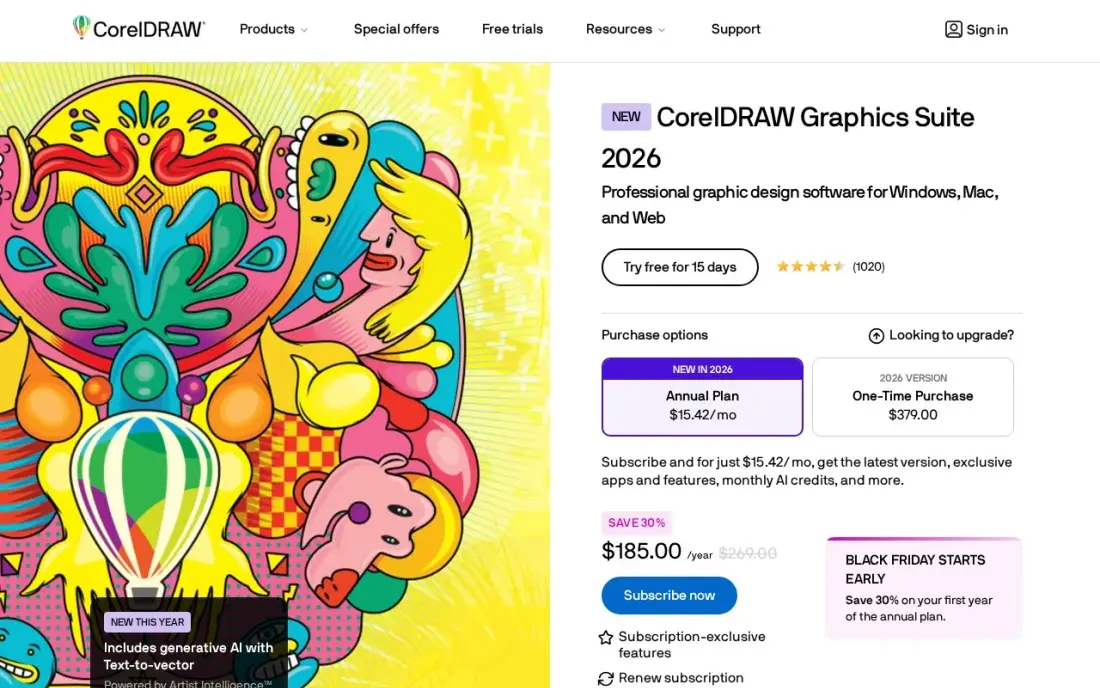
CorelDRAW Graphics Suite bundles CorelDRAW, PHOTO-PAINT, Font Manager and CAPTURE, so vector illustration, photo editing and page layout come in one purchase. Pantone support and a print-focused workflow make it a long-time favourite of sign makers and print shops, and subscribers get 2,000 AI credits a month plus CorelDRAW Web.
The subscription costs $269 a year, or you can buy the 2026 version once for $549, which makes it the only professional suite here with a perpetual option. One-time buyers get 2,000 AI credits once and no web app. The interface feels dated next to Illustrator, and the macOS version trails Windows.
What we like
- A full suite in one price: CorelDRAW, PHOTO-PAINT, Font Manager and CAPTURE
- Subscription is $269 a year, or buy the 2026 version once for $549
- Subscribers get 2,000 AI credits a month plus CorelDRAW Web in the browser
- Strong print-shop workflow with Pantone support and page layout built in
Watch out for
- No free plan beyond a 15-day trial, and the subscription renews at the full rate after year one
- The interface feels dated next to Illustrator, and the macOS version trails Windows
- One-time buyers get 2,000 AI credits once, not monthly, and no CorelDRAW Web
Inkscape
Best for: Logo and icon designers who need a capable vector editor for $0
Inkscape is the free vector tool. It is open source with no paid version, no account and no feature locks, and SVG is its native format, with bezier and spiro curves, path operations and tracing. Logos, icons, diagrams and simple print layouts all fit in one program, and a large extension library adds features for free.
It is slower than Illustrator on very complex files, and CMYK output for print is a known weak spot, so check exports before sending them to a printer. It has no photo editing to speak of and pairs with GIMP rather than replacing it. For a startup's first logo, it is all you need.
What we like
- Free and open source, with no paid version, no account and no feature lock
- SVG is the native format, with bezier and spiro curves, path operations and tracing
- Covers logos, icons, diagrams and print layouts in one program
- A large extension library adds features for free
Watch out for
- Slower than Illustrator on very complex files
- CMYK support for print is a known weak spot — check exports before sending to a printer
- No photo editing to speak of; it pairs with GIMP rather than replacing it

GIMP
Best for: Designers on a budget who need Photoshop-style photo editing and compositing for free
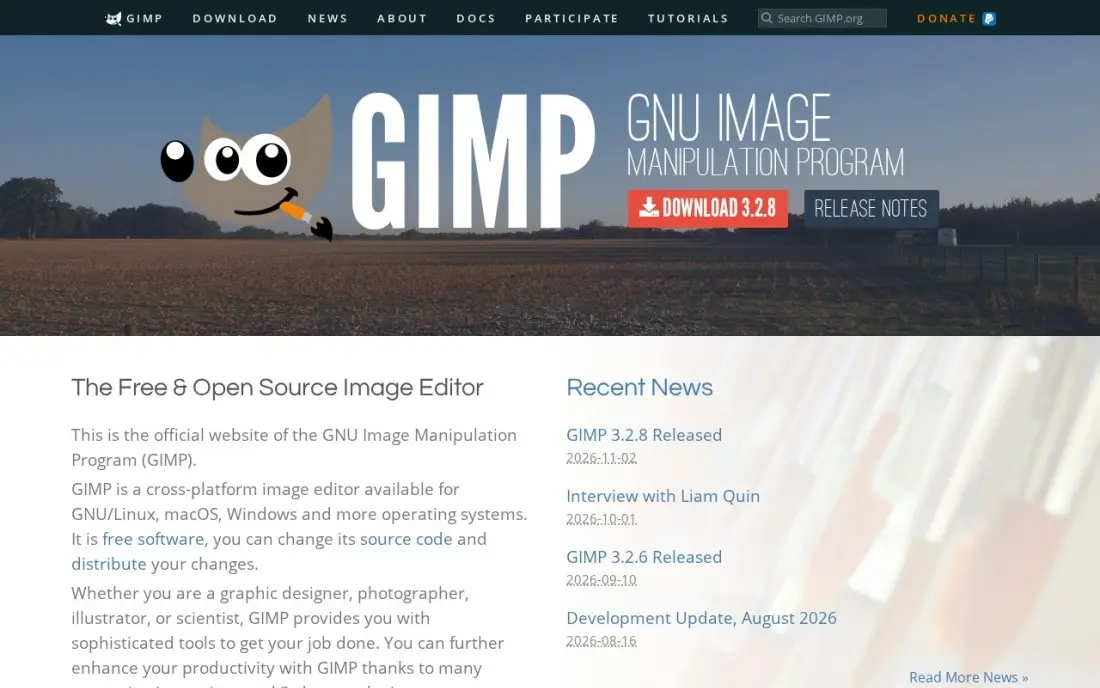
GIMP is the free alternative to Photoshop for raster work: retouching, compositing and batch processing through Script-Fu, with community plug-ins that extend it at no cost. It runs on Windows, macOS and Linux and opens PSD files, so it can work with files from Photoshop users.
The interface is less polished than Photoshop's, some jobs take more clicks, and non-destructive editing arrived later than in paid rivals. It is a photo editor first, so illustrators may prefer a painting app. For social graphics, photo edits and mockups on a zero budget, it covers more than most people need.
What we like
- Free and open source, with no paid tier, no account and no trial because it is all free
- Deep photo retouching, compositing and batch work through Script-Fu
- A large library of community plug-ins extends it for free
- Runs on Windows, macOS and Linux and supports PSD files
Watch out for
- The interface is less polished than Photoshop's, and some jobs take more clicks
- Non-destructive editing arrived later than in paid rivals
- A photo editor first, not a painting app — Krita's brushes are better for illustration
Procreate
Best for: Illustrators and hand-lettering artists who draw on an iPad with an Apple Pencil
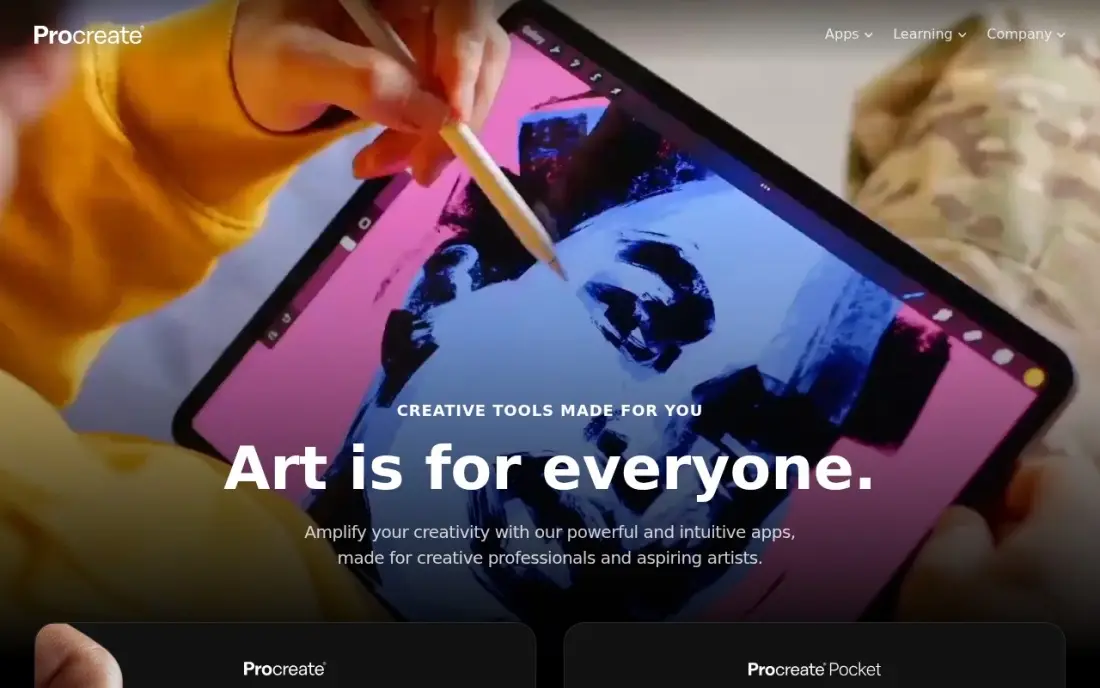
Procreate is the creative tool for designers who draw. More than 200 brushes plus Brush Studio, Animation Assist and time-lapse recording sit in a fast, touch-first interface built around the Apple Pencil, and illustrations, lettering and concept sketches feel natural in it.
It costs $12.99 once on the App Store, with no subscription. The limits are firm: it runs only on iPad, it is raster only so logos cannot scale like vector art, and there is no free trial. Many designers sketch in Procreate and finish vector versions in Illustrator or Inkscape.
What we like
- One-time $12.99 purchase with no subscription and free updates for life
- More than 200 brushes plus Brush Studio for building your own
- Animation Assist and time-lapse recording are built in
- Fast, touch-first interface built around the Apple Pencil
Watch out for
- iPad only — there is no Mac, Windows or Android version
- Raster only, so logos and icons cannot scale like vector art
- No free plan and no free trial — the $12.99 purchase is the only way in
The best tools for creative design depend on what you make: social graphics and presentations, logos and print, photo composites or hand-drawn illustration. We compared eight tools across template editors, vector programs, photo editors and drawing apps, and every price below comes from the vendor's pricing page as recorded in our checked database in November 2026. Three of the eight cost nothing to start.
How to choose the best tools for creative design
- Start with the output. Social posts and presentations suit Canva or Adobe Express; logos and print need a vector tool; photos need a raster editor.
- Know vector from raster. Vector art scales without blurring, which logos need; raster tools edit pixels, which photos and painting need.
- Check the file formats your printers and clients use. Illustrator and Photoshop files open everywhere; Inkscape's CMYK output needs checking before print.
- Price the whole year. Photoshop costs $22.99 a month billed annually but $34.49 monthly, and Canva drops from $216 to $144 a year on annual billing.
- Consider ownership. CorelDRAW sells a $549 perpetual licence and Procreate costs $12.99 once; Adobe tools stop working when you stop paying.
- Be honest about learning time. Template tools take an afternoon; Illustrator's pen tool and Photoshop's full toolset take weeks.
Good design wins attention, but it only works if people find the page it sits on. Our AI search optimization service helps creative work show up in AI answers, and our guide to digital art software goes deeper on illustration tools.
Creative design tools pricing: what you will actually pay
For one designer over a year, Inkscape and GIMP cost $0 and Procreate costs $12.99 once. Adobe Express Premium costs $9.99 a month, or $119.88 a year. Canva Pro costs $144 a year billed annually, against $216 on monthly billing at $18.
Professional tools cost more. Photoshop and Illustrator each cost $22.99 a month on annual plans, so both together run $551.76 a year, and Photoshop billed monthly at $34.49 is $413.88 a year on its own. CorelDRAW costs $269 a year, or $549 once for the 2026 version, which pays for itself after about two years if you do not need every update. A marketer pairing Canva Pro with free GIMP pays $144 a year for most everyday design work.
Know the difference: template editor vs professional design software
A template editor starts from a finished design. Canva and Adobe Express give you a layout, fonts and images, and you swap in your words and brand colors. The result is fast and consistent, and almost anyone can learn it, but layouts look like the templates they came from and precise print control is limited.
Professional design software starts from a blank canvas. Illustrator, Photoshop, CorelDRAW, Inkscape and GIMP give you paths, layers, masks and color control to build anything, and their files are what printers and agencies expect. They take longer to learn and longer to use, which is worth it for brand assets you will use for years.
Quick comparison: tool type by need
| Buyer | Best pick | Why |
|---|---|---|
| Non-designers and marketers | Canva | Free plan with 250,000+ templates, Pro $18/month |
| Photo editing and compositing | Adobe Photoshop | Pixel-level control and Generative Fill, $22.99/month billed annually |
| Logos and print artwork | Adobe Illustrator | Professional vector editor, $22.99/month on an annual plan |
| Stock-heavy marketing graphics | Adobe Express | Adobe Stock and Fonts on Premium at $9.99/month |
| Print shops wanting to own a licence | CorelDRAW Graphics Suite | $269/year or $549 one-time |
| Free vector design | Inkscape | Open source, SVG native, $0 |
| Free photo editing | GIMP | Open source Photoshop alternative, $0 |
| Drawing on iPad | Procreate | 200+ brushes, $12.99 once |
Mistakes to avoid
- Designing a logo in a raster tool. A logo drawn in pixels blurs when enlarged; build it as vector art from the start.
- Paying for two suites that overlap. Canva Pro and Adobe Express Premium do much the same job; pick one.
- Ignoring early-termination fees. Adobe's annual plans charge 50% of the remaining months if you cancel early.
- Sending print files without checking color. RGB designs can print dull; check CMYK output, especially from Inkscape.
- Skipping a brand kit. Save your logo, colors and fonts once so every design stays consistent across the team.
Related comparisons: App Design Software · Creative Project Management Software · Banner Design Software · Brochure Design Software · Company Logo Designers · Ebook Software Tools
How we chose
We took every price, licence term and limit from our verified tool database, built from each vendor's own pricing page and checked in November 2026, and recorded monthly, annual and one-time pricing exactly as shown. We chose tools that cover the main kinds of creative design — templates, vector, photo and drawing — and ranked them by how many buyers each one fits. Ratings come from G2 pages on the dates shown in the sources; tools without a listed rating had none verified. No vendor paid for a place in this list, and none of the links here are affiliate links.
What to do next
List the three things you design most often, then test the matching tool on its free plan or trial with a real project, not a sample file. If those designs are meant to bring customers to your website, book a free SEO review.
Frequently asked questions
What are the best tools for creative design?
Canva is the best for non-designers, Adobe Illustrator and Photoshop are the professional standards for vector and photo work, and Inkscape and GIMP are the best free alternatives. Procreate is the best drawing tool on iPad.
What is the best free creative design tool?
For templates, Canva's free plan includes more than 250,000 templates. For professional-style work, Inkscape (vector) and GIMP (photo editing) are fully free and open source, with no paid tier and no account.
How much do creative design tools cost?
On published prices, Adobe Express Premium costs $9.99 a month, Canva Pro $18 a month or $144 a year, Photoshop and Illustrator $22.99 a month each on annual plans, and CorelDRAW $269 a year or $549 once. Procreate costs $12.99 once.
Is Canva enough for professional design?
For social media, presentations and marketing graphics, often yes. For logos, packaging and print files that need precise vector paths and color control, a vector editor such as Illustrator, CorelDRAW or Inkscape is the better tool.
What is the difference between vector and raster design tools?
Vector tools such as Illustrator, Inkscape and CorelDRAW draw shapes from paths that scale to any size, which suits logos and print. Raster tools such as Photoshop, GIMP and Procreate edit pixels, which suits photos and painted illustration.
Is there a creative design tool without a subscription?
Yes. Inkscape and GIMP are free, Procreate costs $12.99 once, and CorelDRAW Graphics Suite 2026 can be bought once for $549. Adobe Photoshop and Illustrator are subscription only.
What are the best graphic design tools for students?
Start with the free tools, because they teach the same skills as the paid ones. Inkscape is a capable vector editor for logos and icons at $0, and GIMP covers Photoshop-style photo editing and compositing for free. Canva's free plan includes 250,000+ templates for quick projects. Students who draw on an iPad can add Procreate for $12.99 once, with no subscription.
Sources we checked (11)
- Canva — www.canva.com/pricing (checked November 12, 2026)
- Canva reviews on G2 (checked November 12, 2026)
- Adobe Photoshop — www.adobe.com/products/photoshop.html (checked November 8, 2026)
- Adobe Photoshop reviews on G2 (checked November 8, 2026)
- Adobe Illustrator — www.adobe.com/products/illustrator.html (checked November 4, 2026)
- Adobe Express — www.adobe.com/express/pricing (checked November 12, 2026)
- Adobe Express reviews on G2 (checked November 12, 2026)
- CorelDRAW Graphics Suite — www.corel.com/en/newsroom/news/press-releases/20260915-ai-vector-graphics-tools-power-creative-workflows-coreldraw-graphics-suite-2026 (checked November 4, 2026)
- Inkscape — inkscape.org (checked November 4, 2026)
- GIMP — www.gimp.org (checked November 4, 2026)
- Procreate — procreate.com (checked November 7, 2026)
Make one of these tools?
We re-check this list every quarter. Send a correction, request a review, or ask about a clearly labeled sponsored spot.
Request a listingShamim
Founder of SerpAstra
A full-stack digital marketer and SEO strategist covering technical and local SEO, AI search visibility, paid ads and lead generation for local businesses, e-commerce brands and SaaS teams.
Free SEO and AI visibility audit
Find out what is holding your rankings back
Send us your site. Within 2 business days you get a written audit, an AI visibility check and a short fix list ranked by impact. Free, with no contract attached.
Request my free audit→Related buying guides
 Graphic Design & CreativeBest Digital Art Software for 2026: 11 Options Compared by Use CaseCompare the 11 best digital art software options for 2026 by use case, with real prices — from free open-source tools to Photoshop at $22.99 a month.Read guide →
 Graphic Design & Creative8 Best AI Design Apps Free to Use in 2026, ComparedCompare the 8 best AI design apps free to use, with what each free plan includes, its AI limits and the real price of upgrading, checked on vendor pages.Read guide →
 Photo Editing & Photography7 Best Photo Collage Software in 2026, ComparedCompare the 7 best photo collage software on layouts, AI photo fixes, free plans, watermarks and real monthly cost, with every price checked on vendor pages.Read guide →