
8 Best Enterprise Accounting Software in 2026, Compared
Compare the 8 best enterprise accounting software on multi-entity books, consolidation, controls and real cost, with every price checked on vendor pages.
 Shamim Mia, Founder, SerpAstraLast verified November 2, 20269 min read
We compare pricing pages, documentation and public reviews. We never accept payment for rankings.
Key takeaways
- NetSuite and Sage Intacct are the two default picks for a multi-entity finance team; both are quote-only, so the real comparison happens in the sales process.
- Business Central is the only full ERP here with a published per-user price: $80 a user a month on Essentials and $110 on Premium, paid yearly.
- Acumatica prices on transaction volume with unlimited users, which suits companies whose headcount grows faster than their transactions.
- QuickBooks Online Advanced at $340 a month is the bridge for a single-entity company that is not ready for an ERP project yet.
On this page
Quick comparison
| Tool | Best for | Starting price | Free plan |
|---|---|---|---|
| NetSuite | Multi-subsidiary companies that want the general ledger, revenue, inventory and CRM in one system of record | Custom quote | No |
| Sage Intacct | Controllers and CFOs who want the strongest financial reporting, consolidation and audit controls | Custom quote | No (demo only) |
| Business Central | Mid-sized companies on Microsoft 365 that want an ERP with a published per-user price | $80/user/mo | No (trial available) |
| Acumatica | Distributors, manufacturers and project firms that want unlimited users priced on transaction volume | Custom quote | No (demo only) |
| SAP Business One | Product companies with up to about 250 employees that want an SAP ERP sold and run by a local partner | Custom quote | No (demo only) |
| Odoo | Cost-conscious mid-sized companies that want a modular ERP with a published price | $31.10/user/mo | Yes (One App Free) |
| QuickBooks Online Advanced | Single-entity companies with up to 25 finance users that are not ready for an ERP project | $340/mo | No (30-day trial) |
| QuickBooks Desktop Enterprise | Companies that need heavy inventory and up to 40 simultaneous users on desktop software | From $1,873/yr | No (30-day trial) |
Make one of these tools?
We re-check this list every quarter. Send a correction, request a review, or ask about a clearly labeled sponsored spot.
Request a listingThe best enterprise accounting software

NetSuite
Best for: Multi-subsidiary companies that want the general ledger, revenue, inventory and CRM in one system of record
NetSuite is the system most growing companies end up evaluating when spreadsheets start holding the consolidation together. The general ledger, multi-entity and multi-currency books, Advanced Revenue Management for ASC 606 and SuiteAnalytics reporting sit on one database with CRM, inventory and ecommerce, so subsidiaries, intercompany entries and the close all happen in the same place.
Oracle publishes no price. Every deployment is quoted on users, modules and transaction volume, and G2 reports implementations commonly run 6 to 12 months with a partner. The interface also takes time to learn. Buy NetSuite when one system across many entities matters more than a fast or cheap start, and get the renewal terms in writing before you sign.
What we like
- One database for accounting, CRM, inventory and ecommerce, so subsidiaries, intercompany entries and the close happen in one place
- Advanced Revenue Management handles multi-element arrangements and ASC 606 schedules
- Multi-entity, multi-currency and multi-subsidiary books for companies running several legal entities
- SuiteAnalytics and saved searches give real-time reporting across every subsidiary
Watch out for
- No published price list — Oracle quotes every deployment, so two similar companies can pay very different amounts
- Implementation commonly takes 6–12 months, per G2, and usually needs an implementation partner
- Per-user and per-module pricing climbs steeply, and the interface has a real learning curve

Sage Intacct
Best for: Controllers and CFOs who want the strongest financial reporting, consolidation and audit controls
Sage Intacct is built for the finance team rather than the whole business. Dimensional reporting lets you slice the ledger by entity, department, location or project without extra accounts, multi-entity consolidation and inter-entity transactions are in the core product, and the approval workflows and audit trails are what an external auditor expects to see. Sage Copilot AI is included at no extra charge.
The trade-off is that it is a financials platform, not a full ERP: inventory and order management are paid add-ons. Sage publishes no price list, there is no self-service trial, and partners typically price implementation at roughly one to one-and-a-half times the annual subscription. It is the best fit when the controller owns the decision.
What we like
- The strongest reporting in this list — G2 reviewers mention reporting in over 500 reviews, with dimensional reporting built in
- Multi-entity consolidation and inter-entity transactions without spreadsheets or a separate consolidation tool
- Sage Copilot AI is included at no extra charge on the platform
- AICPA-preferred financial management with audit trails and approval workflows finance teams trust
Watch out for
- Sage publishes no price list; every subscription is a custom annual quote from Sage or a partner
- No free plan and no self-service trial — evaluation runs through a demo with Sage or a partner
- Implementation is a separate partner project that partners typically price at roughly one to one-and-a-half times the annual subscription

Business Central
Best for: Mid-sized companies on Microsoft 365 that want an ERP with a published per-user price
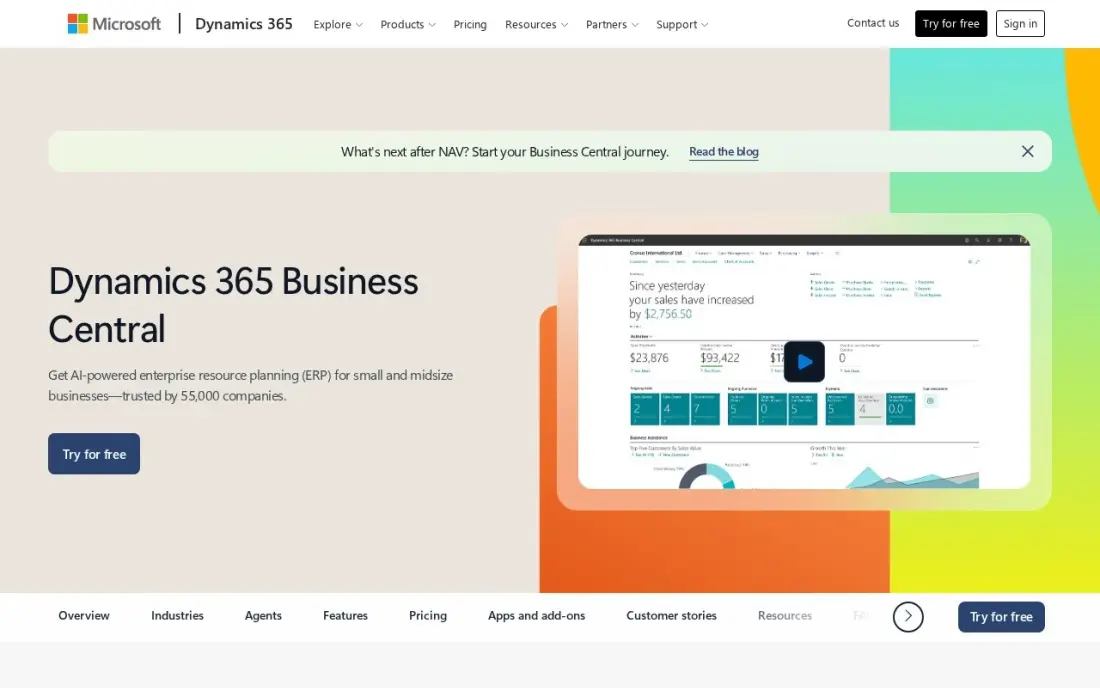
Business Central is the easiest enterprise-grade system to budget for, because Microsoft publishes the price: Essentials costs $80 a user a month and Premium $110, both paid yearly. Essentials covers finance, sales, purchasing, inventory, projects and basic warehousing, and Team Member licences at $8 a user a month cover staff who only approve or view reports. Copilot is included, with links into Outlook, Excel, Teams and Power BI.
The per-user maths is where the cost shows: 20 full users on Essentials is $1,600 a month before any partner work. Manufacturing and service management need Premium, and implementation is a separate partner quote. For a Microsoft shop, it is the most predictable path to real ERP accounting.
What we like
- Microsoft Copilot is included, and the system plugs straight into Outlook, Excel, Teams and Power BI
- Essentials covers finance, sales, purchasing, inventory, projects and basic warehousing in one licence
- Team Member licences at $8/user/month cover staff who only approve, view reports or raise requisitions
- Per-named-user licensing with unlimited transactions inside each seat, so volume never raises the licence bill
Watch out for
- At $80/user/month, a 10-user team pays $800 a month before implementation or add-ons
- Manufacturing and service management need Premium at $110/user/month, not Essentials
- Implementation is quoted separately by a Microsoft partner — the licence is only the start of the bill

Acumatica
Best for: Distributors, manufacturers and project firms that want unlimited users priced on transaction volume
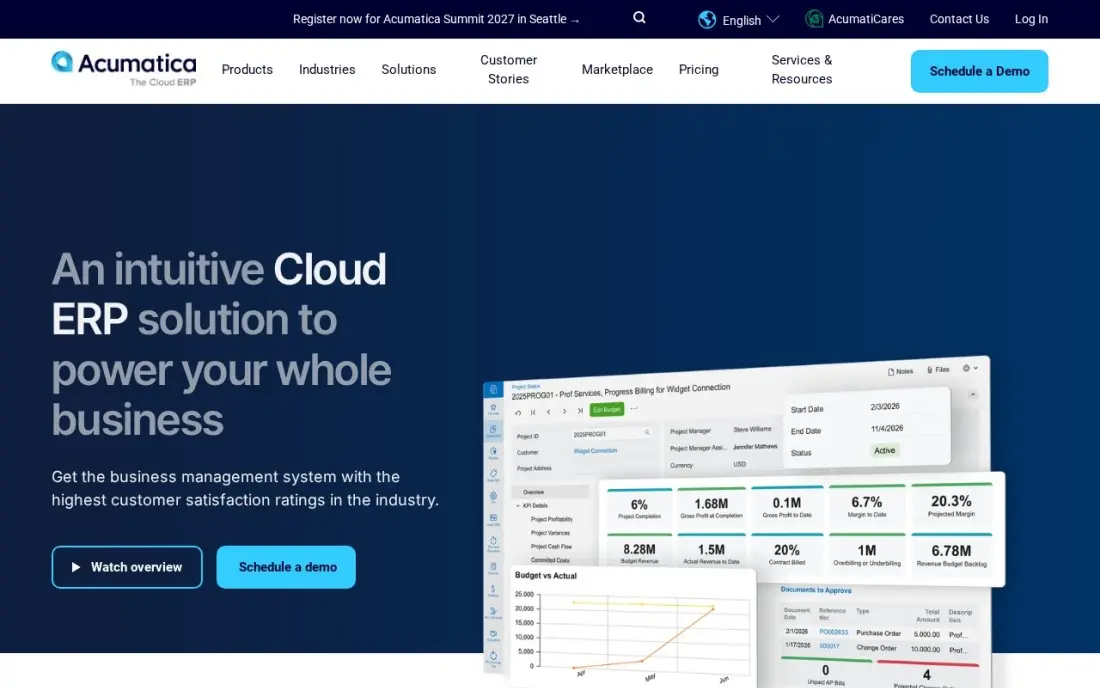
Acumatica breaks from per-seat pricing: the subscription follows the applications you switch on and the transaction volume you run through the system, and its mid-market and enterprise editions include unlimited users. A company with a large warehouse, field or project team can give everyone a login without paying per head. Manufacturing, distribution and project accounting are all native, and the open API keeps integrations simple.
The cost is harder to forecast. Acumatica publishes no list price, third-party guides put most mid-sized businesses at $25,000 a year or more, and implementation and training are quoted separately. Choose it when users would otherwise be the biggest line on the bill.
What we like
- Unlimited users: pricing follows transaction volume and computing resources, not seat count
- Genuine manufacturing depth, including production, distribution and project accounting
- Fully open API, so integrations with CRM, ecommerce and warehouse tools are straightforward
- Rated 4.4 out of 5 on G2, though the freshest indexed copy is months old, so we show no rating here
Watch out for
- Acumatica publishes no list price, so every figure comes from partners and varies by deal
- Consumption pricing is hard to budget: the bill follows transaction volume, not headcount
- Implementation and training are quoted separately and add materially to year one

SAP Business One
Best for: Product companies with up to about 250 employees that want an SAP ERP sold and run by a local partner
SAP Business One is SAP's ERP for companies with roughly 10 to 250 employees, with financials, CRM, purchasing, inventory and production in one system. It suits manufacturers and distributors that want strong stock and production control alongside the ledger, and it offers a perpetual licence for companies that would rather own the software than rent it. G2 reviewers rate it 4.3 out of 5 from 542 reviews.
SAP sells it only through certified partners and publishes no US list price, so the partner shapes the quote, the implementation and the support. Third-party guides report basic five-user implementations from about $15,000. Collect at least two partner quotes and compare them over three years.
What we like
- Purpose-built ERP for companies with 10 to 250 employees, with CRM, sales and inventory in one system
- Strong inventory and production handling for manufacturers and distributors
- Rated 4.3 out of 5 on G2 from 542 reviews, with ease of use the most cited strength
- Perpetual licence option suits companies that prefer to own the software rather than rent it
Watch out for
- SAP publishes no US list price, so every figure comes from partner quotes that vary widely
- Sold only through certified partners, never directly, so support quality depends on the partner
- Implementation for a basic five-user deployment is reported from about $15,000 by third-party guides

Odoo
Best for: Cost-conscious mid-sized companies that want a modular ERP with a published price
Odoo is the enterprise-capable option with a price on the website. Standard costs $24.90 a user a month billed annually in the first year, renewing at $31.10, and it includes every app — accounting, inventory, projects, CRM and more — with hosting and support. Companies that need custom modules or API access move to Custom at $49 a user a month.
Its limits matter for a larger finance team: Standard runs on Odoo Online only, and accounting depth varies by country, so check local tax and consolidation needs before committing. For a company that wants ERP scope without a five-figure quote, it is the first price to compare the others against.
What we like
- CRM and Accounting are two apps inside one system, sharing customers, invoices and payments
- One App Free covers a single app at $0 with unlimited users — the only free accounting entry here
- Standard includes every app, hosting, maintenance and unlimited support in one per-user price
- The modular design means the business adds inventory, projects or e-commerce without re-platforming
Watch out for
- The $24.90 first-year price renews at $31.10 a user a month — budget year two, not year one
- Standard runs on Odoo Online only, with no custom modules and no external API access
- Accounting depth varies by country, so local tax and reporting need checking before buying

QuickBooks Online Advanced
Best for: Single-entity companies with up to 25 finance users that are not ready for an ERP project
QuickBooks Online Advanced is the step many companies take before an ERP. At $340 a month billed monthly it adds 25 users with custom roles, batch transactions, workflow automation, revenue recognition schedules and advanced reporting to the ledger most accountants already know, and Bill Pay Elite is now bundled in.
The hard limit is the entity wall: one subscription covers one legal entity, so a second subsidiary needs a second subscription and a consolidation spreadsheet. G2 reviewers also cite frequent price increases; the plan rose from $275 in August 2026. Choose it when the business is one entity and the team wants a fast, low-risk upgrade.
What we like
- Built-in revenue recognition with straight-line schedules, included in the Advanced plan
- 25 users with custom roles and permissions, plus batch transactions and workflow automation
- Bill Pay Elite and advanced reporting are now bundled into the Advanced plan
- The largest accountant and app ecosystem of any SMB ledger, so migrations and integrations are easy to staff
Watch out for
- At $340 a month it is the most expensive SMB ledger here, and the price rose from $275 in August 2026
- One subscription covers one legal entity, so a second entity needs a second paid subscription
- G2 reviewers cite frequent price increases and support that varies by plan
QuickBooks Desktop Enterprise
Best for: Companies that need heavy inventory and up to 40 simultaneous users on desktop software
QuickBooks Desktop Enterprise is the choice for a business that wants desktop performance with large company files. It handles up to 40 simultaneous users, and the Platinum tier adds advanced inventory, advanced pricing and bill approvals. Silver starts at $1,873 a year for one user, Gold adds Enhanced Payroll, and Intuit shows the exact totals at checkout.
It is the only desktop QuickBooks Intuit still sells to new customers, and it is an annual subscription, so the software stops working if you stop paying. It also has no true multi-entity consolidation. Pick it when a cloud ledger would choke on volume but a full ERP project is more than the business needs.
What we like
- The most powerful desktop accounting here: advanced inventory, advanced pricing, landed cost and bill approvals on Platinum
- Handles up to 40 simultaneous users and very large company files that choke smaller tools
- Enhanced Payroll is included from Gold up, so payroll and accounting share one login
- The largest review base of any desktop tool here — 4.3/5 on G2 from 1,069 reviews
Watch out for
- The most expensive tool in this list — Silver starts at $1,873 a year for one user, and extra users cost more
- Intuit no longer sells Desktop Pro or Premier to new customers, so Enterprise is the only desktop QuickBooks left
- Annual subscription only — stop paying and the software stops working
The best enterprise accounting software closes the books across several entities without a stack of spreadsheets: consolidation, intercompany entries, revenue schedules, approval controls and reports a board and an auditor will both accept. We compared eight systems, from finance-first platforms to full ERPs and the largest QuickBooks plans, on entity support, reporting, controls, licensing and the honest cost of getting live. Every price was checked on vendor pages in November 2026.
How to choose the best enterprise accounting software
- Count your entities first. If you have, or will soon have, more than one legal entity, rule out anything that needs one subscription per entity and look at native consolidation.
- Decide between finance platform and ERP. If inventory, purchasing and production already run in other systems, a finance-first platform may be enough; if they do not, an ERP keeps everything on one database.
- Test the reporting with your own chart of accounts. Ask the vendor to build your monthly board pack in the demo, including department and project views, not a canned sample.
- Price users the way you will really license them. Per-user systems charge for every full seat; check whether approvers and report viewers can use cheaper limited licences, or whether users are unlimited.
- Budget implementation as a separate line. Partner fees often match or exceed the first-year subscription, so get a fixed scope and a timeline in writing.
- Check audit and control features. Look for approval workflows, role-based permissions, audit trails and period locking before you look at dashboards.
Finance teams that compare software for weeks often skip the simplest step: writing down how the close works today. If your company also needs its finance or B2B site to be found by buyers, our SEO audit shows what stands between your pages and page one.
Enterprise accounting software pricing: what you will actually pay
Only three systems in this list publish a price. Take a company with 20 finance and operations users. On Business Central Essentials at $80 a user a month paid yearly, that is $1,600 a month or $19,200 a year in licences. On Odoo Standard at $24.90 a user a month billed annually, it is $498 a month, or $5,976 for the first year, rising to $7,464 a year at the $31.10 renewal rate. QuickBooks Online Advanced costs a flat $340 a month, or $4,080 a year, but caps out at 25 users and one entity.
NetSuite, Sage Intacct, Acumatica and SAP Business One are quote-only. Third-party guides put most mid-sized Acumatica customers at $25,000 a year or more, and partners typically price Sage Intacct implementation at one to one-and-a-half times the annual subscription. Treat those as ranges to test, not prices, and compare every quote over three years, including implementation and the renewal increase.
Know the difference: finance platform vs full ERP
A finance platform such as Sage Intacct concentrates on the jobs a controller owns: the general ledger, multi-entity consolidation, dimensional reporting, approvals and audit trails. It connects to separate systems for inventory, CRM or payroll, which keeps the finance project smaller but leaves integrations to maintain.
A full ERP such as NetSuite, Business Central, Acumatica, SAP Business One or Odoo runs finance on the same database as purchasing, inventory, projects and sales. That removes the integrations and gives one version of every transaction, but the implementation touches every department, takes longer and needs more people to agree.
Quick comparison: tool type by need
| Buyer | Best pick | Why |
|---|---|---|
| Multi-subsidiary companies | NetSuite | Ledger, revenue, inventory and CRM on one database, priced by quote |
| Finance-led teams | Sage Intacct | Dimensional reporting, consolidation and audit controls |
| Microsoft 365 companies | Business Central | Published price, $80/user/month on Essentials |
| Large operational teams | Acumatica | Unlimited users, priced on transaction volume |
| Manufacturers and distributors | SAP Business One | SAP ERP for up to about 250 employees, sold by partners |
| Budget-conscious mid-market | Odoo | Modular ERP from $24.90/user/month billed annually |
| Single-entity growth companies | QuickBooks Online Advanced | 25 users and revenue schedules for $340/month |
| High-volume desktop users | QuickBooks Desktop Enterprise | Up to 40 simultaneous users, from $1,873/year |
Mistakes to avoid
- Comparing year-one licence prices only. First-year discounts, renewal increases and implementation fees change the ranking; compare three-year totals.
- Buying an ERP to fix a process problem. If the close is slow because nobody owns reconciliations, new software will be slow too.
- Licensing every employee as a full user. Approvers and report viewers often qualify for limited licences, which can cut the bill sharply.
- Skipping the data migration plan. Decide how many years of history move across and how opening balances are checked before the project starts.
- Letting one partner set the whole scope. For partner-sold systems, get at least two proposals and ask each to name what is out of scope.
Related comparisons: Enterprise Software · Enterprise AI Platforms · Enterprise Marketing Platforms · Enterprise Budgeting Software
How we chose
We read each vendor's own pricing or product page in November 2026 and recorded prices exactly as published, with billing terms. Where a vendor publishes no price, we say so and cite only clearly labelled third-party ranges. We weighted multi-entity support, reporting and controls, licensing model and implementation effort, then matched each system to the buyer it fits best. Ratings come from G2 pages checked on the dates shown in the sources. No vendor paid for a place in this list, and none of the links here are affiliate links.
What to do next
Write down your entity count, user count by role and the three reports your board asks for every month, then send that same brief to your top three vendors and ask for a three-year quote with implementation included. If your finance or B2B website also needs more qualified traffic, book a free SEO consultation.
Frequently asked questions
What is the best enterprise accounting software?
NetSuite is the best all-round choice for multi-subsidiary companies that want accounting, revenue, inventory and CRM in one system. Sage Intacct is the stronger pick when financial reporting and consolidation are the priority, and Business Central is the best fit for Microsoft 365 companies that want a published price of $80 a user a month.
How much does enterprise accounting software cost?
Most enterprise systems are quote-only: NetSuite, Sage Intacct, Acumatica and SAP Business One publish no price. Business Central costs $80 a user a month on Essentials, paid yearly, Odoo Standard costs $24.90 a user a month billed annually in year one, and QuickBooks Online Advanced costs $340 a month. Implementation is usually extra.
When should a company move from QuickBooks to enterprise accounting software?
The usual triggers are a second legal entity, a consolidation that lives in spreadsheets, more than 25 finance users, or revenue recognition and audit requirements that the ledger cannot handle. QuickBooks Online Advanced covers one entity, so a second subsidiary is often the point to evaluate an ERP.
What is the difference between enterprise accounting software and an ERP?
Enterprise accounting software focuses on the general ledger, consolidation, reporting and controls, as Sage Intacct does. An ERP adds inventory, purchasing, manufacturing, CRM and projects on the same database, as NetSuite, Business Central, Acumatica, SAP Business One and Odoo do.
How long does an enterprise accounting implementation take?
It depends on entities, modules and data. G2 reports NetSuite implementations commonly take 6 to 12 months. Sage Intacct, Business Central, Acumatica and SAP Business One are implemented by partners who quote the project separately, so ask each partner for a timeline and a fixed scope.
Which enterprise accounting software has unlimited users?
Acumatica includes unlimited users on its mid-market and enterprise editions and prices on transaction volume and applications instead. Odoo, Business Central and NetSuite are priced per user.
What accounting software do big companies use?
Large, multi-entity companies usually run NetSuite, which keeps the general ledger, revenue, inventory and CRM in one system of record, or Sage Intacct, chosen by controllers and CFOs for financial reporting, consolidation and audit controls. Business Central suits mid-sized companies on Microsoft 365, and Acumatica suits distributors, manufacturers and project firms. All of them except Business Central are quote-only, and implementation is a separate cost.
What is the best accounting software for engineering and project-based firms?
Acumatica is the strongest fit: project accounting is native, and its mid-market and enterprise editions include unlimited users, so a large field or project team can all have logins without paying per head. Business Central Essentials covers projects at $80 a user a month, paid yearly. Sage Intacct slices the ledger by project with dimensional reporting, and Odoo adds a projects app to every plan.
Sources we checked (14)
- NetSuite — www.netsuite.com/portal/products/pricing.shtml (checked November 4, 2026)
- NetSuite reviews on G2 (checked November 4, 2026)
- Sage Intacct — www.itqlick.com/sage-intacct-software/pricing (checked November 10, 2026)
- Sage Intacct reviews on G2 (checked November 10, 2026)
- Business Central — www.microsoft.com/en-us/dynamics-365/products/business-central (checked November 10, 2026)
- Business Central reviews on G2 (checked November 10, 2026)
- Acumatica — www.acumatica.com/pricing (checked November 12, 2026)
- SAP Business One — www.sap.com/products/erp/business-one.html (checked November 12, 2026)
- SAP Business One reviews on G2 (checked November 12, 2026)
- Odoo — www.odoo.com/pricing (checked November 12, 2026)
- QuickBooks Online Advanced — quickbooks.intuit.com (checked November 2, 2026)
- QuickBooks Online Advanced reviews on G2 (checked November 2, 2026)
- QuickBooks Desktop Enterprise — quickbooks.intuit.com/desktop/enterprise (checked November 4, 2026)
- QuickBooks Desktop Enterprise reviews on G2 (checked November 4, 2026)
Make one of these tools?
We re-check this list every quarter. Send a correction, request a review, or ask about a clearly labeled sponsored spot.
Request a listingShamim
Founder of SerpAstra
A full-stack digital marketer and SEO strategist covering technical and local SEO, AI search visibility, paid ads and lead generation for local businesses, e-commerce brands and SaaS teams.
Free SEO and AI visibility audit
Find out what is holding your rankings back
Send us your site. Within 2 business days you get a written audit, an AI visibility check and a short fix list ranked by impact. Free, with no contract attached.
Request my free audit→Related buying guides
 Manufacturing, Maintenance & ERP10 Best Small Business ERP Software in 2026, ComparedCompare the 10 best small business ERP software options on price, inventory, manufacturing and free plans, with every price checked November 10, 2026.Read guide →
 Sales & CRMBest CRM ERP Software for 2026: 12 Options Compared by Use CaseCompare the 12 best crm erp software options for 2026 on price, free plans, ERP depth and implementation costs — every price checked November 12, 2026.Read guide →
 Accounting & Finance11 Best Financial Analytics Software in 2026, Compared11 best financial analytics software options compared on price, planning depth and reporting, with prices checked on the vendor's own page on November 2, 2026.Read guide →