
8 Best Payroll Software with Time Tracking in 2026, Compared
Compare the 8 best payroll software with time tracking on built-in clocks, add-on fees and real monthly cost for a 10-person team, with prices checked in 2026.
 Shamim Mia, Founder, SerpAstraLast verified November 2, 20269 min read
We compare pricing pages, documentation and public reviews. We never accept payment for rankings.
Key takeaways
- Square Payroll is the cheapest true all-in-one here: $35 a month plus $6 per person, with Square time cards flowing straight into pay runs.
- Homebase gives you the time clock free for one location and up to 10 employees, then adds payroll at $49 a month plus $6 per employee.
- Most payroll tools charge separately for the clock: Patriot at $6 a month plus $2 per employee, SurePayroll from $5 plus $3, OnPay at a reported $15 plus $4.
- Gusto only includes time tracking from Plus at $80 a month plus $12 per person, so the base Simple plan is not a time-tracking plan.
On this page
Quick comparison
| Tool | Best for | Starting price | Free plan |
|---|---|---|---|
| Square Payroll | Hourly teams already using Square that want time cards and payroll in one system | $35/mo | No |
| Homebase | Single-location shift businesses that want a free time clock first and payroll added later | Free; payroll $49/mo + $6/employee | Yes (free plan) |
| Gusto | Growing teams that want payroll, benefits and time tracking under one login and can pay for Plus | $49/mo + $6/person; time on Plus | No |
| QuickBooks Payroll | Businesses on QuickBooks Online that want hours, payroll and the books to reconcile automatically | $50/mo | No |
| QuickBooks Time | Field and job-based crews on QuickBooks Payroll that need GPS clocks and job costing | $20 base + $10/user/mo | No (30-day trial) |
| Rippling | Companies past 25 people that want payroll, time, HR and IT on one employee record | $8/user/mo | No |
| Patriot Software | Cost-conscious US employers that want full-service payroll and a cheap time-tracking add-on | Payroll $37/mo + $5/worker | No (30-day trial) |
| SurePayroll | Very small multi-state teams that want low payroll fees and a basic time clock add-on | $29/mo + $7/employee | No (1-month trial) |
Make one of these tools?
We re-check this list every quarter. Send a correction, request a review, or ask about a clearly labeled sponsored spot.
Request a listingThe best payroll software with time tracking

Square Payroll
Best for: Hourly teams already using Square that want time cards and payroll in one system
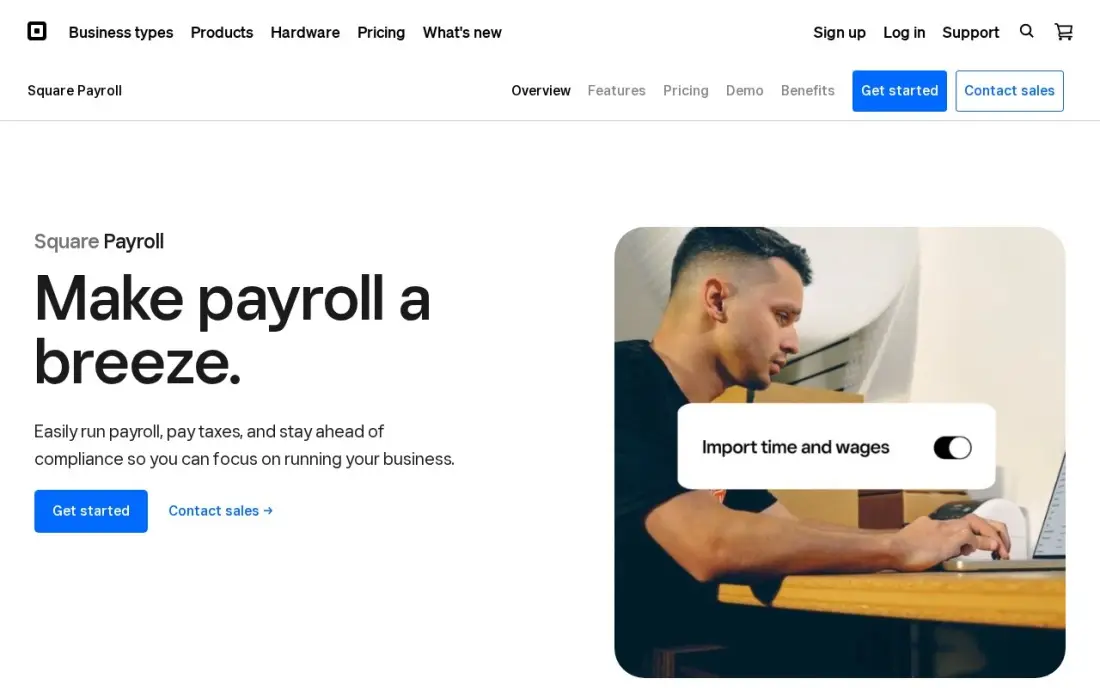
Square Payroll is the most direct answer to this search: staff clock in on the Square app, and those time cards feed the pay run without an export. It costs $35 a month plus $6 per person paid, with unlimited pay runs, automatic federal and state tax filing, multi-state payroll and contractor payments included.
The limits show up outside hourly work. Salaried employees are entered by converting their pay to an hourly rate, and reporting is a set of pre-built CSV exports. For a cafe, shop or crew already taking payments on Square, though, it is the cheapest way here to get clock and payroll from one vendor.
What we like
- Hours flow straight from Square time cards into payroll — no re-entry for hourly crews
- Automatic federal and state tax payments and filings, with multi-state included
- Team members clock in from the Square app and see pay stubs on their phones
- Contractor payments are included, so 1099 subs ride on the same system
Watch out for
- Built around the Square ecosystem — it fits poorly if you do not use Square already
- Salaried pay is awkward: salaried staff are converted to an hourly rate for entry
- Reporting is basic: pre-set reports with no preview, exported as CSV files

Homebase
Best for: Single-location shift businesses that want a free time clock first and payroll added later
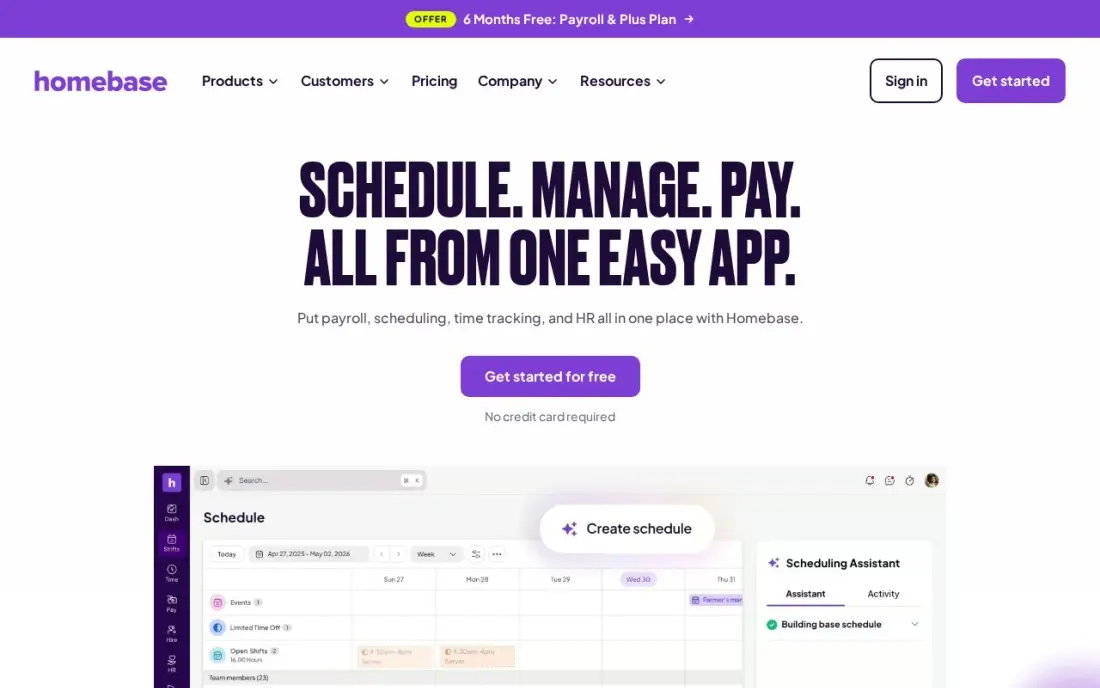
Homebase starts from the clock rather than the payroll. The free Basic plan covers scheduling, a time clock and team messaging for one location and up to 10 employees, and Essentials at $30 a month per location adds GPS clock-ins and late-arrival alerts. Payroll is an add-on at $49 a month plus $6 per employee on every plan.
That order suits a restaurant or shop that needs clean timesheets before it needs full payroll. The pricing is per location, so a second site doubles the subscription even with the same staff, and the payroll fee applies on top of every tier, including the top one.
What we like
- The free Basic plan covers real scheduling, time tracking and team messaging for one location and up to 10 employees
- Per-location pricing means hiring more people never raises the subscription on paid plans
- GPS clock-ins and late-arrival alerts come with Essentials, not a higher tier
- Point-of-sale connections are included from the free plan, so hours can be checked against sales
Watch out for
- Pricing is per location, so a second site doubles the bill even with the same staff
- Payroll is an add-on at $49/month plus $6 per employee, on every plan including All-in-One
- Hiring tools start on Plus at $70/month per location, not on Essentials

Gusto
Best for: Growing teams that want payroll, benefits and time tracking under one login and can pay for Plus
Gusto is a payroll-first platform where time tracking arrives one tier up. Simple costs $49 a month plus $6 per person and covers unlimited single-state pay runs with tax filing, but it has no time tracking. Plus, at $80 a month plus $12 per person, adds it, as does the Time & Attendance Plus add-on.
Once on Plus, tracked hours sync into payroll in the same account, and Gusto's 4.6 rating across more than 10,000 G2 reviews is the largest sample in this list. The cost is the drawback: a 10-person team on Plus pays $200 a month, roughly double the add-on route at Square or Patriot.
What we like
- Unlimited payroll runs with federal, state and local tax filing included on every plan
- Time & Attendance Plus add-on syncs tracked hours straight into payroll
- Highest reviewer volume here — 4.6/5 across more than 10,000 G2 reviews — with an easy setup flow
Watch out for
- Time tracking is not on Simple — it needs Plus ($80/month + $12/person) or the Time & Attendance Plus add-on
- Simple covers payroll in one state only; hiring in a second state forces the Plus upgrade
- Per-person fees add up fast: a 25-person team pays $199/month on Simple before any add-on

QuickBooks Payroll
Best for: Businesses on QuickBooks Online that want hours, payroll and the books to reconcile automatically
QuickBooks Payroll, now sold as QuickBooks Workforce, starts at $50 a month plus $7 per employee on Core, with next-day direct deposit and automatic tax filing. Its Payroll AI collects time and attendance from employees and flags inconsistencies before payday, and payroll posts straight to QuickBooks Online.
Core includes one state filing; each extra state costs $12 a month. Teams that need full GPS clocks and job costing usually add QuickBooks Time as well, which pushes the bill well past the headline price. It is the right pick when the accountant already lives in QuickBooks and clean books matter as much as payday.
What we like
- Payroll posts straight to QuickBooks Online — no journal entries to re-key
- Payroll AI collects time and attendance and flags inconsistencies for you
- Next-day direct deposit and automatic tax filings on the Core plan
- Contractor-only payments from $15 a month for up to 20 contractors
Watch out for
- Only makes sense with a paid QuickBooks Online plan, so you pay for two subscriptions
- Core covers one state filing; extra states cost $12 a month each
- Prices have risen repeatedly, and the plan is now sold as QuickBooks Workforce
QuickBooks Time
Best for: Field and job-based crews on QuickBooks Payroll that need GPS clocks and job costing
QuickBooks Time, formerly TSheets, is the time half of Intuit's payroll setup. Premium costs a $20 base fee plus $10 per user a month and includes GPS tracking, geofencing, job and project time, scheduling and overtime alerts. Hours sync natively into QuickBooks Payroll, so nobody re-keys a timesheet.
It is the most complete clock in this list and the most expensive to pair: 10 users cost $120 a month before the payroll subscription. Per-user rates also rose by $2 on July 1, 2026, so older roundups quote lower prices. Choose it when job costing per crew justifies the extra spend.
What we like
- Native sync with QuickBooks Online and QuickBooks Payroll removes export and re-entry
- GPS tracking and geofencing are included on all plans, with job and project time tracking
- Scheduling, overtime alerts and mileage tracking sit in the same system as payroll
- The largest review base here at 1,449 G2 reviews, rated 4.5/5
Watch out for
- The most expensive option here for a small team once the base fee and per-user price add up
- Requires a QuickBooks Online subscription for full value — the clock alone is not the whole cost
- Per-user rates rose by $2 on July 1, 2026, so older roundups quote lower prices

Rippling
Best for: Companies past 25 people that want payroll, time, HR and IT on one employee record
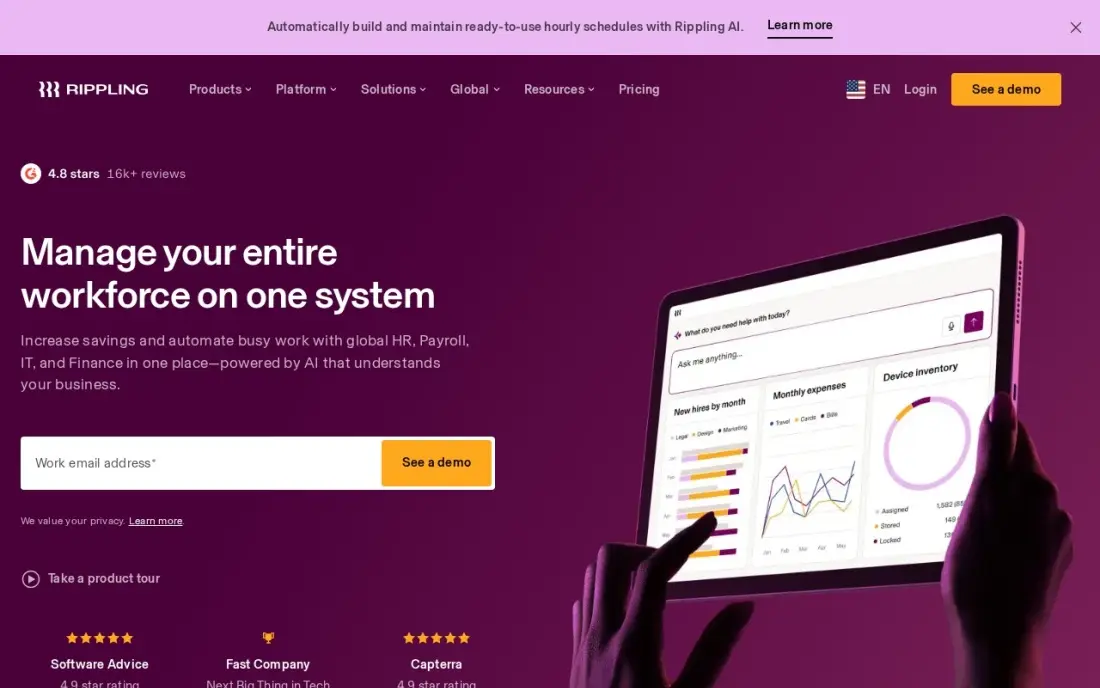
Rippling treats time tracking as one module on a single employee record that also drives payroll, HR, benefits and IT. Plans start at $8 per user a month plus a monthly base fee, and Rippling AI flags pay anomalies before payday. Workflow automation handles onboarding and approvals across modules.
The base fee is not published and each module adds to the bill, so price payroll plus time together on a written quote. Setup is heavier than the small-business tools here, and support on standard tiers draws mixed reviews. Rippling earns its cost once headcount and locations grow faster than an office manager can keep up.
What we like
- One employee record drives payroll, HR, IT and benefits — no duplicate data entry
- Rippling AI answers questions across your workforce data and flags pay anomalies
- Workflow automation handles onboarding, offboarding and approvals without manual steps
- Scales from a single crew to multiple locations without switching systems
Watch out for
- Modular pricing: the $8 rate is per user, and a monthly base fee sits on top
- Costs stack up quickly as you add payroll, device and benefits modules
- Setup can be complex, and support is hit-or-miss on standard tiers

Patriot Software
Best for: Cost-conscious US employers that want full-service payroll and a cheap time-tracking add-on
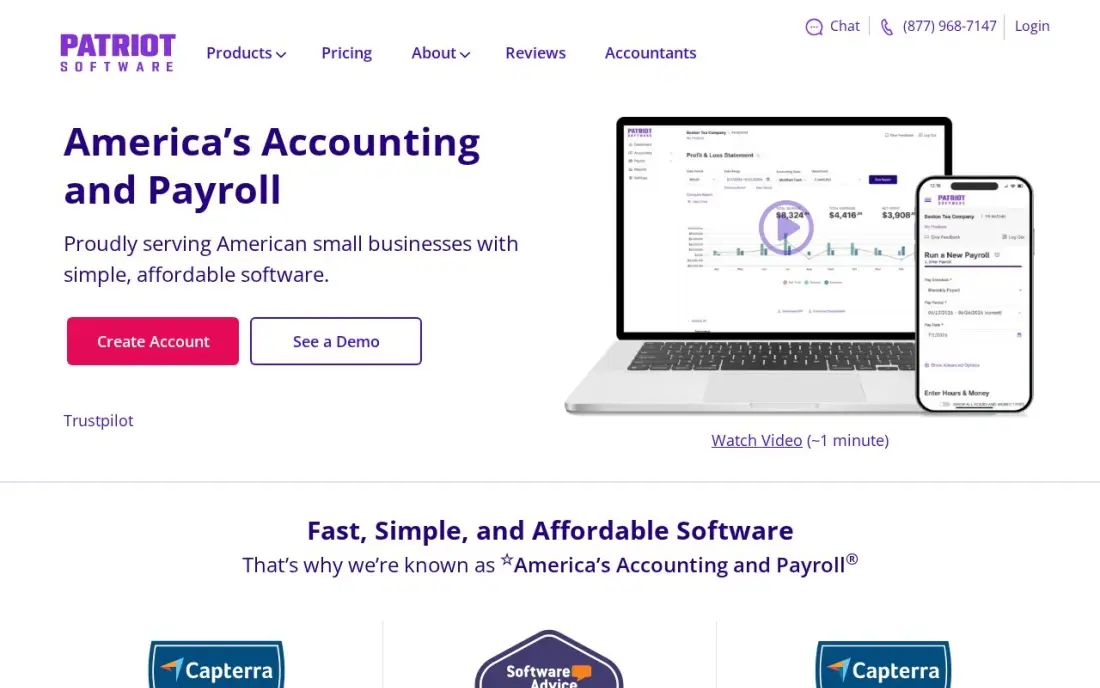
Patriot has the lowest published full-service payroll price here: $37 a month plus $5 per worker, with federal, state and local tax filing, unlimited runs and year-end forms included. Time tracking is an add-on at $6 a month plus $2 per employee, and accounting is available from $20 a month in the same login.
The interface is plain and reporting is basic next to Gusto or Square, and each extra state costs $12 a month. But a 10-person team pays $113 a month for full-service payroll with time tracking, which makes Patriot the budget pick for an owner who wants both and little else.
What we like
- Full Service Payroll at $37/month plus $5 per worker is the cheapest published full-service payroll here
- Native accounting from $20/month, so books and payroll live in one place with no integration to maintain
- Unlimited payroll runs and year-end filings included at no extra charge, with month-to-month billing
Watch out for
- Each additional state costs $12 a month on Full Service Payroll, so multi-state teams pay more
- Time tracking and HR tools are add-ons at $6/month plus $2 per employee each
- The interface is plain next to Gusto and Square, and reporting is basic

SurePayroll
Best for: Very small multi-state teams that want low payroll fees and a basic time clock add-on
SurePayroll, backed by Paychex, keeps the base fee low: Full Service costs $29 a month plus $7 per employee, with tax filing, deposits and unlimited runs included. Time clock integration is a paid add-on from $5 a month plus $3 per employee, and a flat $9.99 a month covers multi-state payroll after the first state.
The per-head rate catches up as the team grows, and year-end W-2 and 1099 forms cost extra at $50 plus $5 per form. The vendor's own pages also show a $39 base for Full Service, so confirm the figure before signing. It suits teams under about 10 spread across several states.
What we like
- Lowest base fee in this list at $29/month, with tax filing and deposits included on Full Service
- Flat $9.99/month multi-state add-on beats per-state pricing once staff sit in three or more states
- Tax penalty guarantee on Full Service: SurePayroll covers penalties caused by its own errors
Watch out for
- Time clock integration is a paid add-on from $5/month plus $3 per employee — not built in
- Year-end W-2 and 1099 forms cost extra ($50 base plus $5 per form)
- Vendor pages also show a $39 base for Full Service, so confirm which base applies before signing up
The best payroll software with time tracking takes the hours staff clock and turns them into a correct pay run without anyone retyping a timesheet. We compared eight tools on where the clock lives (built in, on a higher tier or an add-on), what the clock does, and what the combined bill looks like for a 10-person team. Every price below comes from the vendor's own pricing page, with prices checked in November 2026.
How to choose the best payroll software with time tracking
- Check which plan actually includes the clock. Gusto has no time tracking on Simple, and OnPay, Patriot and SurePayroll sell it as an add-on. The headline price is rarely the time-tracking price.
- Add the per-person fees twice. Most tools charge per person for payroll and again per person for the clock, so a 10-person team pays both rates ten times.
- Match the clock to the work. Shift workers need a kiosk or phone clock with break rules; field crews need GPS and geofencing; office staff may only need a weekly timesheet.
- Confirm overtime and break rules sync. The point of one system is that overtime is calculated from the clock, not typed in by a manager on Friday.
- Count states and locations. QuickBooks and Patriot charge $12 a month per extra state, Gusto Simple is single-state, and Homebase prices per location.
- Look at your accounting tool. If your books are in QuickBooks Online, the Intuit pair avoids journal entries; otherwise a standalone payroll tool is usually cheaper.
Payroll software keeps staff paid; it does not bring in customers. If the business also needs more local enquiries, our local SEO service covers that side, and our guide to the best timekeeping software for small business goes deeper on clocks alone.
Payroll with time tracking pricing: what you will actually pay
Take a 10-person hourly team in one state. On published monthly prices, Square Payroll costs $35 plus $60 in per-person fees, so $95 a month with time cards included. Homebase Basic gives the clock free for up to 10 employees, and its payroll add-on costs $49 plus $60, so $109 a month. Patriot costs $37 plus $50 for full-service payroll and $6 plus $20 for time tracking, so $113 a month.
SurePayroll costs $29 plus $70 for Full Service and $5 plus $30 for the time clock add-on, so $134 a month. OnPay costs $49 plus $60 for payroll and a reported $15 plus $40 for time tracking, so $164 a month. Gusto Plus, the first Gusto plan with time tracking, costs $80 plus $120, so $200 a month. QuickBooks Payroll Core at $50 plus $70 and QuickBooks Time Premium at $20 plus $100 come to $240 a month before the QuickBooks Online subscription.
Over a year, that range runs from $1,140 on Square Payroll to $2,880 on the QuickBooks pair. Rippling publishes only its $8 per user starting rate and not its base fee, so get a written quote that includes both payroll and time modules.
Know the difference: built-in clock vs integrated time app
A built-in clock lives inside the payroll product. Square Payroll's time cards, Gusto Plus and Rippling's time module write hours straight into the pay run, so overtime and breaks are calculated where pay is calculated. There is one login, one employee list and nothing to sync.
An integrated time app is a separate product that pushes hours into payroll. Homebase, QuickBooks Time and the add-ons sold by OnPay, Patriot and SurePayroll work this way. The upside is a stronger clock, with GPS, geofences, job codes or scheduling. The downside is a second employee list to keep in step: when someone is hired or leaves, both systems need updating before the next pay run.
Quick comparison: tool type by need
| Buyer | Best pick | Why |
|---|---|---|
| Hourly teams on Square | Square Payroll | $35/month plus $6 per person, time cards included |
| One-location shift businesses | Homebase | Free clock up to 10 employees, payroll $49/month plus $6 |
| Teams that also want benefits | Gusto | Time tracking on Plus at $80/month plus $12 per person |
| QuickBooks Online users | QuickBooks Payroll | Core $50/month plus $7, posts straight to the books |
| Field crews needing GPS | QuickBooks Time | Geofencing and job time, $20 base plus $10 per user |
| Companies past 25 people | Rippling | Payroll, time, HR and IT on one record from $8/user |
| Tight budgets | Patriot Software | $37/month plus $5, time add-on $6 plus $2 |
| Small multi-state teams | SurePayroll | $29/month plus $7, flat $9.99 multi-state add-on |
Mistakes to avoid
- Buying the base plan and assuming a clock. Several tools here sell time tracking only on a higher tier or as an add-on; read the plan grid before you sign up.
- Running two employee lists. If the clock and payroll are separate, a missed termination in one system can mean paying someone who has left.
- Ignoring break and overtime rules. A clock that records hours but not meal breaks or daily overtime leaves you open to wage claims in stricter states.
- Pricing only today's headcount. Per-person fees double-count with time add-ons, so model the bill at the team size you expect in a year.
- Skipping a parallel run. Run one pay period in the new system alongside the old one and compare net pay before switching for real.
Related comparisons: Time Tracking Apps for Contractors · Time Tracking Software for Small Business · Payroll Companies · Apps for Time Management
How we chose
We started from the tools in our database whose verified pricing shows a time clock, either built in or as a priced add-on, and checked each vendor's own pricing page in November 2026. We recorded starting prices exactly as shown, kept monthly and annual billing separate, and calculated a 10-person single-state example from list prices. Where a vendor publishes no price, such as Rippling's base fee, we say so rather than repeat an estimate. Ratings come from G2 pages checked on the dates shown in the sources. No vendor paid for a place in this list, and none of the links here are affiliate links.
What to do next
Export last month's timesheets and run them through the free trial or free plan of your top two picks, then compare the gross pay each one calculates with what you actually paid. If the numbers match and the clock fits how your team works, switch at the start of a quarter. If the business also needs more customers to keep those staff busy, book a free visibility check.
Frequently asked questions
What is the best payroll software with time tracking?
For hourly teams, Square Payroll is the simplest all-in-one at $35 a month plus $6 per person, with time cards feeding pay runs. Homebase is best if you want a free clock first, and Gusto Plus at $80 a month plus $12 per person suits teams that also want benefits in the same login.
Which payroll software includes time tracking for free?
Homebase includes a free time clock on its Basic plan for one location and up to 10 employees, with payroll added at $49 a month plus $6 per employee. Square Payroll's time cards come with Square's ecosystem. Gusto, OnPay, Patriot and SurePayroll all charge for time tracking through a higher tier or an add-on.
Does Gusto have time tracking?
Yes, but not on the Simple plan. Time tracking comes with Gusto Plus at $80 a month plus $12 per person, or through the Time & Attendance Plus add-on.
How much does payroll with time tracking cost for 10 employees?
On list prices, about $95 a month on Square Payroll, $109 on Homebase Basic with payroll, $113 on Patriot with its time add-on, $134 on SurePayroll with its time clock add-on and $200 on Gusto Plus. QuickBooks Payroll Core with QuickBooks Time Premium comes to about $240 before QuickBooks Online.
Should time tracking and payroll come from the same vendor?
Usually, yes, for hourly teams. One vendor removes the timesheet export, the most common source of pay errors. A separate clock makes sense only when you need features the payroll vendor lacks, such as job costing with GPS geofences.
Can OnPay track employee hours?
Not natively. OnPay's single plan costs $49 a month plus $6 per person and covers payroll, but time tracking is a paid add-on reported at $15 a month plus $4 per worker.
Which time tracking software works with QuickBooks?
QuickBooks Time is the native option: it syncs hours straight into QuickBooks Online and QuickBooks Payroll with no export or re-entry, and Premium costs a $20 base fee plus $10 per user a month, with GPS tracking and job costing. QuickBooks Payroll's own Payroll AI also collects time and attendance and flags inconsistencies. Both need a paid QuickBooks Online plan, so budget for two subscriptions.
Can I pay freelancers and contractors with payroll software?
Yes. Square Payroll includes contractor payments, so 1099 workers ride on the same system as hourly staff, from $35 a month plus $6 per person paid. QuickBooks Payroll sells contractor-only payments from $15 a month for up to 20 contractors, which suits a business that pays freelancers but has no employees. Check the per-person fee, since it applies to each worker paid.
Sources we checked (12)
- Square Payroll — squareup.com/us/en/payroll/pricing (checked November 8, 2026)
- Homebase — joinhomebase.com/pricing (checked November 12, 2026)
- Homebase reviews on G2 (checked November 12, 2026)
- Gusto — gusto.com/product/pricing (checked November 10, 2026)
- Gusto reviews on G2 (checked November 10, 2026)
- QuickBooks Payroll — quickbooks.intuit.com/payroll/pricing (checked November 8, 2026)
- QuickBooks Time — quickbooks.intuit.com/time-tracking/pricing (checked November 10, 2026)
- QuickBooks Time reviews on G2 (checked November 10, 2026)
- Rippling — www.rippling.com/pricing (checked November 8, 2026)
- Patriot Software — www.patriotsoftware.com/pricing (checked November 2, 2026)
- SurePayroll — www.surepayroll.com/pricing (checked November 10, 2026)
- SurePayroll reviews on G2 (checked November 10, 2026)
Make one of these tools?
We re-check this list every quarter. Send a correction, request a review, or ask about a clearly labeled sponsored spot.
Request a listingShamim
Founder of SerpAstra
A full-stack digital marketer and SEO strategist covering technical and local SEO, AI search visibility, paid ads and lead generation for local businesses, e-commerce brands and SaaS teams.
Free SEO and AI visibility audit
Find out what is holding your rankings back
Send us your site. Within 2 business days you get a written audit, an AI visibility check and a short fix list ranked by impact. Free, with no contract attached.
Request my free audit→Related buying guides
 Business Software7 Best Timekeeping Software for Small Business in 2026, ComparedThe 7 best timekeeping software for small business compared on price, GPS clock-in and payroll sync. Real November 2026 prices, free plans flagged.Read guide →
 HR & Payroll10 Best Payroll Software for Small Business in 2026, ComparedCompare the 10 best payroll software for small business on base price, tax filing and free trials, with every price checked November 4, 2026.Read guide →
 Productivity & Office12 Best Time Tracking Software for Small Business in 2026, ComparedThe 12 best time tracking software for small business compared on price, free plans and billing features, with real starting prices checked November 10, 2026.Read guide →