
6 Best PCB Design Software in 2026, Compared
Compare the 6 best PCB design software on schematic capture, routing, layer limits, free plans and real cost, from KiCad to Altium, with vendor-page prices.
 Shamim Mia, Founder, SerpAstraLast verified November 4, 20269 min read
We compare pricing pages, documentation and public reviews. We never accept payment for rankings.

Key takeaways
- KiCad is the best PCB design software for most people: free, open source, with no feature limits and a SPICE simulator built in.
- Altium Develop is the professional standard for teams, with free unlimited collaborators, but it publishes no price — budget for a quote after the 30-day trial.
- DipTrace sells perpetual licences by pin count, from $75 for 300 pins and 2 signal layers to $995 unlimited.
- EasyEDA and CircuitMaker are free and browser or cloud based; EasyEDA links straight to JLCPCB ordering, and CircuitMaker allows up to 16 signal layers.
On this page
Quick comparison
| Tool | Best for | Starting price | Free plan |
|---|---|---|---|
| KiCad | Engineers, startups and makers who want professional PCB design with no licence cost at all | Free | Yes (free) |
| Altium Develop | Professional hardware teams that need Altium Designer with cloud collaboration and free reviewer seats | Custom quote | No (30-day trial) |
| EasyEDA | Hobbyists and small teams that want free browser PCB design with one-click board ordering | Free; Pro $7.99/mo | Yes (free) |
| DipTrace | Small firms and freelancers who want a perpetual PCB licence priced by board size | From $75 one-time | No |
| CircuitMaker | Makers and open-hardware designers who want free Altium-style tools with community sharing | Free | Yes (5 private projects) |
| Autodesk Fusion | Product designers who want the PCB and the enclosure designed in one tool | Free; $680/yr | Yes (personal use) |
Make one of these tools?
We re-check this list every quarter. Send a correction, request a review, or ask about a clearly labeled sponsored spot.
Request a listingThe best PCB design software

KiCad
Best for: Engineers, startups and makers who want professional PCB design with no licence cost at all
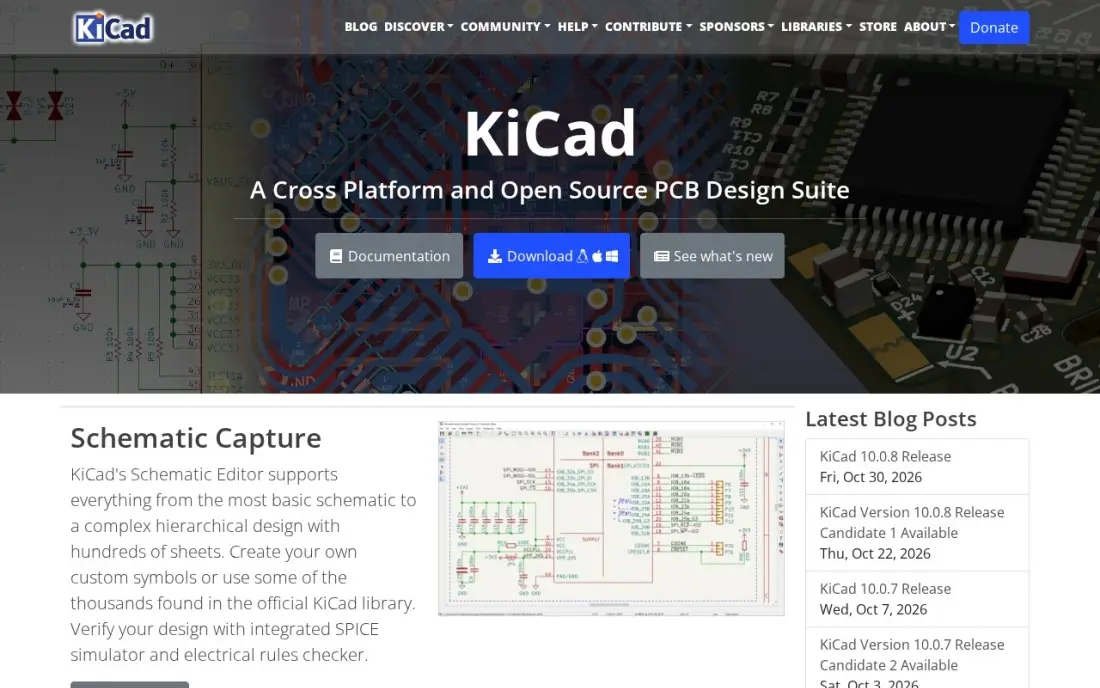
KiCad is the free tool professionals genuinely use for circuit boards. Its schematic editor handles hierarchical designs with hundreds of sheets, with an integrated SPICE simulator and electrical rules checker, and the PCB editor has an interactive router and a 3D viewer for checking fit. It runs on Windows, macOS and Linux and works fully offline.
There is no paid tier and no feature limit, so a startup can design a commercial product without a licence bill. The gaps are an autorouter, which needs a third-party tool, and library management, which can frustrate on large projects. It is rated 4.5 out of 5 on G2 from 69 reviews.
What we like
- Completely free and open source with no feature limits
- Professional-grade schematic editor with SPICE simulation
- Hierarchical designs with hundreds of sheets, plus a 3D viewer
- Runs on Windows, macOS and Linux and works fully offline
Watch out for
- Only 69 G2 reviews, so its 4.5 rating rests on a small base
- No built-in autorouter; that needs a third-party tool
- Library management can frustrate on larger projects

Altium Develop
Best for: Professional hardware teams that need Altium Designer with cloud collaboration and free reviewer seats

Altium Develop packages Altium Designer, the PCB tool most hardware companies standardise on, with the Altium 365 cloud workspace. Author seats are annual and concurrent, so up to 5 designers can work at once and share seats, while unlimited collaborators review designs, comment, manage tasks and handle BOMs for free.
The pricing page shows no figures, so treat it as a custom quote, and the whole workgroup can trial it free for 30 days. Teams that need more than 5 concurrent authors, compliance workflows and advanced permissions move to Altium Agile, also priced by quote. Buy it when PCB design is a core, multi-person job.
What we like
- Includes Altium Designer and Altium 365 in one subscription
- Unlimited collaborators free, who can review, comment and work with requirements and BOMs
- Concurrent author seats can be shared across designers who are not working at the same time
Watch out for
- No price is published, so budgets need a sales conversation
- Annual subscription only, with no perpetual option listed
- Develop covers up to 5 concurrent authors; larger teams move to quote-based Altium Agile

EasyEDA
Best for: Hobbyists and small teams that want free browser PCB design with one-click board ordering
EasyEDA runs schematic capture, SPICE simulation and PCB layout in the browser, with nothing to install, and the free Standard plan allows commercial projects. Its standout feature is the JLCPCB link: finish a layout and order fabrication and assembly in a few clicks, with live parts stock visible as you choose components.
Designs import from EAGLE, Altium, KiCad and LTspice, which makes switching easy. Pro starts at $7.99 a month for ad-free use and priority support. The trade-offs are that it needs an internet connection and an account, and complex multi-layer boards can lag in the browser.
What we like
- Free browser-based design with nothing to install
- One-click ordering of PCBs from JLCPCB with live parts stock
- Free for commercial projects with no feature restrictions
- Imports designs from EAGLE, Altium, KiCad and LTspice
Watch out for
- Needs an internet connection and an account
- Complex multi-layer designs can lag in the browser
- Ad-free use and priority support need Pro at $7.99 a month

DipTrace
Best for: Small firms and freelancers who want a perpetual PCB licence priced by board size
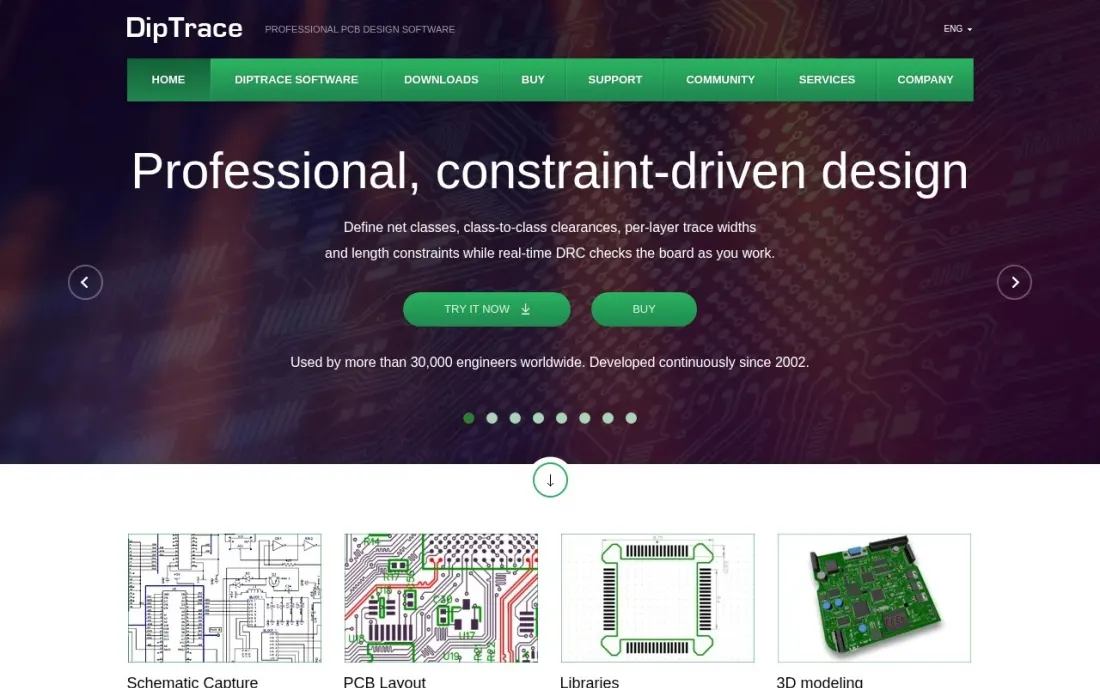
DipTrace is the PCB tool for buyers who want to own their licence. Every edition is perpetual and priced by design size: Starter costs $75 for 300 pins and 2 signal layers, Lite $145 for 500 pins, Standard $395 for 1,000 pins and 4 layers, Extended $695 for 2,000 pins and 6 layers, and Full $995 with no limits.
All editions include unlimited power and ground plane layers. Major upgrades cost 25% of the full price, so a Standard owner pays about $99 to move to the next major version. Check your largest board's pin count before choosing, because the cap is hard.
What we like
- Perpetual licence on every edition, with no subscription
- Five editions let you pay only for the pins and layers you need
- Unlimited power and ground plane layers on every edition
Watch out for
- Pin and signal-layer caps on every edition below Full
- Major upgrades cost 25% of the full price

CircuitMaker
Best for: Makers and open-hardware designers who want free Altium-style tools with community sharing
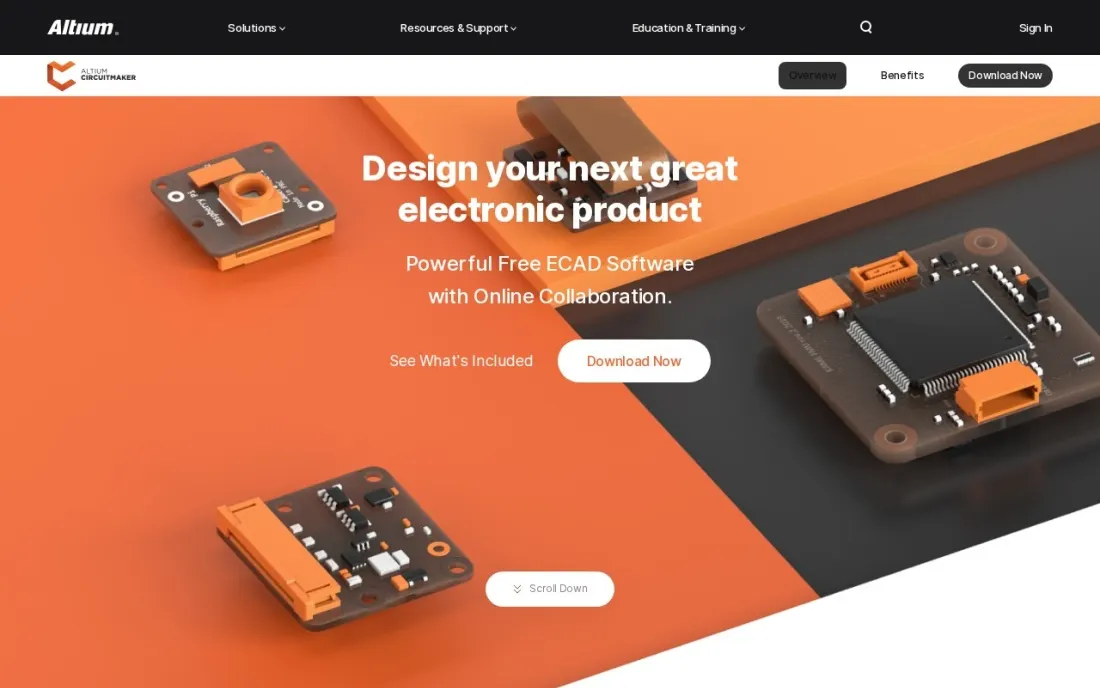
CircuitMaker is Altium's free PCB tool, and it brings a lot of the paid product's engine: multi-sheet schematics with hierarchical blocks, Push-N-Shove interactive routing, the Situs autorouter, native 3D clearance checks, and Gerber, NC Drill and ODB++ outputs. Boards can have up to 16 signal and 16 plane layers with no size limit.
It is built around sharing. You get up to 5 private projects, and the community library of components backed by Octopart grows from what users publish. There is no non-commercial clause, so you can sell what you design. Choose it for open hardware; choose KiCad for private work.
What we like
- Free, with no non-commercial clause, so designs can be sold
- Up to 16 signal and 16 plane layers and no board-size limits
- Push-N-Shove routing, the Situs autorouter and native 3D clearance checks
Watch out for
- Only 5 private projects; other work is shared with the community or chosen collaborators
- Cloud-based and community-centred, so it suits open hardware better than confidential client work

Autodesk Fusion
Best for: Product designers who want the PCB and the enclosure designed in one tool
Autodesk Fusion puts PCB tools in the same workspace as parametric 3D CAD, CAM and simulation, which is its real advantage: the board and the enclosure it sits in are designed together, so a connector that clashes with a case wall shows up before anything is manufactured. Cloud version history saves every change.
The personal-use licence is free for non-commercial work under $1,000 a year in revenue, with a 10-document editable limit. The paid subscription costs $680 a year or $85 a month. Files live in Autodesk's cloud, so a weak connection can block access to designs.
What we like
- Full parametric CAD plus CAM, simulation and PCB tools in one workspace, so the board and its enclosure are designed together without leaving the app
- Free personal-use licence covers the core modelling tools hobbyists actually use, with a 10-document editable limit
- Cloud version history saves every change, so a failed experiment never loses the working model
- Large tutorial library and maker community, so most beginner questions already have a video answer
Watch out for
- Personal-use licence is non-commercial: earning over $1,000 a year from your designs means the $680/year subscription
- Cloud-based files and sign-in mean a poor connection can block access to your own designs
- Advanced simulation, generative design and some manufacturing tools need paid extensions on top of the subscription
The best PCB design software takes a circuit from schematic to manufacturable board files without fighting you on libraries, routing or layer limits. We compared six tools — open-source, browser-based, perpetual and professional subscription — on schematic capture, routing, layer and pin limits, collaboration and real cost, and every price below comes from the vendor's own pricing page as checked in November 2026.
How to choose the best PCB design software
- Check the limits that bite. DipTrace caps pins and signal layers by edition, CircuitMaker caps private projects at 5, and Fusion's free licence caps editable documents at 10.
- Decide how private the work is. Client and commercial designs need private projects; CircuitMaker is built around community sharing.
- Think about manufacturing. EasyEDA orders boards from JLCPCB in a few clicks; every other tool exports Gerber files you upload to any fabricator.
- Plan for libraries. Component symbols and footprints take more time than routing on most projects, so check how each tool sources parts.
- Weigh subscription against ownership. Altium and Fusion are subscriptions, DipTrace is perpetual, and KiCad is free forever.
- Consider the mechanical side. If the board must fit a custom enclosure, Fusion's combined PCB and 3D CAD saves a round of fit checks.
Hardware companies win customers through search like anyone else. If you sell boards, modules or engineering services, our SEO audit finds what keeps your product pages from ranking, and our guide to the best electrical CAD software covers panel and wiring design beside PCBs.
Which PCB design software fits your situation
A hobbyist or open-hardware maker. Start with EasyEDA if you want nothing to install: the free Standard plan runs in the browser, and a finished layout goes to JLCPCB for fabrication and assembly in a few clicks. Watch for lag on complex multi-layer boards and the need for an account. If you publish your designs anyway, CircuitMaker gives you Altium-style routing, the Situs autorouter and up to 16 signal layers for free, with no non-commercial clause, but only 5 projects can be private.
A two-person startup designing a commercial product. KiCad is the default. It costs nothing, has no feature limits, works fully offline and handles hierarchical schematics with SPICE simulation and an interactive router, so the licence bill stays at $0 as the product grows. Budget time instead for library management and a third-party autorouter if you want one.
A freelancer or small firm that prefers owning software. DipTrace sells perpetual licences, from $75 for Starter up to $995 for Full with no limits. Standard at $395 covers 1,000 pins and 4 signal layers, which suits many small products. Check your largest planned board against the pin cap first, and remember major upgrades cost 25% of the full price.
A professional hardware team with several designers. Altium Develop fits when PCB design is a core, multi-person job. Up to 5 concurrent authors share seats, and unlimited collaborators review, comment and handle BOMs for free. There is no published price, so run the 30-day workgroup trial and get the quote in writing before it ends; teams beyond 5 concurrent authors move to Altium Agile.
A product designer who owns the enclosure too. Autodesk Fusion designs the board and the case together, so connector clashes show up before manufacturing. The free personal licence is non-commercial and capped at 10 editable documents; commercial work costs $680 a year or $85 a month. Keep confidential client boards out of CircuitMaker's shared projects and in KiCad or Fusion instead.
PCB design software pricing: what you will actually pay
Take a two-person hardware startup designing a four-layer board with about 800 pins. KiCad costs $0, EasyEDA's Standard plan costs $0 with Pro from $7.99 a month, and CircuitMaker costs $0 if the design can be one of its 5 private projects. DipTrace Standard, which covers 1,000 pins and 4 signal layers, costs $395 per licence once, or $790 for two seats, with major upgrades at 25% of the full price.
Autodesk Fusion costs $680 a year or $85 a month per paid subscription once the work is commercial, so two designers pay $1,360 a year on annual billing. Altium Develop publishes no price: you pay an annual workspace subscription plus author seats by quote, with unlimited free collaborators. Over three years, DipTrace's one-off licences cost less than two Fusion subscriptions, and Altium's cost depends entirely on the quote, so get it in writing before the trial ends.
Know the difference: PCB design vs electrical CAD
PCB design software, also called EDA, creates printed circuit boards: schematic capture, component footprints, copper routing across layers and the Gerber and drill files a fabricator needs. Every tool in this list is a PCB tool, built for electronics such as sensors, controllers and consumer devices.
Electrical CAD designs the wiring outside the board: industrial control panels, PLC wiring, terminal plans and cable harnesses, in tools such as AutoCAD Electrical and EPLAN. The two overlap only at the edges. If your drawings show cabinets and terminals rather than copper traces, you need electrical CAD instead.
Quick comparison: tool type by need
| Buyer | Best pick | Why |
|---|---|---|
| Most engineers and startups | KiCad | Free, open source, no feature limits |
| Professional hardware teams | Altium Develop | Altium Designer plus free collaborators, by quote |
| Fast prototypes | EasyEDA | Free browser design with JLCPCB ordering |
| Perpetual licence buyers | DipTrace | From $75 once, priced by pins and layers |
| Open-hardware makers | CircuitMaker | Free, 16 signal layers, community sharing |
| Board plus enclosure | Autodesk Fusion | PCB and 3D CAD in one, $680/year commercial |
Mistakes to avoid
- Buying a pin-limited edition for your first board. Products grow; check the pin count of your largest planned board, not your current prototype.
- Trusting unverified library parts. A wrong footprint costs a board spin; check every new footprint against the datasheet before ordering.
- Skipping design rule checks against your fabricator. Load the manufacturer's trace, spacing and drill rules before routing, not after.
- Putting confidential work in public projects. Community-centred tools are great for open hardware and wrong for client designs.
- Ignoring the enclosure. Connectors and mounting holes that clash with a case are the most common avoidable respin.
Related comparisons: AI Design Apps Free to Use · CAD Design Software · Web Design Software · Exterior Design Software
How we chose
We checked each vendor's own pricing page in November 2026 and recorded the starting price exactly as shown, including licence type and limits. Altium publishes no figures, so we list it as a custom quote rather than repeating third-party estimates. We ranked the tools by fit for the most common buyer — an engineer or small hardware team designing commercial boards — and weighed schematic and routing depth, limits, collaboration and total cost. Ratings come from G2 pages checked on the dates shown in the sources. No vendor paid for a place in this list, and none of the links here are affiliate links.
What to do next
Lay out one small real board, such as a sensor breakout, in KiCad and in one other tool from the table, then export Gerbers from both and check them in your fabricator's viewer. Keep the tool you finished faster. When the product is ready to sell, book a free call about getting it found.
Frequently asked questions
What is the best PCB design software?
KiCad is the best for most people: free, open source and capable of professional multi-sheet designs with SPICE simulation. Altium Develop is the professional team standard, priced by quote, and DipTrace is the best perpetual-licence option from $75.
Is there free PCB design software?
Yes. KiCad is free and open source with no limits, EasyEDA's Standard plan is free for commercial projects, CircuitMaker is free with up to 5 private projects, and Autodesk Fusion is free for non-commercial personal use.
How much does Altium cost?
Altium publishes no price for Altium Develop, which bundles Altium Designer author seats with an annual workspace subscription. Expect a custom quote; the whole workgroup can trial it free for 30 days, and collaborators are free.
Can I sell boards designed with free PCB software?
With KiCad, EasyEDA's free plan and CircuitMaker, yes — CircuitMaker states it has no non-commercial clause. Autodesk Fusion's free licence is non-commercial and limited to under $1,000 a year in revenue.
What is the cheapest paid PCB design software?
EasyEDA Pro starts at $7.99 a month, and DipTrace Starter costs $75 once for 300 pins and 2 signal layers. DipTrace Standard at $395 covers 1,000 pins and 4 signal layers for most small products.
Which PCB software is best for beginners?
EasyEDA is the easiest start, with nothing to install and one-click ordering from JLCPCB. KiCad takes longer to learn but has no limits and a large tutorial community, so many beginners start there and never move.
Which PCB design software is used in industry?
Altium Develop, built around Altium Designer, is the professional standard for hardware teams, with free unlimited collaborator seats but no published price, so budget for a quote after the 30-day trial. KiCad is the free, open-source tool professionals genuinely use, with hierarchical schematics, SPICE simulation and an interactive router. DipTrace suits small firms that want a perpetual licence priced by board size.
Is there PCB design software for Mac or Linux?
Yes. KiCad runs on Windows, macOS and Linux, works fully offline and is free and open source with no paid tier. EasyEDA and CircuitMaker are browser or cloud based, so they are not tied to one operating system; EasyEDA's Standard plan is free and links straight to JLCPCB board ordering, and CircuitMaker is free with up to 5 private projects.
Sources we checked (9)
- KiCad — www.kicad.org (checked November 7, 2026)
- KiCad reviews on G2 (checked November 7, 2026)
- Altium Develop — www.altium.com/pricing (checked November 16, 2026)
- EasyEDA — easyeda.com (checked November 7, 2026)
- EasyEDA reviews on G2 (checked November 7, 2026)
- DipTrace — diptrace.com/buy (checked November 16, 2026)
- CircuitMaker — www.altium.com/circuitmaker (checked November 16, 2026)
- Autodesk Fusion — www.autodesk.com/products/fusion-360/subscribe (checked November 4, 2026)
- Autodesk Fusion reviews on G2 (checked November 4, 2026)
Make one of these tools?
We re-check this list every quarter. Send a correction, request a review, or ask about a clearly labeled sponsored spot.
Request a listingShamim
Founder of SerpAstra
A full-stack digital marketer and SEO strategist covering technical and local SEO, AI search visibility, paid ads and lead generation for local businesses, e-commerce brands and SaaS teams.
Free SEO and AI visibility audit
Find out what is holding your rankings back
Send us your site. Within 2 business days you get a written audit, an AI visibility check and a short fix list ranked by impact. Free, with no contract attached.
Request my free audit→Related buying guides
 CAD, GIS & EngineeringBest Electrical CAD Software for 2026: 9 Options Compared by Use CaseCompare the 9 best electrical cad software options on price, panel design, wiring and free plans, with every price checked November 7, 2026.Read guide →
 CAD, GIS & Engineering10 Best CAD Software (2026): Top Picks, Real Pricing and Who Each FitsCompare the 10 best cad software tools on price, free plans and fit — from AutoCAD at $2,095 a year to FreeCAD at $0 — every price checked November 4, 2026.Read guide →
 CAD, GIS & Engineering10 Best 3D CAD Software for Hobbyist in 2026, ComparedCompare the 10 best 3d cad software for hobbyist makers on price, free plans and 3D-printing fit, with every price checked November 4, 2026.Read guide →